Chapter 1: Networking Fundamentals
1.7 Public vs private IP
In short: A public IPv4 can be routed on the internet when announced. An RFC 1918 private IPv4 can be routed across connected private networks and is not routed on the public internet.
Friends, your laptop shows 192.168.1.5, but the internet sees a different IP – let's understand that difference today.
मित्रांनो, तुमच्या लॅपटॉपवर 192.168.1.5 दिसतो, पण इंटरनेटवर वेगळा IP दिसतो – हा फरक आज समजून घेऊ.
दोस्तों, आपके लैपटॉप पर 192.168.1.5 दिखता है, लेकिन इंटरनेट पर अलग IP दिखता है – ये फ़र्क आज समझ लेते हैं.
A public IPv4 can provide a destination on the internet when a route exists. An RFC 1918 private IPv4 can serve several connected private networks, such as an office and a VPC across a VPN. Public internet routes do not carry RFC 1918 destinations. The three blocks are:
| Private range (RFC 1918) | CIDR | Typical use |
|---|---|---|
| 10.0.0.0 – 10.255.255.255 | 10.0.0.0/8 |
Large companies, AWS VPCs |
| 172.16.0.0 – 172.31.255.255 | 172.16.0.0/12 |
AWS default VPC uses 172.31.0.0/16 |
| 192.168.0.0 – 192.168.255.255 | 192.168.0.0/16 |
Home Wi-Fi routers |
Other special ranges: 100.64.0.0/10 (Shared Address Space that service providers can use with carrier-grade NAT) and 169.254.0.0/16 (link-local; on EC2, 169.254.169.254 is the instance metadata service).
Check your own IPs:
# IPv4 addresses on local interfaces (Linux)
ip -4 addr show
hostname -I

# IPv4 source reported by this remote service
curl -4 --max-time 10 https://checkip.amazonaws.com
Ravindra Bagale's Tip
Many students type the EC2 private IP (172.31.x.x) into the browser and try to open the website. A private IP is not routed over the public internet. Use the site's public DNS endpoint or, for direct access in this lab, a reachable public address. A connected private network such as a VPN can reach a permitted private address without exposing it to the internet. Inside the VPC, use private addressing where appropriate.
Ravindra Bagale's Tip – मराठी
बरेच students EC2 चा private IP (172.31.x.x) browser मध्ये टाकून website उघडायचा प्रयत्न करतात. Private IP ला public internet वर route नसतो. Public website साठी तिचं DNS नाव वापरा. VPN सारख्या मंजूर private नेटवर्कमधून परवानगी असेल तर private IP पर्यंतही पोहोचता येतं. आणि VPC मधले servers एकमेकांशी private IP ने बोलू द्या.
Ravindra Bagale's Tip – हिंदी
बहुत से students EC2 का private IP (172.31.x.x) browser में डालकर website खोलने की कोशिश करते हैं. Private IP का public internet पर route नहीं होता। Public website के लिए उसका DNS नाम इस्तेमाल करो। VPN जैसे स्वीकृत private नेटवर्क में अनुमति मिलने पर private IP तक भी पहुँच सकते हो। और VPC के servers को आपस में private IP से बात करने दो.
Lab
Chala, varchi teen commands tumchya laptop var aani EC2 var chalva aani donhi thikani private aani public IP liha. Mag hya IPs madhle private konte te sanga: 10.10.10.10, 172.31.5.20, 192.168.100.1, 8.8.8.8 – RFC 1918 table baghun.
Give customers and employees the addresses appropriate to their jobs
Mauli Dairy wants customers to see whether a delivery is on its way. The billing team needs a separate application that can post payments and inspect orders. A technician suggests writing down each computer's IP address and sharing the list. That may help during setup, but it leaves the company with the real design problem. Which service belongs on an internet path, which belongs on a connected office network, and who is allowed to use each one?
Start by looking at the direction of the first request. A customer opens the tracking site while commuting. The customer's phone initiates a connection to a public service name. A billing clerk in the office initiates a connection to a private application over an approved path. A backend that sends a delivery notice may initiate a third connection to an approved provider. Those three connections have different callers and destinations. A useful diagram shows the start of each arrow before choosing an address.
The tracking service needs an internet entry point. It could be a load balancer, a managed API or an intentionally reachable server. The service needs a name that users can remember and a certificate the browser can verify. Neither requirement says that every machine that participates in order processing needs its own public IPv4. The public component can accept the request and make a second, private connection to a backend. The caller and backend can then have different sets of network permissions and responsibilities.
The billing app can use a private address and a private name. If the billing team is at another office connected over a company VPN, the team may still reach it. A useful definition of private therefore includes the whole connected routing domain that has routes and permission, which can span several offices and cloud networks. An ordinary customer with a working browser and general internet access does not automatically become part of it.
For this lesson the private worksheet uses 10.40.0.0/16 for the cloud and 192.168.45.0/24 for the office. Values such as 203.0.113.20 and 198.51.100.70 stand in for internet-side addresses in diagrams. Those examples are reserved for documentation. Treat them as labels on paper and use actual authorized values in an environment that belongs to you.
Recognize the three private IPv4 blocks by their boundaries
RFC 1918 reserves three blocks for private internets. Separate organizations can choose addresses from those blocks without coordinating every number globally. Two unrelated families can both have a printer at 192.168.1.50. Their home networks separately interpret that address. Trouble arises if the two networks are joined and a router now needs to decide which of the two printers that number means.
| Private block | First and last values | A reliable way to recognize the block |
|---|---|---|
10.0.0.0/8 | 10.0.0.0 through 10.255.255.255 | The first octet is 10. |
172.16.0.0/12 | 172.16.0.0 through 172.31.255.255 | The first octet is 172 and the second is in the inclusive range 16 through 31. |
192.168.0.0/16 | 192.168.0.0 through 192.168.255.255 | The first two octets are 192 and 168. |
Look at the middle row carefully. The first and second octets of 172.31.12.9 are 172 and 31. The 31 is the last allowed second octet in that private block, so the address qualifies. The second octet of 172.32.12.9 is 32. It falls outside the private allocation. This comparison alone gives the classification. It does not tell you who holds the second address or whether a particular service accepts traffic there. In another common boundary mistake, 192.167.1.1 sits just before the private 192.168 block. The full prefix matters.
The slash length describes fixed bits. The /8 block fixes the first octet. The /16 block fixes the first two octets. The /12 block fixes eight bits of the first octet and four bits of the second. In its lower edge, 16 is binary 00010000. In its upper edge, 31 is binary 00011111. Both begin with 0001 in the second octet. The four remaining bits of that octet can range from all zeroes to all ones. Rule the address in or out based on that block, then use the actual subnet prefix to decide address behavior in your network.
The table shows block membership, including first and last values. A subnet allocation is a separate question. For example, even though 10.40.12.0 is in RFC 1918 space, whether it is a subnet's network address depends on the subnet prefix in use. A cloud may also reserve particular addresses in every subnet. Start by identifying the parent block, then inspect the actual subnet and provider rules before picking a host address.
Recognize addresses that have special jobs outside RFC 1918
A colleague finds an unfamiliar IP and says it cannot be public because their browser fails. A failed request cannot classify the address. Working from the published allocation is faster. Some special address ranges have very narrow meanings, and an address can fall outside all three RFC 1918 blocks while still being inappropriate for a public service.
| Example | Address kind | Useful interpretation |
|---|---|---|
100.72.2.9 | Shared Address Space, 100.64.0.0/10 | A provider may use it between a customer's router and carrier-grade NAT. |
169.254.4.20 | IPv4 link-local space | Look at the link and configuration context. Some hosts self-configure link-local addressing when they lack another applicable IPv4 configuration. |
127.0.0.1 | IPv4 loopback | This destination refers back to the same computer doing the lookup or opening the socket. |
198.51.100.70 | Documentation address | Use it to describe an internet-side address in a worksheet. |
0.0.0.0/0 | IPv4 route prefix matching every destination | This is the default match when no more specific route applies. The next hop still needs to be read from the route. |
Take two different reports about the Mauli billing laptop. In the first report it shows 169.254.4.20 and the normal office gateway is missing. That information supports checking the active Wi-Fi network and whether the host obtained its intended DHCP configuration. It does not justify changing an address by guessing. The correct next question is whether the office actually expects that interface to have a leased address. A laptop may have several interfaces and the problem could be with only one.
In the other report a home router displays a WAN address in 100.64.0.0/10. The outside website shows a different IPv4. Split the path into laptop, home router, carrier and destination. A provider can translate traffic between the address it assigned to the home router and the public source seen by the website. The home router and the provider may each hold a separate mapping. Check the provider documentation or ask the provider if a particular service requires a directly assigned public IPv4.
A new learner may ask which single button tells them whether a number is public. It is more useful to write two lines. First, classify the allocation using the RFC 1918 ranges and the IANA registry. Second, record where the interface, route, listener and access control are configured. The first line gives address meaning. The second gives operational reachability from a particular caller.
Separate a public address from a reachable service
Imagine that the training worksheet shows a public address for the tracking front end but the page will not open. It would be easy to conclude that the public address is wrong. Instead, follow the evidence from the name the customer sees to the application that is supposed to answer. Every layer has a separate owner and an improvement at one layer cannot create missing behavior at another.
Which address did the client choose? Start with the intended service name. Check that name from the same environment as the failing request. DNS can differ across internal and public resolvers, and an old answer can remain cached for a time. Note the selected protocol family as well as the value. A browser that chose IPv6 may be testing a path that an IPv4-only command did not test.
Is there a route for both directions? The caller needs a way to send the packet to the service. The service also needs to return traffic along a usable path. When there is translation, the reply needs to match the expected state at the translating device. In AWS, review the subnet's effective route table, attachment and association from the perspective of the actual device involved.
Does policy permit the chosen traffic? Identify the protocol, port and caller. A public IPv4 tells the routing system which address to deliver to. The security groups, network ACLs or firewalls can still distinguish a permitted HTTPS connection from an unrelated connection. Changes should follow the intended application policy and evidence from that caller.
Is a process listening where the packet arrives? A server might run successfully on
127.0.0.1:8080, which accepts connections from that machine. A client sending to another interface and port needs a listener or proxy on that path. Check the protocol and port before choosing a diagnostic, since a successful ICMP echo does not prove that an HTTPS process will handle a request.Can the customer perform the expected operation? An HTTPS client can connect and still reject a certificate for the wrong hostname. The application can then return a status saying that the user is signed out, the order is unknown or the backend failed. Record transport, TLS and application results separately so the team fixes the appropriate layer.
Practice using this sequence when a coworker reports a single symptom. If the tracking name connects and returns the expected site but the delivery details are incorrect, the observation confirms much of the path for that request. Looking at the order record or application logs becomes more useful than reassigning the public address. If the name resolves but a connection times out, narrow the check to that address and its connection path before opening any wider access.
Trace the two addresses shown on the same laptop
Mauli's office laptop is assigned 192.168.45.25. For an IPv4 HTTPS connection to a vendor, both the laptop's local network settings and the vendor's observation can be correct at the same time. The two readings refer to different positions along the path. Draw a boundary at the office router and put one observation on each side.
On the laptop, a network interface holds the locally configured address. The browser opens a connection to the vendor on its advertised HTTPS port. The first packet might have source 192.168.45.25:51042 and go to the router on the way to the vendor. The router's translation function can put its internet-facing source address and a chosen source port in the outbound packet. In a diagram the vendor may now see 203.0.113.20:62014. A translation table connects that observed pair back to the original local pair for the reply. The actual selected source ports vary and the lesson uses example numbers.
The laptop still lists the address on its interface when you inspect it during the request. It does not become the public address just because a server responded. The server reports what arrived there. In the simple example the translation is at the office router. A corporate proxy or VPN can also route traffic from another exit location. The provider may translate again. Record the address family, request and observation location before comparing two results.
If an employee at a neighboring desk reaches the same vendor, the two connections can appear to come from the same public IPv4. Their local addresses and their translated transport ports can differ. The public IPv4 alone cannot uniquely identify a device or a person. An organization sorting out a legitimate access issue may need an appropriately scoped timestamp, the destination, the original client identity and whatever records its own authorized systems kept for the path. An application should still authenticate users even when a network rule permits only an approved office egress address.
Use this distinction when a vendor asks which address to allow. Giving them the laptop's current private address will not match the inbound source of an internet connection through ordinary office NAT. Have the authorized network owner confirm the stable egress address for the relevant path. Record what happens during VPN use and failover. If there is a private link between the organizations, find out which source range the vendor actually receives on that connected route instead of applying the internet example by memory.
Locate where an EC2 public IPv4 appears
Draw a disposable EC2 web instance attached to a subnet in a VPC. Its network interface has an IPv4 address from the subnet range, such as 10.40.10.25. If a public IPv4 is associated for direct internet communication, AWS can map that public address to the private address at the internet gateway. The public association is visible in the cloud configuration. Inside the instance, a command listing local interfaces normally shows the private IPv4 for this design.
This placement explains a common lab result. The instance details in the console list a private and a public address. The Linux command shows the private address. Both observations belong in the worksheet. A student should record the console association and the address the operating system is actually using. Manually adding the console's public value to the guest interface is unnecessary for this mapping and could disrupt the instance's intended configuration.
The mapping is only part of the public path. Suppose the subnet's effective route table has an internet gateway route for the intended IPv4 destination. A request to the correct associated public IPv4 can then have a path to the instance, subject to the policy and listener. If the instance has only its private IPv4, the route table can still identify the subnet as public while that particular instance lacks direct IPv4 internet reachability through the internet gateway. The route table belongs to the subnet and the association belongs to a resource. Check them in that order when trying to explain what changed.
Cloud console wording can also refer to the IPv4 address from a VPC subnet as a private address, even if the VPC owner used a CIDR that falls outside RFC 1918 space. Such a CIDR selection does not establish a public internet announcement or associate a public IPv4 to an instance. New learners should use a planned private range for the sample and consider possible future connectivity. In an existing environment use cloud configuration, address ownership and routing evidence together.
A fixed Elastic IP fixes the public association under the intended allocation and attachment. It is one tool for a service that specifically needs a stable IPv4. It does not stand in for an internet route or a firewall rule. If a shared tracking service needs multiple targets, customers can have a stable DNS name for a public load balancer while the instances keep private IPv4 addresses. The next section uses that more useful separation of entry and processing.
Expose the tracking entry point and keep the data path private
Draw three rows for the tracking site. Public HTTPS goes to the front end. The front end contacts the application. The application reads the database. Label each pair separately. The public entry point sends a new application request to the service behind it, so the database doesn't require a path from every customer device on the internet.
| Caller | Destination | Connection the design permits |
|---|---|---|
| Customer browser | Public load balancer using the tracking DNS name | HTTPS to the public listener for this site. |
| Load balancer | Application instances at private addresses | Application traffic and configured health checks on the target ports. |
| Application instances | Database endpoint on the connected private network | Database port from the application tier, with application credentials. |
| Billing clerk | Internal billing application name | Company-approved private access path and separate billing sign-in. |
In an AWS design with an Application Load Balancer, the load balancer can contact targets at private addresses. Its health checks tell it whether the targets are available under the chosen health check conditions. A target's own security group can allow the relevant traffic from the load balancer's security group. The load balancer can therefore accept the approved public listener while the instances accept backend connections from the control that represents their intended caller. The application still decides what a signed-in customer may see.
Private address scope by itself does not enforce this arrangement. Someone with the right network connection may be able to route packets to several private subnets. The route makes delivery possible. The policy defines which callers are accepted. Then the application evaluates its users or API credentials. Keep these statements distinct when reviewing the diagram. A readable design labels each of the three connections with a destination port and a separate reason it is needed.
Consider a maintenance request. Billing needs to add an internal report that uses order data. The existing public entry point and the existing database are already present. The right design can place the new route and permission on the private path from billing's approved application, or use an authenticated internal service that owns the database access. A new public database address would broaden the entry scope and would still leave credentials, network policy and application responsibilities to configure.
Plan private ranges before connecting the office and the cloud
A VPN can make a private destination reachable from another network by providing a path across the space in between. It still needs distinct destinations that the participating systems can interpret. Consider two offices that each use 192.168.1.0/24. Each has a device at 192.168.1.50. A host in Office A trying to reach Office B's device may decide that the address is already local and try to find it on A's network. The VPN cannot infer B's intended device from the address alone. This is the private-address reuse problem at the point where separate networks become one connected design.
Exact matches such as the two 192.168.1.0/24 blocks are easy to spot. Contained blocks are equally important. If the office reserves 10.40.44.0/24 and the cloud uses 10.40.0.0/16, the office's range sits inside the cloud range. A large allocation on a spreadsheet can overlap a subnet you have not filled yet. Compare parent ranges and the actual networks already connected before assigning another block. AWS VPC peering rejects matching or overlapping CIDR blocks.
Mauli has some room to plan. It keeps the office on 192.168.45.0/24, uses 10.40.0.0/16 for the planned cloud network, and reserves a different agreed range for an upcoming branch. The owner records which sites and VPCs already use each block, the connections expected later, and who approves new ranges. An address plan needs change ownership because one team's isolated test range can become someone else's production conflict when a new connection is approved.
Once the path exists, verify the routes at the client, at the boundary and on the reply side using the exact destination ranges. Then check access policy and DNS visibility from the intended networks. A connected private route does not publish a service to the public internet. Conversely, attaching a VPN does not automatically make every private name resolve. If the two sites must use different resolvers, the owner needs to arrange how the relevant records are made visible. In a larger design, that can include conditional forwarding for specific DNS suffixes.
The simplest durable resolution for duplicate addresses is often to allocate non-overlapping ranges before deployment. An existing overlap in production needs a migration or an alternative connectivity design established with the owners. Record which main connections depend on the old ranges first. Renumbering a live system changes addresses, routing, access rules and possibly name records together. Fixing an address conflict is a coordinated change, not a command to run in an introductory lab.
Classify unfamiliar addresses and compare subnet ranges offline
Use a shell with Python 3 and its standard library. This worksheet does not contact any of the addresses it lists, change a network setting, or require an AWS account. The task is to classify addresses by explicitly checking membership in the three RFC 1918 blocks. Check the boundaries by hand before running the code. Some general-purpose libraries use broader criteria for a property called private, so the exercise uses exact block membership for the question it asks.
python3 - <<'PY'
from ipaddress import IPv4Address, IPv4Network

blocks = [
    IPv4Network("10.0.0.0/8"),
    IPv4Network("172.16.0.0/12"),
    IPv4Network("192.168.0.0/16"),
]
samples = [
    "10.40.10.25", "172.15.255.255", "172.16.0.0",
    "172.31.255.255", "172.32.0.0", "192.168.45.25",
    "100.72.2.9", "169.254.4.20", "198.51.100.70",
]
for sample in samples:
    address = IPv4Address(sample)
    match = next((block for block in blocks if address in block), None)
    print(f"{address}: {match if match else 'outside RFC 1918'}")
PY
Expect 172.15.255.255 and 172.32.0.0 to be outside, with 172.16.0.0 and 172.31.255.255 inside the same block. The sample private addresses in 10 and 192.168 should match their own rows. Shared, link-local and documentation examples should all return outside RFC 1918. The program is deliberately narrow. It can't tell you which of those outside results is suitable for an internet service. Match the last three against the special-purpose table by hand before writing a conclusion.
Now check the private cloud range against two office candidates. Keep the candidate that does not overlap. The call compares each full network's interval rather than comparing the text of two network names.
python3 - <<'PY'
from ipaddress import IPv4Network

cloud = IPv4Network("10.40.0.0/16")
for value in ["10.40.44.0/24", "192.168.45.0/24"]:
    candidate = IPv4Network(value)
    print(f"{candidate} overlaps {cloud}: {candidate.overlaps(cloud)}")
PY
The first result is true. The second is false. Explain the first in words. Every address beginning with 10.40 falls within the /16, so a /24 that begins with those octets can lie entirely inside it. Explain the second using the first byte. An address beginning with 192 cannot be in a block that begins with 10. This is enough to prove non-overlap of those particular ranges even without a computer.
If the first script reports an invalid address, check for a slash length in an address sample, or an octet outside 0 through 255. The second script expects network addresses in canonical form. For example, 10.40.44.7/24 describes an interface address and prefix, whereas the network number for that prefix is 10.40.44.0/24. Keep the host example in the first list and the network example in the second. In PowerShell or another shell without this here-document syntax, paste the Python statements into a Python interactive session and inspect the results there. The commands create no retained cloud resources or local files.
Record where two IP readings were taken
Use a computer you are allowed to inspect. The first half is read-only and does not need public network access. On Linux run ip -4 addr show, on macOS use the active network service details or ifconfig, and on Windows use ipconfig. Write the name of the active adapter, its IPv4, and the prefix or netmask, if available. Ignore loopback for this part. If a VPN adapter and Wi-Fi adapter both appear, write separate rows and keep their names. Identifying the path matters more than picking whichever IP appears first.
Next record the default route using the operating system's route view. On Linux ip route show default can list an interface and gateway. On macOS route -n get default can show the gateway and interface. Windows route print -4 can show the IPv4 route table. A default route indicates what to do when no more specific route applies. If the machine has overlapping VPN routes or multiple eligible routes, that simple default output is only part of the evidence. Keep the exercise read-only and ask the account's network owner before drawing conclusions about managed routing.
If your lab allows external observation, use the AWS address observation service already shown in the original lesson, forcing IPv4 so that the two comparisons match the same address family:
curl -4 --connect-timeout 5 --max-time 10 https://checkip.amazonaws.comThis HTTPS request reaches an external server, which can observe the address used by that request. Record the reported address class in your private worksheet. You shouldn't put your live address, account IDs or production routes in a public assignment. In a home or ordinary office NAT setting, the locally assigned IPv4 often differs from the externally observed value. If the two values happen to be the same, revisit the actual path and address ownership. If no result comes back, preserve that evidence and check DNS, IPv4 connectivity and proxy policy. Do not change VPN or firewall settings simply to obtain a demonstration result.
Students without approved external access can use the example observations 192.168.45.25 at the office interface and 203.0.113.20 at the vendor. Write one sentence for each about who reports it and at what point. Then imagine a colleague using IPv6 sees a different type of value. Explain why recording the family prevents a false contradiction. The exercise creates no cloud resources or local configuration changes, so cleanup consists of storing only the redacted worksheet you need.
Choose a useful next check for four different reports
| Report | What the report establishes | Next useful observation |
|---|---|---|
| A laptop cannot reach the biller by its private name from home before connecting to the company network. | That particular outside path has failed for the private service. | Check whether a private access path is required, then repeat the name and route checks from the approved connected environment. |
| Direct IPv4 to a disposable public EC2 lab responds to one learner but times out for another. | A working path exists from at least one source at that time. | Compare the callers and exact connection targets. The lab may intentionally limit the source network. Confirm access policy with the lab owner. |
| The load balancer answers on HTTPS but returns an unavailable response. | The caller got a response from an intermediate or serving component. The complete application operation failed. | Inspect target health, target policy, the application response and existing logs as appropriate to the observed status. |
| The cloud and office each see their own printer at the same private address after a VPN is introduced. | The two networks have overlapping address meaning. | Compare exact CIDRs and routes on both sides. Plan an address or connectivity change with the owners before changing live routing. |
The table helps you avoid a common habit. An IP appeared in the error, so someone asks for a new IP. Work toward the smallest explanation that fits the observed facts. If customer HTTPS succeeds in one location, at least one directed service path exists. If an unapproved office location is blocked, the block might be expected. Updating an internet route or relaxing a security control can change unrelated behavior while leaving the actual missing internal permission untouched.
Keep a record of the desired and observed behavior. A useful description is “The training request from the approved office to the intended tracking DNS name resolved to the expected IPv4, connected on TCP 443, and failed after the expected response arrived without a delivery status.” Break that report into a verified name, address, port and application result. The person investigating can ask for application logs instead of spending time looking for the right IP address. If you compare several requests, include when each was taken and which source network was used.
Practice choosing the public and private paths
Mark these targets on a Mauli diagram: the public tracking frontend, the app server, the database, the office billing client and the billing app. Draw arrows for the customer request and the billing request. Your answer is complete when you show two different entry points, label the caller of each private connection, and show where billing sign-in is still evaluated.
Given these candidate office ranges, select one to connect to cloud CIDR
10.40.0.0/16:10.40.71.0/24and192.168.71.0/24. Show the first and last values of the overlapping candidate and identify the shared prefix. Then ask what ranges the upcoming branch already uses. Success includes checking the whole intended group of connected networks, not only the current pair.Write a short response to a vendor who asks why their logs show a different source than the IP office employees see. Include one sentence about the local interface, one about an egress reading from the actual path, and one about validating a permitted caller by authentication. The response should leave room for a proxy, VPN or provider translation if those are present.
Review a report that says “the subnet is public, so the app has a public address.” Replace that sentence with separate statements about the subnet route table, EC2 IPv4 association, the matching policy and the listener. Under each statement name the exact piece of evidence you would inspect in a training environment. A successful review should still make sense when the public load balancer and EC2 backend sit in different subnets.
Interview questions and worked answers
Which assignment makes an IPv4 address private?
For the address classification question, check whether it lies in one of the three RFC 1918 blocks. Owners can use the same space for separate networks because RFC 1918 addresses are not intended for global Internet routing. In an AWS console, private IPv4 also describes an address from the VPC subnet assigned to an interface. Find out which meaning is being asked before reasoning about an unusual VPC CIDR.
Can a public address be unreachable over HTTPS?
Yes. The address has its published routing scope, while a usable HTTPS connection requires a working path, allowed traffic, a listener and expected TLS behavior. For example, a static public address can still be associated with a paused lab component or a component with an incorrect subnet path. Identify the exact observation and inspect the missing requirement from an approved caller.
Why might a cloud console show an address that Linux does not list?
For the EC2 public IPv4 case in this lesson, the guest uses its subnet-side address. AWS presents an associated public IPv4 and translates it to the private address for traffic through the internet gateway. Record cloud association and guest assignment in separate fields. This also explains why copying the public value into a guest's local address configuration is not the way to create the AWS mapping.
Why might two customers have the same visible source IPv4?
They may share an office, household, proxy or carrier egress. A translating device can use an address and transport state to keep different connections separate even though the destination sees one source address. The service needs its own customer identity checks. One internet-side IPv4 is insufficient evidence that two requests came from the same device or person.
How can two networks with private addresses communicate?
Use an approved connected path such as private peering or a VPN where appropriate. Verify non-overlapping address plans, forward and return routes, permitted traffic and needed name resolution. Private addressing restricts ordinary public routing. A private connection has its own routing domain and can make the same address usable by an authorized caller in another office.
Where should you place a public address for a three-tier customer application?
Make the frontend reachable through the intended public service endpoint. Keep application backend and database targets private where they need only communicate through connected networks. Allow each tier to receive the traffic from its actual caller, and use service identities or user authentication where needed. This makes it possible to adjust the frontend without giving every processing or storage component a public entry point.
Check your public and private address reasoning
Which address is within the RFC 1918 range that begins at 172.16? A.
172.15.1.2B.172.31.1.2C.172.32.1.2.Show answer
B. The first octet must be 172 and the second must lie from 16 through 31, inclusive. The 15 in A lies below the lower boundary, while the 32 in C sits immediately after the block. The third and fourth octets do not affect membership in that block.
The office router's provider-facing IPv4 is
100.72.2.9. What does it suggest? A. An RFC 1918 home LAN. B. An assigned global IPv4. C. Provider Shared Address Space.Show answer
C. The address falls inside the 100.64.0.0/10 block allocated for shared provider use. That fits a path with carrier-grade translation. Look at the provider's actual service design to establish what happens on that connection. The number itself reveals neither an exact translating device nor a public inbound path.
An EC2 subnet has an IPv4 route to its internet gateway. The instance has no public IPv4 association. Which conclusion follows? A. The instance is directly reachable from the public IPv4 internet. B. The subnet can be public while the instance has only private IPv4. C. The subnet route is automatically removed.
Show answer
B. Classification of the subnet concerns the route table. Direct IPv4 communication through the internet gateway also requires an appropriate public IPv4 association for the instance. An independent security policy, listening service and return path are still needed. A single check on the route table cannot establish the whole chain.
The office uses
10.40.44.0/24and the cloud uses10.40.0.0/16. Will these address ranges be unique when connected? A. No, one is contained in the other. B. Yes, because the written CIDR strings differ. C. Yes, because both are private.Show answer
A. The cloud range includes all values whose first two octets are 10 and 40. The whole office range matches those two octets. You should compare intervals and agree on non-overlapping ranges before connecting them. Private use permits reuse on isolated networks but cannot distinguish equivalent destinations on a joined path.
Which information best explains why the office's local IPv4 differs from the vendor's observed source? A. The source may have been translated along the path. B. The local IPv4 was permanently replaced. C. An HTTPS connection has no source IPv4.
Show answer
A. The client can start with a private interface address and the vendor can see a translated egress address on the same IPv4 connection. The local interface need not change. Keep the source observed by the vendor and the local address in separate worksheet columns, along with the network used.
Revision cards
- Three RFC 1918 prefixes
- Test membership in 10/8, 172.16/12 or 192.168/16. Other special IPv4 ranges have distinct uses.
- Private route scope
- Private addresses can serve a connected internal network across sites and clouds. Routes and policy still govern each connection.
- Public address and reachable service
- A working public endpoint requires the correct address, forward and reply paths, permitted traffic, a listener and the intended application response.
- Inside and outside readings
- The interface command shows a locally configured IPv4. A remote observation reports the source that reached the observer.
- EC2 public IPv4 association
- In the direct internet gateway example, AWS maps the associated public IPv4 to the guest's private IPv4. Inspect association and subnet route separately.
- Private network overlap
- Compare address intervals before connecting networks. An allocation with a longer prefix may be contained inside a larger one.
References
- RFC 1918 private IPv4 space
- IANA IPv4 Special-Purpose Address Space registry
- RFC 6598 provider Shared Address Space
- RFC 3927 IPv4 link-local addresses
- RFC 5737 documentation IPv4 blocks
- RFC 3022 traditional IPv4 NAT
- Amazon EC2 instance IP addressing
- Elastic IP addresses
- VPC internet gateways
- VPC peering routing and address restrictions
- Elastic Load Balancing architecture
- Security groups for Application Load Balancers
- Python ipaddress library
Quick revision cards
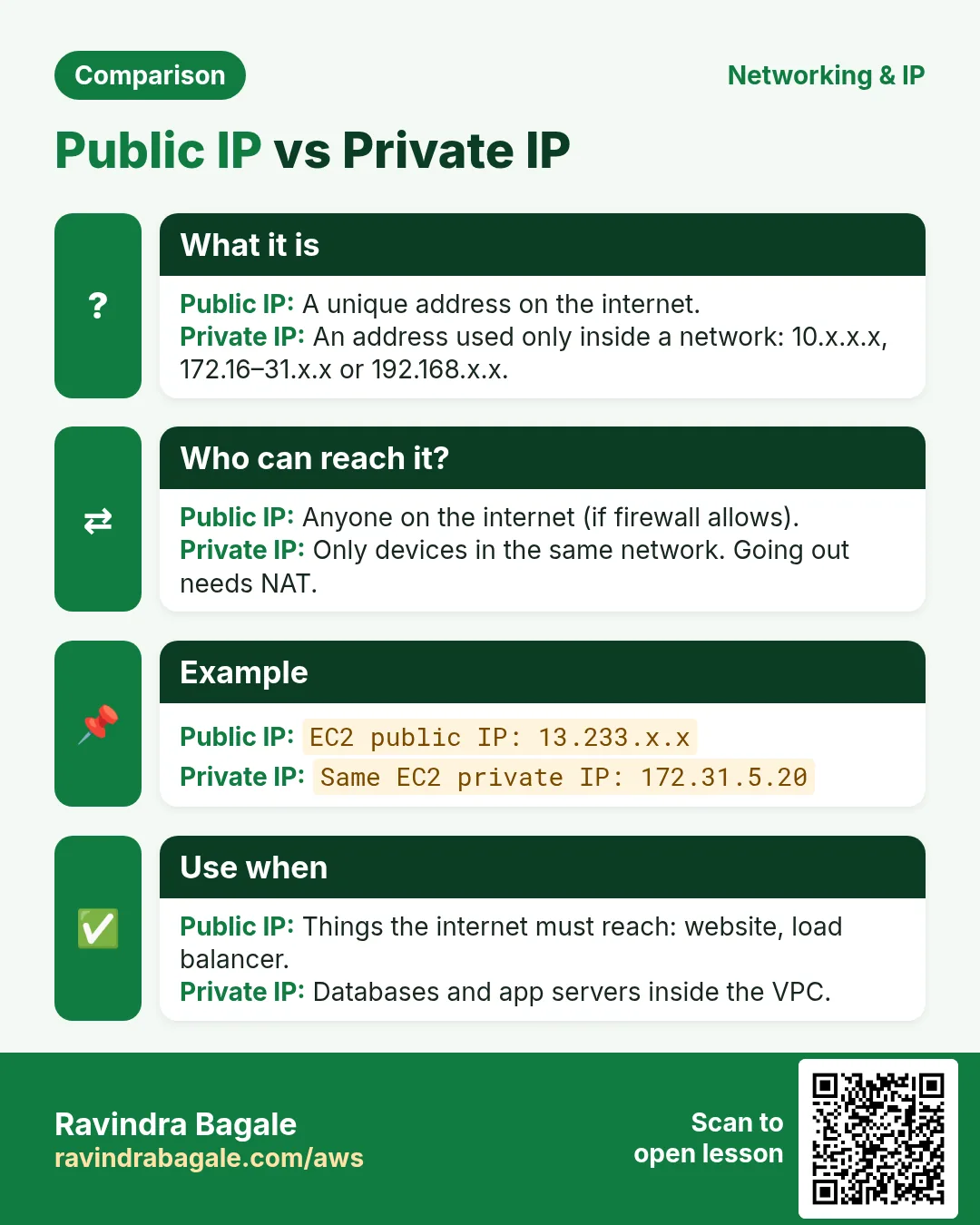
Revise this lesson in two minutes. Save the cards on your phone or download them as PNG files. The QR code on each card opens its lesson.
More cards: Ravi Sir's Cards.