Project: Build a Scheduled Cleanup Job with EventBridge, Lambda and DynamoDB (Source Code)
Apps delete old sessions and logs at night. EventBridge schedule runs your Lambda on a cron; Lambda scans DynamoDB and deletes or archives old rows.
In this chapter
- EventBridge rule schedule
- Cleanup Lambda modes delete/flag
- Seed data and verify
- Disable rule and cleanup
1. Everyday example
Leaving lab rows forever costs nothing huge on-demand — but production tables grow. A nightly job keeps them healthy.
rate(1 hour) or cron for the lab → Lambda Scan → delete or set status=archived when createdAt older than MAX_AGE_SECONDS.
Download: scheduled-cleanup.zip — handler.py + seed.py
2. Lab
Imagine the classroom app has four practice rows. The job’s decision is about data age, not the number of rows in a table. Make a scratch grid with a row for each item and columns for creation time, eligible, and planned action. Before AWS setup, mark two times before the cutoff and two after it. Preview should report two eligible rows without writing anything. After flag mode, two rows remain active and two have an archived status. A third run in flag mode should skip already archived rows if the same rows are still being examined.
The schedule and the age limit are two independent clocks. A five-minute trigger tells AWS when to invoke, while a 24-hour threshold tells the application which rows to consider. Running the trigger more often does not make a two-hour-old row qualify. Conversely, doing a one-off manual invocation still applies the age threshold. Read the threshold and the next trigger time separately as you verify the job.
A. Table + seed
Each row in the DynamoDB table has an itemId that identifies it and a createdAt number that records when it was added. The number is a Unix timestamp, which counts seconds from midnight UTC on January 1, 1970. seed.py is a small setup program that writes sample rows. Run it from your lab workstation with permission to write to the practice table. The Lambda function reads the rows later using its own role.
Work through one decision before opening the console. If the job runs Tuesday at 10:00 and MAX_AGE_SECONDS=86400, the cutoff is Monday at 10:00 in the same time zone. A row from Monday at 09:55 is eligible, while one from Monday at 10:05 stays. The handler compares numbers in seconds and keeps a row whose timestamp exactly equals the cutoff. This keeps the rule the same whether you open the console from Mumbai or another time zone.
- Table
yourname-cleanup, PKitemId. - Run
seed.pyonce as a standalone script withTABLE_NAMEset to the empty lab table. It adds four records, two older than one day.
B. Lambda + rule
EventBridge controls when the job starts. Its target is the Lambda function, which is the saved program that runs for one invocation. DynamoDB stores the rows. The schedule can deliver an event with no item ID because the function decides what to examine. Running Lambda manually first tests the program and table permissions before you add the clock.
Use preview to see which rows qualify without changing them. Use flag to mark those rows archived and keep their data available for inspection. In delete mode the rows are removed from the table. A row can change between a scan and a write. The handler rechecks the saved timestamp as part of the write, so a row whose timestamp changed is counted as changed instead of being modified using stale information.
- Set the handler to
handler.lambda_handlerand environment toTABLE_NAME,MAX_AGE_SECONDS=86400andMODE=preview. Set the Lambda timeout to 30 seconds, then invoke it manually before adding a rule. - EventBridge → Rules → Schedule → rate(5 minutes) for the lab (not only nightly). Target = Lambda.
- Check
complete,eligibleand the mutation counts in CloudWatch Logs. The first preview should show four scanned and two eligible on a freshly seeded table. Switch toMODE=flagbefore trying permanent deletes on the disposable table.
Ravindra Bagale's Tip
After the lab, disable or delete the rule immediately so it does not keep running.
Cleanup
- Disable the EventBridge rule, remove its target and delete the rule. Delete the lab Lambda, log group, table and role.
Common errors and fixes
These are synthetic practice situations. Diagnose the signal before changing a resource; no infrastructure changes are needed to read this guide.
A nightly legacy rule runs at the wrong local hour.
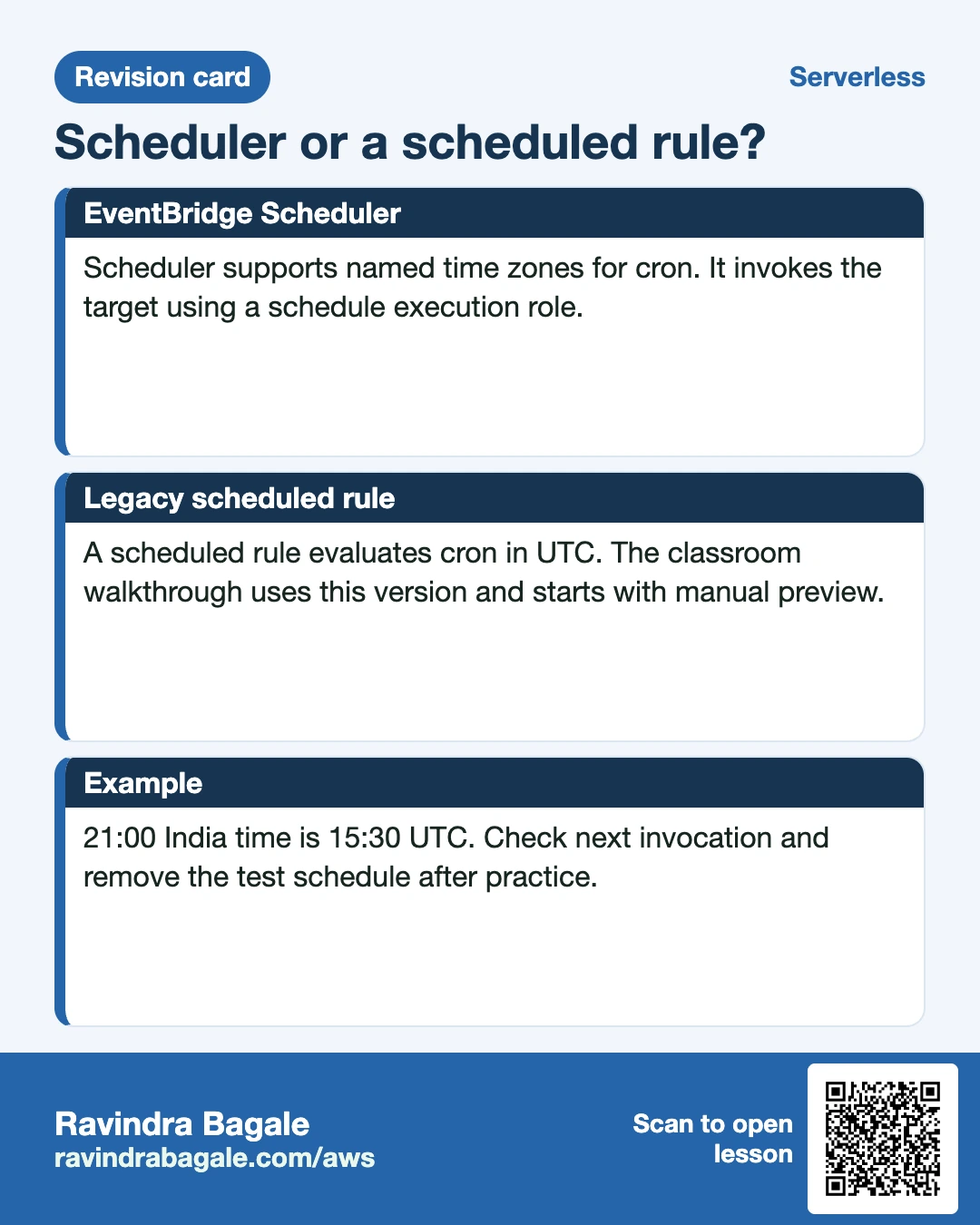
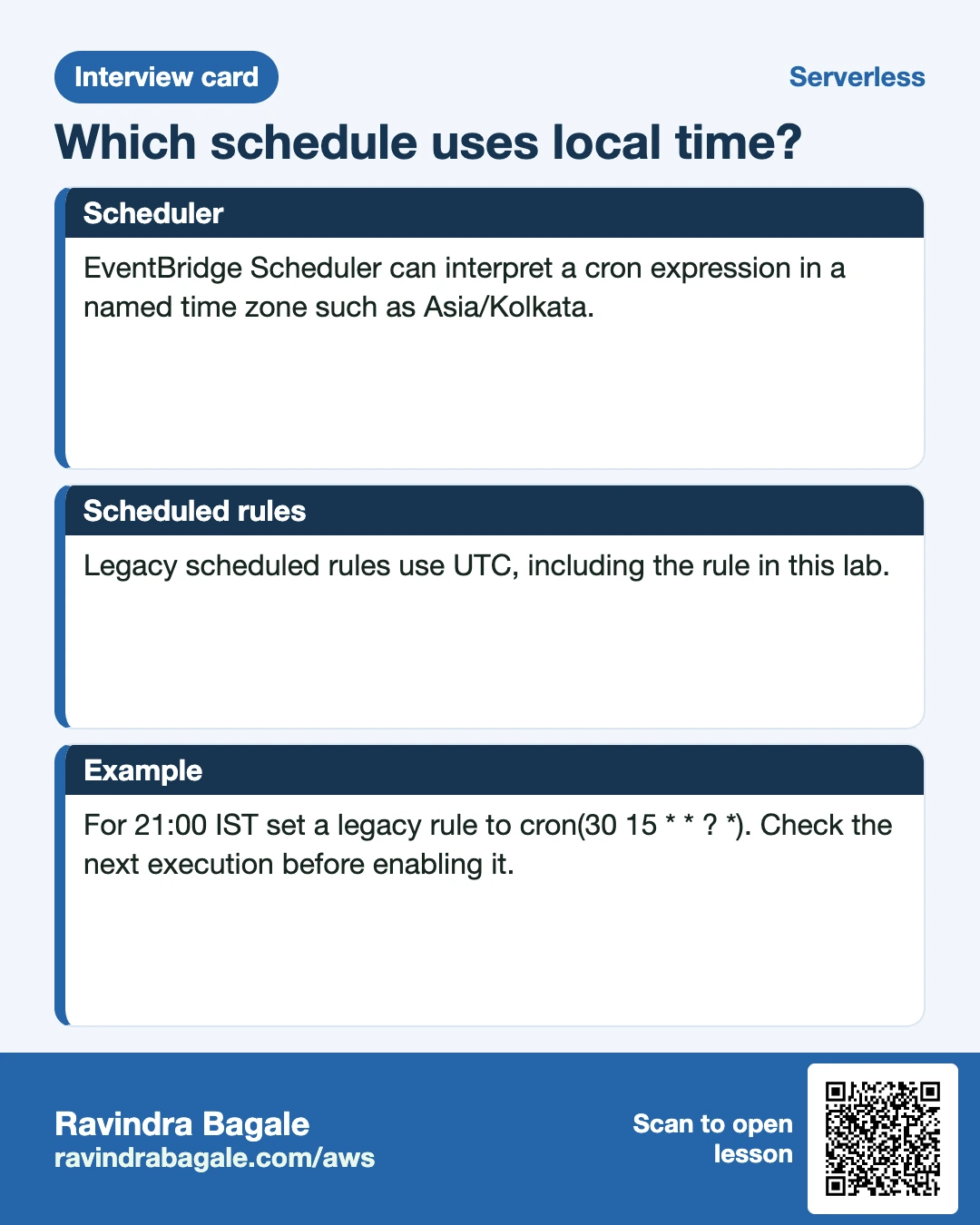
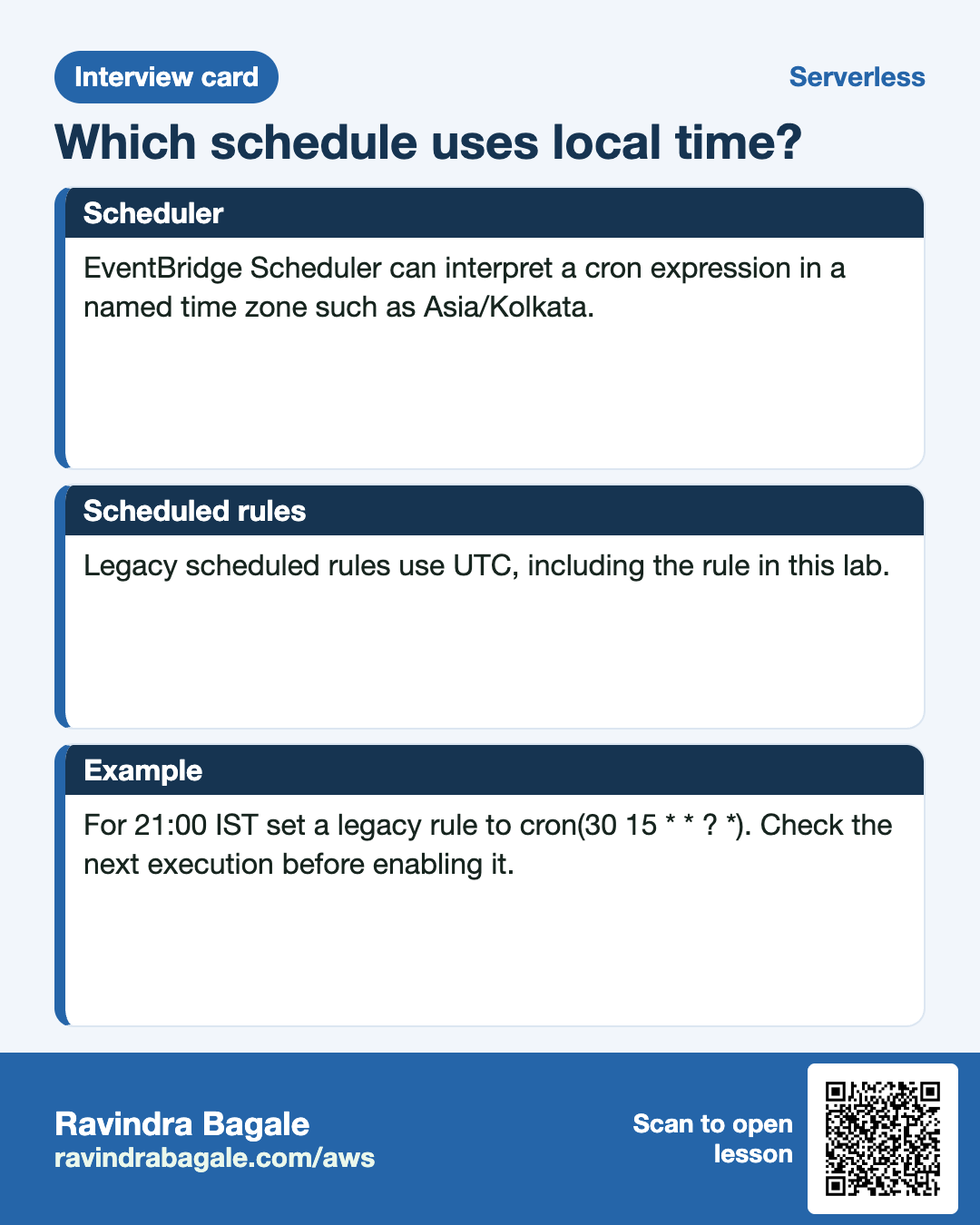
Scheduled EventBridge rules use UTC, not the time displayed on your laptop. Compare the rule next-run preview with the intended local time, including its date. For example, midnight IST corresponds to 18:30 UTC on the previous day. This lesson uses a legacy rule; EventBridge Scheduler is a different product with its own time-zone options.
Cleanup stops even though old rows remain.
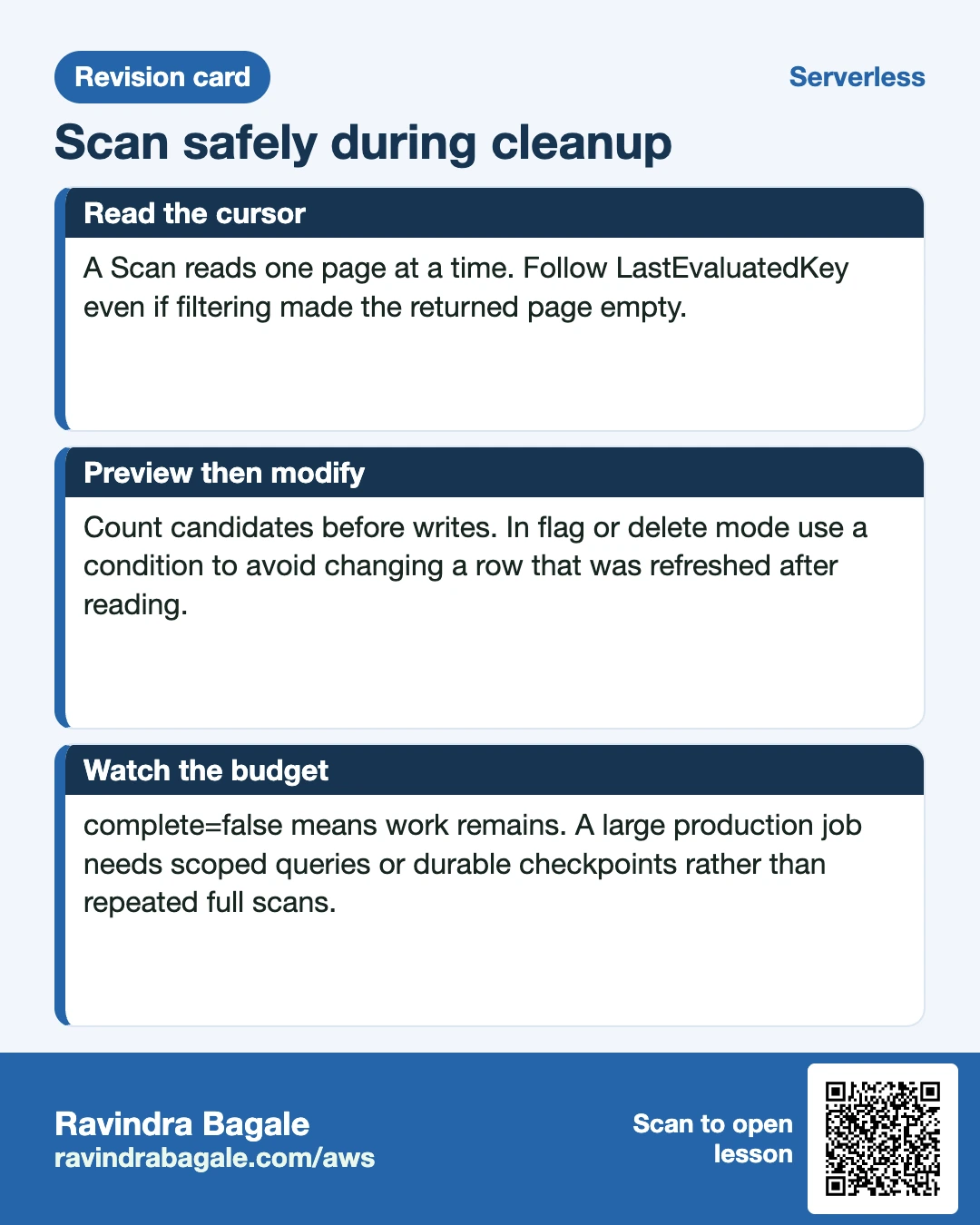
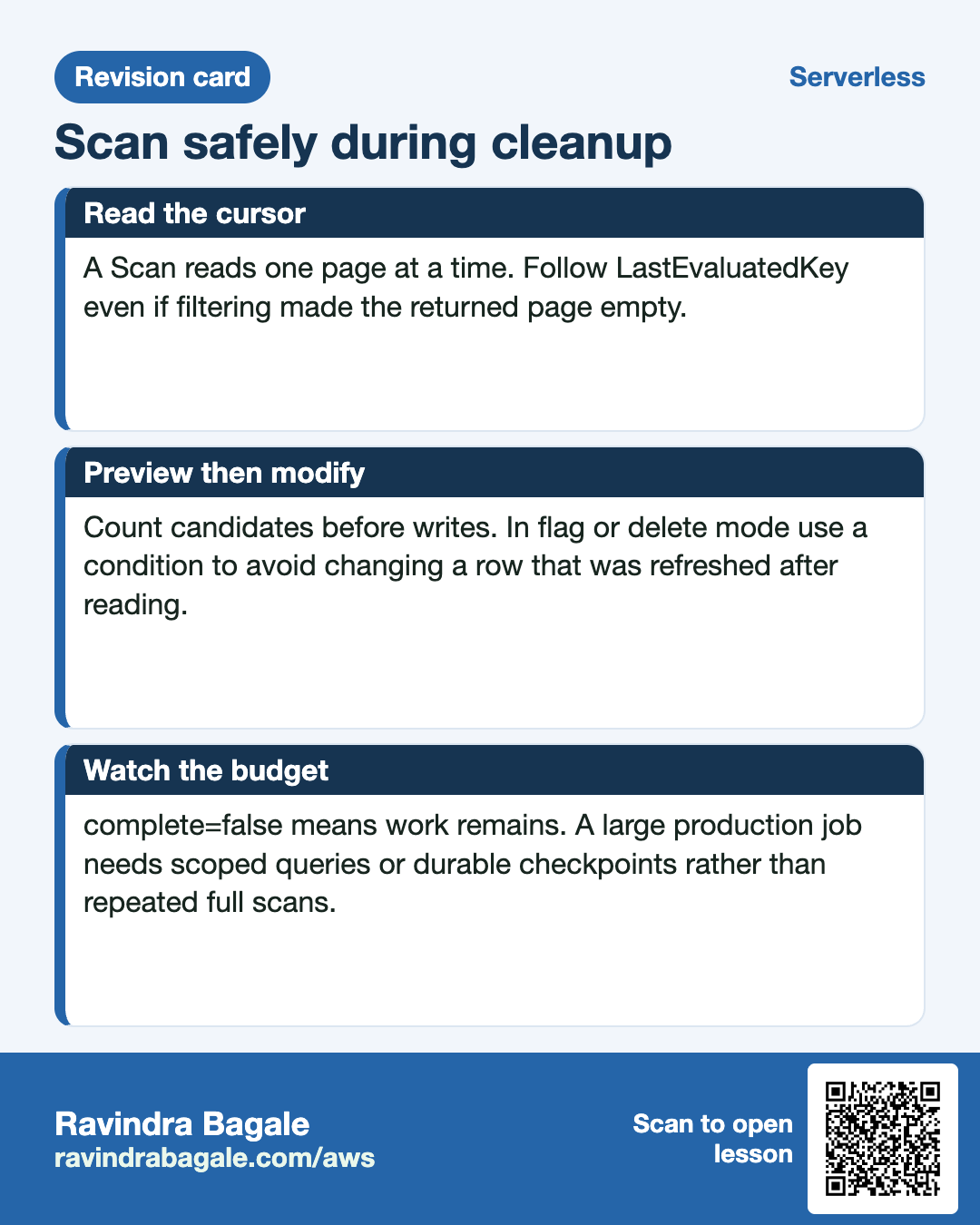
One DynamoDB Scan response is limited to a page of up to 1 MB before filtering. An empty filtered page is not proof that the scan is finished. Continue from LastEvaluatedKey until it is absent, while respecting a bounded runtime. For larger tables, design resumable work rather than assuming that a single invocation can finish every page.
A row was renewed after scanning but is still selected for deletion.
A scan result can become stale before a later write. In a session-style design, the deletion should check that the current expiry or version still matches the intended expired state. A conditional-write failure means the record changed and must not be treated as an ordinary successful delete. Discuss this race before adapting a cleanup lab to important data.
Practical FAQ: decisions during real work
Can TTL replace an exact nightly business deadline?
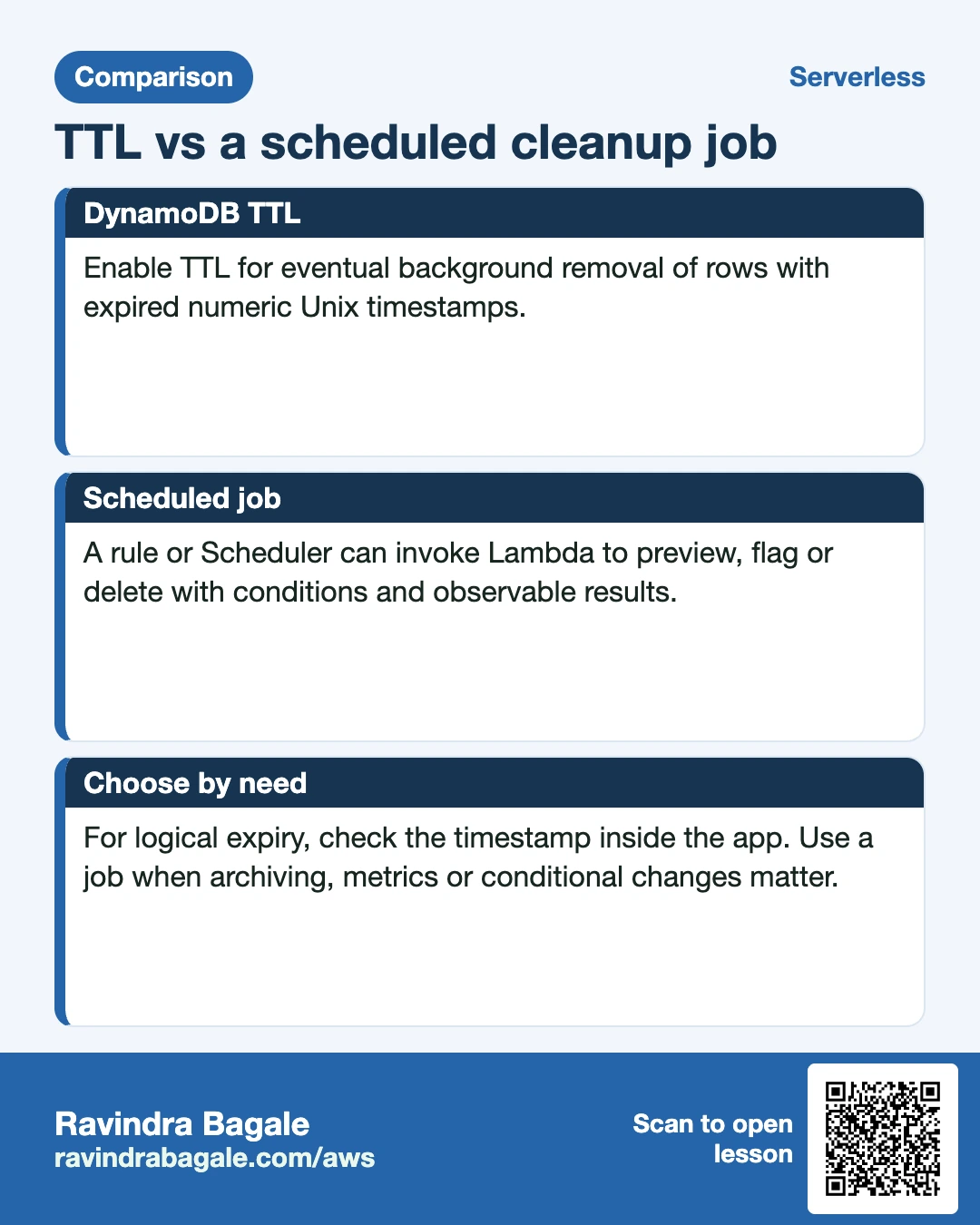
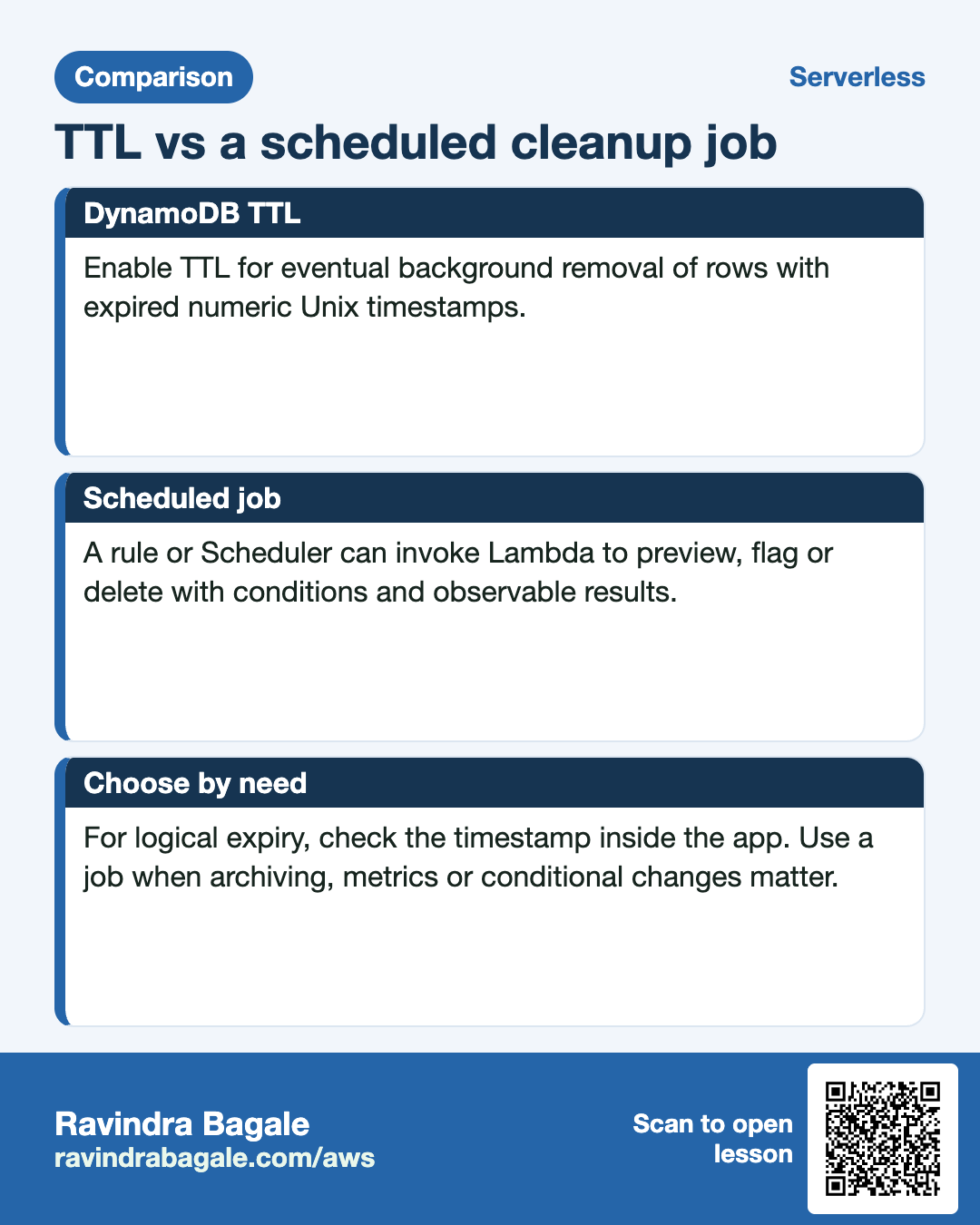
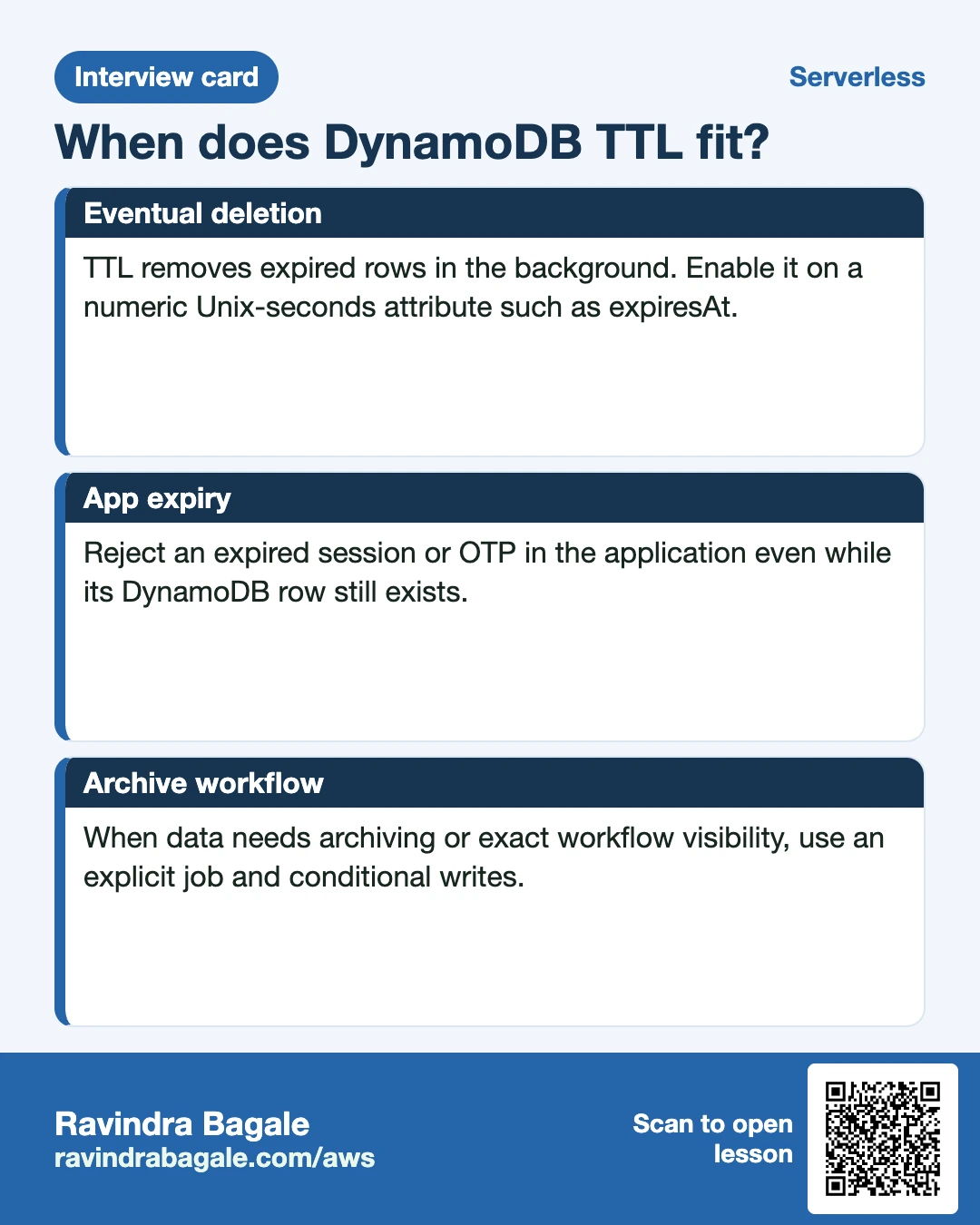
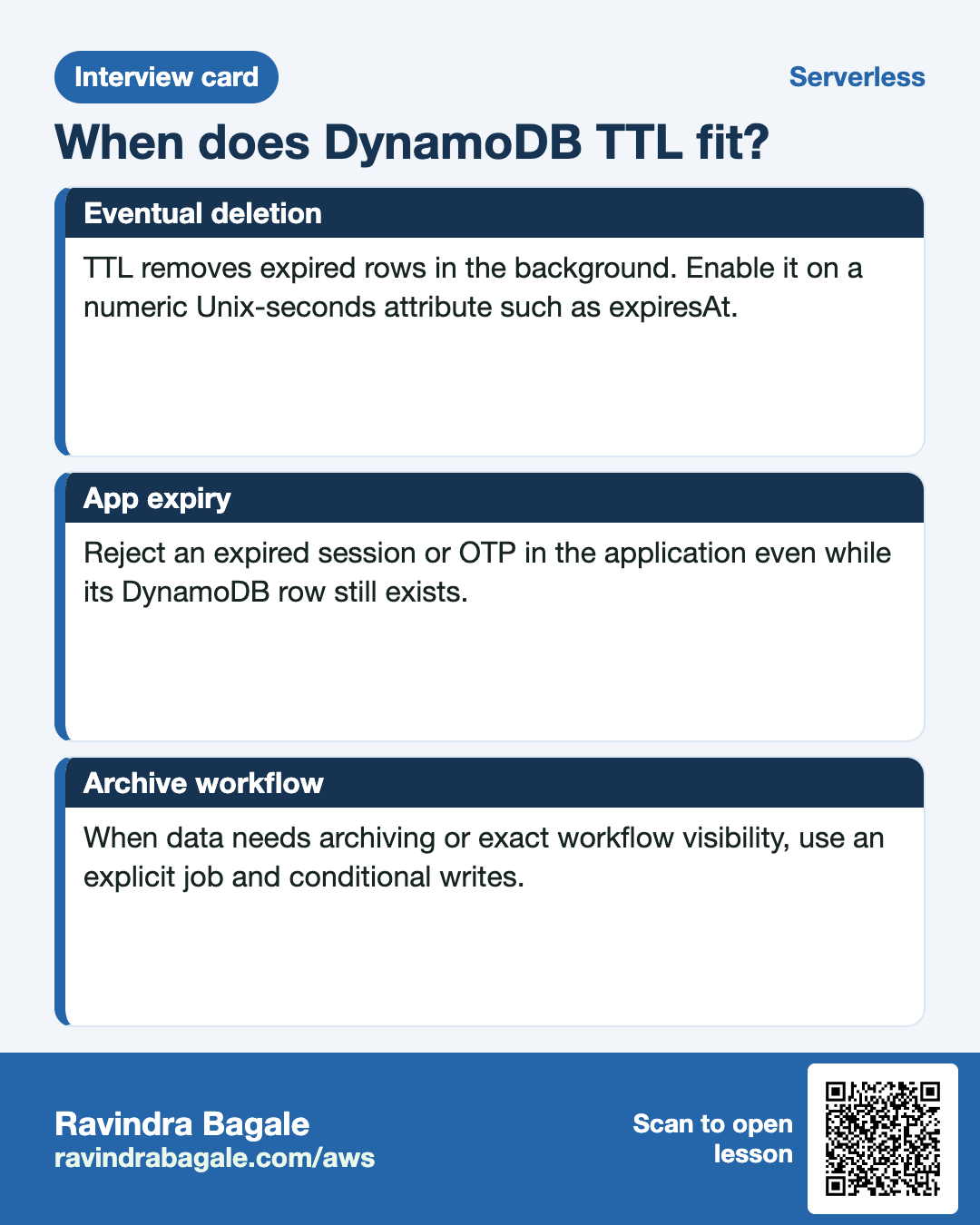
TTL performs background deletion, typically within a few days after expiry; it is not an exact-time scheduler. An application must enforce logical expiry when deciding whether a session is valid. A scheduled maintenance job and TTL solve different parts of lifecycle management. Choose based on the business rule, not on a promise of immediate deletion.
Why can a filter leave database read cost high?
A Scan filter removes items after DynamoDB has read them. It can reduce returned data but does not avoid reading the examined items. Compare ScannedCount, Count and consumed capacity to understand how much work was done. A selective access pattern or index may be needed at scale; a shorter JSON response alone is not an optimization.
What should a cleanup completion log actually say?
Distinguish examined items, eligible items, successful mutations and failures. A scan finishing is not proof that every attempted mutation succeeded. For a bounded or interrupted run, record that work remains instead of printing a universal success message. This makes retries and reviews meaningful without logging the contents of private records.
3. Interview
Q. Why EventBridge not a forever while-loop on EC2?
Serverless schedule; no idle server cost.
Q. Scan caution?
Fine for tiny lab tables; production uses TTL or sparse GSIs.
Q. delete vs flag?
Flag keeps audit; delete frees storage.
Q. Idempotency?
Running twice should be safe — already deleted rows simply vanish.
Q. Cleanup?
Rule first, then Lambda/table.
Try at home
- Switch MODE=flag and confirm status archived.
- Add DynamoDB TTL as a second line of defence.
In short
- EventBridge → Lambda → cleanup DynamoDB.
- Disable schedules after labs.
- Prefer TTL for pure expiry.
- Clean up.
Preview before changing any items
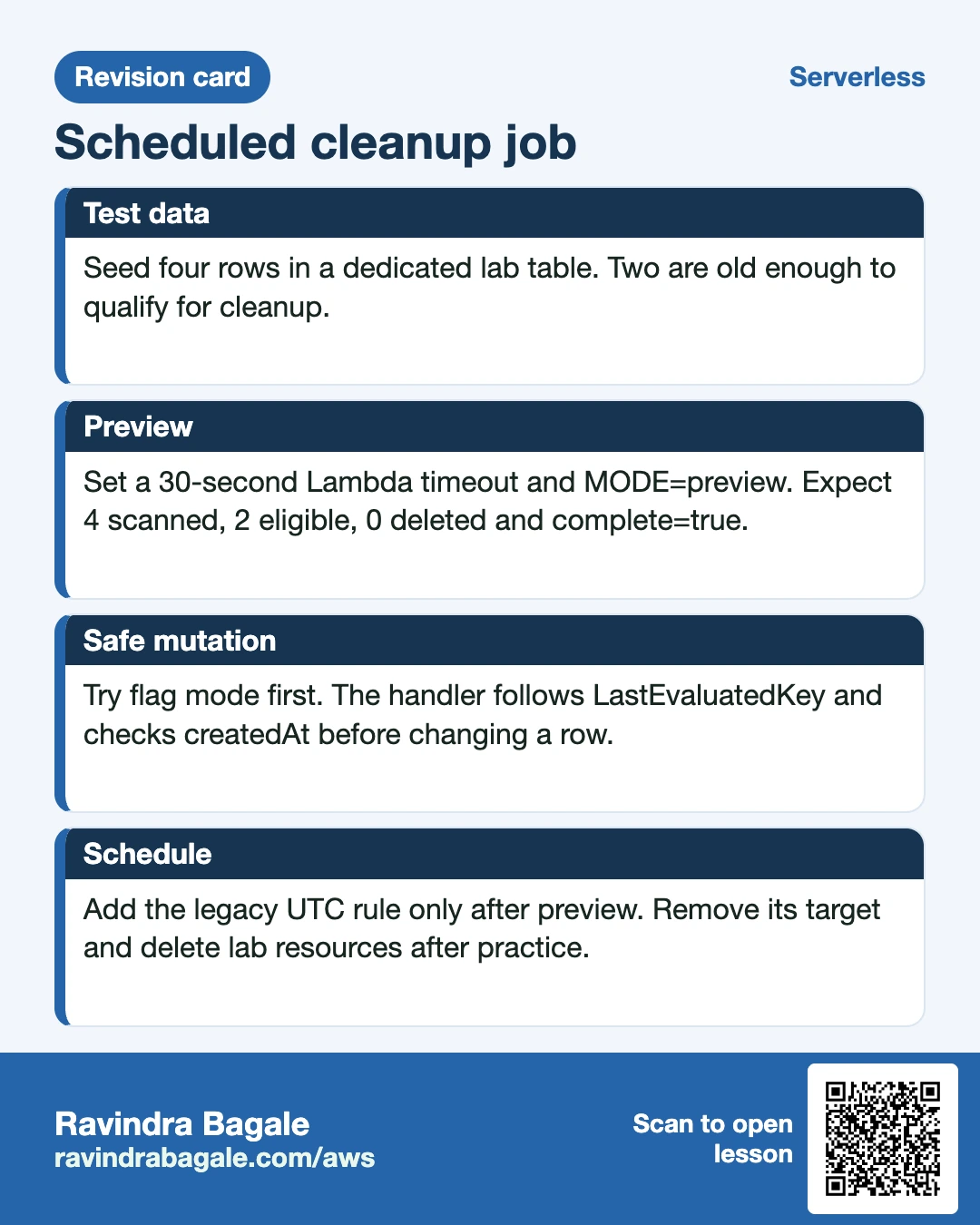
Read the result in order. On a freshly seeded table, scanned=4 means the job examined four rows. eligible=2 means two passed the age test. deleted=0 and flagged=0 are the expected result in preview mode. After switching to flag mode and running again on the same samples, expect flagged=2 and deleted=0. Open one of those items and check that its status changed to archived.
The scan reads the table in batches called pages. An AWS response with LastEvaluatedKey gives Lambda a position from which to request the next page. In this archive, complete=false means the program stopped before it reached the end, so the counters describe only the portion examined. An empty result page or a low count does not justify switching to delete mode.
Run seed.py once on a dedicated empty table, set handler.lambda_handler and MODE=preview, then invoke manually. Confirm scanned=4, eligible=2, deleted=0 and complete=true. Switch to flag before trying delete. The handler follows LastEvaluatedKey and checks the scanned createdAt before a write. An incomplete run leaves work for another pass.
Interview check Can repeated invocation count as complete if the function timed out partway through?
No. Review the complete flag and scanned/changed counts. The lab starts the next pass from the beginning. For a large real table, checkpoint the cursor or partition work and keep delete actions conditional.
Practise this chapter
Interview questions and answers
How do you know a scheduled cleanup is safe before leaving it enabled?
I run the function manually in preview, compare the known scanned and eligible counts, then check one flagged row without deleting anything. I confirm an incomplete scan reports that fact and inspect the schedule’s next run in UTC. I only enable the intended rule after those checks.
Check your understanding
Choose an answer, then compare your reasoning with the explanation.
Practice Tasks
Practice checks run in your browser. They check the answer for this exercise; they do not create resources or connect to your AWS account.
About this scenarioMaple Leaf Books is a bookselling business in Toronto. Emily Tremblay looks after its IT and cloud work. They count money in CAD and run their AWS resources in the ca-central-1 Region. In the tasks below you do real jobs for them using what this lesson teaches. All names, account IDs, IP addresses and numbers are made up for practice.
0 / 12
Easy List functions
See which functions exist in this Region.
List the Lambda functions in ca-central-1.
- Read the task and decide which AWS service it is about.
- Write aws, then the service name, then the operation (the action word).
- Add each needed flag (--name) followed by its value from the task.
- Flags can be in any order. Click Check answer.
Medium Invoke a function
Invoke runs the function now and saves its answer in a file.
Invoke mapleleafbooks-orders-fn and save the response to out.json.
- Read the task and decide which AWS service it is about.
- Write aws, then the service name, then the operation (the action word).
- Add each needed flag (--name) followed by its value from the task.
- Flags can be in any order. Click Check answer.
Medium Trust policy for a Lambda role
The trust policy says WHO may take the role.
Write a trust policy that lets lambda.amazonaws.com assume the role.
- Start with { "Version": "2012-10-17", "Statement": [ ... ] }.
- In each statement write Effect, Action and Resource.
- Give only what the task needs (least privilege).
- Use double quotes and commas correctly. Click Check answer.
Medium Put an item
DynamoDB JSON shows the type of each value: S for string, N for number.
Put an item into mapleleafbooks-orders with orderId "o-101" (string) and amount 2500 (number).
- Read the task and decide which AWS service it is about.
- Write aws, then the service name, then the operation (the action word).
- Add each needed flag (--name) followed by its value from the task.
- Flags can be in any order. Click Check answer.
Medium Change timeout and memory
More memory also gives more CPU; timeout stops runaway runs.
Set mapleleafbooks-orders-fn to timeout 30 seconds and memory 512 MB.
- Read the task and decide which AWS service it is about.
- Write aws, then the service name, then the operation (the action word).
- Add each needed flag (--name) followed by its value from the task.
- Flags can be in any order. Click Check answer.
Medium Let a function write logs
Without these actions, Lambda logs never appear in CloudWatch.
Allow logs:CreateLogGroup, logs:CreateLogStream, logs:PutLogEvents on arn:aws:logs:*:*:* only.
- Start with { "Version": "2012-10-17", "Statement": [ ... ] }.
- In each statement write Effect, Action and Resource.
- Give only what the task needs (least privilege).
- Use double quotes and commas correctly. Click Check answer.
Hard Create a Lambda function
Lambda needs the code zip, a runtime, a handler name and an execution role.
Create function mapleleafbooks-orders-fn: runtime python3.12, handler app.handler, role arn:aws:iam::102932412000:role/lambda-basic, code in function.zip.
- Read the task and decide which AWS service it is about.
- Write aws, then the service name, then the operation (the action word).
- Add each needed flag (--name) followed by its value from the task.
- Flags can be in any order. Click Check answer.
Hard Set environment variables
Keep settings like table names out of the code.
Set the environment variable TABLE=mapleleafbooks-orders on mapleleafbooks-orders-fn.
- Read the task and decide which AWS service it is about.
- Write aws, then the service name, then the operation (the action word).
- Add each needed flag (--name) followed by its value from the task.
- Flags can be in any order. Click Check answer.
Hard Invoke with a JSON payload
In CLI v2, raw JSON needs --cli-binary-format raw-in-base64-out.
Invoke mapleleafbooks-orders-fn with payload {"orderId":"o-101"} (raw JSON) and save the reply in out.json.
- Read the task and decide which AWS service it is about.
- Write aws, then the service name, then the operation (the action word).
- Add each needed flag (--name) followed by its value from the task.
- Flags can be in any order. Click Check answer.
Hard Lambda GB-seconds
Lambda bills memory × time.
1,000,000 invocations, 512 MB memory, 200 ms each. How many GB-seconds?
- Write down the numbers the task gives you.
- Work it out step by step on paper.
- Type only the final answer in the box.
- Click Check answer.
Hard Connect an SQS queue to Lambda
An event source mapping makes Lambda poll the queue and process messages in batches.
Create an event source mapping from queue arn:aws:sqs:ca-central-1:102932412000:mapleleafbooks-orders to mapleleafbooks-orders-fn with batch size 10.
- Read the task and decide which AWS service it is about.
- Write aws, then the service name, then the operation (the action word).
- Add each needed flag (--name) followed by its value from the task.
- Flags can be in any order. Click Check answer.
Hard Let S3 call your function
A resource-based permission is needed before S3 can invoke the function.
Add permission statement s3invoke to mapleleafbooks-orders-fn so s3.amazonaws.com can call lambda:InvokeFunction from bucket arn:aws:s3:::mapleleafbooks-uploads.
- Read the task and decide which AWS service it is about.
- Write aws, then the service name, then the operation (the action word).
- Add each needed flag (--name) followed by its value from the task.
- Flags can be in any order. Click Check answer.
Revision, comparison and interview cards
Revise this lesson in a few minutes. Save the cards on your phone or download them as PNG files. The QR code on each card opens this lesson.
More cards: Ravi Sir's Cards.