Amazon SQS and SNS: Messaging Queues and Pub/Sub Explained
Your checkout API inserts an order and must email the customer, update inventory, and call fraud. If you do all three inside one request, one slow email makes shoppers wait. Amazon SQS queues work; Amazon SNS fans one event out to many subscribers — the async backbone of most AWS apps.
In this chapter
- Why async messaging beats tight coupling
- What SQS queues and SNS topics are
- How to design standard vs FIFO, DLQ, fan-out
- Industries using queues and pub/sub
- Lab, 8+ errors, FAQ, interview answers
1. Everyday example first
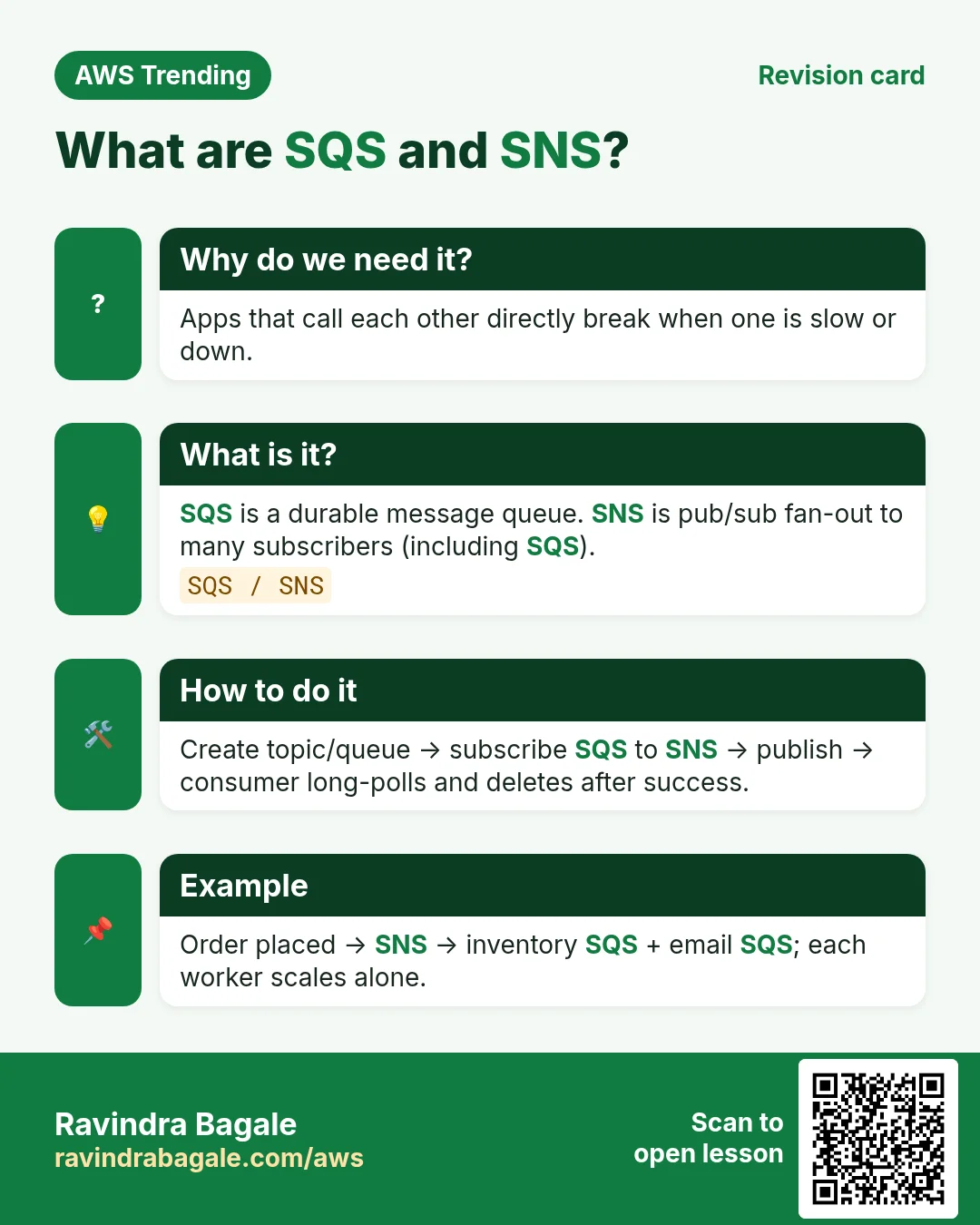
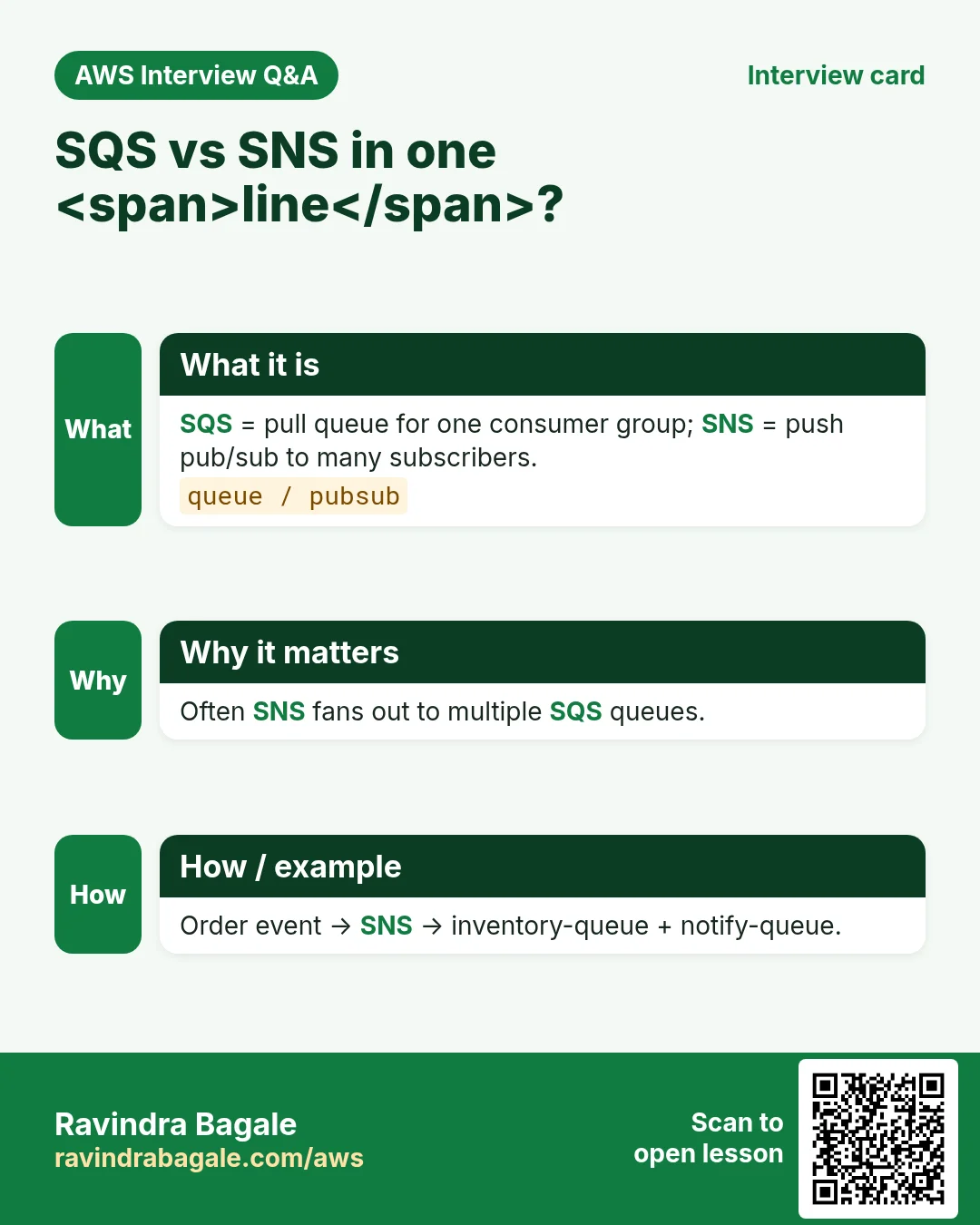
A Nagpur ecommerce site places order O-991. API writes the order to DynamoDB, then publishes OrderPlaced to SNS. Three SQS queues subscribe: email, inventory, fraud. If email workers are down, messages wait in the queue — checkout still returns 200.
2. Why SQS and SNS?
Monoliths call every side effect in one HTTP request. That couples latency and failures. Queues absorb spikes; topics broadcast. Together they give you retry, buffering, and independent scaling of workers.
- Decouple producers from slow consumers
- Buffer flash sales without losing orders
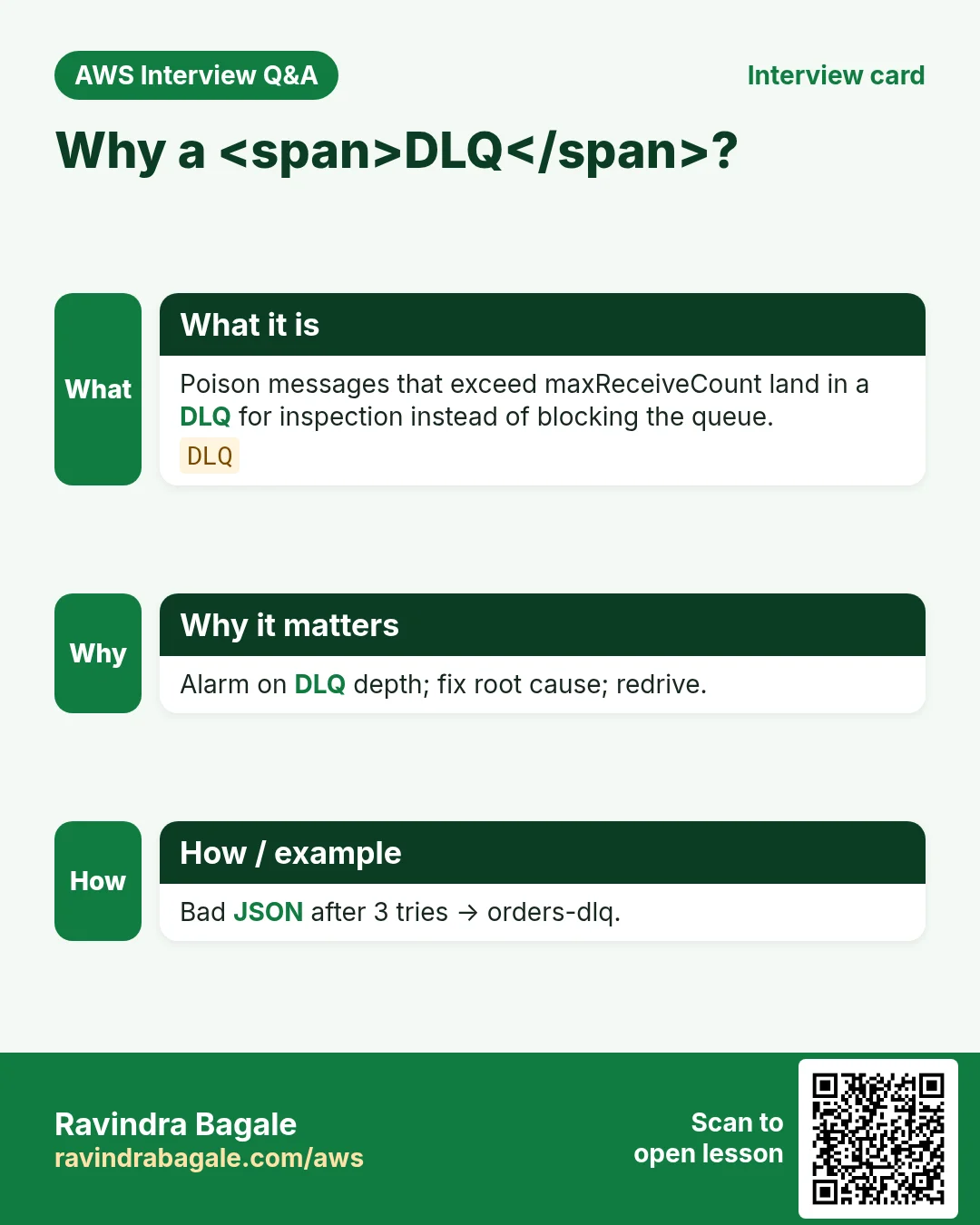
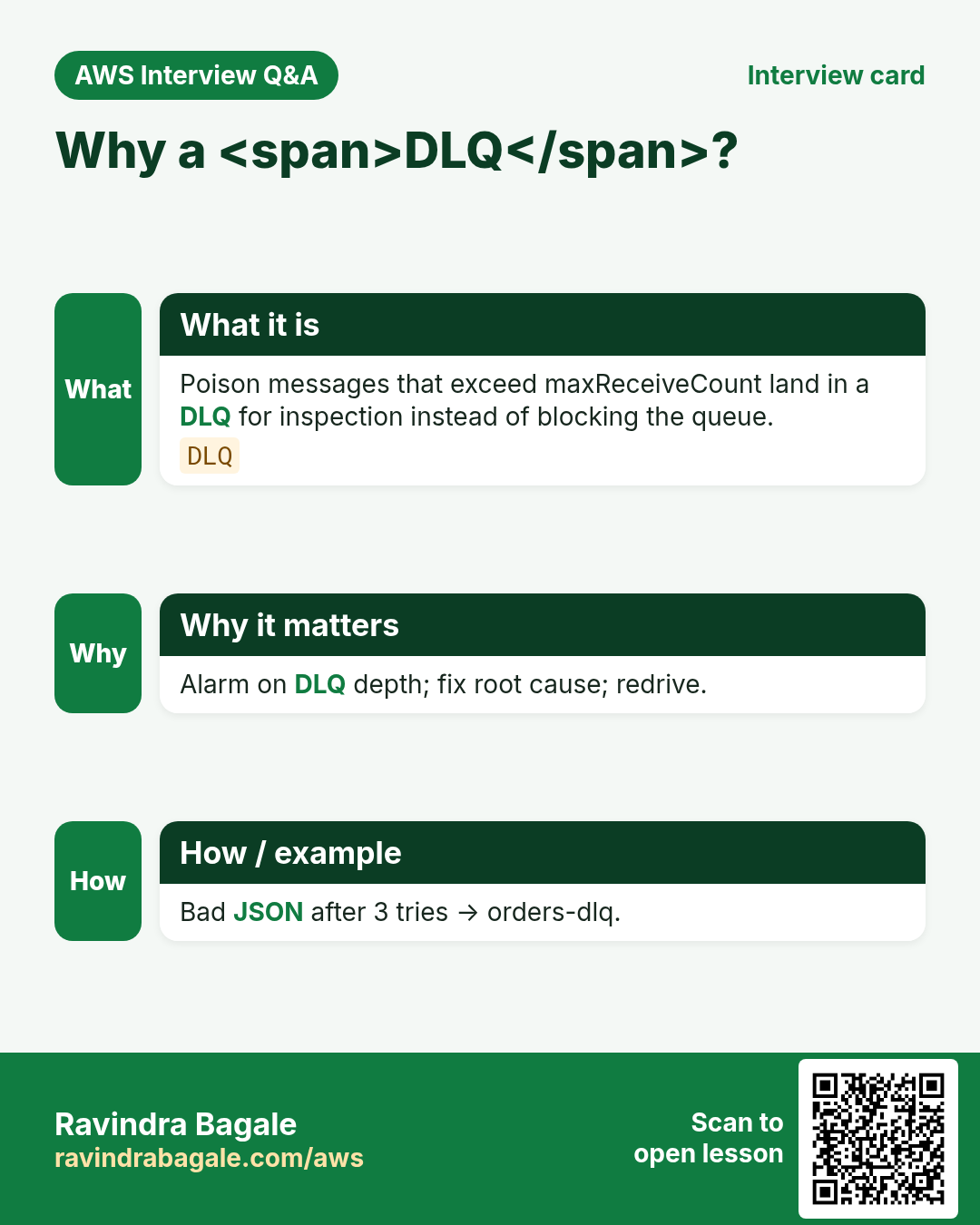
- Retry poison messages via DLQ instead of silent loss
- Fan-out one business event to many teams
3. What are SQS and SNS?
Imagine an order numbered O-42. A topic can deliver one publication to subscriptions for email and inventory. Each queue holds its copy while that team’s worker is busy or offline. When the email worker receives its message, a visibility timer temporarily hides that copy from other workers. After finishing the work it asks SQS to delete it with the receipt handle. The inventory copy and its progress are independent. Draw the two queues so you can explain why one worker can finish while the other still has a job waiting.
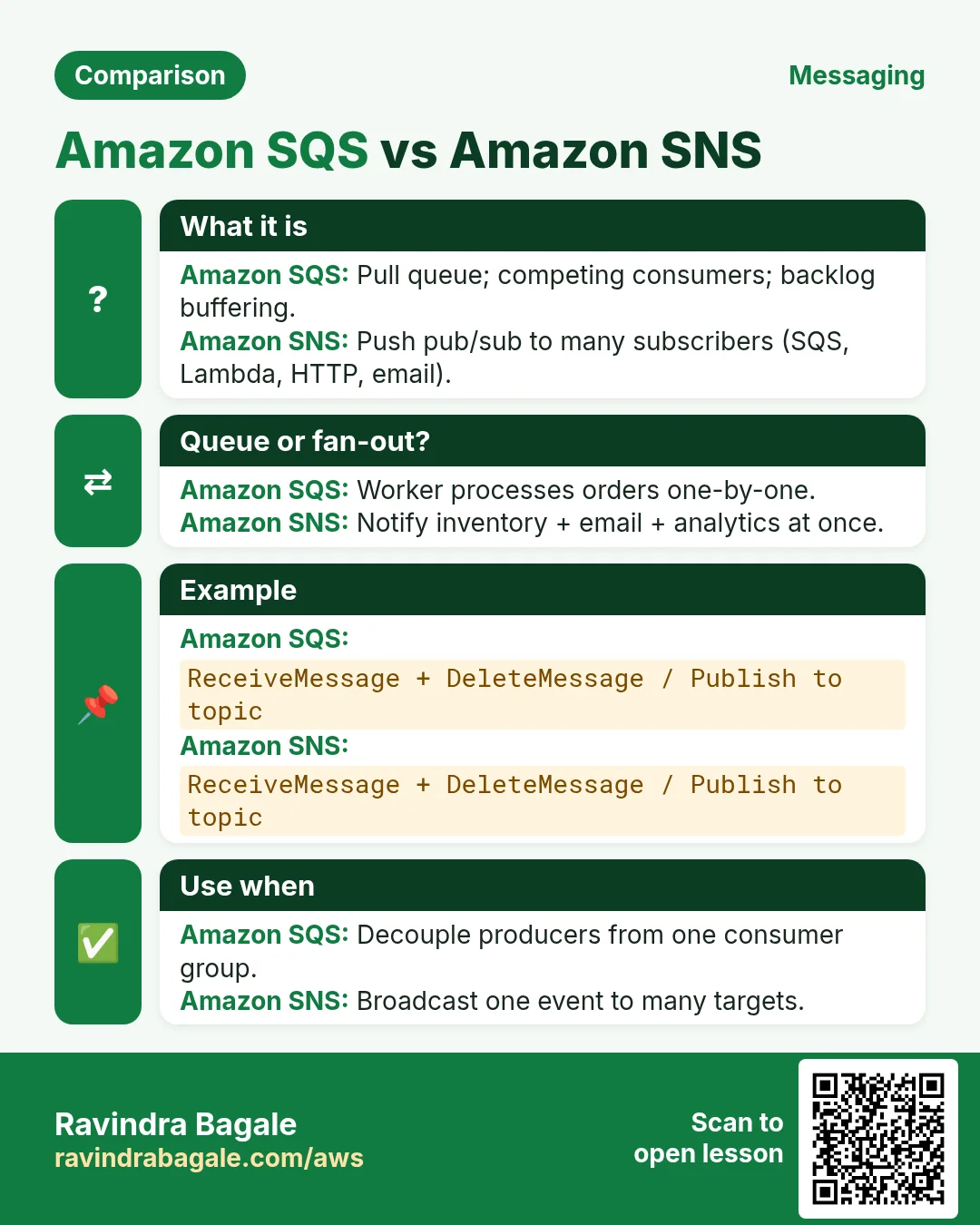
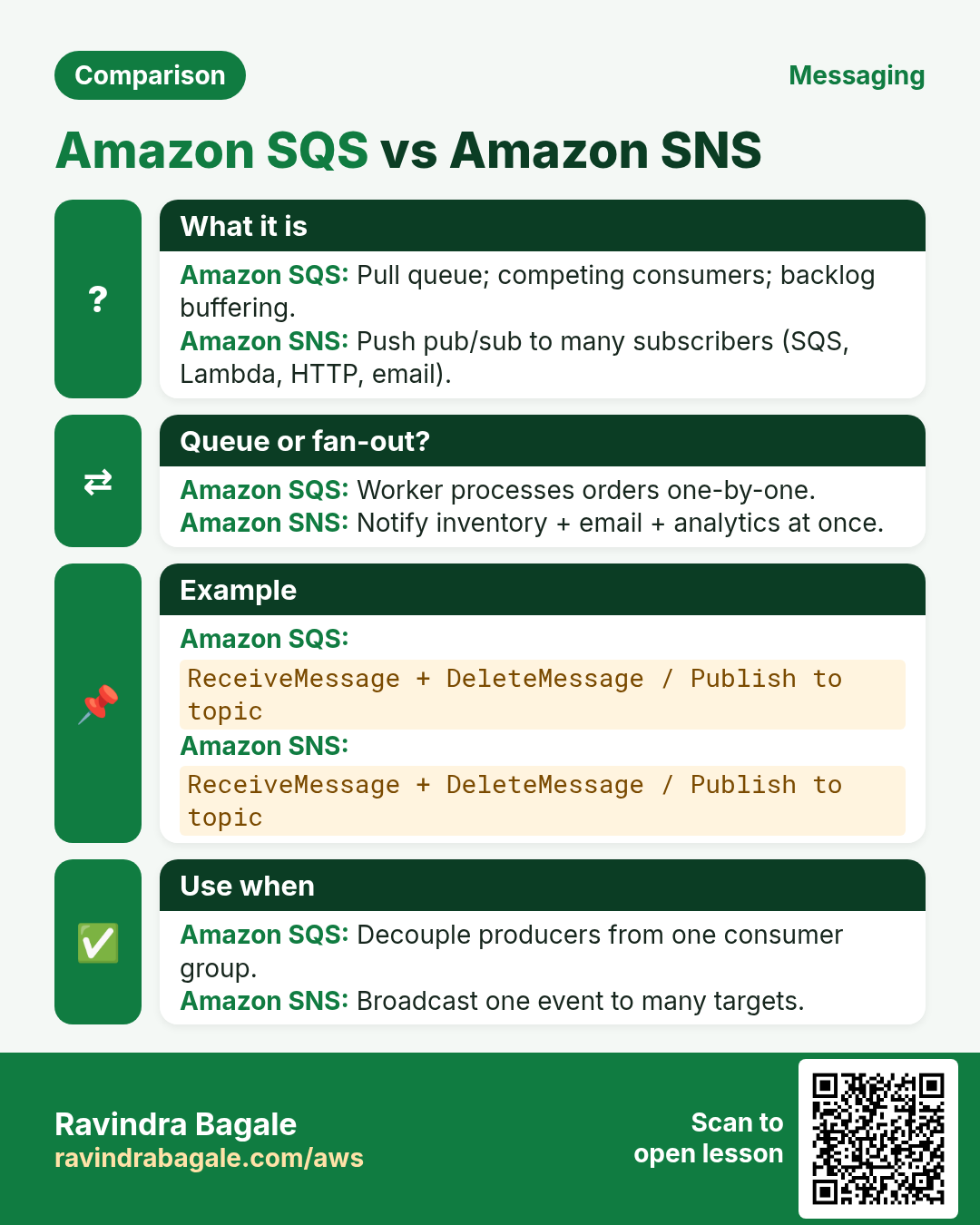
SQS is a managed message queue: producers SendMessage, consumers ReceiveMessage then DeleteMessage. SNS is a pub/sub topic: Publish once, many subscriptions (SQS, Lambda, email, HTTP) get a copy. Most designs combine them: SNS fan-out into SQS for each worker type.
| Piece | Plain job |
|---|---|
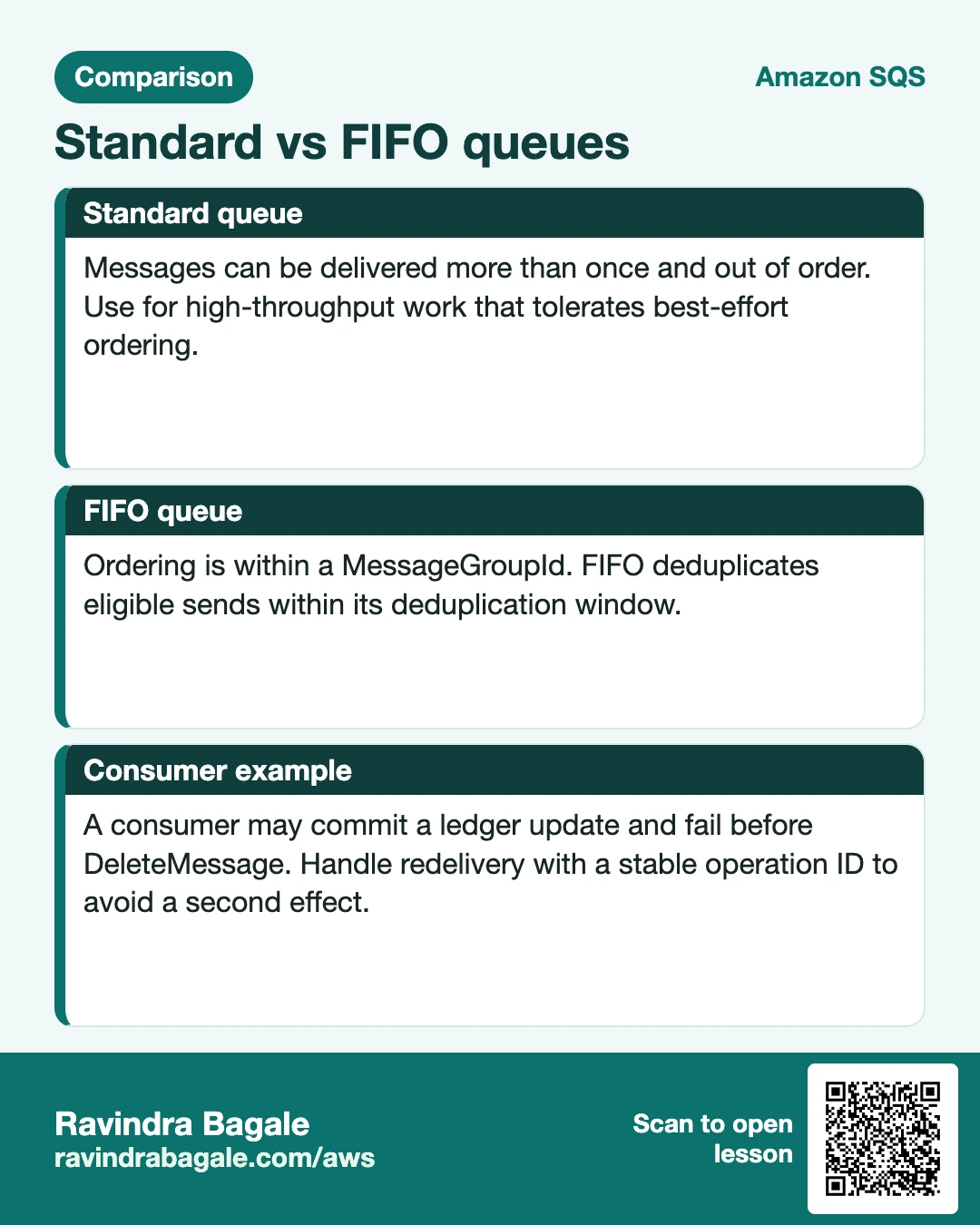
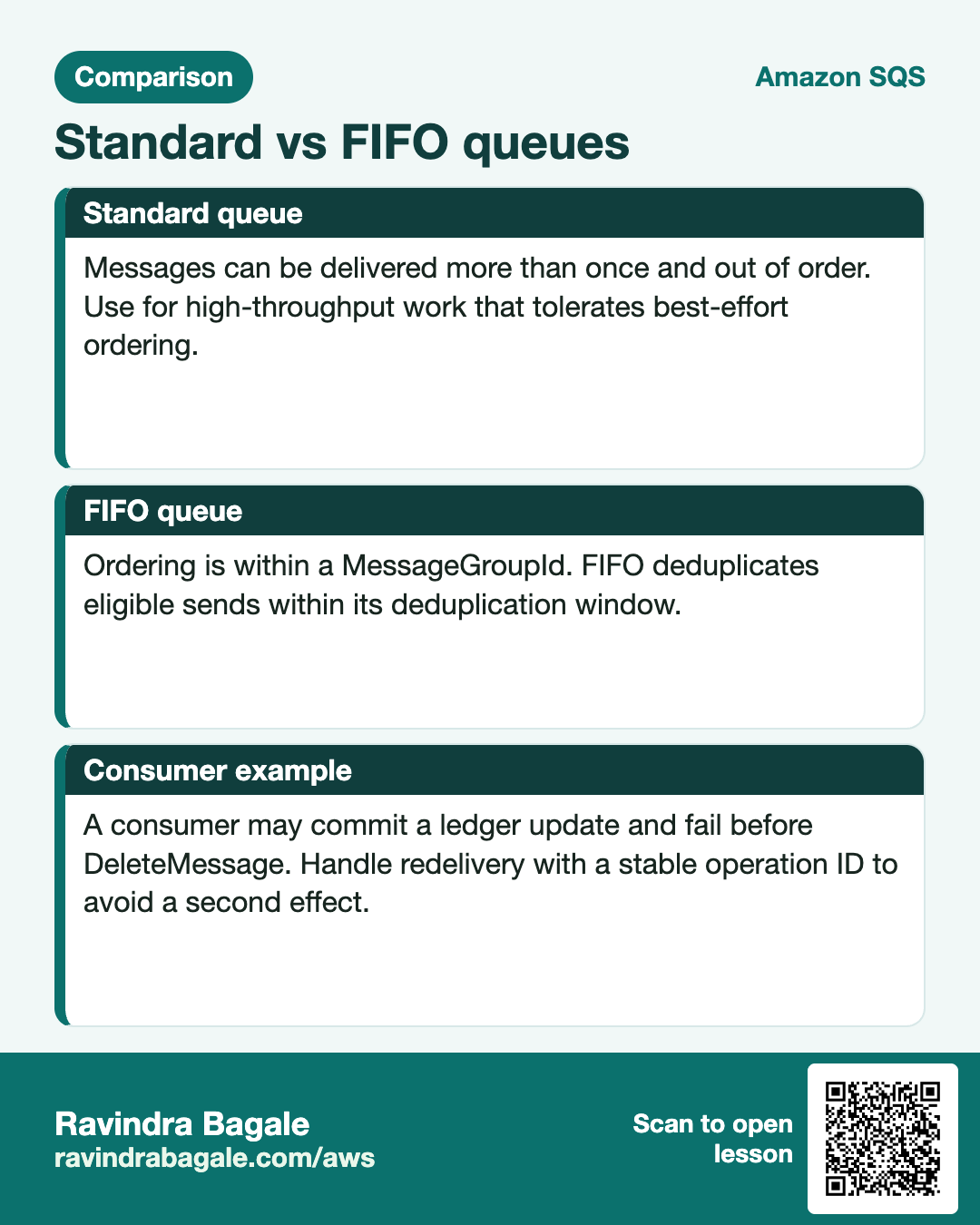
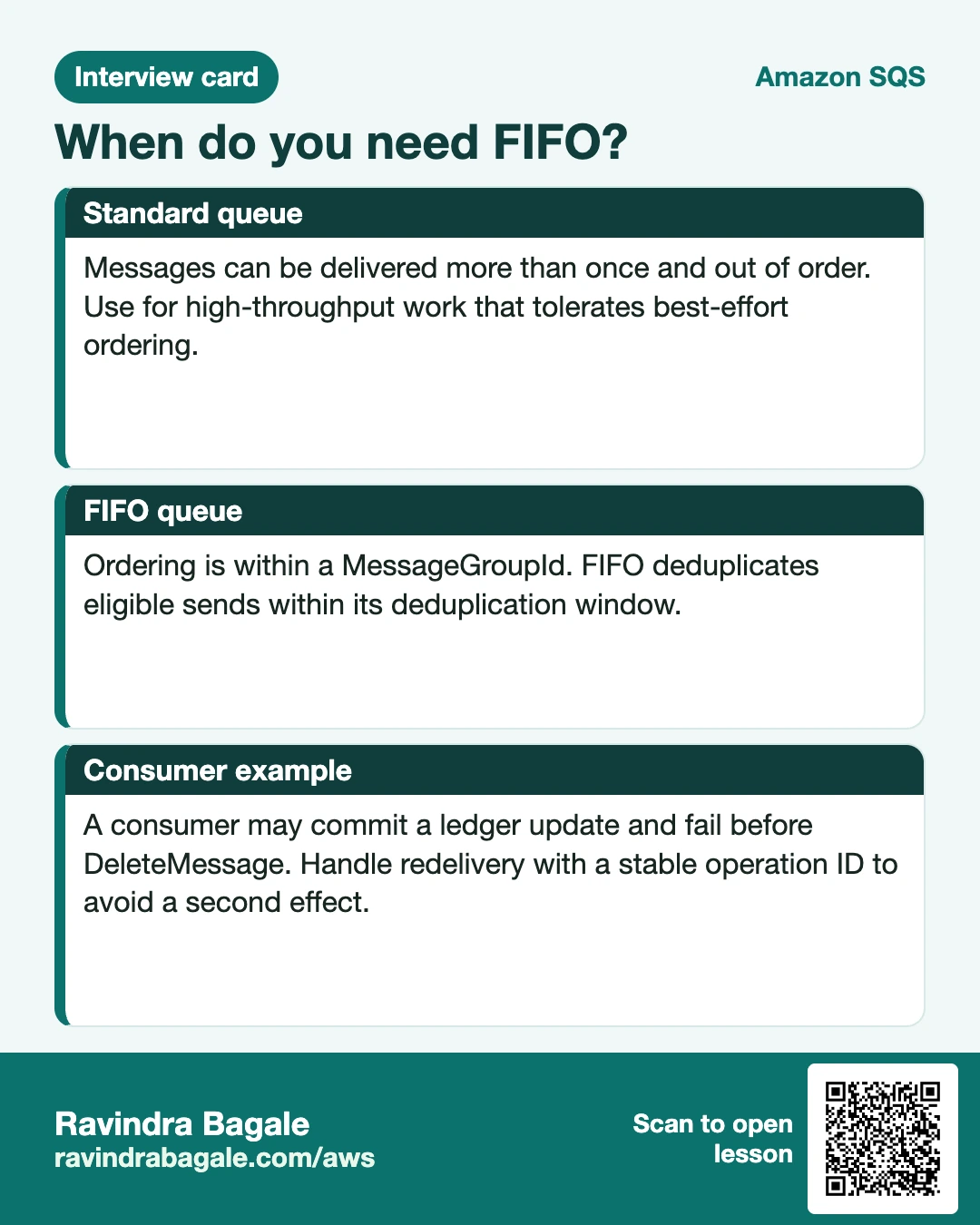
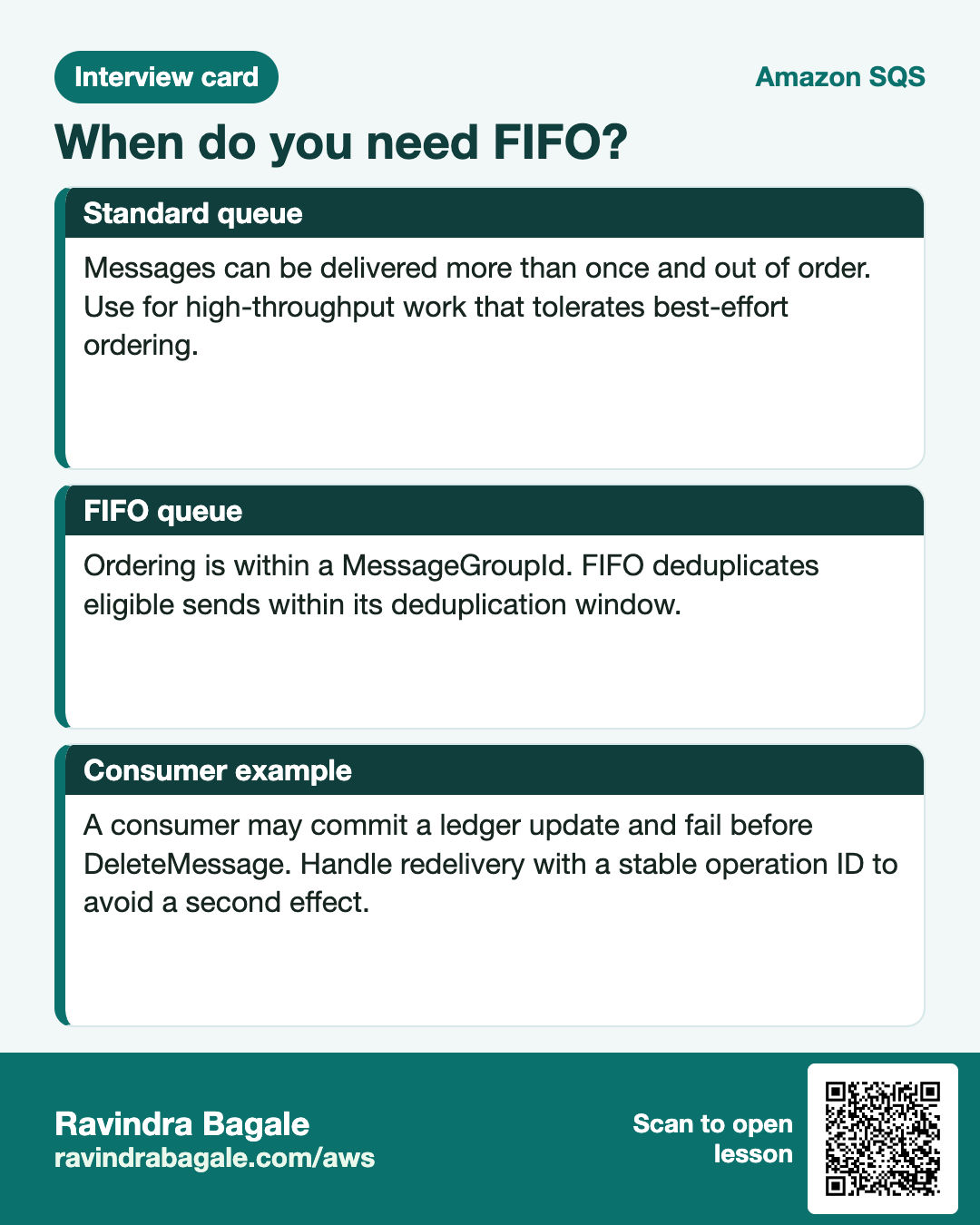
| SQS standard | At-least-once, best-effort order, huge scale |
| SQS FIFO | Send deduplication within its window and order within each message group |
| SNS topic | Fan-out publish to many subscribers |
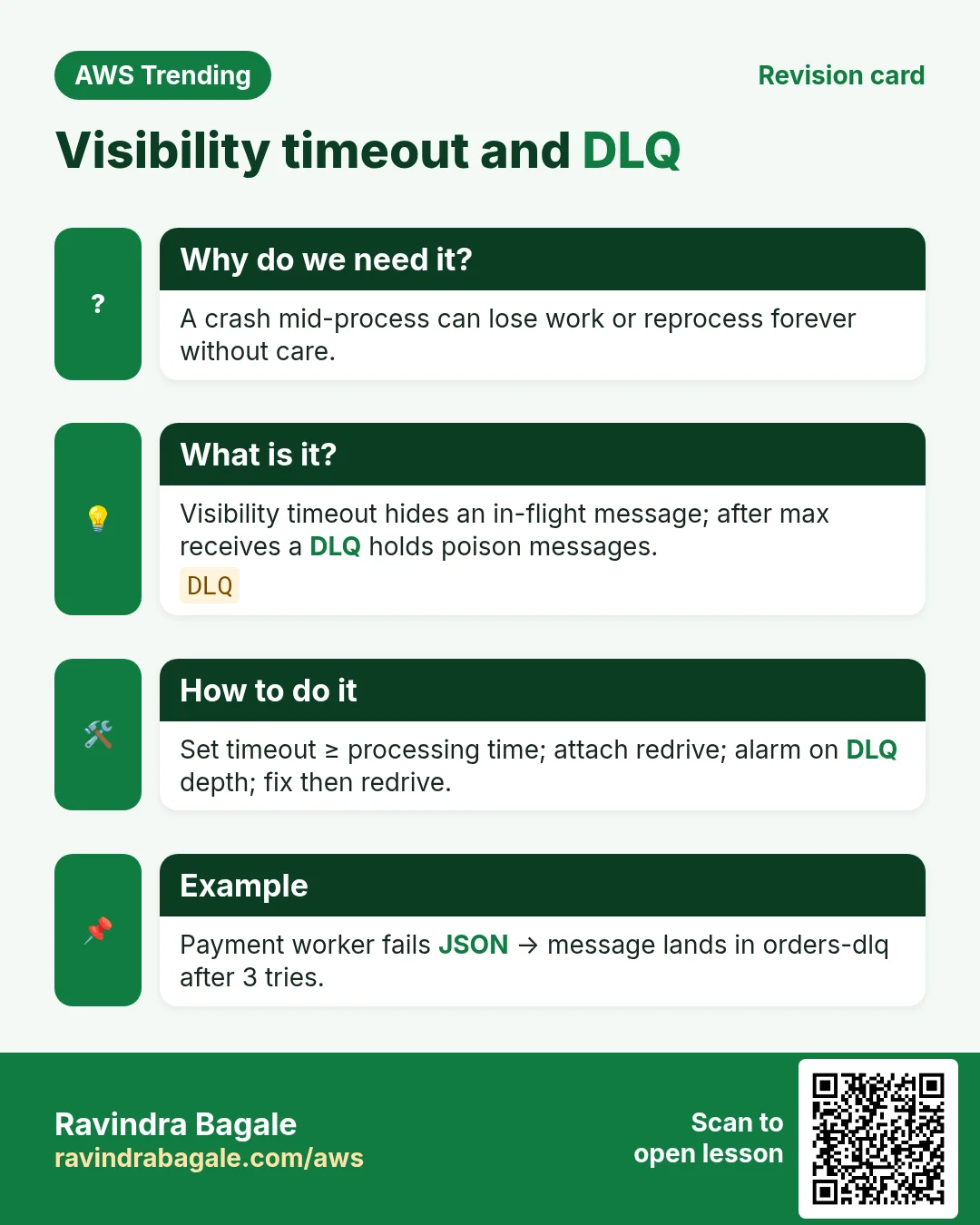
| DLQ | Hold messages that fail repeatedly |
| Visibility timeout | Hide in-flight message while worker processes |
| Filter policy | SNS delivers a message when its attributes or JSON body match the subscription’s filter policy scope |
Trace one order event through a retry
Email and inventory need independent copies of order O-42. A retry in one worker should not repeat the completed business operation.
Read all steps
- Fan out the event
SNS publishes the event to matching subscriptions. With a separate SQS queue for each workload, email and inventory receive their own copies and can process them independently.
- Receive and process
The email worker completes its work and deletes its message. The inventory worker receives its own message and records a reservation. Visibility timeout reduces concurrent processing, but consumers must still tolerate duplicate delivery.
- The worker stops before deleting the message
Suppose inventory processing succeeded but the worker stopped before deleting the message. When visibility expires, the message can be received again. A redelivery does not prove the business operation failed the first time.
- Keep the reservation count at one
The next worker recognises O-42 as an already applied operation, confirms the recorded result and deletes the message. The deduplication record and business update must be designed consistently; checking an ID and then updating separately can still race.

4. How to build a safe messaging path
Suppose the inventory worker receives the order and reserves stock, then loses its connection before deleting the message. The visibility interval can expire and a worker can receive a copy again. Save a stable operation ID with the reservation so a second attempt can see the existing result. Try writing the expected database rows after one attempt and after two. The intended count stays one. In a different failure where processing repeatedly fails, a dead-letter queue gives you a separate place to investigate according to the configured receive limit.
- Create an SNS topic order-placed in ap-south-1.
- Create three SQS queues: email, inventory, fraud (start with standard).
- On each queue, allow
sqs:SendMessagetosns.amazonaws.comand restrictaws:SourceArnto the order topic ARN. Subscribe each queue to the topic. Turn on raw message delivery if you want the original payload without the SNS envelope. - Attach a DLQ to each queue with maxReceiveCount 3–5.
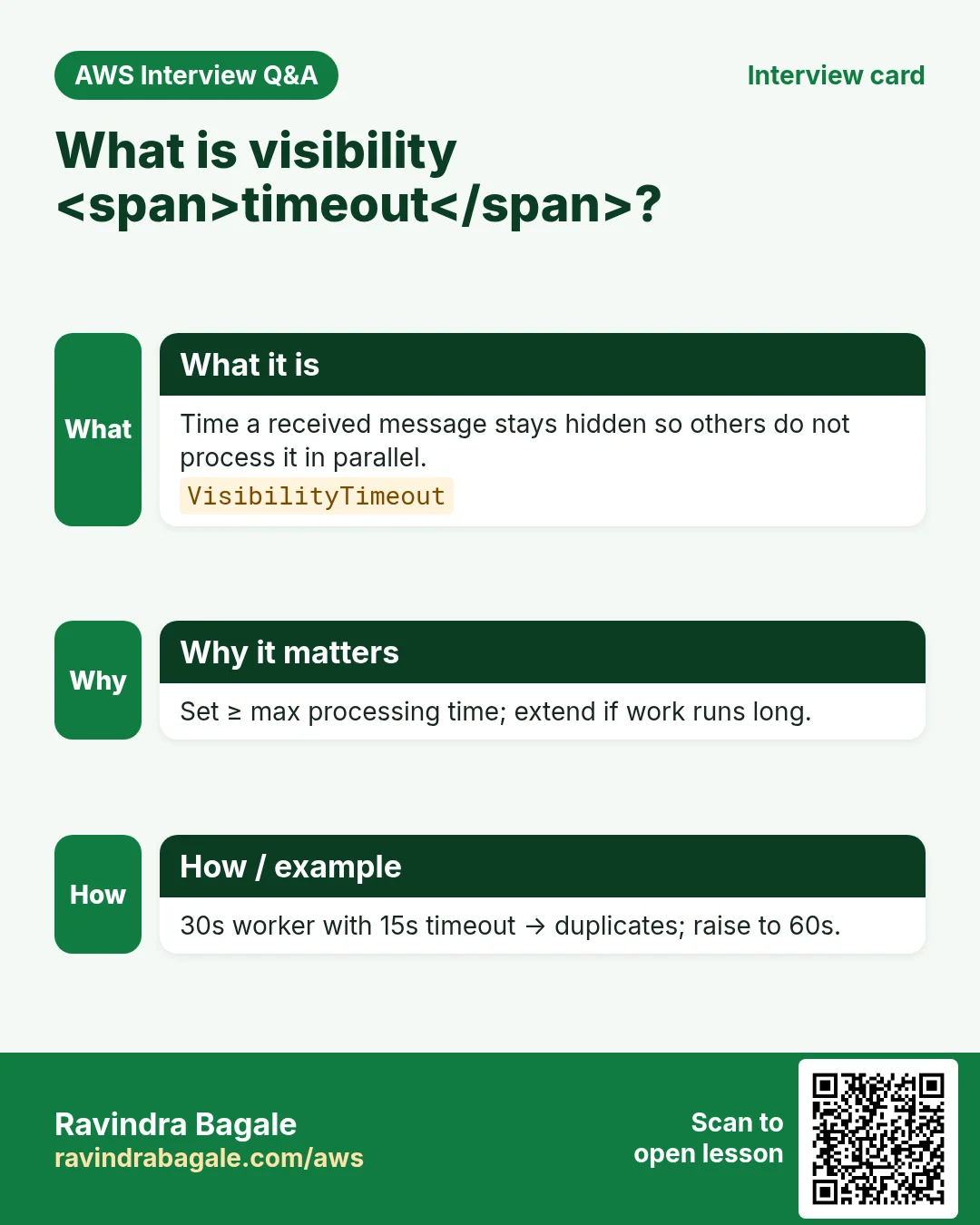
- Set visibility timeout ≥ longest processing time (often 30–120s).
- Grant the API role sns:Publish; grant workers sqs:ReceiveMessage/DeleteMessage.
- Idempotent workers: same message twice must not double-charge.
- Alarm on ApproximateNumberOfMessagesVisible and DLQ depth.
- For strict order per customer, use FIFO with MessageGroupId=customer_id.
- Load-test with a few hundred SendMessage calls before go-live.
# Mental model
# sns.publish(TopicArn=..., Message='{"order":"O-991"}')
# sqs.receive_message(QueueUrl=..., MaxNumberOfMessages=10, WaitTimeSeconds=20)
# process(); sqs.delete_message(QueueUrl=..., ReceiptHandle=...)
5. SQS vs SNS vs EventBridge (quick)
| Choice | When |
|---|---|
| SQS | Work queue / competing consumers |
| SNS | Fan-out one event to many targets |
| EventBridge | Rich filters, SaaS partners, schedules |
| Kinesis | Ordered streams many consumers retain hours |
6. Multi-industry walkthrough
Banking posts ledger events to SNS; risk and notification queues subscribe with filter policies on amount tiers. A hospital lab system queues heavy PDF generation so the doctor UI stays fast. A SaaS billing service uses FIFO per tenant_id so invoice numbers never race.
7. Security checklist
- SSE encryption on queues and topics holding PII
- Least-privilege IAM on Publish/Receive/Delete
- No * Principal on queue policies
- Redact secrets from message bodies; use tokens
8. Industries and roles
- Ecommerce: order email and inventory
- Fintech: async KYC document checks
- EdTech: video transcoding jobs
- IT services: ticket fan-out to ops channels
- Healthcare: appointment reminders without blocking booking API
9. Lab: SNS fan-out to two SQS queues
Publish one sample ID and read it once from each lab queue. Process only the email copy first and confirm the inventory queue’s copy is still available. In a separate safe retry demonstration, receive a disposable message without deleting it and check that the sample becomes receivable again after visibility expires. Write down the ID both times. Remove the lab subscriptions, topic and queues when you finish.
Do this in ap-south-1 (Mumbai) unless your org forbids it. Set a budget alert first.
- Create topic lab-orders and queues lab-mail, lab-stock in ap-south-1.
- Subscribe both queues; publish a test JSON message.
- Receive from lab-mail; delete; confirm lab-stock still has a copy.
- Attach a DLQ to lab-mail with maxReceiveCount 3.
- Set a CloudWatch alarm on DLQ messages > 0.
Cleanup (stop billing)
- Delete subscriptions, queues, topic, alarms.
- Remove lab IAM users if any.
10. Common errors and fixes
Each row is a real mistake students and juniors hit. Read the fix before you panic.
| Error / symptom | Fix |
|---|---|
| Processed but forgot DeleteMessage | Always delete after success; tune visibility. |
| Visibility too short; duplicates explode | Set timeout > p99 process time. |
| Used FIFO without MessageGroupId plan | Group by business key (order/customer). |
| SNS to Lambda only; no DLQ story | Prefer SNS→SQS→Lambda for buffer+DLQ. |
| Hard-coded account IDs in policies | Use Conditions and wildcards carefully. |
| Poison JSON crashes worker forever | Validate; send to DLQ; alert. |
| Public queue policy by mistake | Principal only your account/roles. |
| Fan-out without filter; wasted work | SNS filter policies per subscriber. |
| At-least-once ignored; double email | Idempotency keys in DB. |
| No alarm on queue depth | Alarm + page on spike. |
11. Troubleshooting checklist
- Messages invisible: check visibility timeout and stuck workers.
- AccessDenied on Publish: topic policy + IAM.
- Duplicate deliveries: design idempotent handlers.
- FIFO throttles: more message groups or shard load.
- Long polling vs short: use WaitTimeSeconds 20.
- Encryption: enable SSE on queues/topics for PII.
12. FAQ
Q. SQS free?
Pay per request/data; free tier exists — check current pricing.
Q. Standard vs FIFO?
FIFO for order+dedup; standard for scale/throughput.
Q. SNS email for prod alerts?
OK for ops; app fan-out prefer SQS/Lambda.
Q. Replace Kafka with SQS?
Different model; Kafka for log streams.
Q. Exactly-once?
FIFO deduplicates eligible sends and orders messages per group. If a consumer fails before DeleteMessage, the message can return. Make the business operation idempotent.
Q. Cross-region?
Queues are regional; replicate with patterns if needed.
13. Interview Q&A
Q. What is SQS?
Managed message queue for async work between producers and consumers.
Q. What is SNS?
Pub/sub topics that fan one message to many subscribers.
Q. Visibility timeout?
Time a message stays hidden after receive while you process it.
Q. Why DLQ?
Isolate poison messages after N fails so the main queue stays healthy.
Q. SNS+SQS pattern?
Topic fan-out into per-worker queues with buffer and DLQ.
Q. Idempotency?
Process the same delivery twice without double side effects.
14. Tips in English, Marathi and Hindi
Ravindra Bagale's Tip (EN)
Treat every SQS message as at-least-once. Build idempotent workers first; fancy FIFO later.
Ravindra Bagale's Tip (MR)
प्रत्येक SQS message = at-least-once. आधी idempotent workers; नंतर FIFO.
Tip (HI)
हर SQS संदेश को at-least-once मानो — पहले idempotent worker, फिर FIFO।
Try at home
- Draw SNS→3 SQS for a food-delivery order.
- Write an idempotent “mark emailed” design with a DynamoDB key.
- List three CloudWatch metrics you would alarm.
In short
- SQS queues work; SNS fans out events.
- Use DLQ + visibility + idempotency.
- Prefer SNS→SQS→worker for most app side effects.
- FIFO when order per group truly matters.
Revision, interview and comparison cards
Revise this lesson in a few minutes. Save the cards on your phone or download them as PNG files. The QR code on each card opens this lesson.
More cards: Ravi Sir's Cards.
Practise this chapter
Interview questions and answers
A queue worker crashed after reserving stock, before deleting the message. How do you avoid reserving it twice?
Assume the message may be delivered again. Store a stable operation identifier with the stock reservation, check it on retry, and return the recorded outcome if already applied. Then complete message deletion. Use two lab deliveries to verify the business effect occurs once.
Check your understanding
Choose an answer, then compare your reasoning with the explanation.
Practice Tasks
Practice checks run in your browser. They check the answer for this exercise; they do not create resources or connect to your AWS account.
About this scenarioMaple Leaf Books is a bookselling business in Toronto. Emily Tremblay looks after its IT and cloud work. They count money in CAD and run their AWS resources in the ca-central-1 Region. In the tasks below you do real jobs for them using what this lesson teaches. All names, account IDs, IP addresses and numbers are made up for practice.
0 / 16
Easy List queues
See messaging backlog.
List SQS queues.
- Read the task and decide which AWS service it is about.
- Write aws, then the service name, then the operation (the action word).
- Add each needed flag (--name) followed by its value from the task.
- Flags can be in any order. Click Check answer.
Easy Get queue URL
Need URL before send.
Get queue URL for mapleleafbooks-orders.
- Read the task and decide which AWS service it is about.
- Write aws, then the service name, then the operation (the action word).
- Add each needed flag (--name) followed by its value from the task.
- Flags can be in any order. Click Check answer.
Easy List SNS topics
Fan-out inventory.
List SNS topics.
- Read the task and decide which AWS service it is about.
- Write aws, then the service name, then the operation (the action word).
- Add each needed flag (--name) followed by its value from the task.
- Flags can be in any order. Click Check answer.
Easy Apply the lesson: scenario 4
Two customers use an SQS FIFO queue. Which parameter groups messages whose order must be preserved? Enter the parameter name.
- Read the situation and identify what you need to decide.
- Work through the relevant concept or calculation.
- Enter only the requested term or number.
- Check your answer, then read the explanation.
Easy Apply the lesson: scenario 5
Your worker has successfully committed the order. Which SQS API action acknowledges that delivery? Enter the action name.
- Read the situation and identify what you need to decide.
- Work through the relevant concept or calculation.
- Enter only the requested term or number.
- Check your answer, then read the explanation.
Medium Get queue attributes
Check visibility/DLQ.
Get queue attributes All for https://sqs.ca-central-1.amazonaws.com/102932412000/mapleleafbooks-orders.
- Read the task and decide which AWS service it is about.
- Write aws, then the service name, then the operation (the action word).
- Add each needed flag (--name) followed by its value from the task.
- Flags can be in any order. Click Check answer.
Medium Send message
Produce work.
Send message hello to https://sqs.ca-central-1.amazonaws.com/102932412000/mapleleafbooks-orders.
- Read the task and decide which AWS service it is about.
- Write aws, then the service name, then the operation (the action word).
- Add each needed flag (--name) followed by its value from the task.
- Flags can be in any order. Click Check answer.
Medium Receive messages
Consume work.
Receive message on https://sqs.ca-central-1.amazonaws.com/102932412000/mapleleafbooks-orders.
- Read the task and decide which AWS service it is about.
- Write aws, then the service name, then the operation (the action word).
- Add each needed flag (--name) followed by its value from the task.
- Flags can be in any order. Click Check answer.
Medium Get topic attributes
Inspect topic.
Get topic attributes arn:aws:sns:ca-central-1:102932412000:mapleleafbooks-events.
- Read the task and decide which AWS service it is about.
- Write aws, then the service name, then the operation (the action word).
- Add each needed flag (--name) followed by its value from the task.
- Flags can be in any order. Click Check answer.
Medium Allow Publish one topic
Publisher LP.
Allow sns:Publish on arn:aws:sns:ca-central-1:102932412000:mapleleafbooks-events.
- Start with { "Version": "2012-10-17", "Statement": [ ... ] }.
- In each statement write Effect, Action and Resource.
- Give only what the task needs (least privilege).
- Use double quotes and commas correctly. Click Check answer.
Medium DLQ name JSON
Name the DLQ.
JSON dlq_name orders-dlq.
- Start from the top-level keys the task names.
- Indent child keys with 2 spaces (no tabs).
- Fill in each property with the value from the task.
- Click Check answer. Key order does not matter.
Medium Apply the lesson: scenario 12
A subscriber must keep messages while its consumer is offline. Which service should sit between SNS and Lambda? Enter the service abbreviation.
- Read the situation and identify what you need to decide.
- Work through the relevant concept or calculation.
- Enter only the requested term or number.
- Check your answer, then read the explanation.
Medium Long poll seconds sample
Cut empty receives.
Sample WaitTimeSeconds for long poll (enter 20)?
- Write down the numbers the task gives you.
- Work it out step by step on paper.
- Type only the final answer in the box.
- Click Check answer.
Hard Delete message
Ack success.
Delete message on https://sqs.ca-central-1.amazonaws.com/102932412000/mapleleafbooks-orders receipt abc.
- Read the task and decide which AWS service it is about.
- Write aws, then the service name, then the operation (the action word).
- Add each needed flag (--name) followed by its value from the task.
- Flags can be in any order. Click Check answer.
Hard Allow SendMessage one queue
Producer least privilege.
Allow sqs:SendMessage on arn:aws:sqs:ca-central-1:102932412000:mapleleafbooks-orders.
- Start with { "Version": "2012-10-17", "Statement": [ ... ] }.
- In each statement write Effect, Action and Resource.
- Give only what the task needs (least privilege).
- Use double quotes and commas correctly. Click Check answer.
Hard Visibility timeout JSON
Match process time.
JSON VisibilityTimeout 60.
- Start from the top-level keys the task names.
- Indent child keys with 2 spaces (no tabs).
- Fill in each property with the value from the task.
- Click Check answer. Key order does not matter.