AWS SDK SES Examples: Send Email, Templates and Attachments (Python, PHP, Node.js)
Amazon SES sends email from your app: receipts, password resets, invoices. We verify a sender, send a plain and HTML email, use a stored template with per-customer data, and send a PDF attachment — from Python, PHP and Node.js using the SES v2 API. The example: invoices for a design studio with Sofia in Madrid and Priya in Hyderabad.
In this chapter
- Verify an email or domain identity
- Send a simple HTML email
- Create and use templates
- Send attachments with raw MIME
- Understand sandbox and quotas
1. The big picture: a post office counter
Before the post office ships letters with your company name, it checks you really own that name. Then it stamps and sends as many as your daily limit allows. SES works the same: verify the identity, then send within your quota.
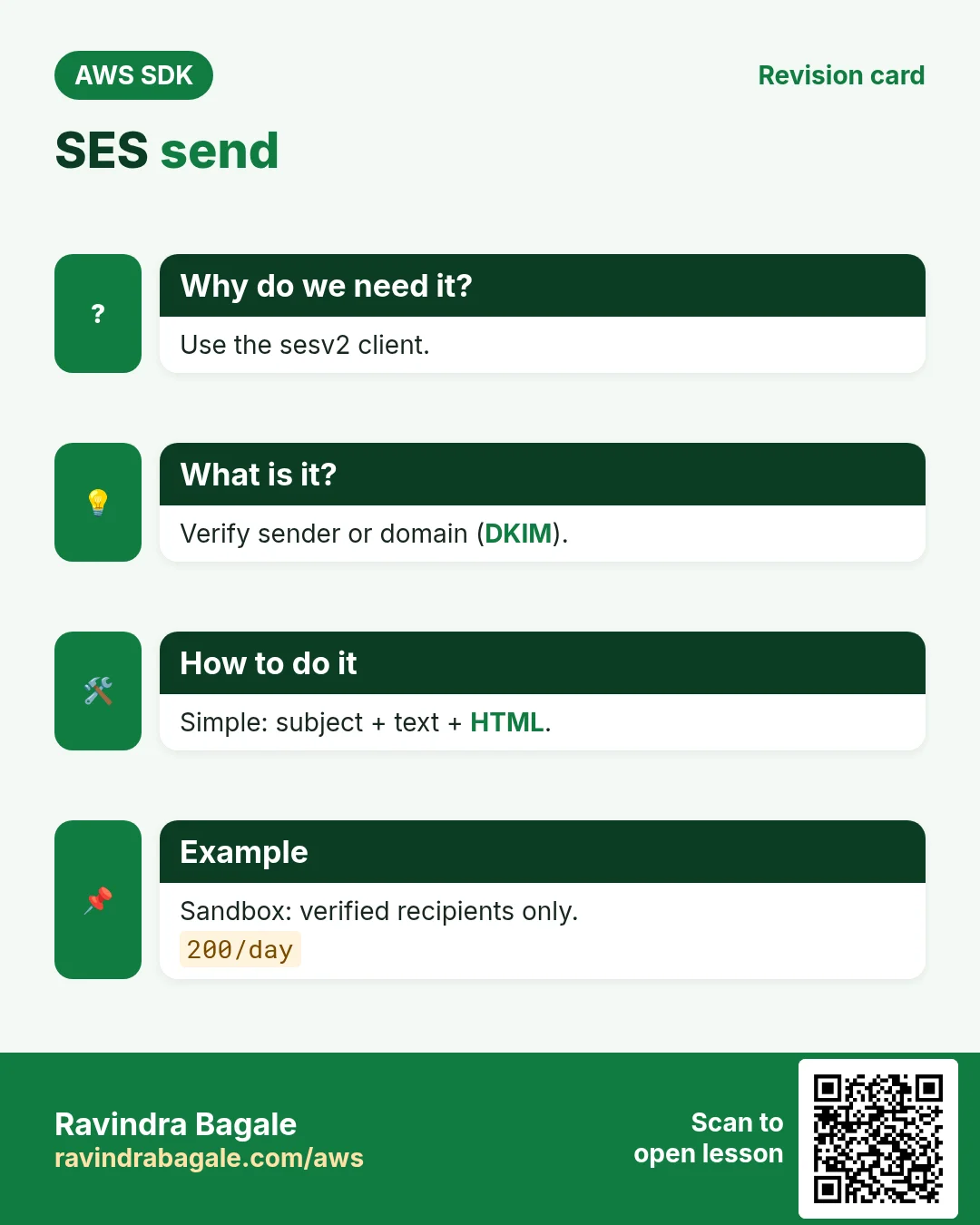
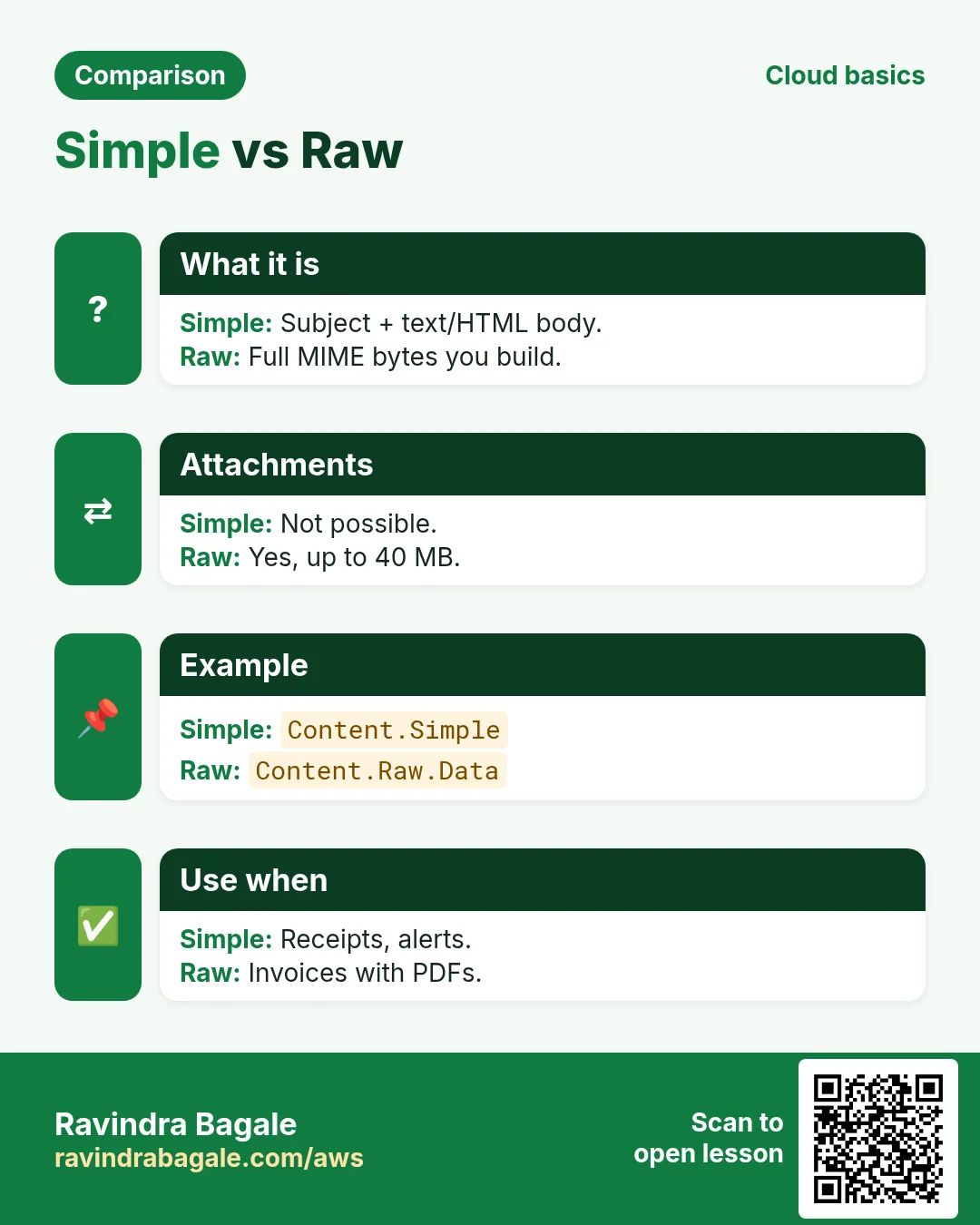
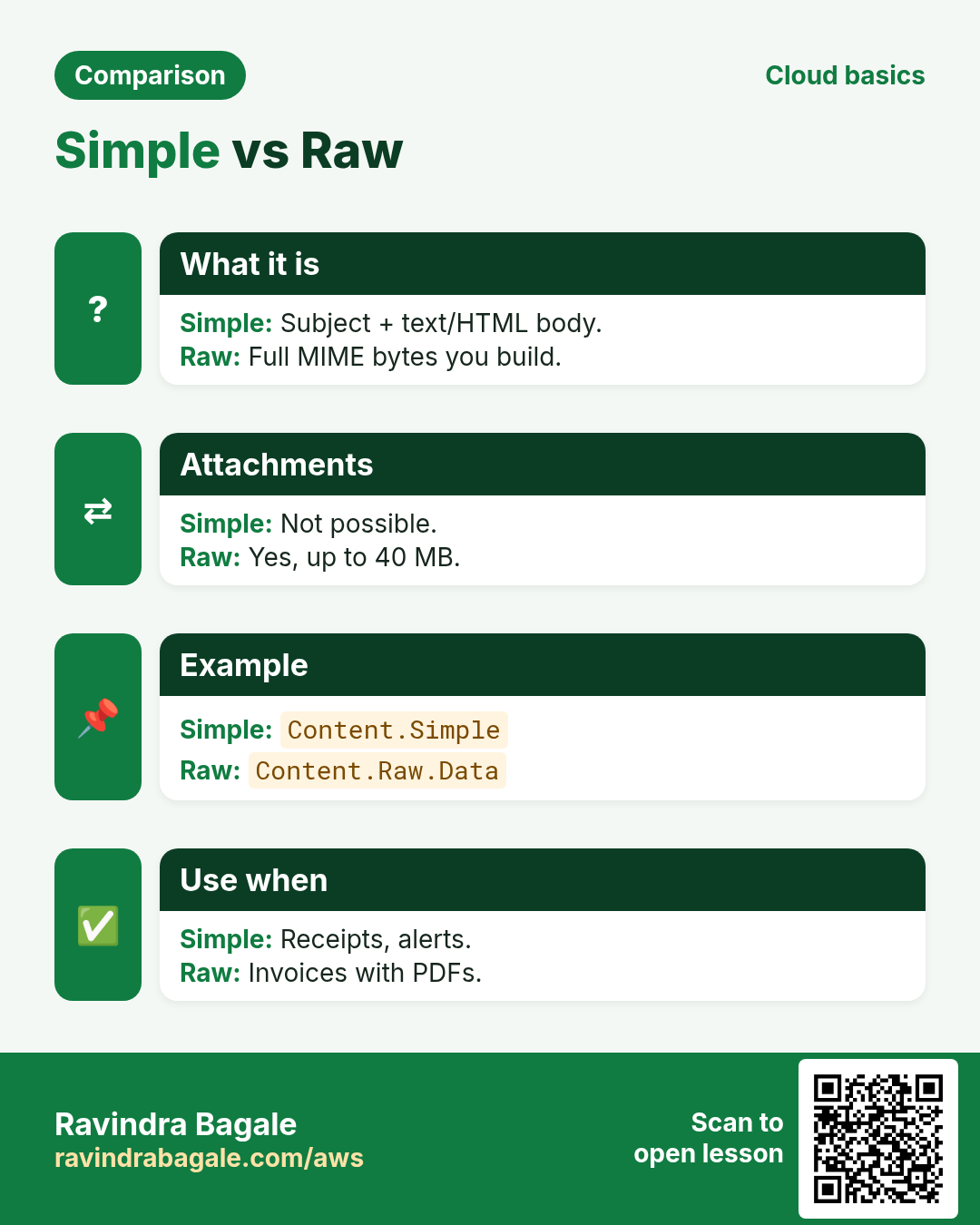
Use the sesv2 client and SendEmail. Content is Simple (subject + body), Template (name + data) or Raw (full MIME, needed for attachments). New accounts are in the sandbox: you can only send to verified addresses.
2. Verify a sender
Sofia sends invoices from billing@studio.example.es; SES must know the studio owns that address.
For an email address SES mails a link. For a domain it returns DKIM tokens to add as CNAME records.
- Python: verify an email address.
import boto3
ses = boto3.client("sesv2", region_name="eu-west-1")
ses.create_email_identity(EmailIdentity="billing@studio.example.es")
print(ses.get_email_identity(EmailIdentity="billing@studio.example.es")["VerifiedForSendingStatus"])
Expected output:
False (True after Sofia clicks the link)- Node.js: verify a whole domain.
import { SESv2Client, CreateEmailIdentityCommand } from "@aws-sdk/client-sesv2";
const ses = new SESv2Client({ region: "ap-south-1" });
const r = await ses.send(new CreateEmailIdentityCommand({ EmailIdentity: "studio.example.in" }));
for (const t of r.DkimAttributes.Tokens) console.log(`${t}._domainkey CNAME ${t}.dkim.amazonses.com`);
Expected output:
abc123._domainkey CNAME abc123.dkim.amazonses.com
(3 lines)- PHP: check the account sending quota.
<?php
require "vendor/autoload.php";
$ses = new Aws\SesV2\SesV2Client(["region" => "eu-west-1"]);
$a = $ses->getAccount();
printf("sandbox=%s max24h=%d rate=%d/s\n", $a["ProductionAccessEnabled"] ? "no" : "yes",
  $a["SendQuota"]["Max24HourSend"], $a["SendQuota"]["MaxSendRate"]);
Expected output:
sandbox=yes max24h=200 rate=1/s- Verify: list identities.
aws sesv2 list-email-identities --region eu-west-1 --query "EmailIdentities[].[IdentityName,SendingEnabled]" --output textExpected output:
billing@studio.example.es True3. Send a simple HTML email
Sofia emails a client in Berlin a €1,200 invoice summary.
Simple content takes Subject and Body with Text and Html parts. Always include the text part for clients that block HTML.
- Python.
r = ses.send_email(
    FromEmailAddress="Studio Billing <billing@studio.example.es>",
    Destination={"ToAddresses": ["lukas@client.example.de"]},
    Content={"Simple": {
        "Subject": {"Data": "Invoice INV-2041: €1,200.00"},
        "Body": {"Text": {"Data": "Amount due: €1,200.00 by 30 Nov."},
                 "Html": {"Data": "<h2>Invoice INV-2041</h2><p>Amount due: <b>€1,200.00</b></p>"}}}})
print(r["MessageId"])
Expected output:
0102018f2a...-000000- Node.js.
import { SendEmailCommand } from "@aws-sdk/client-sesv2";
const r = await ses.send(new SendEmailCommand({
  FromEmailAddress: "billing@studio.example.in",
  Destination: { ToAddresses: ["ravi@client.example.in"] },
  Content: { Simple: { Subject: { Data: "Invoice INV-88: ₹45,000" },
    Body: { Text: { Data: "Amount due: ₹45,000 incl. GST." } } } },
}));
console.log(r.MessageId);
Expected output:
0109018f2b...-000000- PHP.
<?php
$r = $ses->sendEmail([
  "FromEmailAddress" => "billing@studio.example.es",
  "Destination" => ["ToAddresses" => ["amy@client.example.com"]],
  "Content" => ["Simple" => [
    "Subject" => ["Data" => "Invoice INV-2042: $950.00"],
    "Body" => ["Text" => ["Data" => "Amount due: $950.00"]]]]]);
echo $r["MessageId"], PHP_EOL;
Expected output:
0102018f2c...-000000- Verify: a sandbox test with the mailbox simulator.
aws sesv2 send-email --from-email-address billing@studio.example.es --destination ToAddresses=success@simulator.amazonses.com --content '{"Simple":{"Subject":{"Data":"t"},"Body":{"Text":{"Data":"t"}}}}' --query MessageId --output textExpected output:
0102018f2d...-0000004. Templates for many customers
An email template stores reusable content with fields your app supplies for each request. For a synthetic receipt, a field such as the customer name belongs in the template data. Start with one approved test identity and prepare a small data object with all the required fields. Inspect the rendered subject and body before using that data in a send.
Try the same template with one required field intentionally absent in a local or approved rendering check. Note which output changed or which error appeared. In an actual send path, a provider can accept the request and later record a rendering or delivery failure, so verify the appropriate event record if mail never arrives. Keeping format validation separate from delivery makes the attachment exercise easier to troubleshoot.
Priya sends 300 monthly statements; only the name and amount change.
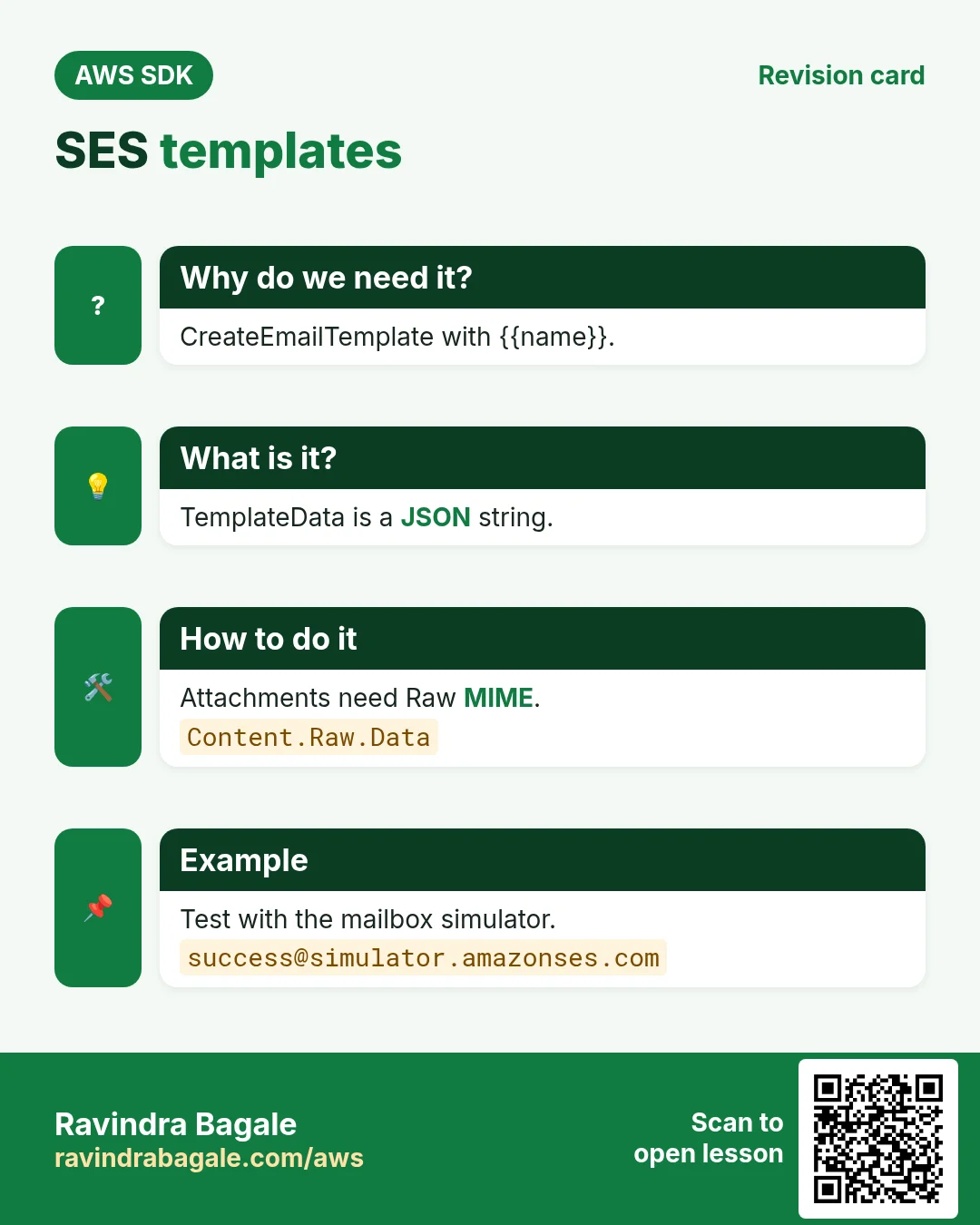
CreateEmailTemplate stores subject, text and HTML with {{placeholders}}. SendEmail with Template content passes TemplateData as a JSON string.
- Python: create the template.
ses.create_email_template(TemplateName="statement", TemplateContent={
    "Subject": "Your statement, {{name}}",
    "Text": "Hi {{name}}, your balance is {{amount}}.",
    "Html": "<p>Hi {{name}},</p><p>Your balance is <b>{{amount}}</b>.</p>"})
print("template ok")
Expected output:
template ok- Node.js: send with template data.
const r = await ses.send(new SendEmailCommand({
  FromEmailAddress: "billing@studio.example.in",
  Destination: { ToAddresses: ["kavya@example.in"] },
  Content: { Template: { TemplateName: "statement",
    TemplateData: JSON.stringify({ name: "Kavya", amount: "₹12,300" }) } },
}));
console.log(r.MessageId);
Expected output:
0109018f2e...-000000- PHP: render a template to preview it.
<?php
$r = $ses->testRenderEmailTemplate(["TemplateName" => "statement",
  "TemplateData" => json_encode(["name" => "Oliver", "amount" => "£310.00"])]);
echo strtok($r["RenderedTemplate"], "\n"), PHP_EOL;
Expected output:
Subject: Your statement, Oliver- Verify: list templates.
aws sesv2 list-email-templates --region eu-west-1 --query "TemplatesMetadata[].TemplateName" --output textExpected output:
statement5. Attachments with raw MIME
MIME is the format that describes parts of an email, such as its text and attachments. In the raw MIME example, each part has headers describing its content type, and boundary lines separate the parts. The recipient’s mail client uses that structure to show the body and offer the attachment. The binary file bytes are usually encoded for transport within the MIME message.
Send a harmless tiny attachment to the verified lab recipient and open it to confirm the filename and content. A send response with a message ID means SES accepted the message. A bounce or missing attachment requires separate checks of delivery events and the composed MIME parts. Test the template with sample fields before combining formatting and delivery decisions.
The Madrid client wants the PDF invoice attached, not a link.
Build a MIME message with your language library and pass the bytes as Content.Raw.Data. Total size limit is 40 MB.
- Python with email.message.
from email.message import EmailMessage
m = EmailMessage()
m["Subject"], m["From"], m["To"] = "INV-2041 PDF", "billing@studio.example.es", "lukas@client.example.de"
m.set_content("Invoice attached.")
m.add_attachment(open("INV-2041.pdf", "rb").read(), maintype="application", subtype="pdf", filename="INV-2041.pdf")
r = ses.send_email(Content={"Raw": {"Data": m.as_bytes()}})
print(r["MessageId"])
Expected output:
0102018f2f...-000000- Node.js with nodemailer's MailComposer.
import MailComposer from "nodemailer/lib/mail-composer/index.js";
const raw = await new MailComposer({ from: "billing@studio.example.in", to: "ravi@client.example.in",
  subject: "INV-88 PDF", text: "Attached.", attachments: [{ path: "INV-88.pdf" }] }).compile().build();
const r = await ses.send(new SendEmailCommand({ Content: { Raw: { Data: raw } } }));
console.log(r.MessageId);
Expected output:
0109018f30...-000000- PHP with PHPMailer to build MIME.
<?php
$mail = new PHPMailer\PHPMailer\PHPMailer();
$mail->setFrom("billing@studio.example.es"); $mail->addAddress("amy@client.example.com");
$mail->Subject = "INV-2042 PDF"; $mail->Body = "Attached.";
$mail->addAttachment("INV-2042.pdf"); $mail->preSend();
$r = $ses->sendEmail(["Content" => ["Raw" => ["Data" => $mail->getSentMIMEMessage()]]]);
echo $r["MessageId"], PHP_EOL;
Expected output:
0102018f31...-000000- Verify: check delivery events in the account suppression list (should be empty).
aws sesv2 list-suppressed-destinations --region eu-west-1 --query "length(SuppressedDestinationSummaries)"Expected output:
06. The same call in Java, Go, .NET and the CLI
Teams often mix languages. Once you know the call in Python, PHP and Node.js, the other SDKs are the same API with different syntax.
All of them call the SendEmail API. Use the CLI line to test it quickly from a terminal.
| Stack | Code |
|---|---|
| AWS CLI | aws sesv2 send-email --from-email-address billing@studio.example.es --destination ToAddresses=lukas@client.example.de --content file://email.json |
| Java v2 | ses.sendEmail(b -> b.fromEmailAddress(from).destination(d -> d.toAddresses(to)).content(c -> c.simple(m -> m.subject(s -> s.data("Invoice")).body(bd -> bd.text(t -> t.data("Due")))))); |
| Go v2 | client.SendEmail(ctx, &sesv2.SendEmailInput{FromEmailAddress: aws.String(from), Destination: &types.Destination{ToAddresses: []string{to}}, Content: content}) |
| .NET | await ses.SendEmailAsync(new SendEmailRequest { FromEmailAddress = from, Destination = new Destination { ToAddresses = { to } }, Content = content }); |
7. Clean up so nothing keeps costing
Lab resources left running cost money and can be a security risk.
Delete in reverse order: children first, then parents.
- Delete the template and identities.
aws sesv2 delete-email-template --template-name statement --region eu-west-1
aws sesv2 delete-email-identity --email-identity billing@studio.example.es --region eu-west-1
Expected output:
(no output means success)Ravindra Bagale's Tip
Use the mailbox simulator addresses (success@, bounce@, complaint@simulator.amazonses.com) in tests so you never hurt your sender reputation.
8. Interview questions and answers
Q. What is the SES sandbox?
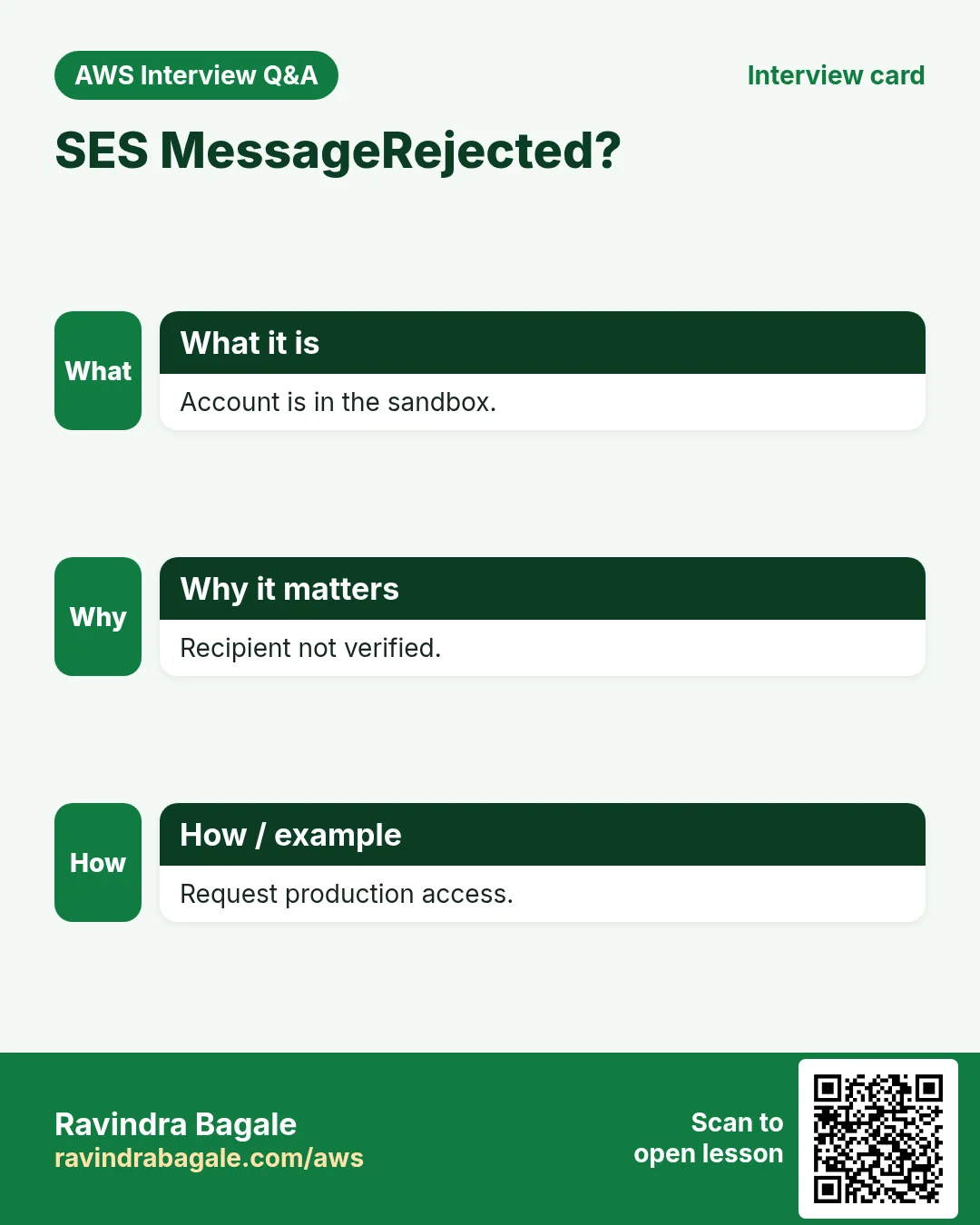
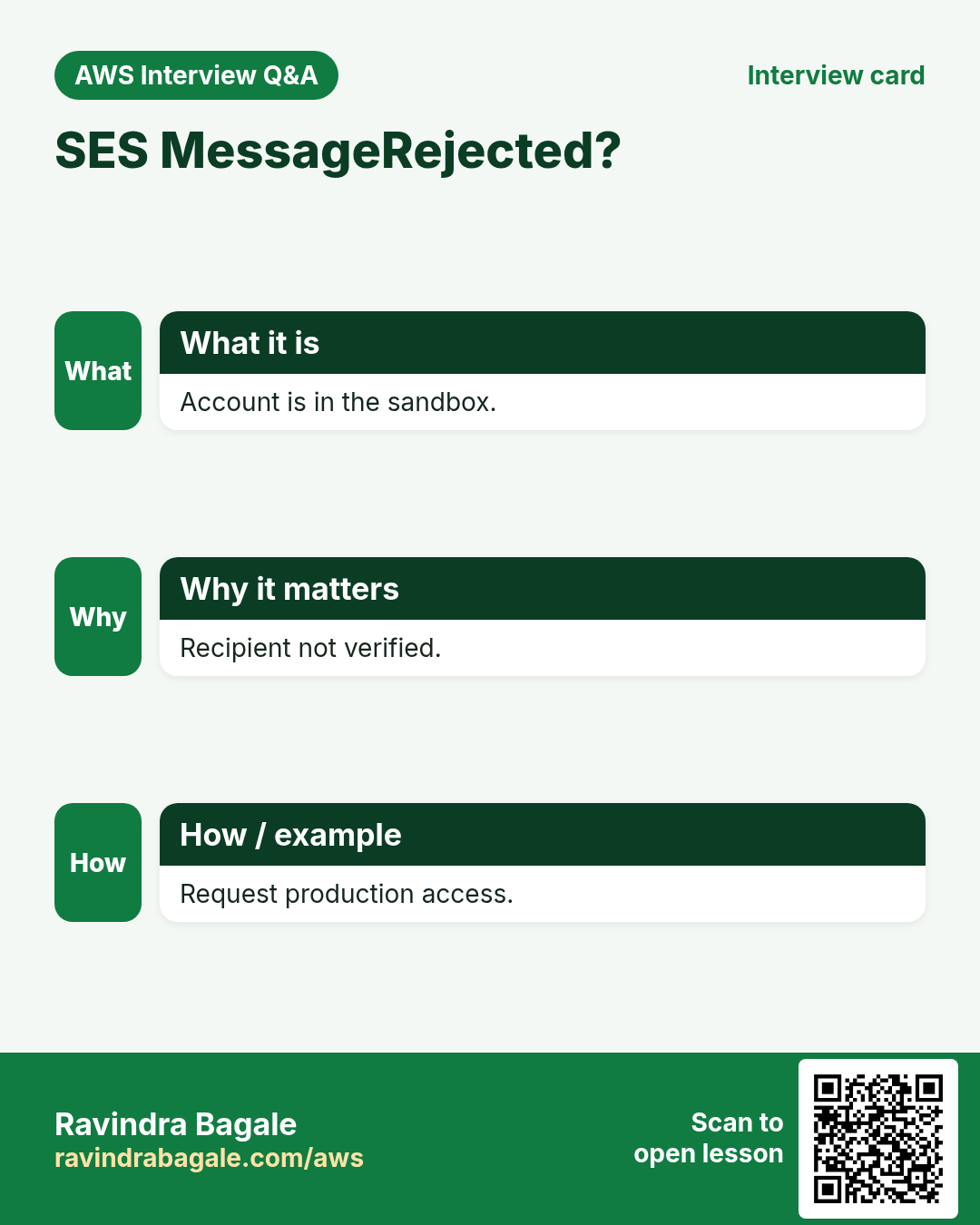
A starting mode where you can send only to verified addresses, 200 a day, 1 per second.
Q. How do you send an attachment?
Build a MIME message and send it as Raw content.
Q. Why DKIM?
It signs mail so receivers trust it came from your domain.
Q. What fills template placeholders?
TemplateData, a JSON string with the values.
Q. Which client name in v3/boto3?
sesv2 / SESv2Client / SesV2Client.
Try at home
- Send the statement template to three people from PHP with sendBulkEmail.
- Send to bounce@simulator.amazonses.com and look for the bounce.
In short
- Verify identity first.
- SendEmail Simple.
- Template + TemplateData.
- Raw MIME for attachments.
- Sandbox → production access.
Validate a template before relying on a mail delivery
Use verified lab identities in the same SES Region. Render or test with known replacement fields, then send only dummy data. Check rendering-failure notifications and verify the actual test mailbox separately.
Interview check Can SES accept a templated send request even if it cannot render the template?
Yes. The API can return a message ID before the rendering problem is detected; use the corresponding events instead of equating acceptance with delivery.
Practise this chapter
Interview questions and answers
How would you verify both delivery and message construction in the SES lab?
I would send a small harmless attachment and synthetic template data to an approved recipient. I would note SES acceptance, then check whether the message arrived and whether the body and attachment render as intended. Delivery problems and MIME formatting problems need different evidence.
Check your understanding
Choose an answer, then compare your reasoning with the explanation.
Practice Tasks
Practice checks run in your browser. They check the answer for this exercise; they do not create resources or connect to your AWS account.
About this scenarioJakarta Batik is a handicrafts business in Jakarta. Siti Rahmawati looks after its IT and cloud work. They count money in IDR and run their AWS resources in the ap-southeast-3 Region. In the tasks below you do real jobs for them using what this lesson teaches. All names, account IDs, IP addresses and numbers are made up for practice.
0 / 12
Easy Verify a sender email
SES sends only from verified addresses or domains.
Verify the sender address noreply@jakartabatik.id.
- Read the task and decide which AWS service it is about.
- Write aws, then the service name, then the operation (the action word).
- Add each needed flag (--name) followed by its value from the task.
- Flags can be in any order. Click Check answer.
Easy CloudFormation: a versioned bucket
Infrastructure as code makes setups repeatable.
Write a CloudFormation YAML template with one S3 bucket named jakartabatik-docs that has versioning Enabled.
- Start from the top-level keys the task names.
- Indent child keys with 2 spaces (no tabs).
- Fill in each property with the value from the task.
- Click Check answer. Key order does not matter.
Easy Upload a file to S3
aws s3 cp works like Linux cp, but one side is S3.
Upload report.pdf to s3://jakartabatik-invoices-2026/reports/report.pdf.
- Read the task and decide which AWS service it is about.
- Write aws, then the service name, then the operation (the action word).
- Add each needed flag (--name) followed by its value from the task.
- Flags can be in any order. Click Check answer.
Easy List files in a bucket folder
Check that the upload worked and see file sizes.
List the objects under s3://jakartabatik-invoices-2026/reports/.
- Read the task and decide which AWS service it is about.
- Write aws, then the service name, then the operation (the action word).
- Add each needed flag (--name) followed by its value from the task.
- Flags can be in any order. Click Check answer.
Easy Create a bucket
A bucket is the top-level container for your files in S3.
Create the bucket jakartabatik-invoices-2026 in ap-southeast-3.
- Read the task and decide which AWS service it is about.
- Write aws, then the service name, then the operation (the action word).
- Add each needed flag (--name) followed by its value from the task.
- Flags can be in any order. Click Check answer.
Medium Storage cost
Storage is billed per GB-month.
500 GB in S3 Standard at USD 0.023 per GB-month. Monthly cost in USD?
- Write down the numbers the task gives you.
- Work it out step by step on paper.
- Type only the final answer in the box.
- Click Check answer.
Medium Bucket policy for a public website
A static website bucket must let everyone read its files.
Write a bucket policy that lets anyone (*) do s3:GetObject on every object in jakartabatik-site.
- Start with { "Version": "2012-10-17", "Statement": [ ... ] }.
- In each statement write Effect, Action and Resource.
- Give only what the task needs (least privilege).
- Use double quotes and commas correctly. Click Check answer.
Medium Upload-only to one folder
Field staff can drop files but cannot read or delete anything.
Allow s3:PutObject only under the prefix uploads/ in bucket jakartabatik-data.
- Start with { "Version": "2012-10-17", "Statement": [ ... ] }.
- In each statement write Effect, Action and Resource.
- Give only what the task needs (least privilege).
- Use double quotes and commas correctly. Click Check answer.
Medium Upload to a cheaper storage class
Rarely used files cost less in Standard-IA.
Upload archive-2025.zip to s3://jakartabatik-archive/ using the STANDARD_IA storage class.
- Read the task and decide which AWS service it is about.
- Write aws, then the service name, then the operation (the action word).
- Add each needed flag (--name) followed by its value from the task.
- Flags can be in any order. Click Check answer.
Hard Send a test email
A quick CLI send proves SES setup before you write code.
Send an email from noreply@jakartabatik.id to siti@example.com with subject "Receipt" and text body "Thank you".
- Read the task and decide which AWS service it is about.
- Write aws, then the service name, then the operation (the action word).
- Add each needed flag (--name) followed by its value from the task.
- Flags can be in any order. Click Check answer.
Hard Deny requests without HTTPS
aws:SecureTransport false means plain HTTP; deny it to protect data in transit.
Bucket policy: deny s3:* for everyone (*) on jakartabatik-data and its objects when aws:SecureTransport is false.
- Start with { "Version": "2012-10-17", "Statement": [ ... ] }.
- In each statement write Effect, Action and Resource.
- Give only what the task needs (least privilege).
- Use double quotes and commas correctly. Click Check answer.
Hard S3 lifecycle rule (JSON)
Old files move to cheaper storage automatically.
Write lifecycle JSON: one Enabled rule, prefix logs/, transition to GLACIER after 90 days.
- Start from the top-level keys the task names.
- Indent child keys with 2 spaces (no tabs).
- Fill in each property with the value from the task.
- Click Check answer. Key order does not matter.
Revision, comparison and interview cards
Revise this lesson in a few minutes. Save the cards on your phone or download them as PNG files. The QR code on each card opens this lesson.
More cards: Ravi Sir's Cards.