Project: Build a Course Video Platform with CloudFront and S3 (Source Code)
This is the CloudFront project. We use everything from What Is Amazon CloudFront to CloudFront HTTPS and Custom Domains and build a small Udemy-style course site: free preview videos anyone logged in can watch, paid lessons that play only through a short signed URL, thumbnails cached for a year, and an admin page that uploads straight to S3. Full Node.js source is below, with Flask and PHP signing versions. Download the full source code (zip).
In this chapter
- Design: private S3 + OAC + signed URLs + free previews
- Cache behaviors for /thumbs/*, /free/* and /videos/*
- Full Node.js app: login, course list, signed playback, admin upload
- Flask and PHP signing variants
- Build, test (free, locked, expired) and clean up
1. The story: a teacher sells a course
Ravi records an AWS course: 40 videos. He wants the first video free so people can try. The rest only for students who paid ₹499. Students are all over India and abroad. If he puts the MP4 links on a public bucket, one student shares the link on Telegram and the course is free for everyone.
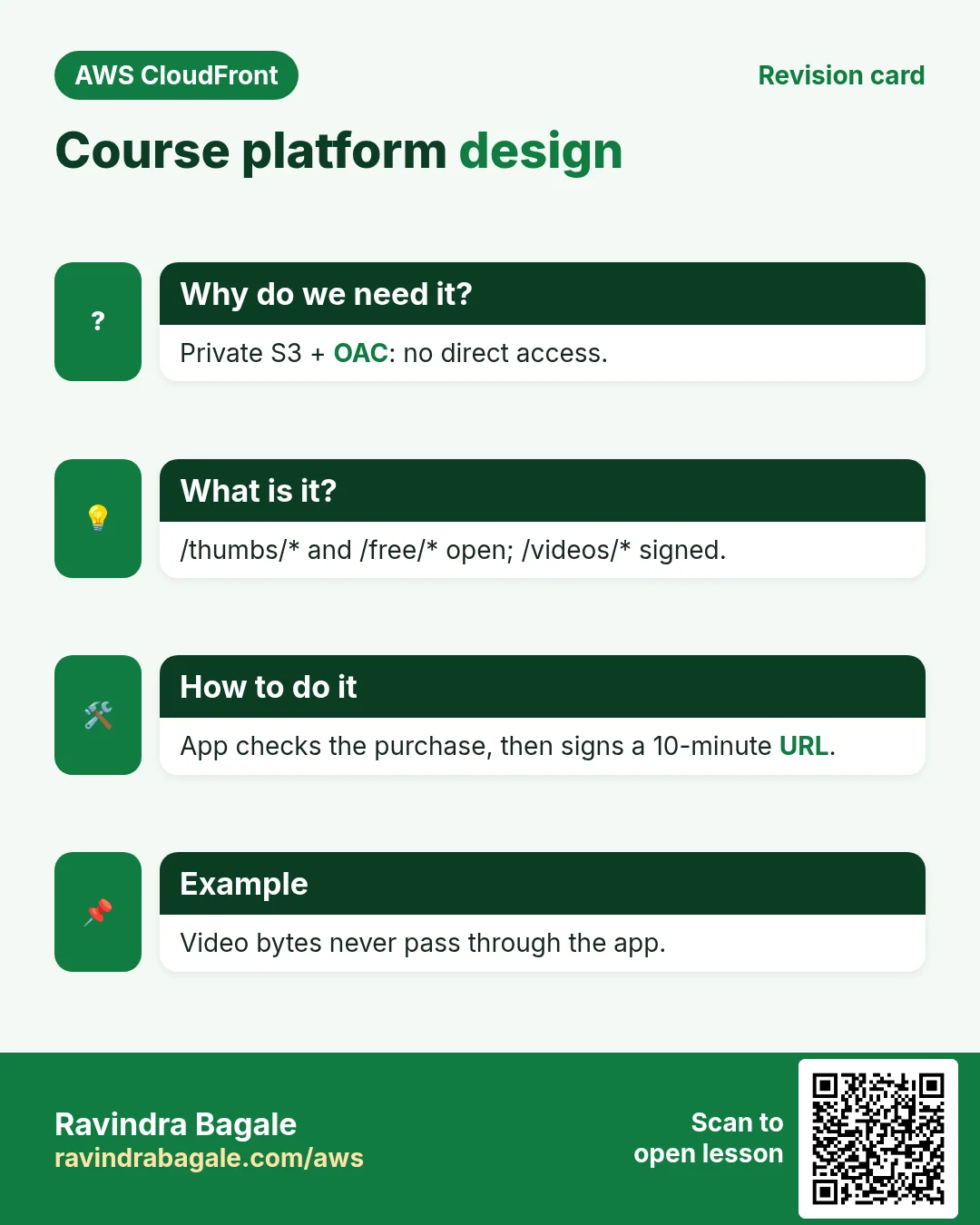
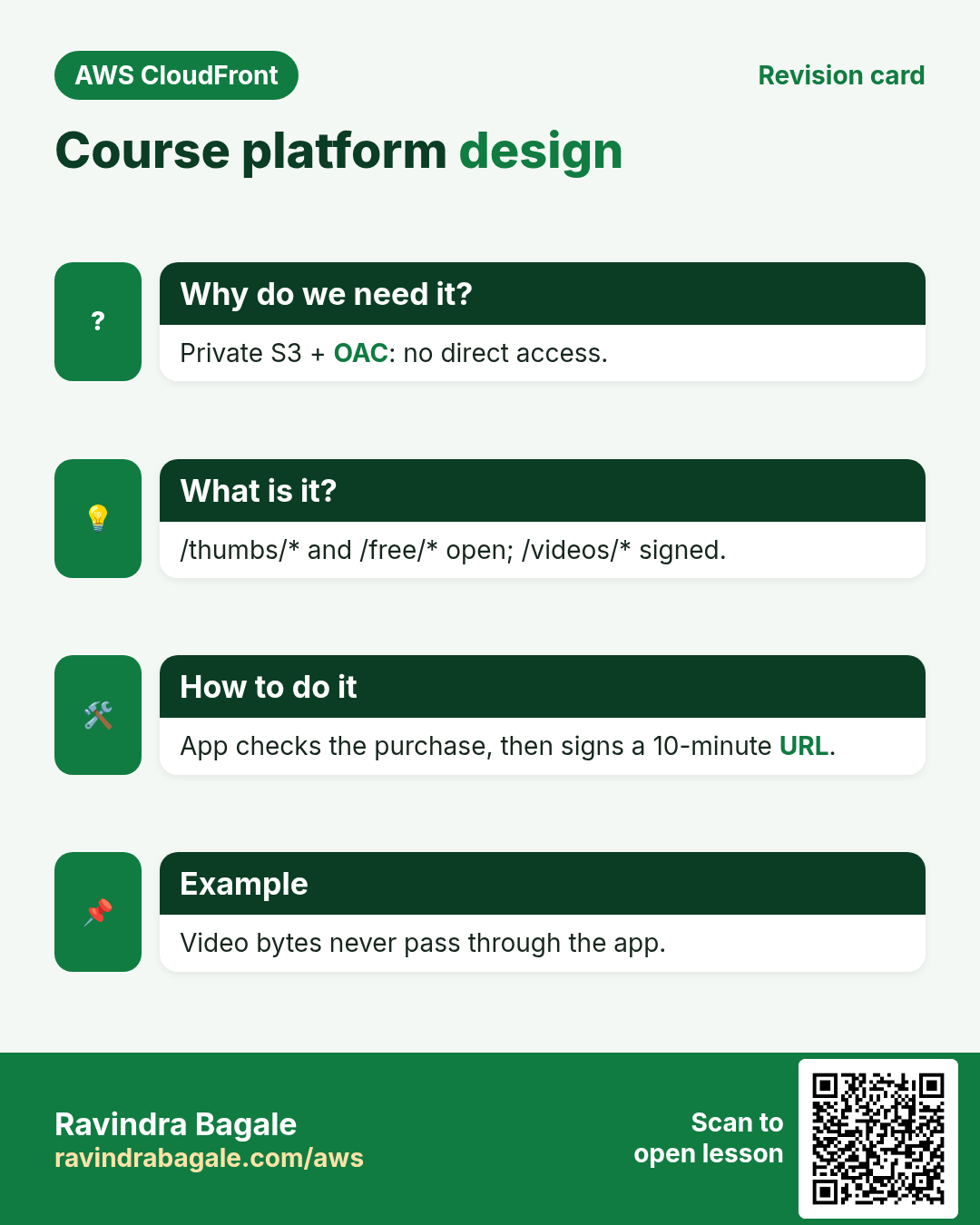
So: the bucket is private (OAC), paid videos need a signed link that dies in 10 minutes, and CloudFront serves everything from the nearest edge.
2. Architecture
Follow one purchase from the course record to playback
Imagine Asha signs in and requests paid lesson 3. The app loads the current user’s course access and decides whether she may watch. If permitted, the app signs a short-lived playback request. CloudFront verifies that request at the distribution, and the private origin supplies the object when needed. The payment record, viewer session and media object have separate jobs.
Compare Asha with an account that did not buy the course. Both may see the course title and approved preview. Only Asha should be issued paid playback access to lesson 3. Test this from two independent browser sessions to avoid reusing one account’s cookie.
The app server should decide who may watch, but it should never stream gigabytes of video itself.
| Part | Setting | Why |
|---|---|---|
| S3 bucket | yourname-course-media, Block Public Access on, prefixes free/, videos/, thumbs/ | Nothing public; prefixes map to behaviors |
| CloudFront | OAC origin, alternate domain videos.yourdomain.com, ACM cert (us-east-1), Price Class 200 | Fast in India and abroad, HTTPS |
| Behavior /thumbs/* | CachingOptimized, unrestricted | Thumbnails are public; upload with max-age 1 year |
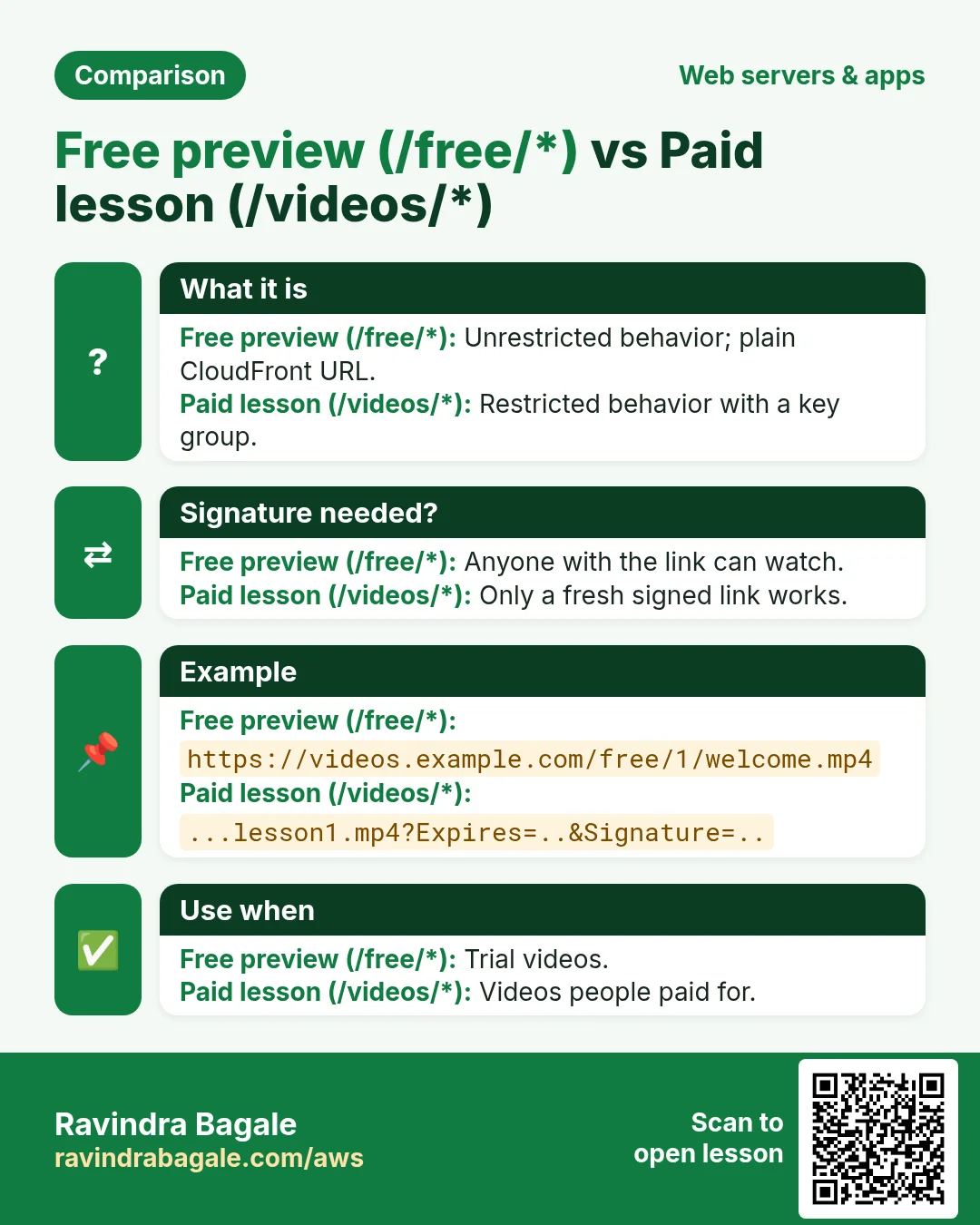
| Behavior /free/* | CachingOptimized, unrestricted | Free previews |
| Behavior /videos/* | CachingOptimized, Restrict viewer access with key group | Paid lessons need a valid signature |
| Default (*) | Restrict viewer access | Anything else stays locked |
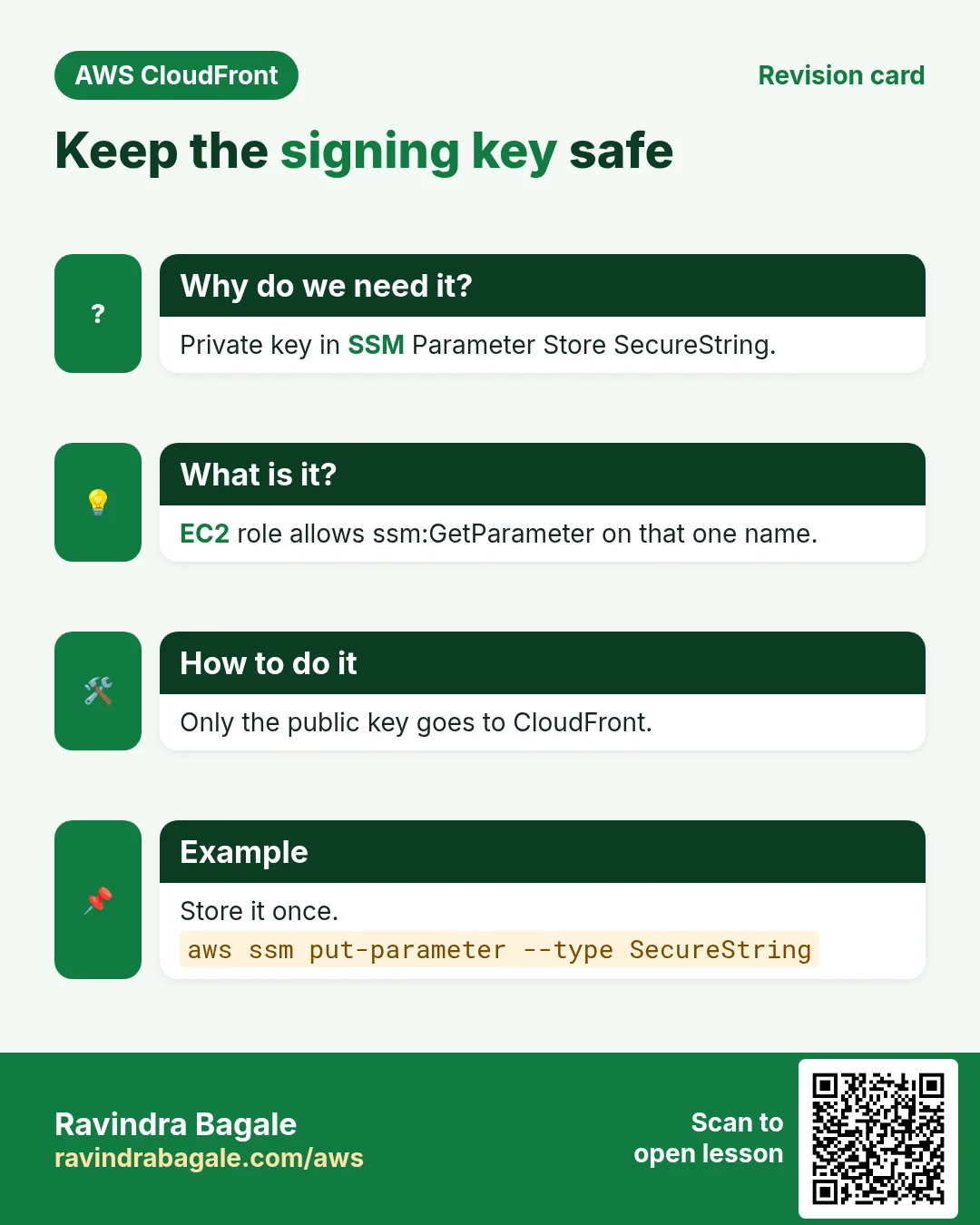
| EC2 app | Node.js 22, IAM role, private key in SSM SecureString | No keys in code or Git |
Ravindra Bagale's Tip
Signed URLs are cached like any other request: CloudFront removes the signature parameters from the cache key, so all buyers share one cached copy of lesson1.mp4.
3. Source code
Folder layout: server.js (routes), aws.js (S3, CloudFront, SSM), data.js (demo store; swap for RDS MySQL), public/admin.js (browser upload), policies as JSON. Download all files as a zip.
package.json
{
  "name": "course-video-platform",
  "version": "1.0.0",
  "description": "Udemy-style course videos with S3, CloudFront OAC and signed URLs - By Ravindra Bagale",
  "main": "server.js",
  "scripts": { "start": "node server.js" },
  "dependencies": {
    "@aws-sdk/client-cloudfront": "^3.600.0",
    "@aws-sdk/client-s3": "^3.600.0",
    "@aws-sdk/client-ssm": "^3.600.0",
    "@aws-sdk/cloudfront-signer": "^3.600.0",
    "@aws-sdk/s3-request-presigner": "^3.600.0",
    "bcryptjs": "^2.4.3",
    "express": "^4.19.2",
    "express-session": "^1.18.0"
  }
}
.env.example
AWS_REGION=ap-south-1
BUCKET=yourname-course-media
CDN_DOMAIN=videos.yourdomain.com
DIST_ID=E1ABCDEF2GHIJ
CF_KEY_PAIR_ID=K2JCJMDEHXQW5F
CF_PRIVATE_KEY_PARAM=/course/cf-private-key
SESSION_SECRET=change-me-to-a-long-random-string
SIGNED_MINUTES=10
server.js
// Course video platform - By Ravindra Bagale
// Login -> course list -> free preview plays from CloudFront; paid video gets a short signed URL.
const express = require('express');
const session = require('express-session');
const bcrypt = require('bcryptjs');
const crypto = require('crypto');
const db = require('./data');
const aws = require('./aws');
const app = express();
app.use(express.urlencoded({ extended: false }));
app.use(express.json());
app.use(express.static(__dirname + '/public'));
app.use(session({ secret: process.env.SESSION_SECRET || 'dev', resave: false, saveUninitialized: false,
cookie: { httpOnly: true, sameSite: 'lax' } }));
const esc = s => String(s).replace(/[&<>"]/g, c => ({ '&': '&', '<': '<', '>': '>', '"': '"' }[c]));
const page = (title, body) => `<!doctype html><meta charset="utf-8"><meta name="viewport" content="width=device-width">
<title>${esc(title)}</title><link rel="stylesheet" href="/style.css"><header><a href="/">Courses</a> <span id="who"></span></header><main>${body}</main>`;
const me = req => req.session.uid && db.getUser(req.session.uid);
const needLogin = (req, res, next) => me(req) ? next() : res.redirect('/login');
const needAdmin = (req, res, next) => me(req) && me(req).admin ? next() : res.status(403).send(page('Forbidden', '<p>Admins only.</p>'));
app.get('/login', (req, res) => res.send(page('Login', `<h1>Login</h1><form method="post">
<input name="email" placeholder="email" required><input name="password" type="password" placeholder="password" required>
<button>Login</button></form><p>Demo: student@example.com / student123, buyer@example.com / buyer123</p>`)));
app.post('/login', (req, res) => {
const u = db.findUser(req.body.email);
if (!u || !bcrypt.compareSync(req.body.password, u.hash)) return res.status(401).send(page('Login', '<p>Wrong email or password. <a href="/login">Try again</a></p>'));
req.session.regenerate(() => { req.session.uid = u.id; res.redirect('/'); });
});
app.post('/logout', (req, res) => req.session.destroy(() => res.redirect('/login')));
app.get('/', needLogin, (req, res) => {
const u = me(req);
const html = db.courses().map(c => {
const owned = u.paid.includes(c.id);
const rows = db.videos(c.id).map(v => `<li><img src="https://${process.env.CDN_DOMAIN}/${v.thumb}" width="120" alt="">
<a href="/watch/${v.id}">${esc(v.title)}</a> ${v.free ? '<b>FREE</b>' : owned ? '' : '🔒'}</li>`).join('');
return `<h2>${esc(c.title)} ${owned ? '(purchased)' : `- ₹${c.price}`}</h2><ul class="videos">${rows}</ul>`;
}).join('');
res.send(page('Courses', `<p>Hi ${esc(u.email)} <form method="post" action="/logout" style="display:inline"><button>Logout</button></form>
${u.admin ? '<a href="/admin">Admin</a>' : ''}</p>${html}`));
});
app.get('/watch/:id', needLogin, async (req, res, next) => {
try {
const v = db.video(Number(req.params.id)); if (!v) return res.sendStatus(404);
const u = me(req);
if (!v.free && !u.paid.includes(v.courseId)) return res.status(403).send(page('Locked', '<p>Buy this course to watch this lesson.</p>'));
const src = await aws.playUrl(v.key, !v.free); // signed only for paid
res.send(page(v.title, `<h1>${esc(v.title)}</h1><video controls autoplay width="720" src="${esc(src)}"></video>
<p class="muted">${v.free ? 'Free preview.' : `Signed link valid for ${process.env.SIGNED_MINUTES || 10} minutes.`}</p>`));
} catch (e) { next(e); }
});
// ---- admin: upload or replace a video ----
app.get('/admin', needAdmin, (req, res) => res.send(page('Admin', `<h1>Upload video</h1>
<form id="up"><select name="courseId">${db.courses().map(c => `<option value="${c.id}">${esc(c.title)}</option>`).join('')}</select>
<input name="title" placeholder="title" required><label><input type="checkbox" name="free"> free preview</label>
<input name="replaceId" placeholder="replace video id (optional)">
<p>Video <input type="file" name="video" accept="video/mp4" required> Thumbnail <input type="file" name="thumb" accept="image/jpeg" required></p>
<button>Upload</button></form><pre id="log"></pre><script src="/admin.js"></script>`)));
app.post('/admin/upload-url', needAdmin, async (req, res) => {
const { courseId, free, kind, replaceKey } = req.body; // kind: video | thumb
const id = crypto.randomUUID();
const key = replaceKey || (kind === 'thumb' ? `thumbs/${courseId}/${id}.jpg` : `${free ? 'free' : 'videos'}/${courseId}/${id}.mp4`);
res.json({ key, url: await aws.uploadUrl(key, kind === 'thumb' ? 'image/jpeg' : 'video/mp4') });
});
app.post('/admin/videos', needAdmin, async (req, res) => {
const { replaceId, courseId, title, free, key, thumb } = req.body;
const v = db.upsertVideo({ id: replaceId ? Number(replaceId) : undefined, courseId: Number(courseId), title, free: !!free, key, thumb });
if (replaceId) await aws.invalidate([`/${key}`, `/${thumb}`]); // same key replaced -> clear edge copies
res.json(v);
});
app.use((err, req, res, next) => { console.error(err); res.status(500).send(page('Error', '<p>Something went wrong.</p>')); });
app.listen(process.env.PORT || 3000, () => console.log('course platform on :' + (process.env.PORT || 3000)));aws.js
// All AWS calls in one place. Credentials come from the EC2 IAM role - no access keys.
const { S3Client, PutObjectCommand } = require('@aws-sdk/client-s3');
const { getSignedUrl: s3Presign } = require('@aws-sdk/s3-request-presigner');
const { CloudFrontClient, CreateInvalidationCommand } = require('@aws-sdk/client-cloudfront');
const { SSMClient, GetParameterCommand } = require('@aws-sdk/client-ssm');
const { getSignedUrl: cfSign } = require('@aws-sdk/cloudfront-signer');

const REGION = process.env.AWS_REGION || 'ap-south-1';
const s3 = new S3Client({ region: REGION });
const cf = new CloudFrontClient({ region: 'us-east-1' });
const ssm = new SSMClient({ region: REGION });
let privateKey; // cached after first read

async function loadKey() {
  if (!privateKey) {
    const r = await ssm.send(new GetParameterCommand({ Name: process.env.CF_PRIVATE_KEY_PARAM, WithDecryption: true }));
    privateKey = r.Parameter.Value;
  }
  return privateKey;
}

// Free files: plain CloudFront URL. Paid files: signed URL that expires.
async function playUrl(key, signed) {
  const url = `https://${process.env.CDN_DOMAIN}/${key}`;
  if (!signed) return url;
  const minutes = Number(process.env.SIGNED_MINUTES || 10);
  return cfSign({
    url,
    keyPairId: process.env.CF_KEY_PAIR_ID,
    privateKey: await loadKey(),
    dateLessThan: new Date(Date.now() + minutes * 60 * 1000).toISOString()
  });
}

// Admin upload: browser PUTs the file straight to S3 with this short-lived URL.
function uploadUrl(key, contentType) {
  return s3Presign(s3, new PutObjectCommand({ Bucket: process.env.BUCKET, Key: key, ContentType: contentType }), { expiresIn: 600 });
}

// When a file is replaced under the same key, drop the old copy from every edge.
function invalidate(paths) {
  return cf.send(new CreateInvalidationCommand({
    DistributionId: process.env.DIST_ID,
    InvalidationBatch: { CallerReference: String(Date.now()), Paths: { Quantity: paths.length, Items: paths } }
  }));
}

module.exports = { playUrl, uploadUrl, invalidate };
data.js
// Demo data store. Swap this file for MySQL/RDS in production.
const fs = require('fs');
const bcrypt = require('bcryptjs');
const FILE = __dirname + '/db.json';

const seed = {
  users: [
    { id: 1, email: 'admin@example.com', hash: bcrypt.hashSync('admin123', 10), admin: true,  paid: [1] },
    { id: 2, email: 'student@example.com', hash: bcrypt.hashSync('student123', 10), admin: false, paid: [] },
    { id: 3, email: 'buyer@example.com', hash: bcrypt.hashSync('buyer123', 10), admin: false, paid: [1] }
  ],
  courses: [ { id: 1, title: 'AWS for Beginners', price: 499 } ],
  videos: [
    // free preview: key under free/, paid lessons: key under videos/
    { id: 1, courseId: 1, title: 'Welcome (free preview)', free: true,  key: 'free/1/welcome.mp4', thumb: 'thumbs/1/welcome.jpg' },
    { id: 2, courseId: 1, title: 'Lesson 1: Regions and AZs', free: false, key: 'videos/1/lesson1.mp4', thumb: 'thumbs/1/lesson1.jpg' }
  ]
};

let db = fs.existsSync(FILE) ? JSON.parse(fs.readFileSync(FILE)) : seed;
const save = () => fs.writeFileSync(FILE, JSON.stringify(db, null, 2));
if (!fs.existsSync(FILE)) save();

module.exports = {
  findUser: (email) => db.users.find(u => u.email === email),
  getUser: (id) => db.users.find(u => u.id === id),
  courses: () => db.courses,
  videos: (courseId) => db.videos.filter(v => v.courseId === courseId),
  video: (id) => db.videos.find(v => v.id === id),
  upsertVideo(v) {
    const old = db.videos.find(x => x.id === v.id);
    if (old) Object.assign(old, v); else { v.id = Math.max(0, ...db.videos.map(x => x.id)) + 1; db.videos.push(v); }
    save(); return v;
  }
};
public/admin.js
// Browser side of admin upload: get pre-signed PUT URLs, send files straight to S3, then save metadata.
const f = document.getElementById('up'), log = document.getElementById('log');
const post = (u, b) => fetch(u, { method: 'POST', headers: { 'Content-Type': 'application/json' }, body: JSON.stringify(b) }).then(r => r.json());
f.onsubmit = async (e) => {
  e.preventDefault();
  const d = new FormData(f), free = d.get('free') === 'on', courseId = d.get('courseId'), replaceId = d.get('replaceId');
  const put = async (file, kind) => {
    const r = await post('/admin/upload-url', { courseId, free, kind });
    log.textContent += `uploading ${kind} -> ${r.key}\n`;
    const s = await fetch(r.url, { method: 'PUT', headers: { 'Content-Type': file.type }, body: file });
    if (!s.ok) throw new Error(kind + ' upload failed ' + s.status);
    return r.key;
  };
  try {
    const key = await put(d.get('video'), 'video'), thumb = await put(d.get('thumb'), 'thumb');
    const v = await post('/admin/videos', { replaceId, courseId, title: d.get('title'), free, key, thumb });
    log.textContent += 'saved video id ' + v.id + '\n';
  } catch (err) { log.textContent += err.message + '\n'; }
};
Flask variant (sign_flask.py)
# Flask variant of the signing endpoint - pip install flask botocore cryptography
import datetime, os
from flask import Flask, abort, session, jsonify
from botocore.signers import CloudFrontSigner
from cryptography.hazmat.primitives import hashes, serialization
from cryptography.hazmat.primitives.asymmetric import padding

app = Flask(__name__); app.secret_key = os.environ["SESSION_SECRET"]
KEY = serialization.load_pem_private_key(open(os.environ["CF_PRIVATE_KEY_PATH"], "rb").read(), password=None)
signer = CloudFrontSigner(os.environ["CF_KEY_PAIR_ID"], lambda m: KEY.sign(m, padding.PKCS1v15(), hashes.SHA1()))
VIDEOS = {1: {"key": "free/1/welcome.mp4", "free": True, "course": 1}, 2: {"key": "videos/1/lesson1.mp4", "free": False, "course": 1}}

@app.get("/api/play/<int:vid>")
def play(vid):
    v = VIDEOS.get(vid) or abort(404)
    url = f"https://{os.environ['CDN_DOMAIN']}/{v['key']}"
    if v["free"]: return jsonify(url=url)
    if v["course"] not in session.get("paid", []): abort(403)
    exp = datetime.datetime.now(datetime.timezone.utc) + datetime.timedelta(minutes=10)
    return jsonify(url=signer.generate_presigned_url(url, date_less_than=exp))
PHP variant (sign.php)
<?php // PHP variant of the signing endpoint - composer require aws/aws-sdk-php
require 'vendor/autoload.php';
session_start();
$videos = [1 => ['key' => 'free/1/welcome.mp4', 'free' => true, 'course' => 1],
           2 => ['key' => 'videos/1/lesson1.mp4', 'free' => false, 'course' => 1]];
$v = $videos[(int)($_GET['id'] ?? 0)] ?? null;
if (!$v) { http_response_code(404); exit; }
$url = 'https://' . getenv('CDN_DOMAIN') . '/' . $v['key'];
if (!$v['free']) {
    if (!in_array($v['course'], $_SESSION['paid'] ?? [])) { http_response_code(403); exit('Buy the course'); }
    $cf = new Aws\CloudFront\CloudFrontClient(['region' => 'us-east-1', 'version' => '2020-05-31']);
    $url = $cf->getSignedUrl(['url' => $url, 'expires' => time() + 600,
        'private_key' => getenv('CF_PRIVATE_KEY_PATH'), 'key_pair_id' => getenv('CF_KEY_PAIR_ID')]);
}
header('Content-Type: application/json');
echo json_encode(['url' => $url]);
bucket-policy.json (OAC)
{
  "Version": "2012-10-17",
  "Statement": [{
    "Sid": "AllowCloudFrontOACRead",
    "Effect": "Allow",
    "Principal": { "Service": "cloudfront.amazonaws.com" },
    "Action": "s3:GetObject",
    "Resource": "arn:aws:s3:::yourname-course-media/*",
    "Condition": { "StringEquals": { "AWS:SourceArn": "arn:aws:cloudfront::111122223333:distribution/E1ABCDEF2GHIJ" } }
  }]
}
cors.json
[{ "AllowedOrigins": ["http://YOUR-EC2-PUBLIC-DNS:3000"], "AllowedMethods": ["PUT"], "AllowedHeaders": ["*"], "MaxAgeSeconds": 3000 }]app-role-policy.json (EC2 role)
{
  "Version": "2012-10-17",
  "Statement": [
    { "Effect": "Allow", "Action": "s3:PutObject",
      "Resource": ["arn:aws:s3:::yourname-course-media/videos/*", "arn:aws:s3:::yourname-course-media/free/*", "arn:aws:s3:::yourname-course-media/thumbs/*"] },
    { "Effect": "Allow", "Action": "cloudfront:CreateInvalidation", "Resource": "arn:aws:cloudfront::111122223333:distribution/E1ABCDEF2GHIJ" },
    { "Effect": "Allow", "Action": "ssm:GetParameter", "Resource": "arn:aws:ssm:ap-south-1:111122223333:parameter/course/cf-private-key" }
  ]
}
Why each permission: PutObject only on the three prefixes (admin uploads), CreateInvalidation only on this distribution (replacing a file), GetParameter only on the key parameter. The role cannot read videos; it does not need to.
4. Build it step by step
Verify the learner’s path and repeat the test after signing expires
In the lab, create two test users and one test course without real payment data. Mark only one user as entitled under the exercise rules. Visit the same paid lesson through each account. Confirm that the signed link is issued only to the entitled learner and that a direct unsigned request to the private media location fails.
Use a short lab lifetime and reload the media after it expires. Expect expired playback access to be refused. A link already issued for an allowed object remains a credential until its conditions stop being valid. Make the app provide a fresh link only after it checks authorization again.
Part A: bucket, keys, distribution
- S3 (ap-south-1) › Create bucket
yourname-course-media, Block all public access on, ACLs disabled, SSE-S3. - Upload seed files:
aws s3 cp welcome.mp4 s3://yourname-course-media/free/1/welcome.mp4;aws s3 cp lesson1.mp4 s3://yourname-course-media/videos/1/lesson1.mp4. - Thumbnails with a 1-year cache:
aws s3 cp welcome.jpg s3://yourname-course-media/thumbs/1/welcome.jpg --cache-control "public,max-age=31536000"(same for lesson1.jpg). - Bucket › Permissions › CORS › paste cors.json with your app address. Why: the admin browser PUTs to S3.
- Keys:
openssl genrsa -out private_key.pem 2048 && openssl rsa -pubout -in private_key.pem -out public_key.pem. - Store the private key:
aws ssm put-parameter --region ap-south-1 --name /course/cf-private-key --type SecureString --value file://private_key.pem. - CloudFront › Public keys › Create
course-key(paste public_key.pem). Key groups › Createcourse-kgwith it. Note the key ID. - ACM in us-east-1 › request
videos.yourdomain.com, DNS validation, create the Route 53 record, wait for Issued. - Create distribution: origin = bucket REST endpoint + new OAC; default behavior: Redirect HTTP to HTTPS, CachingOptimized, Restrict viewer access: Yes, key group course-kg; alternate domain videos.yourdomain.com; the ACM cert; TLSv1.2_2021; Price Class 200; WAF optional.
- Apply bucket-policy.json (CloudFront shows it with your ARN filled in).
- Behaviors › Create
/thumbs/*and/free/*: same origin, CachingOptimized, Restrict viewer access No. Create/videos/*: Restrict viewer access Yes, course-kg. - Route 53 › A and AAAA alias records
videos→ the distribution.
Part B: the app on EC2
- IAM › Create policy from app-role-policy.json (your account, bucket, distribution). Role for EC2
course-app-rolewith it. - Launch EC2: Amazon Linux 2023, t3.micro, role course-app-role, security group 22 from My IP and 3000 from anywhere (lab).
sudo dnf install -y nodejs22 unzip. Why 22: AWS SDK v3 releases from early 2027 need Node 22+.- Copy the zip,
unzip course-video-platform.zip && cd course-video-platform && npm install. cp .env.example .env; nano .env; set -a; . ./.env; set +a(fill bucket, domain, DIST_ID, key ID).npm start. Expected:course platform on :3000.
Part C: tests
- Open
http://EC2-PUBLIC-DNS:3000, log in as student@example.com / student123. Expected: course list with thumbnails from videos.yourdomain.com. - Click the FREE video. Expected: it plays. DevTools › Network: the MP4 URL has no Signature and returns 200 (or 206 for range requests).
- Click the 🔒 lesson. Expected: "Buy this course to watch this lesson." (403 from the app).
- Try the file without a link:
curl -sI https://videos.yourdomain.com/videos/1/lesson1.mp4 | head -1. Expected:HTTP/2 403. - Log out, log in as buyer@example.com / buyer123, open the lesson. Expected: it plays; the URL has Expires, Signature and Key-Pair-Id.
- Copy that video URL.
curl -sI "URL" | grep -iE "^HTTP|x-cache"twice. Expected: 200, Miss then Hit. - Wait 11 minutes, run it again. Expected:
HTTP/2 403. Why: Expires has passed; a shared Telegram link is useless. - Bypass:
curl -sI https://yourname-course-media.s3.ap-south-1.amazonaws.com/free/1/welcome.mp4 | head -1. Expected: 403. - Admin: log in as admin@example.com / admin123 › Admin › upload a new MP4 and JPG. Expected log: two "uploading" lines and "saved video id 3". The new video appears in the list.
- Replace test: upload again with replace id 3. Then
aws cloudfront list-invalidations --distribution-id EXXXX. Expected: a new invalidation. Why: the app clears old copies from the edges.
5. Making it production-ready
| Area | Change |
|---|---|
| Data | Move data.js to RDS MySQL (users, courses, videos, purchases tables) |
| Payments | A Razorpay or Stripe webhook adds the course to user.paid |
| HLS | Convert MP4 to HLS with MediaConvert and use signed cookies for /videos/42/* |
| App front door | Put the app behind an ALB + HTTPS; sessions in ElastiCache |
| Security | AWS WAF rate limit on /login; change demo passwords; rotate the key yearly |
Grant course access only after your server verifies the payment provider’s signed webhook and matches the successful payment to the stored order and course. Save the provider’s event ID to avoid handling a duplicate delivery twice. Put a unique constraint on the user and course entitlement as a second check. In test mode, deliver the same event twice and confirm that the purchase records and playback access are the same after each delivery.
6. Cleanup
- Terminate the EC2 instance; delete role course-app-role and its policy.
- Route 53: delete the videos A/AAAA records. CloudFront: disable, then delete the distribution.
- Delete key group course-kg, public key course-key, the OAC, and the ACM certificate (us-east-1).
aws ssm delete-parameter --name /course/cf-private-key;aws s3 rb s3://yourname-course-media --force;shred -u private_key.pem.
7. Interview questions
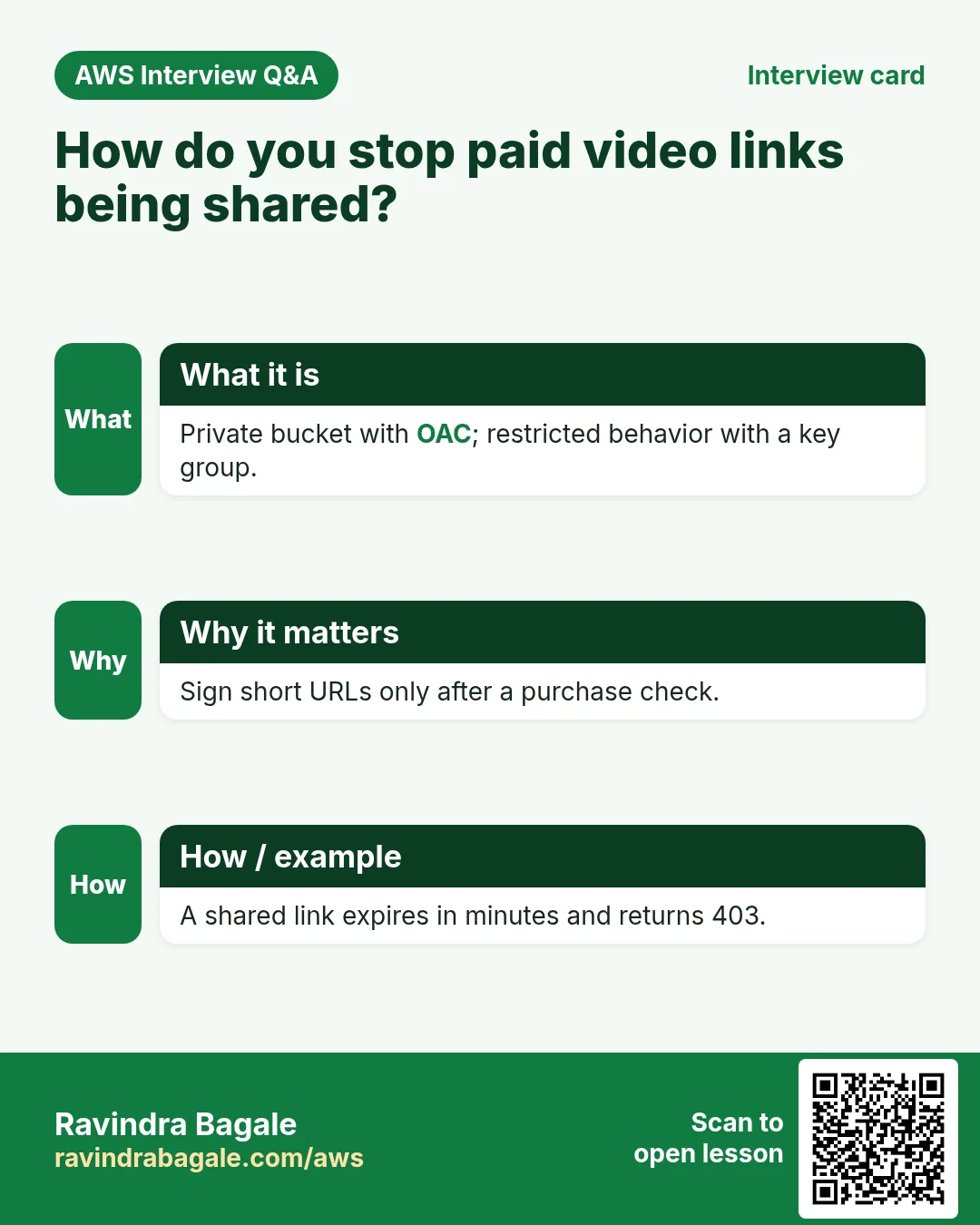
Q. How do you stop paid video links from being shared?
Private bucket with OAC, a restricted behavior with a key group, and short-expiry signed URLs (or cookies) issued only after a purchase check.
Q. Why not stream videos through the Node app?
It would carry every byte and need huge bandwidth. CloudFront serves from edge caches; the app only signs links.
Q. Where is the CloudFront private key stored?
In SSM Parameter Store as a SecureString (or Secrets Manager), read through the EC2 role. Never in code.
Q. Do signed URLs break caching?
No. CloudFront strips the signature parameters from the cache key, so all buyers share the cached object.
Q. How does an admin upload a 2 GB video without loading the server?
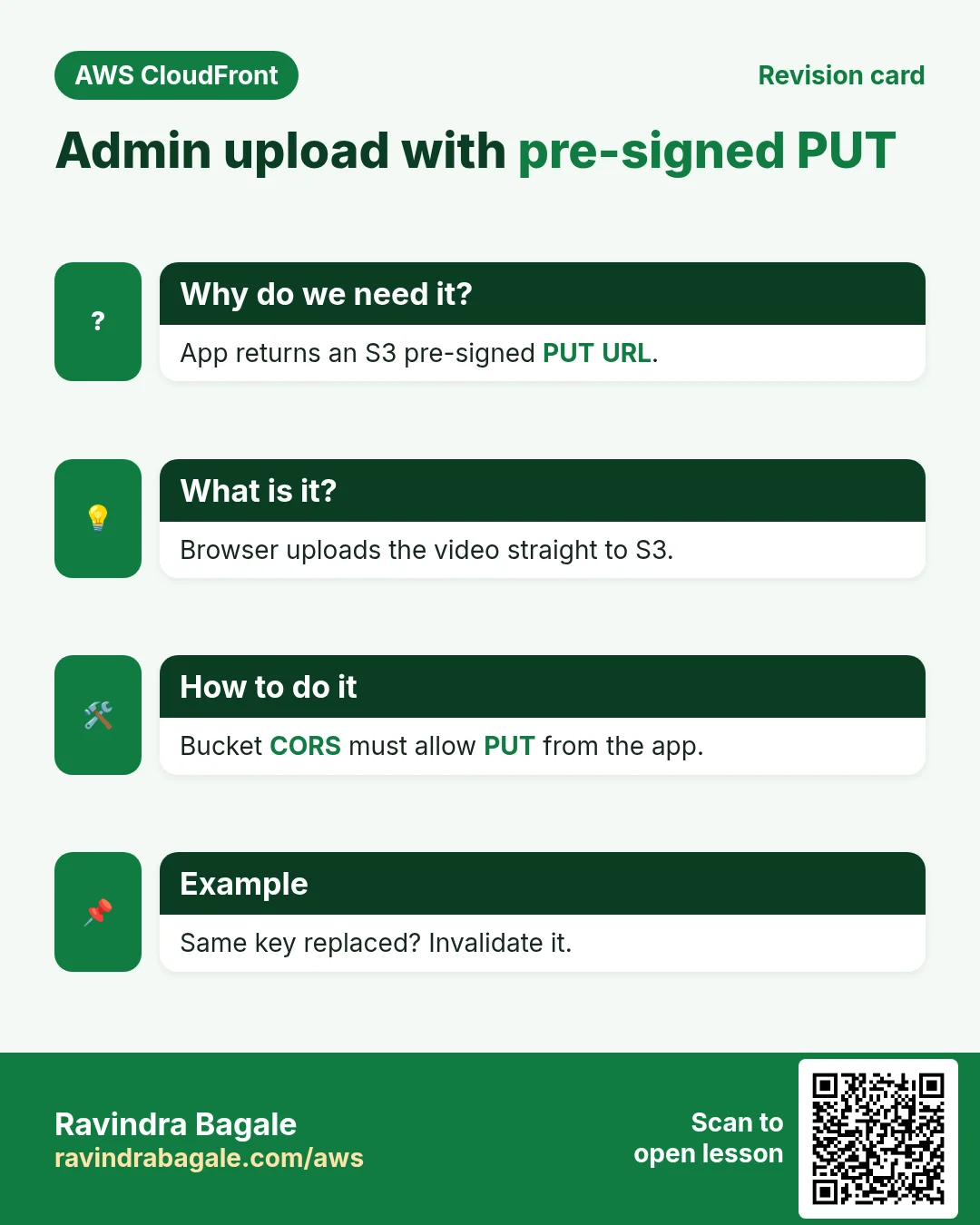
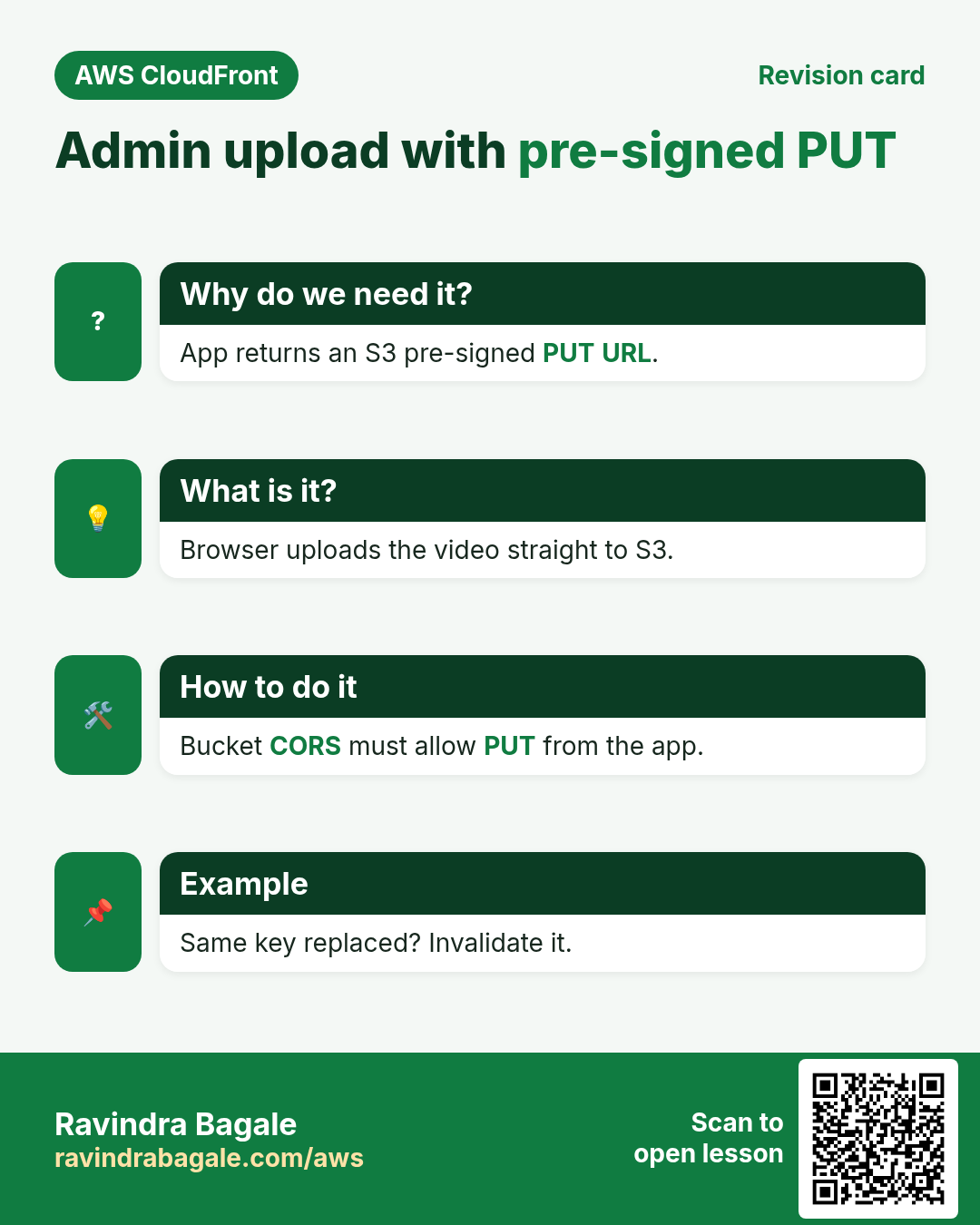
The app returns an S3 pre-signed PUT URL; the browser uploads straight to S3 (multipart for very large files).
Try at home
- Add a purchases table in MySQL and a fake "Buy" button that adds the course for the logged-in user.
- Switch paid playback to signed cookies for /videos/1/* and play two lessons without new links.
- Run the Flask variant and compare its signed URL with the Node one.
In short
- Private S3 + OAC: nobody reaches files directly.
- Behaviors: /thumbs/* and /free/* open, /videos/* and default signed.
- The app checks payment, then signs a 10-minute URL.
- Admin uploads go straight to S3; invalidate when a key is overwritten.
- Tests: free plays, locked is 403, expired link is 403, S3 direct is 403.
Practise this chapter
Check your understanding
Choose an answer, then compare your reasoning with the explanation.
Practice Tasks
Practice checks run in your browser. They check the answer for this exercise; they do not create resources or connect to your AWS account.
About this scenarioSolapur Chaddar House is a home textiles business in Solapur. Vikas Kamble looks after its IT and cloud work. They count money in INR and run their AWS resources in the ap-south-1 Region. In the tasks below you do real jobs for them using what this lesson teaches. All names, account IDs, IP addresses and numbers are made up for practice.
0 / 10
Easy List distributions
Find the distribution ID and domain name.
List all CloudFront distributions.
- Read the task and decide which AWS service it is about.
- Write aws, then the service name, then the operation (the action word).
- Add each needed flag (--name) followed by its value from the task.
- Flags can be in any order. Click Check answer.
Easy How many addresses in a /16?
Picking a VPC size needs this count.
Solapur Chaddar House plans the VPC 10.86.0.0/16. How many IP addresses does it hold in total?
- Write down the numbers the task gives you.
- Work it out step by step on paper.
- Type only the final answer in the box.
- Click Check answer.
Easy Port for SSH
Security group rules need the right port.
Which TCP port must the security group open for SSH?
- Write down the numbers the task gives you.
- Work it out step by step on paper.
- Type only the final answer in the box.
- Click Check answer.
Medium Clear the CloudFront cache
After a deploy, invalidate so visitors get the new files now, not after the TTL.
Invalidate all paths (/*) on distribution E2QWRUHAPOMQZL.
- Read the task and decide which AWS service it is about.
- Write aws, then the service name, then the operation (the action word).
- Add each needed flag (--name) followed by its value from the task.
- Flags can be in any order. Click Check answer.
Hard Create a distribution from a config file
The full config (origins, behaviors, certificate) is easiest to keep in JSON.
Create a CloudFront distribution from dist.json.
- Read the task and decide which AWS service it is about.
- Write aws, then the service name, then the operation (the action word).
- Add each needed flag (--name) followed by its value from the task.
- Flags can be in any order. Click Check answer.
Hard Invalidate two paths
Invalidating only what changed is cheaper and faster.
On E2QWRUHAPOMQZL, invalidate /index.html and /css/site.css.
- Read the task and decide which AWS service it is about.
- Write aws, then the service name, then the operation (the action word).
- Add each needed flag (--name) followed by its value from the task.
- Flags can be in any order. Click Check answer.
Hard Bucket policy for CloudFront OAC
With OAC, only your CloudFront distribution may read the private bucket.
Allow the service cloudfront.amazonaws.com to s3:GetObject on solapurchaddar-site/*, only when aws:SourceArn equals arn:aws:cloudfront::115372646265:distribution/E2QWRUHAPOMQZL.
- Start with { "Version": "2012-10-17", "Statement": [ ... ] }.
- In each statement write Effect, Action and Resource.
- Give only what the task needs (least privilege).
- Use double quotes and commas correctly. Click Check answer.
Hard Create an Origin Access Control
OAC lets only CloudFront read your private S3 bucket.
Create an origin access control from oac.json.
- Read the task and decide which AWS service it is about.
- Write aws, then the service name, then the operation (the action word).
- Add each needed flag (--name) followed by its value from the task.
- Flags can be in any order. Click Check answer.
Hard Request a free certificate for CloudFront
CloudFront only uses ACM certificates from us-east-1. DNS validation renews automatically.
Request a certificate for solapurchaddar.in and www.solapurchaddar.in with DNS validation, in us-east-1.
- Read the task and decide which AWS service it is about.
- Write aws, then the service name, then the operation (the action word).
- Add each needed flag (--name) followed by its value from the task.
- Flags can be in any order. Click Check answer.
Hard Make a CloudFront signed URL
Signed URLs let only paying users watch a video, for a limited time.
Sign https://d111.cloudfront.net/course/intro.mp4 with key pair ID K2JCJMDEHXQW5F, private key private_key.pem, expiring 2026-12-31.
- Read the task and decide which AWS service it is about.
- Write aws, then the service name, then the operation (the action word).
- Add each needed flag (--name) followed by its value from the task.
- Flags can be in any order. Click Check answer.
Revision, comparison and interview cards
Revise this lesson in a few minutes. Save the cards on your phone or download them as PNG files. The QR code on each card opens this lesson.
More cards: Ravi Sir's Cards.