Chapter 1: Networking Fundamentals
1.6 Static vs dynamic IP
Now a question: who gives your home Wi-Fi device its IP? The DHCP in your router. But if a server's IP changed every day, how would customers find it? That is why clients need a stable endpoint. An Elastic IP can give one EC2 server a stable address. A shared site can instead use DNS to find a load balancer while its app servers change behind it.
आता एक प्रश्न: तुमच्या घरी Wi-Fi ला IP कोण देतं? राउटरमधला DHCP. पण सर्व्हरचा IP रोज बदलला तर कस्टमर्स त्याला कसे शोधणार? म्हणून ग्राहकांना सर्व्हरपर्यंत पोहोचण्यासाठी स्थिर पत्ता किंवा स्थिर DNS नाव लागते.
अब एक सवाल: आपके घर के Wi-Fi को IP कौन देता है? राउटर वाला DHCP. लेकिन सर्वर का IP रोज़ बदल गया तो कस्टमर्स उसे कैसे ढूँढेंगे? इसलिए ग्राहकों को सर्वर तक पहुँचने के लिए एक स्थिर पता या स्थिर DNS नाम चाहिए।
| Feature | Static IP | Dynamic IP |
|---|---|---|
| Assigned by | Manually by an admin (or reserved) | Automatically, for example by a DHCP server or cloud service |
| Changes? | Stays assigned while the manual configuration, reservation or allocation stays in effect | Can change when the lease expires or the network reassigns it. On EC2, stop/start can replace an auto-assigned public IPv4. Reboot normally keeps it. |
| Best for | Servers, DNS records, printers, VPN endpoints | Laptops, phones, home users |
| Cost | Depends on the provider and address type. AWS charges for public IPv4 addresses, including ordinary auto-assigned public addresses and Elastic IPs. Check the current pricing and exceptions. | |
| AWS equivalent | Elastic IP | Auto-assigned public IPv4 |
DHCP (Dynamic Host Configuration Protocol) hands out IP address, subnet mask, default gateway and DNS server in four steps: Discover → Offer → Request → Acknowledge (DORA).
The laptops and billing PC in the Mauli Dairy office get a dynamic IP from DHCP – that is fine. But their EC2 web server will later get an Elastic IP, so clients can still reach that single server after stop and start. DNS records can also change, but resolvers may temporarily keep the old answer until its TTL expires.
Mauli Dairy च्या ऑफिसमधले लॅपटॉप्स आणि बिलिंग PC ला DHCP ने डायनॅमिक IP मिळतो – ते चालेल. पण त्यांच्या EC2 वेब सर्व्हरला आपण पुढे Elastic IP देऊ, जेणेकरून या एका सर्व्हरचा public पत्ता stop आणि start नंतरही तोच राहील. DNS नावाचा पत्ता बदलू शकतो, पण जुना DNS उत्तर cache मध्ये TTL संपेपर्यंत राहू शकतो.
Mauli Dairy के ऑफ़िस के लैपटॉप्स और बिलिंग PC को DHCP से डायनैमिक IP मिलता है – वो चलेगा. लेकिन उनके EC2 वेब सर्वर को हम आगे Elastic IP देंगे, ताकि इस एक सर्वर का public पता stop और start के बाद भी वही रहे। DNS नाम का पता बदल सकता है, लेकिन पुराना DNS उत्तर TTL खत्म होने तक cache में रह सकता है।
Ravindra Bagale's Tip
Many students stop their instance at night and find the website down in the morning – because the auto-assigned public IP changed. The domain or the WordPress URL keeps pointing to the old IP. If you need a fixed address, use an Elastic IP (Chapter 5.5 and Chapter 14).
Ravindra Bagale's Tip – मराठी
बरेच students रात्री instance stop करतात आणि सकाळी website बंद दिसते – कारण auto-assigned public IP बदलला. Domain किंवा WordPress URL जुन्या IP वरच point करत राहतो. Fixed address पाहिजे असेल तर Elastic IP वापरा (Chapter 5.5 आणि Chapter 14).
Ravindra Bagale's Tip – हिंदी
बहुत से students रात को instance stop करते हैं और सुबह website बंद दिखती है – क्योंकि auto-assigned public IP बदल गया. Domain या WordPress URL पुराने IP पर ही point करता रहता है. Fixed address चाहिए तो Elastic IP इस्तेमाल करो (Chapter 5.5 और Chapter 14).
Practice task
DHCP che DORA che char steps (Discover → Offer → Request → Acknowledge) ek chhotya diagram madhe kadha. Mag lihun kadha: Mauli Dairy madhe kontya devices la static IP pahije (web server, printer) aani kontyana dynamic chalel (laptops, phones).
Choose an address that fits the way people find the service
Mauli Dairy has a billing computer, two inventory laptops, a printer and an online order page. The laptops can move between shops during the day. They mainly start connections to other services. A new address when they join a different Wi-Fi network is often fine. The printer is different. The billing computer has to find it repeatedly at a useful destination. The order website also needs a predictable entry point for customers who should never have to know which virtual server is active today.
A dynamic address is assigned by a process that can give the interface a different value later. On a local IPv4 network that often means DHCP leases an address from a pool. A static address is deliberately kept stable by a configuration or reservation. Someone can change or release that assignment when required. It is useful to ask who controls that change and what other systems depend on the current value. A customer’s bookmark, a printer queue and a partner firewall can have very different requirements.
Choose the thing you need to keep stable before choosing an address product. A printer can have a private reservation on the office network. A standalone training EC2 server can use an Elastic IP if the exercise needs one fixed public IPv4. A multi-server website can keep a stable hostname that leads to a load balancer even when individual servers get other addresses. The word “stable” could describe a network endpoint, a DNS name, or a durable service. Each of those designs places the dependency in a different location.
Do the first part of the lesson on paper. Give every device a row and name the people or programs that must initiate requests to it. Then say whether those callers know the endpoint by a name, by a configured private address or through a managed service. Write one consequence if that address changes. A laptop may simply reconnect. A printer configured by address might stop working until the queue is updated. An internet partner might have an access rule that requires a planned address change and retest.
Keep the lifetime of an address separate from its network scope
Public and private tell you where an address is intended to work. Static and dynamic tell you how the address is assigned or retained. You can pair those ideas in more than one way. The dairy printer can use a reserved private IPv4 such as 192.168.40.30. A laptop can use a dynamic private address such as 192.168.40.18. A lab server can have an automatically assigned public IPv4 that changes after stop and start. A separately allocated public address can remain stable while it is reserved for the account and intentionally associated.
| Practice resource | Address choice | What the caller needs to know |
|---|---|---|
| Inventory laptop | Usually a leased private address for the active local network | The laptop can initiate a connection using its current route and address. |
| Shared office printer | Private reservation or another stable way to find the service | The printer queue should follow its approved private name or reserved address. |
| Disposable direct-access EC2 server | Auto-assigned public IPv4 if the lab design needs direct public access | Check the current value and approved permissions before reconnecting. |
| Single server with a fixed public destination requirement | One allocated Elastic IP, when appropriate | Use the reserved address or DNS name that points at the planned association. |
| Scalable ordering site | Stable DNS name and managed public entry point | Customers use the site name while the backend targets can be replaced. |
Make another two-column drawing for Asha’s home connection. On the left put the IP her phone sees on Wi-Fi. On the right put the router’s outward IPv4 path. They can have different lifetimes. A carrier may share an outward address across several networks through translation. A device can keep its local lease while the WAN path changes, and a website may see an address from the shared outside path. When a colleague asks whether “the IP” changed, ask which side they observed.
Do not make a security design depend on a temporary address by accident. A lab can permit one current public source during a direct SSH exercise, but Asha’s next connection could leave through another provider or VPN. Check which source the system actually evaluates before updating a limited rule. If an organization needs a durable administration path, use its approved access design rather than continually broadening a temporary source rule. The choice of address lifetime should help you operate the access policy, not define the application’s only form of identity.
Follow the four DHCP messages for a new office laptop
Start with Asha’s laptop entering the dairy office. It knows that it joined an Ethernet or Wi-Fi network. It still needs settings such as a usable IPv4 address and its mask, a gateway for off-network traffic, and a DNS resolver. Dynamic Host Configuration Protocol, or DHCP, can supply this information automatically. The server might be the home router in a small office. An organization can use separate DHCP servers and relays. The purpose is to assign configuration consistently without asking everyone to type it by hand.
- Discover. The laptop begins by asking what DHCP servers can offer it a configuration. In a typical first connection it does not yet have an assigned local IPv4, so it can use discovery on the local network. An approved relay can carry the request to a server elsewhere in the organization.
- Offer. A server can propose a particular address from its managed pool. Think of this as an offer with supporting network settings and a possible lease period. A shared network can have more than one server responding according to its design.
- Request. The laptop requests the offered configuration it selected. This step matters because the server needs to distinguish a proposed assignment from the one the client will try to use. Other participants can handle their unused offers accordingly.
- Acknowledge. The selected server confirms the assignment. The laptop can apply the address and associated parameters and use the network. It keeps track of when the assignment needs renewal.
Place the four verbs on arrows between the client and server in your notebook. A client that can hear a discovery reply has proved a different stage from a client with a working lease. If a laptop stays at “obtaining address” or never learns the right settings, look for the step not completing. In a managed environment, compare the wired or wireless network with the expected DHCP path. A device with a bad network mask or no default gateway may appear partly connected but fail when you ask it to reach another network.
DHCP can also supply a set of options. The subnet mask helps the laptop identify which destinations are local. The router option can identify the next hop it uses for off-network traffic. A DNS option can point it toward a resolver. Getting an IP value alone does not guarantee those other values arrived or that the remote site will answer. Write down which part came from the assignment and then test it. That habit makes it easier to separate a missing gateway from an application that happens to be unavailable.
Read a lease as a permission to use an address for a period
Suppose the office server gives Asha 192.168.40.18 at 9 AM for eight hours. That assignment is a lease. If she closes the lid at 10 AM and reconnects a few minutes later to the same network, the server can still have the address assigned to her. Her dynamic address may remain the same through several connections and renewals. Seeing the same value again is not enough evidence that a device was configured manually.
During a common DHCP lease the client can try to renew before the expiry. DHCP describes a renewal time and a later rebinding time. The server can provide values for those times. Default times are normally halfway through the lease and seven-eighths of the way through it. In the eight-hour paper example, that gives a first renewal attempt around 1 PM and a later rebinding stage around 4 PM if the client still has not renewed. At rebinding, the client can try a server that can extend its use of the address. These are teaching times. Read the real configuration for an exact operational timeline.
The purpose of renewal is continuity. A valid assignment can be extended without causing the laptop to abandon its address. Once a lease actually ends without renewal, the client must stop using that specific assignment and obtain valid configuration again. A later return to the office can produce the same number or another free one, depending on how the server manages the pool. It does not follow that shutting the laptop lid returns the address immediately to the pool. Think about the assignment protocol and the network owner’s policy.
Make two rows in a lab notebook. Row one says reconnected after ten minutes in the same shop. Row two says moved to a different shop and joined another network. You could see the same value in row one and a different prefix, address and gateway in row two. Both outcomes are compatible with dynamic assignment. Compare the actual DHCP indications or the organization’s network configuration before deciding how an address was chosen. The goal is to learn the mechanism rather than manipulate a real lease to make an expected result appear.
If a shared network suddenly cannot supply new leases, the available address pool can be one factor. A pool with no free positions today might be filled by legitimate active devices, reservations or old assignments that have not expired. The network owner can examine the pool and decide which capacity plan makes sense. A beginner should not manually assign a nearby number to bypass a failure. Two devices claiming the same address can make both fail intermittently. Collect the configured range and the observed lease status for the lab or report it through the normal support path.
Choose who keeps a private address stable
The printer illustrates two ways to give a service a predictable location. One way is for an administrator to enter a static address on the printer. To do this safely in an approved network, plan the fixed address outside the ordinary dynamic pool or exclude it from automatic assignment. The printer also needs the correct mask, gateway and resolver if its job requires them. If the pool still contains that supposed fixed address, another device can receive the same number. The failure may appear only when both are on the network.
A second way is to keep the printer configured as a DHCP client and create a reservation on the DHCP service. The server chooses the same designated address when it recognizes the printer’s configured client identity. That keeps assignments centrally managed and lets the printer learn the other network settings automatically. If a new printer replaces it, update the reservation to match the new device as required by that service and check how the queue finds it. A reservation is still a DHCP-based assignment, even though the outcome is stable.
In a larger organization a name or service discovery can be another layer above addressing. A staff browser can use printer.office.example if the company provides the name and an approved path. The operator can follow their approved transition when the physical device changes. Choose whether the destination needs a stable numeric address for a system that cannot use the name, or whether the name is enough for its clients. Print queues, interface assignments, and application names can all have different owners.
Write the decision in one sentence for each resource: “The printer stays at a known private destination because the billing program uses that destination every day.” Then add who can change it, how the new value reaches users, and the first check you would run after replacement. An exact plan should mention the intended network, whether a DHCP reservation or manual configuration supplies the address, and how to confirm it is free and permitted. Do not reuse a neighbor’s address just because it looks unused in one brief observation.
Track the cloud assignment separately from the operating system
On a typical EBS-backed EC2 lab instance, the primary interface receives a private IPv4 from its subnet. AWS manages the address associations for the interface. Linux can use network configuration provided by the environment. The guest’s private address is visible in its interface listing. A public IPv4 association can appear on the instance details while the operating system still shows the private address. For AWS public IPv4 traffic, the internet gateway can map the public address to the associated private endpoint.
Compare reboot, stop and start, and replace. A reboot is an operating-system restart and normally retains the auto-assigned public IPv4. An ordinary stop and subsequent start of an EBS-backed instance can change the automatically assigned public IPv4. The instance identity and primary private IPv4 stay associated with that instance. An attached EBS volume can keep its saved files. Launching a replacement instance is a separate resource operation. The new instance can get a different address and must be integrated into the service path deliberately.
| Lab event | Primary private IPv4 in the ordinary case | Public IPv4 to check | Service outcome to verify |
|---|---|---|---|
| Guest reboot | Remains associated with the instance | Ordinary auto-assigned public address stays | Confirm the expected listener starts and serves the correct page. |
| Stop and then start | Remains associated with the instance | Check the new current automatically assigned value | Reconnect to the right endpoint and verify saved data and service status. |
| Launch a replacement | Belongs to the new resource and its chosen configuration | Confirm the public entry or allocation that should refer to the new service | Test the new target before redirecting approved callers. |
| Stop and start with an associated Elastic IP | Remains associated in this example | The Elastic IP can remain associated | Allow for downtime and verify the application starts after the instance. |
Do not use these outcomes as substitutes for observations. Read the instance ID and check the correct Region, then confirm the details you need. An Elastic IP keeps an address stable for the planned association. It does not keep a process running during a stop. A server can have the intended address and still show a failed health check. After changing its state, look at both the network address and the application’s readiness. The point of the lab is to compare changes to a specific address, disk and service at the same time.
Decide whether a fixed public IPv4 is worth keeping
An Elastic IP is an allocated public IPv4 address in AWS. The account can associate it with an eligible resource, then change the association through an approved operation when the design needs another endpoint. This is useful for certain single-server designs or integrations that require a specific numeric destination. It also introduces a resource the team must track and clean up. Disassociation removes the current attachment. Release returns the allocation. Decide whether another service or partner still needs the address before releasing it.
Draw a simple cutover on paper. The old lab instance runs version A and has the approved public address. The replacement runs version B. First verify version B from an appropriate separate lab path. Then move the address only according to the service plan and retest the public name. Keep a recovery option until you have evidence the new version answers. Any open TCP connection can still be interrupted by moving the endpoint, and in-progress operations need their own safe retry behavior. A constant customer destination does not transfer the old process’s active connections to the new host.
Record which address is needed in your cloud cost plan. AWS charges for public IPv4 addresses under its current VPC pricing, including allocated addresses in configurations that can continue to incur charges after a lab instance stops. Read the current pricing page and your account’s terms before using a lab budget. If an exercise did not require a static public address, do not allocate one just to see it in the console. If you did allocate one for training, record its allocation ID, verify what it serves and follow the cleanup plan after the exercise.
A stable name is enough for many customer-facing services. With an AWS load balancer the browser can continue using one hostname while backend targets change. The service’s name and endpoint may resolve through AWS-managed DNS behavior. Do not build a long-term list from one set of load balancer addresses seen in a one-time lookup. Choose the endpoint pattern recommended for that service. If a partner really needs a fixed list of public addresses, identify the requirement early and choose the service configuration that can meet it. That decision belongs in the design, not in an emergency rule added after customers arrive.
Follow a DNS update while some users still have the old address
Say the dairy’s example order name pointed to 203.0.113.10 at 9 AM. These are documentation values for the worksheet. A resolver looks it up and stores the response with its remaining TTL. At 9:05 the team changes the authoritative record to 203.0.113.20. A resolver that still has the valid earlier result can keep returning .10. Another resolver that does not have it cached can get .20. Two customers can therefore report different observations during a planned change.
Work out the timing. If a resolver cached .10 at 9 AM with an effective five-minute cache lifetime, it can normally use that answer until the recorded time expires. If the previous value used a longer lifetime, changing the new record to a shorter TTL does not automatically change every previously cached answer. Plan the TTL and the overlap between old and new paths ahead of a real move. Keep both endpoints compatible where feasible until the agreed transition is complete. Avoid relying on a single local lookup to show that all users have moved.
Investigate with two documented comparisons. First record what the authoritative data says now. Then record what the client’s actual resolver returned and how much time remained for its answer. Use the site’s intended full HTTPS name to test the service. A private hosted zone, DNS cache, or remembered address in application settings can change what one client sees. If DNS already returns the new address but the app still generates a redirect to the old one, check the app’s configured URL. That is a separate place where a former address can be saved.
In an authorized exercise you can do the first pass without deploying anything. Put the two example addresses in a written scenario and choose when each client last looked up the name. Mark which clients might still use the old result just after the change. Then write a request that would prove the new service actually received traffic, such as a harmless status path and version marker through the expected name. The assignment change, DNS answer, route and app output are independent observations you can collect.
Inspect a current local lease without changing the network
Use your own test computer on a network you are allowed to inspect. On Windows, open Command Prompt and run ipconfig /all. Find the active wireless or wired adapter. Look for whether DHCP is enabled, the IPv4 address, subnet mask and default gateway. A DHCP adapter can also show when its lease was obtained and when it expires. The output may include physical addresses or private network details. Write a few values in your personal notes rather than publishing the complete listing.
On Linux, run the following read-only checks. They show the current kernel configuration. Whether a network manager also displays lease details depends on the system and which service manages the interface.
hostname
ip -4 addr show
ip -4 route show
Find the active interface and one IPv4 address. Match the prefix against the connected range and write down the default router if one is present. If you use macOS, open the active interface’s TCP/IP settings in System Settings and read its IPv4 configuration choice, address and router. The objective is to tell automatic configuration from a manually configured setting using what the OS reports. You do not need to disconnect or force a lease release just to see an address change.
Now use a paper timeline. Pretend your active computer got an eight-hour lease just before the morning shift. Label a brief sleep and a different-campus connection on the line. Predict which settings could remain stable after the sleep, and which values would have to be reconsidered on another network. If your platform does not show a lease time, write not available in this view. Do not invent an expiry. Compare the result with the lab’s goal, which is understanding how the device obtained the settings, not showing that every IP changed.
For troubleshooting, verify which adapter you inspected. A disconnected cable, a VPN and Wi-Fi can appear in the same output. A missing IPv4 or default route can be expected when the lab uses another family or restricted network. Keep settings unchanged unless the network owner has a specific approved change. For cleanup close the console or terminal and keep only the notes needed for class. A read-only inspection has no resource or configuration changes to undo.
Compare the address before and after an approved stop and start
This optional lab needs a disposable EBS-backed EC2 instance in a training account, an approved SSH connection and authority to stop and start that particular instance. Check current AWS charges and whether a stopped or attached resource can still be billed. You can complete the worksheet on paper if you do not have a suitable isolated lab. Do not use a shared instance that other students or customers rely on. The same observations apply when you are asked to explain an earlier recorded stop and start rather than perform one.
Before stopping anything, note the AWS Region, instance ID, subnet, private IPv4, auto-assigned public IPv4 if present and any Elastic IP association. Connect using the intended mechanism. Run
hostnameand write a small marker to a unique file in your own home directory. Record its printed path and plan which values should persist.LAB_NOTE=$(mktemp "$HOME/address-lab.XXXXXX") || exit 1 printf '%s\n' 'static-dynamic-address lab' > "$LAB_NOTE" printf 'Marker path: %s\n' "$LAB_NOTE" cat "$LAB_NOTE"End the SSH session. Stop the approved instance and wait until it shows the expected stopped state. The application cannot answer new requests while the instance is stopped. Start it again when your lab plan calls for it and wait for its status checks and expected application startup. Use the actual current address or approved private path for the next request.
Compare the current private and public values in the console with your worksheet. Expect the primary private address to stay associated in this example. For an auto-assigned public IPv4 that was released on stop, expect to use the current value after start. If an Elastic IP is attached as designed, the association remains the relevant public address. Verify the exact configuration before interpreting a different outcome.
Connect to the instance again, run
hostnameto confirm the host, and read the marker from the retained EBS-backed filesystem. Record whether the saved data survived separately from whether the public address stayed. If the service has an expected lab page, request it through its intended path and confirm the ordinary status and text.
If you cannot reconnect, check the current address and any DNS answer first. Verify the instance’s status, the intended subnet route and approved network policy. Then check the listening SSH service and user authentication as separate steps. Do not make an unplanned change to the security group just because an old public address is stale. An instance with no direct public IP can still be correctly configured for its private access path.
Cleanup belongs in the same worksheet. Remove only the test marker at the specific path you recorded if it is no longer needed using the original instance’s own approved login. Follow the training account’s instructions to stop or terminate the disposable resource that you created. Check retained EBS volumes and allocated public addresses separately. Keep any resource used by another lesson or owner. A schedule of when to stop a lab instance is not a complete cleanup plan for services that remain allocated.
Compare three different ways to handle a move
Scenario one is an office printer moved within the same managed network. The operator keeps the agreed private reservation and checks the new printer’s configured client identity. The billing computer should open the queue by the expected name or address. Replace the printer in the drawing without changing the customer-facing ordering service. This is a local operational decision. A public IP allocation would add a different scope that this device does not need.
Scenario two is a partner who is allowed to connect to one service on a fixed public IPv4. The partner plans network configuration using a numeric allow list. The team can choose a suitable AWS design that provides the required stable address and verify it before agreeing to the integration. When a new app version comes up, test it separately, move the planned entry as the agreement permits, then confirm the partner’s intended request. Include a way to rollback the mapping and prepare for interrupted active connections.
Scenario three is the customer ordering site, expected to steadily add or replace servers. A stable hostname through a managed load balancer can give customers a durable entrance and let targets change. A public client does not need each target’s private address. The operations team checks registration and health, then queries the app through the same public name. This is a service design, with multiple possible servers sharing one user-facing destination. Avoid hard-coding one target’s number in a client that needs the whole service.
Put all three designs in one notebook grid. Name what the caller must remember, the component that controls it, the replacement procedure and the test that closes the change. A well-explained answer chooses a stable local reservation, fixed public allocation or stable managed name according to the caller’s actual requirement. These ideas transfer to a cloud engineer’s daily work: ask what can change independently, who should know about the change, and how the team can prove the new path before relying on it.
Diagnose an address change from the closest evidence
Start with the user’s sentence, “It worked last night and the site is gone today.” Ask whether a browser name, direct connection or internal application produced the failure. Note the address it tried. If the user connected directly to an old numeric value, compare it with the current resource. If they used a hostname, check its actual DNS answer and the verification path. This first step can reveal a changed address without adding any new network rule.
Now put a second observation beside it. The site name returns the current address and HTTPS starts, but the WordPress installation sends the browser to an old address. A stale application setting can explain that result. Observe the response and the requested destination. Before changing saved URLs, use the application’s backup and supported migration procedure. A networking lesson can identify that the cause is above the addressing layer without asking a beginner to replace arbitrary database text. A good diagnostic handoff tells the application owner which URL the server returned.
In another lab, Ravi’s SSH command times out with the correct new public address. Earlier he scoped administration to his home’s current public IPv4. In the morning he joins a hotspot. Compare the source the server will see on the current path and the intended rule. The destination can be correct and the allowed source can be stale. Make any authorized update narrowly through the lab’s access plan and verify that he connects to the intended host. Changing the server’s address again would not solve the source mismatch.
For the final notebook task, match each failure to the relevant owner: lease configuration for the local network, active association for the cloud resource, cached DNS or application configuration for a stale service name, and the authorized source rule for the access path. Then write the evidence you would share. A few precise values and timestamps are more helpful than a recommendation to reboot everything. When the class can explain which layer assigned an address and which caller still relies on it, the static-versus-dynamic lesson has done its job.
Practice the lifetime and ownership decisions
- Map the first lease. Draw the four messages used when a laptop joins the dairy office. Label when it can apply the chosen address and which other settings it may learn.
- Tell two kinds of stability apart. Choose a way to keep the printer’s private location predictable and a separate way to keep customers’ website entry stable while targets change. State who updates each one.
- Read a cloud timeline. Predict the instance ID, primary private IPv4 and auto-assigned public IPv4 after a reboot and after stop/start. Then name which values a test would actually compare in your own approved AWS lab.
- Resolve a stale answer. A resolver has an old address while the operator already published the new value. Explain what TTL and the chosen resolver can tell you before asking to change the record again.
Interview questions and worked answers
Does a dynamic address necessarily change every time the client disconnects?
No. A DHCP lease can remain valid. Reconnection or renewal can let the client use the same value. Compare the actual assignment and lease state rather than treating a brief disconnect as a reset.
Can a static IPv4 be private?
Yes. Static describes the persistence of the assignment, while private describes its scope. An office printer can keep a reserved private IPv4 and remain reachable only through the intended private network.
What changes when an ordinary EBS-backed EC2 lab instance stops and starts?
Check its current public IPv4 if it used an auto-assigned one. Its instance identity and primary private address normally remain associated, and retained EBS data can persist. Verify the operating system and application start again.
Why might a user still see an old address after the DNS record changes?
A resolver or client can have a previously cached answer whose TTL has not yet expired. Compare the authoritative data with the answer from the resolver used by that client. Also check any address stored separately in the application.
What does a stable service name make easier during scaling?
Clients keep one entry point while the backend pool changes. The front door decides which target to use. Verify the actual public name and expected app result as well as the new targets’ health.
Why verify a replacement server before moving a fixed public address?
The address move will direct new connections toward a different service instance. Make sure its data and listener are ready, test the expected behavior, and retain an approved recovery plan. A stable address does not copy existing application state for you.
Check which kind of address is useful
A DHCP laptop reconnects after ten minutes and still sees its old value. Which explanation fits: the old lease can still be valid, the server now uses manual configuration, or DHCP is impossible?
Answer and reasoning
The lease can still be valid. Dynamic assignment permits reuse of the same value and does not promise a new one at every reconnect.
The printer should keep one private IPv4 but still learn network settings automatically. Which option fits: a DHCP reservation, a public Elastic IP, or a randomly selected private address?
Answer and reasoning
A DHCP reservation gives a selected client the intended local address while using automatic configuration.
After stopping and starting your disposable EC2 host, which should be checked before repeating direct SSH with the old command?
Answer and reasoning
Check the current public IPv4 or the approved private access method. An auto-assigned public IPv4 can have changed while the instance ID and private address stayed.
A site uses an Elastic IP. Does the website keep serving from that stopped instance?
Answer and reasoning
The address can remain assigned, while the stopped application is unavailable. Verify readiness after starting it.
A shared website replaces instances frequently. What can customers use without learning each target address?
Answer and reasoning
The service’s stable DNS name and managed entry point. The front door can select eligible targets behind that name.
Revision cards
- Dynamic lease
- A managed assignment can retain the same value through renewals. Observe the lease before deciding why a number changed.
- DHCP reservation
- The server can keep one agreed address for a recognized client while still supplying network options automatically.
- Scope and lifetime
- Public or private describes scope. Static or dynamic describes assignment. A fixed printer address can be private.
- EC2 lifecycle
- Reboot and stop/start have different address behavior. Record the current public and private values alongside the instance ID and service status.
- DNS cache
- A resolver can keep an earlier valid answer until its cached lifetime ends. Compare the authoritative answer and the one the user actually received.
- Keep the right thing stable
- Choose a private reservation, fixed public allocation or managed name according to the caller and service requirements.
Technical references
- DHCP messages, address allocation and leases and DHCP network options
- Private IPv4 ranges and address and port translation
- DNS terminology and caching and IPv4 examples for documentation
- EC2 lifecycle and addressing, stop and start an instance, and public and private EC2 addresses
- managing an Elastic IP and VPC public IPv4 pricing
- managed load balancer entry points and Route 53 and load balancers
- Windows address inspection and macOS TCP/IP settings
Quick revision cards
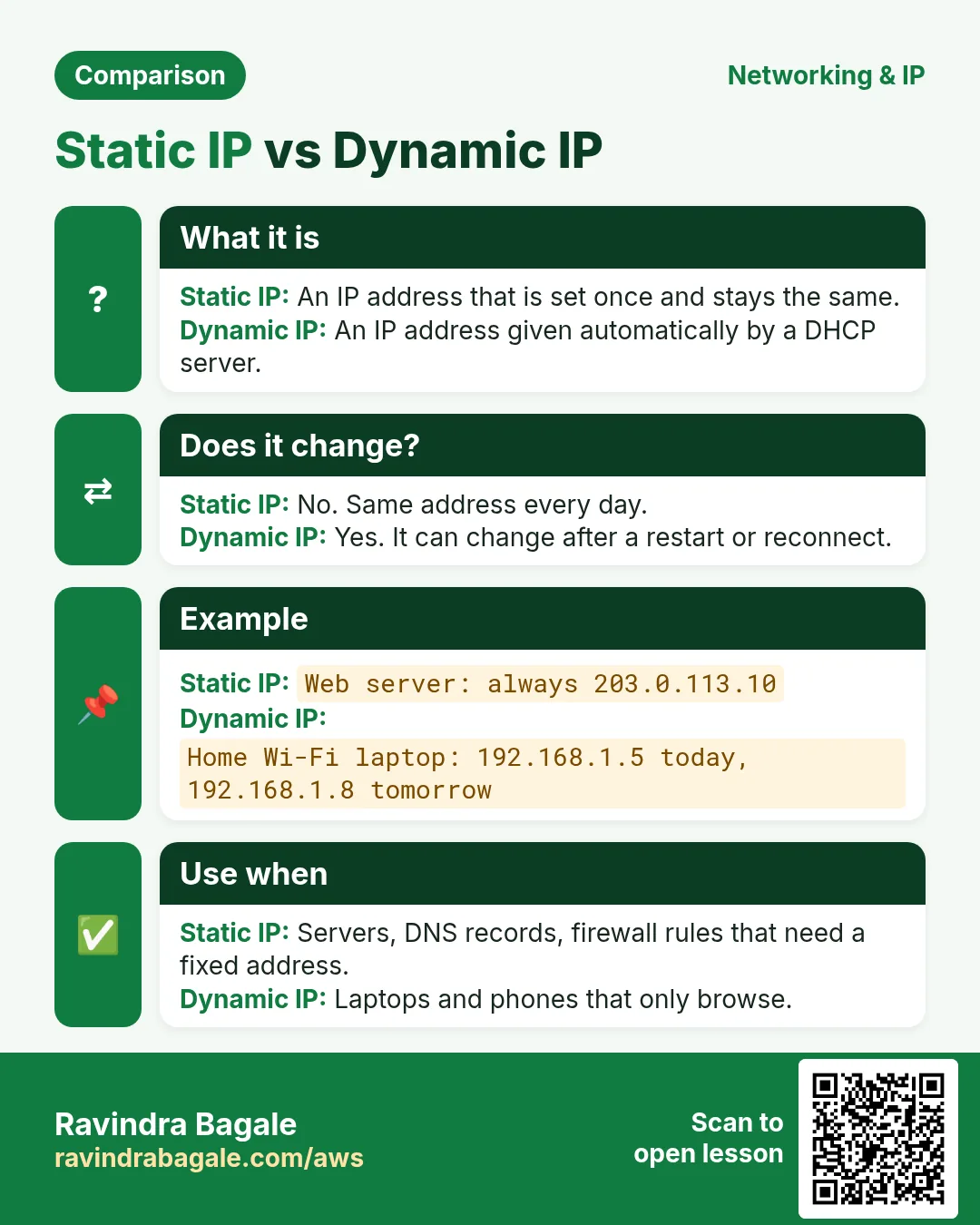
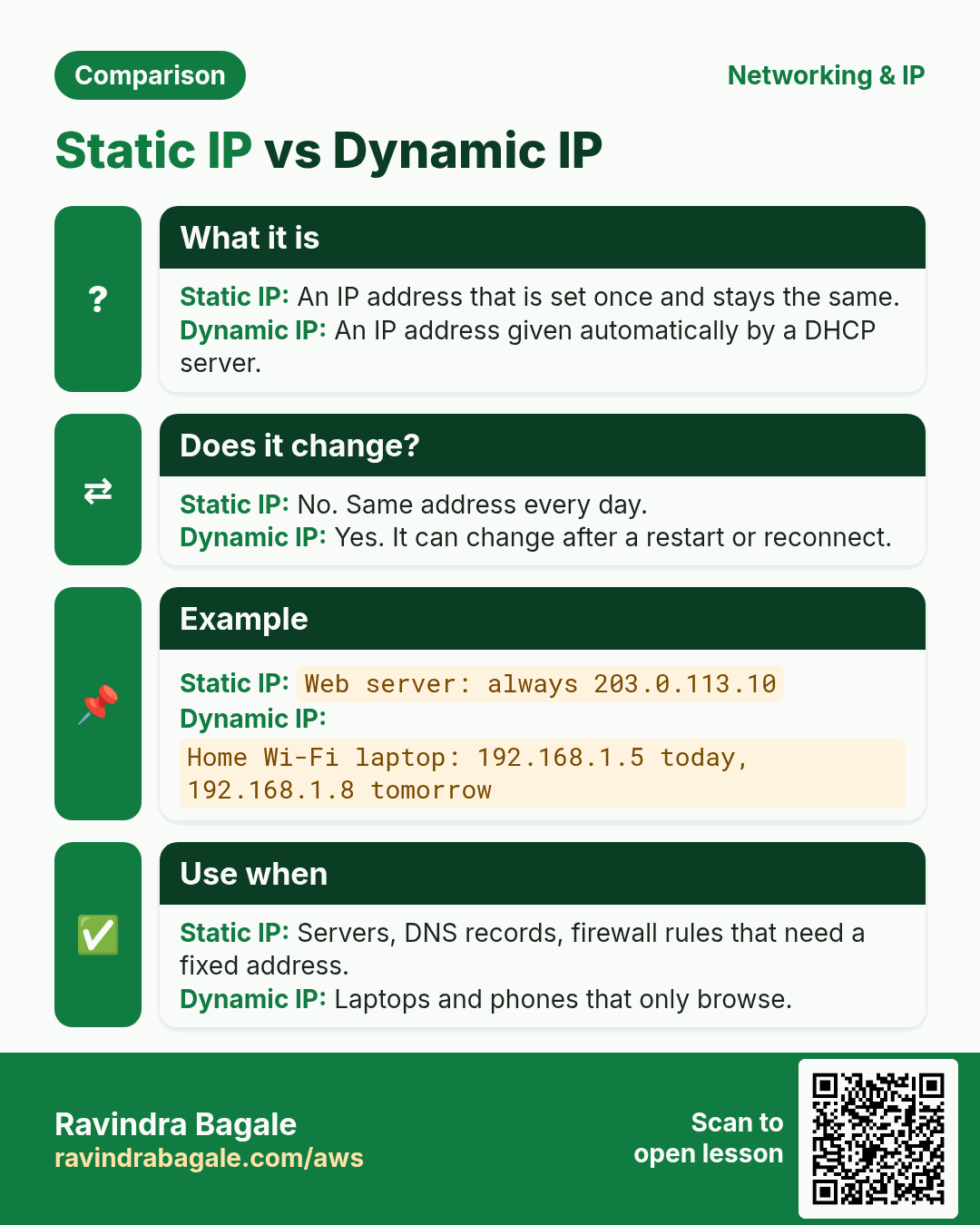
Revise this lesson in two minutes. Save the cards on your phone or download them as PNG files. The QR code on each card opens its lesson.
More cards: Ravi Sir's Cards.