Chapter 6: Web Servers — Nginx and Apache
6.2 Nginx vs Apache
Students in my class always ask: "Sir, which one is better?" Honest answer – both are excellent; the right choice depends on your use case. Think of it this way: Nginx for Mauli Dairy's static order page, and Apache for a WordPress site that needs .htaccess. Look at the comparison below:
माझ्या क्लासमध्ये स्टुडंट्स नेहमी विचारतात: "सर, कोणता better आहे?" खरं उत्तर – दोन्ही उत्तम आहेत; योग्य निवड तुमच्या use case वर अवलंबून आहे. Mauli Dairy च्या स्टॅटिक ऑर्डर पेजसाठी Nginx, आणि .htaccess लागणाऱ्या WordPress साठी Apache – असा विचार करा. बघा, खाली कंपॅरिझन:
मेरी क्लास में स्टूडेंट्स हमेशा पूछते हैं: "सर, कौन सा better है?" सच्चा जवाब – दोनों बढ़िया हैं; सही चुनाव आपके use case पर निर्भर है. Mauli Dairy के स्टैटिक ऑर्डर पेज के लिए Nginx, और .htaccess वाली WordPress साइट के लिए Apache – ऐसे सोचो. देखो, नीचे कंपैरिज़न:
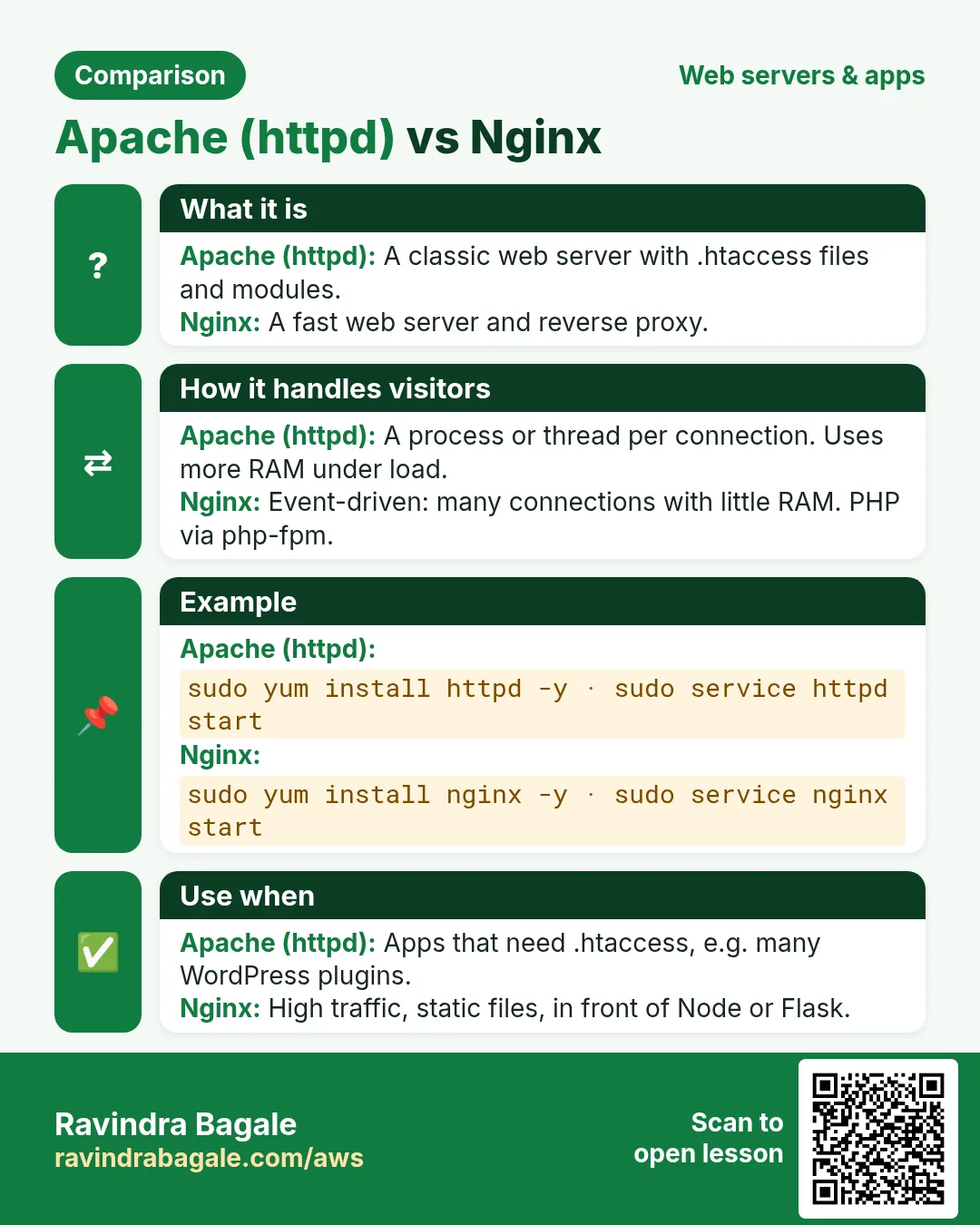
Apache HTTP Server is the classic, highly flexible web server with a module for almost everything. Nginx (pronounced "engine-x") was designed to solve the C10K problem (10,000 simultaneous connections) using an event-driven architecture. Today both are widely used, often together.
| Feature | Nginx | Apache HTTP Server |
|---|---|---|
| Connection handling | Event-driven workers | Depends on the loaded MPM. Prefork, worker and event use different process or thread models. |
| Static content | Map routes to prepared files. | Map routes to prepared files. Compare performance under the actual workload. |
| PHP integration | Use an external FastCGI handler such as PHP-FPM. | Can use PHP-FPM with appropriate modules or a supported embedded module. |
| Configuration | Server configuration and included files with site and path contexts. | Server configuration, with selected directory overrides when authorized. |
.htaccess | Represent the intended behavior with Nginx's own directives. | Can honor permitted directives under the relevant directory's override settings. |
| Proxying | Proxy module and upstream configuration. | Available through components such as mod_proxy and mod_proxy_balancer. |
| Modules | Compiled-in or dynamic modules according to the build. | Compiled-in or dynamically loaded modules according to the build. |
| Named site | server block with listener and server_name. | VirtualHost and ServerName alongside matching listener configuration. |
Which should I choose?
Both servers can handle static pages and proxy application requests. A project that needs Apache directory rules must verify which overrides and modules it uses. Two servers can run on the same machine when their listeners are scoped to different addresses or ports without overlap. Check the owner of the existing listener before making changes.
Ravindra Bagale's Tip
First identify the distribution with cat /etc/os-release. Use the package and service reference to find likely names and paths. Confirm the active configuration and document root on the host.
Ravindra Bagale's Tip – मराठी
आधी cat /etc/os-release ने distribution तपासा. पुढच्या धड्यातील package आणि service चा reference पाहा. चालू configuration आणि document root प्रत्यक्ष host वर तपासा.
Ravindra Bagale's Tip – हिंदी
पहले cat /etc/os-release से distribution देखो. अगले पाठ में package और service reference देखो. Active configuration और document root उसी host पर जाँचो.
Lab
Chala, choose and explain the required features for the pickup page and publishing site. On a Linux learning host, ss -ltn 'sport = :80' can show TCP listeners on port 80. Test the isolated directory override in the worked lab below without stopping an existing service.
Choose for the site you have to operate
Mauli Dairy is preparing two small sites. The pickup timetable is a set of prepared files and the team controls its server configuration. An older publishing site relies on rules placed by its application in a directory file. The team wants to use the same operating system for both projects. The question is which web server will fit each site and how the team can justify the choice. Both Nginx and Apache HTTP Server can handle ordinary HTTP traffic, serve prepared content and work with backend applications. The decision comes from what each site needs, how configuration is managed and what the team can verify.
Begin with the request paths that have to work. A static pickup path needs the correct site, file mapping and permissions. A publishing path might need a rewrite rule to route a friendly URL to an application. A separate application endpoint might need the server to forward a request using HTTP or FastCGI. Each path is a testable requirement. A local page loading successfully only proves one route. A suitable choice also has to handle the other named routes and fit the deployment workflow used by the team.
In this lesson, the central comparison is between managing rules in the server's configuration and permitting some per-directory configuration. We will test a deliberate local Apache example where an allowed directory file changes which index is served. Then we will explain the central Nginx configuration that could produce a corresponding result. The exact facility is different, and that affects what a site owner can change on their own. Later lessons will show package names, service names and paths on particular Linux distributions.
Keep a worksheet with four fields for each site. Describe the request it must handle, the source of the required rules, who can maintain those rules and the proof that the design works. Identify the actual package and release when you run a command. Compare the installed software and configuration on the intended host before transferring a procedure from another machine. This makes the choice defensible without a blanket claim that one server is faster or easier in every situation.
Identify the responsibilities both servers can handle
Each web server first needs an address and port at which its listener receives traffic. Its configuration can associate multiple hostname-based sites with that listener. Inside a site, the incoming path can select a prepared document, a redirect or processing by another application. The server sends a status, headers and usually some response content according to the request. Both packages have a mechanism for configuring these responsibilities. The exact directives, installed modules and operational procedures differ.
Nginx uses configuration sections such as server for an HTTP site and location for route-specific rules. Apache uses constructs such as VirtualHost for a site and can apply different directives to a directory or URL context. A listener directive and a site selection directive do different jobs. A virtual host definition can describe which configuration to use when a connection arrives, while a separate listener setting determines whether a process is accepting that connection. Changing a site name alone does not make a required port listen.
A typical static mapping takes the chosen route and finds the corresponding file under the configured document root. An index setting can choose the file used for a request to a directory. Both servers can supply those behaviors. For the pickup timetable, write down the desired result. A request to the intended hostname and root should return the approved timetable. A separate request to its stylesheet should return the correct type and bytes. An absent file should produce the intended missing-resource response under the active site rules. These are more meaningful acceptance checks than the name of the installed package.
An HTTP reverse proxy accepts the client request and makes a corresponding request to an upstream server under its configuration. Nginx has HTTP proxy handling, and Apache can use its proxy modules for it. Both also provide ways to connect with applications using other interfaces. For example, a PHP-FPM service normally receives FastCGI requests from a web server. Apache can use its FastCGI proxy support when the needed modules and configuration are present. An embedded module can be another Apache choice where it is supported and compatible. The service process, protocol and included modules should all appear in the design.
Compare how concurrent connections are handled
Concurrency measures work that can be in progress during the same period. Think of a dining counter with several customers waiting to place or receive orders. A connection can be open and temporarily idle while a client decides whether to send another request. Another request can be actively using the web server, reading a file or waiting for a backend. The number of connections and the number of actively executing requests can differ greatly. When a design talks about efficient connections, ask what workload and waiting behavior it describes.
Nginx commonly uses a master process and worker processes. A worker can manage many connections using event-driven I/O. Events indicate that operations such as reading or writing can make progress. An event loop moves among connections rather than dedicating a separate worker thread to every idle connection as a general requirement. The number of workers, open file limits, configured connection limits and upstream connections matter. A stated worker connection limit is a configuration boundary. It is not a promise that the machine can handle that many client requests at a particular latency.
Apache's execution model depends on its multi-processing module, often abbreviated MPM. The prefork MPM maintains a pool of processes and does not use threads for request processing. The worker MPM uses child processes with multiple threads. The event MPM extends the threaded model and can handle some connection waiting work in listener threads, freeing request workers for more processing. The statement “Apache assigns a full process for every connection” describes neither every MPM nor every behavior in an event setup. Verify which MPM is loaded on the actual host.
Modules also influence what model is suitable. An older application module might have requirements about threading or a particular way of running the application. A separate application service can let the website workers and the application workers use different concurrency models. That can help you test where the wait occurs. A server doing little work for a cached static file is a different workload from a server waiting for report generation. Choose evidence for the conditions the site actually experiences.
Suppose the team measures two configurations on identical practice hardware. One test serves small cached files. The next keeps many idle clients connected while a subset requests content. The next uses an application with a slow backend. The results can differ across all three. Throughput measures completed work over time. Latency measures how long an operation took, and a high percentile can reveal slow requests that an average hides. Also track error rate and the active server configuration. A benchmark that ignores errors or compares different traffic does not settle the practical choice for your site.
Read a small set of comparable workload results
Imagine that the two proposed servers return the exact same pickup page and stylesheet. The team then measures response time in a controlled exercise. The common setup uses the same file bytes and machine size, a fixed request rate and the same connection reuse and TLS policy. One run reports a median of eight milliseconds and a ninety-fifth percentile of thirty milliseconds. A second reports a median of six milliseconds and a ninety-fifth percentile of sixty milliseconds. The first value describes a typical result around the middle of the samples. The higher percentile reveals a different question about the slower responses.
Before choosing from those numbers, read how the test counted completed requests and errors. A response with an error could finish quickly and make simple timing results look better. A test might omit slow requests that timed out before a completion. Ask what fraction failed and how the results report those failures. Verify that each successful response returns the same expected body marker and media type. If the second run also generated failures when reusing connections, that condition belongs in the tradeoff. A median comparison by itself cannot establish which site actually served the required traffic.
Now change the context. Both servers forward requests to an application whose report generation time is about a second. Both can wait for that response under an appropriate configuration. A few milliseconds of difference in the static site test may be small relative to the backend work. If the proxy logs show that it waited most of that second for the app, inspect that workflow. Making a different selection of web server cannot itself remove the report generator's processing cost. Determine which part of the path you are measuring before interpreting a latency graph.
When you build your own comparison, state which requests are static, which pass to an upstream and which connections are reused. Keep the source and content stable across both versions. Record the software settings and the time window so another learner can reproduce the result. If the exercise only uses one or two requests, call it a functional test. The two local index requests here prove a directory configuration feature. They cannot estimate throughput or memory consumption under load. This boundary is useful because it lets you report exactly what you have verified.
Also consider the case of a large number of idle connections. An event-oriented connection model can help keep idle waiting from using a request worker for each connection under the configurations we discussed. A CPU-heavy handler is a different workload even when the number of open connections is the same. The throughput of a backend can impose its own limit. This is where an architecture explanation becomes a map for choosing practical measurements. Compare the current bottleneck rather than assuming one model decides the result everywhere.
See what a directory rule can change
Apache can allow a directory to have delegated configuration through a file commonly named .htaccess. This is a text file whose permitted settings can apply under that directory. The central server configuration determines whether override files are read and which directives or groups of directives can be used there. An administrator can disable overrides or permit only specific features. If a team can edit the central configuration, it can often put the relevant rules there. Directory files are especially useful when application owners have limited directory access and the server owner intentionally delegates certain configuration.
For the publishing example, an application might expect to put a rewrite rule in a directory override file. Check the actual required directive and relevant module. Merely using Apache does not guarantee any file placed in a directory will be honored. If overrides are disabled or the directive is outside the allowed set, a rule can be ignored or rejected depending on the configuration. Inspect the applicable directory context and error evidence. Do not grant all available overrides as a substitute for identifying the one feature the site needs.
Nginx reads configuration supplied for the process and its included files. It does not interpret Apache's .htaccess syntax at request time. A migration can reproduce some behaviors by translating the intended routes into appropriate Nginx directives. The change belongs in central or included Nginx configuration used by that site, with syntax validation and the approved apply operation. The translation depends on what each original rule does. Copying the text file to the new server leaves the old syntax uninterpreted by Nginx. Test the actual routes affected by the change.
For our simplified exercise, a default directory response uses one index file and the directory override selects a different one. The simpler rule keeps attention on where a change lives. Some applications need a more complex rewrite involving query strings, methods or multiple directories. After translating real rules, test a direct asset, a friendly URL, the main application route and a nonexistent path. Also verify authentication and sensitive-path handling according to the site's requirements. A blanket success at the homepage cannot settle those cases.
Test permitted directory configuration on a local Apache copy
You can follow this local exercise on a Mac that already includes Apache HTTP Server at /usr/sbin/httpd and the specified modules in /usr/libexec/apache2. It uses unprivileged loopback only. No global service controls or global configuration files are involved. Linux distributions package these modules in different paths or compile them in. If your installed paths differ, use the printed observation and compare your own system's module documentation. The point here is the directory rule and result, which are also documented for Apache HTTP Server on Linux. Do not copy the macOS module paths into a Linux service configuration.
Open a normal Bash shell on the learning computer. The setup checks the expected executable and four module files and then creates two known HTML documents under a fresh lab path. If a required file is missing, the setup will not create the practice environment. In that case read the example output. If it succeeds, note the printed absolute path. Keep all the following steps inside this same fresh lab and work only with its listener.
if [ "$(id -u)" -ne 0 ] && [ -x /usr/sbin/httpd ] &&
   [ -r /usr/libexec/apache2/mod_mpm_event.so ] &&
   [ -r /usr/libexec/apache2/mod_unixd.so ] &&
   [ -r /usr/libexec/apache2/mod_authz_core.so ] &&
   [ -r /usr/libexec/apache2/mod_dir.so ]; then
  compare_lab=$(mktemp -d "$HOME/web-compare-lesson.XXXXXXXX") &&
    cd -- "$compare_lab" &&
    mkdir -- ./site &&
    printf '%s\n' '<h1>Base pickup page</h1>' > ./site/base.html &&
    printf '%s\n' '<h1>Alternate pickup page</h1>' > ./site/alternate.html &&
    pwd
fi
We need a high port for this short-lived fixture. The Python command briefly asks the system for an unused loopback port and releases it. Apache then tries to bind that number. Another process can take it in between. If Apache reports an address conflict, stop with that result and repeat the port and configuration step using a new number. The configuration below specifies its own server root, log, PID file and document root. Use the actual non-root account's numeric user and group values in this isolated instance. The setup neither loads your computer's ordinary server configuration nor installs a new server.
compare_port=$(python3 -c 'import socket; s=socket.socket(); s.bind(("127.0.0.1", 0)); print(s.getsockname()[1]); s.close()')
compare_uid=$(id -u)
compare_gid=$(id -g)
if [ -n "$compare_port" ] && [ -n "$compare_lab" ] && [ "$(pwd -P)" = "$(cd -- "$compare_lab" && pwd -P)" ]; then
  cat > ./httpd.conf <<EOF
ServerRoot "$compare_lab"
Listen 127.0.0.1:$compare_port
ServerName localhost
PidFile "$compare_lab/test-httpd.pid"
ErrorLog "$compare_lab/error.log"
LoadModule mpm_event_module "/usr/libexec/apache2/mod_mpm_event.so"
LoadModule unixd_module "/usr/libexec/apache2/mod_unixd.so"
LoadModule authz_core_module "/usr/libexec/apache2/mod_authz_core.so"
LoadModule dir_module "/usr/libexec/apache2/mod_dir.so"
User #$compare_uid
Group #$compare_gid
DocumentRoot "$compare_lab/site"
<Directory "$compare_lab/site">
    Require all granted
    Options -Indexes
    AllowOverride Indexes
    DirectoryIndex base.html
    ForceType text/html
</Directory>
EOF
  /usr/sbin/httpd -d "$compare_lab" -f "$compare_lab/httpd.conf" -t &&
    printf 'Practice URL: http://127.0.0.1:%s/\n' "$compare_port"
fi
Read the test result. A syntax check accepts this configuration's directives and their arguments. It does not prove that the selected port is still free or that the files will be visible to the running process. The custom server and file options in every command below identify this temporary instance. The Require directive grants access in this private teaching document directory. The Options entry disables directory listing. The directory rule permits index-related overrides. The first index candidate is base. We expect a later allowed directory rule to change that candidate selection.
/usr/sbin/httpd -d "$compare_lab" -f "$compare_lab/httpd.conf" -DFOREGROUNDLeave this terminal open while the temporary instance is running. Use a second Bash terminal on the same computer. Verify that the first terminal is still running the foreground process and that it did not print an address error. Set the following values from the practice path and URL displayed by your own setup. Enter only those known values. The next block will check its own PID file before sending requests to the printed local port.
read -r -p 'Practice directory: ' compare_lab
read -r -p 'Practice port: ' compare_port
case "$compare_port" in
  ''|*[!0-9]*) printf '%s\n' 'Use the port printed by the practice setup.' ;;
  *) compare_url="http://127.0.0.1:$compare_port/"
     if [ -f "$compare_lab/test-httpd.pid" ] && [ -f "$compare_lab/site/alternate.html" ] &&
        grep -Fxq "Listen 127.0.0.1:$compare_port" "$compare_lab/httpd.conf"; then
       if response=$(curl --noproxy 127.0.0.1 -fsS --max-time 5 "$compare_url"); then
         printf '%s\n' "$response"
         if [[ "$response" == *'Base pickup page'* ]]; then
           (
             set -o noclobber
             printf '%s\n' 'DirectoryIndex disabled' 'DirectoryIndex alternate.html' > "$compare_lab/site/.htaccess"
           ) && curl --noproxy 127.0.0.1 -fsS --max-time 5 "$compare_url"
         fi
       fi
     fi ;;
esac
The first response should contain Base pickup page. The second should contain Alternate pickup page. There was no reload between the requests. The directory file is evaluated as permitted for this request. In this example its first directive clears the prior index list and its second supplies the desired file. If you omit the reset, Apache can combine names in the index list so the base file can still be tried first. The two names and the two requests make the distinction observable. No other site shares this practice document root.
Test the central control as a paper follow-up. If the main directory configuration disables overrides, the same directory file is ignored. The central index choice would apply. If you perform that extra test, change just the temporary config, stop the isolated instance and start it again with the same custom config after syntax validation. Test the result on its confirmed loopback port. A real administrator can restrict the allowed override list according to the site's required directives. File availability does not determine authorization on its own.
Finish by pressing Ctrl+C in the first terminal to stop just the foreground fixture. Confirm that command has returned to the prompt. Now verify the named path and remove the known files if you want to clear the lab. Apache normally removes its PID file at normal shutdown. If it remains, check whether the process stopped and inspect the file before taking another action. The cleanup below uses explicit files and empty directories. Answer each prompt only for the expected fixture paths.
pwd
ls -la -- . ./site
if [ -n "$compare_lab" ] && [ "$(pwd -P)" = "$(cd -- "$compare_lab" && pwd -P)" ] && [ ! -e ./test-httpd.pid ]; then
  if [ -f ./site/.htaccess ]; then
    rm -i -- ./site/.htaccess
  fi
  rm -i -- ./httpd.conf ./error.log ./site/base.html ./site/alternate.html &&
    rmdir -- ./site && cd -- "$HOME" && rmdir -- "$compare_lab"
fi
Translate the desired behavior to central Nginx rules
Describe the desired behavior independently of Apache first. A request for the root of the selected site should return the alternate page. A request for the base file by its own path should still be able to get that file if the site's policy permits it. A later change of the chosen index should be checked as a configuration change. On Nginx, a configured document root and an index setting can implement this simple behavior inside the intended site. The following fragment shows the route and requested index only. An actual lab instance would also need its own listener and surrounding HTTP configuration.
location / {
    root /path/to/the/isolated/site;
    index alternate.html;
}
Replace the illustrative path only in the actual approved configuration for a test site. On a live server, the owner chooses which directory and hostname this rule should apply to. Validate the complete configuration, use the appropriate managed reconfiguration and read the response again. Having one correct fragment does not show that the loaded site or location will select it. A request can be handled by another location because of other rules. Use a known marker for the chosen file and verify the hostname with the request.
For the dairy publishing site, first read the requirements of any directory override file. If it only selects an index or redirects a path, those individual behaviors can be expressed in another server's configuration. If the application updates directory rules dynamically or depends on a particular Apache module, how the team maintains those rules becomes a deciding condition. Apache may fit the existing workflow if the required overrides and modules are allowed. A migration to Nginx may still work with a reviewed translation and a change in operational responsibility. The question is who can apply and verify that translation when the application changes.
A useful migration test matrix carries expected statuses and real content. Try the configured root, an existing asset, a friendly content route and a missing path. Try the actual intended hostname and the known HTTPS policy. If an upstream handles application routes, verify that the chosen URL, protocol and connection result match the app. A correct response on the test server prepares the release. Public success also depends on the client's current DNS, TLS and network path. This is why a preview should be scoped to its actual route and environment.
Understand how two programs can coexist
The usual conflict occurs when two processes try to bind the same overlapping address and port under ordinary socket behavior. The installer may report that a port is already in use. Two programs can coexist on different ports or distinct addresses when their listeners do not overlap. One can also sit behind the other. For example, an approved design can accept public requests at a front-end listener and forward some of them to a different internal port. Before starting or stopping anything, check which application owns the existing listener and why it is there.
On a Linux learning host where the ss tool is present, a read-only listener check can show active TCP ports. A port filter lets you focus on the one you are investigating. Process details can require privileges or depend on what the current identity can see. An empty output for one listener filter means there was no matching visible socket in that observation. It does not establish what another host, container or address family uses. Document the observed address and port, then compare it with the URL and service configuration.
ss -ltn 'sport = :80'For example, an Nginx instance can own the public HTTP listener while an Apache site listens on loopback on a separate port. A request to the backend's loopback address from the client computer would hit the client's own loopback, not the server's. The front-end connection and the internal connection therefore have different tests. Learn which one you are observing. If the public listener returns a gateway error, check the upstream host, port, applicable protocol and logs. Starting the backend on the wrong port can leave both processes alive while failing the intended route.
Clear operational documentation matters more than a general product preference. List the actual package, executable, service manager unit and configuration paths. Identify who owns the public listener and who owns each upstream. Define the health and review tests for the published site. If a learning task asks you to compare package defaults, use the table and verify them against the installed service. A missing path in the other distribution's layout is expected. Do not remove a working server to make a comparison if separate lab instances or read-only observations answer the question.
Trace an application route before choosing an integration
Consider an approved demonstration order form. The static form page can load directly from either server. Its send button targets a backend path where an application reads the request, validates the data and returns a result. Start with the interface that backend actually exposes. A Node.js or Python service might speak HTTP on a local socket. PHP-FPM generally supplies the FastCGI interface. The chosen web server needs a compatible route, correct protocol, correct destination and permission to make the connection. The fact that a socket is listed does not tell you which message format the process expects.
A simple request trace gives you four places to verify. The listener accepts the client's connection. The selected site matches the hostname. Its path configuration picks a handler. The handler either reads a file or contacts the appropriate upstream. If a request picks the wrong site, inspect site matching before changing the application. If a static asset returns the expected file and one proxied route reports an upstream error, the focused evidence is the route's configured destination and its protocol. A proxy can sometimes display a valid error document from the application even though user input was rejected. The application's own decision belongs in the final investigation.
In Apache, proxy-related directives depend on the modules loaded and their context. An Apache installation without the needed FastCGI proxy module cannot gain it from an Nginx directive copied into a file. In Nginx, the selected location uses its own proxy or FastCGI settings. Different distributions can package modules or defaults differently. Check which feature exists in the installed build and which configuration is active. If the planned integration changes, define one small allowed read-only request to the backend and another to the public route so you can distinguish the two observations.
A health response is part of the evidence for a longer application path. Suppose the backend returns a simple status from a dedicated health endpoint. It may establish that the process can answer that endpoint. It may not exercise storage that a particular report uses, a write step or the full public route. When you write a comparison worksheet, put the health request and the expected user operation in separate rows. Use an approved test for any operation that would submit or change data. Our practice index requests remain entirely read-only and have their own clear body markers.
The local directory-rule test provides a useful analogy for migration work. Before changing a configuration, name which component defines the expected result and which response will show it. If you replace Apache's index behavior with central Nginx rules, verify the same selected path and file content. If you replace an embedded application module with a separate service, you have a new process boundary, upstream authentication or permissions to consider. Verify the active integration at each side before treating a successful home page as evidence for the whole change.
Decide using four specific requirements
For the static pickup site, either server can return a correctly mapped file. The team might choose the one it already maintains confidently. It can validate the configuration, inspect access logs and confirm the actual content through the named route. If it prefers centralized configuration with Nginx, the scope is simple. If it already runs Apache and has a tested deployment, adding a different package may not solve a problem. Ask which requirement motivates the change and verify it with the actual static workload.
For the older publishing site, ask which directory directives, modules and upstream settings it currently uses. On Apache, verify the matching module and the allowed override scope. A project using PHP can run a compatible application behind either server with the correct integration. If it relies on Apache-specific directory rules, the team must preserve that behavior or intentionally replace it. Pick the result by documentation and realistic route tests rather than a claim that a brand always suits one language.
For a team expecting a traffic change, write a representative test plan before quoting numbers. Use an isolated approved test target, similar response sizes, consistent TLS or cleartext conditions and controlled concurrency. Verify errors as well as response times. Monitor the backend so that its limits are visible. Meaningful workload comparison does not require generating excessive traffic on a real website. Start with simple route correctness and build from known observations after the operator approves a separate performance test.
Use one sentence to defend each decision. For the pickup site, mention the required behavior and the operating workflow. For the publishing site, mention who maintains the required rules and how that facility is enabled or translated. For both, explain which request proves the result and what failures you would investigate. Give a teammate enough detail to reproduce your conclusion using the configured listener, site and application paths they actually have.
Write a decision another operator can verify
Choose one of the two dairy sites and complete a small plan. Describe the filenames, intended URL paths and owner of the configuration. Record whether any directory-level rule has to be changed by the application itself. Include the service or module that handles application requests, if there is one. Then state the expected response for the root, a stylesheet and a named dynamic route. If one path needs a particular redirect or authentication challenge, record that as a requirement with an appropriate test. You can make the plan without running the second server on a shared machine.
| Decision | Details to record | Evidence to collect |
|---|---|---|
| Serve the pickup page | Hostname, listener, intended root and index | Expected from the page and separate stylesheet responses |
| Keep delegated rules | Required directives, directory context, responsible team | Specific plausible request before and after the allowed change |
| Reach the application | Upstream address, port or socket and protocol | Authorized response from the route and relevant upstream logs |
| Change the chosen server | Version, configuration revision, review and recovery plan | Comparable route results and proof that the intended listener still answers |
Try a counterexample. Team A wants a different default index on one directory and can change the central site configuration. Team B wants the publishing tool to maintain its own specific rewrite rules without requesting an administrator for each change. Team A can solve its small requirement with central directives in either server. Team B needs clarity about whether its override workflow remains possible or a different rule maintenance process will replace it. A decision written only as “Nginx is faster” leaves both requirements unanswered. A decision that lists the permitted rule and expected request is testable.
Explain a safety boundary for your plan. The local comparison controls its own loopback listener, PID and document files. It can be started and stopped without affecting an existing web site. If you carry the procedure to an assigned Linux host, verify the independent lab paths and config options with the installed package's documentation. A global start, stop or config edit under an administrator account applies to a different operational scope. Only use that scope in a separate approved service management exercise with its own verification. You preserve the meaning of the comparison by ensuring you always know which instance answered.
For the final handover, report what you actually demonstrated. In this lesson's local test the same Apache process responded with two different page markers after one allowed directory change. It showed the per-directory feature with a small known config. The Nginx fragment shows how an analogous index choice belongs in Nginx's configuration. A future migration needs its own full tested configuration. Your report is complete when it distinguishes those observations and gives one next check for any assumption that remains.
Interview questions with worked answers
How do you choose between Apache and Nginx for a static website?
Both can map a requested path to a prepared file. I would compare the site's operating requirements, team familiarity and actual configuration, then verify the approved content, assets and missing-route behavior. If there is a performance question, I would use the same workload and measure response times and errors under comparable configurations.
What should you check if an Apache directory override has no effect?
Check that the request reaches the intended site and directory. Determine whether overrides are enabled, whether the particular directive is allowed and whether the required module is loaded. Our local exercise used a permitted index rule and confirmed it with two exact responses. An error log can supply more detail when a directive was rejected.
Does Apache always dedicate one process to every connection?
Its execution model depends on the configured MPM. Prefork uses non-threaded processes. Worker uses multiple processes and threads. Event can move some connection waiting work away from request threads. Identify the loaded module and workload before deciding how it will handle concurrency.
Can Nginx and Apache run on the same system?
Yes, when their listeners and resources are deliberately arranged. They can use different ports or addresses. One can act as the front end for an internal listener of the other. I would check who owns the exact socket and test each layer's expected response. Broadly stopping one service can interrupt unrelated traffic.
What breaks when an application relying on .htaccess moves to Nginx?
Nginx does not use those Apache per-directory rules. Identify which routes or protections the application depended on and translate the intended behavior into the correct Nginx or application configuration. Test normal pages, static assets, friendly paths and access boundaries before considering the migration complete.
Check your understanding
1. Apache serves the alternate index after you add the permitted directory rule. Which condition made that test work?
A. The central directory configuration permitted the required override.
B. The response bypassed the server entirely.
C. The operating system rewrote every file extension.
Answer and reasoning
A. Apache's effective directory configuration governs which override directives it will read and apply.
2. An operator says Apache uses one process per connection in all deployments. What should you verify?
A. The stylesheet's color choice
B. The loaded MPM and actual workload
C. The response's page title alone
Answer and reasoning
B. Apache supports different process and thread models. The event MPM can handle some waiting connections without keeping a request thread occupied.
3. Which plan lets both programs run without an ordinary listener conflict?
A. Bind both to the same overlapping address and TCP port.
B. Change the web page title.
C. Use separate loopback ports and verify each listener.
Answer and reasoning
C. The socket choices do not overlap. Test each exact address and port and any routing between them.
4. You moved a site that depends on Apache directory rewrites. What verifies the translated Nginx behavior?
A. Tests of the named routes and access rules under the loaded Nginx configuration
B. Presence of a copied .htaccess file
C. One process name in a list
Answer and reasoning
A. The migration is about matching results. Check actual intended routes and protections under the new configuration.
5. Which is good evidence for a performance choice?
A. One general claim about each product
B. Comparable usage, latency and errors under the workload your site needs
C. The length of the package name
Answer and reasoning
B. Measure under relevant, controlled conditions. Record server configuration and upstream behavior alongside the results.
Revision cards
Start from the route
Write what the site has to serve, who owns the rule and which request verifies the result. Compare tools against those facts.
Apache MPM matters
Prefork, worker and event have different models. Inspect the installed configuration before drawing conclusions about resource use.
Directory rules are delegated
Apache can apply matching allowed overrides. Nginx uses its own loaded configuration. Translate the intended result when migrating.
Listener scope
Check address and port ownership. Separate listeners can coexist. Verify the public and internal requests at their actual endpoints.
Know the upstream protocol
HTTP reverse proxying and FastCGI connect different interfaces. Check the program expected on the other side.
Compare real measures
Use comparable requests, response sizes and settings. Confirm errors, latency and resource use under a representative authorized workload.
Official references
- Nginx workers, events and connection settings
- Nginx site and route selection
- Nginx index directive
- Nginx FastCGI interface
- Apache event MPM
- Apache worker MPM
- Apache prefork MPM
- Apache directory configuration files and allowed overrides
- Apache DirectoryIndex directives and reset
- Apache standalone binary and configuration options
- Apache proxy FastCGI module
- Linux ss listener and filter syntax
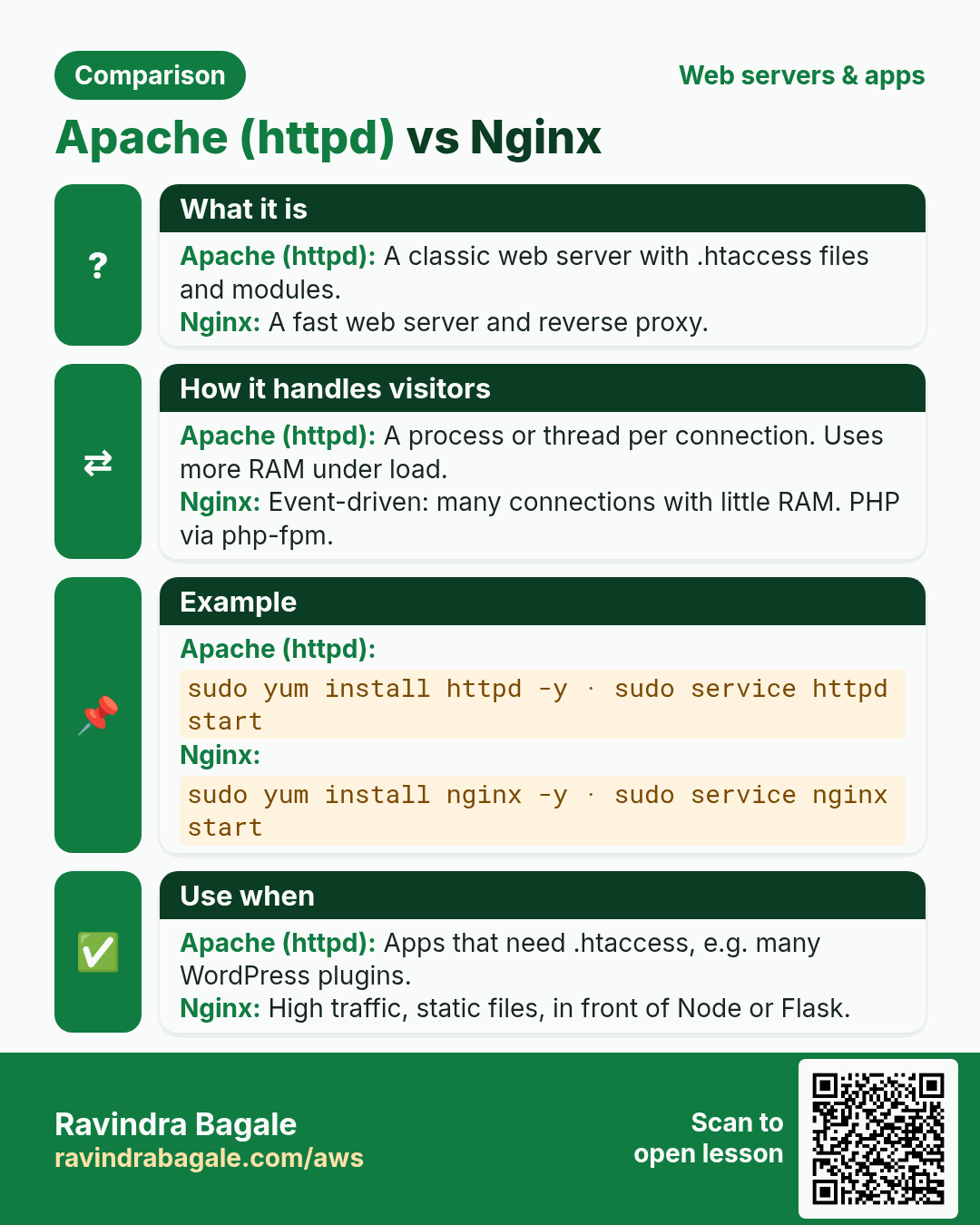
Quick revision cards
Revise this lesson in two minutes. Save the cards on your phone or download them as PNG files. The QR code on each card opens its lesson.
More cards: Ravi Sir's Cards.