Chapter 11: Ansible Introduction
11.9d Dynamic inventory (awareness)
Why: the problem
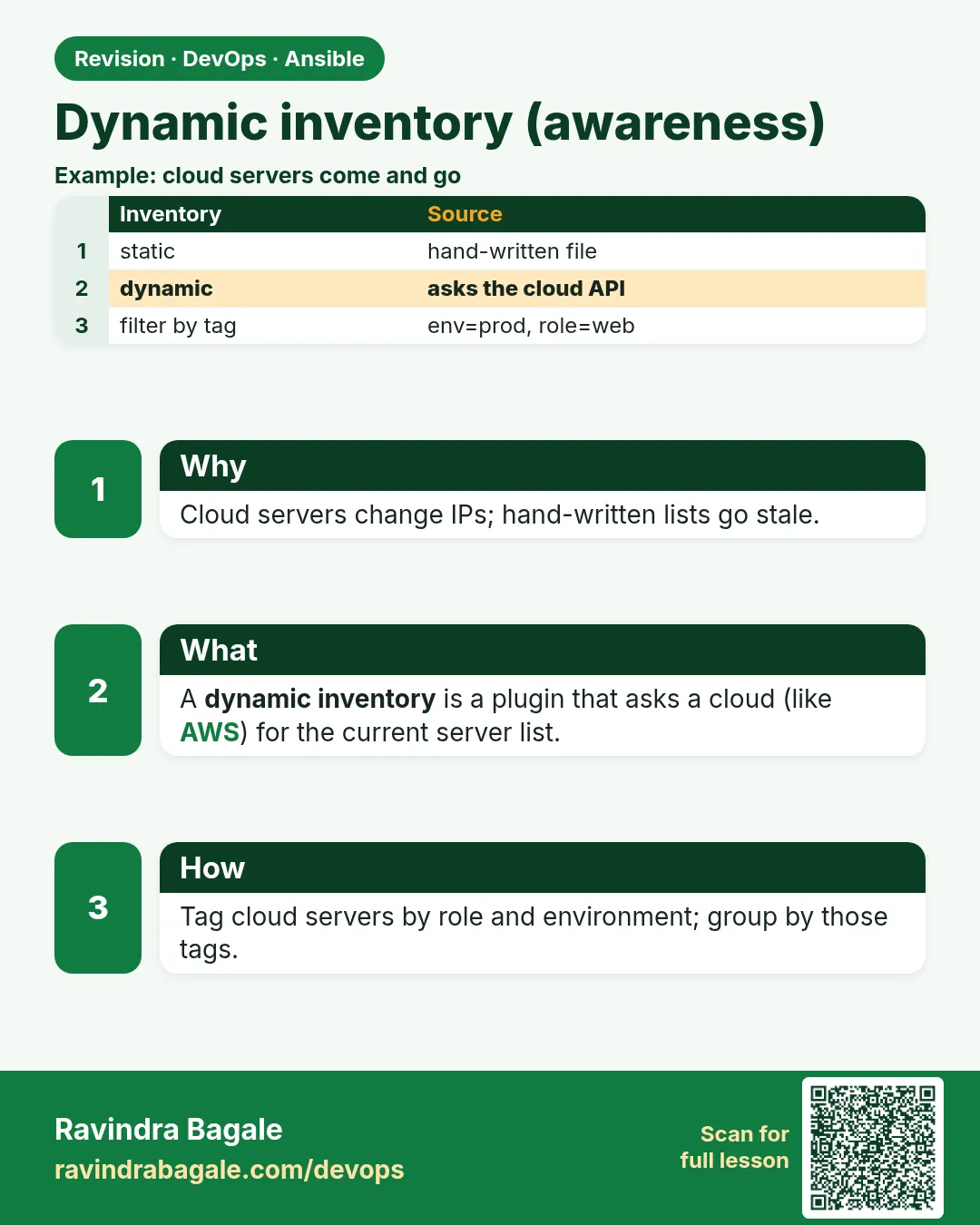
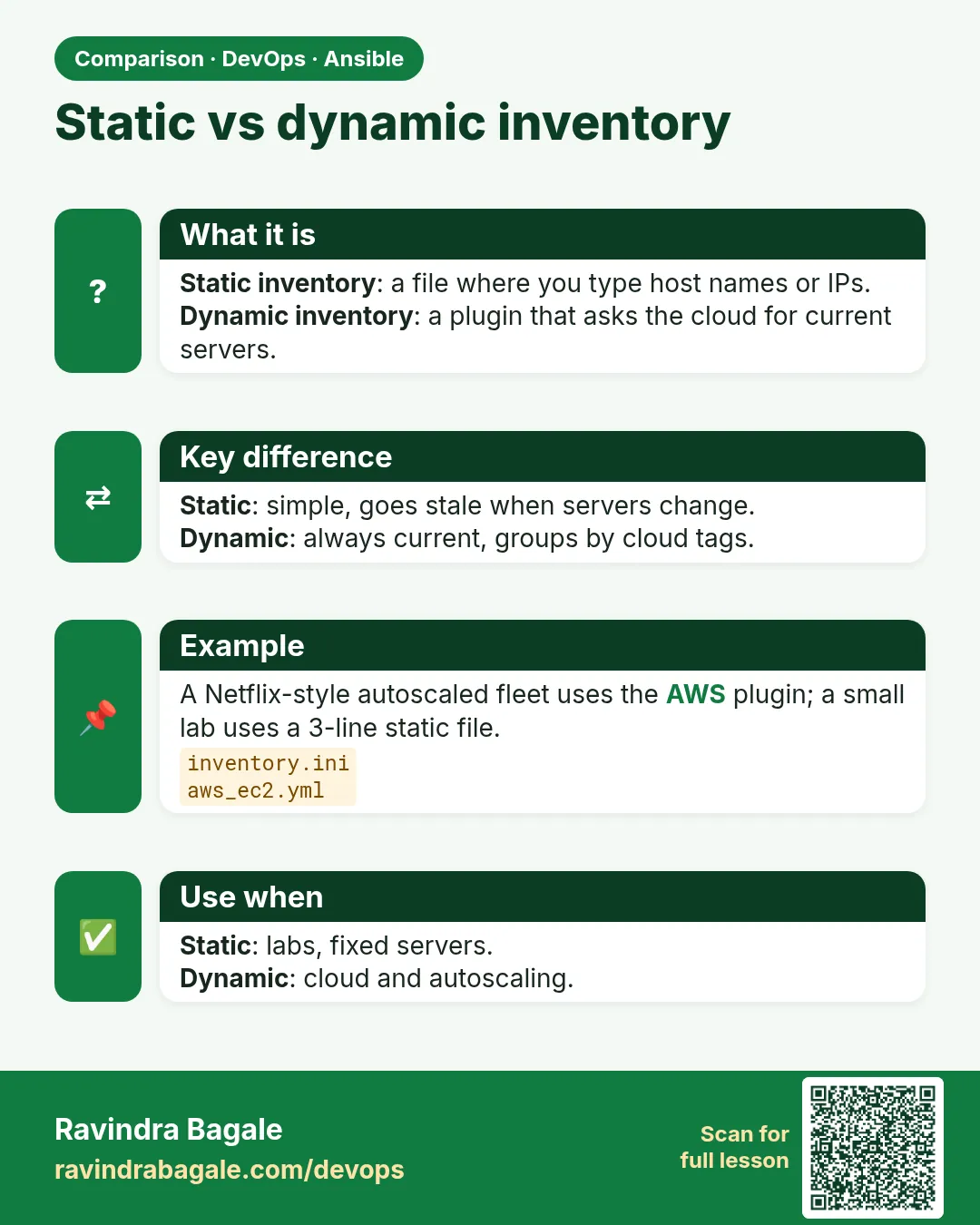
Suppose we are at Ola and servers come and go every hour because of auto scaling. A hosts.ini file written in the morning is wrong by lunch. A dynamic inventory asks the cloud for the current list each time Ansible runs. You group servers by tags like Role=web, so new servers are picked up by themselves.
What we will build
You will use the amazon.aws.aws_ec2 inventory plugin to list EC2 instances by tag, group them into web and db, run a playbook on them, and also build a tiny dynamic inventory for Docker containers.
What: every term in plain English
- Dynamic inventory — A list of servers built live from a source, like AWS, at run time.
- Inventory plugin — A built-in or collection part that knows how to ask a source, like aws_ec2.
- keyed_groups — Make groups from tags or other fields.
- filters — Only include instances that match, like running ones.
- IAM role or profile — How the control node gets AWS read access without writing keys in files.
- compose — Set host variables from instance data, like the private IP.
How: step by step
-
Install the AWS collection
ansible-galaxy collection install amazon.awsWhat it does: Brings the aws_ec2 plugin.
Output
Installing 'amazon.aws:8.2.1' to '/home/ravi/.ansible/collections/ansible_collections/amazon/aws' -
Install Python libs
python3 -m pip install --user boto3 botocoreWhat it does: The plugin uses boto3.
Output
Successfully installed boto3-1.35.40 botocore-1.35.40 -
Check AWS access
aws sts get-caller-identity --query ArnWhat it does: Uses your profile or the IAM role.
Output
"arn:aws:sts::123456789012:assumed-role/ansible-control/i-0abc" -
Write inventory/aws_ec2.yml
vim inventory/aws_ec2.ymlWhat it does: File name must end in aws_ec2.yml.
Output
(file edit) -
See the graph
ansible-inventory -i inventory/aws_ec2.yml --graphWhat it does: Groups come from tags.
Output
@all: |--@role_web: | |--ip-10-0-1-11.ap-south-1.compute.internal | |--ip-10-0-1-12.ap-south-1.compute.internal |--@role_db: | |--ip-10-0-1-21.ap-south-1.compute.internal -
Ping a group
ansible -i inventory/aws_ec2.yml role_web -m ping -oWhat it does: New servers appear by themselves.
Output
ip-10-0-1-11... | SUCCESS => {"ping": "pong"} -
Run the playbook
ansible-playbook -i inventory/aws_ec2.yml site.ymlWhat it does: hosts: role_web in the play.
Output
PLAY RECAP
ip-10-0-1-11... : ok=6 changed=0
Example 1: AWS EC2 inventory grouped by the Role tag
Stack. AWS EC2, amazon.aws collection
Goal. AWS EC2 inventory grouped by the Role tag.
inventory/aws_ec2.yml
plugin: amazon.aws.aws_ec2
regions:
  - ap-south-1
filters:
  instance-state-name: running
  tag:Project: shop
keyed_groups:
  - key: tags.Role
    prefix: role
  - key: placement.availability_zone
    prefix: az
compose:
  ansible_host: private_ip_address
hostnames:
  - private-dns-name
What each line does
plugin: amazon.aws.aws_ec2— Use the AWS plugin.filters— Only running instances of project shop.keyed_groups tags.Role— Role=web becomes group role_web.compose ansible_host— Connect to the private IP.
Green output
$ ansible-inventory -i inventory/aws_ec2.yml --graph
@all:
  |--@role_web:
  |  |--ip-10-0-1-11.ap-south-1.compute.internal
  |  |--ip-10-0-1-12.ap-south-1.compute.internal
  |--@role_db:
  |  |--ip-10-0-1-21.ap-south-1.compute.internal
  |--@az_ap_south_1a:
  |  |--ip-10-0-1-11.ap-south-1.compute.internal
Expected result. Tag a new instance Role=web and it is in the next run.
Example 2: A playbook that targets the dynamic group and an auto scaling refresh
Stack. AWS Auto Scaling, Ansible
Goal. A playbook that targets the dynamic group and an auto scaling refresh.
site.yml
- hosts: role_web
  become: true
  roles:
    - nginx
    - node_app
terminal
# auto scaling just added a server; no file edit needed
aws autoscaling set-desired-capacity --auto-scaling-group-name shop-web --desired-capacity 3
sleep 90
ansible-playbook -i inventory/aws_ec2.yml site.yml --limit role_web
What each line does
hosts: role_web— The group made from tags.set-desired-capacity 3— Adds one more web server.
Green output
ip-10-0-1-11... : ok=12 changed=0
ip-10-0-1-12... : ok=12 changed=0
ip-10-0-1-13... : ok=12 changed=9
Expected result. The new server was found and configured; old ones stayed quiet.
Example 3: Docker containers as an inventory with the community
Stack. Docker, community.docker
Goal. Docker containers as an inventory with the community.docker plugin.
inventory/docker.yml
plugin: community.docker.docker_containers
docker_host: unix:///var/run/docker.sock
connection_type: docker-api
keyed_groups:
  - key: docker_config.Labels["role"]
    prefix: role
terminal
docker run -d --name lab-web1 --label role=web python:3.12-slim sleep infinity
docker run -d --name lab-web2 --label role=web python:3.12-slim sleep infinity
ansible-inventory -i inventory/docker.yml --graph
ansible -i inventory/docker.yml role_web -m ping -o
What each line does
docker_containers plugin— Lists running containers.connection_type: docker-api— Connect without SSH.Labels role— Group by a container label.
Green output
@all:
  |--@role_web:
  |  |--lab-web1
  |  |--lab-web2
lab-web1 | SUCCESS => {"ping": "pong"}
lab-web2 | SUCCESS => {"ping": "pong"}
Expected result. A free local lab for dynamic inventory practice.
Verify: did it work?
-
Graph
ansible-inventory -i inventory/aws_ec2.yml --graph | grep -c compute.internalWhat it does: Number of instances.
Output
3 -
Host vars
ansible-inventory -i inventory/aws_ec2.yml --host ip-10-0-1-11.ap-south-1.compute.internal | grep ansible_hostWhat it does: Private IP.
Output
"ansible_host": "10.0.1.11" -
Ping
ansible -i inventory/aws_ec2.yml all -m ping -o | grep -c SUCCESSWhat it does: All answer.
Output
3
When it is red 1
[WARNING]: Failed to parse inventory/aws_ec2.yml with auto plugin: Failed to import the required Python library (botocore or boto3)
Cause. boto3 is missing for the Python Ansible uses.
Fix, step by step
- python3 -m pip install --user boto3 botocore
- Check with ansible --version which Python is used.
When it is red 2
[WARNING]: Unable to parse inventory/aws.yml as an inventory source
Cause. The file name must end in aws_ec2.yml or aws_ec2.yaml.
Fix, step by step
- Rename it to aws_ec2.yml.
When it is red 3
botocore.exceptions.NoCredentialsError: Unable to locate credentials
Cause. No AWS access on the control node.
Fix, step by step
- Attach a read-only IAM role to the control instance.
- Or set AWS_PROFILE to a profile from aws configure sso.
Cleanup
-
Stop lab containers
docker rm -f lab-web1 lab-web2What it does: Free resources.
Output
lab-web1
lab-web2
Ravindra Bagale's Tip
In the cloud, servers change. Add tags and use dynamic inventory.
Cloud मध्ये servers बदलतात. Tag लावा, dynamic inventory वापरा.
Cloud में servers बदलते हैं. Tag लगाओ, dynamic inventory इस्तेमाल करो.
Practice tasks
Easy Group by AZ
Why: See the layout.
What to do: Add keyed_groups for availability zone.
- key: placement.availability_zone
Check: az_ groups appear.
Medium Mix static and dynamic
Why: Real teams have both.
What to do: Use -i inventory/ with hosts.ini and aws_ec2.yml in one folder.
- Put both files in inventory/.
- ansible-inventory -i inventory/ --graph
Check: Groups from both appear.
Easy Say dynamic inventory in two lines
Why: If you can say it simply, you understand it. Interviewers and juniors both need the short version first.
What to do: Write two short lines about dynamic inventory for a fresher who knows only Linux basics.
- Write the problem it solves.
- Write the one command or file you use for it.
- Read it aloud to a friend.
Check: A fresher understands it without asking a question.
Easy Start a two-server Ansible lab
Why: Practice needs safe throwaway servers. If you break them, you delete them and start again in one minute.
What to do: Start two Ubuntu containers that accept SSH, and one control machine with Ansible.
- python3 -m pip install --user ansible-core
- docker run -d --name web1 -p 2221:22 lscr.io/linuxserver/openssh-server
- docker run -d --name web2 -p 2222:22 lscr.io/linuxserver/openssh-server
- ansible --version
Check: ansible --version prints a core version, and ssh to both ports works.
Medium Do it on the second setup
Why: The idea must work on a VM, a container and a cloud server. Only the inventory should change, never the playbook.
What to do: Repeat this lesson on a different target than the one you used first.
- If you used containers, use one EC2 or local VM now.
- Change only the inventory file.
- Run the same playbook.
Check: Same result, and you changed only the inventory.
Medium Break it on purpose
Why: You must know the red output by face. On a real outage there is no time to read slowly.
What to do: Cause one error from the "When it is red" part of this lesson and fix it.
- Follow the error section.
- Copy the exact message into your notes.
- Write the fix in one line.
Check: You fixed it using the steps, without searching the web.
Medium Run it twice and read the recap
Why: Idempotence is the heart of Ansible.
What to do: Run your playbook or command two times and compare the PLAY RECAP lines.
- Run once and note changed=.
- Run again with no edits.
- Explain any task that still says changed.
Check: The second run shows changed=0, or you can explain every change.
Medium Write a runbook page
Why: At 2 a.m. nobody remembers flags. A short written page saves the on-call person.
What to do: Write a one-page runbook for this lesson.
- Title, when to use, exact commands, how to check, how to undo.
Check: A teammate can follow it alone.
Hard Explain it like an interview
Why: Interviewers want real stories, not definitions.
What to do: Record a 60 second answer about this lesson.
- Say the problem, the playbook or command, and one error you hit.
Check: Your answer has a real command and a real error message.
Hard Draw the flow top to bottom
Why: A drawing shows the order of work.
What to do: Draw this lesson as boxes from top to bottom.
- Start at your laptop, go through SSH, end at the check on the server.
Check: Each box matches a real step you ran.
Homework: try at home
Try at home
At home, run two Docker containers with a role label and make a docker_containers inventory that groups them. Ping the group.
Recap
- Dynamic inventory builds the list at run time.
- aws_ec2 groups by tags with keyed_groups.
- Give AWS access with an IAM role, not keys.
- New auto scaling servers are picked up by themselves.
- Docker plugin gives a free local lab.
FAQ
Is a static file still useful?
Yes, for small labs and fixed servers.
Does it slow down runs?
A little. Turn on cache in the plugin to speed up.
Can I filter by VPC?
Yes, filters: vpc-id: vpc-...
Other clouds?
Azure, GCP and VMware have plugins too.
Does it work in CI?
Yes, if the CI runner has a read-only cloud role.
Can I see the private IP in output instead of DNS names?
Yes. Change hostnames: to private-ip-address. DNS names are easier to read but either works.
Interview questions
-
What is dynamic inventory?
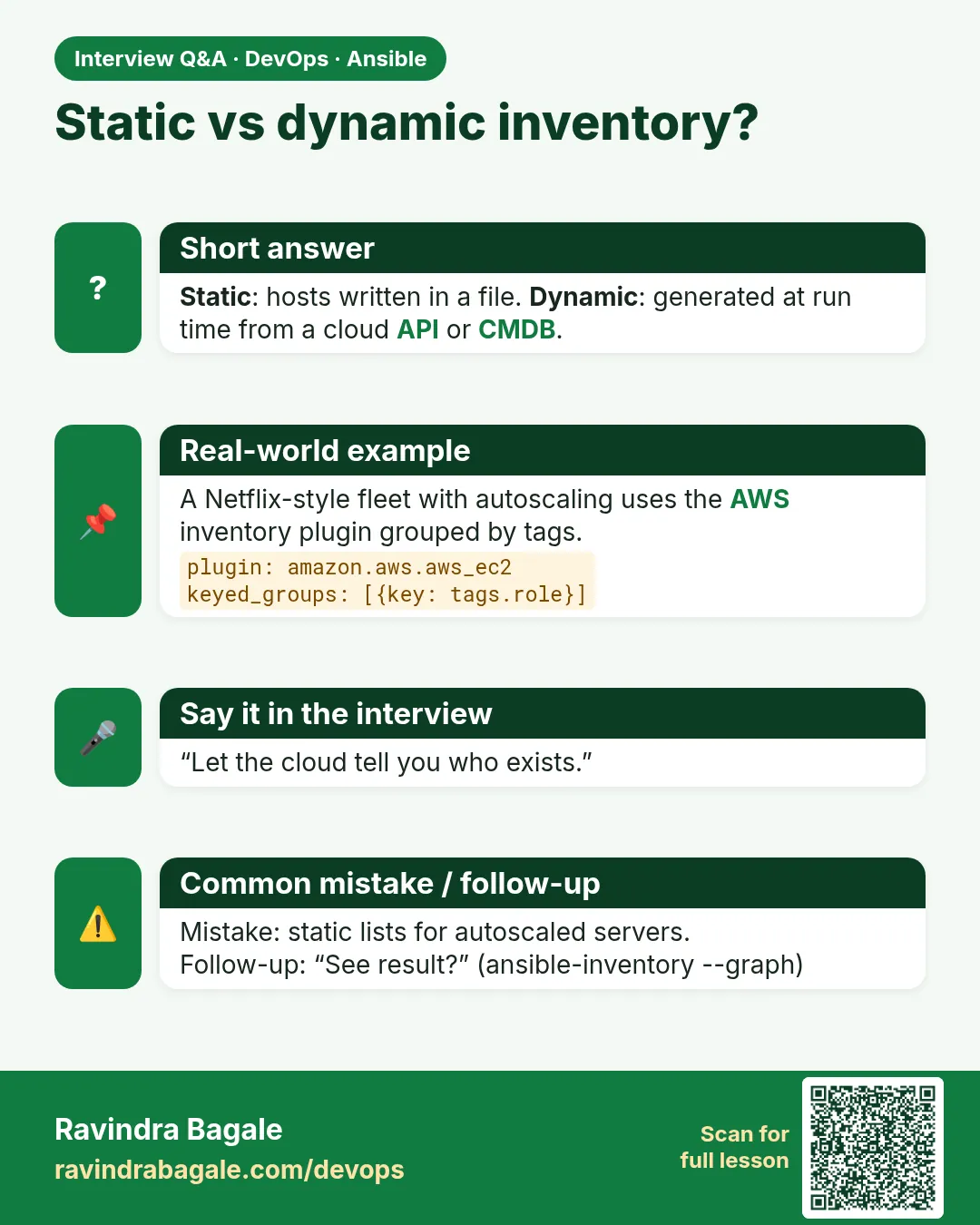
An inventory built at run time from a source like AWS, using an inventory plugin.
-
How do you group EC2 by role?
Tag instances Role=web and use keyed_groups with key tags.Role.
-
How does Ansible authenticate to AWS?
boto3 credentials chain: IAM role, profile or env, never hardcoded keys.
-
Plugin vs old inventory script?
Plugins are YAML-configured, cached and maintained; scripts are the old way.
-
How do you handle auto scaling?
Dynamic inventory plus a run triggered on scale-out, or ansible-pull at boot.
-
What is inventory caching?
The plugin saves the instance list for a few minutes so repeated runs do not call the AWS API every time.
Quick quiz
Q1. Why dynamic inventory?
Servers change often; the list is built live.
Q2. Which plugin lists EC2?
amazon.aws.aws_ec2
Q3. How do tags become groups?
keyed_groups
Q4. How should AWS access be given?
IAM role or profile, never keys in files.
Q5. What must the file name end with?
aws_ec2.yml
Did you understand? Let us try it once more.
 Revision card
 Interview card
 Comparison card