Chapter 11: Ansible Introduction
11.2 Inventory — who are we configuring?
In short: Suppose we are at Infosys and manage 6 servers for a client: 3 web, 2 app, 1 database.
Why: the problem
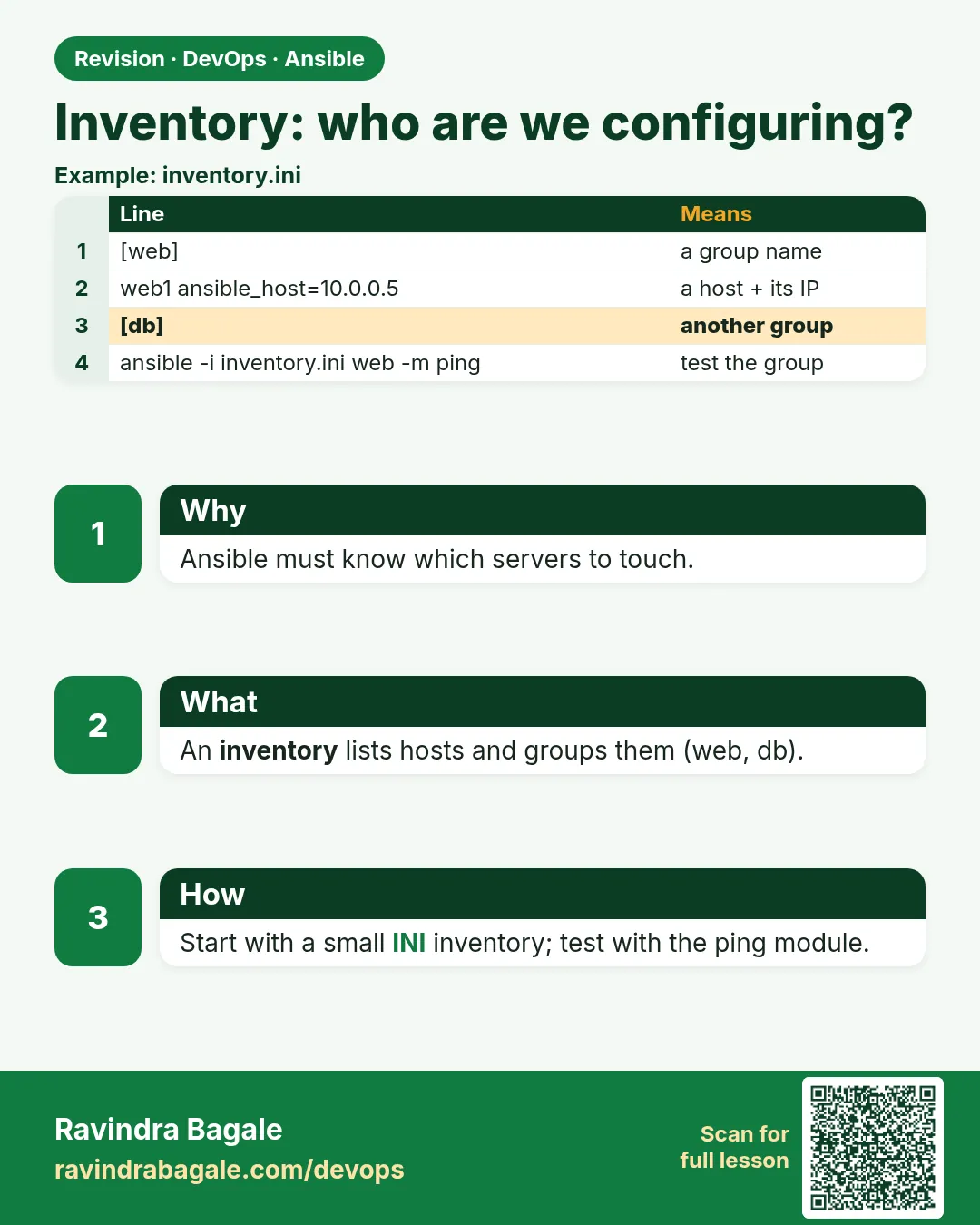
Suppose we are at Infosys and manage 6 servers for a client: 3 web, 2 app, 1 database. You want to update only the web servers. Typing IPs every time is slow and risky. One wrong IP and you restart the database. The inventory file is the list of your servers, put into groups. Then you just say "web" or "db".
What we will build
You will write an inventory for web, app and db servers in INI and in YAML, add group variables, and test it with ansible-inventory and ping.
What: every term in plain English
- Inventory — A file that lists your servers and puts them in groups.
- Host — One server in the inventory, with a short name.
- Group — A named set of hosts, like [web] or [db].
- ansible_host — The real IP or DNS name SSH connects to.
- Group vars — Settings shared by every host in a group.
- all — A built-in group that has every host.
How: step by step
-
Make a project folder
mkdir -p shop-ansible/inventory && cd shop-ansibleWhat it does: Keep inventory and playbooks together.
Output
(no output) -
Write the INI inventory
cat > inventory/hosts.iniWhat it does: Paste the inventory from example 1, then press Ctrl+D.
Output
(no output) -
See the groups as a tree
ansible-inventory -i inventory/hosts.ini --graphWhat it does: Shows which host is in which group.
Output
@all: |--@ungrouped: |--@web: | |--web1 | |--web2 |--@db: | |--db1 -
List one group only
ansible -i inventory/hosts.ini web --list-hostsWhat it does: Check before you run anything.
Output
hosts (2): web1 web2 -
Ping one group
ansible -i inventory/hosts.ini web -m ping -oWhat it does: Only web servers are touched.
Output
web1 | SUCCESS => {"ping": "pong"} web2 | SUCCESS => {"ping": "pong"} -
Ping one host
ansible -i inventory/hosts.ini db1 -m ping -oWhat it does: A host name works like a group of one.
Output
db1 | SUCCESS => {"ping": "pong"} -
See variables of a host
ansible-inventory -i inventory/hosts.ini --host web1What it does: Shows the merged variables for web1.
Output
{
    "ansible_host": "10.0.1.11",
    "ansible_user": "ubuntu"
}
Example 1: INI inventory with groups and shared variables
Stack. INI inventory
Goal. INI inventory with groups and shared variables.
inventory/hosts.ini
# inventory/hosts.ini - lab inventory
[web]
web1 ansible_host=10.0.1.11
web2 ansible_host=10.0.1.12

[db]
db1 ansible_host=10.0.1.21

[all:vars]
ansible_user=ubuntu
ansible_python_interpreter=/usr/bin/python3
What each line does
[web]— Start of the web group.web1 ansible_host=10.0.1.11— Short name web1, real IP 10.0.1.11.[all:vars]— Variables for every host.ansible_python_interpreter— Which Python Ansible uses on the server.
Green output
$ ansible-inventory -i inventory/hosts.ini --graph
@all:
  |--@ungrouped:
  |--@web:
  |  |--web1
  |  |--web2
  |--@db:
  |  |--db1
Expected result. Three hosts in two groups.
Example 2: YAML inventory with a parent group: app includes web and api
Stack. YAML inventory
Goal. YAML inventory with a parent group: app includes web and api.
inventory/hosts.yml
all:
  vars:
    ansible_user: ubuntu
  children:
    web:
      hosts:
        web1: { ansible_host: 10.0.1.11 }
        web2: { ansible_host: 10.0.1.12 }
    api:
      hosts:
        api1: { ansible_host: 10.0.1.31 }
    app:
      children:
        web:
        api:
    db:
      hosts:
        db1: { ansible_host: 10.0.1.21, ansible_port: 2222 }
What each line does
children— Groups inside groups.app: children: web, api— Running on app touches web1, web2 and api1.ansible_port: 2222— This server listens for SSH on port 2222.
Green output
$ ansible -i inventory/hosts.yml app --list-hosts
  hosts (3):
    web1
    web2
    api1
Expected result. One word, app, now means three servers.
Example 3: group_vars and host_vars folders: settings in files, not in the inventory line
Stack. group_vars, host_vars
Goal. group_vars and host_vars folders: settings in files, not in the inventory line.
folder layout
inventory/
  hosts.ini
  group_vars/
    all.yml
    web.yml
  host_vars/
    db1.yml
inventory/group_vars/web.yml
http_port: 80
site_name: shop.example.com
inventory/host_vars/db1.yml
mysql_port: 3306
mysql_root_password: "{{ lookup('env', 'MYSQL_ROOT_PASSWORD') }}"
What each line does
group_vars/web.yml— Read for every host in web.host_vars/db1.yml— Read only for db1.lookup('env', ...)— Reads the secret from an environment variable, never from Git.
Green output
$ ansible -i inventory/hosts.ini web1 -m debug -a "var=site_name"
web1 | SUCCESS => {
    "site_name": "shop.example.com"
}
Expected result. Variables are found by folder name. No extra settings needed.
Verify: did it work?
-
Check the graph
ansible-inventory -i inventory/hosts.ini --graphWhat it does: Groups look right.
Output
@web: web1, web2 -
Check a group before running
ansible -i inventory/hosts.ini db --list-hostsWhat it does: Only db1.
Output
hosts (1): db1 -
Check a variable
ansible -i inventory/hosts.ini web2 -m debug -a "var=http_port"What it does: Comes from group_vars.
Output
"http_port": 80 -
Check the YAML inventory too
ansible-inventory -i inventory/hosts.yml --list | head -20What it does: Prints the whole inventory as JSON, which shows the merged variables of every host. Use it when a variable has the wrong value.
Output
{
    "_meta": {
        "hostvars": {
            "api1": {
                "ansible_host": "10.0.1.31",
                "ansible_user": "ubuntu"
When it is red 1
[WARNING]: Could not match supplied host pattern, ignoring: webs
Cause. The group name is spelled wrong.
Fix, step by step
- Run ansible-inventory --graph.
- Use the exact group name, web not webs.
When it is red 2
[WARNING]: Unable to parse /home/ravi/shop-ansible/inventory/hosts.ini as an inventory source
Cause. Bad file path or bad syntax.
Fix, step by step
- Check the path with ls.
- Remove spaces around = in key=value.
- Group names in [ ] must not have spaces.
When it is red 3
web1 | UNREACHABLE! => {"msg": "ssh: connect to host 10.0.1.11 port 22: Connection timed out"}
Cause. The IP is wrong, the server is off, or a firewall blocks port 22.
Fix, step by step
- Ping the IP or check the cloud console.
- Open port 22 only for your IP in the security group.
Cleanup
-
Nothing to delete
ls inventoryWhat it does: Inventory files are kept in Git.
Output
hosts.ini hosts.yml group_vars host_vars
Ravindra Bagale's Tip
Before you touch prod, run --list-hosts. You will see which servers you are about to hit.
Prod ला हात लावण्याआधी --list-hosts चालवा. कोणत्या servers वर जातोय ते दिसेल.
Prod छूने से पहले --list-hosts चलाओ. किन servers पर जा रहे हो वो दिखेगा.
Practice tasks
Easy Add a staging group
Why: Real teams have staging and prod.
What to do: Add [staging] with one host and ping it.
- Edit hosts.ini.
- ansible staging -m ping
Check: One SUCCESS line.
Medium Split prod and staging inventories
Why: One wrong flag must not hit prod.
What to do: Make inventory/staging.ini and inventory/prod.ini.
- Copy hosts.ini twice.
- Change IPs.
- Run with -i inventory/staging.ini.
Check: Each file lists only its own servers.
Easy Say the inventory in two lines
Why: If you can say it simply, you understand it. Interviewers and juniors both need the short version first.
What to do: Write two short lines about the inventory for a fresher who knows only Linux basics.
- Write the problem it solves.
- Write the one command or file you use for it.
- Read it aloud to a friend.
Check: A fresher understands it without asking a question.
Easy Start a two-server Ansible lab
Why: Practice needs safe throwaway servers. If you break them, you delete them and start again in one minute.
What to do: Start two Ubuntu containers that accept SSH, and one control machine with Ansible.
- python3 -m pip install --user ansible-core
- docker run -d --name web1 -p 2221:22 lscr.io/linuxserver/openssh-server
- docker run -d --name web2 -p 2222:22 lscr.io/linuxserver/openssh-server
- ansible --version
Check: ansible --version prints a core version, and ssh to both ports works.
Medium Do it on the second setup
Why: The idea must work on a VM, a container and a cloud server. Only the inventory should change, never the playbook.
What to do: Repeat this lesson on a different target than the one you used first.
- If you used containers, use one EC2 or local VM now.
- Change only the inventory file.
- Run the same playbook.
Check: Same result, and you changed only the inventory.
Medium Break it on purpose
Why: You must know the red output by face. On a real outage there is no time to read slowly.
What to do: Cause one error from the "When it is red" part of this lesson and fix it.
- Follow the error section.
- Copy the exact message into your notes.
- Write the fix in one line.
Check: You fixed it using the steps, without searching the web.
Medium Run it twice and read the recap
Why: Idempotence is the heart of Ansible.
What to do: Run your playbook or command two times and compare the PLAY RECAP lines.
- Run once and note changed=.
- Run again with no edits.
- Explain any task that still says changed.
Check: The second run shows changed=0, or you can explain every change.
Medium Write a runbook page
Why: At 2 a.m. nobody remembers flags. A short written page saves the on-call person.
What to do: Write a one-page runbook for this lesson.
- Title, when to use, exact commands, how to check, how to undo.
Check: A teammate can follow it alone.
Hard Explain it like an interview
Why: Interviewers want real stories, not definitions.
What to do: Record a 60 second answer about this lesson.
- Say the problem, the playbook or command, and one error you hit.
Check: Your answer has a real command and a real error message.
Hard Draw the flow top to bottom
Why: A drawing shows the order of work.
What to do: Draw this lesson as boxes from top to bottom.
- Start at your laptop, go through SSH, end at the check on the server.
Check: Each box matches a real step you ran.
Homework: try at home
Try at home
At home, write a YAML inventory with web, api and db groups and a parent group app. Show it with --graph and list the hosts of app.
Recap
- The inventory lists servers and groups.
- Use short host names and ansible_host for the IP.
- YAML inventory supports children groups.
- Put settings in group_vars and host_vars.
- Always --list-hosts before a risky run.
FAQ
INI or YAML?
Both work. INI is easy for small labs; YAML is better for nested groups.
Can I use DNS names?
Yes. ansible_host can be a DNS name.
Can one host be in two groups?
Yes, and it gets variables from both.
Where do I keep passwords?
In environment variables or Ansible Vault, never plain in Git.
What is ungrouped?
Hosts that are in no group.
Why short names like web1 instead of IPs?
Names stay the same when IPs change. Output is easier to read, and you can use the name in --limit.
What happens if two group_vars files set the same variable?
The more specific one wins. A child group beats a parent group, and host_vars beats all group_vars.
Interview questions
-
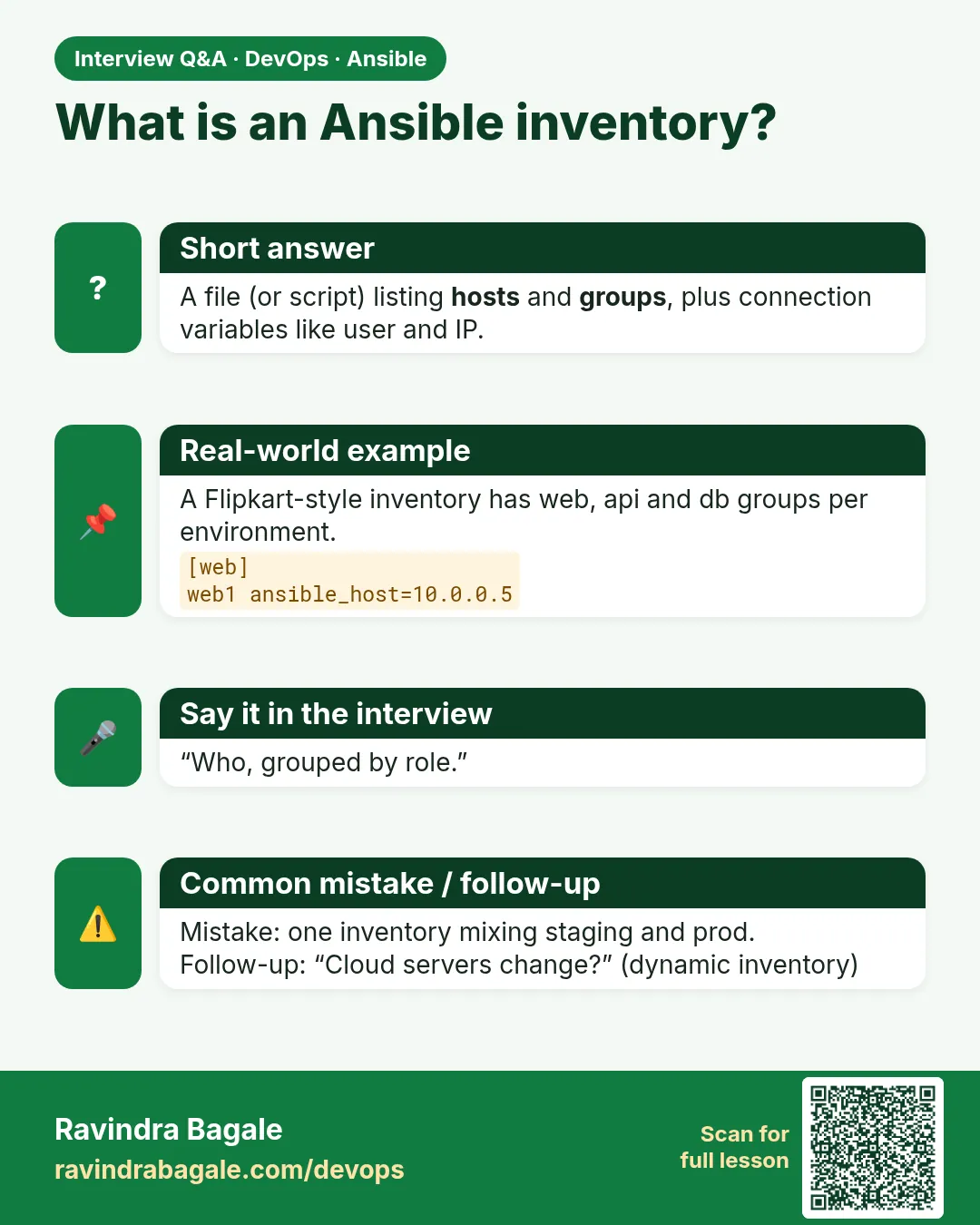
What is an Ansible inventory?
A list of managed hosts and groups, in INI, YAML or from a script or plugin.
-
How do group_vars and host_vars work?
Ansible reads YAML files named after the group or host and merges them. Host vars win over group vars.
-
How do you keep prod and staging apart?
Separate inventory files, and pass -i on each run.
-
What is a parent group?
A group with children groups, so one name covers many.
-
How do you check an inventory?
ansible-inventory --graph and --host.
-
What is variable precedence in short?
From weak to strong: role defaults, inventory group vars, host vars, play vars, task vars, and extra vars (-e) win over everything.
-
How do you run on one host from a group?
Use --limit web1, or name the host directly instead of the group.
Quick quiz
Q1. What does ansible_host mean?
The real IP or DNS name used for SSH.
Q2. Which group contains every host?
all
Q3. Where do group variables live?
In group_vars/<group>.yml next to the inventory.
Q4. How do you list hosts without running anything?
--list-hosts
Q5. Can a group contain other groups?
Yes, using children.
Did you understand? Let us try it once more.
 Revision card
 Interview card