Chapter 11: Ansible Introduction
11.6 Handlers — restart only when needed
Why: the problem
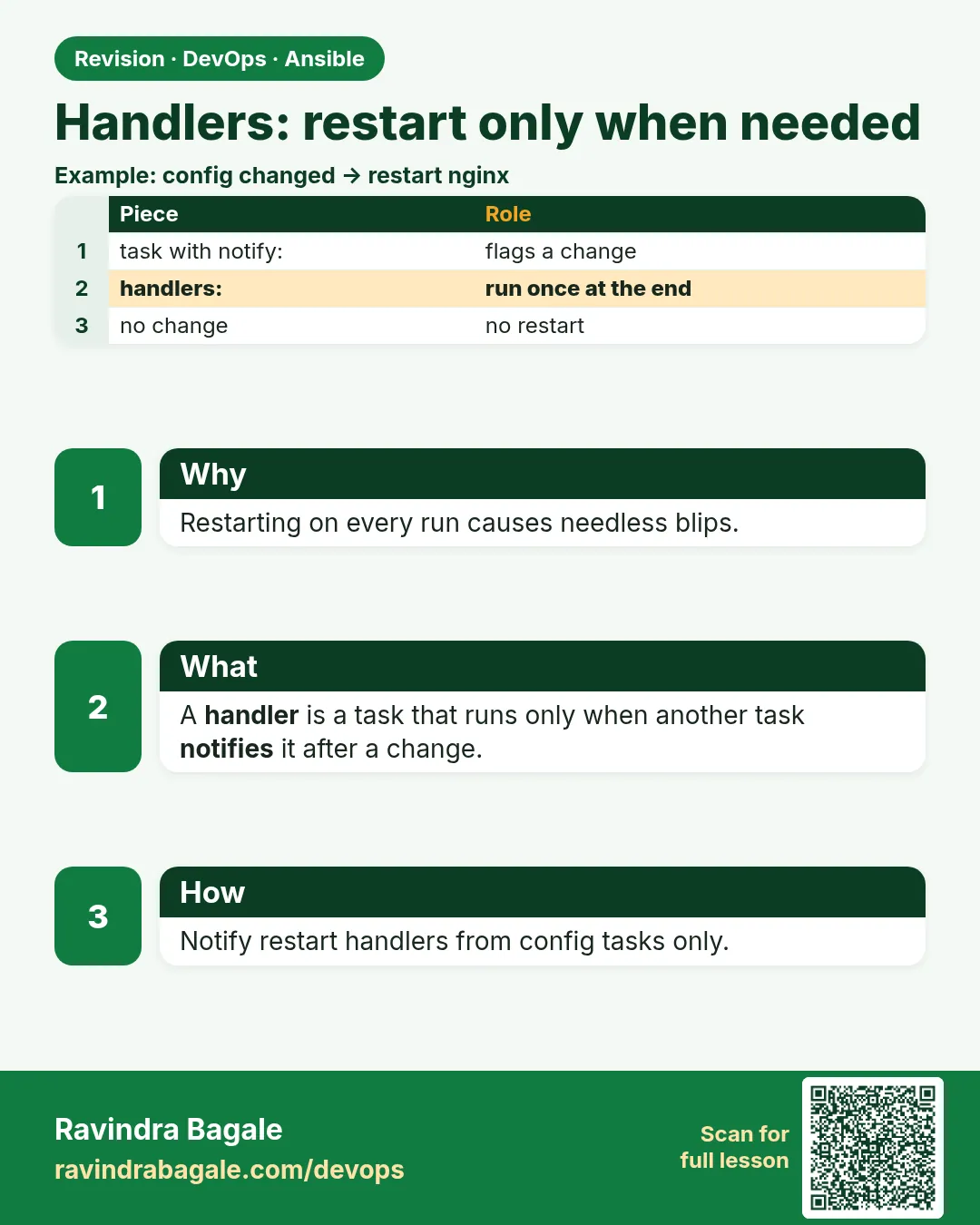
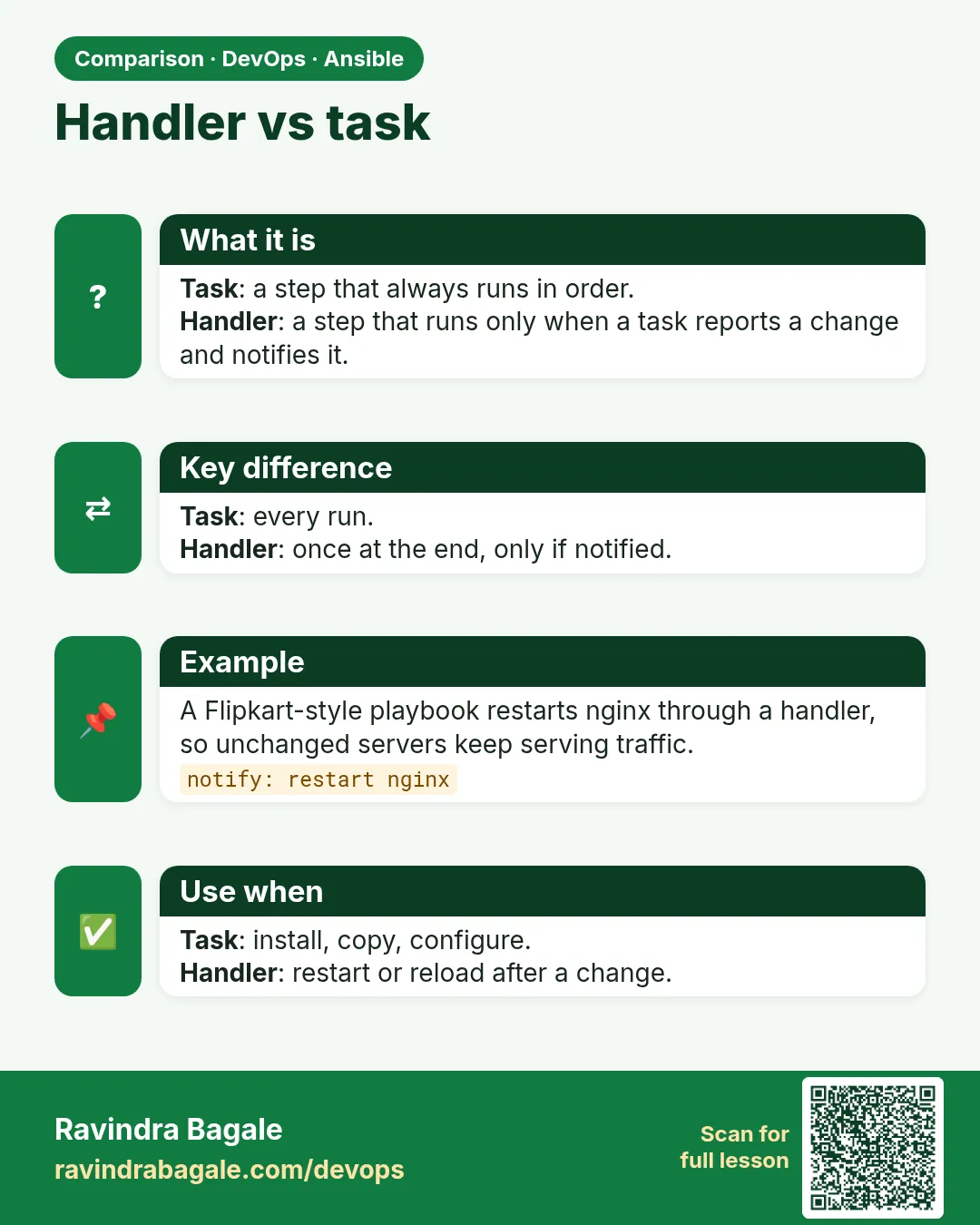
Suppose we are at Flipkart and the nginx playbook restarts nginx at the end of every run. On sale day, the team runs the playbook to add one server, and all 40 servers restart nginx at once. Customers see errors. Handlers fix this. A handler is a task that runs only when another task says "I changed something". No config change, no restart.
What we will build
You will add a handler that reloads nginx only when its config changes, use handlers for a Node app and for MySQL, and force handlers early with meta: flush_handlers.
What: every term in plain English
- Handler — A special task that runs only when notified by a changed task.
- notify — The line on a task that says which handler to call if it changed.
- Reload — Re-read config without dropping connections.
- Restart — Stop and start. Drops current connections.
- flush_handlers — Run waiting handlers now instead of at the end of the play.
- listen — A topic name, so many handlers can answer one notify.
How: step by step
-
Add notify to the config task
notify: Reload nginxWhat it does: Written under the template or copy task.
Output
(file edit) -
Add a handlers section
handlers:
  - name: Reload nginx
    ansible.builtin.service: { name: nginx, state: reloaded }
What it does: The name must match notify exactly.
Output
(file edit) -
Run once with a config change
ansible-playbook playbooks/nginx_conf.ymlWhat it does: Handler runs at the end.
Output
RUNNING HANDLER [Reload nginx] ************ changed: [web1] -
Run again with no change
ansible-playbook playbooks/nginx_conf.ymlWhat it does: No RUNNING HANDLER line now.
Output
web1 : ok=3 changed=0 unreachable=0 failed=0 -
Test the config before reload
nginx -tWhat it does: Validate it in the task with validate:.
Output
nginx: configuration file /etc/nginx/nginx.conf test is successful -
Check nginx kept running
ansible web -a "systemctl show nginx -p ActiveEnterTimestamp"What it does: The time does not change on reload.
Output
ActiveEnterTimestamp=Sun 2026-10-25 09:00:01 IST -
Force a handler during a test
ansible-playbook playbooks/nginx_conf.yml --force-handlersWhat it does: Runs notified handlers even if a later task fails.
Output
RUNNING HANDLER [Reload nginx]
Example 1: nginx: reload only when the site config changes, and validate it first
Stack. nginx on Ubuntu
Goal. nginx: reload only when the site config changes, and validate it first.
playbooks/nginx_conf.yml
- name: Nginx site config
  hosts: web
  become: true
  tasks:
    - name: Site config
      ansible.builtin.copy:
        dest: /etc/nginx/sites-available/shop
        content: |
          server {
            listen 80;
            server_name shop.example.com;
            location / { proxy_pass http://127.0.0.1:3000; }
          }
      notify: Reload nginx
    - name: Enable site
      ansible.builtin.file:
        src: /etc/nginx/sites-available/shop
        dest: /etc/nginx/sites-enabled/shop
        state: link
      notify: Reload nginx
    - name: Check config is valid
      ansible.builtin.command: nginx -t
      changed_when: false
  handlers:
    - name: Reload nginx
      ansible.builtin.service:
        name: nginx
        state: reloaded
What each line does
notify: Reload nginx— Call the handler only if this task changed.state: link— Make the symlink that enables the site.changed_when: false— nginx -t never counts as a change.handlers:— Run once at the end, even if notified twice.
Green output
TASK [Site config] *************************************
changed: [web1]
TASK [Enable site] *************************************
changed: [web1]
TASK [Check config is valid] ***************************
ok: [web1]
RUNNING HANDLER [Reload nginx] *************************
changed: [web1]
PLAY RECAP *********************************************
web1 : ok=5 changed=3 unreachable=0 failed=0
Expected result. Two notifies, one reload. A second run shows no handler.
Example 2: Node
Stack. Node.js, systemd
Goal. Node.js app: restart the service only when the code or env file changes.
playbooks/node_release.yml
- name: Node app release
  hosts: web
  become: true
  tasks:
    - name: App code
      ansible.builtin.copy:
        src: ../app/server.js
        dest: /opt/badge-api/server.js
      notify: Restart badge-api
    - name: Env file (no secrets in Git)
      ansible.builtin.copy:
        dest: /etc/badge-api.env
        content: |
          PORT=3000
          DB_URL={{ lookup('env', 'BADGE_DB_URL') }}
      notify: Restart badge-api
  handlers:
    - name: Restart badge-api
      ansible.builtin.systemd:
        name: badge-api
        state: restarted
What each line does
src: ../app/server.js— Local file next to the project.lookup('env','BADGE_DB_URL')— Secret comes from your shell env.state: restarted— Node must restart to load new code.
Green output
$ export BADGE_DB_URL="postgres://app:CHANGE_ME@db1:5432/badges"
$ ansible-playbook playbooks/node_release.yml
RUNNING HANDLER [Restart badge-api] ********************
changed: [web1]
changed: [web2]
Expected result. Restart only on a real release.
Example 3: MySQL: one config change, two handlers through listen, and flush_handlers before a check
Stack. MySQL 8 on Ubuntu
Goal. MySQL: one config change, two handlers through listen, and flush_handlers before a check.
playbooks/mysql_conf.yml
- name: MySQL tuning
  hosts: db
  become: true
  tasks:
    - name: Buffer size
      ansible.builtin.lineinfile:
        path: /etc/mysql/mysql.conf.d/mysqld.cnf
        regexp: '^innodb_buffer_pool_size'
        line: innodb_buffer_pool_size = 1G
      notify: mysql config changed
    - name: Run handlers now
      ansible.builtin.meta: flush_handlers
    - name: Check MySQL answers
      ansible.builtin.command: mysqladmin ping
      changed_when: false
  handlers:
    - name: Restart mysql
      ansible.builtin.service: { name: mysql, state: restarted }
      listen: mysql config changed
    - name: Log the change
      ansible.builtin.lineinfile:
        path: /var/log/ansible-changes.log
        line: "mysql restarted by ansible"
        create: true
      listen: mysql config changed
What each line does
regexp:— Replace the old line if it exists.listen:— Both handlers answer one topic.meta: flush_handlers— Restart now, so the check runs after it.
Green output
RUNNING HANDLER [Restart mysql] ************************
changed: [db1]
RUNNING HANDLER [Log the change] ***********************
changed: [db1]
TASK [Check MySQL answers] *****************************
ok: [db1]
Expected result. The check runs after the restart, not before.
Verify: did it work?
-
No handler on second run
ansible-playbook playbooks/nginx_conf.yml | grep -c HANDLERWhat it does: 0 means no reload.
Output
0 -
nginx still up
curl -s -o /dev/null -w "%{http_code}\n" http://10.0.1.11What it does: 200.
Output
200 -
MySQL value
ansible db -a "mysql -Nse 'select @@innodb_buffer_pool_size'" --becomeWhat it does: 1G in bytes.
Output
1073741824
When it is red 1
ERROR! The requested handler 'reload nginx' was not found in either the main handlers list nor in the listening handlers list
Cause. Handler names are case sensitive.
Fix, step by step
- Copy the handler name exactly into notify.
- Or use listen with a topic.
When it is red 2
RUNNING HANDLER [Reload nginx] ... nginx: [emerg] unknown directive "proxy_pas"
Cause. A typo in config; reload fails.
Fix, step by step
- Add validate: nginx -t -c %s to the copy task, or keep the nginx -t task before handlers.
- Fix the typo and run again.
When it is red 3
Handler did not run because a later task failed
Cause. Handlers run at the end; a failure stops the play.
Fix, step by step
- Use --force-handlers.
- Or add force_handlers: true to the play.
Cleanup
-
Remove demo site
ansible web -m file -a "path=/etc/nginx/sites-enabled/shop state=absent" --becomeWhat it does: Then reload nginx once.
Output
web1 | CHANGED => {"state": "absent"}
Ravindra Bagale's Tip
Reload only when the config changed. A blind restart shows errors to the customer.
Config बदलला तरच reload. उगाच restart केल्याने customer ला error दिसतो.
Config बदला तभी reload. बेवजह restart से customer को error दिखता है.
Practice tasks
Easy Add a handler
Why: Stop restarting for nothing.
What to do: Add notify and a handler to one task.
- Add notify: Reload nginx.
- Add handlers: section.
Check: Second run has no handler.
Medium Use listen
Why: One change, many actions.
What to do: Make two handlers listen to one topic.
- Add listen: to both.
- notify the topic.
Check: Both handlers run once.
Easy Say handlers in two lines
Why: If you can say it simply, you understand it. Interviewers and juniors both need the short version first.
What to do: Write two short lines about handlers for a fresher who knows only Linux basics.
- Write the problem it solves.
- Write the one command or file you use for it.
- Read it aloud to a friend.
Check: A fresher understands it without asking a question.
Easy Start a two-server Ansible lab
Why: Practice needs safe throwaway servers. If you break them, you delete them and start again in one minute.
What to do: Start two Ubuntu containers that accept SSH, and one control machine with Ansible.
- python3 -m pip install --user ansible-core
- docker run -d --name web1 -p 2221:22 lscr.io/linuxserver/openssh-server
- docker run -d --name web2 -p 2222:22 lscr.io/linuxserver/openssh-server
- ansible --version
Check: ansible --version prints a core version, and ssh to both ports works.
Medium Do it on the second setup
Why: The idea must work on a VM, a container and a cloud server. Only the inventory should change, never the playbook.
What to do: Repeat this lesson on a different target than the one you used first.
- If you used containers, use one EC2 or local VM now.
- Change only the inventory file.
- Run the same playbook.
Check: Same result, and you changed only the inventory.
Medium Break it on purpose
Why: You must know the red output by face. On a real outage there is no time to read slowly.
What to do: Cause one error from the "When it is red" part of this lesson and fix it.
- Follow the error section.
- Copy the exact message into your notes.
- Write the fix in one line.
Check: You fixed it using the steps, without searching the web.
Medium Run it twice and read the recap
Why: Idempotence is the heart of Ansible.
What to do: Run your playbook or command two times and compare the PLAY RECAP lines.
- Run once and note changed=.
- Run again with no edits.
- Explain any task that still says changed.
Check: The second run shows changed=0, or you can explain every change.
Medium Write a runbook page
Why: At 2 a.m. nobody remembers flags. A short written page saves the on-call person.
What to do: Write a one-page runbook for this lesson.
- Title, when to use, exact commands, how to check, how to undo.
Check: A teammate can follow it alone.
Hard Explain it like an interview
Why: Interviewers want real stories, not definitions.
What to do: Record a 60 second answer about this lesson.
- Say the problem, the playbook or command, and one error you hit.
Check: Your answer has a real command and a real error message.
Hard Draw the flow top to bottom
Why: A drawing shows the order of work.
What to do: Draw this lesson as boxes from top to bottom.
- Start at your laptop, go through SSH, end at the check on the server.
Check: Each box matches a real step you ran.
Homework: try at home
Try at home
At home, add a handler to your nginx playbook. Change the config, run, see the handler. Run again, see no handler.
Recap
- Handlers run only when notified by a changed task.
- Many notifies, one run, at the end of the play.
- Reload for config, restart for code.
- flush_handlers runs them early.
- Validate config before reload.
FAQ
Can a handler notify another handler?
Yes, but keep chains short to stay readable.
Are handlers run in notify order?
No, in the order they are written in handlers.
Can I use handlers in roles?
Yes, in roles/
What if the reload fails?
The play fails on that host. Fix config and run again.
Does --check run handlers?
It reports them but does not really reload.
Interview questions
-
What is a handler in Ansible?
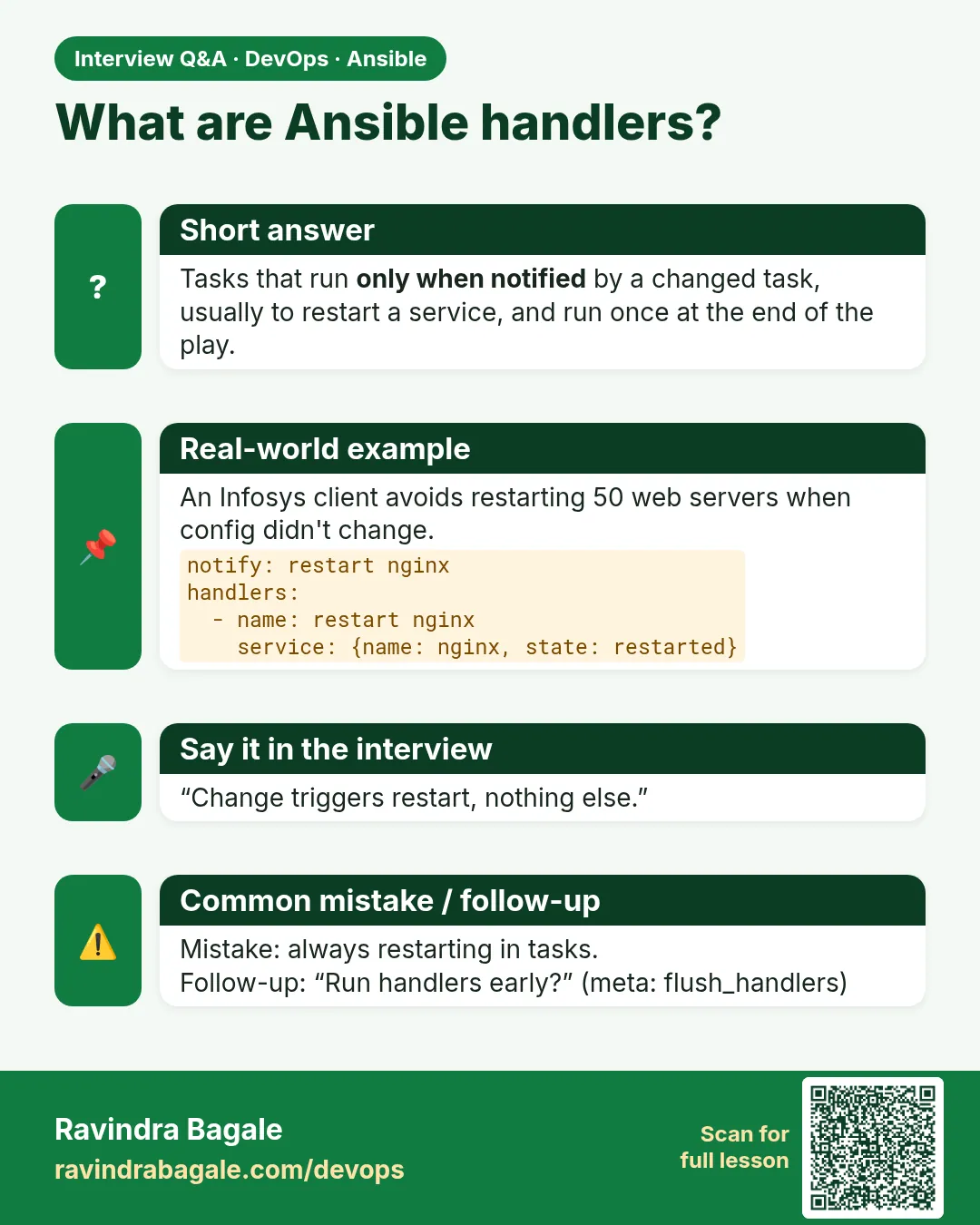
A task that runs only when notified by a changed task, usually to restart or reload a service.
-
Why use handlers instead of a restart task?
To avoid needless restarts and downtime on every run.
-
How do you make handlers run in the middle of a play?
meta: flush_handlers
-
What does listen do?
Lets several handlers subscribe to one notify topic.
-
How do you avoid reloading a broken config?
validate on the copy or template task, or a check task before handlers.
Quick quiz
Q1. When does a handler run?
When a task that notifies it reports changed.
Q2. If two tasks notify one handler, how many times does it run?
Once.
Q3. When do handlers run by default?
At the end of the play.
Q4. How do you run them earlier?
meta: flush_handlers
Q5. Reload or restart for nginx config?
Reload.
Did you understand? Let us try it once more.
 Revision card
 Interview card
 Comparison card