Chapter 11: Ansible Introduction
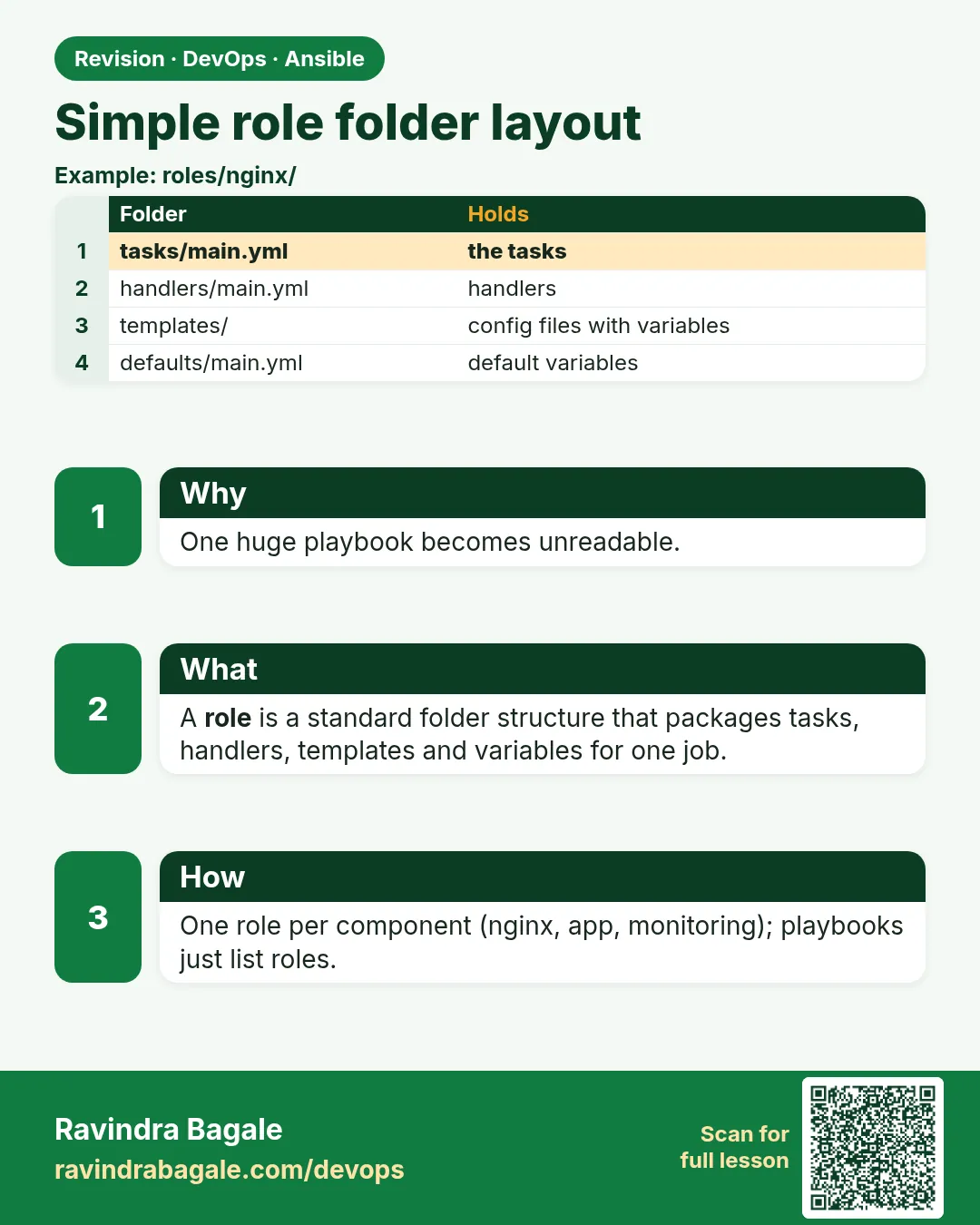
11.7 Simple role folder layout
Why: the problem
Suppose we are at TCS and the main playbook is now 400 lines. Nginx, users, firewall, Node app, MySQL are all mixed. Two people edit it and Git conflicts every day. A role is a folder with a fixed shape: tasks, handlers, templates, files and defaults for one job. You split the big file into roles like nginx and node_app, and the playbook becomes a short list of roles.
What we will build
You will create a role with ansible-galaxy init, move the nginx tasks into it, call it from site.yml, then build a node_app role and use a community role from Galaxy with a pinned version.
What: every term in plain English
- Role — A folder that holds everything for one job, like nginx.
- tasks/main.yml — The tasks of the role. Ansible starts here.
- defaults/main.yml — Default variables, the weakest, easy to override.
- templates/ — Jinja2 files (.j2) that become config files.
- ansible-galaxy — A command to create roles and install shared roles and collections.
- requirements.yml — A list of outside roles and collections with versions.
How: step by step
-
Create the role skeleton
ansible-galaxy role init roles/nginxWhat it does: Makes all folders at once.
Output
- Role roles/nginx was created successfully -
Look at the tree
tree roles/nginx -L 1What it does: Each folder has a job.
Output
roles/nginx ├── defaults ├── files ├── handlers ├── meta ├── tasks ├── templates ├── tests └── vars -
Move tasks into the role
vim roles/nginx/tasks/main.ymlWhat it does: Paste only the task list, no hosts line.
Output
(file edit) -
Move handlers
vim roles/nginx/handlers/main.ymlWhat it does: Reload nginx handler goes here.
Output
(file edit) -
Write site.yml
vim site.ymlWhat it does: A short playbook that lists roles.
Output
(file edit) -
Run it
ansible-playbook site.ymlWhat it does: Output shows role name before each task.
Output
TASK [nginx : Install nginx] *** ok: [web1] -
Install a shared role
ansible-galaxy install -r requirements.ymlWhat it does: Downloads pinned versions.
Output
- geerlingguy.mysql (4.3.4) was installed successfully
Example 1: nginx role: tasks, handler, template and defaults
Stack. Ansible role, Jinja2 template
Goal. nginx role: tasks, handler, template and defaults.
roles/nginx/defaults/main.yml
nginx_port: 80
nginx_server_name: shop.example.com
nginx_upstream: 127.0.0.1:3000
roles/nginx/templates/site.conf.j2
server {
    listen {{ nginx_port }};
    server_name {{ nginx_server_name }};
    location / {
        proxy_pass http://{{ nginx_upstream }};
    }
}
roles/nginx/tasks/main.yml
- name: Install nginx
  ansible.builtin.apt:
    name: nginx
    state: present
    update_cache: true
- name: Site config from template
  ansible.builtin.template:
    src: site.conf.j2
    dest: /etc/nginx/sites-enabled/default
    validate: nginx -t -c /etc/nginx/nginx.conf
  notify: Reload nginx
- name: Nginx running
  ansible.builtin.service:
    name: nginx
    state: started
    enabled: true
roles/nginx/handlers/main.yml
- name: Reload nginx
  ansible.builtin.service:
    name: nginx
    state: reloaded
site.yml
- name: Web servers
  hosts: web
  become: true
  roles:
    - nginx
What each line does
defaults— Values a user may override.template src: site.conf.j2— Fills {{ }} and writes the file.roles: - nginx— Run the whole role.
Green output
PLAY [Web servers] *************************************
TASK [nginx : Install nginx] ***************************
ok: [web1]
TASK [nginx : Site config from template] ***************
changed: [web1]
RUNNING HANDLER [nginx : Reload nginx] *****************
changed: [web1]
PLAY RECAP *********************************************
web1 : ok=5 changed=2 unreachable=0 failed=0
Expected result. site.yml is 6 lines; the nginx logic lives in one folder.
Example 2: node_app role reused with different variables for two apps
Stack. Node.js, systemd, community.general
Goal. node_app role reused with different variables for two apps.
roles/node_app/defaults/main.yml
app_name: badge-api
app_port: 3000
app_src: ../apps/badge-api/
roles/node_app/tasks/main.yml
- name: Node.js present
  ansible.builtin.apt: { name: [nodejs, npm], state: present }
- name: Code
  ansible.builtin.copy:
    src: "{{ app_src }}"
    dest: "/opt/{{ app_name }}/"
  notify: Restart app
- name: npm install
  community.general.npm:
    path: "/opt/{{ app_name }}"
    production: true
- name: Service file
  ansible.builtin.template:
    src: app.service.j2
    dest: "/etc/systemd/system/{{ app_name }}.service"
  notify: Restart app
site.yml
- hosts: web
  become: true
  roles:
    - role: node_app
      vars: { app_name: badge-api, app_port: 3000 }
    - role: node_app
      vars: { app_name: reels-api, app_port: 3001, app_src: ../apps/reels-api/ }
    - role: nginx
What each line does
role: node_app twice— Same role, two apps.community.general.npm— Runs npm install idempotently.vars:— Override defaults for each use.
Green output
TASK [node_app : Code] *********************************
changed: [web1]
TASK [node_app : Code] *********************************
changed: [web1]
PLAY RECAP *********************************************
web1 : ok=13 changed=6 unreachable=0 failed=0
Expected result. Two apps from one role, with no copy-paste.
Example 3: Use a Galaxy role for MySQL, pinned in requirements
Stack. MySQL 8, Ansible Galaxy
Goal. Use a Galaxy role for MySQL, pinned in requirements.yml.
requirements.yml
roles:
  - name: geerlingguy.mysql
    version: 4.3.4
collections:
  - name: community.general
    version: ">=9.0.0"
  - name: community.mysql
    version: 3.10.3
db.yml
- hosts: db
  become: true
  vars:
    mysql_root_password: "{{ lookup('env', 'MYSQL_ROOT_PASSWORD') }}"
    mysql_databases: [{ name: badges }]
  roles:
    - geerlingguy.mysql
What each line does
version: 4.3.4— Pin so updates do not surprise you.collections— Module packs like community.mysql.lookup('env', ...)— Password from the environment only.
Green output
$ ansible-galaxy install -r requirements.yml
- downloading role 'mysql', owned by geerlingguy
- geerlingguy.mysql (4.3.4) was installed successfully
$ ansible-playbook db.yml
db1 : ok=32 changed=12 unreachable=0 failed=0
Expected result. MySQL installed with a tested role, password never in Git.
Verify: did it work?
-
Role list
ansible-galaxy role listWhat it does: Shows installed roles.
Output
- geerlingguy.mysql, 4.3.4 -
Site works
curl -s -o /dev/null -w "%{http_code}\n" http://10.0.1.11What it does: 200.
Output
200 -
Second run quiet
ansible-playbook site.yml | tail -2What it does: changed=0.
Output
web1 : ok=13 changed=0
When it is red 1
ERROR! the role 'nginx' was not found in /home/ravi/shop-ansible/roles:/home/ravi/.ansible/roles
Cause. The roles folder is not next to the playbook.
Fix, step by step
- Put roles/ beside site.yml.
- Or set roles_path in ansible.cfg.
When it is red 2
ERROR! couldn't resolve module/action 'community.general.npm'
Cause. The collection is not installed.
Fix, step by step
- ansible-galaxy collection install -r requirements.yml
- Run again.
When it is red 3
AnsibleUndefinedVariable: 'nginx_upstream' is undefined
Cause. The template uses a variable with no default.
Fix, step by step
- Add it to defaults/main.yml.
- Or pass it with vars: when calling the role.
Cleanup
-
Remove downloaded roles
ansible-galaxy role remove geerlingguy.mysqlWhat it does: Lab cleanup.
Output
- successfully removed geerlingguy.mysql
Ravindra Bagale's Tip
When a playbook grows past 100 lines, make a role. One folder, one job.
Playbook १०० ओळींच्या वर गेला की role बनवा. एक folder, एक काम.
Playbook १०० लाइनों से ऊपर जाए तो role बनाओ. एक folder, एक काम.
Practice tasks
Easy Create a users role
Why: Practice the layout.
What to do: Make a role that creates 3 users from a list in defaults.
- ansible-galaxy role init roles/users
- Loop over a users list.
Check: id works for all 3 users.
Medium Reuse a role twice
Why: Roles are for reuse.
What to do: Call node_app twice with different ports.
- Use role: with vars:.
Check: Both ports answer.
Easy Say roles in two lines
Why: If you can say it simply, you understand it. Interviewers and juniors both need the short version first.
What to do: Write two short lines about roles for a fresher who knows only Linux basics.
- Write the problem it solves.
- Write the one command or file you use for it.
- Read it aloud to a friend.
Check: A fresher understands it without asking a question.
Easy Start a two-server Ansible lab
Why: Practice needs safe throwaway servers. If you break them, you delete them and start again in one minute.
What to do: Start two Ubuntu containers that accept SSH, and one control machine with Ansible.
- python3 -m pip install --user ansible-core
- docker run -d --name web1 -p 2221:22 lscr.io/linuxserver/openssh-server
- docker run -d --name web2 -p 2222:22 lscr.io/linuxserver/openssh-server
- ansible --version
Check: ansible --version prints a core version, and ssh to both ports works.
Medium Do it on the second setup
Why: The idea must work on a VM, a container and a cloud server. Only the inventory should change, never the playbook.
What to do: Repeat this lesson on a different target than the one you used first.
- If you used containers, use one EC2 or local VM now.
- Change only the inventory file.
- Run the same playbook.
Check: Same result, and you changed only the inventory.
Medium Break it on purpose
Why: You must know the red output by face. On a real outage there is no time to read slowly.
What to do: Cause one error from the "When it is red" part of this lesson and fix it.
- Follow the error section.
- Copy the exact message into your notes.
- Write the fix in one line.
Check: You fixed it using the steps, without searching the web.
Medium Run it twice and read the recap
Why: Idempotence is the heart of Ansible.
What to do: Run your playbook or command two times and compare the PLAY RECAP lines.
- Run once and note changed=.
- Run again with no edits.
- Explain any task that still says changed.
Check: The second run shows changed=0, or you can explain every change.
Medium Write a runbook page
Why: At 2 a.m. nobody remembers flags. A short written page saves the on-call person.
What to do: Write a one-page runbook for this lesson.
- Title, when to use, exact commands, how to check, how to undo.
Check: A teammate can follow it alone.
Hard Explain it like an interview
Why: Interviewers want real stories, not definitions.
What to do: Record a 60 second answer about this lesson.
- Say the problem, the playbook or command, and one error you hit.
Check: Your answer has a real command and a real error message.
Hard Draw the flow top to bottom
Why: A drawing shows the order of work.
What to do: Draw this lesson as boxes from top to bottom.
- Start at your laptop, go through SSH, end at the check on the server.
Check: Each box matches a real step you ran.
Homework: try at home
Try at home
At home, turn your nginx playbook into a role with defaults, a template and a handler. Call it from a 5-line site.yml.
Recap
- A role is a fixed folder shape for one job.
- tasks/main.yml is the entry; defaults are easy to override.
- Templates turn variables into config files.
- site.yml becomes a short list of roles.
- Pin Galaxy roles and collections in requirements.yml.
FAQ
Role or collection?
A role is one job. A collection is a package of roles, modules and plugins.
defaults vs vars in a role?
defaults are weakest and meant to be changed. vars are strong and meant to stay.
Can roles depend on others?
Yes, in meta/main.yml dependencies, but keep it simple.
Should I use import_role or roles:?
roles: is simplest. include_role lets you run a role in the middle of tasks.
Are Galaxy roles safe?
Read the code and pin a version before using one in prod.
Interview questions
-
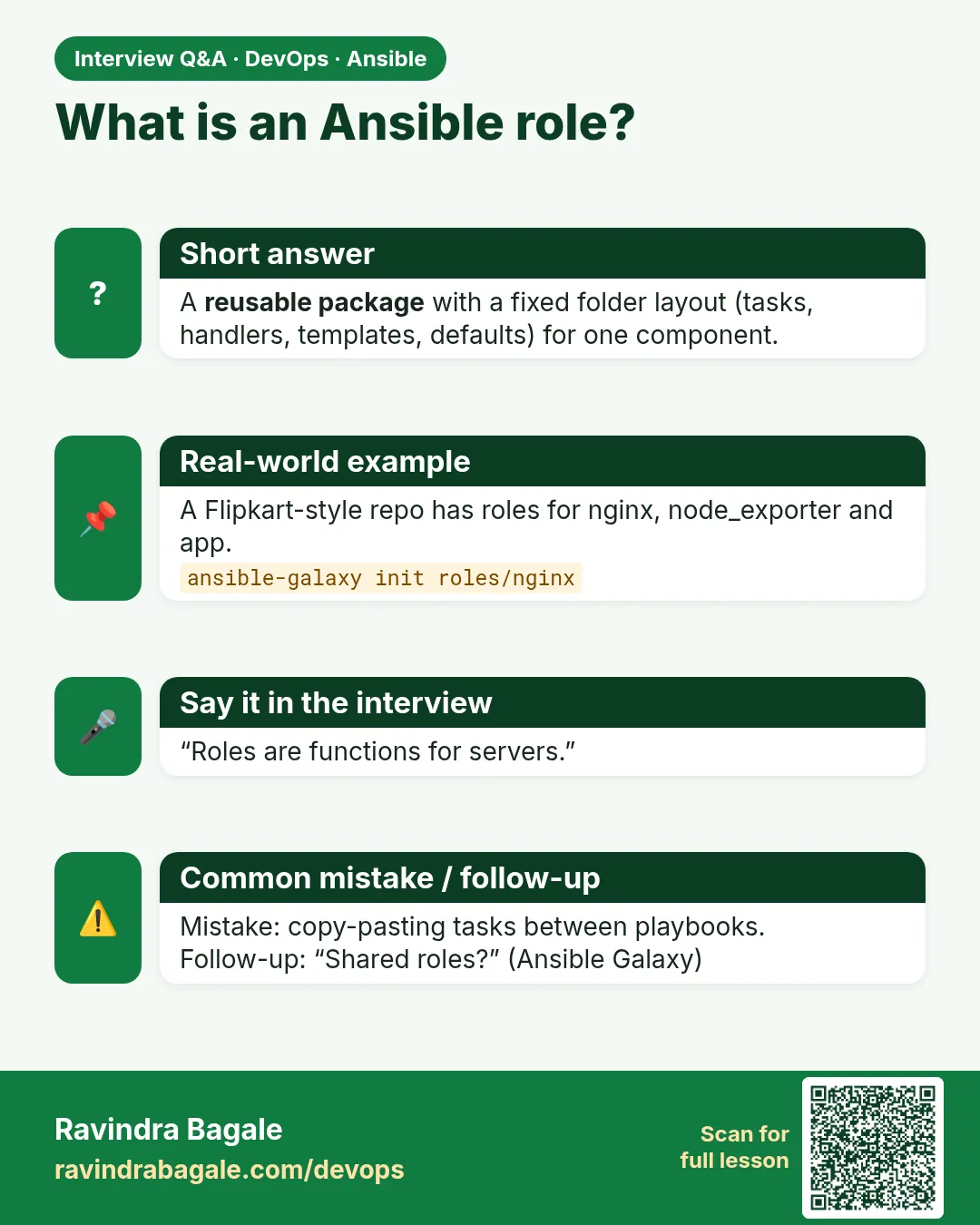
What is an Ansible role and why use it?
A reusable folder for one job with tasks, handlers, templates and defaults. It keeps playbooks small and shareable.
-
Explain the role directory structure.
tasks, handlers, templates, files, vars, defaults, meta, tests. tasks/main.yml is the entry point.
-
defaults vs vars?
defaults have the lowest precedence, vars a high one.
-
How do you share roles across teams?
A Git repo or private Galaxy, listed in requirements.yml with a version.
-
What is the template module?
It renders a Jinja2 file with variables and copies it to the server.
Quick quiz
Q1. Which file does a role start from?
tasks/main.yml
Q2. Where do overridable variables go?
defaults/main.yml
Q3. Which command makes the skeleton?
ansible-galaxy role init
Q4. How do you pin outside roles?
requirements.yml with version:
Q5. Where do .j2 files go?
templates/
Did you understand? Let us try it once more.
 Revision card
 Interview card