Chapter 11: Ansible Introduction
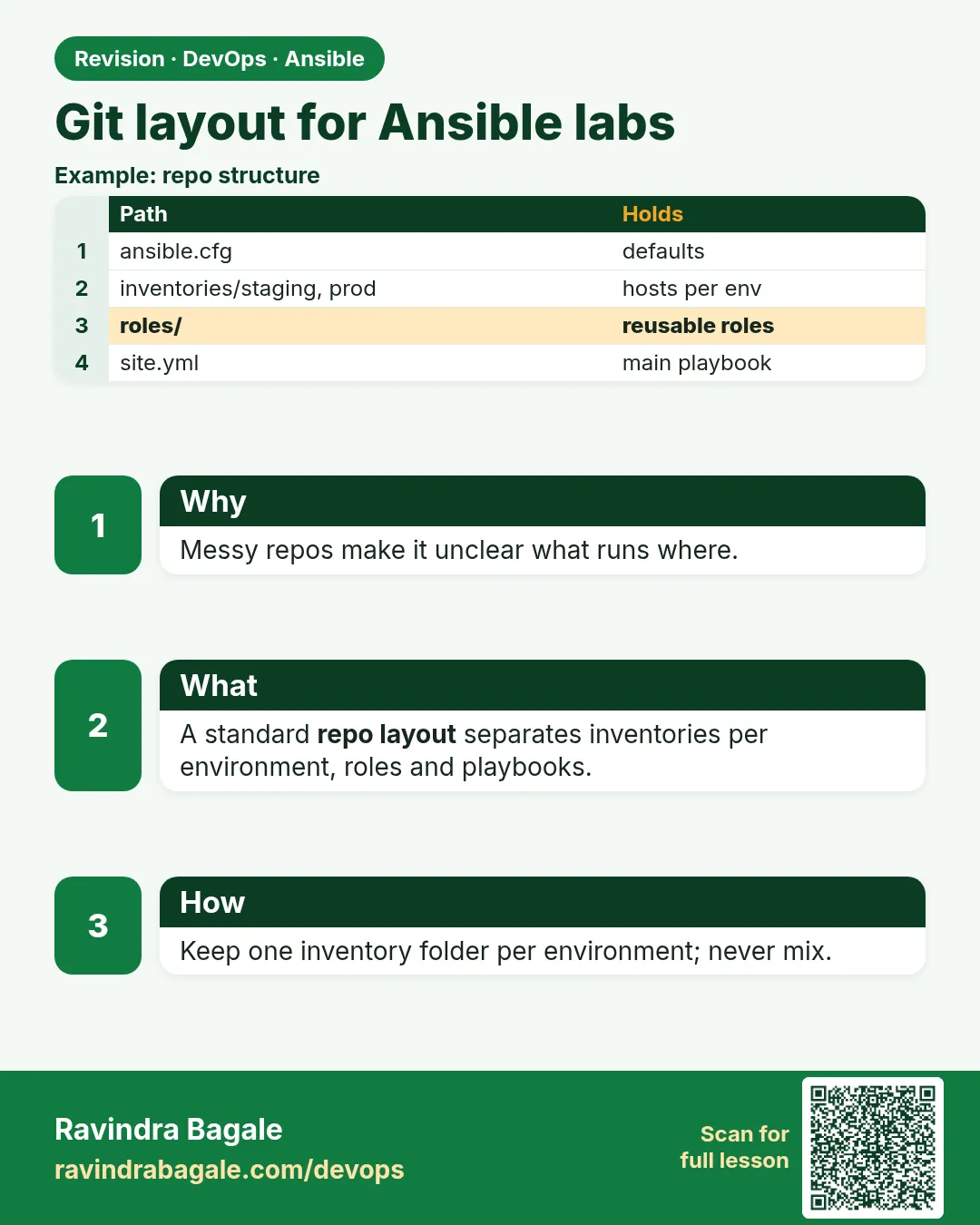
11.11 Git layout for Ansible labs
Why: the problem
Suppose we are at Flipkart and five engineers write Ansible for the same servers. One keeps playbooks on a laptop, one in a zip on chat, one edits files on the server. After a month nobody knows which version ran. A clean Git repo with a fixed layout fixes this: every change is a commit, every run uses the same files, and new people find things in one minute.
What we will build
You will build a Git repo with a standard Ansible layout: ansible.cfg, inventory with an example file, group_vars, playbooks, roles, requirements.yml and a README. You will add a .gitignore that keeps keys and real inventories out, and run lint before each commit.
What: every term in plain English
- Repo layout — A fixed folder plan so everyone knows where things go.
- hosts.example.ini — A safe sample inventory you commit; the real one stays local.
- group_vars — Folder of variables per group, like group_vars/web.yml.
- requirements.yml — List of collections and roles to install with ansible-galaxy.
- .gitignore — Files Git must never track, like keys and .vault_pass.
- ansible-lint — A tool that checks playbooks for common mistakes.
How: step by step
-
Create the repo
mkdir badge-api-ansible && cd badge-api-ansible && git initWhat it does: Empty repo.
Output
Initialized empty Git repository in /home/ravi/badge-api-ansible/.git/ -
Make the folders
mkdir -p inventory group_vars playbooks roles/web_welcome/{tasks,files,handlers,templates}What it does: Standard layout.
Output
(no output) -
Add the example inventory
cp inventory/hosts.ini inventory/hosts.example.iniWhat it does: Sanitize IPs in the copy.
Output
(no output) -
Add .gitignore
printf "inventory/hosts.ini\n*.pem\n.vault_pass\n*.retry\n" > .gitignoreWhat it does: Keys and real hosts stay out.
Output
(no output) -
Install dependencies
ansible-galaxy collection install -r requirements.ymlWhat it does: Same versions for all.
Output
community.general:9.2.0 was installed successfully -
Lint before commit
ansible-lint playbooks/What it does: Fix warnings.
Output
Passed: 0 failure(s), 0 warning(s) on 6 files. -
Commit
git add . && git commit -m "Ansible lab layout"What it does: First clean commit.
Output
[main (root-commit) 3f2a1c9] Ansible lab layout
 9 files changed, 84 insertions(+)
Example 1: The full layout and the files that hold it together
Stack. Ubuntu, nginx
Goal. The full layout and the files that hold it together.
tree
badge-api-ansible/
  ansible.cfg
  requirements.yml
  README.md
  .gitignore
  inventory/
    hosts.example.ini      # committed
    hosts.ini              # local only (ignored)
  group_vars/
    all.yml
    web.yml
  playbooks/
    site.yml
    web_welcome.yml
  roles/
    web_welcome/
      tasks/main.yml
      handlers/main.yml
      files/index.html
ansible.cfg
# ansible.cfg - lives next to the playbooks
[defaults]
inventory = inventory/hosts.ini
remote_user = ubuntu
host_key_checking = True
retry_files_enabled = False
stdout_callback = yaml
forks = 10

[privilege_escalation]
become_method = sudo
requirements.yml
collections:
  - name: community.general
    version: "9.2.0"
  - name: amazon.aws
    version: "8.1.0"
What each line does
hosts.example.ini— Shows the shape without real IPs.requirements.yml— Pins versions so runs match.ansible.cfg— Points to the inventory so no -i is needed.
Green output
$ ansible-inventory --graph
@all:
  |--@web:
  |  |--web1
  |  |--web2
  |--@db:
  |  |--db1
Expected result. A new teammate clones, copies the example inventory, and runs.
Example 2:
Stack. Git, pre-commit, ansible-lint
Goal. .gitignore and a pre-commit check that stops keys from being committed.
.gitignore
inventory/hosts.ini
*.pem
*.key
.vault_pass
*.retry
.venv/
.pre-commit-config.yaml
repos:
  - repo: local
    hooks:
      - id: ansible-lint
        name: ansible-lint
        entry: ansible-lint
        language: system
        pass_filenames: false
      - id: no-private-keys
        name: block private keys
        entry: bash -c '! git diff --cached | grep -q "BEGIN .*PRIVATE KEY"'
        language: system
        pass_filenames: false
terminal
pip install pre-commit ansible-lint
pre-commit install
git add . && git commit -m "add lint"
What each line does
*.pem— Never track SSH keys.no-private-keys hook— Fails the commit if a key is in the diff.pre-commit install— Runs the hooks before every commit.
Green output
ansible-lint.............................................Passed
block private keys.......................................Passed
[main 7b1e0d2] add lint
 2 files changed, 20 insertions(+)
Expected result. Mistakes are blocked before they reach the remote repo.
Example 3: Group vars per stack: Node web servers and a MySQL database in one repo
Stack. Node.js, MySQL
Goal. Group vars per stack: Node web servers and a MySQL database in one repo.
group_vars/web.yml
app_name: badge-api
node_version: "20"
app_port: 3000
nginx_server_name: badge.example.com
group_vars/db.yml
mysql_db: badge
mysql_user: badge_app
mysql_password: "{{ lookup('env', 'MYSQL_APP_PASSWORD') }}"   # CHANGE_ME at run time
playbooks/site.yml
- import_playbook: web_welcome.yml
- name: Database
  hosts: db
  become: true
  roles: [mysql]
What each line does
group_vars/web.yml— Loaded only for hosts in group web.lookup('env', ...)— The password comes from the environment, not Git.import_playbook— site.yml runs everything in order.
Green output
$ ansible-inventory --host db1 | grep mysql_db
    "mysql_db": "badge",
$ MYSQL_APP_PASSWORD=CHANGE_ME ansible-playbook playbooks/site.yml --check | tail -3
db1  : ok=6 changed=3 failed=0
web1 : ok=8 changed=2 failed=0
Expected result. One repo, two stacks, no secrets in files.
Example 4: README that lets a new person run it in five minutes
Stack. Docs
Goal. README that lets a new person run it in five minutes.
README.md
# badge-api-ansible
Target: Ubuntu 22.04, user ubuntu, Python 3.
## Setup
1. python3 -m venv .venv && . .venv/bin/activate && pip install ansible ansible-lint
2. ansible-galaxy collection install -r requirements.yml
3. cp inventory/hosts.example.ini inventory/hosts.ini  (put your lab IPs)
4. export MYSQL_APP_PASSWORD=CHANGE_ME
## Run
ansible all -m ping
ansible-playbook playbooks/site.yml --check --diff
ansible-playbook playbooks/site.yml
What each line does
Target line— Says which OS and user are expected.Setup steps— Numbered and copy-paste ready.
Green output
$ ansible all -m ping
web1 | SUCCESS => {"ping": "pong"}
web2 | SUCCESS => {"ping": "pong"}
db1  | SUCCESS => {"ping": "pong"}
Expected result. Docs are part of the code.
Verify: did it work?
-
Ignored files
git check-ignore -v inventory/hosts.iniWhat it does: Real inventory is ignored.
Output
.gitignore:1:inventory/hosts.ini inventory/hosts.ini -
No keys tracked
git ls-files | grep -E "\.pem$|vault_pass" || echo cleanWhat it does: clean
Output
clean -
Lint clean
ansible-lintWhat it does: No failures.
Output
Passed: 0 failure(s), 0 warning(s)
When it is red 1
ERROR! the role 'web_welcome' was not found
Cause. roles_path does not include the roles folder, or playbook runs from another directory.
Fix, step by step
- Set roles_path = roles in ansible.cfg.
- Run from the repo root.
When it is red 2
[WARNING]: Unable to parse /home/ravi/badge-api-ansible/inventory/hosts.ini as an inventory source
Cause. The local inventory was never created after cloning.
Fix, step by step
- cp inventory/hosts.example.ini inventory/hosts.ini.
- Fill real lab IPs.
When it is red 3
git push rejected: secret detected (private key)
Cause. A key file was committed.
Fix, step by step
- git rm --cached the file and add it to .gitignore.
- Rotate the key, since it was exposed.
Cleanup
-
Remove the venv
deactivate; rm -rf .venvWhat it does: Clean laptop.
Output
(no output)
Ravindra Bagale's Tip
Do not keep the file only on your laptop. Put everything in Git — but never the key.
Laptop वर file ठेवू नका. सगळं Git मध्ये, पण key कधीच नाही.
Laptop पर ही file मत रखो. सब Git में, लेकिन key कभी नहीं.
Practice tasks
Easy Create the layout
Why: Habit of order.
What to do: Build the folder tree and commit.
- Use mkdir -p.
Check: Tree matches the lesson.
Medium Add pre-commit
Why: Block mistakes early.
What to do: Install the two hooks and try to commit a fake key.
- Use a dummy BEGIN PRIVATE KEY line.
Check: Commit is blocked.
Easy Say repo layout in two lines
Why: If you can say it simply, you understand it. Interviewers and juniors both need the short version first.
What to do: Write two short lines about repo layout for a fresher who knows only Linux basics.
- Write the problem it solves.
- Write the one command or file you use for it.
- Read it aloud to a friend.
Check: A fresher understands it without asking a question.
Easy Start a two-server Ansible lab
Why: Practice needs safe throwaway servers. If you break them, you delete them and start again in one minute.
What to do: Start two Ubuntu containers that accept SSH, and one control machine with Ansible.
- python3 -m pip install --user ansible-core
- docker run -d --name web1 -p 2221:22 lscr.io/linuxserver/openssh-server
- docker run -d --name web2 -p 2222:22 lscr.io/linuxserver/openssh-server
- ansible --version
Check: ansible --version prints a core version, and ssh to both ports works.
Medium Do it on the second setup
Why: The idea must work on a VM, a container and a cloud server. Only the inventory should change, never the playbook.
What to do: Repeat this lesson on a different target than the one you used first.
- If you used containers, use one EC2 or local VM now.
- Change only the inventory file.
- Run the same playbook.
Check: Same result, and you changed only the inventory.
Medium Break it on purpose
Why: You must know the red output by face. On a real outage there is no time to read slowly.
What to do: Cause one error from the "When it is red" part of this lesson and fix it.
- Follow the error section.
- Copy the exact message into your notes.
- Write the fix in one line.
Check: You fixed it using the steps, without searching the web.
Medium Run it twice and read the recap
Why: Idempotence is the heart of Ansible.
What to do: Run your playbook or command two times and compare the PLAY RECAP lines.
- Run once and note changed=.
- Run again with no edits.
- Explain any task that still says changed.
Check: The second run shows changed=0, or you can explain every change.
Medium Write a runbook page
Why: At 2 a.m. nobody remembers flags. A short written page saves the on-call person.
What to do: Write a one-page runbook for this lesson.
- Title, when to use, exact commands, how to check, how to undo.
Check: A teammate can follow it alone.
Hard Explain it like an interview
Why: Interviewers want real stories, not definitions.
What to do: Record a 60 second answer about this lesson.
- Say the problem, the playbook or command, and one error you hit.
Check: Your answer has a real command and a real error message.
Hard Draw the flow top to bottom
Why: A drawing shows the order of work.
What to do: Draw this lesson as boxes from top to bottom.
- Start at your laptop, go through SSH, end at the check on the server.
Check: Each box matches a real step you ran.
Homework: try at home
Try at home
At home, turn your lab playbooks into this layout, add .gitignore and pre-commit, and ask a friend to clone and run it using only the README.
Recap
- One fixed layout for every Ansible repo.
- Commit hosts.example.ini, keep hosts.ini local.
- Pin collections in requirements.yml.
- .gitignore and pre-commit keep keys out.
- README makes onboarding five minutes.
FAQ
Should inventory be in Git?
A sanitized example yes; real production inventory often in a private repo or dynamic.
Monorepo or one repo per app?
Small teams: one repo. Big orgs: shared roles repo plus app repos.
Where do roles from Galaxy go?
Install them, list them in requirements.yml, do not edit them.
Do I commit vault files?
Yes, encrypted vault files are fine; never the vault password.
How do I version roles?
Git tags, and reference them in requirements.yml.
Interview questions
-
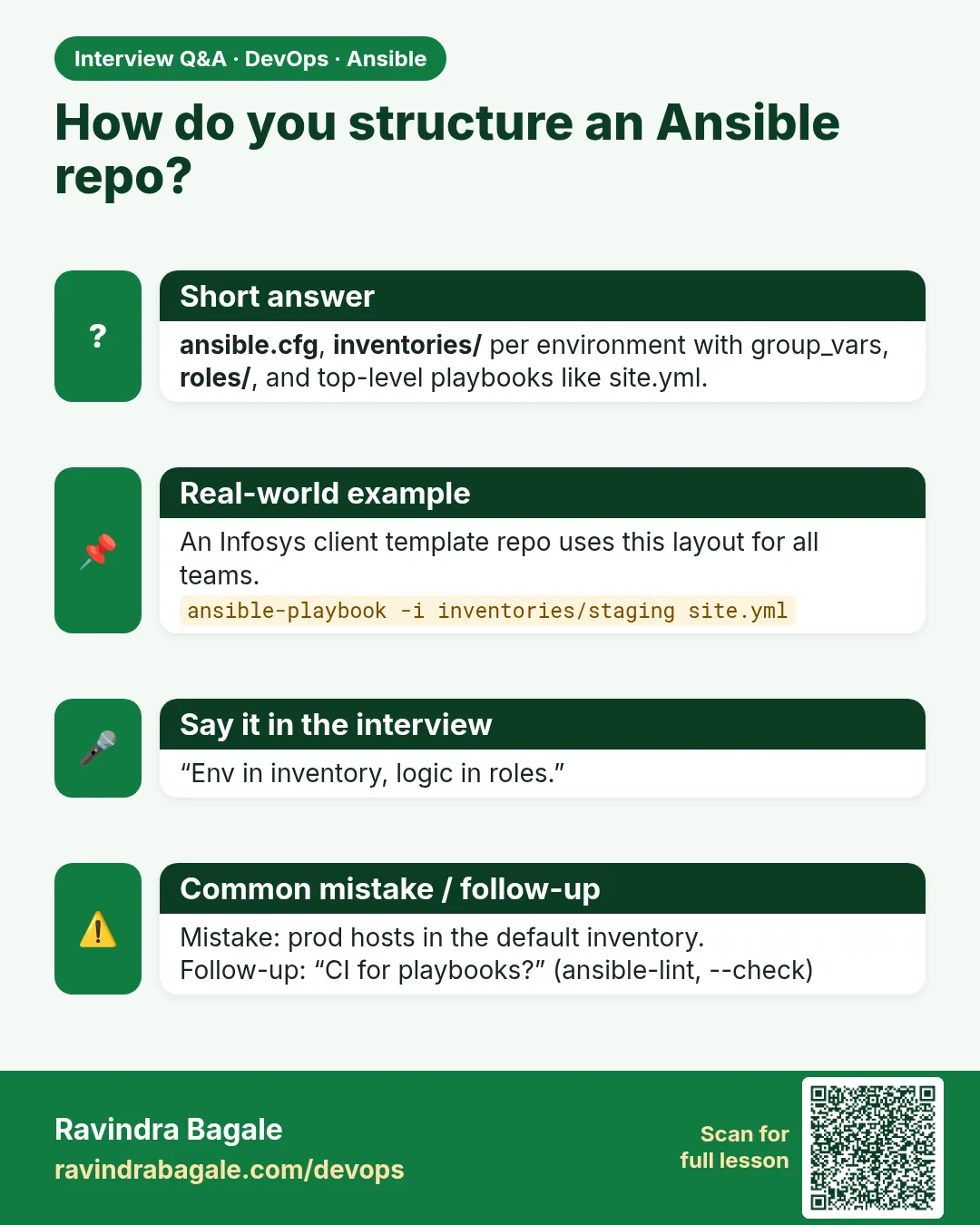
How do you structure an Ansible project?
ansible.cfg, inventory, group_vars, host_vars, playbooks, roles, requirements.yml, README.
-
How do you keep secrets out of Git?
.gitignore, vault, env lookups, pre-commit scans.
-
How do you share roles across teams?
Separate role repos with tags, pulled by requirements.yml or a private Galaxy.
-
What does ansible-lint check?
Deprecated syntax, missing names, risky shell use, idempotence hints.
-
Why pin collection versions?
So a new release does not break runs without warning.
Quick quiz
Q1. Which inventory file do you commit?
hosts.example.ini
Q2. Where do group variables go?
group_vars/GROUP.yml
Q3. What file pins collections?
requirements.yml
Q4. Name one file .gitignore must cover.
*.pem or .vault_pass
Q5. What tool checks playbooks?
ansible-lint
Did you understand? Let us try it once more.
 Revision card
 Interview card