Chapter 11: Ansible Introduction
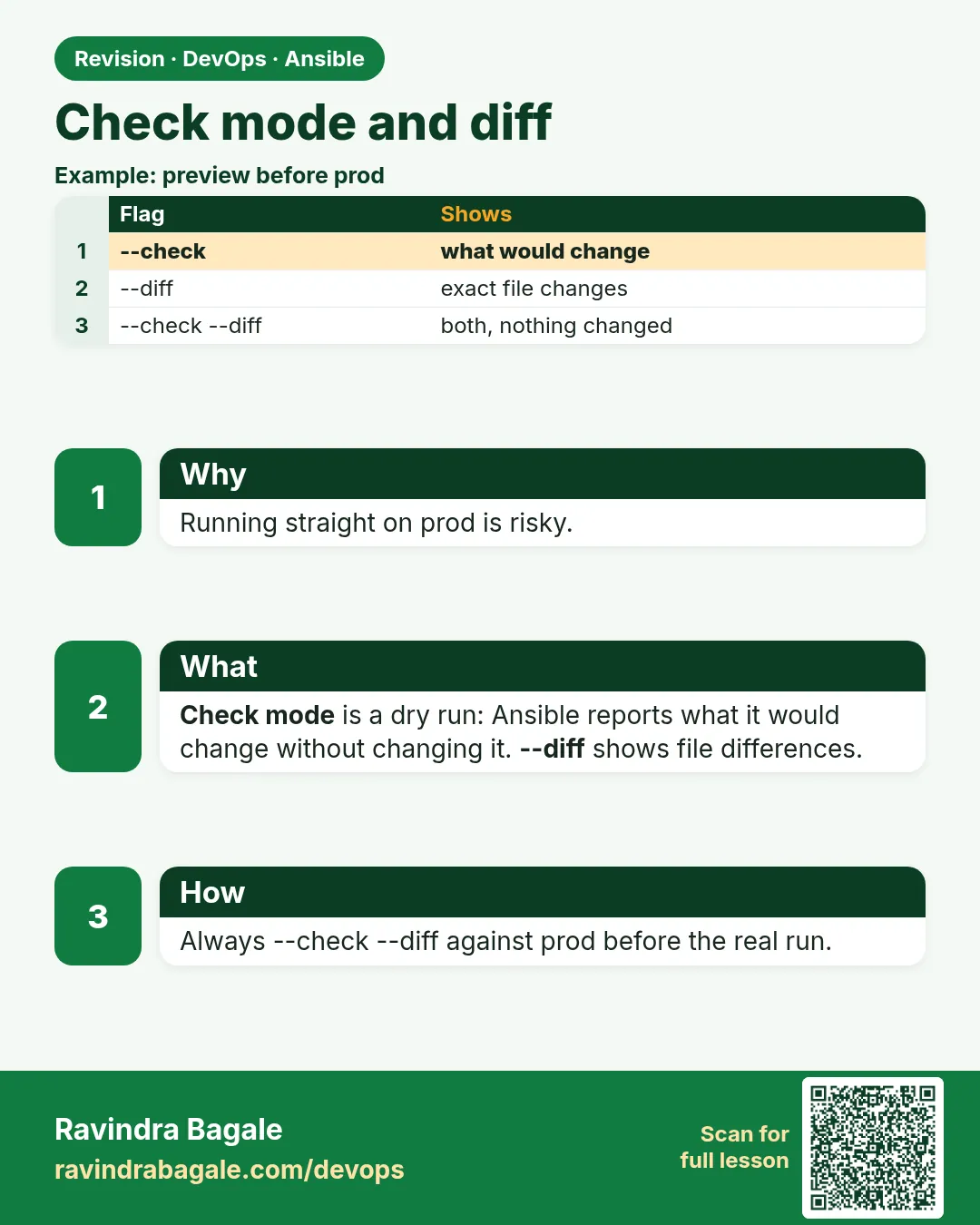
11.9b Check mode and diff
Why: the problem
Suppose we are at HDFC Bank and a playbook must change the SSH config on 50 production servers. One mistake locks everyone out. You want to see exactly what would change before it changes. Check mode (--check) runs the playbook as a test and changes nothing. Diff mode (--diff) shows the before and after lines of each file. Together they are your preview button.
What we will build
You will preview an SSH hardening change with --check --diff, read the diff output, handle tasks that cannot run in check mode, and use check mode on a schedule to find drift on web servers.
What: every term in plain English
- Check mode — A dry run: Ansible reports what would change but changes nothing.
- Diff mode — Shows file changes as before (-) and after (+) lines.
- check_mode: false — Forces one task to really run even in check mode, for safe read-only commands.
- check_mode: true — Forces one task to always be a dry run.
- ansible_check_mode — A variable that is true during a check run.
- Drift report — A scheduled check run that lists servers that no longer match the code.
How: step by step
-
Write the hardening task
vim harden_ssh.ymlWhat it does: Set PasswordAuthentication no.
Output
(file edit) -
Preview with check and diff
ansible-playbook harden_ssh.yml --check --diffWhat it does: Nothing changes yet.
Output
--- before: /etc/ssh/sshd_config +++ after: /etc/ssh/sshd_config -PasswordAuthentication yes +PasswordAuthentication no -
Read the recap
(look at the end)What it does: changed here means would change.
Output
web1 : ok=2 changed=1 unreachable=0 failed=0 -
Try on one server first
ansible-playbook harden_ssh.yml --limit web1What it does: Real run on one host.
Output
web1 : ok=3 changed=1 -
Check you can still log in
ssh ubuntu@10.0.1.11 echo still-inWhat it does: Key login must work.
Output
still-in -
Roll out to the rest
ansible-playbook harden_ssh.ymlWhat it does: Now all servers.
Output
web2 : ok=3 changed=1 -
Scheduled drift check
ansible-playbook site.yml --check --diff | tee drift-$(date +%F).logWhat it does: Run nightly; changed>0 means drift.
Output
web2 : ok=12 changed=1
Example 1: SSH hardening previewed with --check --diff, with validate
Stack. OpenSSH on Ubuntu
Goal. SSH hardening previewed with --check --diff, with validate.
harden_ssh.yml
- hosts: web
  become: true
  tasks:
    - name: No password logins
      ansible.builtin.lineinfile:
        path: /etc/ssh/sshd_config
        regexp: '^#?PasswordAuthentication'
        line: PasswordAuthentication no
        validate: /usr/sbin/sshd -t -f %s
      notify: Reload sshd
  handlers:
    - name: Reload sshd
      ansible.builtin.service: { name: ssh, state: reloaded }
What each line does
regexp— Find the old line, even if it is commented.validate: sshd -t -f %s— Test the new file before saving it.Reload sshd— Keep current sessions open.
Green output
$ ansible-playbook harden_ssh.yml --check --diff
TASK [No password logins] ******************************
--- before: /etc/ssh/sshd_config (content)
+++ after: /etc/ssh/sshd_config (content)
@@ -57 +57 @@
-#PasswordAuthentication yes
+PasswordAuthentication no
changed: [web1]
RUNNING HANDLER [Reload sshd] **************************
changed: [web1]
PLAY RECAP *********************************************
web1 : ok=3 changed=2 unreachable=0 failed=0
Expected result. You saw the exact line before touching prod.
Example 2: A read-only command that must run in check mode, and a task skipped in check mode
Stack. Node app, systemd
Goal. A read-only command that must run in check mode, and a task skipped in check mode.
release_check.yml
- hosts: web
  become: true
  tasks:
    - name: Read current app version (safe, always run)
      ansible.builtin.command: cat /opt/badge-api/VERSION
      register: ver
      check_mode: false
      changed_when: false
    - name: Show version
      ansible.builtin.debug: { msg: "running {{ ver.stdout }}" }
    - name: Restart app (skip in check mode)
      ansible.builtin.systemd: { name: badge-api, state: restarted }
      when: not ansible_check_mode
What each line does
check_mode: false— Run this read-only task for real.when: not ansible_check_mode— Skip during a dry run.
Green output
$ ansible-playbook release_check.yml --check
ok: [web1] => { "msg": "running 1.4.2" }
TASK [Restart app (skip in check mode)] ****************
skipping: [web1]
Expected result. Later tasks get real data; dangerous tasks are skipped.
Example 3: Nightly drift report for a 3-tier app, saved and counted
Stack. Web, app and MySQL tiers, cron
Goal. Nightly drift report for a 3-tier app, saved and counted.
drift.sh
#!/usr/bin/env bash
# run from cron or a CI schedule on the control node
set -uo pipefail
cd /opt/shop-ansible
ansible-playbook site.yml --check --diff > /var/log/ansible/drift-$(date +%F).log 2>&1
grep -E "changed=[1-9]" /var/log/ansible/drift-$(date +%F).log || echo "no drift"
What each line does
--check --diff— Preview only.grep changed=[1-9]— Lines for hosts that drifted.
Green output
web2 : ok=18 changed=1 unreachable=0 failed=0
db1  : ok=11 changed=2 unreachable=0 failed=0
Expected result. web2 and db1 were changed by hand; read the log to see which files.
Verify: did it work?
-
Nothing changed after check
ansible web -a "grep ^PasswordAuthentication /etc/ssh/sshd_config"What it does: After only --check, the old value stays.
Output
#PasswordAuthentication yes -
After real run
ansible web -a "sshd -T" --become | grep passwordauthenticationWhat it does: Effective setting.
Output
passwordauthentication no -
Diff is empty now
ansible-playbook harden_ssh.yml --check --diff | grep -c "^+"What it does: No more changes.
Output
0
When it is red 1
fatal: [web1]: FAILED! => {"msg": "'dict object' has no attribute 'stdout'"} (in check mode)
Cause. A command was skipped in check mode, so register has no stdout.
Fix, step by step
- Add check_mode: false to that safe read-only task.
- Or use default: ver.stdout | default("unknown").
When it is red 2
fatal: [web1]: FAILED! => {"msg": "failed to validate", "stderr": "/etc/ssh/sshd_config line 57: Bad configuration option"}
Cause. validate caught a broken line.
Fix, step by step
- Good: the file was not saved.
- Fix the line and preview again.
When it is red 3
No diff shown for a template change
Cause. Diff mode was not turned on, or the task has diff: false.
Fix, step by step
- Add --diff.
- Remove diff: false unless the file has secrets.
Cleanup
-
Delete old drift logs
find /var/log/ansible -name "drift-*.log" -mtime +30 -deleteWhat it does: Keep 30 days.
Output
(no output)
Ravindra Bagale's Tip
On prod never run anything without --check --diff. Look first, then do.
Prod वर --check --diff शिवाय काहीही चालवू नका. आधी बघा, मग करा.
Prod पर --check --diff के बिना कुछ मत चलाओ. पहले देखो, फिर करो.
Practice tasks
Easy Preview a change
Why: Build the habit.
What to do: Run any playbook with --check --diff.
- Read every + and - line.
Check: You can explain each change.
Medium Write a drift job
Why: Catch hand edits.
What to do: Schedule a nightly check run and save logs.
- Use cron or CI schedule.
Check: A log appears each morning.
Easy Say check and diff mode in two lines
Why: If you can say it simply, you understand it. Interviewers and juniors both need the short version first.
What to do: Write two short lines about check and diff mode for a fresher who knows only Linux basics.
- Write the problem it solves.
- Write the one command or file you use for it.
- Read it aloud to a friend.
Check: A fresher understands it without asking a question.
Easy Start a two-server Ansible lab
Why: Practice needs safe throwaway servers. If you break them, you delete them and start again in one minute.
What to do: Start two Ubuntu containers that accept SSH, and one control machine with Ansible.
- python3 -m pip install --user ansible-core
- docker run -d --name web1 -p 2221:22 lscr.io/linuxserver/openssh-server
- docker run -d --name web2 -p 2222:22 lscr.io/linuxserver/openssh-server
- ansible --version
Check: ansible --version prints a core version, and ssh to both ports works.
Medium Do it on the second setup
Why: The idea must work on a VM, a container and a cloud server. Only the inventory should change, never the playbook.
What to do: Repeat this lesson on a different target than the one you used first.
- If you used containers, use one EC2 or local VM now.
- Change only the inventory file.
- Run the same playbook.
Check: Same result, and you changed only the inventory.
Medium Break it on purpose
Why: You must know the red output by face. On a real outage there is no time to read slowly.
What to do: Cause one error from the "When it is red" part of this lesson and fix it.
- Follow the error section.
- Copy the exact message into your notes.
- Write the fix in one line.
Check: You fixed it using the steps, without searching the web.
Medium Run it twice and read the recap
Why: Idempotence is the heart of Ansible.
What to do: Run your playbook or command two times and compare the PLAY RECAP lines.
- Run once and note changed=.
- Run again with no edits.
- Explain any task that still says changed.
Check: The second run shows changed=0, or you can explain every change.
Medium Write a runbook page
Why: At 2 a.m. nobody remembers flags. A short written page saves the on-call person.
What to do: Write a one-page runbook for this lesson.
- Title, when to use, exact commands, how to check, how to undo.
Check: A teammate can follow it alone.
Hard Explain it like an interview
Why: Interviewers want real stories, not definitions.
What to do: Record a 60 second answer about this lesson.
- Say the problem, the playbook or command, and one error you hit.
Check: Your answer has a real command and a real error message.
Hard Draw the flow top to bottom
Why: A drawing shows the order of work.
What to do: Draw this lesson as boxes from top to bottom.
- Start at your laptop, go through SSH, end at the check on the server.
Check: Each box matches a real step you ran.
Homework: try at home
Try at home
At home, change one config line with lineinfile. Preview it with --check --diff, read the diff, then run it on one host with --limit.
Recap
- --check is a dry run; --diff shows line changes.
- Always preview, then --limit one host, then all.
- check_mode: false for safe read-only tasks.
- Skip risky tasks with when: not ansible_check_mode.
- Nightly check runs find drift.
FAQ
Is check mode 100% accurate?
Mostly. Tasks that depend on earlier real changes may guess wrong.
Does diff show secrets?
It can. Use diff: false or no_log on secret files.
Can I use check mode in CI on pull requests?
Yes, against staging, to show reviewers the changes.
Why use validate?
It tests the new file before saving it.
Does --check run handlers?
It shows them as changed but does not really run them.
What is the difference between --check and --syntax-check?
--syntax-check only reads the YAML; --check connects to servers and simulates every task.
Interview questions
-
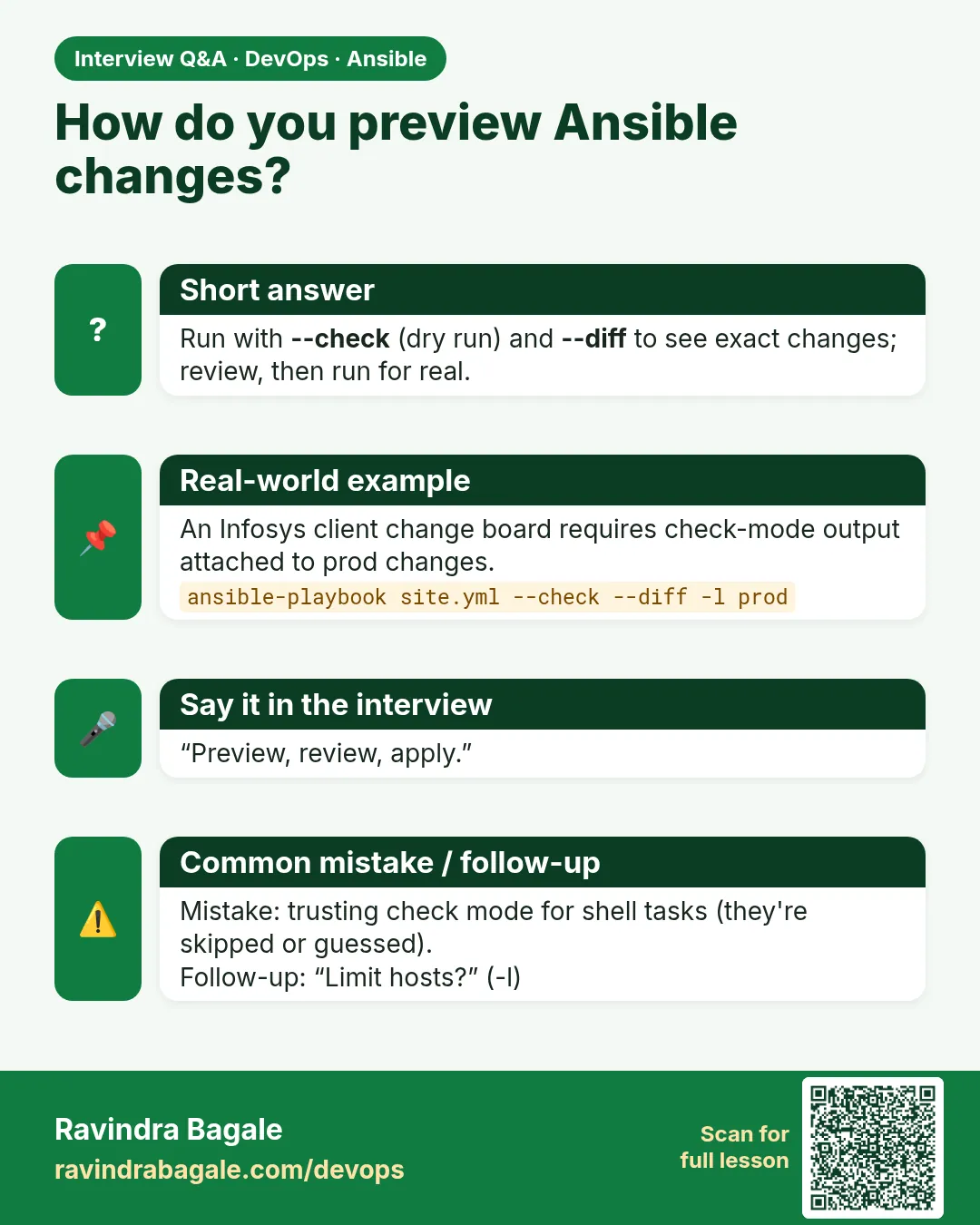
What is check mode in Ansible?
A dry run that reports what would change without changing anything.
-
How do you preview file changes?
--check --diff
-
How do you handle commands in check mode?
check_mode: false for read-only commands, and when: not ansible_check_mode to skip risky ones.
-
How would you detect configuration drift?
Scheduled check and diff runs with alerts when changed is above zero.
-
How do you avoid locking yourself out when changing SSH?
validate with sshd -t, check mode first, one host first, and keep a session open.
-
Why roll out to one host first?
A bad change then hits one server, not fifty, and you can fix it quickly.
Quick quiz
Q1. Does --check change servers?
No.
Q2. What does --diff show?
Before and after lines of changed files.
Q3. How do you force a safe task to run in check mode?
check_mode: false
Q4. Which variable is true in check mode?
ansible_check_mode
Q5. How do you find drift?
Scheduled --check --diff runs.
Did you understand? Let us try it once more.
 Revision card
 Interview card