Chapter 16: Capstone — Ship It End-to-End
16.9 End-to-end checklist (print or tick in CHECKLIST.md)
Why: the problem
Suppose an Infosys release manager asks: "Is the badge API ready?" You say yes. Then she finds a .env file in Git and no cleanup done. A checklist on paper is easy to tick without checking. Netflix-style teams turn checklists into scripts that really check. In this lesson every checklist line becomes a command with a pass or fail.
What we will build
docs/CHECKLIST.md with ten checks, and ops/checklist.sh that runs all ten, prints PASS or FAIL for each and writes a Markdown result you can paste into your evidence pack. Then the same checks as a CI job, and a Python version.
What: every term in plain English
- Checklist — A list of must-pass items before calling work done.
- Automated check — A command that proves an item, instead of a human tick.
- git ls-files — Lists files Git tracks. Good for finding committed secrets.
- Dangling resource — Something left running after a lab, costing money.
How: step by step
-
Write CHECKLIST.md
nano docs/CHECKLIST.mdWhat it does: Lists ten checks in plain words.
Output
(no output) -
Write the script
nano ops/checklist.sh # Example 1What it does: Each line becomes a test.
Output
(no output) -
Run it
ops/checklist.shWhat it does: Runs every check.
Output
PASS health returns 200 PASS no .env tracked ... FAIL kind cluster deleted 9/10 passed -
Fix and rerun
kind delete cluster --name shipit && ops/checklist.sh | tail -1What it does: Clean up and check again.
Output
10/10 passed
Example 1: Run every checklist item as a real command
Stack. Bash
Goal. Run every checklist item as a real command.
ops/checklist.sh
#!/usr/bin/env bash
# ops/checklist.sh — automated Ship-It checklist
set -uo pipefail
pass=0; total=0; out=docs/CHECKLIST-RESULT.md
echo "# Checklist result $(date -Iseconds)" > "$out"
check() {               # check "<label>" <command...>
  local label="$1"; shift; total=$((total+1))
  if "$@" >/dev/null 2>&1; then echo "PASS $label"; echo "- [x] $label" >> "$out"; pass=$((pass+1))
  else echo "FAIL $label"; echo "- [ ] $label" >> "$out"; fi
}
check "health returns 200"          curl -fsS --max-time 3 localhost:3000/health
check "no .env tracked"             bash -c '! git ls-files | grep -qx ".env"'
check "no key files tracked"        bash -c '! git ls-files | grep -Eq "\.(pem|key)$"'
check "no tfstate tracked"          bash -c '! git ls-files | grep -q tfstate'
check "Dockerfile exists"           test -f Dockerfile
check "CI workflow exists"          test -f .github/workflows/ci.yml
check "runbook has rollback"        grep -q "## Rollback" docs/RUNBOOK.md
check "tests pass"                  npm test --prefix app
check "image runs as non-root"      bash -c '[ "$(docker inspect -f {{.Config.User}} badge-api:local)" = node ]'
check "kind cluster deleted"        bash -c '! kind get clusters 2>/dev/null | grep -qx shipit'
echo "$pass/$total passed" | tee -a "$out"
[ "$pass" -eq "$total" ]
What each line does
check() { ... }— A helper: run a command; PASS if exit 0, else FAIL.local label="$1"; shift— Takes the label, then the rest is the command."$@"— Runs the command exactly as given.! git ls-files | grep -qx ".env"— PASS only when .env is NOT tracked.{{.Config.User}}— Reads the USER set in the image.tee -a "$out"— Prints and appends to the result file.
Green output
PASS health returns 200
PASS no .env tracked
PASS no key files tracked
PASS no tfstate tracked
PASS Dockerfile exists
PASS CI workflow exists
PASS runbook has rollback
PASS tests pass
PASS image runs as non-root
FAIL kind cluster deleted
9/10 passed
Expected result. You see exactly what is left, and a Markdown copy is saved.
Example 2: Run the safe checks in CI on every PR
Stack. GitHub Actions
Goal. Run the safe checks in CI on every PR.
.github/workflows/checklist.yml
name: checklist
on: [pull_request]
jobs:
  repo-hygiene:
    runs-on: ubuntu-latest
    steps:
      - uses: actions/checkout@v4
      - name: No secrets tracked
        run: |
          if git ls-files | grep -Eq '(^|/)\.env$|\.(pem|key)$|tfstate'; then
            echo "secret-like file tracked"; git ls-files | grep -E '\.env$|\.(pem|key)$|tfstate'; exit 1
          fi
      - name: Required files
        run: |
          for f in Dockerfile docs/RUNBOOK.md docs/CHECKLIST.md .github/workflows/ci.yml; do
            test -f "$f" || { echo "missing $f"; exit 1; }
          done
What each line does
on: [pull_request]— Runs on every PR.git ls-files | grep -Eq ...— Fails the PR if a secret-like file is tracked.test -f "$f" || {...}— Fails if a required file is missing.
Green output
repo-hygiene
  ✓ No secrets tracked
  ✓ Required files
Expected result. Bad PRs are blocked before merge.
Example 3: Write the checklist in Python with a JSON result
Stack. Python 3
Goal. Write the checklist in Python with a JSON result.
tools/checklist.py
#!/usr/bin/env python3
import json, subprocess, sys, urllib.request

def health():
    with urllib.request.urlopen("http://localhost:3000/health", timeout=3) as r:
        return r.status == 200

def tracked(pattern):
    files = subprocess.run(["git", "ls-files"], capture_output=True, text=True).stdout.split()
    return any(f.endswith(pattern) for f in files)

CHECKS = {
    "health returns 200": health,
    "no .env tracked": lambda: not tracked(".env"),
    "no .pem tracked": lambda: not tracked(".pem"),
}
results = {}
for name, fn in CHECKS.items():
    try:
        results[name] = bool(fn())
    except Exception:
        results[name] = False
    print(("PASS " if results[name] else "FAIL ") + name)
json.dump(results, open("checklist.json", "w"), indent=2)
sys.exit(0 if all(results.values()) else 1)
What each line does
urllib.request.urlopen(..., timeout=3)— Calls /health with the standard library.subprocess.run(["git","ls-files"])— Gets tracked files.CHECKS = {...}— Name → function. Easy to add checks.except Exception: False— A crash counts as FAIL, not as a script error.
Green output
PASS health returns 200
PASS no .env tracked
PASS no .pem tracked
Expected result. Same idea, JSON output for dashboards.
Example 4: Make the checklist machine-checked
Stack. Bash
Goal. Make the checklist machine-checked.
ops/checklist.sh
#!/usr/bin/env bash
pass=0; total=0
item() { total=$((total+1)); if eval "$2" > /dev/null 2>&1; then echo "[x] $1"; pass=$((pass+1)); else echo "[ ] $1"; fi; }
item "tests pass"          "cd app && npm test"
item "image builds"        "docker build -q -t badge-api:check app"
item "health answers"      "curl -fs localhost:3000/health"
item "runbook exists"      "test -s docs/RUNBOOK.md"
item "no secrets in git"   "! git grep -nE 'AKIA[0-9A-Z]{16}|BEGIN RSA PRIVATE KEY'"
echo "$pass/$total done"
[ "$pass" = "$total" ]
What each line does
item()— Run one check, print [x] or [ ].! git grep— Passes only when no secret pattern is found.last line— Exit 0 only when all items pass.
Green output
[x] tests pass
[x] image builds
[x] health answers
[x] runbook exists
[x] no secrets in git
5/5 done
Expected result. The checklist ticks itself. No one can tick a box that is not true.
Example 5: Run the checklist in CI on every merge request
Stack. GitLab CI
Goal. Run the checklist in CI on every merge request.
.gitlab-ci.yml part
checklist:
  stage: verify
  script: [bash ops/checklist.sh]
  artifacts:
    when: always
    paths: [docs/CHECKLIST-RESULT.md]
What each line does
when: always— Keep the result even when it fails.artifacts— Download the result from the job page.
Green output
[x] tests pass
...
5/5 done
Job succeeded
Expected result. The team sees the same checklist on every change.
Verify: did it work?
-
Result file
cat docs/CHECKLIST-RESULT.mdWhat it does: The pasteable result.
Output
# Checklist result 2026-10-25T12:01:10+05:30
- [x] health returns 200
...
10/10 passed
When it is red 1
FAIL tests pass (but npm test passes by hand)
Cause. The script runs from another folder, so --prefix app is wrong.
Fix, step by step
- Run ops/checklist.sh from the repo root.
- Or add cd "$(git rev-parse --show-toplevel)" at the top.
When it is red 2
FAIL no .env tracked
Cause. .env was committed earlier.
Fix, step by step
- git rm --cached .env
- Commit.
- Rotate any secret inside it.
When it is red 3
[ ] no secrets in git
Cause. A secret pattern was found in the repo.
Fix, step by step
- git grep to find it.
- Remove it, rotate the key, and use a secret store.
Cleanup
-
Remove generated files
rm -f checklist.jsonWhat it does: The JSON is recreated each run.
Output
(no output)
Ravindra Bagale's Tip
Do not submit the capstone until the checklist is 10/10.
Checklist 10/10 झाल्याशिवाय capstone submit करू नका.
Checklist 10/10 होने तक capstone submit मत करो.
Practice tasks
Easy Run checklist
Why: Doing it once with your own hands makes it stick.
What to do: Run ops/checklist.sh.
- ops/checklist.sh
Check: Counts print.
Easy Read result
Why: Doing it once with your own hands makes it stick.
What to do: Open CHECKLIST-RESULT.md.
- cat docs/CHECKLIST-RESULT.md
Check: Ticks match.
Easy Fix one FAIL
Why: Doing it once with your own hands makes it stick.
What to do: Fix any FAIL.
- Read the label.
- Fix.
- Rerun.
Check: It turns PASS.
Easy CI job
Why: Doing it once with your own hands makes it stick.
What to do: Add checklist.yml.
- Commit.
- Open PR.
Check: Job green.
Medium Break hygiene
Why: Doing it once with your own hands makes it stick.
What to do: Commit fake.pem on a branch.
- git add -f fake.pem
- push
Check: CI fails.
Medium Python version
Why: Doing it once with your own hands makes it stick.
What to do: Run checklist.py.
- python3 tools/checklist.py
Check: checklist.json.
Medium Add check
Why: Doing it once with your own hands makes it stick.
What to do: Add "compose file exists".
- Add a check line.
Check: Count grows.
Medium Root-safe
Why: Doing it once with your own hands makes it stick.
What to do: Add cd to repo root.
- Edit script.
Check: Works from any folder.
Hard Root containers
Why: Doing it once with your own hands makes it stick.
What to do: Add a non-root check for all containers.
- Loop docker ps -q.
Check: PASS.
Hard AWS check
Why: Doing it once with your own hands makes it stick.
What to do: Add a no-running-lab-instances check.
- Use aws ec2 describe-instances.
Check: PASS after cleanup.
Homework: try at home
Try at home
Add two checks: 'no container runs as root' (docker inspect User for each running container) and 'AWS has no running lab instances' (aws ec2 describe-instances with a tag filter, expecting zero).
Recap
- Turn every checklist item into a command.
- PASS/FAIL plus a saved result.
- CI runs the safe checks on PRs.
- Fix secrets by untracking and rotating.
FAQ
How many checks?
Ten is good for the capstone.
Can checks call AWS?
Yes, with read-only credentials.
Why Markdown result?
Easy to paste in your evidence pack.
Do I still need CHECKLIST.md?
Yes, it explains each check in words.
Can a check be slow?
Keep each under a few seconds.
Paper checklist or script?
Both: the Markdown for humans, the script for proof.
What if one item cannot pass?
Mark it known issue with a plan; do not delete it.
How often should I run it?
Before every demo and in CI on every merge.
Who ticks the manual items?
You, during the dry run, with the date next to each tick.
Interview questions
-
How do you prove a service is release-ready?
Automated checks: tests, health, hygiene, docs, cleanup.
-
How do you detect committed secrets?
git ls-files patterns, scanners like gitleaks, CI checks.
-
What is a release gate?
A check that must pass before deploy.
-
Why save check results?
Audit trail and evidence.
-
How to make checks maintainable?
One helper, one line per check.
Quick quiz
Q1. Why automate a checklist?
Ticks can lie; commands cannot.
Q2. How do you check a file is not tracked?
git ls-files | grep.
Q3. What does "$@" do in check()?
Runs the remaining arguments as the command.
Q4. What if .env was committed?
Untrack it and rotate the secrets.
Q5. Why also run checks in CI?
Block problems before merge.
Did you understand? Let us try it once more.
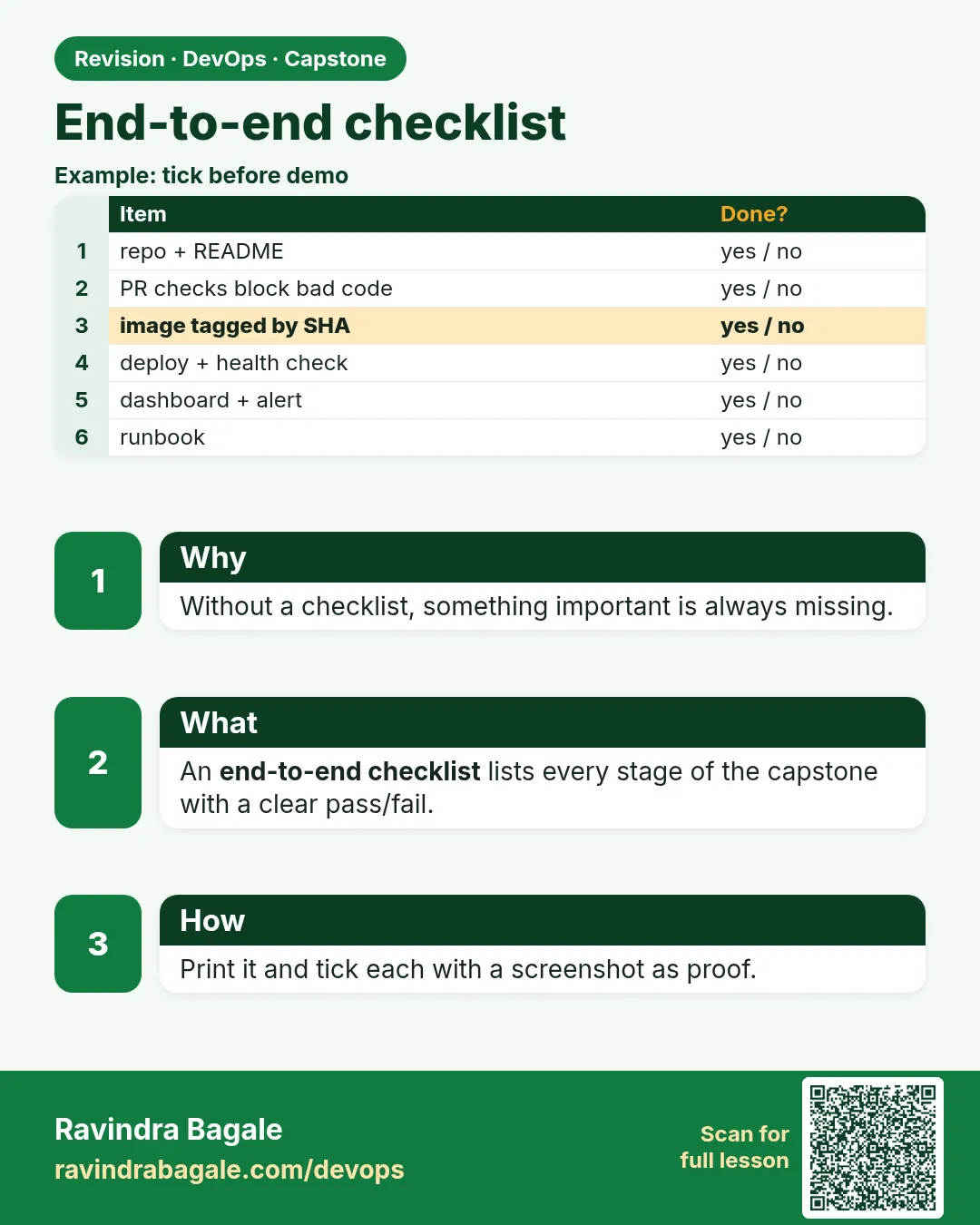 Revision card
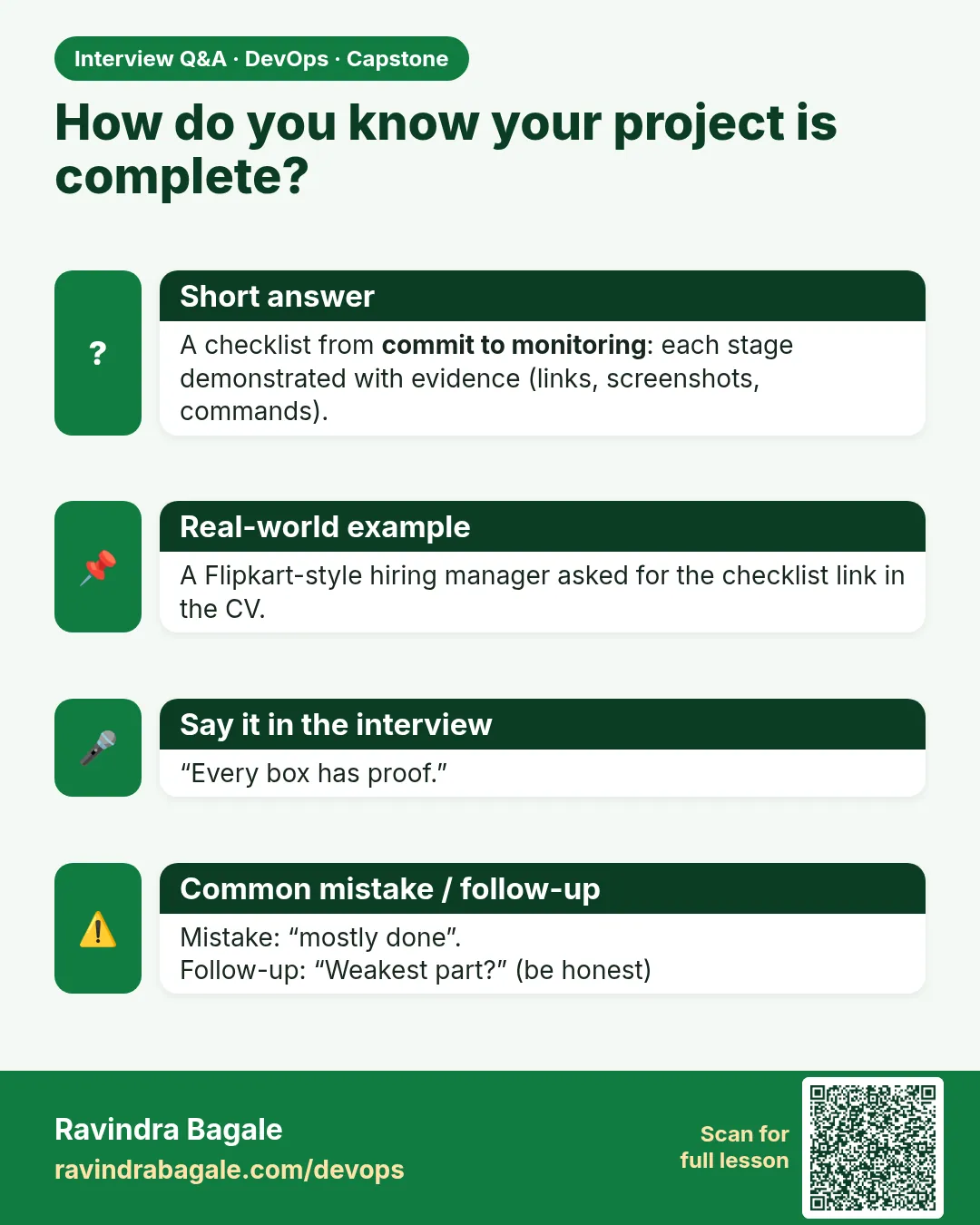 Interview card