Chapter 16: Capstone — Ship It End-to-End
16.12b Definition of done — acceptance demo
Why: the problem
Suppose the Infosys client says: "We accept the badge API when it passes our checks." Which checks? If they are not written, the meeting becomes an argument. An acceptance demo is a set of tests both sides agree on before work starts, and run together at the end. In this lesson you write them three ways: a curl script, a pytest suite and a k6 load check.
What we will build
tests/acceptance.sh (black-box curl checks against any URL), tests/test_acceptance.py (the same in pytest with readable failures) and tests/load.js (a k6 check: 20 users for 30 seconds, 95% of requests under 300 ms).
What: every term in plain English
- Acceptance test — A check that the customer agrees proves the work is done.
- Black-box test — Tests only through the public URL, without knowing the code.
- BASE_URL — The address to test: laptop, kind or AWS.
- k6 — A load-testing tool that runs JavaScript scenarios.
- p95 — 95% of requests were faster than this time.
How: step by step
-
Write acceptance.sh
nano tests/acceptance.sh # Example 1What it does: Black-box checks.
Output
(no output) -
Run on the laptop
BASE_URL=http://localhost:3000 tests/acceptance.shWhat it does: Runs against the local app.
Output
ok health 200 ok badge json ok bad input 400 ok unknown path 404 4/4 accepted -
Run on another target
BASE_URL=http://13.233.10.20 tests/acceptance.shWhat it does: Same checks, cloud copy.
Output
4/4 accepted
Example 1: Black-box acceptance with curl
Stack. Bash, curl
Goal. Black-box acceptance with curl.
tests/acceptance.sh
#!/usr/bin/env bash
# tests/acceptance.sh — agreed acceptance checks; BASE_URL required
set -uo pipefail
B="${BASE_URL:?set BASE_URL}"; ok=0; n=0
expect() {  # expect <label> <code> <path> [grep-text]
  n=$((n+1)); body=$(curl -s -o /tmp/acc.$$ -w "%{http_code}" "$B$3")
  if [ "$body" = "$2" ] && { [ -z "${4:-}" ] || grep -q "$4" /tmp/acc.$$; }; then
    echo "ok   $1"; ok=$((ok+1)); else echo "FAIL $1 (got $body)"; fi
}
expect "health 200"     200 /health '"status":"ok"'
expect "badge json"     200 /badge/infosys_qa '"badge":"verified-learner"'
expect "bad input 400"  400 /badge/NO
expect "unknown path 404" 404 /nope
rm -f /tmp/acc.$$
echo "$ok/$n accepted"; [ "$ok" -eq "$n" ]
What each line does
B="${BASE_URL:?...}"— Stops if BASE_URL is missing.curl -s -o FILE -w "%{http_code}"— Saves body to a file, prints only the status.expect "..." 200 /health '"status":"ok"'— Status must match and body must contain the text.$$— The script's process ID, for a unique temp file.
Green output
ok   health 200
ok   badge json
ok   bad input 400
ok   unknown path 404
4/4 accepted
Expected result. One script accepts any environment.
Example 2: The same acceptance in pytest with clear failure messages
Stack. Python, pytest, requests
Goal. The same acceptance in pytest with clear failure messages.
tests/test_acceptance.py
import os
import requests

BASE = os.environ["BASE_URL"]

def get(path):
    return requests.get(BASE + path, timeout=5)

def test_health():
    r = get("/health")
    assert r.status_code == 200, r.text
    assert r.json()["status"] == "ok"

def test_badge():
    r = get("/badge/infosys_qa")
    assert r.json() == {"user": "infosys_qa", "badge": "verified-learner", "issuedBy": "shipit"}

def test_bad_input():
    assert get("/badge/NO").status_code == 400

def test_version_is_not_dev():
    assert get("/health").json()["version"] != "dev", "deployed build must carry a real version"
What each line does
BASE = os.environ["BASE_URL"]— Target from the environment.timeout=5— Never hang forever.assert ..., r.text— On failure, prints the body to help diagnosis.test_version_is_not_dev— Acceptance rule: a deployed build must have a real version.
Green output
$ BASE_URL=http://localhost:3000 pytest -q tests/test_acceptance.py
...F
E   AssertionError: deployed build must carry a real version
3 passed, 1 failed
Expected result. Locally "dev" fails the version rule, as intended; the CI-built image passes.
Example 3: A small load check with k6
Stack. k6 in Docker
Goal. A small load check with k6.
tests/load.js
import http from "k6/http";
import { check, sleep } from "k6";

export const options = {
  vus: 20,
  duration: "30s",
};

export default function () {
  const res = http.get(`${__ENV.BASE_URL}/badge/load_user`);
  check(res, {
    "status 200": (r) => r.status === 200,
    "under 300 ms": (r) => 300 > r.timings.duration,
  });
  sleep(0.5);
}
What each line does
vus: 20— 20 virtual users at once.300 > r.timings.duration— Each response must take less than 300 ms; k6 counts the misses.__ENV.BASE_URL— Reads the target.check(...)— Counts passes and failures.
Green output
$ cat tests/load.js | docker run --rm -i --network host -e BASE_URL=http://localhost:3000 grafana/k6 run -
     ✓ status 200
     http_req_duration..: avg=3.1ms p(95)=6.8ms
     http_req_failed....: 0.00%
     ✓ under 300 ms
Expected result. The API handles 20 users easily within the agreed limit.
Example 4: An acceptance script that a reviewer runs
Stack. Bash, curl
Goal. An acceptance script that a reviewer runs.
ops/accept.sh
#!/usr/bin/env bash
set -u
ok=0; n=0
t() { n=$((n+1)); if eval "$2" > /dev/null 2>&1; then echo "PASS $1"; ok=$((ok+1)); else echo "FAIL $1"; fi; }
BASE="${BASE:-http://localhost:30080}"
t "health is ok"        "curl -fs $BASE/health | grep -q ok"
t "badge for gold user" "curl -fs $BASE/badge/ravi?points=120 | grep -q gold"
t "unknown route 404"   "[ \"$(curl -s -o /dev/null -w %{http_code} $BASE/nope)\" = 404 ]"
t "version is a sha"    "curl -fs $BASE/health | grep -qE '[0-9a-f]{7}'"
t "rollback works"      "ops/rollback.sh"
echo "$ok/$n accepted"
[ "$ok" = "$n" ]
What each line does
BASE— Change the URL for VM or kind.404 check— Wrong URLs must not crash the app.version sha— Proves which commit is live.
Green output
PASS health is ok
PASS badge for gold user
PASS unknown route 404
PASS version is a sha
PASS rollback works
5/5 accepted
Expected result. Done means this script says 5/5, not "I think it works".
Example 5: Write the acceptance criteria as Given, When, Then
Stack. Markdown
Goal. Write the acceptance criteria as Given, When, Then.
docs/ACCEPTANCE.md
1. Given the app is deployed, when I GET /health, then I see status ok and a 7-character version.
2. Given a user with 120 points, when I GET /badge/ravi?points=120, then level is gold.
3. Given a bad deploy, when I run ops/rollback.sh, then the old version answers within 60 seconds.
4. Given a fresh clone, when I run make test, then all tests pass.
What each line does
Given— The starting state.When— The action.Then— The result you can check.
Green output
(each line maps to one check in ops/accept.sh)
Expected result. Trainers and managers read the Markdown; the script proves it.
Example 6: Run acceptance in CI after deploy
Stack. GitLab CI
Goal. Run acceptance in CI after deploy.
.gitlab-ci.yml part
accept:
  stage: verify
  image: alpine:3.20
  before_script: [apk add --no-cache bash curl]
  script: [BASE=http://$DEPLOY_HOST:30080 bash ops/accept.sh]
  needs: [deploy]
What each line does
needs: [deploy]— Runs right after deploy.apk add— Alpine needs bash and curl.
Green output
PASS health is ok
...
5/5 accepted
Job succeeded
Expected result. A pipeline that ends with acceptance is a real definition of done.
Example 7: Check response time as part of acceptance
Stack. curl
Goal. Check response time as part of acceptance.
commands
curl -s -o /dev/null -w "%{http_code} %{time_total}s" localhost:30080/health; echo
What each line does
-w— Print status and total time.-o /dev/null— Hide the body.
Green output
200 0.004s
Expected result. Fast and correct. Add it as one more line in accept.sh.
Verify: did it work?
-
Exit code
BASE_URL=http://localhost:3000 tests/acceptance.sh >/dev/null; echo $?What it does: 0 means accepted.
Output
0
When it is red 1
set BASE_URL
Cause. You forgot BASE_URL.
Fix, step by step
- export BASE_URL=http://localhost:3000
- Run again.
When it is red 2
requests.exceptions.ConnectionError: HTTPConnectionPool(host='localhost', port=3000)
Cause. The app is not running at that address.
Fix, step by step
- ops/health.sh
- Start the app or fix BASE_URL.
When it is red 3
✗ under 300 ms
Cause. Too slow under load.
Fix, step by step
- Check docker stats for CPU limits.
- Raise replicas or resources.
- Run again.
When it is red 4
FAIL unknown route 404
Cause. App returns 500 or 200 for unknown paths.
Fix, step by step
- Add a final 404 handler in server.js.
- Run the tests and accept.sh again.
When it is red 5
4/5 accepted
Cause. One check failed, so the script exits 1.
Fix, step by step
- Read the FAIL line.
- Fix that part, then run again.
Cleanup
-
Stop app
docker rm -f badge-apiWhat it does: Stops the test target.
Output
badge-api
Ravindra Bagale's Tip
Write acceptance tests first, work later.
Acceptance tests आधी लिहा, काम नंतर.
Acceptance tests पहले लिखो, काम बाद में.
Practice tasks
Easy Run acceptance.sh
Why: Doing it once with your own hands makes it stick.
What to do: Run against localhost.
- BASE_URL=... tests/acceptance.sh
Check: 4/4.
Easy Break one
Why: Doing it once with your own hands makes it stick.
What to do: Stop the app and run.
- docker rm -f badge-api
- run
Check: FAIL lines.
Easy pytest
Why: Doing it once with your own hands makes it stick.
What to do: Run test_acceptance.py.
- pip install requests pytest
Check: Results print.
Easy Version rule
Why: Doing it once with your own hands makes it stick.
What to do: Run with APP_VERSION=v1.
- Restart app with env.
Check: 4 passed.
Medium k6
Why: Doing it once with your own hands makes it stick.
What to do: Run the load check.
- docker run grafana/k6 ...
Check: thresholds passed.
Medium kind target
Why: Doing it once with your own hands makes it stick.
What to do: Run against port-forward.
- BASE_URL=http://localhost:8080
Check: 4/4.
Medium New rule
Why: Doing it once with your own hands makes it stick.
What to do: Add a /version check.
- Add expect line.
Check: 5/5.
Medium CI
Why: Doing it once with your own hands makes it stick.
What to do: Run acceptance in CI after compose up.
- Add a job.
Check: Green.
Hard Tight threshold
Why: Doing it once with your own hands makes it stick.
What to do: Set p95<5ms.
- Edit load.js.
Check: See it fail.
Hard Cloud target
Why: Doing it once with your own hands makes it stick.
What to do: Run on EC2.
- BASE_URL=http://IP
Check: 4/4.
Homework: try at home
Try at home
Agree on one more acceptance rule with a friend (for example: /badge must answer in under 100 ms for one user). Write it in all three tools.
Recap
- Acceptance tests are agreed in advance.
- Black-box tests use only the URL.
- Same tests for every environment.
- k6 adds a speed promise.
FAQ
Unit or acceptance?
Both. Unit checks code; acceptance checks the promise.
Is k6 free?
Yes, open source.
Why requests and not urllib?
Easier to read. Either works.
Can acceptance run in CD?
Yes, as a gate after deploy.
How many VUs?
Start small; match expected traffic.
Who decides done?
You and the reviewer agree on the acceptance list before you build.
Can acceptance change later?
Yes, but agree the change in writing.
Is 5 checks enough?
For a capstone, yes. Real teams at Razorpay or Swiggy have many more.
Interview questions
-
What is acceptance testing?
Agreed checks proving the system meets requirements.
-
How do you gate a deploy?
Run smoke/acceptance after deploy; roll back on failure.
-
What is p95 latency?
95th percentile response time.
-
How do you load test?
Tools like k6/JMeter with thresholds.
-
Black-box vs white-box?
Outside-only vs knowing internals.
Quick quiz
Q1. What is a black-box test?
A test through the public interface only.
Q2. Why BASE_URL?
Same tests for every environment.
Q3. What does p95 < 300 mean?
95% of requests under 300 ms.
Q4. Why fail on version "dev"?
Deployed builds must be traceable.
Q5. Who agrees acceptance tests?
Customer and team, before work starts.
Did you understand? Let us try it once more.
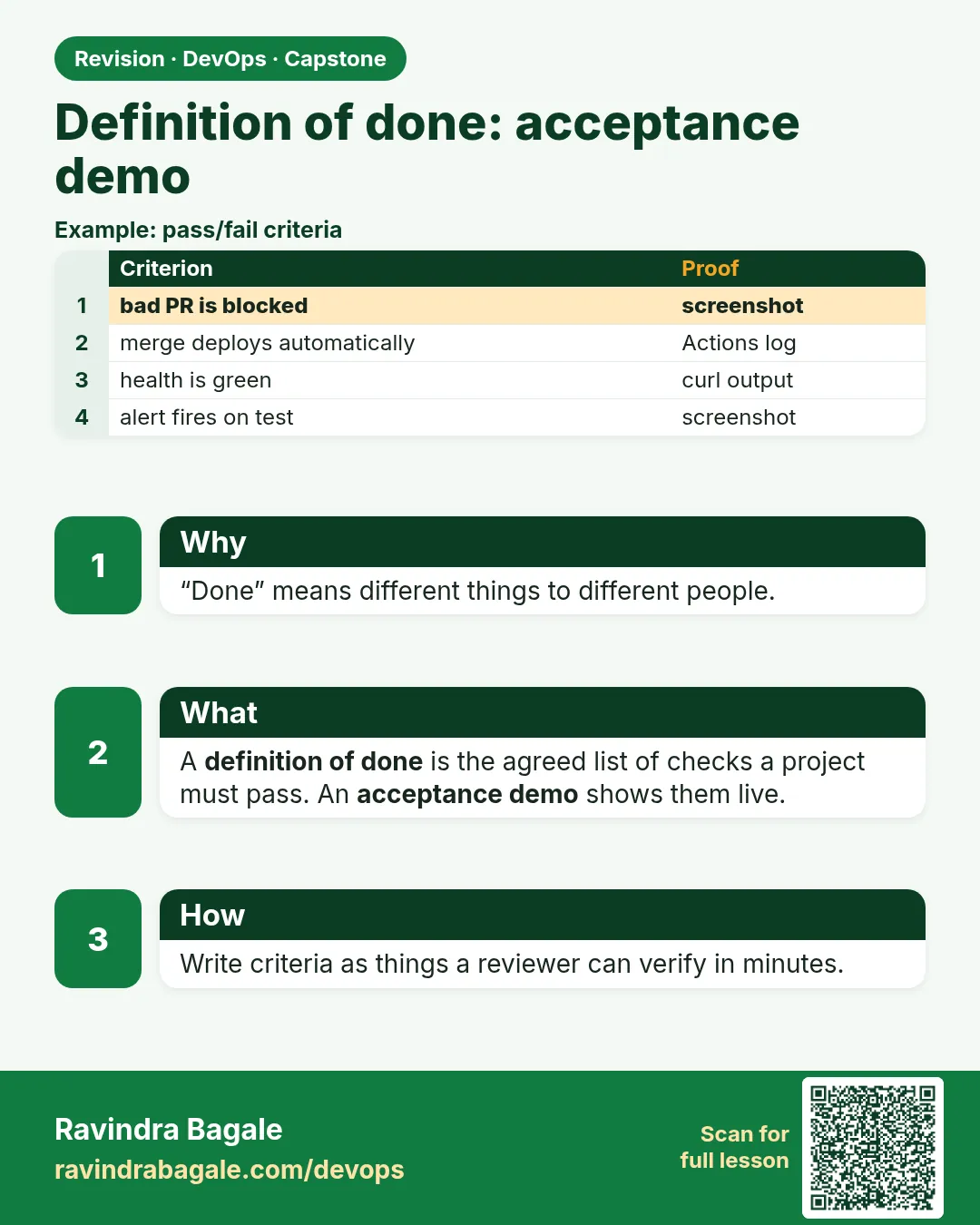 Revision card
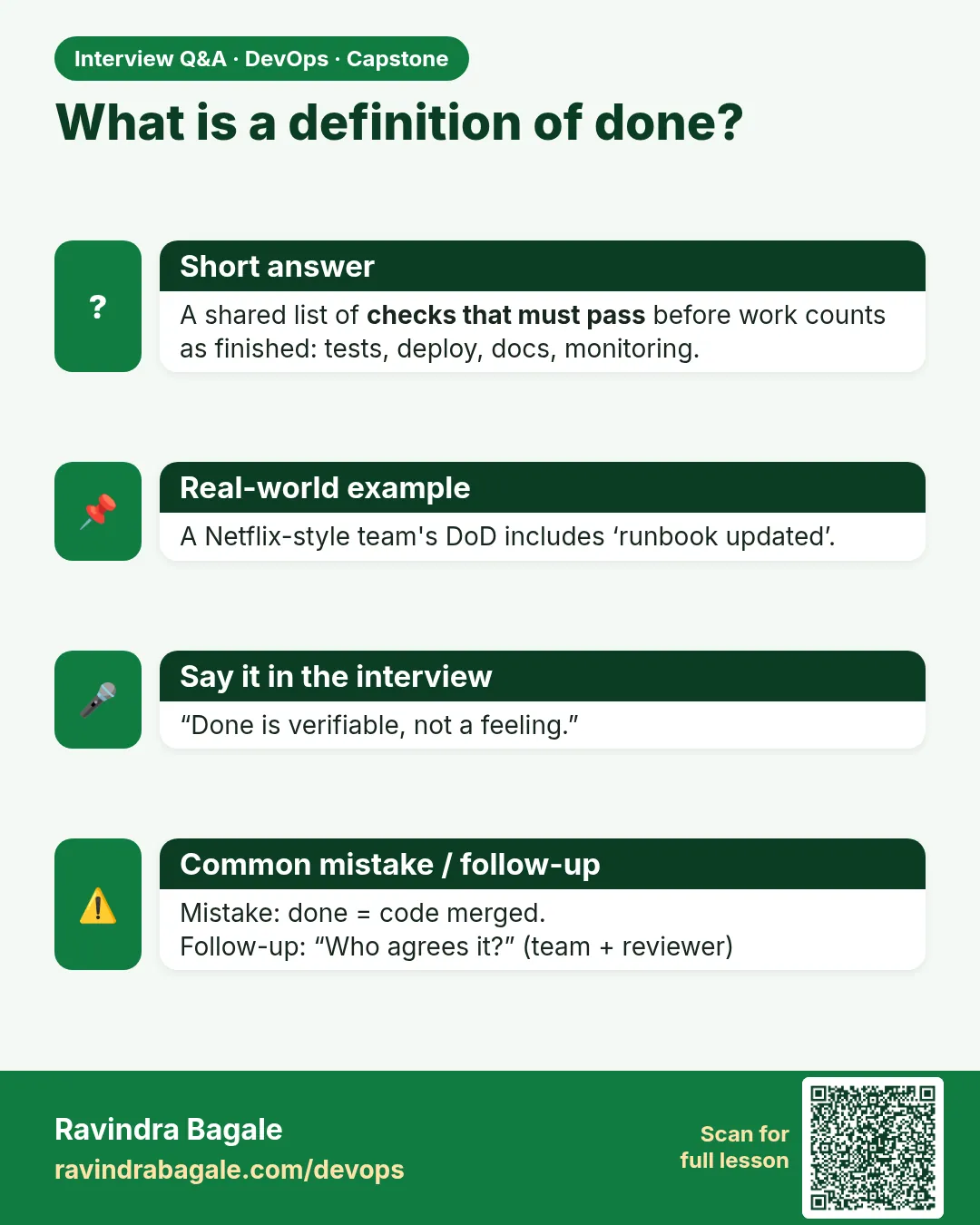 Interview card
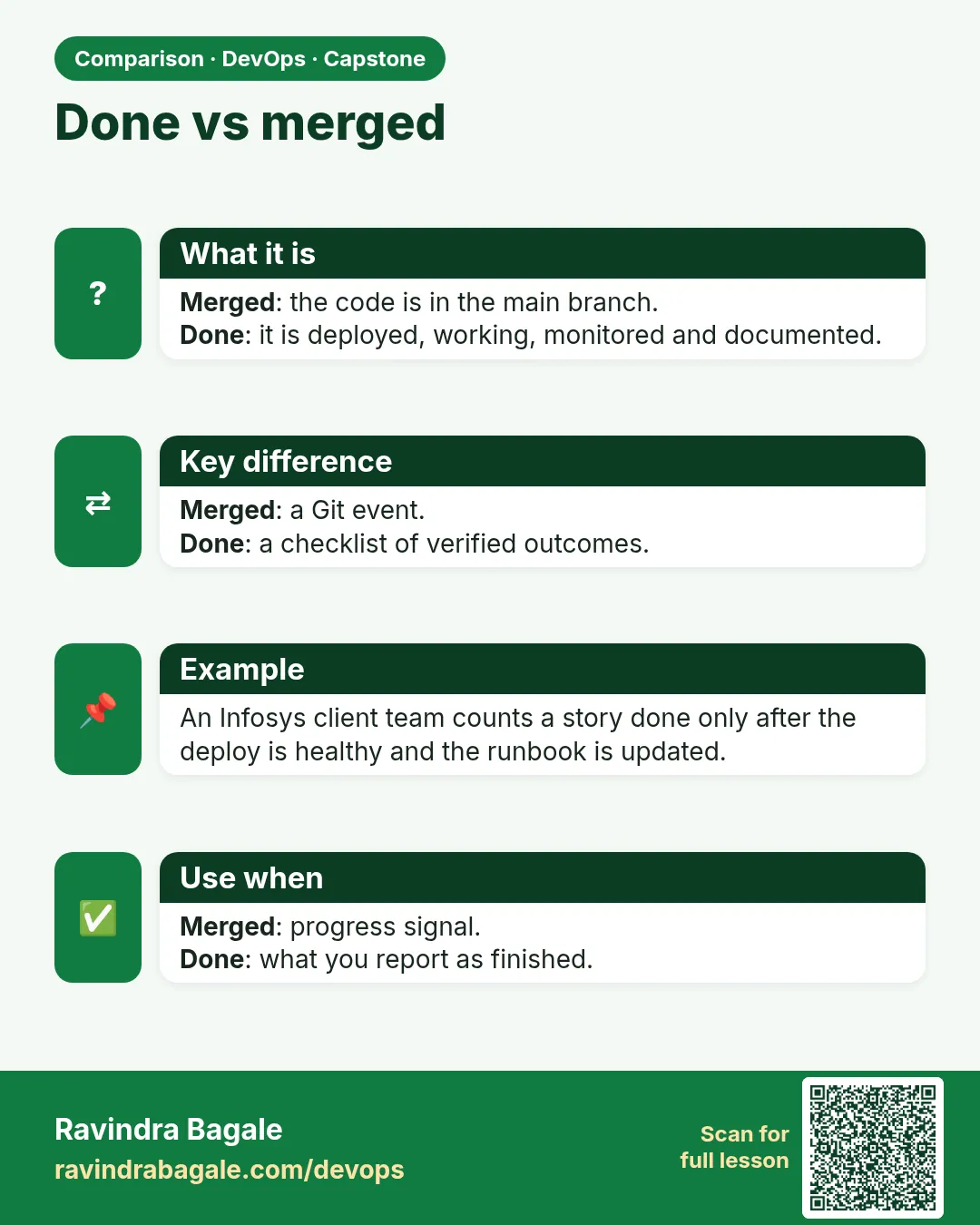 Comparison card