Chapter 16: Capstone — Ship It End-to-End
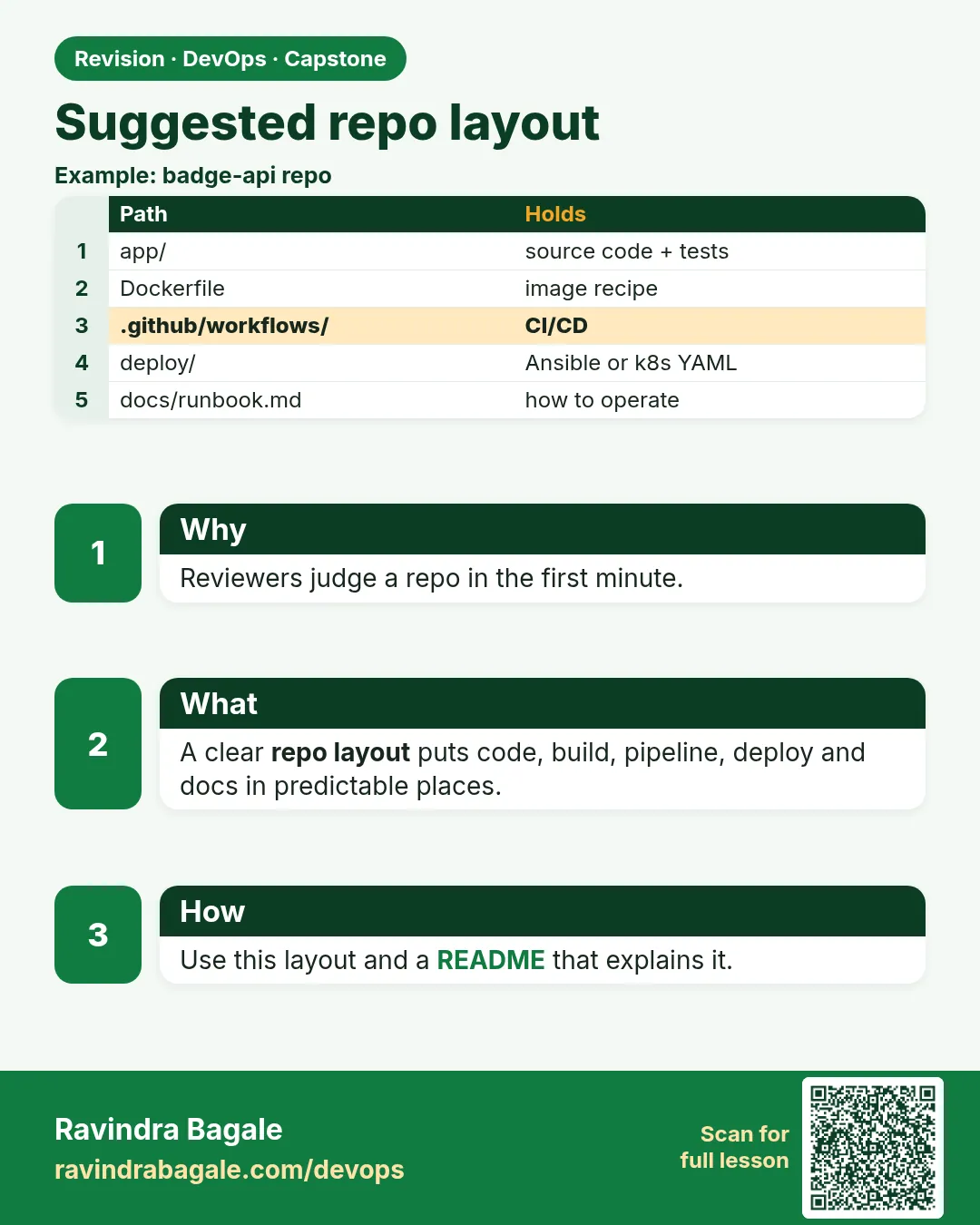
16.3 Suggested repo layout
Why: the problem
Suppose a new Instagram engineer joins on Monday. She opens your repo and sees forty files in one folder. Where is the app? Where is the deploy code? Is that .pem file a real key? She loses a day, and a key almost leaks. A clean repo layout fixes both problems. Every Netflix and Infosys repo follows a shape people can guess. In this lesson you create that shape with one script, block secrets with .gitignore, and add a hook that stops a secret before it is committed.
What we will build
A bootstrap.sh that creates the full capstone layout in one run, a .gitignore that blocks secrets and state files, a fake example.env, and a Git pre-commit hook that refuses commits containing private keys or .env files. Then the real Dockerfile and docker-compose.yml in their places.
What: every term in plain English
- Repo layout — The folder shape of a project. Same shape = easy to find things.
- .gitignore — A file listing paths Git must never track.
- example.env — A sample settings file with FAKE values, so people know which variables exist.
- Pre-commit hook — A script Git runs before each commit. If it fails, the commit stops.
- Secret — A password, key or token. It must never be in Git.
How: step by step
-
Write bootstrap.sh
nano bootstrap.sh # paste Example 1What it does: Creates the layout script.
Output
(no output) -
Run it
bash bootstrap.shWhat it does: Creates folders and starter files.
Output
created app/ deploy/ docs/ .github/workflows/ wrote .gitignore example.env docs/RUNBOOK.md docs/CHECKLIST.md -
See the tree
tree -a -I .git -L 2What it does: Shows the shape.
Output
. ├── .github │ └── workflows ├── .gitignore ├── app ├── deploy ├── docs │ ├── CHECKLIST.md │ └── RUNBOOK.md └── example.env -
Install the hook
cp tools/pre-commit .git/hooks/pre-commit && chmod u+x .git/hooks/pre-commitWhat it does: Activates the secret guard.
Output
(no output) -
Test the guard
touch .env && git add -f .env && git commit -m testWhat it does: Tries to commit a .env on purpose.
Output
BLOCKED: .env must never be committed
(commit stopped)
Example 1: Create the full layout with one Bash script
Stack. Bash
Goal. Create the full layout with one Bash script.
bootstrap.sh
#!/usr/bin/env bash
# bootstrap.sh — creates the Ship-It capstone layout (safe to run twice)
set -euo pipefail
mkdir -p app deploy docs .github/workflows tools
echo "created app/ deploy/ docs/ .github/workflows/"

printf '%s\n' 'node_modules/' '.env' '*.pem' '*.key' 'terraform.tfstate' 'terraform.tfstate.*' \
  '.terraform/' 'kubeconfig*' 'scope-report.json' > .gitignore

printf '%s\n' '# FAKE values only — copy to .env and change locally' \
  'PORT=3000' 'APP_VERSION=dev' 'REGISTRY=ghcr.io/your-user' > example.env

[ -f docs/RUNBOOK.md ]   || printf "# Runbook\n\n## Deploy\n## Rollback\n## Health\n" > docs/RUNBOOK.md
[ -f docs/CHECKLIST.md ] || printf "# Checklist\n\n- [ ] health 200\n" > docs/CHECKLIST.md
echo "wrote .gitignore example.env docs/RUNBOOK.md docs/CHECKLIST.md"
What each line does
set -euo pipefail— Stop on the first error.mkdir -p ...— Makes all folders; -p means no error if they exist.printf '%s\n' ... > .gitignore— Writes each quoted item as one line of .gitignore.*.pem / *.key— Blocks private key files.terraform.tfstate— State files can hold secrets; never commit them.[ -f docs/RUNBOOK.md ] ||— Only creates the file if it is missing, so reruns do not erase your notes.
Green output
$ bash bootstrap.sh
created app/ deploy/ docs/ .github/workflows/
wrote .gitignore example.env docs/RUNBOOK.md docs/CHECKLIST.md
$ bash bootstrap.sh   # second run is safe
created app/ deploy/ docs/ .github/workflows/
wrote .gitignore example.env docs/RUNBOOK.md docs/CHECKLIST.md
Expected result. The layout exists and running it again changes nothing important.
Example 2: Add a pre-commit hook that blocks secrets
Stack. Git hooks, Bash
Goal. Add a pre-commit hook that blocks secrets.
tools/pre-commit
#!/usr/bin/env bash
# tools/pre-commit — stop secrets before they enter Git history
set -euo pipefail
staged=$(git diff --cached --name-only)
for f in $staged; do
  case "$f" in
    .env|*.pem|*.key|*tfstate*)
      echo "BLOCKED: $f must never be committed"; exit 1 ;;
  esac
done
if git diff --cached -U0 | grep -E "BEGIN (RSA|OPENSSH|EC) PRIVATE KEY|AKIA[0-9A-Z]{16}" >/dev/null; then
  echo "BLOCKED: staged change looks like a private key or AWS access key"
  exit 1
fi
exit 0
What each line does
git diff --cached --name-only— Lists files you are about to commit.case "$f" in .env|*.pem ...— Matches risky file names.exit 1— A non-zero exit stops the commit.grep -E "BEGIN ... PRIVATE KEY|AKIA..."— Looks inside the change for key text or the AWS access key ID pattern.exit 0— Everything is clean; let the commit go.
Green output
$ git add -f .env && git commit -m test
BLOCKED: .env must never be committed
$ git reset .env && rm .env
$ git commit -m "layout"
[main 4c7d0e1] layout
Expected result. Risky files are blocked. Clean commits pass.
Example 3: Put the real Dockerfile and Compose file in the layout, then run the stack
Stack. Docker, Compose, Node 20
Goal. Put the real Dockerfile and Compose file in the layout, then run the stack.
Dockerfile
# Dockerfile — badge-api (Node 20)
FROM node:20-alpine AS deps
WORKDIR /app
COPY app/package*.json ./
RUN npm ci --omit=dev

FROM node:20-alpine
WORKDIR /app
ENV NODE_ENV=production
COPY --from=deps /app/node_modules ./node_modules
COPY app/ ./
USER node
EXPOSE 3000
HEALTHCHECK --interval=30s --timeout=3s CMD wget -qO- http://localhost:3000/health || exit 1
CMD ["node", "server.js"]
docker-compose.yml
services:
  api:
    build: .
    image: badge-api:local
    ports:
      - "3000:3000"
    env_file:
      - .env
    restart: unless-stopped
  redis:
    image: redis:7-alpine
    volumes:
      - redisdata:/data
volumes:
  redisdata:
What each line does
FROM node:20-alpine AS deps— First stage: install only production packages.npm ci --omit=dev— Clean install from the lock file, without test tools.COPY --from=deps ...— Copies only node_modules into the small final image.USER node— Runs as a normal user, not root.HEALTHCHECK ...— Docker marks the container unhealthy if /health fails.env_file: - .env— Reads settings from your local .env (copied from example.env).volumes: redisdata— A named volume so Redis data survives restarts.
Green output
$ cp example.env .env && docker compose up -d --build
 ✔ Container shipit-capstone-redis-1  Started
 ✔ Container shipit-capstone-api-1    Started
$ curl -s localhost:3000/health
{"status":"ok","version":"dev"}
Expected result. The API runs in Docker with the same /health answer as on your laptop.
Example 4: Create the full folder layout in one command
Stack. Bash
Goal. Create the full folder layout in one command.
layout.sh
mkdir -p badge-capstone/{app,deploy,ops,docs,tools,evidence}
cd badge-capstone
touch app/server.js app/server.test.js app/package.json
touch deploy/k8s.yaml deploy/site.yml deploy/inventory.ini
touch ops/deploy.sh ops/health.sh ops/rollback.sh
touch docs/RUNBOOK.md docs/CHECKLIST.md
chmod 755 ops/*.sh
find . -type f | sort
What each line does
{app,deploy,...}— Brace expansion makes six folders at once.touch— Empty files to fill later.chmod 755 ops/*.sh— Scripts can run; nobody else can edit.find | sort— Prints the tree in order.
Green output
./app/package.json
./app/server.js
./app/server.test.js
./deploy/inventory.ini
./deploy/k8s.yaml
./deploy/site.yml
./docs/CHECKLIST.md
./docs/RUNBOOK.md
./ops/deploy.sh
./ops/health.sh
./ops/rollback.sh
Expected result. Every reviewer finds things in the same place.
Verify: did it work?
-
Check ignored files
git check-ignore -v .env app.pemWhat it does: Shows which .gitignore rule blocks each file.
Output
.gitignore:2:.env .env .gitignore:3:*.pem app.pem -
Check container health
docker ps --format "{{.Names}} {{.Status}}"What it does: Shows the health state.
Output
shipit-capstone-api-1 Up 40 seconds (healthy) shipit-capstone-redis-1 Up 40 seconds -
Scope count
./scope-check.sh | tail -1What it does: More items are now done.
Output
6/8 done
When it is red 1
error: open .env: no such file or directory
Cause. Compose needs .env because of env_file, but you only have example.env.
Fix, step by step
- cp example.env .env
- Edit values if needed.
- docker compose up -d again.
When it is red 2
(nothing happens — the secret was committed)
Cause. The hook file is not executable or not in .git/hooks.
Fix, step by step
- ls -l .git/hooks/pre-commit
- chmod u+x .git/hooks/pre-commit
- If a secret already reached Git, rotate (change) it now. Deleting the file later does not remove it from history.
Cleanup
-
Stop the stack
docker compose down -vWhat it does: Stops containers and removes the volume.
Output
✔ Container shipit-capstone-api-1 Removed ✔ Volume shipit-capstone_redisdata Removed -
Remove the local image
docker image rm badge-api:localWhat it does: Frees disk space.
Output
Untagged: badge-api:local
Ravindra Bagale's Tip
If .env was committed, deleting the file is not enough. Change the key — at once!
.env commit झाला तर file delete करून उपयोग नाही. Key बदला — लगेच!
.env commit हो गया तो file delete करना काफ़ी नहीं. Key बदलो — तुरंत!
Practice tasks
Easy Run bootstrap
Why: Doing it once with your own hands makes it stick.
What to do: Run bootstrap.sh in your repo.
- bash bootstrap.sh
Check: Folders exist.
Easy Run it twice
Why: Doing it once with your own hands makes it stick.
What to do: Run bootstrap.sh again.
- bash bootstrap.sh
- git status
Check: Your RUNBOOK notes are untouched.
Easy Check ignore rules
Why: Doing it once with your own hands makes it stick.
What to do: Check .env is ignored.
- git check-ignore -v .env
Check: Rule line is shown.
Easy Copy example.env
Why: Doing it once with your own hands makes it stick.
What to do: Create your .env.
- cp example.env .env
Check: .env exists and is ignored.
Medium Install the hook
Why: Doing it once with your own hands makes it stick.
What to do: Install tools/pre-commit.
- cp tools/pre-commit .git/hooks/
- chmod u+x .git/hooks/pre-commit
Check: Hook file is executable.
Medium Block a .pem
Why: Doing it once with your own hands makes it stick.
What to do: Try to commit fake.pem.
- touch fake.pem
- git add -f fake.pem
- git commit -m t
Check: BLOCKED message.
Medium Compose up
Why: Doing it once with your own hands makes it stick.
What to do: Run the stack.
- docker compose up -d --build
Check: Both containers run.
Medium See healthy
Why: Doing it once with your own hands makes it stick.
What to do: Wait 30 s and check status.
- docker ps
Check: Shows (healthy).
Hard Add .dockerignore
Why: Doing it once with your own hands makes it stick.
What to do: Keep .env out of the image.
- Write .dockerignore.
- Rebuild.
- ls inside the image.
Check: .env is not inside.
Hard Fake AWS key test
Why: Doing it once with your own hands makes it stick.
What to do: Stage a line like AKIA + 16 capital letters and commit.
- echo "AKIAABCDEFGHIJKLMNOP" > t.txt
- git add t.txt
- git commit -m t
Check: Hook blocks it. Delete t.txt after.
Homework: try at home
Try at home
Add a .dockerignore so node_modules, .git and .env never enter the image. Rebuild and check the image with docker run --rm badge-api:local ls -a.
Recap
- A predictable layout saves everyone time.
- .gitignore blocks secrets and state files.
- example.env shows settings with fake values.
- A pre-commit hook stops secrets early.
- Dockerfile and Compose live at the repo root.
FAQ
Is .gitignore enough?
No. It only stops untracked files. The hook adds a second guard.
Where should real secrets live?
In your local .env, or a secret store like AWS Secrets Manager or CI secrets.
Why multi-stage Dockerfile?
The final image is smaller and has no build tools.
Do hooks get pushed to the remote?
No. Each person installs them, which is why tools/pre-commit is in the repo.
What is tree?
A tool that prints folders as a tree. Install with apt install tree.
Must I use these folder names?
No, but keep them the same in all docs and scripts.
Interview questions
-
How do you stop secrets reaching Git?
.gitignore, pre-commit scanning, CI secret scanning, and secret stores instead of files.
-
What do you do if a secret was pushed?
Rotate it immediately, then clean history if needed.
-
Why run containers as non-root?
A break-in gets fewer rights.
-
What is a multi-stage build?
Several FROM stages; only needed files are copied into the final image.
-
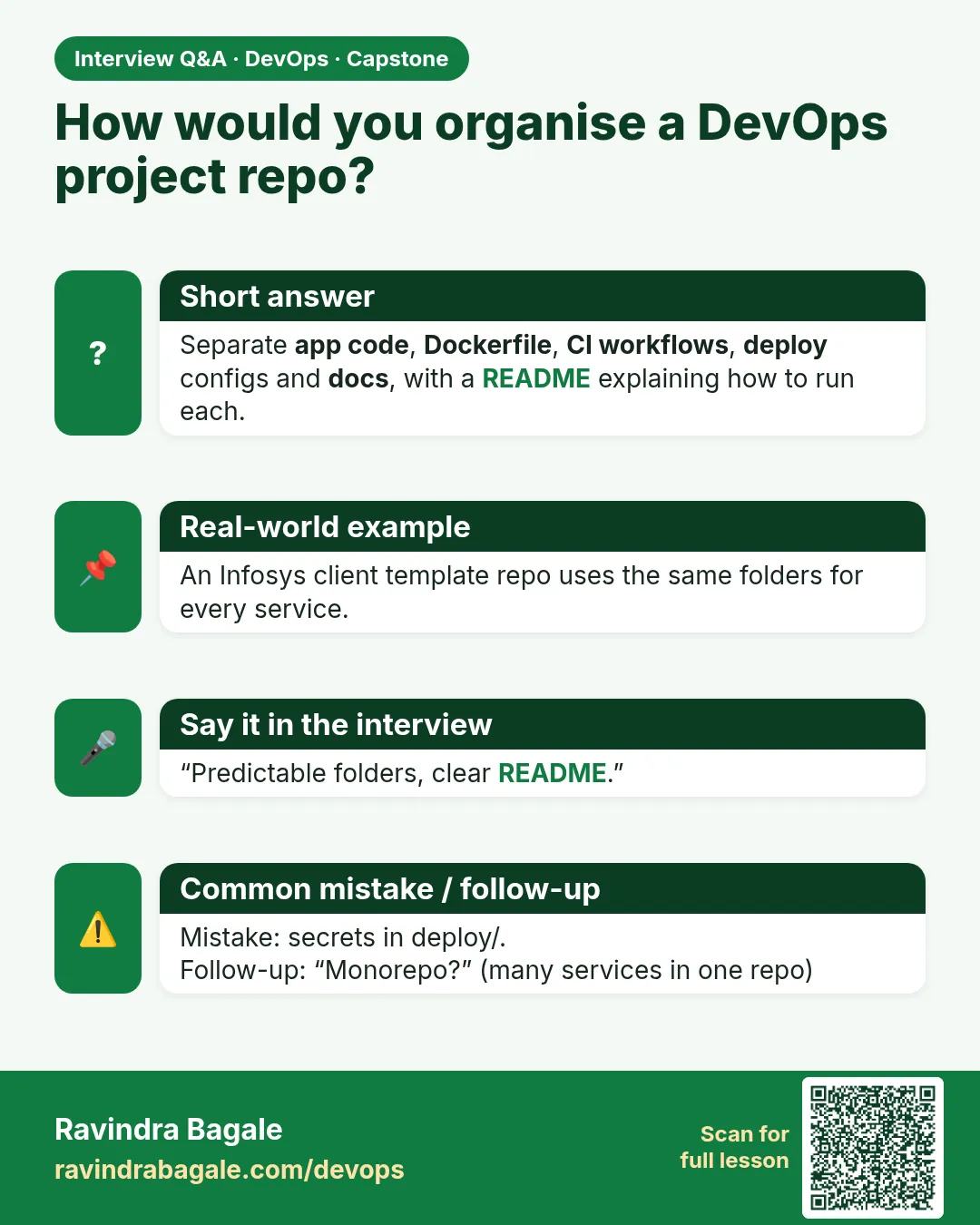
Why keep a standard repo layout?
People and tools find app, deploy and docs without asking.
Quick quiz
Q1. Why should terraform.tfstate be in .gitignore?
It can contain secrets and changes all the time.
Q2. What does a pre-commit hook do?
Runs before each commit and stops it when it exits non-zero.
Q3. Why keep example.env?
To show which settings exist, with fake values.
Q4. What does USER node do in the Dockerfile?
Runs the app as a non-root user.
Q5. If a key is already pushed, what must you do?
Rotate the key; deleting the file does not clean history.
Did you understand? Let us try it once more.
 Revision card
 Interview card