Chapter 16: Capstone — Ship It End-to-End
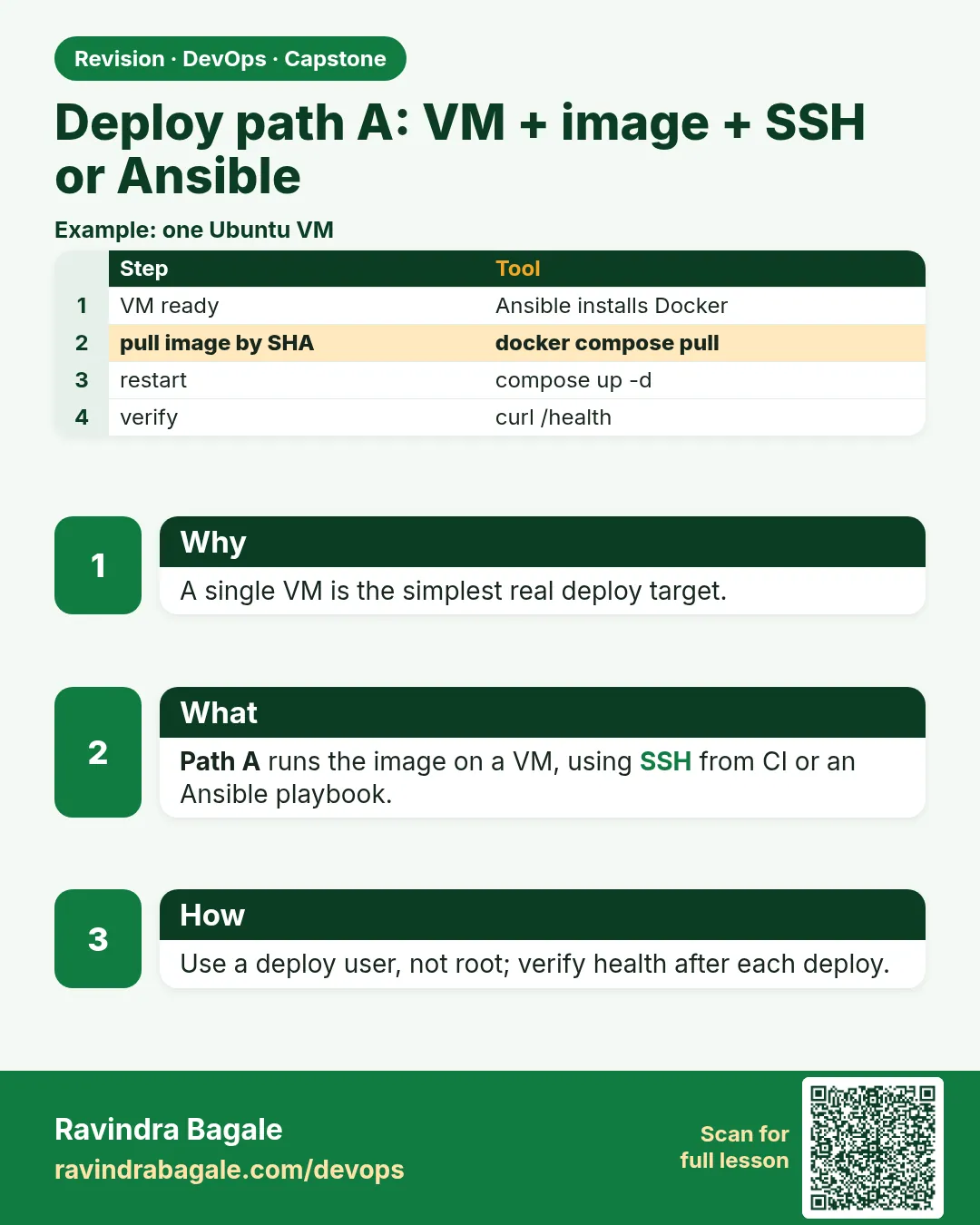
16.6 Deploy path A — VM + image (SSH or Ansible)
Why: the problem
Suppose an Infosys client has one Linux VM and no Kubernetes. They want the badge API running there by evening. Typing commands over SSH works once, but the next deploy someone forgets a step, and the old container keeps running. Path A fixes this: the same steps, written down, run the same way every time. First as a plain SSH script, then as an Ansible playbook, then as a systemd service so the app comes back after a reboot.
What we will build
A one-VM deploy of badge-api:<sha>: a deploy.sh that pulls and swaps the container over SSH with a health check, a full Ansible playbook doing the same idempotently, and a systemd unit that keeps the container running after reboot.
What: every term in plain English
- VM — A virtual machine: a computer in the cloud, like an EC2 instance.
- SSH — A secure way to run commands on another computer.
- Ansible — A tool that runs tasks on servers over SSH, from YAML files called playbooks.
- Idempotent — Running it twice gives the same result; the second run changes nothing.
- systemd — Linux's service manager. It starts programs at boot and restarts them if they crash.
- Inventory — Ansible's list of servers.
How: step by step
-
Check SSH works
ssh -i ~/.ssh/lab.pem ubuntu@203.0.113.10 "docker --version"What it does: Proves you can reach the VM and Docker is installed.
Output
Docker version 26.1.4, build 5650f9b -
Write deploy.sh
nano deploy/deploy.sh # paste Example 1What it does: The SSH deploy script.
Output
(no output) -
Deploy a SHA
./deploy/deploy.sh 3f2a1c9What it does: Pulls the image, swaps the container, checks health.
Output
pulling ghcr.io/ravi/badge-api:3f2a1c9 starting new container health ok: {"status":"ok","version":"3f2a1c9"} -
Run the playbook instead
ansible-playbook -i deploy/inventory.ini deploy/site.yml -e tag=3f2a1c9What it does: Same deploy with Ansible.
Output
PLAY RECAP 203.0.113.10 : ok=6 changed=2 unreachable=0 failed=0 -
Run it again
ansible-playbook -i deploy/inventory.ini deploy/site.yml -e tag=3f2a1c9What it does: Idempotency check.
Output
203.0.113.10 : ok=6 changed=0 unreachable=0 failed=0
Example 1: Deploy over plain SSH with health check and automatic rollback
Stack. Bash, SSH, Docker
Goal. Deploy over plain SSH with health check and automatic rollback.
deploy/deploy.sh
#!/usr/bin/env bash
# deploy/deploy.sh <sha> — swap badge-api on one VM, roll back if unhealthy
set -euo pipefail
TAG="${1:?usage: deploy.sh <sha>}"
HOST="${DEPLOY_HOST:-ubuntu@203.0.113.10}"
KEY="${DEPLOY_KEY:-$HOME/.ssh/lab.pem}"
IMAGE="ghcr.io/ravi/badge-api"

cat "$(dirname "$0")/remote.sh" | ssh -i "$KEY" "$HOST" bash -s -- "$IMAGE" "$TAG"
deploy/remote.sh
set -euo pipefail
IMAGE="$1"; TAG="$2"
OLD=$(docker inspect -f '{{.Config.Image}}' badge-api 2>/dev/null || echo none)
echo "pulling $IMAGE:$TAG"
docker pull -q "$IMAGE:$TAG" >/dev/null
docker rm -f badge-api >/dev/null 2>&1 || true
echo "starting new container"
docker run -d --name badge-api --restart unless-stopped -p 80:3000 "$IMAGE:$TAG" >/dev/null
for i in $(seq 1 10); do
  if out=$(curl -fsS localhost/health); then echo "health ok: $out"; exit 0; fi
  sleep 2
done
echo "health FAILED, rolling back to $OLD"
docker rm -f badge-api
[ "$OLD" != none ] && docker run -d --name badge-api --restart unless-stopped -p 80:3000 "$OLD"
exit 1
What each line does
TAG="${1:?usage...}"— Requires the SHA as first argument, else prints usage and stops.cat remote.sh | ssh ... bash -s -- "$IMAGE" "$TAG"— Sends deploy/remote.sh to the VM and runs it there with two arguments.OLD=$(docker inspect ...)— Remembers which image is running now, for rollback.--restart unless-stopped— Docker restarts it after crashes and reboots.-p 80:3000— VM port 80 goes to container port 3000.for i in $(seq 1 10)— Tries the health check up to 10 times, 2 s apart.curl -fsS— -f makes curl fail on HTTP errors.rolling back to $OLD— Starts the previous image if the new one is unhealthy.
Green output
$ ./deploy/deploy.sh 3f2a1c9
pulling ghcr.io/ravi/badge-api:3f2a1c9
starting new container
health ok: {"status":"ok","version":"3f2a1c9"}
Expected result. The VM runs the new SHA, or goes back to the old one if health fails.
Example 2: Do the same deploy with an idempotent Ansible playbook
Stack. Ansible 2.16, community.docker
Goal. Do the same deploy with an idempotent Ansible playbook.
deploy/inventory.ini
[web]
203.0.113.10 ansible_user=ubuntu ansible_ssh_private_key_file=~/.ssh/lab.pem
deploy/site.yml
- name: Deploy badge-api
  hosts: web
  become: true
  vars:
    image: ghcr.io/ravi/badge-api
    tag: main
  tasks:
    - name: Install Docker and the Python SDK
      ansible.builtin.apt:
        name: [docker.io, python3-docker]
        state: present
        update_cache: true

    - name: Make sure Docker is running
      ansible.builtin.service:
        name: docker
        state: started
        enabled: true

    - name: Pull the image
      community.docker.docker_image:
        name: "{{ image }}:{{ tag }}"
        source: pull

    - name: Run the container
      community.docker.docker_container:
        name: badge-api
        image: "{{ image }}:{{ tag }}"
        ports: ["80:3000"]
        restart_policy: unless-stopped
        env:
          APP_VERSION: "{{ tag }}"

    - name: Wait for health
      ansible.builtin.uri:
        url: http://localhost/health
        status_code: 200
      register: health
      retries: 10
      delay: 2
      until: health.status == 200

    - name: Show version
      ansible.builtin.debug:
        msg: "{{ health.json.version }}"
What each line does
hosts: web— Runs on the servers in the [web] group.become: true— Uses sudo for tasks that need root.apt: state: present— Installs only if missing (idempotent).docker_image: source: pull— Pulls the image if not already present.docker_container:— Creates or updates the container to match this description.retries / until— Repeats the health call until it returns 200.-e tag=3f2a1c9— Overrides the tag on the command line.
Green output
TASK [Run the container] ****
changed: [203.0.113.10]
TASK [Wait for health] ****
ok: [203.0.113.10]
TASK [Show version] ****
ok: [203.0.113.10] => {"msg": "3f2a1c9"}
PLAY RECAP
203.0.113.10 : ok=7 changed=2 failed=0
Expected result. A second run shows changed=0: proof it is idempotent.
Example 3: Keep the container running across reboots with a systemd unit (no Docker restart policy)
Stack. systemd, Docker
Goal. Keep the container running across reboots with a systemd unit (no Docker restart policy).
deploy/badge-api.service
[Unit]
Description=badge-api container
After=docker.service
Requires=docker.service

[Service]
Environment=TAG=main
ExecStartPre=-/usr/bin/docker rm -f badge-api
ExecStartPre=/usr/bin/docker pull ghcr.io/ravi/badge-api:${TAG}
ExecStart=/usr/bin/docker run --name badge-api -p 80:3000 ghcr.io/ravi/badge-api:${TAG}
ExecStop=/usr/bin/docker stop badge-api
Restart=always
RestartSec=5

[Install]
WantedBy=multi-user.target
install it
sudo cp deploy/badge-api.service /etc/systemd/system/
sudo systemctl daemon-reload
sudo systemctl enable --now badge-api
systemctl status badge-api --no-pager
What each line does
After/Requires=docker.service— Start only after Docker is up.ExecStartPre=-...rm -f— Remove any old container; the leading - ignores errors.ExecStart=docker run ...— Runs in the foreground, so systemd watches it.Restart=always— systemd restarts it if it exits.WantedBy=multi-user.target— Start at boot.enable --now— Enable at boot and start right now.
Green output
● badge-api.service - badge-api container
     Loaded: loaded (/etc/systemd/system/badge-api.service; enabled)
     Active: active (running) since Sun 2026-10-25 11:02:10 IST; 4s ago
Expected result. After sudo reboot, curl http://203.0.113.10/health still answers.
Example 4: A dry run of the Ansible deploy before touching the VM
Stack. Ansible
Goal. A dry run of the Ansible deploy before touching the VM.
commands
cd deploy
ansible-inventory -i inventory.ini --list | head -20
ansible -i inventory.ini web -m ping
ansible-playbook -i inventory.ini site.yml --check --diff -e image_tag=$(git rev-parse --short HEAD)
What each line does
ansible-inventory --list— Shows the hosts Ansible will use.-m ping— Checks SSH and Python on the VM.--check— Shows changes without making them.--diff— Shows file changes line by line.
Green output
web1 | SUCCESS => {"changed": false, "ping": "pong"}
TASK [Pull image] changed: [web1]
TASK [Restart badge-api] changed: [web1]
PLAY RECAP
web1 : ok=5  changed=2  unreachable=0  failed=0
Expected result. You know the two changes before you make them.
Example 5: Health gate after the real deploy
Stack. Bash
Goal. Health gate after the real deploy.
ops/health.sh
#!/usr/bin/env bash
set -u
URL="${1:-http://web1:3000/health}"
for i in $(seq 1 15); do
  if out=$(curl -fs "$URL"); then echo "UP after ${i}s: $out"; exit 0; fi
  sleep 1
done
echo "DOWN: $URL did not answer in 15s"; exit 1
What each line does
seq 1 15— Try for 15 seconds.curl -fs— Silent, fail on HTTP errors.exit 1— Deploy script can call rollback when this fails.
Green output
UP after 3s: {"status":"ok","version":"a1b2c3d"}
Expected result. The deploy is only done when health says the new version.
Verify: did it work?
-
Health from your laptop
curl -s http://203.0.113.10/healthWhat it does: Calls the VM from outside.
Output
{"status":"ok","version":"3f2a1c9"} -
Running image
ssh -i ~/.ssh/lab.pem ubuntu@203.0.113.10 docker ps --format "{{.Image}}"What it does: Shows which tag runs.
Output
ghcr.io/ravi/badge-api:3f2a1c9
When it is red 1
ubuntu@203.0.113.10: Permission denied (publickey).
Cause. Wrong key, wrong user, or the key file is too open.
Fix, step by step
- Check the user (ubuntu for Ubuntu AMIs, ec2-user for Amazon Linux).
- chmod 600 ~/.ssh/lab.pem (owner read/write only).
- Retry with -v to see which key is tried.
When it is red 2
curl: (7) Failed to connect to 203.0.113.10 port 80
Cause. The security group or firewall blocks port 80.
Fix, step by step
- Add an inbound rule for TCP 80 from your IP.
- Check sudo ufw status on the VM.
- Retry curl.
When it is red 3
fatal: [203.0.113.10]: FAILED! => {"msg": "Failed to import the required Python library (Docker SDK for Python)"}
Cause. The docker Python module is missing on the VM.
Fix, step by step
- Keep the python3-docker apt task first.
- Run ansible-galaxy collection install community.docker locally.
- Rerun the playbook.
Cleanup
-
Stop the service or container
ssh -i ~/.ssh/lab.pem ubuntu@203.0.113.10 "sudo systemctl disable --now badge-api; docker rm -f badge-api"What it does: Stops the app on the VM.
Output
badge-api -
Stop the VM
aws ec2 stop-instances --instance-ids i-0abc123def4567890What it does: Stops paying for compute. Terminate it when the capstone is done.
Output
"CurrentState": {"Name": "stopping"}
Ravindra Bagale's Tip
If the deploy script has no health check and no rollback, it is only half a script.
Deploy script मध्ये health check आणि rollback नसेल तर तो अर्धा script आहे.
Deploy script में health check और rollback न हों तो वो आधा script है.
Practice tasks
Easy SSH test
Why: Doing it once with your own hands makes it stick.
What to do: Run docker --version over SSH.
- ssh ... "docker --version"
Check: Version prints.
Easy First deploy
Why: Doing it once with your own hands makes it stick.
What to do: Deploy main.
- ./deploy/deploy.sh main
Check: health ok.
Easy Curl from laptop
Why: Doing it once with your own hands makes it stick.
What to do: Call /health on the VM.
- curl http://IP/health
Check: JSON returns.
Easy Inventory
Why: Doing it once with your own hands makes it stick.
What to do: Write inventory.ini.
- Add your IP.
- ansible -i deploy/inventory.ini web -m ping
Check: pong.
Medium Playbook
Why: Doing it once with your own hands makes it stick.
What to do: Run site.yml.
- ansible-playbook ...
Check: failed=0.
Medium Idempotency
Why: Doing it once with your own hands makes it stick.
What to do: Run it twice.
- Run again.
Check: changed=0.
Medium New SHA
Why: Doing it once with your own hands makes it stick.
What to do: Deploy a newer SHA.
- -e tag=<new>
Check: /health shows new SHA.
Medium systemd
Why: Doing it once with your own hands makes it stick.
What to do: Install the unit.
- Follow Example 3.
Check: active (running).
Hard Reboot test
Why: Doing it once with your own hands makes it stick.
What to do: Reboot the VM.
- sudo reboot
- wait
- curl
Check: Health answers.
Hard Rollback test
Why: Doing it once with your own hands makes it stick.
What to do: Deploy a broken tag.
- ./deploy/deploy.sh doesnotexist
Check: Old image keeps serving.
Homework: try at home
Try at home
Deploy a bad tag on purpose (an image whose /health returns 500, or a tag that does not exist) and confirm deploy.sh rolls back to the previous image.
Recap
- Path A deploys an image to one VM.
- A script must pull, swap, health-check and roll back.
- Ansible makes it repeatable and idempotent.
- systemd or restart policy survives reboots.
- Stop the VM after the lab.
FAQ
Do I need Ansible if the script works?
No, but Ansible scales to many servers and shows what changed.
Why port 80?
So users do not type a port. Use HTTPS with a proxy later.
Can CI run deploy.sh?
Yes, with the SSH key stored as a CI secret.
Docker restart policy or systemd?
Either. Do not use both for the same container.
Is 203.0.113.10 real?
No. It is a documentation address. Use your VM's IP.
Ansible or a plain SSH script?
Both are fine. Ansible is easier to repeat and to dry-run.
Interview questions
-
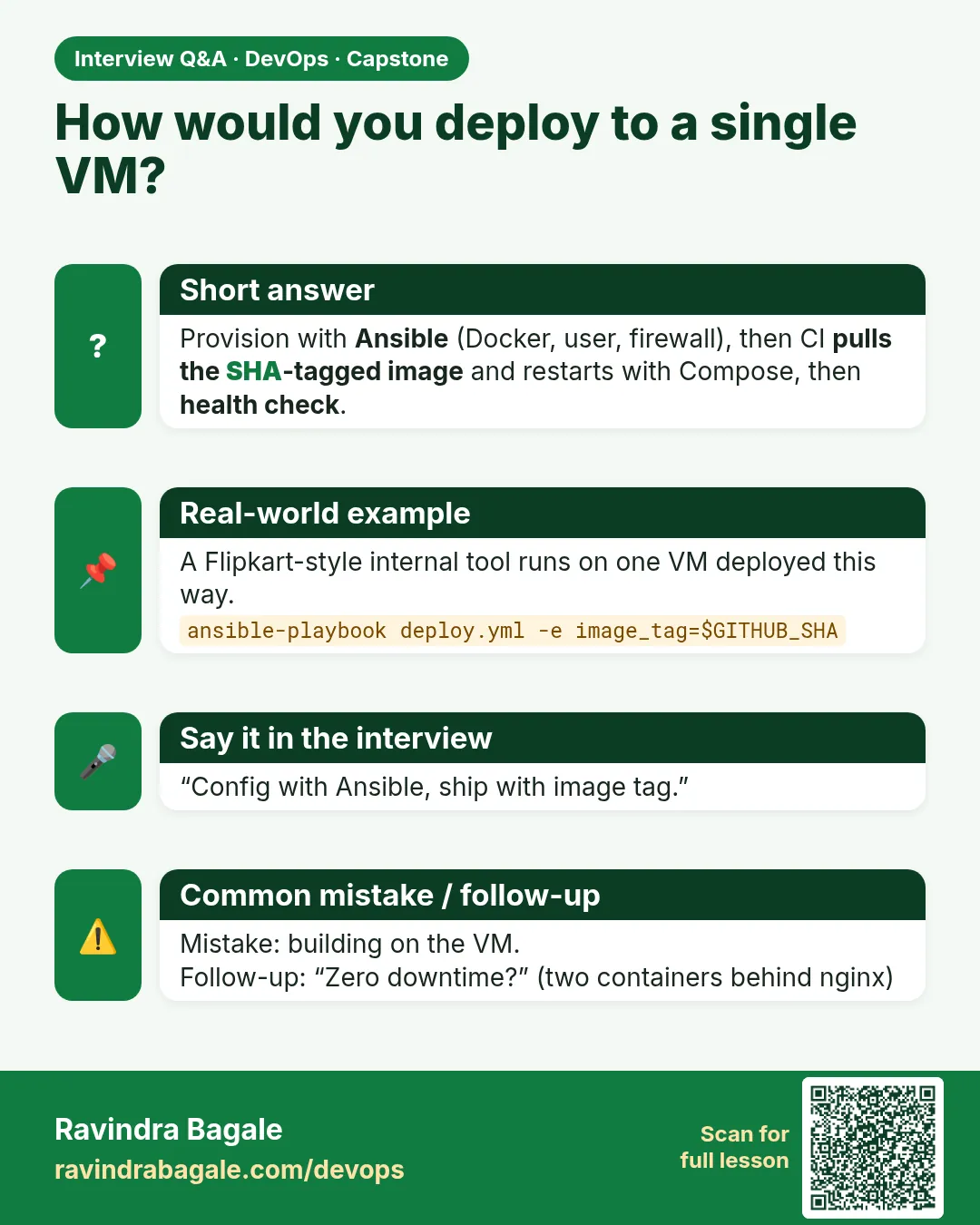
How do you deploy a container to a VM without Kubernetes?
Pull the tagged image, replace the container, health-check, roll back on failure; automate with Ansible.
-
What is idempotency and why does it matter?
Same result on repeat runs; safe reruns and drift fixing.
-
How do you make a service start at boot?
systemd unit enabled for multi-user.target.
-
How do you debug SSH permission denied?
Check user, key path, key permissions, and ssh -v.
-
What is a zero-downtime alternative?
Run new container on another port, health-check, then switch the proxy.
Quick quiz
Q1. What does idempotent mean?
Running again changes nothing if already correct.
Q2. Why remember OLD before the swap?
To roll back if health fails.
Q3. What makes the app start after reboot?
--restart unless-stopped or a systemd unit with WantedBy multi-user.target.
Q4. Which SSH user for Ubuntu AMIs?
ubuntu.
Q5. What is an Ansible inventory?
The list of servers to manage.
Did you understand? Let us try it once more.
 Revision card
 Interview card