Chapter 16: Capstone — Ship It End-to-End
16.1 Why a capstone — one story you can tell
Why: the problem
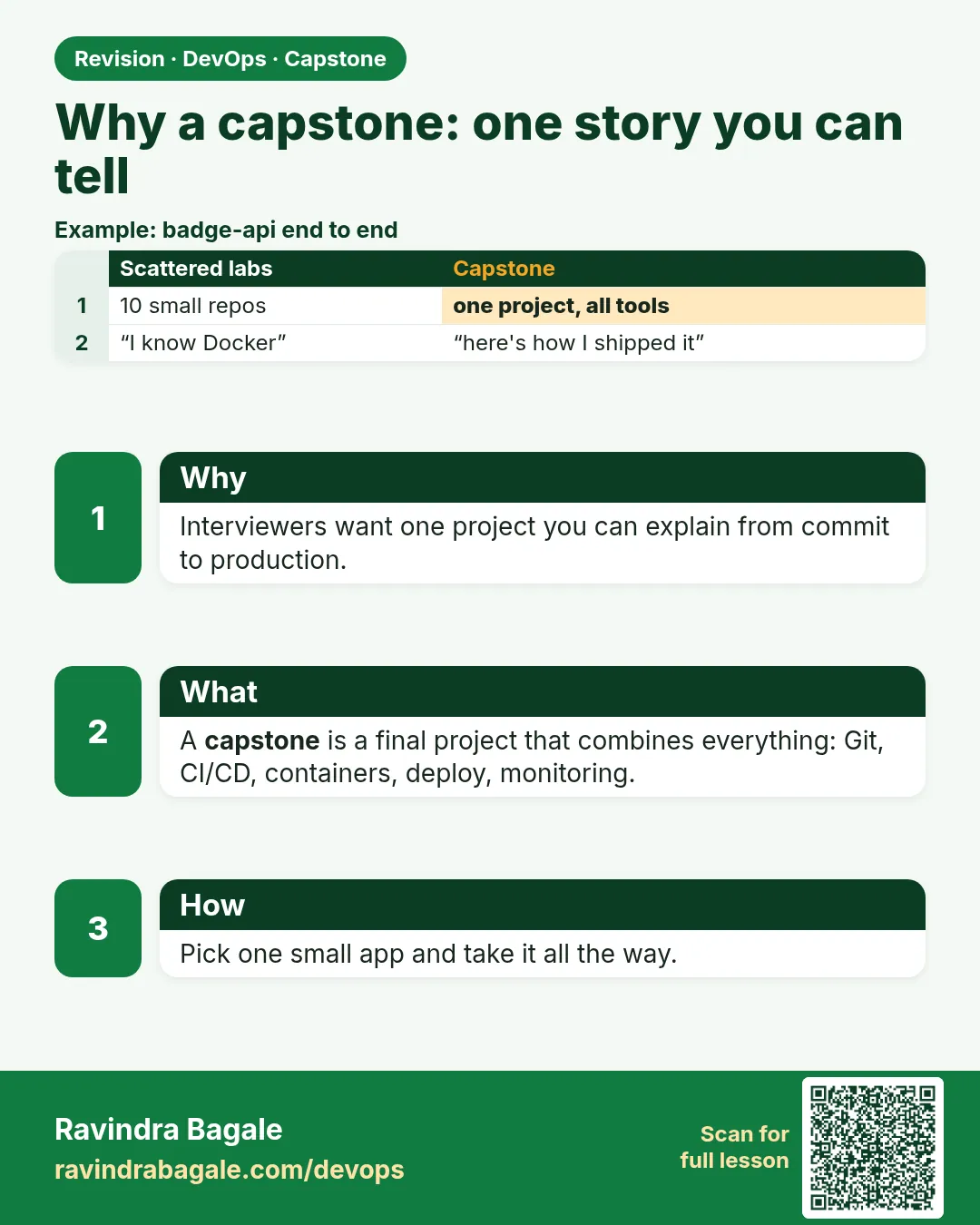
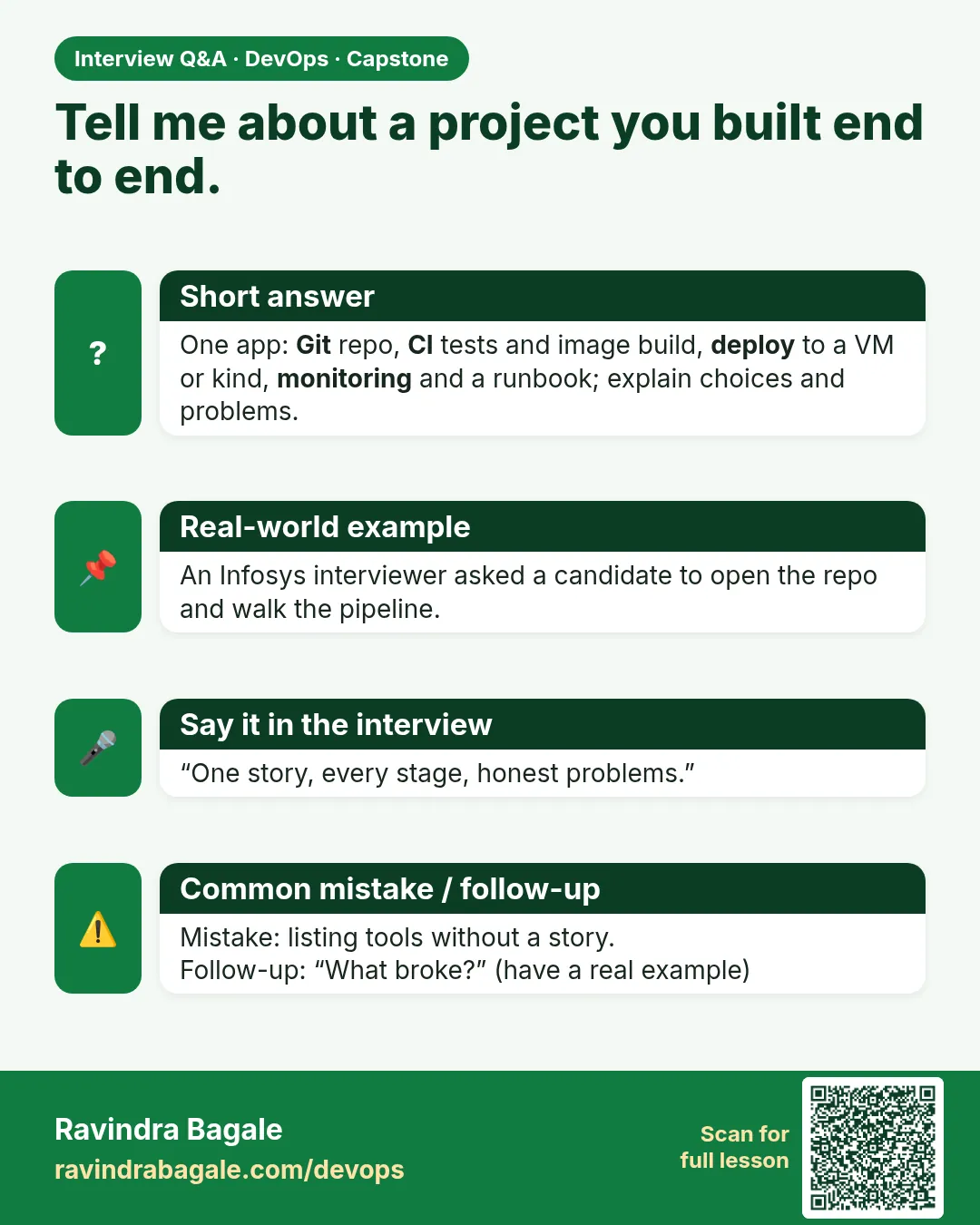
Suppose we are interviewing for a DevOps role at Infosys. The interviewer does not ask "what is Docker?". She asks: "Tell me about one thing you shipped, from code to a running URL." Many freshers freeze, because they have done ten separate tutorials but never joined them into one story. Netflix engineers are judged the same way: can you take a small service from a laptop to production, check its health, roll it back and clean up? This capstone gives you that story. In this first lesson you will not read about the capstone; you will start it. You will create the badge API, run it on your laptop and call it with curl, so from minute one you have something real that works.
What we will build
A tiny profile badge API (Instagram-style: /badge/<user> returns a badge, /health returns ok and the version). You will build the same API three ways: Node.js, Python and Go, run each one locally on a port, and prove it works with curl. At the end you will have a folder shipit-capstone/ that the next lessons grow into a Docker image, a CI pipeline and a deployment.
What: every term in plain English
- Capstone — One project that joins every chapter: code, image, pipeline, deploy, health, rollback, cleanup.
- API — A program that answers HTTP requests with data, usually JSON.
- Endpoint — One URL path the API answers, such as /health.
- Health check — A cheap URL that says "I am alive". Load balancers and Kubernetes call it all day.
- curl — A command-line tool that sends an HTTP request and prints the answer.
- Port — A number (like 3000) that tells the computer which program gets the network traffic.
How: step by step
-
Create the project folder
mkdir -p ~/shipit-capstone/app && cd ~/shipit-capstone && git initWhat it does: Makes the folder for the whole capstone and starts a Git repository in it.
Output
Initialized empty Git repository in /home/ravi/shipit-capstone/.git/ -
Check your tools
node --version; python3 --version; go version; docker --versionWhat it does: Prints the version of each tool. You need Node 18+ for Example 1; Python and Go are only for Examples 2 and 3.
Output
v20.14.0 Python 3.11.9 go version go1.22.4 linux/amd64 Docker version 26.1.4, build 5650f9b -
Create app/package.json
cd app && npm init -y && npm install express@4What it does: Creates the Node project file and installs Express, the web framework.
Output
added 64 packages, and audited 65 packages in 3s found 0 vulnerabilities -
Write app/server.js
nano server.js # paste the file from Example 1What it does: Creates the API code. Two endpoints: /health and /badge/:user.
Output
(no output — the file is saved) -
Start the API
node server.jsWhat it does: Runs the API on port 3000. Leave this terminal open.
Output
badge-api dev listening on 3000 -
Call it from a second terminal
curl -s localhost:3000/health; echo; curl -s localhost:3000/badge/ravi_01What it does: Sends two requests and prints the JSON replies.
Output
{"status":"ok","version":"dev"} {"user":"ravi_01","badge":"verified-learner","issuedBy":"shipit"} -
Save your first commit
cd ~/shipit-capstone && printf "node_modules/\n.env\n" > .gitignore && git add . && git commit -m "badge api: first working version"What it does: Stores the working version in Git, ignoring installed packages and secrets.
Output
[main (root-commit) 3f2a1c9] badge api: first working version
 4 files changed, 812 insertions(+)
Example 1: Run the badge API in Node
Stack. Node.js 20 + Express 4
Goal. Run the badge API in Node.js with Express. This is the version we carry through the whole capstone.
app/server.js
// app/server.js — Instagram-style profile badge API
const express = require("express");
const app = express();
const PORT = process.env.PORT || 3000;
const VERSION = process.env.APP_VERSION || "dev";

app.get("/health", (req, res) => {
  res.json({ status: "ok", version: VERSION });
});

app.get("/badge/:user", (req, res) => {
  const user = req.params.user;
  if (!/^[a-z0-9_]{3,30}$/.test(user)) {
    return res.status(400).json({ error: "invalid username" });
  }
  res.json({ user, badge: "verified-learner", issuedBy: "shipit" });
});

if (require.main === module) {
  app.listen(PORT, () => console.log(`badge-api ${VERSION} listening on ${PORT}`));
}
module.exports = app;
app/package.json
{
  "name": "badge-api",
  "version": "1.0.0",
  "main": "server.js",
  "scripts": {
    "start": "node server.js",
    "test": "jest --ci"
  },
  "dependencies": { "express": "^4.19.2" },
  "devDependencies": { "jest": "^29.7.0", "supertest": "^7.0.0" }
}
What each line does
const express = require("express");— Loads the Express web framework.const PORT = process.env.PORT || 3000;— Reads the port from the environment, or uses 3000 for your laptop.const VERSION = process.env.APP_VERSION || "dev";— Reads the version (we will set it to the git SHA in CI) so /health tells you what is running.app.get("/health", ...)— A cheap endpoint that load balancers, Kubernetes and your runbook can call to ask "are you alive?"./^[a-z0-9_]{3,30}$/.test(user)— Accepts only safe usernames; anything else gets a 400 instead of reaching your logic.if (require.main === module)— Starts the server only when you run the file directly, so tests can import the app without opening a port.module.exports = app;— Exports the app for the test file."test": "jest --ci"— The command CI will run in lesson 16.5.
Green output
$ node app/server.js
badge-api dev listening on 3000
$ curl -s localhost:3000/badge/ab
{"error":"invalid username"}
Expected result. Valid usernames get a badge, a two-letter name gets a clean 400 error, and /health shows the version.
Example 2: Build the same API in Python with Flask, so you can show the pattern is not tied to one language
Stack. Python 3.11 + Flask 3
Goal. Build the same API in Python with Flask, so you can show the pattern is not tied to one language.
python/app.py
# python/app.py — badge API in Flask
import os, re
from flask import Flask, jsonify

app = Flask(__name__)
VERSION = os.environ.get("APP_VERSION", "dev")
USER_RE = re.compile(r"^[a-z0-9_]{3,30}$")

@app.get("/health")
def health():
    return jsonify(status="ok", version=VERSION)

@app.get("/badge/<user>")
def badge(user):
    if not USER_RE.match(user):
        return jsonify(error="invalid username"), 400
    return jsonify(user=user, badge="verified-learner", issuedBy="shipit")

if __name__ == "__main__":
    app.run(host="0.0.0.0", port=int(os.environ.get("PORT", 5000)))
python/requirements.txt
flask==3.0.3
gunicorn==22.0.0
run it
cd python
python3 -m venv .venv
. .venv/bin/activate
pip install -r requirements.txt
PORT=5000 python app.py
What each line does
VERSION = os.environ.get("APP_VERSION", "dev")— Same idea as Node: version comes from the environment.USER_RE = re.compile(...)— Compiles the username rule once.@app.get("/health")— Registers the health endpoint.return jsonify(error=...), 400— Returns JSON with HTTP status 400 for bad input.app.run(host="0.0.0.0", ...)— Listens on all network cards so it also works inside a container later.python3 -m venv .venv— Creates an isolated Python environment so packages do not mix with the system.gunicorn==22.0.0— A production web server; Flask's built-in server is only for development.
Green output
$ curl -s localhost:5000/health
{"status":"ok","version":"dev"}
$ curl -s -o /dev/null -w "%{http_code}\n" localhost:5000/badge/A!
400
Expected result. Same answers as the Node version, on port 5000.
Example 3: Build it in Go with only the standard library, giving a single small binary that is great for containers
Stack. Go 1.22, standard library
Goal. Build it in Go with only the standard library, giving a single small binary that is great for containers.
go/main.go
// go/main.go — badge API with net/http only
package main

import (
    "encoding/json"
    "log"
    "net/http"
    "os"
    "regexp"
    "strings"
)

var userRe = regexp.MustCompile(`^[a-z0-9_]{3,30}$`)

func writeJSON(w http.ResponseWriter, code int, v any) {
    w.Header().Set("Content-Type", "application/json")
    w.WriteHeader(code)
    json.NewEncoder(w).Encode(v)
}

func main() {
    version := os.Getenv("APP_VERSION")
    if version == "" {
        version = "dev"
    }
    http.HandleFunc("/health", func(w http.ResponseWriter, r *http.Request) {
        writeJSON(w, 200, map[string]string{"status": "ok", "version": version})
    })
    http.HandleFunc("/badge/", func(w http.ResponseWriter, r *http.Request) {
        user := strings.TrimPrefix(r.URL.Path, "/badge/")
        if !userRe.MatchString(user) {
            writeJSON(w, 400, map[string]string{"error": "invalid username"})
            return
        }
        writeJSON(w, 200, map[string]string{"user": user, "badge": "verified-learner", "issuedBy": "shipit"})
    })
    port := os.Getenv("PORT")
    if port == "" {
        port = "8080"
    }
    log.Printf("badge-api %s listening on %s", version, port)
    log.Fatal(http.ListenAndServe(":"+port, nil))
}
run it
cd go
go mod init shipit/badge
go run .
What each line does
regexp.MustCompile(...)— Builds the username rule once at start-up; crashes early if the pattern is wrong.func writeJSON(...)— Small helper so every reply has the JSON header and a status code.os.Getenv("APP_VERSION")— Reads the version from the environment.http.HandleFunc("/badge/", ...)— Handles every path that starts with /badge/.strings.TrimPrefix(...)— Cuts /badge/ off the path to get the username.http.ListenAndServe(":"+port, nil)— Starts the web server; log.Fatal prints the error and exits if the port is busy.
Green output
$ go run .
2026/10/25 10:02:11 badge-api dev listening on 8080
$ curl -s localhost:8080/badge/netflix_fan
{"badge":"verified-learner","issuedBy":"shipit","user":"netflix_fan"}
Expected result. A single Go program answers the same API on port 8080.
Verify: did it work?
-
Check the health endpoint returns 200
curl -s -o /dev/null -w "%{http_code}\n" localhost:3000/healthWhat it does: Prints only the HTTP status code. 200 means healthy.
Output
200 -
Check bad input is rejected
curl -s -w " %{http_code}\n" localhost:3000/badge/xWhat it does: Sends a too-short username; the API must answer 400, not crash.
Output
{"error":"invalid username"} 400 -
Check the commit exists
git log --onelineWhat it does: Shows your first saved version.
Output
3f2a1c9 badge api: first working version
When it is red 1
Error: listen EADDRINUSE: address already in use :::3000
Cause. Another program (often an old node process) already uses port 3000.
Fix, step by step
- Find it:
ss -ltnp | grep 3000(orlsof -i :3000on Mac). - Stop it with Ctrl+C in its terminal, or
kill <PID>. - Or run on another port:
PORT=3001 node server.js. - Run curl again on the right port.
When it is red 2
curl: (7) Failed to connect to localhost port 3000 after 0 ms: Couldn't connect to server
Cause. The API is not running, or it is listening on a different port.
Fix, step by step
- Look at the API terminal; if it shows an error, fix that first.
- Check the port it printed in "listening on ...".
- Use that exact port in curl.
When it is red 3
Error: Cannot find module 'express'
Cause. You ran node before installing packages, or from the wrong folder.
Fix, step by step
cd ~/shipit-capstone/app.- Run
npm install. - Start again with
node server.js.
Cleanup
-
Stop the running APIs
# press Ctrl+C in each API terminal
pkill -f "node server.js" || true
What it does: Stops any leftover API process so ports are free.
Output
(no output) -
Deactivate the Python environment
deactivate 2>/dev/null || trueWhat it does: Leaves the virtual environment.
Output
(no output) -
Keep the repo
ls ~/shipit-capstoneWhat it does: Do NOT delete the repo. The next lessons build on it.
Output
.git .gitignore app go python
Ravindra Bagale's Tip
Day one, only one thing: API up, curl returns 200. Everything else later. Small steps, daily commits.
पहिला दिवस फक्त एक गोष्ट: API चालू, curl ला 200. बाकी सगळं नंतर. छोटे steps, रोज commit.
पहले दिन सिर्फ एक बात: API चालू, curl पर 200. बाकी सब बाद में. छोटे steps, रोज़ commit.
Practice tasks
Easy Run the Node API
Why: Doing it once with your own hands makes it stick.
What to do: Start the Node badge API on port 3000.
- cd app
- npm install
- node server.js
Check: curl localhost:3000/health prints status ok.
Easy Call a badge
Why: Doing it once with your own hands makes it stick.
What to do: Ask for the badge of user swiggy_rider.
- Keep the API running.
- Run curl -s localhost:3000/badge/swiggy_rider.
Check: JSON shows "user":"swiggy_rider".
Easy See a 400
Why: Doing it once with your own hands makes it stick.
What to do: Send a username with capital letters.
- Run curl -s -w " %{http_code}" localhost:3000/badge/Ravi.
Check: Output ends with 400.
Easy Change the port
Why: Doing it once with your own hands makes it stick.
What to do: Run the API on port 4000.
- PORT=4000 node server.js
- curl localhost:4000/health
Check: Health answers on 4000.
Medium Set a version
Why: Doing it once with your own hands makes it stick.
What to do: Start the API with version 1.0.0.
- APP_VERSION=1.0.0 node server.js
- curl localhost:3000/health
Check: "version":"1.0.0" appears.
Medium Run the Python copy
Why: Doing it once with your own hands makes it stick.
What to do: Run the Flask version on port 5000.
- Create the venv.
- pip install -r requirements.txt
- python app.py
Check: curl localhost:5000/health gives ok.
Medium Run the Go copy
Why: Doing it once with your own hands makes it stick.
What to do: Run the Go version on port 8080.
- go mod init shipit/badge
- go run .
Check: curl localhost:8080/health gives ok.
Medium Free a busy port
Why: Doing it once with your own hands makes it stick.
What to do: Start two Node APIs on 3000 and fix the clash.
- Start one API.
- Start a second; read the EADDRINUSE error.
- Stop the first with Ctrl+C.
Check: Second start works after the first stops.
Hard Add /version
Why: Doing it once with your own hands makes it stick.
What to do: Add a /version endpoint in all three languages.
- Add the route.
- Restart.
- curl /version.
Check: All three print the same version.
Hard Commit cleanly
Why: Doing it once with your own hands makes it stick.
What to do: Commit without node_modules.
- Check .gitignore has node_modules/.
- git add .
- git status
Check: git status lists no node_modules files.
Homework: try at home
Try at home
Add a third endpoint /version that returns only the version string, in Node, Python and Go. Start each with APP_VERSION=1.0.1 and confirm with curl that all three print 1.0.1.
Recap
- The capstone is one badge API that grows from laptop to deployment.
- /health tells you if it is alive and which version runs.
- Bad input gets a 400, not a crash.
- The same API works in Node, Python and Go.
- Commit every working step.
FAQ
Do I need all three languages?
No. Pick one for the capstone. The other two show the pattern is the same.
Why not use a big real app?
A tiny app lets you finish the whole path. Finishing matters more than size.
Can I use Windows?
Yes. Use WSL 2 so the commands match.
Why port 3000?
It is just a common default for Node. Any free port works.
Where do secrets go?
In a .env file that Git ignores. Never in the code.
Interview questions
-
Tell me about something you shipped end to end.
Describe the badge API: code, image, CI, deploy, health check, rollback and cleanup, with what broke and how you fixed it.
-
Why does every service need a health endpoint?
Load balancers and orchestrators use it to send traffic only to live copies and restart dead ones.
-
Why read config from environment variables?
The same build can run in dev, test and prod with different settings and no code change.
-
What does HTTP 400 mean?
The client sent bad input. The server is fine.
-
How do you find what is using a port on Linux?
ss -ltnp or lsof -i :PORT, then stop that process.
Quick quiz
Q1. What two endpoints does the capstone API have?
/health and /badge/<user>.
Q2. Why does the API read APP_VERSION from the environment?
So /health shows exactly which build is running, which helps rollback.
Q3. What does curl -w "%{http_code}" print?
Only the HTTP status code of the response.
Q4. What does EADDRINUSE mean?
The port is already used by another process.
Q5. Why commit the first working version?
So you always have a known good point to go back to.
Did you understand? Let us try it once more.
 Revision card
 Interview card