Chapter 16: Capstone — Ship It End-to-End
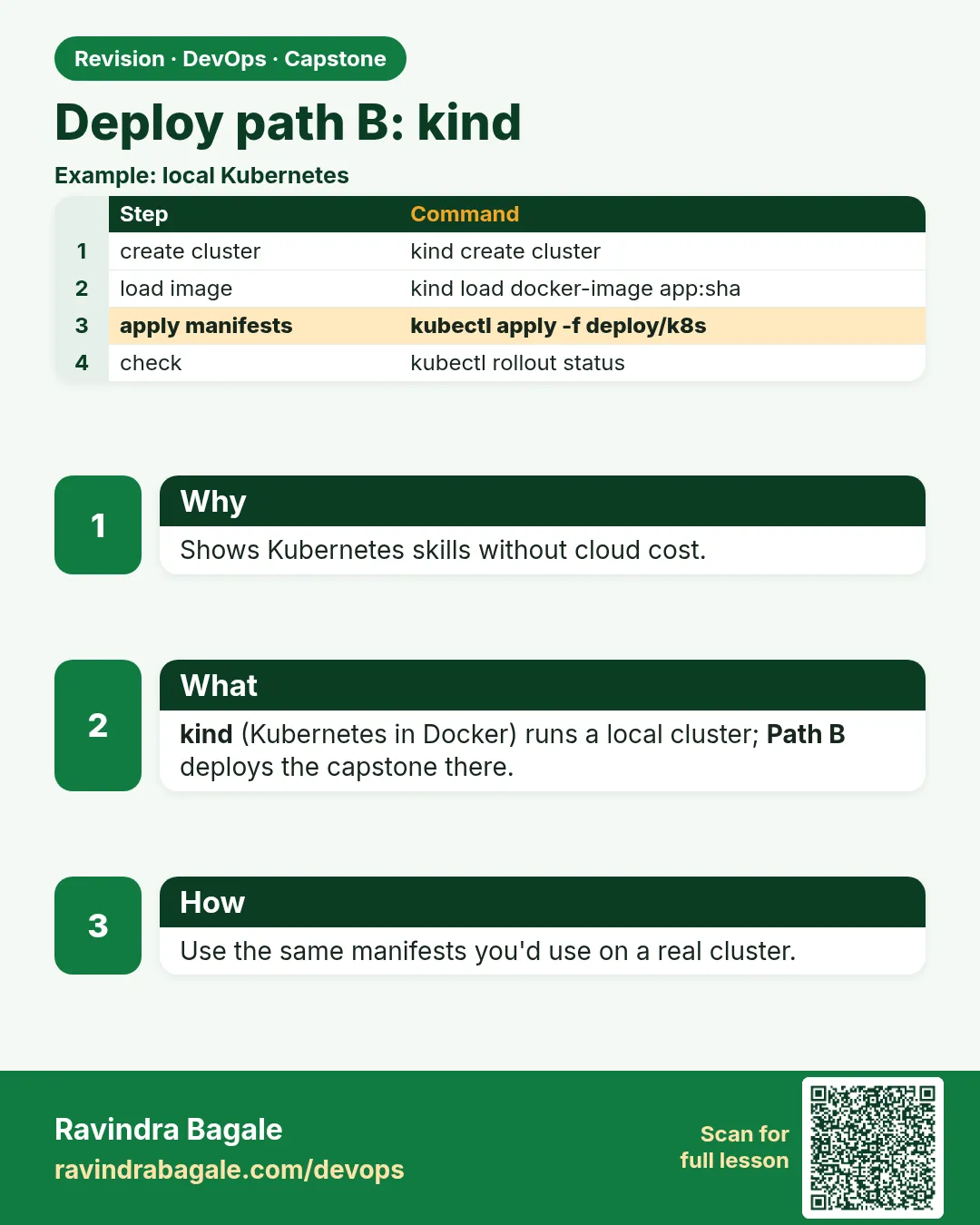
16.7 Deploy path B — kind
Why: the problem
Suppose you want to show an Instagram-style interviewer that your app runs on Kubernetes, but you have no cloud budget. kind gives you a real Kubernetes cluster inside Docker on your laptop, for free. Netflix engineers use local clusters like this to test manifests before they touch production. In this lesson you create a kind cluster, load your image, deploy two replicas with health probes, reach them through a Service, then roll out a new version and roll it back.
What we will build
A local kind cluster running two badge-api Pods behind a Service, reachable with port-forward; a rolling update to a new version and a rollback; and the same deploy as a kind config with a NodePort so curl works without port-forward.
What: every term in plain English
- kind — "Kubernetes IN Docker": a cluster whose nodes are Docker containers.
- kubectl — The command-line tool to talk to Kubernetes.
- Deployment — Keeps N copies (replicas) of your Pod running and handles updates.
- Service — A stable name and IP in front of changing Pods.
- Probe — Kubernetes calling /health: readiness (send traffic?) and liveness (restart?).
- Rollout — Replacing old Pods with new ones step by step.
How: step by step
-
Create a cluster
kind create cluster --name shipitWhat it does: Starts a one-node Kubernetes cluster in Docker.
Output
Creating cluster "shipit" ... ✓ Ensuring node image (kindest/node:v1.30.0) ✓ Starting control-plane Set kubectl context to "kind-shipit" -
Build and load the image
docker build -t badge-api:local . && kind load docker-image badge-api:local --name shipitWhat it does: Copies your local image into the cluster node (no registry needed).
Output
Image: "badge-api:local" with ID "sha256:5b1e..." not yet present on node "shipit-control-plane", loading... -
Apply manifests
kubectl apply -f deploy/k8s.yamlWhat it does: Creates the Deployment and Service.
Output
deployment.apps/badge-api created service/badge-api created -
Wait for ready
kubectl rollout status deploy/badge-apiWhat it does: Waits until both Pods pass readiness.
Output
deployment "badge-api" successfully rolled out -
Port-forward
kubectl port-forward svc/badge-api 8080:80What it does: Opens localhost:8080 to the Service. Keep it running.
Output
Forwarding from 127.0.0.1:8080 -> 3000 -
Call it
curl -s localhost:8080/healthWhat it does: Proves traffic reaches a Pod.
Output
{"status":"ok","version":"local-1"}
Example 1: Deploy two replicas with probes and a Service
Stack. kind 0.23, Kubernetes 1.30
Goal. Deploy two replicas with probes and a Service.
deploy/k8s.yaml
apiVersion: apps/v1
kind: Deployment
metadata:
  name: badge-api
  labels: { app: badge-api }
spec:
  replicas: 2
  selector:
    matchLabels: { app: badge-api }
  template:
    metadata:
      labels: { app: badge-api }
    spec:
      containers:
        - name: api
          image: badge-api:local
          imagePullPolicy: IfNotPresent
          ports: [{ containerPort: 3000 }]
          env:
            - { name: APP_VERSION, value: "local-1" }
          readinessProbe:
            httpGet: { path: /health, port: 3000 }
            initialDelaySeconds: 2
          livenessProbe:
            httpGet: { path: /health, port: 3000 }
            periodSeconds: 10
          resources:
            requests: { cpu: 50m, memory: 64Mi }
            limits: { cpu: 250m, memory: 128Mi }
---
apiVersion: v1
kind: Service
metadata:
  name: badge-api
spec:
  selector: { app: badge-api }
  ports:
    - port: 80
      targetPort: 3000
What each line does
replicas: 2— Two Pods; one can die and the app still answers.selector / labels— The Deployment and Service find Pods by the label app: badge-api.imagePullPolicy: IfNotPresent— Use the image loaded by kind; do not try to download it.readinessProbe— No traffic until /health answers.livenessProbe— Restart the container if /health stops answering.resources— Requests reserve CPU/memory; limits cap it.port: 80 / targetPort: 3000— Service port 80 forwards to container port 3000.
Green output
$ kubectl get pods -l app=badge-api
NAME                         READY   STATUS    RESTARTS   AGE
badge-api-6d9c7b8f5d-4kq2x   1/1     Running   0          40s
badge-api-6d9c7b8f5d-r8m7n   1/1     Running   0          40s
Expected result. Two healthy Pods behind one Service.
Example 2: Roll out a new version, then roll back
Stack. kubectl
Goal. Roll out a new version, then roll back.
rollout.sh
#!/usr/bin/env bash
set -euo pipefail
kubectl set env deploy/badge-api APP_VERSION=local-2
kubectl rollout status deploy/badge-api
curl -s localhost:8080/health; echo
kubectl rollout history deploy/badge-api
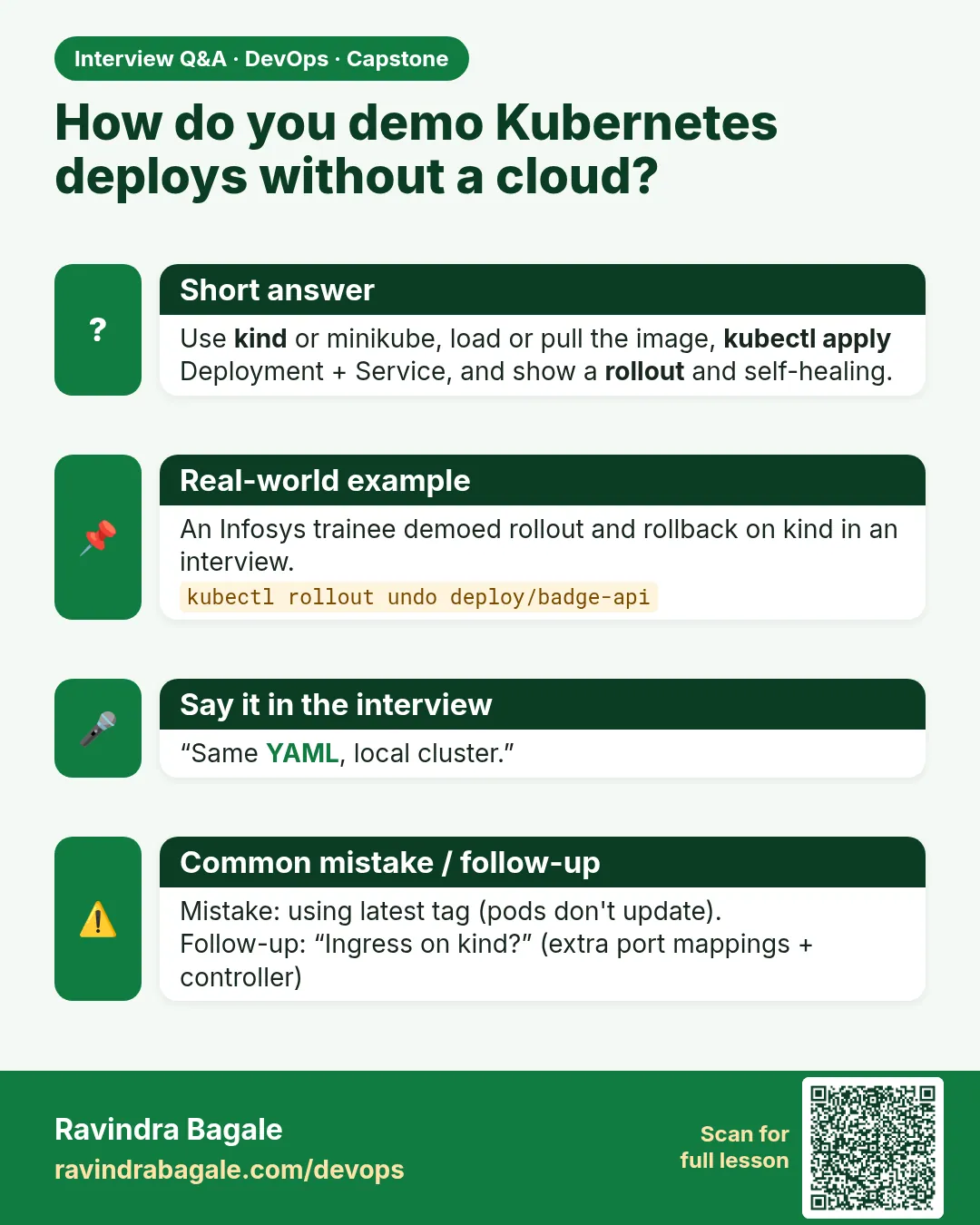
kubectl rollout undo deploy/badge-api
kubectl rollout status deploy/badge-api
curl -s localhost:8080/health; echo
What each line does
kubectl set env ...— Changes the Pod template, which starts a rolling update.rollout status— Waits until new Pods are ready.rollout history— Lists revisions you can go back to.rollout undo— Goes back to the previous revision.
Green output
deployment.apps/badge-api env updated
deployment "badge-api" successfully rolled out
{"status":"ok","version":"local-2"}
REVISION  CHANGE-CAUSE
1         <none>
2         <none>
deployment.apps/badge-api rolled back
{"status":"ok","version":"local-1"}
Expected result. Version goes to local-2 and back to local-1 with no downtime. (Restart port-forward if it drops.)
Example 3: Expose with NodePort through a kind config so no port-forward is needed
Stack. kind, NodePort
Goal. Expose with NodePort through a kind config so no port-forward is needed.
deploy/kind.yaml
kind: Cluster
apiVersion: kind.x-k8s.io/v1alpha4
nodes:
  - role: control-plane
    extraPortMappings:
      - containerPort: 30080
        hostPort: 30080
deploy/svc-nodeport.yaml
apiVersion: v1
kind: Service
metadata:
  name: badge-api-np
spec:
  type: NodePort
  selector: { app: badge-api }
  ports:
    - port: 80
      targetPort: 3000
      nodePort: 30080
What each line does
extraPortMappings— Maps laptop port 30080 to the kind node container.type: NodePort— Opens a fixed port on every node.nodePort: 30080— Must be in 30000–32767.
Green output
$ kind delete cluster --name shipit && kind create cluster --name shipit --config deploy/kind.yaml
$ kind load docker-image badge-api:local --name shipit && kubectl apply -f deploy/k8s.yaml -f deploy/svc-nodeport.yaml
$ curl -s localhost:30080/health
{"status":"ok","version":"local-1"}
Expected result. curl reaches the cluster directly on 30080.
Example 4: Load a local image into kind without a registry
Stack. kind, kubectl
Goal. Load a local image into kind without a registry.
commands
TAG=$(git rev-parse --short HEAD)
docker build -t badge-api:$TAG app
kind load docker-image badge-api:$TAG --name capstone
kubectl set image deploy/badge-api badge-api=badge-api:$TAG
kubectl rollout status deploy/badge-api --timeout=60s
What each line does
kind load docker-image— Copies the image into the kind node.set image— Changes the Deployment image tag.rollout status— Waits until new pods are ready.
Green output
Image: "badge-api:a1b2c3d" with ID "sha256:9f..." not yet present on node "capstone-control-plane", loading...
deployment.apps/badge-api image updated
deployment "badge-api" successfully rolled out
Expected result. No registry needed for the lab. Use imagePullPolicy IfNotPresent.
Verify: did it work?
-
Pods and endpoints
kubectl get endpoints badge-apiWhat it does: Shows the Pod IPs behind the Service.
Output
NAME ENDPOINTS AGE badge-api 10.244.0.5:3000,10.244.0.6:3000 2m -
Self-healing
kubectl delete pod -l app=badge-api --wait=false && kubectl get pods -wWhat it does: Deletes Pods; the Deployment recreates them.
Output
badge-api-6d9c...-x1  0/1  ContainerCreating
badge-api-6d9c...-x1  1/1  Running
When it is red 1
Failed to pull image "badge-api:local": ... pull access denied
Cause. The image was not loaded into kind, or imagePullPolicy is Always.
Fix, step by step
- kind load docker-image badge-api:local --name shipit
- Set imagePullPolicy: IfNotPresent.
- kubectl rollout restart deploy/badge-api
When it is red 2
Readiness probe failed: Get "http://10.244.0.5:3000/health": connect: connection refused
Cause. The app listens on another port, or crashed.
Fix, step by step
- kubectl logs deploy/badge-api
- Check PORT and containerPort match 3000.
- Fix and re-apply.
When it is red 3
error: unable to forward port because pod is not running. Current status=Pending
Cause. Pods are not scheduled (often resources).
Fix, step by step
- kubectl describe pod
- Read Events at the bottom.
- Lower requests or fix the image.
Cleanup
-
Delete the cluster
kind delete cluster --name shipitWhat it does: Removes all nodes and everything inside.
Output
Deleting cluster "shipit" ... -
Prune images
docker image prune -fWhat it does: Frees disk.
Output
Total reclaimed space: 412MB
Ravindra Bagale's Tip
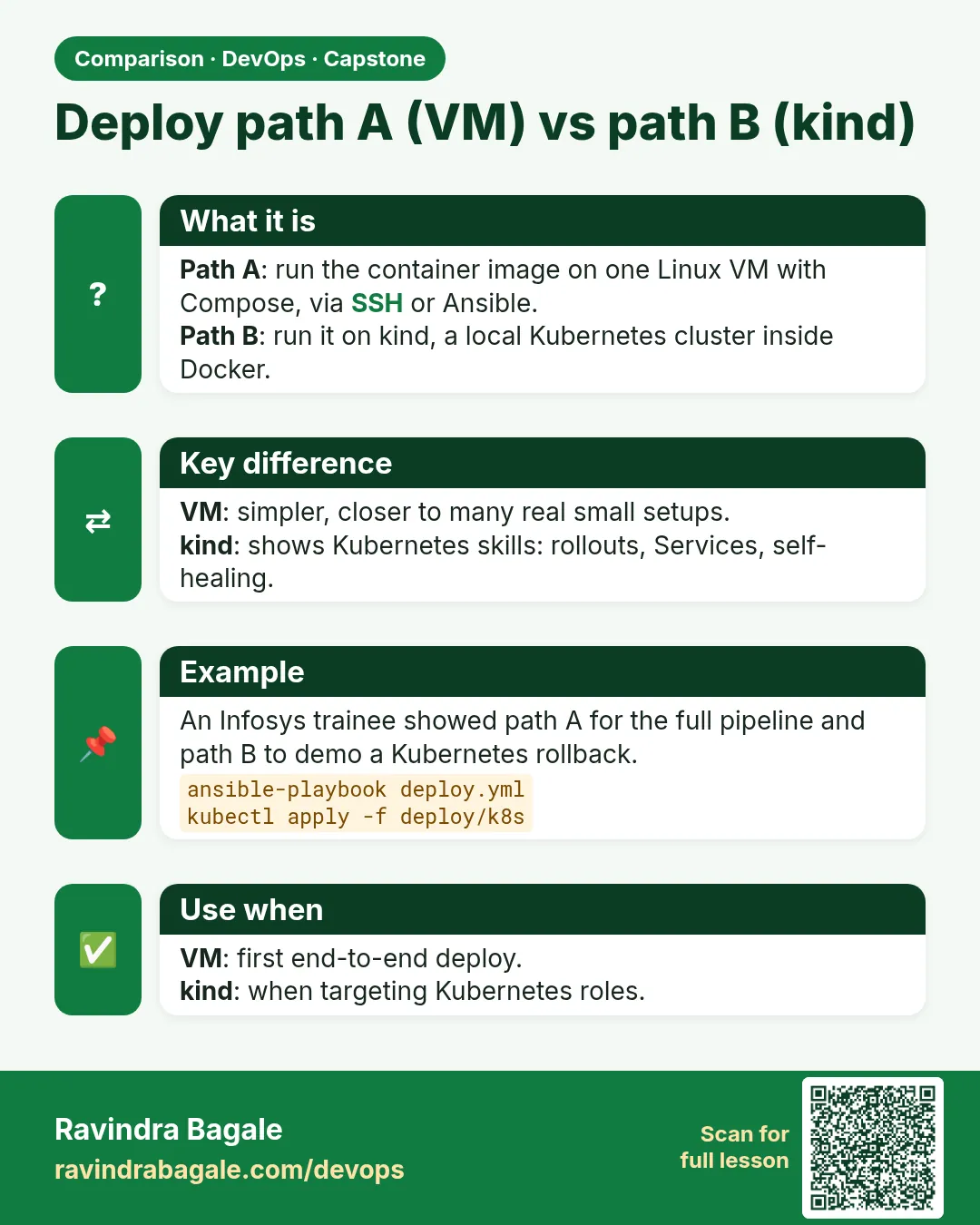
Path A or Path B — pick one and finish it.
Path A किंवा Path B — एकच निवडा आणि पूर्ण करा.
Path A या Path B — एक चुनो और पूरा करो.
Practice tasks
Easy Create cluster
Why: Doing it once with your own hands makes it stick.
What to do: kind create cluster.
- kind create cluster --name shipit
Check: kubectl get nodes shows Ready.
Easy Load image
Why: Doing it once with your own hands makes it stick.
What to do: Load badge-api:local.
- kind load docker-image ...
Check: No error.
Easy Apply
Why: Doing it once with your own hands makes it stick.
What to do: Apply k8s.yaml.
- kubectl apply -f deploy/k8s.yaml
Check: 2 Pods Running.
Easy Port-forward
Why: Doing it once with your own hands makes it stick.
What to do: Call /health.
- kubectl port-forward svc/badge-api 8080:80
- curl
Check: ok.
Medium Scale
Why: Doing it once with your own hands makes it stick.
What to do: Scale to 4.
- kubectl scale deploy/badge-api --replicas=4
Check: 4 Pods.
Medium Self-heal
Why: Doing it once with your own hands makes it stick.
What to do: Delete a Pod.
- kubectl delete pod <name>
Check: A new Pod appears.
Medium Rollout
Why: Doing it once with your own hands makes it stick.
What to do: Set APP_VERSION=local-2.
- Run rollout.sh
Check: local-2 then local-1.
Medium Logs
Why: Doing it once with your own hands makes it stick.
What to do: Read logs.
- kubectl logs -l app=badge-api
Check: listening on 3000.
Hard NodePort
Why: Doing it once with your own hands makes it stick.
What to do: Use kind.yaml + NodePort.
- Recreate cluster.
- curl :30080
Check: ok.
Hard Break readiness
Why: Doing it once with your own hands makes it stick.
What to do: Change probe port to 4000.
- Apply.
- kubectl get pods
Check: 0/1 Ready; fix it back.
Homework: try at home
Try at home
Add a ConfigMap with a BADGE_NAME value and change the app to return it; roll it out and roll it back.
Recap
- kind = free local Kubernetes.
- Load images with kind load.
- Deployment keeps replicas; Service gives one address.
- Probes control traffic and restarts.
- rollout undo rolls back.
FAQ
kind or minikube?
Both fine. kind is light and CI friendly.
Does kind need internet?
Only to download the node image the first time.
Why does port-forward stop?
It ends when the Pod it uses is replaced. Start it again.
Can I use Ingress?
Yes, install ingress-nginx for kind. Keep it optional.
Is this production?
No. It is a faithful local practice cluster.
kind or minikube?
Either. kind is lighter and runs in Docker.
Interview questions
-
How does a Deployment do a rolling update?
Creates new ReplicaSet Pods and removes old ones, gated by readiness.
-
What happens when a liveness probe fails?
The kubelet restarts the container.
-
How do Services find Pods?
Label selectors.
-
How do you debug a Pending Pod?
kubectl describe pod and read Events.
-
How do you roll back a bad deploy?
kubectl rollout undo or deploy the previous image tag.
Quick quiz
Q1. What is kind?
Kubernetes running in Docker containers.
Q2. How does the local image reach the cluster?
kind load docker-image.
Q3. Readiness vs liveness?
Readiness: send traffic? Liveness: restart?
Q4. How do you roll back?
kubectl rollout undo.
Q5. NodePort range?
30000–32767.
Did you understand? Let us try it once more.
 Revision card
 Interview card
 Comparison card