25.17 Metrics (Scorecards) and Embedding
Start with a problem
Rani wants to track the May target (₹1,100) on a scorecard, and the web team wants the report inside an internal portal.
Explain simply
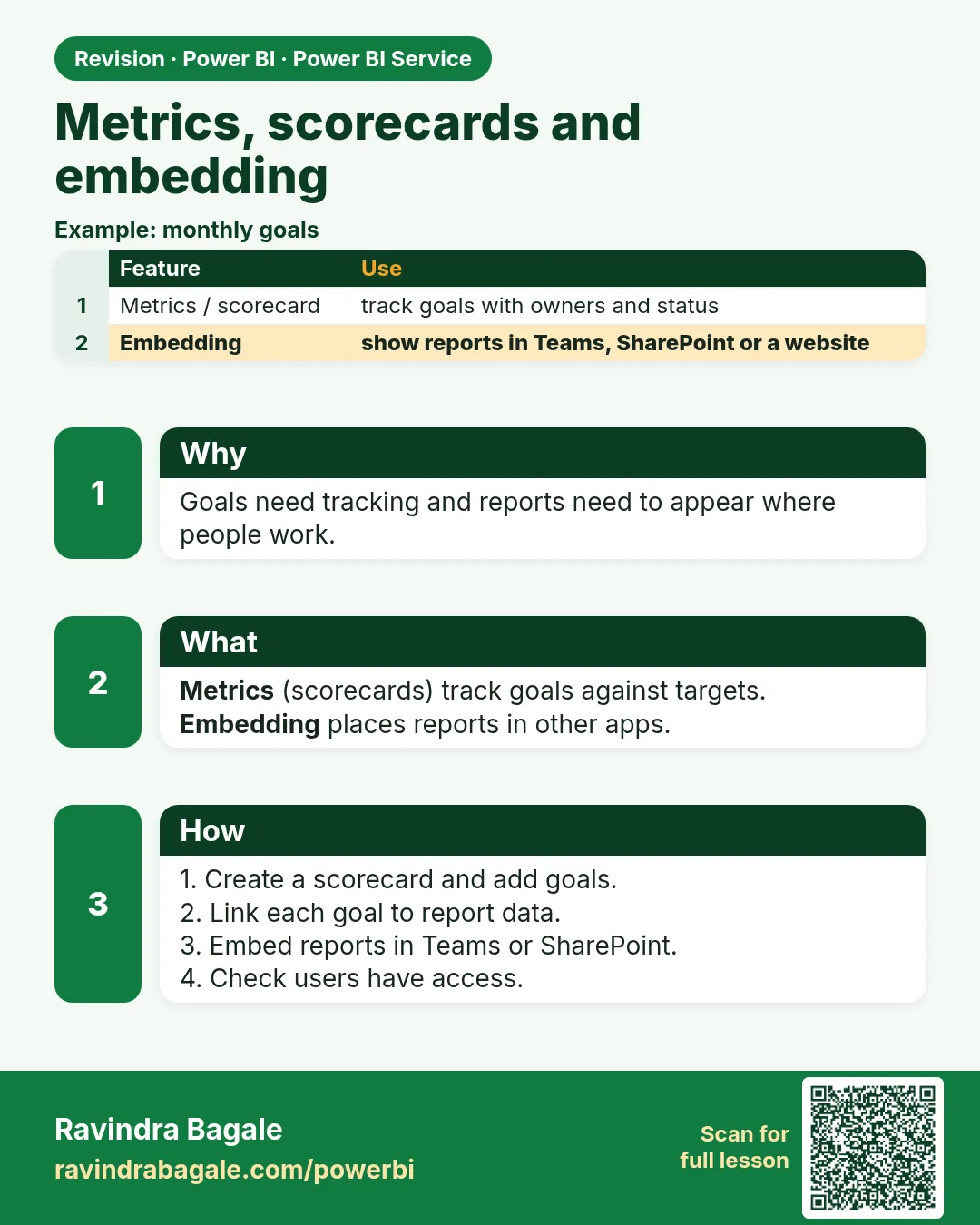
Metrics (scorecards) track goals against targets with owners and check-ins. Embedding places reports in other apps (Teams, SharePoint, portals).
Show the data
| Month | Current (₹) | Target (₹) | Status |
|---|---|---|---|
| Apr-2026 | 900 | 1,000 | Behind (90.0%) |
| May-2026 | 1,200 | 1,100 | On track (109.1%) |
About this data: This table uses columns: Month, Current (₹), Target (₹), Status. This table uses columns: Metric, Value. This table uses columns: Kind, Who sees it, Caution. This table uses columns: Wrong result, Reason, Correction. Values shown are the lesson examples already on this page (not a new dataset).
Fictional sample data. Practice file: monthly_targets_fy2026_27.csv (source: src/practice/).
Demonstrate
- Metrics › New scorecard › add metric Monthly Sales.
- Connect current value to the report card; target ₹1,100; owner Rani.
- Report › Share › Embed report › SharePoint Online › copy link.
Show the result
Your result should look like this (fictional sample):
| Metric | Value |
|---|---|
| May Sales | ₹1,200 / ₹1,100 – 109.1% |
Explain what happened
Scorecards connect to report values; embedding reuses the same report with the viewer's permissions.
Explore further
- Publish to web is public – never use it for company data.
Detailed reference for this lesson:
Goals, scorecards and metrics: the feature name has changed over time. Embedding means showing a report inside another app.
Scorecards in the Service hold metrics (the feature was called Goals earlier). Each metric has a current value, a target and a status. The names in the portal move; today you will see Metrics more often than Goals. Treat the menu as version-dependent. A metric can be typed, or connected to a measure in a semantic model. It is for a target conversation ("are we near the delivery target?"), not for exploring products. If the tenant has no scorecard entry, the feature is off or renamed. Your KPI card in the report still works.
Embedding puts a report in another application.
| Kind | Who sees it | Caution |
|---|---|---|
| Embed for your organisation (secure embed, Teams, SharePoint) | Signed-in colleagues, with their own permissions and RLS | The right default for a company |
| Embed for customers (app owns data) | People who may not have Power BI licences, through your app and embed tokens | Needs a capacity and a developer. Not a student lab |
| Publish to web | Anyone with the link | Public. Do not use it for real data |
Worked example. The executive page for the fictional cities is embedded in a Teams tab so Raja can open it without a second URL. He still signs in, and RLS still hides other cities if he is a city manager. You do not turn on Publish to web to "make Teams easier". That would drop the sign-in.
Ravindra Bagale's Tip
A common mistake is Publish to web, because the embed dialog looks friendly. That is a public link. For company data use organisational embed or an app. A metric tile also has no RLS when the value is typed by hand; once it is connected to a measure, the model's security applies. Pay attention!
Ravindra Bagale's Tip – मराठी
एक common चूक म्हणजे embed dialog मैत्रीपूर्ण दिसतो म्हणून Publish to web करणं. ती public link आहे. Company data साठी organisational embed किंवा app वापरा. Value हाताने type केली असेल तर metric tile ला पण RLS लागत नाही; measure ला जोडल्यावर model ची security लागते. लक्षात ठेवा!
Ravindra Bagale's Tip – हिंदी
एक common गलती है embed dialog दोस्ताना दिखता है इसलिए Publish to web करना. वह public link है. Company data के लिए organisational embed या app इस्तेमाल करो. Value हाथ से type की हो तो metric tile पर भी RLS नहीं लगता; measure से जोड़ने पर model की security लगती है. ध्यान रखो!
Fix common mistakes
| Wrong result | Reason | Correction |
|---|---|---|
| Company data visible publicly | Publish to web used | Use secure embed |
| Target % wrong | Divided target by actual | Actual ÷ target |
| Embed shows nothing | Viewer lacks access | Grant access |
Practise independently
Practice task
April achievement %?
Hints
- 900 ÷ 1,000.
Solution
90.0%.
Think like a professional
Never use Publish to web for internal data – a common interview warning.
Deepen this topic (Why / What / How)
Fictional Maharashtra example. Numbers and workspace names below are practice data only.
Why: Scorecards track goals; embedding puts Power BI where users already work (Teams, web).
What: Metrics/scorecards follow KPIs over time; embed options range from Teams to secure embed.
How — choose scorecard vs report vs embed:
Vertical steps (one under another)
- Use scorecards when owners must track status vs target.
- Keep detailed diagnosis in reports.
- Embed in Teams only with correct permissions.
- Never use public embed for private ops data.
- Full paths in Ch 42; licences in Ch 43.
Tiny example: Fictional: On-time % scorecard owned by Rani; detail report for Raja.
Ravindra Bagale's Tip
Friends, embedding without RLS testing is how the wrong city sees the wrong rows.
Ravindra Bagale's Tip – मराठी
मित्रांनो, RLS test न करता embed = चुकीचे rows.
Ravindra Bagale's Tip – हिंदी
दोस्तों, RLS टेस्ट के बिना embed = गलत rows।
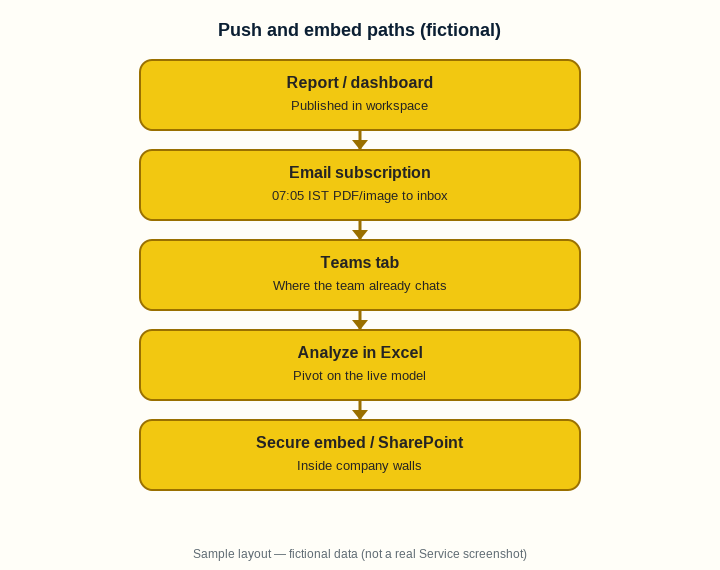
Go deeper next
This Chapter 25 page is the overview. For the full Service deep lesson, open Ch 42 · Subscriptions, Alerts, Teams, Excel, Embedding. Chapters 37–44 are the deep Service series; Chapter 44 is the publish–secure–refresh–share capstone.
Quiz (5 questions)
1. Scorecards mainly track:
2. Embedding into Teams requires:
3. Public embed for private ops data:
4. Deep embed/alerts chapter:
5. End-to-end Service lab:
Practice tasks (12) — hints only, no full answers
- Task. Write the business question this 25 17 metrics scorecards and embedding page answers in one sentence.
Hint: Name the user and the decision. - Task. List three mistakes learners make with 25 17 metrics scorecards and embedding.
Hint: Use Fix common mistakes as a seed. - Task. Draw a 5-box flow on paper for 25 17 metrics scorecards and embedding (fictional MH Ops).
Hint: Photo counts as artefact. - Task. Explain 25 17 metrics scorecards and embedding to a friend in 60 seconds using Why/What/How.
Hint: Record voice memo if you can. - Task. Open the linked deep chapter and write three new facts not on this overview page.
Hint: Cite section titles only. - Task. Create a checklist of 7 ticks before you call 25 17 metrics scorecards and embedding “done”.
Hint: Include a verify step. - Task. Invent fictional refresh/share/role data that fits 25 17 metrics scorecards and embedding.
Hint: Keep IST times. - Task. Map who is Admin / Member / Contributor / Viewer for a fictional workspace using 25 17 metrics scorecards and embedding.
Hint: Least privilege. - Task. Write an interview STAR story that uses 25 17 metrics scorecards and embedding.
Hint: 45–60 seconds. - Task. Find one unused habit you will stop (e.g. My workspace for team content) related to 25 17 metrics scorecards and embedding.
Hint: Be specific. - Task. Link 25 17 metrics scorecards and embedding forward to the correct Ch 37–44 lesson and say why.
Hint: One sentence why. - Task. Teach 25 17 metrics scorecards and embedding back using Marathi or Hindi tip language once.
Hint: Keep English terms for product UI.
 Revision card