25.13 Dataflows
In short: A dataflow runs Power Query in the Service once and stores clean tables that many models can use.
Start with a problem
Three reports each clean the same Orders CSV with the same Power Query steps.
Explain simply
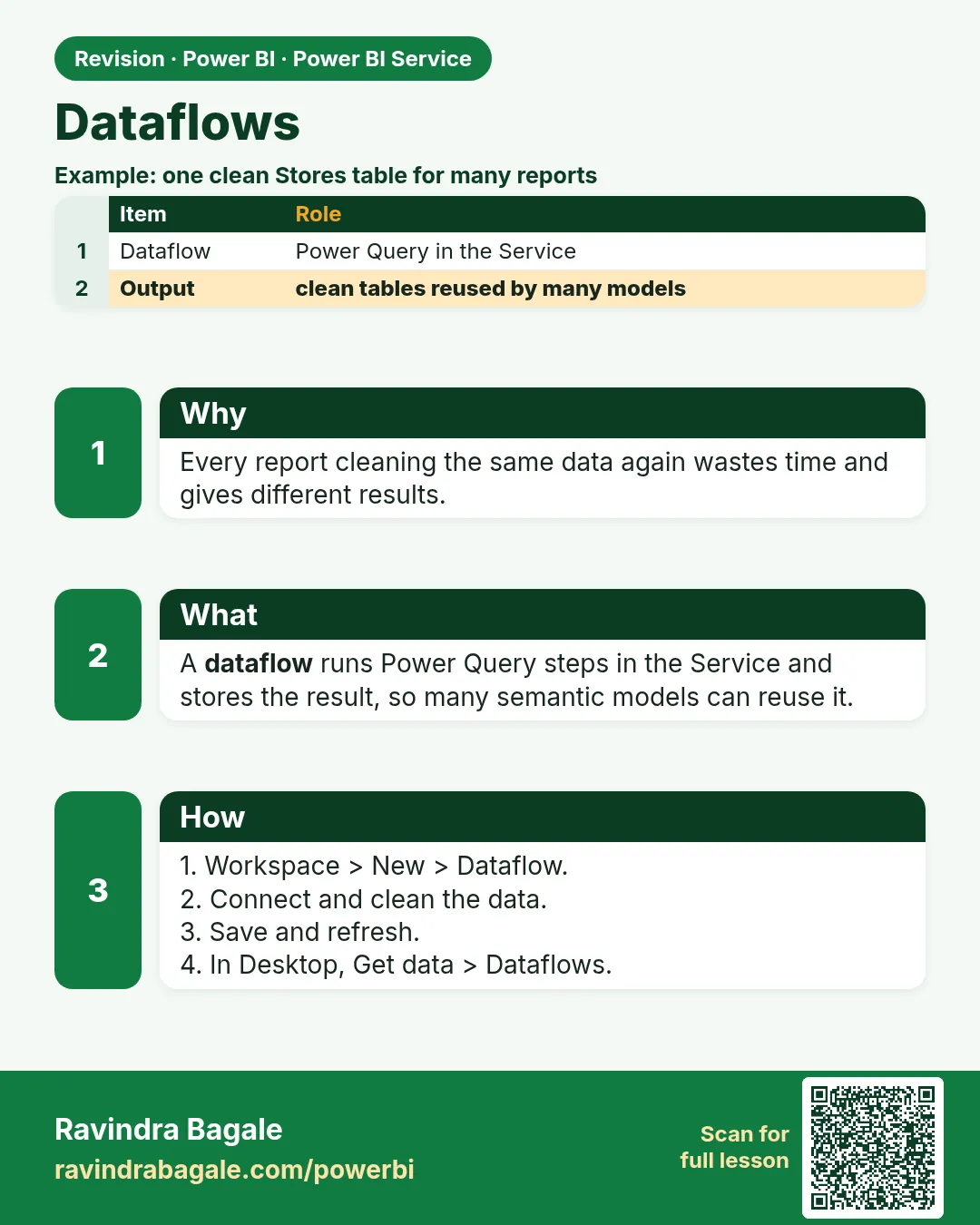
A dataflow runs Power Query in the Service once and stores clean tables that many models can use.
Show the data
| Without dataflow | With dataflow |
|---|---|
| 3 copies of the cleaning steps | 1 copy |
| 3 refreshes of the source | 1 |
About this data: This table uses columns: Without dataflow, With dataflow. This table uses columns: Table, Rows, Total Amount. This table uses columns: Wrong result, Reason, Correction. Values shown are the lesson examples already on this page (not a new dataset).
Fictional sample data. Practice file: folder_orders/Orders_2026_04.csv, folder_orders/Orders_2026_05.csv (source: src/practice/).
Demonstrate
- Workspace › New › Dataflow.
- Add the folder/CSV source and the same cleaning steps.
- Save and refresh.
- In Desktop: Get data › Dataflows › pick the table.
Show the result
Your result should look like this (fictional sample):
| Table | Rows | Total Amount |
|---|---|---|
| Orders (dataflow) | 8 | ₹2,100 |
Explain what happened
Cleaning logic is centralised; models just import the result.
Explore further
- Schedule the dataflow refresh before model refreshes.
Detailed reference for this lesson:
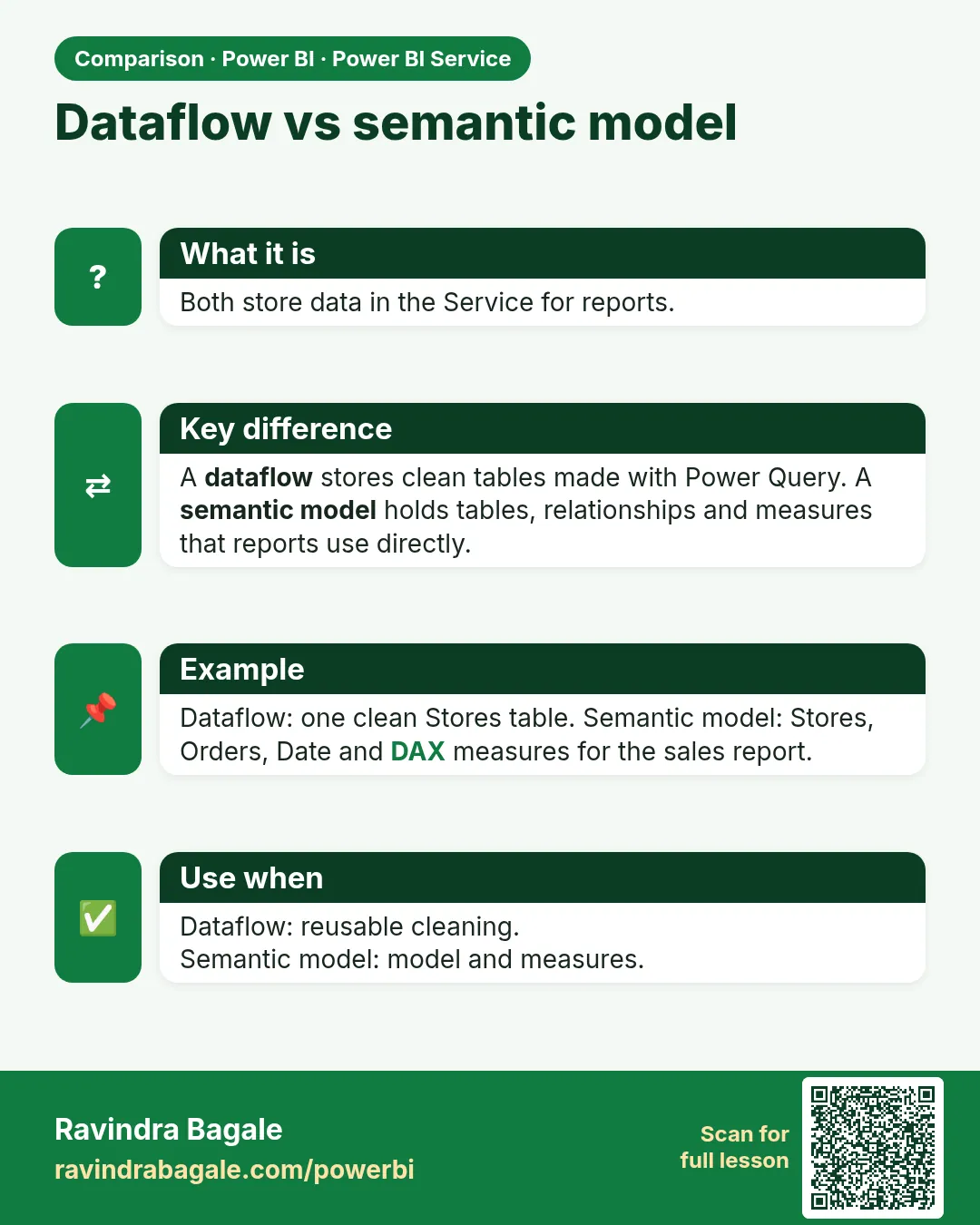
A dataflow is Power Query running in the Service, where other models can reuse the same steps.
A dataflow stores Power Query transformations in a workspace, separate from any one report. Two semantic models can connect to the same dataflow and share the cleaning (city name fixes, types, the fictional store list). Dataflow Gen1 is the Power BI dataflow. Dataflow Gen2 lives in Microsoft Fabric and is the newer pipeline-style flow. The menus differ. Learn the idea here; follow the buttons in your tenant.
Steps – Gen1 shape
- Workspace › New › Dataflow.
- Add tables the same way as Get data: the SQL view, the SharePoint file, or a folder the gateway can see.
- Apply the cleaning you would have applied in Desktop. Save and refresh the dataflow once.
- In Desktop: Get data › Power Platform › Dataflows (the path moves). Sign in, pick the workspace and the tables. Then build relationships as usual.
The dataflow refresh and the semantic model refresh are two schedules. If the model refreshes first, it reads yesterday's dataflow. Set the dataflow earlier.
Worked example. Pune and Nagpur reports both need the city-name map from section 7.9. You put that map in one dataflow. Both models connect to it. You fix "Sambhajinagar" to "Sambhaji Nagar" once. You do not copy the Power Query steps into two PBIX files and watch them drift apart.
Ravindra Bagale's Tip
A common mistake is a dataflow that still points at someone's laptop path. A Service dataflow needs a gateway or a cloud path. And do not schedule the dataflow refresh and the dataset refresh at the same time; the dataflow goes first. Remember the order.
Ravindra Bagale's Tip – मराठी
एक common चूक म्हणजे अजूनही कोणाच्या तरी laptop path कडे बघणारा dataflow. Service dataflow ला gateway किंवा cloud path लागतो. आणि dataflow refresh आणि dataset refresh एकाच वेळी ठेवू नका; dataflow आधी. क्रम लक्षात ठेवा.
Ravindra Bagale's Tip – हिंदी
एक common गलती है ऐसा dataflow जो अब भी किसी के laptop path की ओर इशारा करता है. Service dataflow को gateway या cloud path चाहिए. और dataflow refresh और dataset refresh एक ही समय पर मत रखो; dataflow पहले. क्रम याद रखो.
Fix common mistakes
| Wrong result | Reason | Correction |
|---|---|---|
| Model refreshes before dataflow | Wrong order | Stagger schedules |
| Dataflow not visible | Wrong workspace/permission | Check access |
| Logic duplicated anyway | Old queries kept | Remove local copies |
Practise independently
Practice task
If the dataflow refresh is at 06:30 IST, when should the model refresh?
Hints
- After.
Solution
After it completes, e.g. 07:00 IST.
Think like a professional
Reuse is a sign of good architecture.
Deepen this topic (Why / What / How)
Fictional Maharashtra example. Numbers and workspace names below are practice data only.
Why: Five .pbix files repeating the same Power Query is how Monday breaks five times.
What: Dataflows centralise Power Query entities for reuse across models.
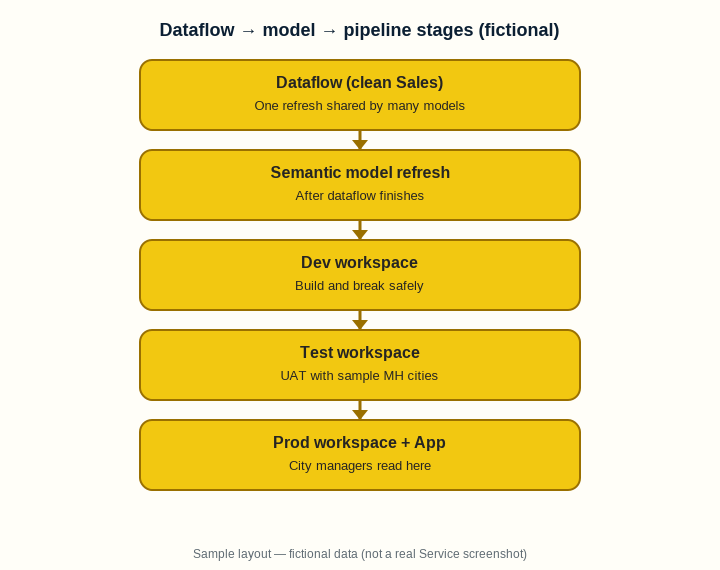
How — know when to use a dataflow:
Vertical steps (one under another)
- Spot repeated cleanses across files.
- Plan a dataflow entity for DimCity / FactOrders staging.
- Refresh the dataflow, then connect models to it.
- Watch lineage after you switch.
- Full how-to in Ch 41.
Tiny example: Fictional: one CityDim dataflow feeds Sales and Ops models.
Ravindra Bagale's Tip
Friends, dataflows are shared Power Query — not a replacement for a good star schema.
Ravindra Bagale's Tip – मराठी
मित्रांनो, dataflow = shared Power Query; star schema अजून हवा.
Ravindra Bagale's Tip – हिंदी
दोस्तों, dataflow = shared Power Query; star schema फिर भी चाहिए।
Go deeper next
This Chapter 25 page is the overview. For the full Service deep lesson, open Ch 41 · Dataflows, Pipelines, Lineage and Usage. Chapters 37–44 are the deep Service series; Chapter 44 is the publish–secure–refresh–share capstone.
Quiz (5 questions)
1. Dataflows mainly help you:
2. Repeated Power Query in five .pbix files is a sign to:
3. After creating a dataflow:
4. Deep chapter:
5. Dataflows replace star schema:
Practice tasks (12) — hints only, no full answers
- Task. Write the business question this 25 13 dataflows page answers in one sentence.
Hint: Name the user and the decision. - Task. List three mistakes learners make with 25 13 dataflows.
Hint: Use Fix common mistakes as a seed. - Task. Draw a 5-box flow on paper for 25 13 dataflows (fictional MH Ops).
Hint: Photo counts as artefact. - Task. Explain 25 13 dataflows to a friend in 60 seconds using Why/What/How.
Hint: Record voice memo if you can. - Task. Open the linked deep chapter and write three new facts not on this overview page.
Hint: Cite section titles only. - Task. Create a checklist of 7 ticks before you call 25 13 dataflows “done”.
Hint: Include a verify step. - Task. Invent fictional refresh/share/role data that fits 25 13 dataflows.
Hint: Keep IST times. - Task. Map who is Admin / Member / Contributor / Viewer for a fictional workspace using 25 13 dataflows.
Hint: Least privilege. - Task. Write an interview STAR story that uses 25 13 dataflows.
Hint: 45–60 seconds. - Task. Find one unused habit you will stop (e.g. My workspace for team content) related to 25 13 dataflows.
Hint: Be specific. - Task. Link 25 13 dataflows forward to the correct Ch 37–44 lesson and say why.
Hint: One sentence why. - Task. Teach 25 13 dataflows back using Marathi or Hindi tip language once.
Hint: Keep English terms for product UI.
 Revision card
 Comparison card