25.15 Sensitivity Labels and Endorsement
Start with a problem
Zoya's report contains customer phone numbers. Users should see it is confidential, and should know which model is the trusted one.
Explain simply
Sensitivity labels (Microsoft Purview) mark data as Confidential, etc. Endorsement marks content Promoted or Certified.
Show the data
| Item | Label/Endorsement |
|---|---|
| Maharashtra Sales model | Certified |
| Customer report | Confidential |
About this data: This table uses columns: Item, Label/Endorsement. This table uses columns: Item, Result. This table uses columns: Level, Meaning. This table uses columns: Wrong result, Reason, Correction. Values shown are the lesson examples already on this page (not a new dataset).
Fictional sample data. Practice file: visuals_orders_apr_may_2026.csv (source: src/practice/).
Demonstrate
- Report › Settings › Sensitivity label › Confidential.
- Model › Settings › Endorsement › Promoted (Certified needs approval).
- Export to Excel and check the label travels.
Show the result
Your result should look like this (fictional sample):
| Item | Result |
|---|---|
| Report header | Confidential label shown |
| Model | Promoted badge |
Explain what happened
Labels protect and inform; endorsement guides users to trusted models.
Explore further
- Certification usually requires admin-approved certifiers.
Detailed reference for this lesson:
A sensitivity label says how confidential the file is. Endorsement says "use this model, it is the official one". Neither of them is a security role.
Sensitivity label सांगतो की file किती confidential आहे. Endorsement सांगतं की "हा model वापरा, हाच official आहे". यातलं कुठलंच security role नाही.
Sensitivity label बताता है कि file कितनी confidential है. Endorsement बताता है कि "यह model इस्तेमाल कीजिए, यही official है". इनमें से कोई भी security role नहीं है.
Sensitivity labels come from Microsoft Purview. An admin defines names such as General or Confidential. You apply a label in Desktop or the Service if the tenant allows it. The label can travel with an export (PDF, Excel) when the admin configured that. A label does not filter rows. RLS still does that. If you see no label button, the tenant has not enabled labels for Power BI. Skip the button; do not invent a label.
Endorsement is on the semantic model: Settings › Endorsement.
| Level | Meaning |
|---|---|
| None | No badge |
| Promoted | The owners say "this is maintained, please use it" |
| Certified | A person in a role the admin chose has certified it. Not every Member can certify |
Promoted and certified models are easier to find when someone uses Get data on a published semantic model. Certification is not a technical test you can click past. It is a governance flag.
Worked example. The fictional quick-commerce model is Promoted so classmates connect to it instead of building a second star schema. It is not Certified, because nobody in a certification role reviewed it. You still apply RLS for city managers. The Promoted badge did not hide Mumbai from a Pune manager.
Ravindra Bagale's Tip
In interviews, do not call endorsement RLS. A Promoted model can still show all the data. A label is not a row filter either. Security means a role. A badge means trust. Many students say this the wrong way round. Remember this.
Ravindra Bagale's Tip – मराठी
Interview मध्ये endorsement ला RLS म्हणू नका. Promoted model पण सगळा data दाखवू शकतो. Label पण row filter नाही. Security म्हणजे role. Badge म्हणजे विश्वास. बरेच students हे उलट सांगतात. लक्षात ठेवा.
Ravindra Bagale's Tip – हिंदी
Interview में endorsement को RLS मत कहो. Promoted model भी पूरा data दिखा सकता है. Label भी row filter नहीं है. Security यानी role. Badge यानी भरोसा. बहुत से students यह उल्टा बताते हैं. याद रखो.
Fix common mistakes
| Wrong result | Reason | Correction |
|---|---|---|
| Cannot set Certified | Not an approved certifier | Use Promoted or request |
| No labels list | Purview not set up | Ask admin |
| Users use an old model | Not endorsed | Certify the official one |
Practise independently
Practice task
Which endorsement can a normal author set?
Hints
- Not Certified.
Solution
Promoted.
Think like a professional
Governance terms show you can work in regulated companies.
Deepen this topic (Why / What / How)
Fictional Maharashtra example. Numbers and workspace names below are practice data only.
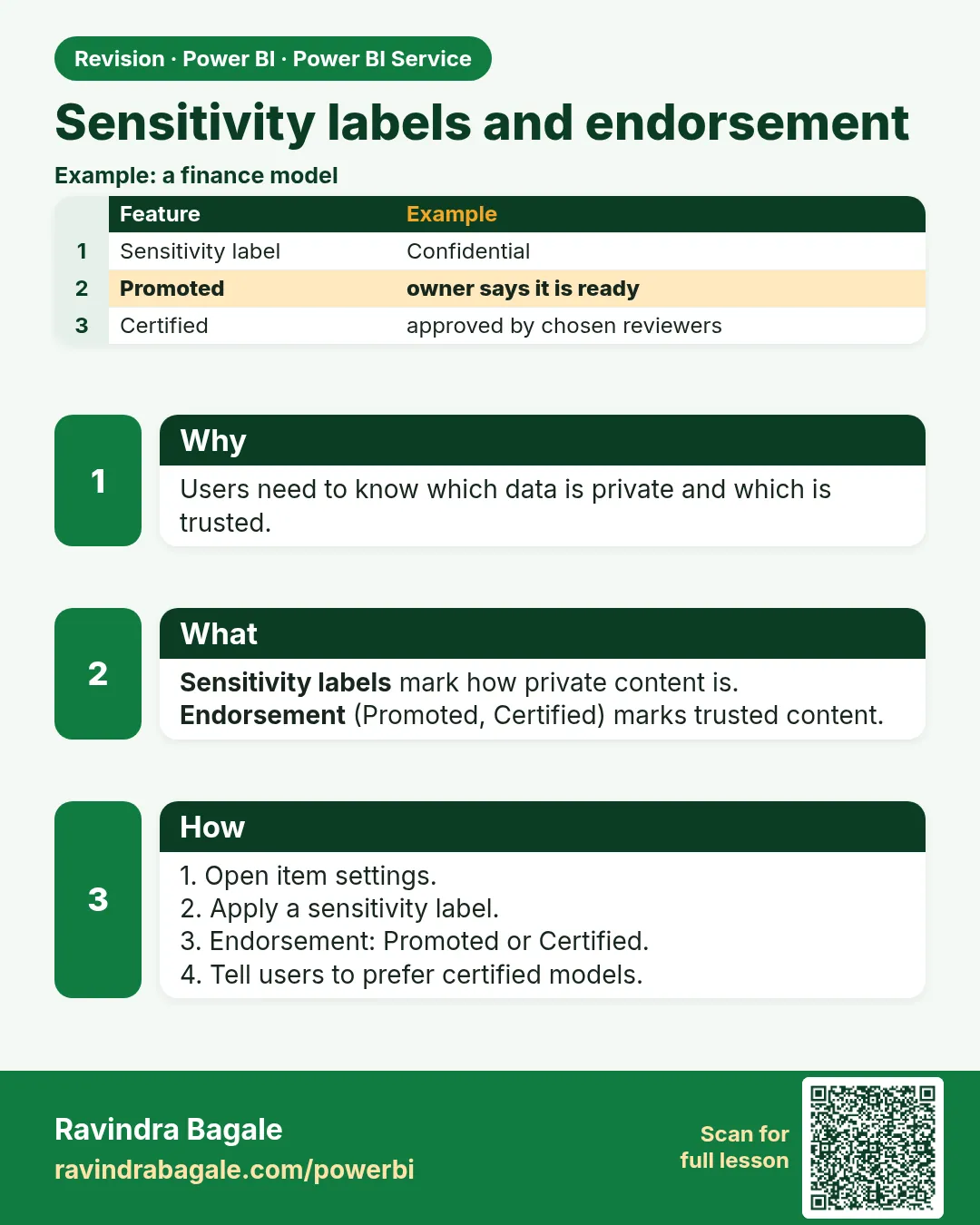
Why: Unlabelled exports and “random” models destroy trust.
What: Sensitivity labels classify data; endorsement marks trusted models (Promoted / Certified).
How — apply trust signals:
Vertical steps (one under another)
- Ask your admin which labels exist (Confidential, etc.).
- Apply the label that matches the data class.
- Request Promoted/Certified only after owner review.
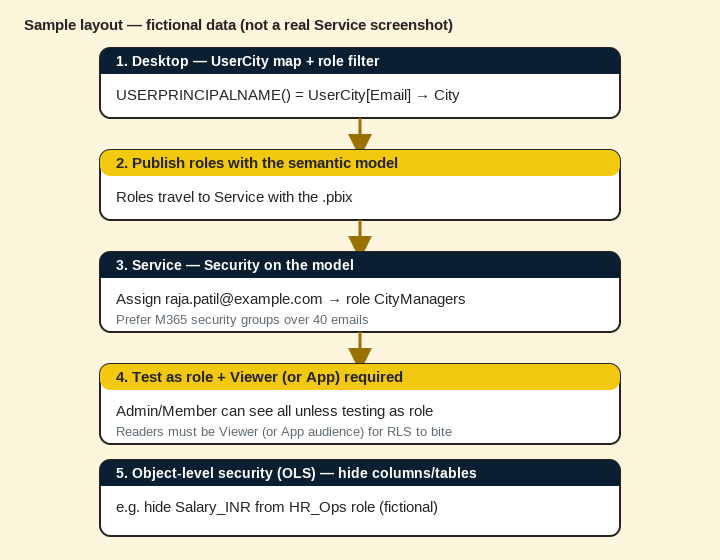
- Pair with RLS/OLS habits (Ch 26 overview, Ch 40 deep).
- Licensing/admin context in Ch 43.
Tiny example: Fictional: Confidential label on HR attrition model; Certified on finance actuals.
Ravindra Bagale's Tip
Friends, Certified is a promise — do not stamp it on a weekend experiment.
Ravindra Bagale's Tip – मराठी
मित्रांनो, Certified = वचन; weekend experiment वर लावू नका.
Ravindra Bagale's Tip – हिंदी
दोस्तों, Certified = वादा; weekend experiment पर मत लगाओ।
Go deeper next
This Chapter 25 page is the overview. For the full Service deep lesson, open Ch 40 · RLS and OLS in the Service. Chapters 37–44 are the deep Service series; Chapter 44 is the publish–secure–refresh–share capstone.
Quiz (5 questions)
1. Sensitivity labels:
2. Certified endorsement means:
3. Pair labels with:
4. Deep RLS/OLS Service chapter:
5. Admin/licensing context:
Practice tasks (12) — hints only, no full answers
- Task. Write the business question this 25 15 sensitivity labels and endorsement page answers in one sentence.
Hint: Name the user and the decision. - Task. List three mistakes learners make with 25 15 sensitivity labels and endorsement.
Hint: Use Fix common mistakes as a seed. - Task. Draw a 5-box flow on paper for 25 15 sensitivity labels and endorsement (fictional MH Ops).
Hint: Photo counts as artefact. - Task. Explain 25 15 sensitivity labels and endorsement to a friend in 60 seconds using Why/What/How.
Hint: Record voice memo if you can. - Task. Open the linked deep chapter and write three new facts not on this overview page.
Hint: Cite section titles only. - Task. Create a checklist of 7 ticks before you call 25 15 sensitivity labels and endorsement “done”.
Hint: Include a verify step. - Task. Invent fictional refresh/share/role data that fits 25 15 sensitivity labels and endorsement.
Hint: Keep IST times. - Task. Map who is Admin / Member / Contributor / Viewer for a fictional workspace using 25 15 sensitivity labels and endorsement.
Hint: Least privilege. - Task. Write an interview STAR story that uses 25 15 sensitivity labels and endorsement.
Hint: 45–60 seconds. - Task. Find one unused habit you will stop (e.g. My workspace for team content) related to 25 15 sensitivity labels and endorsement.
Hint: Be specific. - Task. Link 25 15 sensitivity labels and endorsement forward to the correct Ch 37–44 lesson and say why.
Hint: One sentence why. - Task. Teach 25 15 sensitivity labels and endorsement back using Marathi or Hindi tip language once.
Hint: Keep English terms for product UI.
 Revision card