Chapter 15: Kubernetes Introduction
15.6 Reaching the app — port-forward (kind-friendly)
Why: the problem
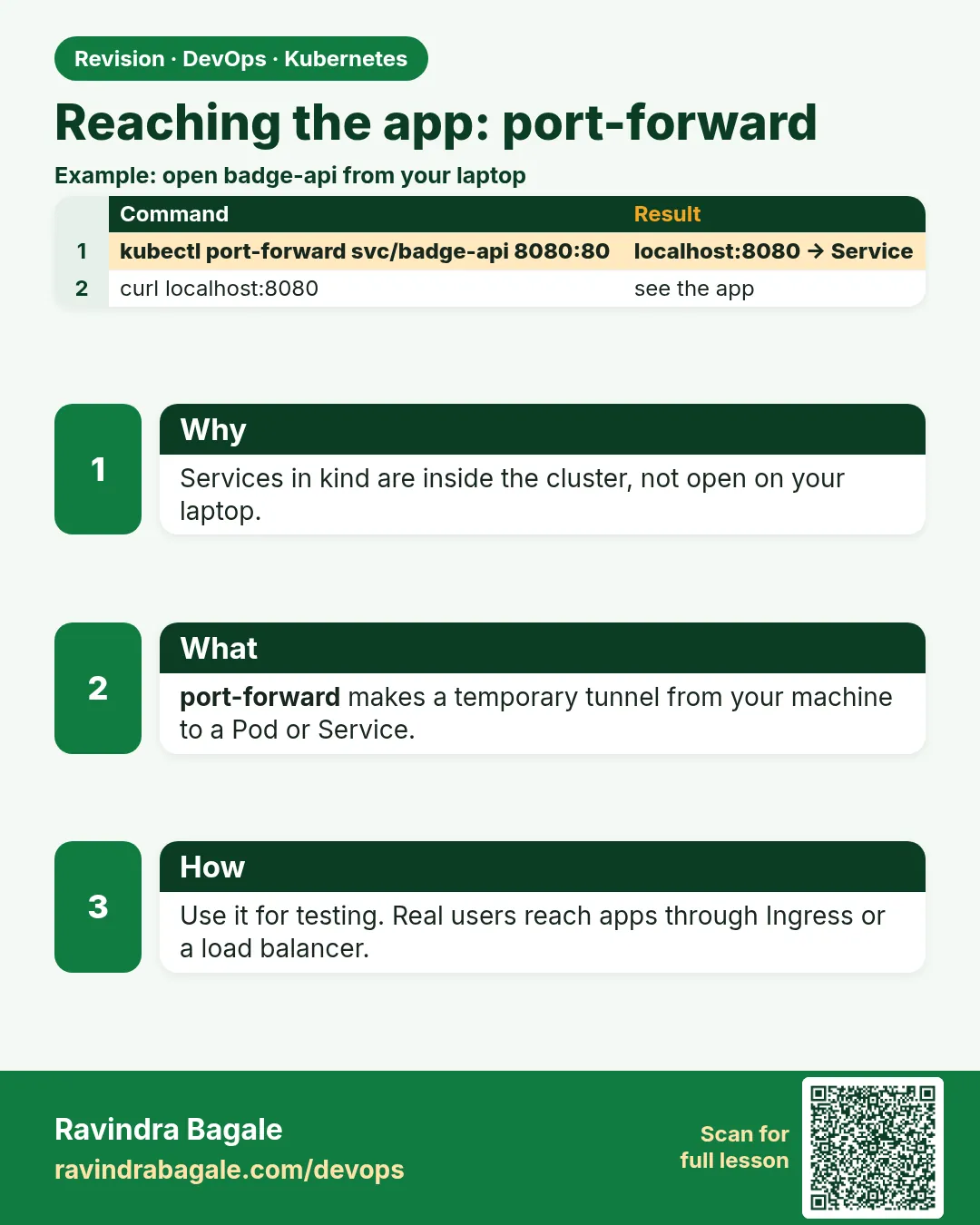
Suppose we deployed the badge API in kind. It runs, but the browser cannot reach it. A ClusterIP Service works only inside the cluster. On a laptop we do not have a cloud load balancer. The simple, safe answer is kubectl port-forward. It opens a private tunnel from your laptop to a Service or a Pod.
What we will build
You will reach each stack with port-forward, call several endpoints, and see which Pod answered.
What: every term in plain English
- ClusterIP — A Service IP reachable only inside the cluster.
- port-forward — A kubectl tunnel from localhost to a Pod or Service.
- Local port — The port on your laptop, such as 8080.
- Remote port — The Service port, such as 80.
- NodePort — A Service type that opens a port on every node. Not needed for kind labs here.
- Ingress — A rule for HTTP traffic from outside. Later chapters cover it.
How: step by step
-
Check the Service port
kubectl get svc badge-nodeWhat it does: Service listens on 80.
Output
badge-node ClusterIP 10.96.41.12 80/TCP -
Start the tunnel
kubectl port-forward svc/badge-node 8080:80What it does: Laptop port 8080 goes to Service port 80.
Output
Forwarding from 127.0.0.1:8080 -> 3000 Forwarding from [::1]:8080 -> 3000 -
Call health in a new terminal
curl -s localhost:8080/healthWhat it does: The app answers.
Output
{"status":"ok"} -
Call the badge endpoint
curl -s localhost:8080/badge/raviWhat it does: Shows the Pod name that answered.
Output
{"user":"ravi","badge":"verified-learner","pod":"badge-node-6d9f7c8b5-4kq2x","version":"1.0"} -
Call with a bad user
curl -s -w " %{http_code}\n" localhost:8080/badge/R!What it does: The app checks input and returns 400.
Output
{"error":"invalid username"} 400 -
Forward to a single Pod
kubectl port-forward pod/$(kubectl get pod -l app=badge-node -o name | head -1 | cut -d/ -f2) 9090:3000What it does: Useful to test one Pod directly.
Output
Forwarding from 127.0.0.1:9090 -> 3000 -
Stop the tunnel
Ctrl+CWhat it does: port-forward stops when you press Ctrl+C.
Output
^C
Example 1: Node
Stack. Node.js 20, Express, kind
Goal. Node.js: reach badge-node from your laptop with port-forward on 8080.
server.js
// server.js - badge API (Node.js + Express)
const express = require("express");
const os = require("os");
const app = express();
app.get("/health", (req, res) => res.json({ status: "ok" }));
app.get("/badge/:user", (req, res) => {
  const user = req.params.user;
  if (!/^[a-z0-9_]{3,30}$/.test(user)) return res.status(400).json({ error: "invalid username" });
  res.json({ user, badge: "verified-learner", pod: os.hostname(), version: process.env.APP_VERSION || "1.0" });
});
app.listen(process.env.PORT || 3000, () => console.log("badge-node listening on 3000"));
Dockerfile
# Dockerfile - Node badge API
FROM node:20-alpine
WORKDIR /app
COPY package*.json ./
RUN npm ci --omit=dev
COPY server.js .
USER node
EXPOSE 3000
CMD ["node", "server.js"]
k8s/badge-node.yaml
apiVersion: apps/v1
kind: Deployment
metadata:
  name: badge-node
  namespace: badge-api
  labels: { app: badge-node }
spec:
  replicas: 2
  selector:
    matchLabels: { app: badge-node }
  template:
    metadata:
      labels: { app: badge-node }
    spec:
      containers:
        - name: api
          image: badge-node:1.0
          ports:
            - containerPort: 3000
---
apiVersion: v1
kind: Service
metadata:
  name: badge-node
  namespace: badge-api
spec:
  type: ClusterIP
  selector: { app: badge-node }
  ports:
    - port: 80
      targetPort: 3000
What each line does
kind: Deployment— Tells Kubernetes: keep this many copies of the Pod running all the time.replicas: 2— Two Pods. If one dies, Kubernetes makes a new one.selector.matchLabels— The Deployment owns Pods that carry this label.image: ...:1.0— A fixed tag. Never use latest, because you cannot tell what is running.kind: Service / type: ClusterIP— One stable name and IP inside the cluster in front of all matching Pods.port: 80 / targetPort— Callers use port 80. The Service sends traffic to the app port inside the Pod.kubectl port-forward svc/NAME 8080:80— Local 8080 to Service 80, which goes to the app port.
Green output
$ kubectl -n badge-api get pods -l app=badge-node
NAME                          READY   STATUS    RESTARTS   AGE
badge-node-6d9f7c8b5-4kq2x     1/1     Running   0          40s
badge-node-6d9f7c8b5-r7m9t     1/1     Running   0          40s
$ curl -s localhost:8080/badge/ravi
{"user":"ravi","badge":"verified-learner","pod":"badge-node-6d9f7c8b5-4kq2x","version":"1.0"}
Expected result. curl localhost:8080 returns JSON from the Node.js Pod.
Example 2: Python: reach badge-py from your laptop with port-forward on 8080
Stack. Python 3.12, Flask, gunicorn, kind
Goal. Python: reach badge-py from your laptop with port-forward on 8080.
app.py
# app.py - badge API (Python + Flask)
import os, re, socket
from flask import Flask, jsonify
app = Flask(__name__)

@app.get("/health")
def health():
    return jsonify(status="ok")

@app.get("/badge/<user>")
def badge(user):
    if not re.fullmatch(r"[a-z0-9_]{3,30}", user):
        return jsonify(error="invalid username"), 400
    return jsonify(user=user, badge="verified-learner", pod=socket.gethostname(),
                   version=os.environ.get("APP_VERSION", "1.0"))
Dockerfile
# Dockerfile - Python badge API
FROM python:3.12-slim
WORKDIR /app
COPY requirements.txt .
RUN pip install --no-cache-dir -r requirements.txt   # flask, gunicorn
COPY app.py .
RUN useradd -u 10001 app
USER 10001
EXPOSE 5000
CMD ["gunicorn", "-b", "0.0.0.0:5000", "app:app"]
k8s/badge-py.yaml
apiVersion: apps/v1
kind: Deployment
metadata:
  name: badge-py
  namespace: badge-api
  labels: { app: badge-py }
spec:
  replicas: 2
  selector:
    matchLabels: { app: badge-py }
  template:
    metadata:
      labels: { app: badge-py }
    spec:
      containers:
        - name: api
          image: badge-py:1.0
          ports:
            - containerPort: 5000
---
apiVersion: v1
kind: Service
metadata:
  name: badge-py
  namespace: badge-api
spec:
  type: ClusterIP
  selector: { app: badge-py }
  ports:
    - port: 80
      targetPort: 5000
What each line does
kind: Deployment— Tells Kubernetes: keep this many copies of the Pod running all the time.replicas: 2— Two Pods. If one dies, Kubernetes makes a new one.selector.matchLabels— The Deployment owns Pods that carry this label.image: ...:1.0— A fixed tag. Never use latest, because you cannot tell what is running.kind: Service / type: ClusterIP— One stable name and IP inside the cluster in front of all matching Pods.port: 80 / targetPort— Callers use port 80. The Service sends traffic to the app port inside the Pod.kubectl port-forward svc/NAME 8080:80— Local 8080 to Service 80, which goes to the app port.
Green output
$ kubectl -n badge-api get pods -l app=badge-py
NAME                          READY   STATUS    RESTARTS   AGE
badge-py-6d9f7c8b5-4kq2x     1/1     Running   0          40s
badge-py-6d9f7c8b5-r7m9t     1/1     Running   0          40s
$ curl -s localhost:8080/badge/ravi
{"user":"ravi","badge":"verified-learner","pod":"badge-py-6d9f7c8b5-4kq2x","version":"1.0"}
Expected result. curl localhost:8080 returns JSON from the Python Pod.
Example 3: Java: reach badge-java from your laptop with port-forward on 8080
Stack. Java 21, Spring Boot, kind
Goal. Java: reach badge-java from your laptop with port-forward on 8080.
BadgeController.java
// src/main/java/com/shipit/BadgeController.java - badge API (Java + Spring Boot)
package com.shipit;
import org.springframework.web.bind.annotation.*;
import java.net.InetAddress;
import java.util.Map;

@RestController
public class BadgeController {
  @GetMapping("/health")
  public Map<String, String> health() { return Map.of("status", "ok"); }

  @GetMapping("/badge/{user}")
  public Map<String, String> badge(@PathVariable String user) throws Exception {
    if (!user.matches("[a-z0-9_]{3,30}")) throw new IllegalArgumentException("invalid username");
    String v = System.getenv().getOrDefault("APP_VERSION", "1.0");
    return Map.of("user", user, "badge", "verified-learner",
                  "pod", InetAddress.getLocalHost().getHostName(), "version", v);
  }
}
Dockerfile
# Dockerfile - Java badge API (two stages: build, then run)
FROM maven:3.9-eclipse-temurin-21 AS build
WORKDIR /src
COPY pom.xml .
COPY src ./src
RUN mvn -B -q package -DskipTests

FROM eclipse-temurin:21-jre
WORKDIR /app
COPY --from=build /src/target/badge-api.jar app.jar
RUN useradd -u 10001 app
USER 10001
EXPOSE 8080
CMD ["java", "-jar", "app.jar"]
k8s/badge-java.yaml
apiVersion: apps/v1
kind: Deployment
metadata:
  name: badge-java
  namespace: badge-api
  labels: { app: badge-java }
spec:
  replicas: 2
  selector:
    matchLabels: { app: badge-java }
  template:
    metadata:
      labels: { app: badge-java }
    spec:
      containers:
        - name: api
          image: badge-java:1.0
          ports:
            - containerPort: 8080
---
apiVersion: v1
kind: Service
metadata:
  name: badge-java
  namespace: badge-api
spec:
  type: ClusterIP
  selector: { app: badge-java }
  ports:
    - port: 80
      targetPort: 8080
What each line does
kind: Deployment— Tells Kubernetes: keep this many copies of the Pod running all the time.replicas: 2— Two Pods. If one dies, Kubernetes makes a new one.selector.matchLabels— The Deployment owns Pods that carry this label.image: ...:1.0— A fixed tag. Never use latest, because you cannot tell what is running.kind: Service / type: ClusterIP— One stable name and IP inside the cluster in front of all matching Pods.port: 80 / targetPort— Callers use port 80. The Service sends traffic to the app port inside the Pod.kubectl port-forward svc/NAME 8080:80— Local 8080 to Service 80, which goes to the app port.
Green output
$ kubectl -n badge-api get pods -l app=badge-java
NAME                          READY   STATUS    RESTARTS   AGE
badge-java-6d9f7c8b5-4kq2x     1/1     Running   0          40s
badge-java-6d9f7c8b5-r7m9t     1/1     Running   0          40s
$ curl -s localhost:8080/badge/ravi
{"user":"ravi","badge":"verified-learner","pod":"badge-java-6d9f7c8b5-4kq2x","version":"1.0"}
Expected result. curl localhost:8080 returns JSON from the Java Pod.
Verify: did it work?
-
List everything in the namespace
kubectl -n badge-api get allWhat it does: Shows Deployments, ReplicaSets, Pods and Services together.
Output
NAME READY STATUS RESTARTS AGE pod/badge-node-6d9f7c8b5-4kq2x 1/1 Running 0 2m NAME TYPE CLUSTER-IP PORT(S) service/badge-node ClusterIP 10.96.41.12 80/TCP -
Check that the Service found the Pods
kubectl -n badge-api get endpoints badge-nodeWhat it does: Endpoints are the Pod IPs behind the Service. Empty means the labels do not match.
Output
NAME ENDPOINTS AGE badge-node 10.244.0.5:3000,10.244.0.6:3000 2m -
Call the app through the Service
kubectl -n badge-api port-forward svc/badge-node 8080:80 &
curl -s localhost:8080/health
What it does: Opens a tunnel from your laptop to the Service, then calls it.
Output
Forwarding from 127.0.0.1:8080 -> 3000
{"status":"ok"}
When it is red 1
Unable to listen on port 8080: Listeners failed to create with the following errors: [unable to create listener: Error listen tcp4 127.0.0.1:8080: bind: address already in use]
Cause. Something on your laptop already uses port 8080.
Fix, step by step
- Run lsof -i :8080 to see what.
- Use another port: kubectl port-forward svc/badge-node 8081:80.
When it is red 2
error: unable to forward port because pod is not running. Current status=Pending
Cause. The Pod is not Running yet.
Fix, step by step
- Run kubectl get pods.
- Wait for Running, or describe the Pod to see why it is Pending.
When it is red 3
$ kubectl -n badge-api get endpoints badge-java
NAME         ENDPOINTS   AGE
badge-java   <none>      5m
Cause. The Service selector does not match the Pod labels, so the Service has no Pods behind it.
Fix, step by step
- Run kubectl get pods --show-labels.
- Compare the label with spec.selector in the Service.
- Fix the typo and apply again. Endpoints should now list Pod IPs.
Cleanup
-
Stop the port-forward
kill %1What it does: Ends the background tunnel.
Output
[1]+ Terminated kubectl port-forward svc/badge-node 8080:80 -
Delete the lesson objects
kubectl delete -f k8s/What it does: Removes what you applied. The cluster stays for the next lesson.
Output
deployment.apps "badge-node" deleted service "badge-node" deleted -
Delete the cluster at the end of the day
kind delete cluster --name badge-apiWhat it does: Removes the kind node container and frees memory.
Output
Deleting cluster "badge-api" ...
Deleted nodes: ["badge-api-control-plane"]
Practice tasks
Easy Change the local port
Why: Ports clash often.
What to do: Use 8099 instead of 8080.
- kubectl port-forward svc/badge-node 8099:80
Check: curl localhost:8099/health works.
Medium See load spread
Why: A Service spreads traffic.
What to do: Use a temporary curl Pod to call the Service 10 times.
- kubectl run tmp --rm -it --image=curlimages/curl --restart=Never -- sh
- for i in $(seq 10); do curl -s badge-node/badge/ravi; echo; done
Check: More than one Pod name appears.
Medium Forward in background
Why: Free your terminal.
What to do: Run port-forward with & and stop it with kill %1.
- kubectl port-forward svc/badge-node 8080:80 &
- kill %1
Check: Tunnel stops cleanly.
Easy Say port-forward in two lines
Why: If you can say it simply, you understand it.
What to do: Write two short lines about port-forward for a fresher.
- Write the problem it solves.
- Write the one command or field you use.
Check: A friend who never used Kubernetes understands your lines.
Easy Rebuild the kind cluster from zero
Why: Labs break. Starting fresh must feel easy.
What to do: Delete and create the badge-api kind cluster again.
- kind delete cluster --name badge-api
- kind create cluster --name badge-api
- kubectl get nodes
Check: The node shows Ready in under two minutes.
Medium Do it for the second stack
Why: The same Kubernetes idea works for every language.
What to do: Repeat this lesson with the Python app if you used Node, or Java if you used Python.
- Build the image with a 1.0 tag.
- kind load docker-image the image.
- Apply the YAML and curl it.
Check: curl returns JSON from the second stack.
Medium Break it and read describe
Why: Real work is mostly reading errors.
What to do: Put a wrong image tag in the YAML and apply it.
- Change the tag to 9.9.
- kubectl apply -f the file.
- kubectl describe pod on the new Pod and read Events.
Check: You can point to the exact Events line that names the problem.
Medium Write the cleanup in one go
Why: Old labs fill the laptop disk.
What to do: Write the commands that remove everything this lesson made.
- kubectl delete -f k8s/
- kubectl get all -n badge-api
- docker image prune
Check: kubectl get all -n badge-api shows no resources.
Hard Explain it like an interview
Why: Interviewers ask what you did, not what you read.
What to do: Record a 60 second answer about this lesson.
- Say the problem.
- Say the YAML field or command.
- Say one error you hit and how you fixed it.
Check: Your answer has a real command and a real error in it.
Hard Draw the flow top to bottom
Why: A drawing shows if you know the order of things.
What to do: Draw this lesson as boxes from top to bottom on paper.
- Start from the user curl.
- Go through Service, Pod, container.
- Mark where your error happened.
Check: Every arrow on your drawing matches a real object in kubectl get all.
Homework: try at home
Try at home
At home, forward the Node, Python and Java Services to 8081, 8082 and 8083 at the same time, and call each one.
Recap
- ClusterIP is inside the cluster only.
- port-forward is the simple local way in.
- Local:remote is the port order.
- Through port-forward on a Service, one Pod is picked for the tunnel.
- Use Ingress or LoadBalancer for real users later.
FAQ
Why do I always see the same Pod name?
port-forward picks one Pod for the whole tunnel. Use an in-cluster curl to see spreading.
Can I share my port-forward with a friend?
By default it listens only on localhost. Keep it that way.
Is NodePort better for kind?
It needs extra kind port mapping. port-forward is simpler.
Does port-forward survive Pod restarts?
No. Start it again.
Can I forward a Deployment?
Yes: kubectl port-forward deploy/badge-node 8080:3000.
Interview questions
-
How do you reach a ClusterIP Service locally?
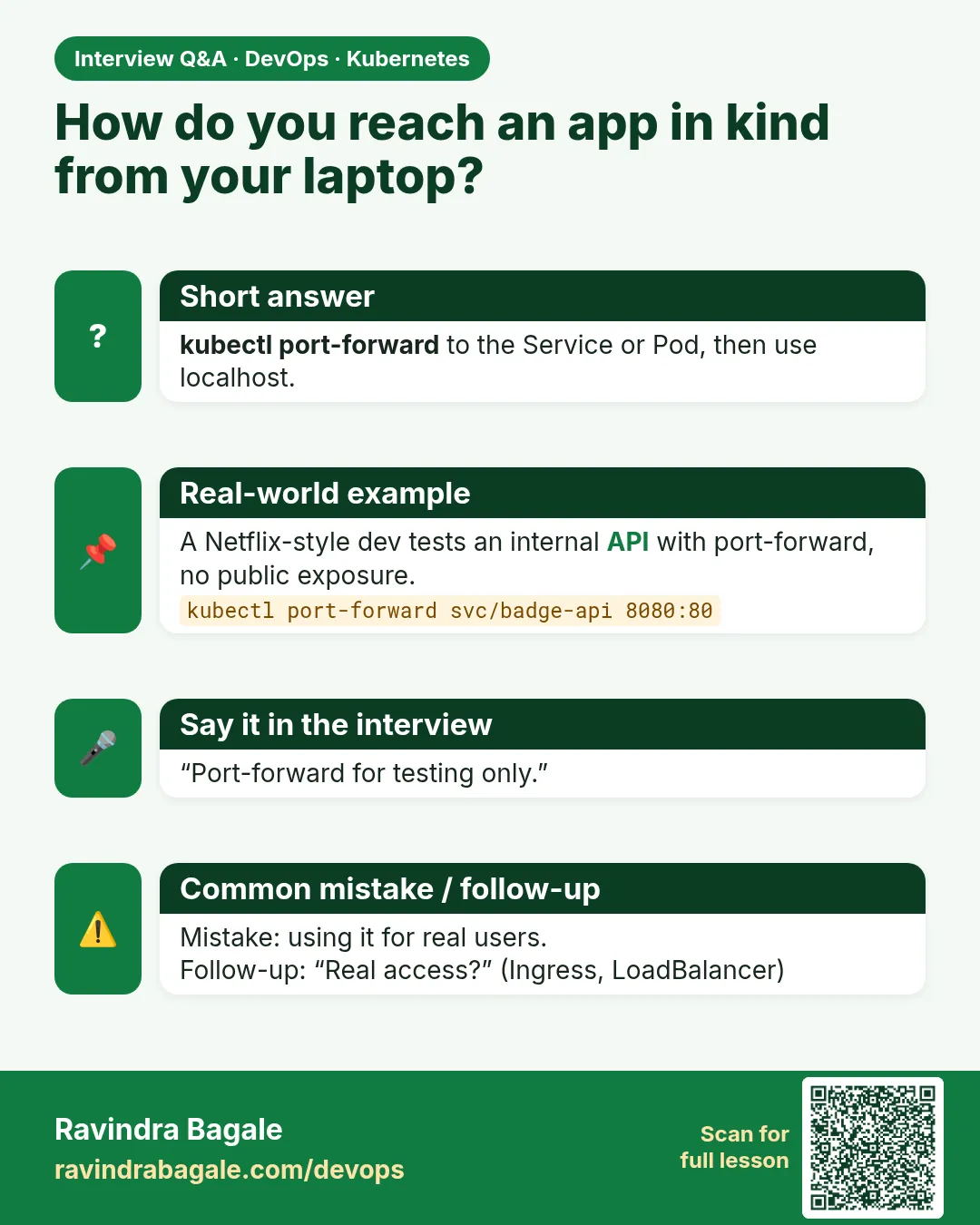
kubectl port-forward svc/NAME LOCAL:PORT.
-
List Service types.
ClusterIP, NodePort, LoadBalancer, ExternalName.
-
Why is port-forward not for production?
It is a single tunnel through the API server, tied to your session.
-
What does targetPort mean?
The container port the Service sends traffic to.
-
How would real users reach the app?
A LoadBalancer Service or an Ingress with a domain.
Quick quiz
Q1. Is ClusterIP reachable from the laptop?
No, only inside the cluster.
Q2. What does 8080:80 mean?
Local 8080 to remote 80.
Q3. How do you stop port-forward?
Ctrl+C.
Q4. Is port-forward for production users?
No, it is for testing and debugging.
Q5. What if 8080 is busy?
Pick another local port.
Did you understand? Let us try it once more.
 Revision card
 Interview card