Chapter 15: Kubernetes Introduction
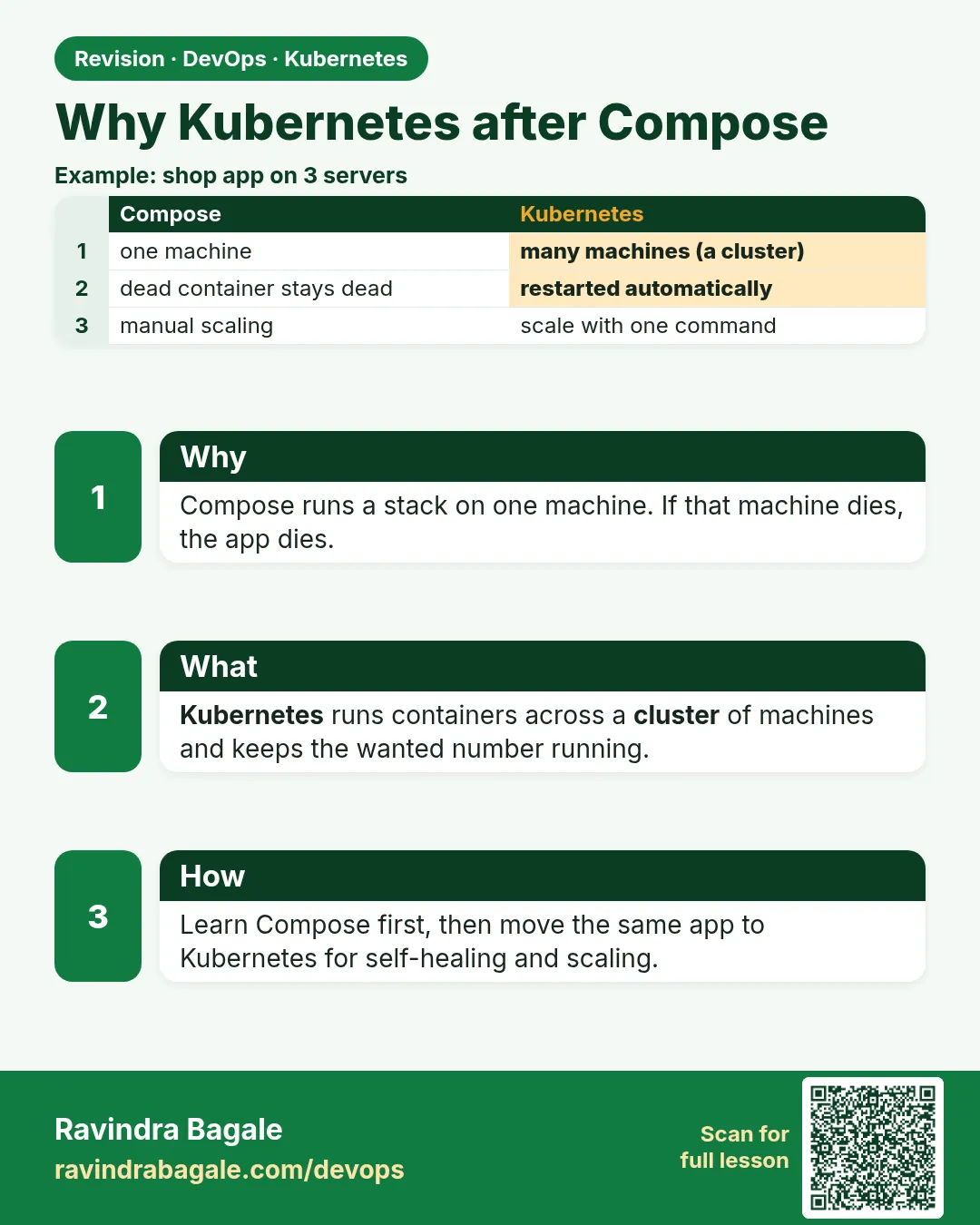
15.1 Why Kubernetes after Compose
Why: the problem
Suppose we are on the Swiggy team on a Friday night. Orders jump ten times. With Docker Compose, the badge API runs on one laptop or one server. If that server dies, the app is down. If traffic grows, you must log in and start more containers by hand. Compose does not watch your containers across many machines, and it does not move them when a machine fails. Kubernetes solves this. You write down what you want, for example "always 3 copies of badge-api", and Kubernetes keeps it true, day and night, across many machines.
What we will build
You will run the same badge API first with Compose, then with Kubernetes on a local kind cluster. You will kill a Pod on purpose and watch Kubernetes bring it back. You will do it for Node.js, Python and Java.
What: every term in plain English
- Kubernetes (K8s) — A system that runs containers on many machines and keeps them in the state you asked for.
- Cluster — A group of machines (nodes) that Kubernetes manages as one.
- Node — One machine in the cluster. In kind, a node is a Docker container.
- Desired state — What you wrote in YAML, such as replicas: 3.
- Actual state — What is really running now.
- Self-healing — Kubernetes notices actual is not desired and fixes it, for example by starting a new Pod.
- kubectl — The command line tool you use to talk to the cluster.
How: step by step
-
Run the app with Compose first
docker compose up -d
docker compose ps
What it does: Starts the badge API on one host. Good for one laptop.
Output
NAME IMAGE STATUS badge-node badge-node:1.0 Up 5 seconds -
Stop the container and see nothing returns
docker stop badge-node
docker compose ps
What it does: Compose does not restart a container you stopped across hosts. One host, no healing across machines.
Output
NAME IMAGE STATUS (no running containers) -
Create a kind cluster
kind create cluster --name badge-apiWhat it does: Makes a one-node Kubernetes cluster inside Docker.
Output
Creating cluster "badge-api" ... ✓ Ensuring node image (kindest/node:v1.30.0) ✓ Starting control-plane Set kubectl context to "kind-badge-api" -
Create the namespace
kubectl create namespace badge-apiWhat it does: A folder in the cluster for this app.
Output
namespace/badge-api created -
Load and apply the app
kind load docker-image badge-node:1.0 --name badge-api
kubectl apply -f k8s/badge-node.yaml
What it does: Copies the image into the cluster and creates the Deployment and Service.
Output
deployment.apps/badge-node created service/badge-node created -
Delete one Pod on purpose
kubectl -n badge-api delete pod -l app=badge-node --wait=false
kubectl -n badge-api get pods
What it does: Simulates a crash. Watch a new Pod appear.
Output
pod "badge-node-6d9f7c8b5-4kq2x" deleted NAME READY STATUS AGE badge-node-6d9f7c8b5-z81pq 0/1 ContainerCreating 2s -
See it Running again
kubectl -n badge-api get podsWhat it does: Kubernetes restored the desired state by itself.
Output
NAME                         READY   STATUS    AGE
badge-node-6d9f7c8b5-z81pq   1/1     Running   12s
Example 1: Node
Stack. Node.js 20, Express, kind
Goal. Node.js: the badge API that heals itself. We deploy badge-node with 2 replicas, then delete a Pod and see Kubernetes replace it.
server.js
// server.js - badge API (Node.js + Express)
const express = require("express");
const os = require("os");
const app = express();
app.get("/health", (req, res) => res.json({ status: "ok" }));
app.get("/badge/:user", (req, res) => {
  const user = req.params.user;
  if (!/^[a-z0-9_]{3,30}$/.test(user)) return res.status(400).json({ error: "invalid username" });
  res.json({ user, badge: "verified-learner", pod: os.hostname(), version: process.env.APP_VERSION || "1.0" });
});
app.listen(process.env.PORT || 3000, () => console.log("badge-node listening on 3000"));
Dockerfile
# Dockerfile - Node badge API
FROM node:20-alpine
WORKDIR /app
COPY package*.json ./
RUN npm ci --omit=dev
COPY server.js .
USER node
EXPOSE 3000
CMD ["node", "server.js"]
k8s/badge-node.yaml
apiVersion: apps/v1
kind: Deployment
metadata:
  name: badge-node
  namespace: badge-api
  labels: { app: badge-node }
spec:
  replicas: 2
  selector:
    matchLabels: { app: badge-node }
  template:
    metadata:
      labels: { app: badge-node }
    spec:
      containers:
        - name: api
          image: badge-node:1.0
          ports:
            - containerPort: 3000
---
apiVersion: v1
kind: Service
metadata:
  name: badge-node
  namespace: badge-api
spec:
  type: ClusterIP
  selector: { app: badge-node }
  ports:
    - port: 80
      targetPort: 3000
What each line does
kind: Deployment— Tells Kubernetes: keep this many copies of the Pod running all the time.replicas: 2— Two Pods. If one dies, Kubernetes makes a new one.selector.matchLabels— The Deployment owns Pods that carry this label.image: ...:1.0— A fixed tag. Never use latest, because you cannot tell what is running.kind: Service / type: ClusterIP— One stable name and IP inside the cluster in front of all matching Pods.port: 80 / targetPort— Callers use port 80. The Service sends traffic to the app port inside the Pod.
Green output
$ kubectl -n badge-api get pods -l app=badge-node
NAME                          READY   STATUS    RESTARTS   AGE
badge-node-6d9f7c8b5-4kq2x     1/1     Running   0          40s
badge-node-6d9f7c8b5-r7m9t     1/1     Running   0          40s
$ curl -s localhost:8080/badge/ravi
{"user":"ravi","badge":"verified-learner","pod":"badge-node-6d9f7c8b5-4kq2x","version":"1.0"}
Expected result. Two Pods Running for Node.js. After you delete one, a new name appears within seconds.
Example 2: Python: the badge API that heals itself
Stack. Python 3.12, Flask, gunicorn, kind
Goal. Python: the badge API that heals itself. We deploy badge-py with 2 replicas, then delete a Pod and see Kubernetes replace it.
app.py
# app.py - badge API (Python + Flask)
import os, re, socket
from flask import Flask, jsonify
app = Flask(__name__)

@app.get("/health")
def health():
    return jsonify(status="ok")

@app.get("/badge/<user>")
def badge(user):
    if not re.fullmatch(r"[a-z0-9_]{3,30}", user):
        return jsonify(error="invalid username"), 400
    return jsonify(user=user, badge="verified-learner", pod=socket.gethostname(),
                   version=os.environ.get("APP_VERSION", "1.0"))
Dockerfile
# Dockerfile - Python badge API
FROM python:3.12-slim
WORKDIR /app
COPY requirements.txt .
RUN pip install --no-cache-dir -r requirements.txt   # flask, gunicorn
COPY app.py .
RUN useradd -u 10001 app
USER 10001
EXPOSE 5000
CMD ["gunicorn", "-b", "0.0.0.0:5000", "app:app"]
k8s/badge-py.yaml
apiVersion: apps/v1
kind: Deployment
metadata:
  name: badge-py
  namespace: badge-api
  labels: { app: badge-py }
spec:
  replicas: 2
  selector:
    matchLabels: { app: badge-py }
  template:
    metadata:
      labels: { app: badge-py }
    spec:
      containers:
        - name: api
          image: badge-py:1.0
          ports:
            - containerPort: 5000
---
apiVersion: v1
kind: Service
metadata:
  name: badge-py
  namespace: badge-api
spec:
  type: ClusterIP
  selector: { app: badge-py }
  ports:
    - port: 80
      targetPort: 5000
What each line does
kind: Deployment— Tells Kubernetes: keep this many copies of the Pod running all the time.replicas: 2— Two Pods. If one dies, Kubernetes makes a new one.selector.matchLabels— The Deployment owns Pods that carry this label.image: ...:1.0— A fixed tag. Never use latest, because you cannot tell what is running.kind: Service / type: ClusterIP— One stable name and IP inside the cluster in front of all matching Pods.port: 80 / targetPort— Callers use port 80. The Service sends traffic to the app port inside the Pod.
Green output
$ kubectl -n badge-api get pods -l app=badge-py
NAME                          READY   STATUS    RESTARTS   AGE
badge-py-6d9f7c8b5-4kq2x     1/1     Running   0          40s
badge-py-6d9f7c8b5-r7m9t     1/1     Running   0          40s
$ curl -s localhost:8080/badge/ravi
{"user":"ravi","badge":"verified-learner","pod":"badge-py-6d9f7c8b5-4kq2x","version":"1.0"}
Expected result. Two Pods Running for Python. After you delete one, a new name appears within seconds.
Example 3: Java: the badge API that heals itself
Stack. Java 21, Spring Boot, kind
Goal. Java: the badge API that heals itself. We deploy badge-java with 2 replicas, then delete a Pod and see Kubernetes replace it.
BadgeController.java
// src/main/java/com/shipit/BadgeController.java - badge API (Java + Spring Boot)
package com.shipit;
import org.springframework.web.bind.annotation.*;
import java.net.InetAddress;
import java.util.Map;

@RestController
public class BadgeController {
  @GetMapping("/health")
  public Map<String, String> health() { return Map.of("status", "ok"); }

  @GetMapping("/badge/{user}")
  public Map<String, String> badge(@PathVariable String user) throws Exception {
    if (!user.matches("[a-z0-9_]{3,30}")) throw new IllegalArgumentException("invalid username");
    String v = System.getenv().getOrDefault("APP_VERSION", "1.0");
    return Map.of("user", user, "badge", "verified-learner",
                  "pod", InetAddress.getLocalHost().getHostName(), "version", v);
  }
}
Dockerfile
# Dockerfile - Java badge API (two stages: build, then run)
FROM maven:3.9-eclipse-temurin-21 AS build
WORKDIR /src
COPY pom.xml .
COPY src ./src
RUN mvn -B -q package -DskipTests

FROM eclipse-temurin:21-jre
WORKDIR /app
COPY --from=build /src/target/badge-api.jar app.jar
RUN useradd -u 10001 app
USER 10001
EXPOSE 8080
CMD ["java", "-jar", "app.jar"]
k8s/badge-java.yaml
apiVersion: apps/v1
kind: Deployment
metadata:
  name: badge-java
  namespace: badge-api
  labels: { app: badge-java }
spec:
  replicas: 2
  selector:
    matchLabels: { app: badge-java }
  template:
    metadata:
      labels: { app: badge-java }
    spec:
      containers:
        - name: api
          image: badge-java:1.0
          ports:
            - containerPort: 8080
---
apiVersion: v1
kind: Service
metadata:
  name: badge-java
  namespace: badge-api
spec:
  type: ClusterIP
  selector: { app: badge-java }
  ports:
    - port: 80
      targetPort: 8080
What each line does
kind: Deployment— Tells Kubernetes: keep this many copies of the Pod running all the time.replicas: 2— Two Pods. If one dies, Kubernetes makes a new one.selector.matchLabels— The Deployment owns Pods that carry this label.image: ...:1.0— A fixed tag. Never use latest, because you cannot tell what is running.kind: Service / type: ClusterIP— One stable name and IP inside the cluster in front of all matching Pods.port: 80 / targetPort— Callers use port 80. The Service sends traffic to the app port inside the Pod.
Green output
$ kubectl -n badge-api get pods -l app=badge-java
NAME                          READY   STATUS    RESTARTS   AGE
badge-java-6d9f7c8b5-4kq2x     1/1     Running   0          40s
badge-java-6d9f7c8b5-r7m9t     1/1     Running   0          40s
$ curl -s localhost:8080/badge/ravi
{"user":"ravi","badge":"verified-learner","pod":"badge-java-6d9f7c8b5-4kq2x","version":"1.0"}
Expected result. Two Pods Running for Java. After you delete one, a new name appears within seconds.
Verify: did it work?
-
List everything in the namespace
kubectl -n badge-api get allWhat it does: Shows Deployments, ReplicaSets, Pods and Services together.
Output
NAME READY STATUS RESTARTS AGE pod/badge-node-6d9f7c8b5-4kq2x 1/1 Running 0 2m NAME TYPE CLUSTER-IP PORT(S) service/badge-node ClusterIP 10.96.41.12 80/TCP -
Check that the Service found the Pods
kubectl -n badge-api get endpoints badge-nodeWhat it does: Endpoints are the Pod IPs behind the Service. Empty means the labels do not match.
Output
NAME ENDPOINTS AGE badge-node 10.244.0.5:3000,10.244.0.6:3000 2m -
Call the app through the Service
kubectl -n badge-api port-forward svc/badge-node 8080:80 &
curl -s localhost:8080/health
What it does: Opens a tunnel from your laptop to the Service, then calls it.
Output
Forwarding from 127.0.0.1:8080 -> 3000
{"status":"ok"}
When it is red 1
NAME                          READY   STATUS             RESTARTS   AGE
badge-node-7c9d8f6b4-x2k8p    0/1     ImagePullBackOff   0          1m
Cause. The node cannot find the image. In kind, images on your laptop are not inside the cluster until you load them.
Fix, step by step
- Run kubectl describe pod and read the Events at the bottom.
- Check the tag in the YAML matches docker images.
- Run kind load docker-image badge-node:1.0 --name badge-api.
- Run kubectl rollout restart deployment/badge-node -n badge-api.
When it is red 2
The connection to the server localhost:8080 was refused - did you specify the right host or port?
Cause. kubectl has no cluster to talk to. The kind cluster is not created, or the context is wrong.
Fix, step by step
- Run kind get clusters.
- If empty, run kind create cluster --name badge-api.
- Run kubectl config use-context kind-badge-api.
- Run kubectl get nodes again.
When it is red 3
NAME                          READY   STATUS             RESTARTS      AGE
badge-py-5f6c7d9b8-q8w2e      0/1     CrashLoopBackOff   4 (30s ago)   3m
Cause. The container starts and then exits again and again. Usually a code error, a missing package or a wrong command.
Fix, step by step
- Run kubectl logs
--previous to see the last crash. - Fix the code or the CMD in the Dockerfile.
- Build a new tag such as 1.1, load it, update the YAML and apply.
Cleanup
-
Stop the port-forward
kill %1What it does: Ends the background tunnel.
Output
[1]+ Terminated kubectl port-forward svc/badge-node 8080:80 -
Delete the lesson objects
kubectl delete -f k8s/What it does: Removes what you applied. The cluster stays for the next lesson.
Output
deployment.apps "badge-node" deleted service "badge-node" deleted -
Delete the cluster at the end of the day
kind delete cluster --name badge-apiWhat it does: Removes the kind node container and frees memory.
Output
Deleting cluster "badge-api" ...
Deleted nodes: ["badge-api-control-plane"]
Practice tasks
Easy Compare Compose and K8s in a table
Why: A table makes the difference clear.
What to do: Make a 5 row table: Compose vs Kubernetes.
- Rows: hosts, healing, scaling, rollout, config.
- Fill each cell in one line.
Check: Each row has a clear difference.
Medium Kill a Pod and time it
Why: You see self-healing with your own eyes.
What to do: Delete a Pod and time the new one.
- kubectl delete pod ...
- kubectl get pods -w
Check: You have a number in seconds.
Medium Scale to 5
Why: Scaling is one number.
What to do: kubectl scale to 5 replicas.
- kubectl -n badge-api scale deploy/badge-node --replicas=5
- kubectl get pods
Check: Five Pods Running.
Easy Say why Kubernetes in two lines
Why: If you can say it simply, you understand it.
What to do: Write two short lines about why Kubernetes for a fresher.
- Write the problem it solves.
- Write the one command or field you use.
Check: A friend who never used Kubernetes understands your lines.
Easy Rebuild the kind cluster from zero
Why: Labs break. Starting fresh must feel easy.
What to do: Delete and create the badge-api kind cluster again.
- kind delete cluster --name badge-api
- kind create cluster --name badge-api
- kubectl get nodes
Check: The node shows Ready in under two minutes.
Medium Do it for the second stack
Why: The same Kubernetes idea works for every language.
What to do: Repeat this lesson with the Python app if you used Node, or Java if you used Python.
- Build the image with a 1.0 tag.
- kind load docker-image the image.
- Apply the YAML and curl it.
Check: curl returns JSON from the second stack.
Medium Break it and read describe
Why: Real work is mostly reading errors.
What to do: Put a wrong image tag in the YAML and apply it.
- Change the tag to 9.9.
- kubectl apply -f the file.
- kubectl describe pod on the new Pod and read Events.
Check: You can point to the exact Events line that names the problem.
Medium Write the cleanup in one go
Why: Old labs fill the laptop disk.
What to do: Write the commands that remove everything this lesson made.
- kubectl delete -f k8s/
- kubectl get all -n badge-api
- docker image prune
Check: kubectl get all -n badge-api shows no resources.
Hard Explain it like an interview
Why: Interviewers ask what you did, not what you read.
What to do: Record a 60 second answer about this lesson.
- Say the problem.
- Say the YAML field or command.
- Say one error you hit and how you fixed it.
Check: Your answer has a real command and a real error in it.
Hard Draw the flow top to bottom
Why: A drawing shows if you know the order of things.
What to do: Draw this lesson as boxes from top to bottom on paper.
- Start from the user curl.
- Go through Service, Pod, container.
- Mark where your error happened.
Check: Every arrow on your drawing matches a real object in kubectl get all.
Homework: try at home
Try at home
At home, run the Node app with Compose and with kind. Delete one Pod three times. Write down how many seconds the new Pod took to be Running each time.
Recap
- Compose runs containers on one host.
- Kubernetes keeps desired state across many nodes.
- You write YAML; Kubernetes compares desired with actual and fixes the gap.
- kind gives you a real cluster on your laptop.
- Deleting a Pod of a Deployment is safe: a new one comes.
FAQ
Do I need Kubernetes for a small app?
No. If one server is enough, Compose is fine. Kubernetes helps when you need many copies, many machines and safe updates.
Is kind the same as production Kubernetes?
It runs the same Kubernetes API. Production adds real machines, load balancers and storage.
Is Docker required for Kubernetes?
Kubernetes runs containers with a runtime like containerd. kind uses Docker to create the nodes.
Why not just a shell script with docker run?
A script runs once. Kubernetes keeps watching forever and fixes problems.
What is K8s?
Short for Kubernetes: K, then 8 letters, then s.
Interview questions
-
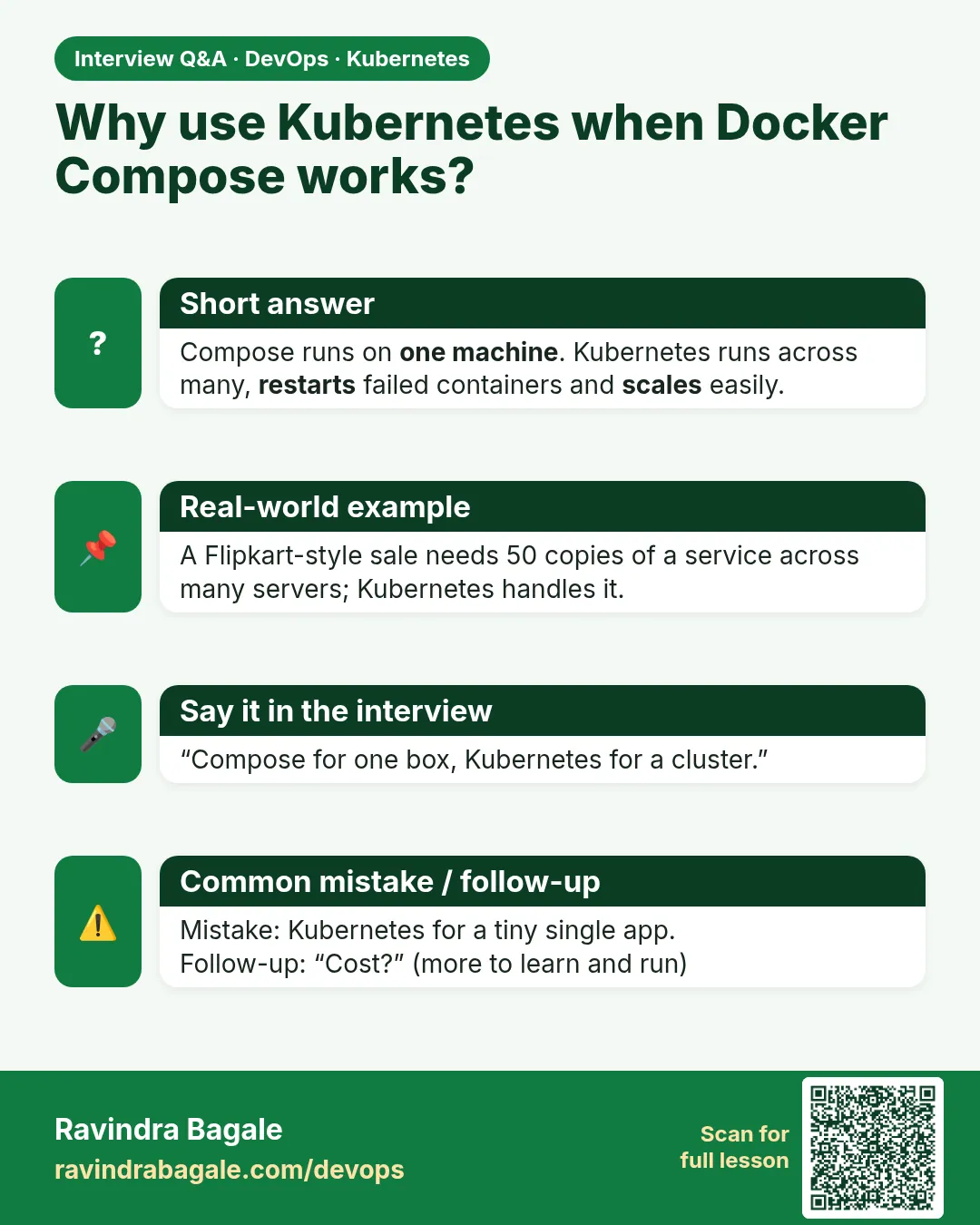
Why move from Compose to Kubernetes?
When you need many replicas across machines, self-healing, rolling updates and a standard API for deployments.
-
What is desired state?
The state written in YAML. Controllers keep comparing it with actual state and fix differences.
-
What happens when a node dies?
Pods on it are marked lost and the Deployment creates new Pods on healthy nodes.
-
What is kubectl?
The CLI that sends requests to the Kubernetes API server.
-
Name one local cluster tool.
kind, which runs Kubernetes nodes as Docker containers.
Quick quiz
Q1. What does Kubernetes keep true?
The desired state you wrote in YAML.
Q2. What is a node in kind?
A Docker container acting as a machine.
Q3. Does Compose heal across machines?
No. It works on one host.
Q4. Which tool talks to the cluster?
kubectl.
Q5. What happens when you delete a Pod of a Deployment?
A new Pod is created to keep the replica count.
Did you understand? Let us try it once more.
 Revision card
 Interview card