Chapter 15: Kubernetes Introduction
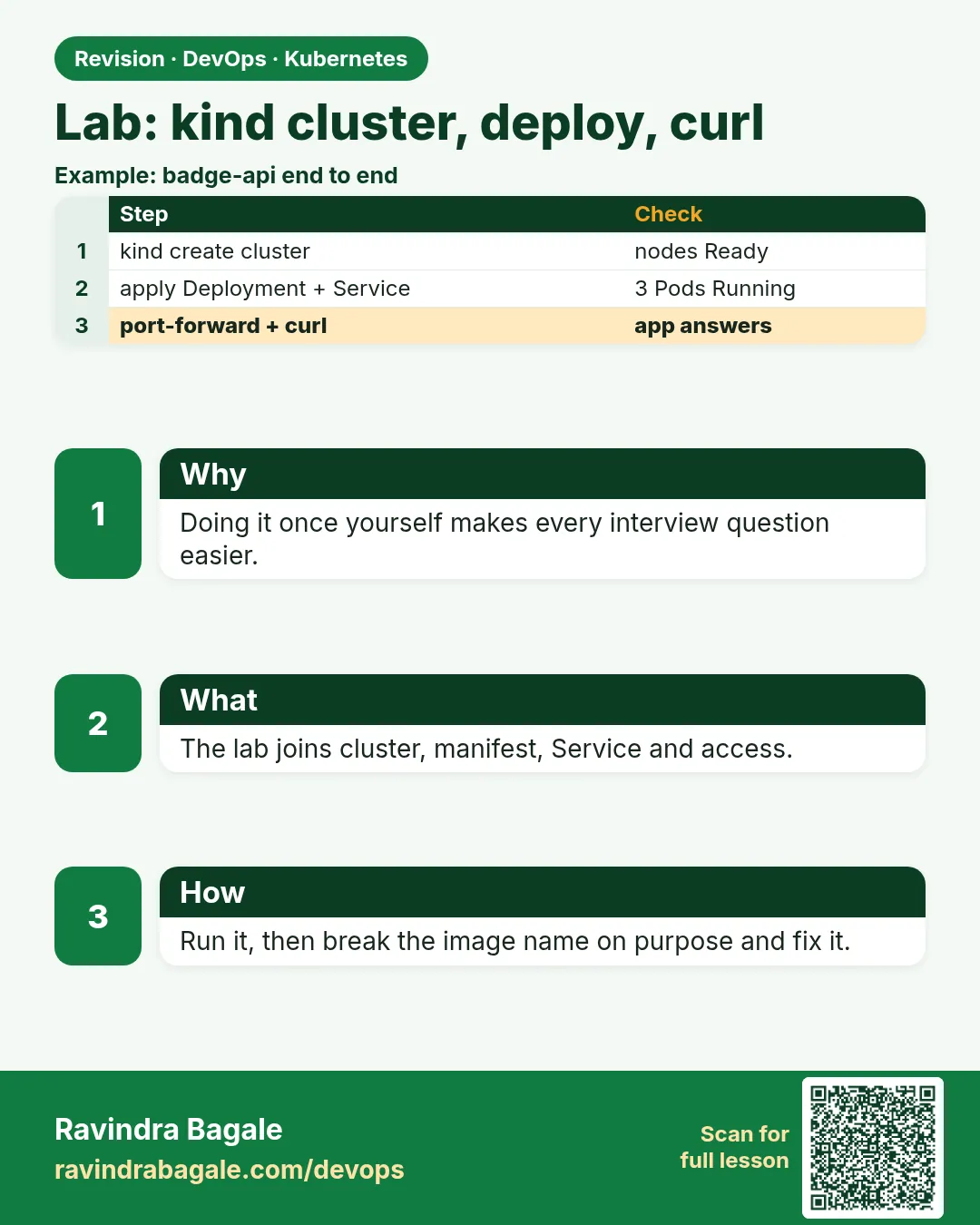
15.13 Lab — kind cluster, deploy, curl
Why: the problem
Suppose we are going for a DevOps interview at TCS next week. They will ask: show me a cluster, deploy an app, reach it, update it, roll it back. This lab joins every lesson of the chapter into one run, from an empty laptop to a working, updated and cleaned-up badge API.
What we will build
One kind cluster, three stacks (Node, Python, Java) in the badge-api namespace, probes, limits, a rollout to 1.1, a broken rollout and an undo, then full cleanup.
What: every term in plain English
- Lab — A full hands-on run that joins all the lessons.
- Smoke test — A quick curl that proves the app works.
- Rollout — Changing the running version.
- Cleanup — Removing everything so your laptop is free.
How: step by step
-
Create the cluster
kind create cluster --name badge-api --config kind-badge.yamlWhat it does: Cluster with 3 nodes.
Output
Set kubectl context to "kind-badge-api" -
Build and load all images
for a in node py java; do docker build -t badge-$a:1.0 ./$a; done
kind load docker-image badge-node:1.0 badge-py:1.0 badge-java:1.0 --name badge-api
What it does: Three images inside the cluster.
Output
Image: "badge-java:1.0" ... loading... -
Create the namespace and apply
kubectl create namespace badge-api
kubectl apply -f k8s/
What it does: All Deployments and Services.
Output
deployment.apps/badge-node created deployment.apps/badge-py created deployment.apps/badge-java created -
Wait for all
kubectl -n badge-api rollout status deploy/badge-java --timeout=180sWhat it does: Java is the slowest; wait for it.
Output
deployment "badge-java" successfully rolled out -
Smoke test each
for a in node py java; do kubectl -n badge-api run t-$a --rm -i --image=curlimages/curl --restart=Never -- curl -s badge-$a/badge/ravi; doneWhat it does: One call per stack from inside the cluster.
Output
{"user":"ravi","badge":"verified-learner","pod":"badge-node-...","version":"1.0"} {"badge":"verified-learner","pod":"badge-py-...","user":"ravi","version":"1.0"} {"badge":"verified-learner","pod":"badge-java-...","user":"ravi","version":"1.0"} -
Break and undo
kubectl -n badge-api set image deploy/badge-py api=badge-py:9.9
kubectl -n badge-api rollout undo deploy/badge-py
What it does: Practise rollback.
Output
deployment.apps/badge-py image updated deployment.apps/badge-py rolled back -
Clean up
kind delete cluster --name badge-apiWhat it does: Frees your laptop.
Output
Deleted nodes: ["badge-api-control-plane" "badge-api-worker" "badge-api-worker2"]
Example 1: Node
Stack. Node.js 20, Express, kind
Goal. Node.js: final lab manifest for badge-node with probes and resources.
server.js
// server.js - badge API (Node.js + Express)
const express = require("express");
const os = require("os");
const app = express();
app.get("/health", (req, res) => res.json({ status: "ok" }));
app.get("/badge/:user", (req, res) => {
  const user = req.params.user;
  if (!/^[a-z0-9_]{3,30}$/.test(user)) return res.status(400).json({ error: "invalid username" });
  res.json({ user, badge: "verified-learner", pod: os.hostname(), version: process.env.APP_VERSION || "1.0" });
});
app.listen(process.env.PORT || 3000, () => console.log("badge-node listening on 3000"));
Dockerfile
# Dockerfile - Node badge API
FROM node:20-alpine
WORKDIR /app
COPY package*.json ./
RUN npm ci --omit=dev
COPY server.js .
USER node
EXPOSE 3000
CMD ["node", "server.js"]
k8s/badge-node.yaml
apiVersion: apps/v1
kind: Deployment
metadata:
  name: badge-node
  namespace: badge-api
  labels: { app: badge-node }
spec:
  replicas: 2
  selector:
    matchLabels: { app: badge-node }
  template:
    metadata:
      labels: { app: badge-node }
    spec:
      containers:
        - name: api
          image: badge-node:1.0
          ports:
            - containerPort: 3000
          readinessProbe:
            httpGet: { path: /health, port: 3000 }
            initialDelaySeconds: 5
            periodSeconds: 5
          livenessProbe:
            httpGet: { path: /health, port: 3000 }
            initialDelaySeconds: 15
            periodSeconds: 10
            failureThreshold: 3
          resources:
            requests: { cpu: "100m", memory: "128Mi" }
            limits:   { cpu: "500m", memory: "256Mi" }
---
apiVersion: v1
kind: Service
metadata:
  name: badge-node
  namespace: badge-api
spec:
  type: ClusterIP
  selector: { app: badge-node }
  ports:
    - port: 80
      targetPort: 3000
What each line does
kind: Deployment— Tells Kubernetes: keep this many copies of the Pod running all the time.replicas: 2— Two Pods. If one dies, Kubernetes makes a new one.selector.matchLabels— The Deployment owns Pods that carry this label.image: ...:1.0— A fixed tag. Never use latest, because you cannot tell what is running.kind: Service / type: ClusterIP— One stable name and IP inside the cluster in front of all matching Pods.port: 80 / targetPort— Callers use port 80. The Service sends traffic to the app port inside the Pod.readinessProbe + resources— Everything from this chapter in one file.
Green output
$ kubectl -n badge-api get pods -l app=badge-node
NAME                          READY   STATUS    RESTARTS   AGE
badge-node-6d9f7c8b5-4kq2x     1/1     Running   0          40s
badge-node-6d9f7c8b5-r7m9t     1/1     Running   0          40s
$ curl -s localhost:8080/badge/ravi
{"user":"ravi","badge":"verified-learner","pod":"badge-node-6d9f7c8b5-4kq2x","version":"1.0"}
Expected result. Node.js passes the smoke test, the rollout and the undo.
Example 2: Python: final lab manifest for badge-py with probes and resources
Stack. Python 3.12, Flask, gunicorn, kind
Goal. Python: final lab manifest for badge-py with probes and resources.
app.py
# app.py - badge API (Python + Flask)
import os, re, socket
from flask import Flask, jsonify
app = Flask(__name__)

@app.get("/health")
def health():
    return jsonify(status="ok")

@app.get("/badge/<user>")
def badge(user):
    if not re.fullmatch(r"[a-z0-9_]{3,30}", user):
        return jsonify(error="invalid username"), 400
    return jsonify(user=user, badge="verified-learner", pod=socket.gethostname(),
                   version=os.environ.get("APP_VERSION", "1.0"))
Dockerfile
# Dockerfile - Python badge API
FROM python:3.12-slim
WORKDIR /app
COPY requirements.txt .
RUN pip install --no-cache-dir -r requirements.txt   # flask, gunicorn
COPY app.py .
RUN useradd -u 10001 app
USER 10001
EXPOSE 5000
CMD ["gunicorn", "-b", "0.0.0.0:5000", "app:app"]
k8s/badge-py.yaml
apiVersion: apps/v1
kind: Deployment
metadata:
  name: badge-py
  namespace: badge-api
  labels: { app: badge-py }
spec:
  replicas: 2
  selector:
    matchLabels: { app: badge-py }
  template:
    metadata:
      labels: { app: badge-py }
    spec:
      containers:
        - name: api
          image: badge-py:1.0
          ports:
            - containerPort: 5000
          readinessProbe:
            httpGet: { path: /health, port: 5000 }
            initialDelaySeconds: 5
            periodSeconds: 5
          livenessProbe:
            httpGet: { path: /health, port: 5000 }
            initialDelaySeconds: 15
            periodSeconds: 10
            failureThreshold: 3
          resources:
            requests: { cpu: "100m", memory: "128Mi" }
            limits:   { cpu: "500m", memory: "256Mi" }
---
apiVersion: v1
kind: Service
metadata:
  name: badge-py
  namespace: badge-api
spec:
  type: ClusterIP
  selector: { app: badge-py }
  ports:
    - port: 80
      targetPort: 5000
What each line does
kind: Deployment— Tells Kubernetes: keep this many copies of the Pod running all the time.replicas: 2— Two Pods. If one dies, Kubernetes makes a new one.selector.matchLabels— The Deployment owns Pods that carry this label.image: ...:1.0— A fixed tag. Never use latest, because you cannot tell what is running.kind: Service / type: ClusterIP— One stable name and IP inside the cluster in front of all matching Pods.port: 80 / targetPort— Callers use port 80. The Service sends traffic to the app port inside the Pod.readinessProbe + resources— Everything from this chapter in one file.
Green output
$ kubectl -n badge-api get pods -l app=badge-py
NAME                          READY   STATUS    RESTARTS   AGE
badge-py-6d9f7c8b5-4kq2x     1/1     Running   0          40s
badge-py-6d9f7c8b5-r7m9t     1/1     Running   0          40s
$ curl -s localhost:8080/badge/ravi
{"user":"ravi","badge":"verified-learner","pod":"badge-py-6d9f7c8b5-4kq2x","version":"1.0"}
Expected result. Python passes the smoke test, the rollout and the undo.
Example 3: Java: final lab manifest for badge-java with probes and resources
Stack. Java 21, Spring Boot, kind
Goal. Java: final lab manifest for badge-java with probes and resources.
BadgeController.java
// src/main/java/com/shipit/BadgeController.java - badge API (Java + Spring Boot)
package com.shipit;
import org.springframework.web.bind.annotation.*;
import java.net.InetAddress;
import java.util.Map;

@RestController
public class BadgeController {
  @GetMapping("/health")
  public Map<String, String> health() { return Map.of("status", "ok"); }

  @GetMapping("/badge/{user}")
  public Map<String, String> badge(@PathVariable String user) throws Exception {
    if (!user.matches("[a-z0-9_]{3,30}")) throw new IllegalArgumentException("invalid username");
    String v = System.getenv().getOrDefault("APP_VERSION", "1.0");
    return Map.of("user", user, "badge", "verified-learner",
                  "pod", InetAddress.getLocalHost().getHostName(), "version", v);
  }
}
Dockerfile
# Dockerfile - Java badge API (two stages: build, then run)
FROM maven:3.9-eclipse-temurin-21 AS build
WORKDIR /src
COPY pom.xml .
COPY src ./src
RUN mvn -B -q package -DskipTests

FROM eclipse-temurin:21-jre
WORKDIR /app
COPY --from=build /src/target/badge-api.jar app.jar
RUN useradd -u 10001 app
USER 10001
EXPOSE 8080
CMD ["java", "-jar", "app.jar"]
k8s/badge-java.yaml
apiVersion: apps/v1
kind: Deployment
metadata:
  name: badge-java
  namespace: badge-api
  labels: { app: badge-java }
spec:
  replicas: 2
  selector:
    matchLabels: { app: badge-java }
  template:
    metadata:
      labels: { app: badge-java }
    spec:
      containers:
        - name: api
          image: badge-java:1.0
          ports:
            - containerPort: 8080
          readinessProbe:
            httpGet: { path: /health, port: 8080 }
            initialDelaySeconds: 5
            periodSeconds: 5
          livenessProbe:
            httpGet: { path: /health, port: 8080 }
            initialDelaySeconds: 15
            periodSeconds: 10
            failureThreshold: 3
          resources:
            requests: { cpu: "100m", memory: "128Mi" }
            limits:   { cpu: "500m", memory: "256Mi" }
---
apiVersion: v1
kind: Service
metadata:
  name: badge-java
  namespace: badge-api
spec:
  type: ClusterIP
  selector: { app: badge-java }
  ports:
    - port: 80
      targetPort: 8080
What each line does
kind: Deployment— Tells Kubernetes: keep this many copies of the Pod running all the time.replicas: 2— Two Pods. If one dies, Kubernetes makes a new one.selector.matchLabels— The Deployment owns Pods that carry this label.image: ...:1.0— A fixed tag. Never use latest, because you cannot tell what is running.kind: Service / type: ClusterIP— One stable name and IP inside the cluster in front of all matching Pods.port: 80 / targetPort— Callers use port 80. The Service sends traffic to the app port inside the Pod.readinessProbe + resources— Everything from this chapter in one file.
Green output
$ kubectl -n badge-api get pods -l app=badge-java
NAME                          READY   STATUS    RESTARTS   AGE
badge-java-6d9f7c8b5-4kq2x     1/1     Running   0          40s
badge-java-6d9f7c8b5-r7m9t     1/1     Running   0          40s
$ curl -s localhost:8080/badge/ravi
{"user":"ravi","badge":"verified-learner","pod":"badge-java-6d9f7c8b5-4kq2x","version":"1.0"}
Expected result. Java passes the smoke test, the rollout and the undo.
Verify: did it work?
-
List everything in the namespace
kubectl -n badge-api get allWhat it does: Shows Deployments, ReplicaSets, Pods and Services together.
Output
NAME READY STATUS RESTARTS AGE pod/badge-node-6d9f7c8b5-4kq2x 1/1 Running 0 2m NAME TYPE CLUSTER-IP PORT(S) service/badge-node ClusterIP 10.96.41.12 80/TCP -
Check that the Service found the Pods
kubectl -n badge-api get endpoints badge-nodeWhat it does: Endpoints are the Pod IPs behind the Service. Empty means the labels do not match.
Output
NAME ENDPOINTS AGE badge-node 10.244.0.5:3000,10.244.0.6:3000 2m -
Call the app through the Service
kubectl -n badge-api port-forward svc/badge-node 8080:80 &
curl -s localhost:8080/health
What it does: Opens a tunnel from your laptop to the Service, then calls it.
Output
Forwarding from 127.0.0.1:8080 -> 3000
{"status":"ok"}
When it is red 1
NAME                          READY   STATUS             RESTARTS   AGE
badge-node-7c9d8f6b4-x2k8p    0/1     ImagePullBackOff   0          1m
Cause. The node cannot find the image. In kind, images on your laptop are not inside the cluster until you load them.
Fix, step by step
- Run kubectl describe pod and read the Events at the bottom.
- Check the tag in the YAML matches docker images.
- Run kind load docker-image badge-node:1.0 --name badge-api.
- Run kubectl rollout restart deployment/badge-node -n badge-api.
When it is red 2
NAME                          READY   STATUS             RESTARTS      AGE
badge-py-5f6c7d9b8-q8w2e      0/1     CrashLoopBackOff   4 (30s ago)   3m
Cause. The container starts and then exits again and again. Usually a code error, a missing package or a wrong command.
Fix, step by step
- Run kubectl logs
--previous to see the last crash. - Fix the code or the CMD in the Dockerfile.
- Build a new tag such as 1.1, load it, update the YAML and apply.
When it is red 3
$ kubectl -n badge-api get endpoints badge-java
NAME         ENDPOINTS   AGE
badge-java   <none>      5m
Cause. The Service selector does not match the Pod labels, so the Service has no Pods behind it.
Fix, step by step
- Run kubectl get pods --show-labels.
- Compare the label with spec.selector in the Service.
- Fix the typo and apply again. Endpoints should now list Pod IPs.
Cleanup
-
Stop the port-forward
kill %1What it does: Ends the background tunnel.
Output
[1]+ Terminated kubectl port-forward svc/badge-node 8080:80 -
Delete the lesson objects
kubectl delete -f k8s/What it does: Removes what you applied. The cluster stays for the next lesson.
Output
deployment.apps "badge-node" deleted service "badge-node" deleted -
Delete the cluster at the end of the day
kind delete cluster --name badge-apiWhat it does: Removes the kind node container and frees memory.
Output
Deleting cluster "badge-api" ...
Deleted nodes: ["badge-api-control-plane"]
Practice tasks
Easy Write the lab as a script
Why: Repeatable labs save time.
What to do: Put every command in lab.sh.
- One command per step.
- Run bash lab.sh.
Check: The script runs end to end.
Medium Add a fourth stack
Why: Prove the pattern.
What to do: Add a Go badge API.
- Write a Dockerfile.
- Copy a manifest.
Check: Go app answers.
Hard Run the lab in CI
Why: kind works in CI.
What to do: Run the lab in a CI job.
- Install kind in the job.
- Run lab.sh.
Check: CI job green.
Easy Say the full Kubernetes lab in two lines
Why: If you can say it simply, you understand it.
What to do: Write two short lines about the full Kubernetes lab for a fresher.
- Write the problem it solves.
- Write the one command or field you use.
Check: A friend who never used Kubernetes understands your lines.
Easy Rebuild the kind cluster from zero
Why: Labs break. Starting fresh must feel easy.
What to do: Delete and create the badge-api kind cluster again.
- kind delete cluster --name badge-api
- kind create cluster --name badge-api
- kubectl get nodes
Check: The node shows Ready in under two minutes.
Medium Do it for the second stack
Why: The same Kubernetes idea works for every language.
What to do: Repeat this lesson with the Python app if you used Node, or Java if you used Python.
- Build the image with a 1.0 tag.
- kind load docker-image the image.
- Apply the YAML and curl it.
Check: curl returns JSON from the second stack.
Medium Break it and read describe
Why: Real work is mostly reading errors.
What to do: Put a wrong image tag in the YAML and apply it.
- Change the tag to 9.9.
- kubectl apply -f the file.
- kubectl describe pod on the new Pod and read Events.
Check: You can point to the exact Events line that names the problem.
Medium Write the cleanup in one go
Why: Old labs fill the laptop disk.
What to do: Write the commands that remove everything this lesson made.
- kubectl delete -f k8s/
- kubectl get all -n badge-api
- docker image prune
Check: kubectl get all -n badge-api shows no resources.
Hard Explain it like an interview
Why: Interviewers ask what you did, not what you read.
What to do: Record a 60 second answer about this lesson.
- Say the problem.
- Say the YAML field or command.
- Say one error you hit and how you fixed it.
Check: Your answer has a real command and a real error in it.
Hard Draw the flow top to bottom
Why: A drawing shows if you know the order of things.
What to do: Draw this lesson as boxes from top to bottom on paper.
- Start from the user curl.
- Go through Service, Pod, container.
- Mark where your error happened.
Check: Every arrow on your drawing matches a real object in kubectl get all.
Homework: try at home
Try at home
At home, do the whole lab again in under 30 minutes without looking at notes, and time each step.
Recap
- kind gives a real cluster on your laptop.
- One manifest pattern works for Node, Python and Java.
- Probes and limits make Pods safe.
- Rollout and undo are everyday skills.
- Always clean up after a lab.
FAQ
How long should the lab take?
About 30 to 45 minutes the first time.
Can I do it on 8 GB RAM?
Yes, with one worker and fewer replicas.
What next after this chapter?
Ingress, storage, Helm and managed clusters like EKS.
Do I need all three stacks?
Doing at least two shows you the pattern does not depend on language.
What if Java is too slow?
Give it more memory and a startupProbe.
Interview questions
-
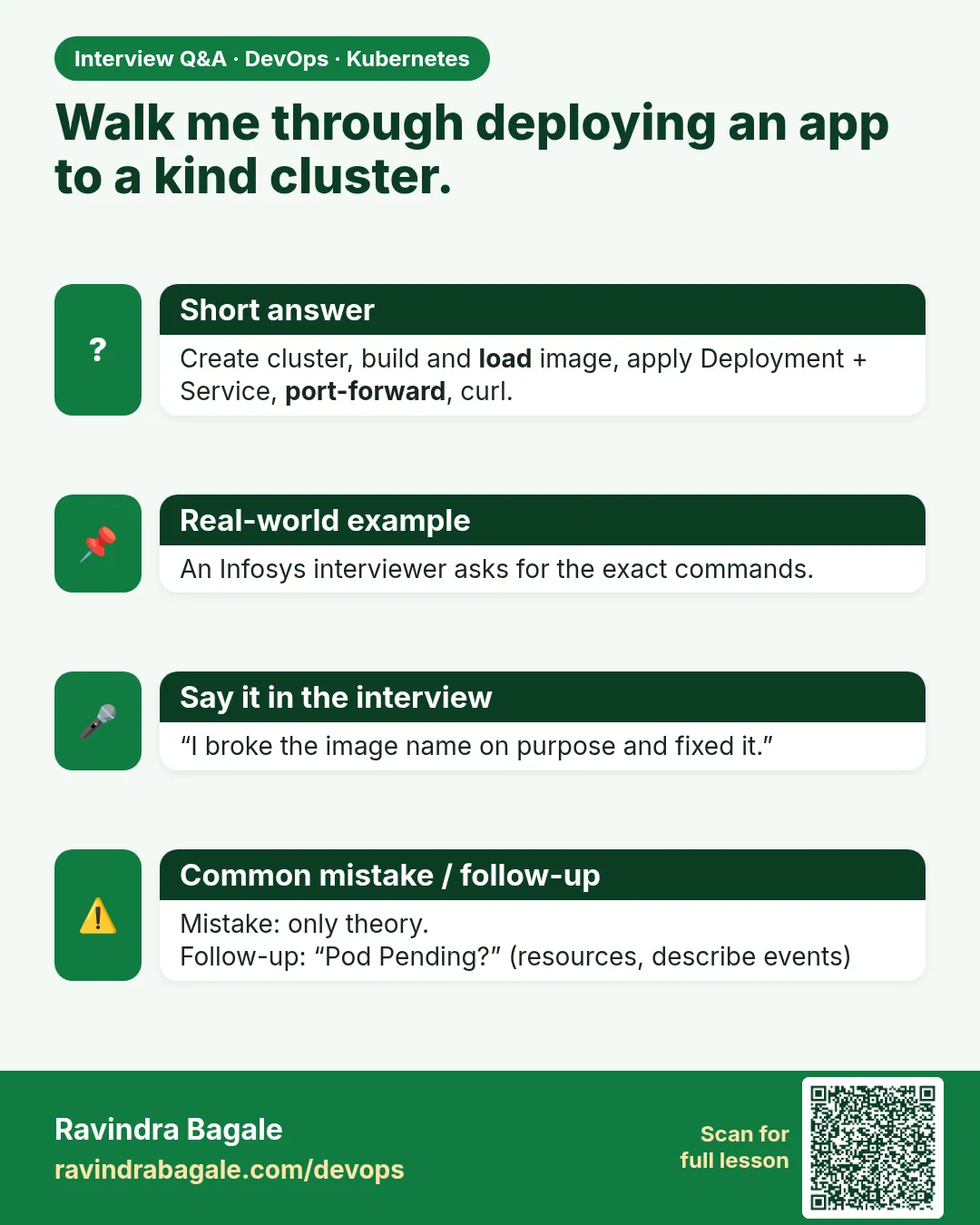
Walk me through deploying an app to Kubernetes.
Build image, push or load, write Deployment and Service, apply, wait for rollout, test, monitor.
-
How do you do zero-downtime updates?
RollingUpdate with readiness probes and maxUnavailable 0.
-
How do you test a ClusterIP Service?
port-forward or an in-cluster curl Pod.
-
How do you roll back?
kubectl rollout undo.
-
How do you clean up a kind lab?
kind delete cluster --name NAME.
Quick quiz
Q1. First lab step?
Create the kind cluster.
Q2. Why wait for Java?
It starts slowest.
Q3. How do you test inside the cluster?
A temporary curl Pod.
Q4. How do you roll back?
kubectl rollout undo.
Q5. Last step?
kind delete cluster.
Lab
Stick to kind for this lab.
- Install kind + kubectl (per current official docs); verify Docker works.
kind create cluster --name badge-apiand confirm node Ready.- Create namespace
badge-api. - Apply a Deployment + ClusterIP Service for your badge API API image (build/push or
kind loada local image). - Wait for Pods Ready;
kubectl logson one Pod. kubectl port-forwardService to localhost;curl/health.- Change to a second image tag (or a deliberate bad tag, then fix); practise
rollout status/rollout undo. kind delete cluster --name badge-apiwhen finished; confirm Docker resources freed.- Write five bullets: Pod vs Deployment vs Service vs Namespace vs why not only Compose.
Practice task
Draw labels on paper: two Pods with app=badge-api and a Service selector. Then draw the bug where Service selector is app=badge-api (typo) — what does kubectl get endpoints show conceptually?
Thodkyaat sangaycha tar
- Compose is great on one host; Kubernetes orchestrates desired replicas and healing across a cluster.
- Core objects: Pod, Deployment, Service, Namespace — labels connect Services to Pods.
- Lab tool: kind — stick to it; k3d/minikube exist but we do not hop.
- Everyday kubectl: get, describe, logs, apply; port-forward for kind access.
- Prefer immutable image tags; practise rollout undo; delete kind clusters after labs.
- Ports are logical published ports; link AWS/managed K8s depth elsewhere — no invented cloud prices.
Did you understand? Let us try it once more.
 Revision card
 Interview card