Chapter 9: GitHub Actions Hands-On
9.6 Secrets and OIDC (awareness)
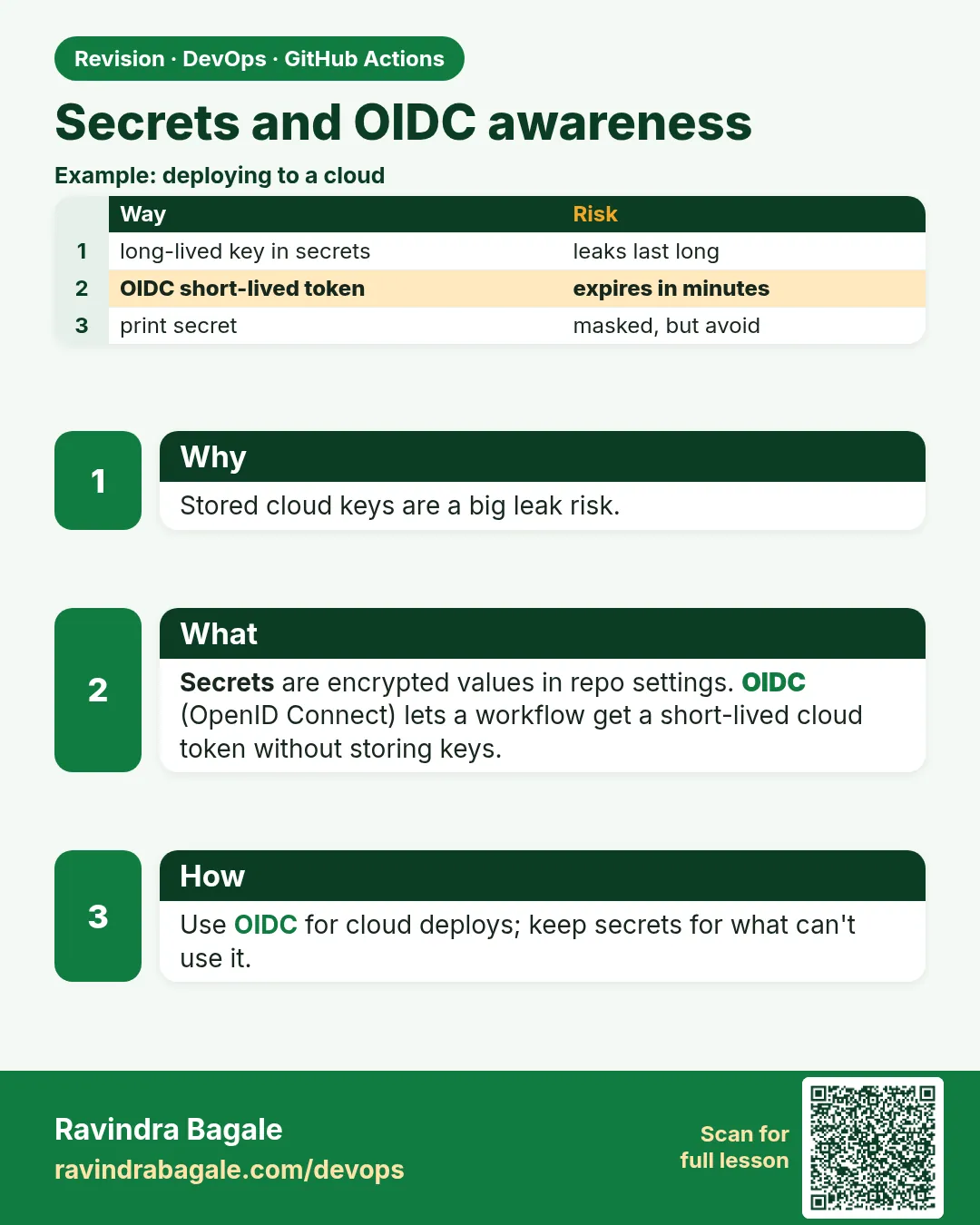
Why: the problem
Suppose we are at PhonePe. A developer needs CI to upload files to Amazon S3. He makes an AWS access key and pastes it into the workflow YAML. Two months later the repo is made public for a hackathon. Within an hour, bots find the key and start crypto-mining servers on the company account. The bill is huge. Two lessons: secrets never go in YAML, and long-lived keys are risky even in secret settings. Secrets store values safely. OIDC goes further: no stored cloud key at all, only a short token that lives for one run.
What we will build
You will store a secret and use it in a step, see it masked in logs, use environment secrets for production, and then remove the AWS key completely by setting up OIDC: an IAM role that trusts your repo. You will do it for an S3 upload, a Python script that reads an API token, and an Azure-style login, so you see the same idea in other clouds.
What: every term in plain English
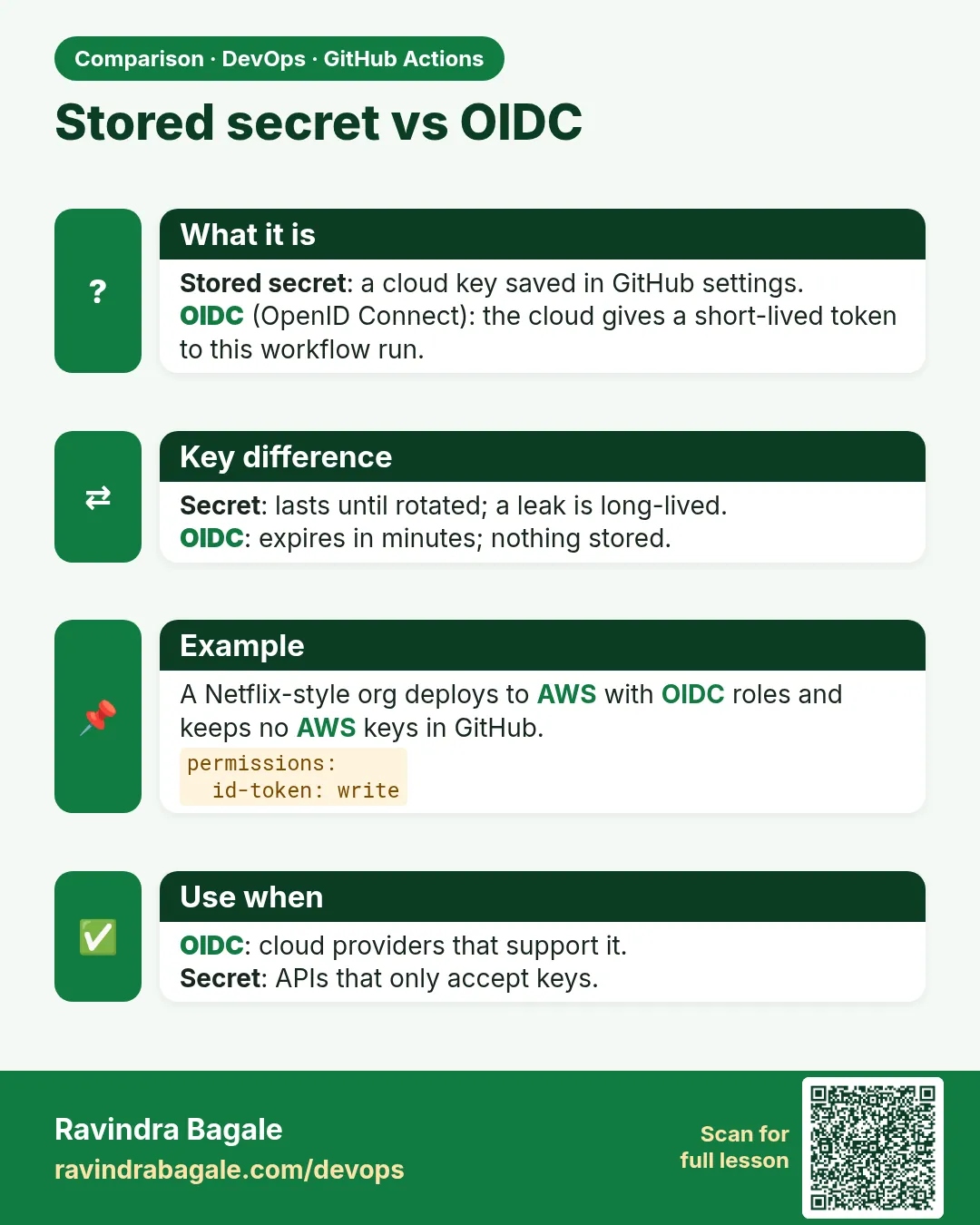
- Secret — An encrypted value in repo, environment or organisation settings. Steps read it as secrets.NAME.
- Masking — The runner replaces secret values with *** in logs.
- Environment — A named target like staging or production, with its own secrets and protection rules.
- Variable — A non-secret setting, read as vars.NAME, like a region name.
- OIDC — OpenID Connect. The runner gets a signed identity token; the cloud trusts it and gives short-lived credentials.
- IAM role — An AWS identity with permissions. CI can assume it for a short time.
- Trust policy — The rule on the role that says who may assume it, like only repo ravi/shop on branch main.
- id-token: write — The permission that lets a job ask for the OIDC token.
How: step by step
-
Add a repository secret
gh secret set PAYMENTS_API_TOKEN --body "test-token-not-real-123"What it does: Stores the value encrypted. You cannot read it back later.
Output
✓ Set Actions secret PAYMENTS_API_TOKEN for ravi/shop -
Add a variable
gh variable set AWS_REGION --body ap-south-1What it does: Non-secret values go in variables.
Output
✓ Created variable AWS_REGION for ravi/shop -
Create the OIDC provider in AWS once
aws iam create-open-id-connect-provider --url https://oidc.ci.example.com --client-id-list sts.amazonaws.comWhat it does: Tells AWS to trust tokens from the CI platform. oidc.ci.example.com is a placeholder; use the issuer host written in your CI platform docs.
Output
"OpenIDConnectProviderArn": "arn:aws:iam::111122223333:oidc-provider/oidc.ci.example.com" -
Create the role with a trust policy
aws iam create-role --role-name ci-s3-upload --assume-role-policy-document file://trust.jsonWhat it does: trust.json is in Example 2.
Output
"Arn": "arn:aws:iam::111122223333:role/ci-s3-upload" -
Give the role only S3 put on one bucket
aws iam put-role-policy --role-name ci-s3-upload --policy-name s3put --policy-document file://s3put.jsonWhat it does: Least privilege.
Output
(no output)
Example 1: Python script reads a secret from the environment
Stack. Python
Goal. Python script reads a secret from the environment.
notify.py
import os, sys
token = os.environ.get("PAYMENTS_API_TOKEN")
if not token:
    sys.exit("PAYMENTS_API_TOKEN is missing")
print("token length:", len(token))
print("token value:", token)
.github/workflows/notify.yml
name: notify
on: [workflow_dispatch]
jobs:
  run:
    runs-on: ubuntu-latest
    steps:
      - uses: actions/checkout@v4
      - run: python notify.py
        env:
          PAYMENTS_API_TOKEN: ${{ secrets.PAYMENTS_API_TOKEN }}
What each line does
os.environ.get(...)— Read the secret from an environment variable, never from a file in Git.sys.exit(...)— Fail clearly if it is missing.print("token value:"...)— Only to prove masking. Never print secrets in real code.env: PAYMENTS_API_TOKEN— Give the secret only to this step.workflow_dispatch— A Run workflow button for manual runs.
Green output
Run python notify.py
token length: 23
token value: ***
Expected result. The runner masked the value. But masking is a safety net, not a plan. Do not print secrets.
Example 2: AWS S3 upload with OIDC: no access key stored anywhere
Stack. AWS IAM, OIDC, S3
Goal. AWS S3 upload with OIDC: no access key stored anywhere.
trust.json
{
  "Version": "2012-10-17",
  "Statement": [{
    "Effect": "Allow",
    "Principal": { "Federated": "arn:aws:iam::111122223333:oidc-provider/oidc.ci.example.com" },
    "Action": "sts:AssumeRoleWithWebIdentity",
    "Condition": {
      "StringEquals": {
        "oidc.ci.example.com:aud": "sts.amazonaws.com",
        "oidc.ci.example.com:sub": "repo:ravi/shop:ref:refs/heads/main"
      }
    }
  }]
}
.github/workflows/upload.yml
name: upload
on:
  push:
    branches: [main]
permissions:
  id-token: write
  contents: read
jobs:
  upload:
    runs-on: ubuntu-latest
    steps:
      - uses: actions/checkout@v4
      - uses: aws-actions/configure-aws-credentials@v4
        with:
          role-to-assume: arn:aws:iam::111122223333:role/ci-s3-upload
          aws-region: ${{ vars.AWS_REGION }}
      - run: aws sts get-caller-identity
      - run: aws s3 sync ./public s3://shop-static-assets-demo/ --delete
What each line does
Principal Federated— Trust the CI token issuer.aud = sts.amazonaws.com— The token must be meant for AWS STS.sub = repo:ravi/shop:ref:refs/heads/main— Only this repo, only the main branch. A fork or other branch cannot get in.id-token: write— Lets the job ask for the OIDC token.role-to-assume— The role from the steps above.aws sts get-caller-identity— Prints who you are now. Good proof.
Green output
Run aws-actions/configure-aws-credentials@v4
Assuming role with OIDC
Authenticated as assumedRoleId AROAEXAMPLEID:GitHubActions
Run aws sts get-caller-identity
{
    "Account": "111122223333",
    "Arn": "arn:aws:sts::111122223333:assumed-role/ci-s3-upload/GitHubActions"
}
upload: public/index.html to s3://shop-static-assets-demo/index.html
Expected result. The credentials live about one hour and only for main. Nothing to leak in settings.
Example 3: Production environment with its own secret and a reviewer
Stack. Environments, any deploy script
Goal. Production environment with its own secret and a reviewer.
.github/workflows/deploy.yml
name: deploy
on:
  push:
    branches: [main]
jobs:
  staging:
    runs-on: ubuntu-latest
    environment: staging
    steps:
      - run: ./deploy.sh "$API_URL"
        env:
          API_URL: ${{ vars.API_URL }}
          DEPLOY_TOKEN: ${{ secrets.DEPLOY_TOKEN }}
  production:
    needs: staging
    runs-on: ubuntu-latest
    environment:
      name: production
      url: https://shop.example.com
    steps:
      - run: ./deploy.sh "$API_URL"
        env:
          API_URL: ${{ vars.API_URL }}
          DEPLOY_TOKEN: ${{ secrets.DEPLOY_TOKEN }}
What each line does
environment: staging— Reads the staging copy of DEPLOY_TOKEN and API_URL.environment: production— Same names, different values. The production values are separate.Required reviewers (set in Settings > Environments)— The job waits until a named person approves.url:— Shown as a link on the run page.
Green output
staging     Success  42s
production  Waiting for review: ravi-lead must approve
production  Approved by ravi-lead
production  Success  39s  https://shop.example.com
Expected result. Same YAML, different secrets per environment, and a human gate before production.
Verify: did it work?
-
List secret names (values stay hidden)
gh secret listWhat it does: Check the names your YAML uses.
Output
PAYMENTS_API_TOKEN Updated 2026-10-25 REGISTRY_TOKEN Updated 2026-10-20 -
Prove no static key exists
aws iam list-access-keys --user-name ci-botWhat it does: After OIDC, the old CI user should have no keys.
Output
{ "AccessKeyMetadata": [] }
When it is red 1
Error: Could not assume role with OIDC: Not authorized to perform sts:AssumeRoleWithWebIdentity
Cause. The sub in the trust policy does not match the repo, branch or environment.
Fix, step by step
- Print the claims: the error shows the sub value used.
- Fix the sub in trust.json, for example repo:ravi/shop:environment:production when the job uses an environment.
- Run aws iam update-assume-role-policy.
When it is red 2
Error: Credentials could not be loaded, please check your action inputs: Could not load credentials from any providers
Cause. The job lacks permissions: id-token: write.
Fix, step by step
- Add id-token: write to the workflow or job.
- Push again.
When it is red 3
PAYMENTS_API_TOKEN is missing
Cause. Secrets are not given to pull requests from forks, or the name is wrong.
Fix, step by step
- Check the name with gh secret list.
- For fork PRs, design the job to skip when the secret is empty.
Cleanup
-
Delete practice secrets
gh secret delete PAYMENTS_API_TOKENWhat it does: Remove what you no longer use.
Output
✓ Deleted Actions secret PAYMENTS_API_TOKEN -
Delete the old static key
aws iam delete-access-key --user-name ci-bot --access-key-id AKIAEXAMPLEKEY01What it does: Once OIDC works, delete the long-lived key.
Output
(no output)
Ravindra Bagale's Tip
Never put a key in YAML. Use OIDC — no key means no leak!
Key YAML मध्ये कधीही नको. OIDC वापरा, keyच नाही तर leak पण नाही!
Key YAML में कभी नहीं. OIDC इस्तेमाल करो — key ही नहीं तो leak भी नहीं!
Practice tasks
Easy Mask test
Why: See masking.
What to do: Print a fake secret once.
- Check the log shows ***.
Check: You saw ***.
Medium Environment secrets
Why: Separate prod values.
What to do: Make staging and production environments with the same secret name.
- Use environment: in two jobs.
Check: Each job gets its own value.
Hard OIDC to AWS
Why: No keys.
What to do: Replace an access key with OIDC.
- Provider, role, trust, workflow.
Check: get-caller-identity shows the assumed role.
Easy Say secrets and OIDC in two lines
Why: If you can say it simply, you understand it. Juniors and interviewers both want the short version first.
What to do: Write two short lines about secrets and OIDC for a fresher who knows only Linux and Git basics.
- Write the problem it solves.
- Write the one workflow line or command you use for it.
- Read it aloud to a friend.
Check: A fresher understands it without asking a question.
Easy Make a throwaway practice repo
Why: Practice needs a repo you can break. If the workflow history gets messy, you delete the repo and start again.
What to do: Create a new empty repo named actions-lab with one small app and push it.
- mkdir actions-lab && cd actions-lab && git init -b main
- Add app code and a test file.
- git remote add origin https://git.example.com/ravi/actions-lab.git && git push -u origin main
Check: The Actions tab of the repo shows your first run.
Medium Do it on a second stack
Why: A CI idea must work for Node.js, Python and Java. Only the setup and test lines should change.
What to do: Repeat this lesson with a different language than the one you used first.
- If you used Python, use Node.js now.
- Change only the setup action and the test command.
- Keep the same job names.
Check: Same result, and the job names did not change.
Medium Break it on purpose
Why: You must know the red log by face. In a real outage there is no time to read slowly.
What to do: Cause one error from the "When it is red" part of this lesson and fix it.
- Follow the error section.
- Copy the exact message into your notes.
- Write the fix in one line.
Check: You fixed it using only the steps, without searching the web.
Medium Write a one-page runbook
Why: At 2 a.m. nobody remembers YAML keys. A short page saves the on-call person.
What to do: Write a one-page runbook for this lesson.
- Title, when to use, exact YAML or commands, how to check, how to undo.
Check: A teammate can follow it alone.
Hard Explain it like an interview
Why: Interviewers want real stories, not definitions.
What to do: Record a 60 second answer about this lesson.
- Say the problem, the workflow lines you wrote, and one error you hit.
Check: Your answer has a real YAML line and a real error message.
Hard Draw the flow top to bottom
Why: A drawing shows the order of work and which job waits for which.
What to do: Draw this lesson as boxes from top to bottom.
- Start at git push, go through each job and step, end at the green check or the deployed app.
Check: Each box matches a real step in your run log.
Homework: try at home
Try at home
At home, store a fake token as a secret and see it masked. Then, in a free AWS account, set up OIDC for an S3 upload and delete any CI access key.
Recap
- Never put secrets in YAML or Git.
- Pass secrets to only the steps that need them.
- Use environments for prod secrets and approvals.
- Prefer OIDC over stored cloud keys.
- Lock the trust policy to repo and branch.
FAQ
Can I read a secret value back in settings?
No. You can only replace it.
Are secrets safe from pull requests from forks?
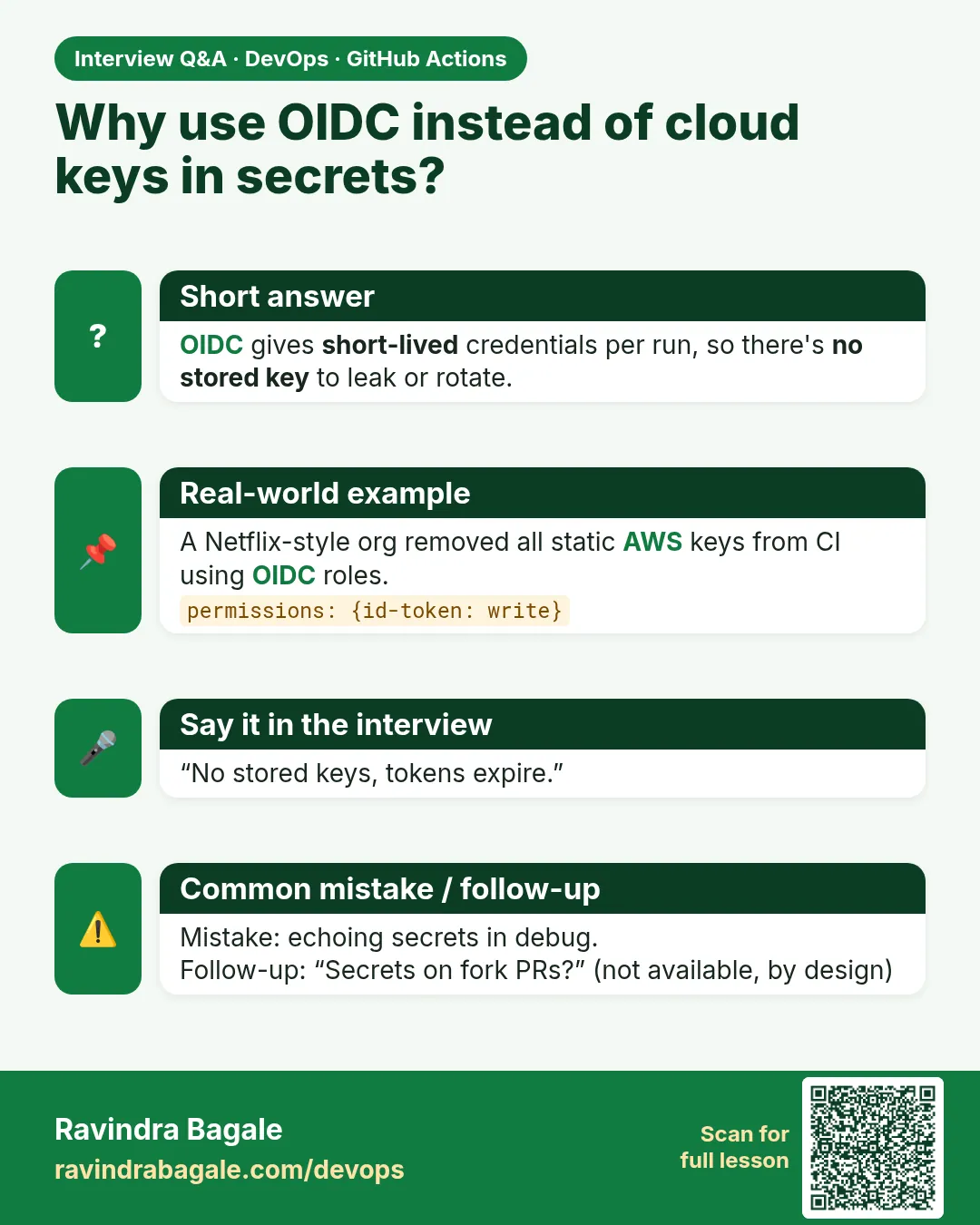
Yes, they are not passed to fork PRs by default.
Does OIDC work with GCP and Azure?
Yes, both support workload identity federation.
What if a secret leaks?
Rotate it at the source at once, then update the secret.
Can I base64 a secret to hide it?
Encoding is not hiding. Masking may miss it. Do not print it.
Interview questions
-
How do you manage secrets in CI?
Encrypted secrets per repo or environment, passed only to needed steps, rotated, never printed.
-
What is OIDC in CI/CD?
Short-lived cloud credentials from a signed identity token, no stored keys.
-
How do you restrict OIDC roles?
Trust policy conditions on aud and sub: repo, branch or environment.
-
How do environments help?
Separate secrets, required reviewers, and deployment history per target.
-
What do you do when a key leaks?
Disable and rotate it, check cloud logs, then fix the pipeline to use OIDC.
Quick quiz
Q1. Where do secrets go?
Repo, environment or organisation secrets, never YAML.
Q2. What does masking do?
Replaces the value with *** in logs.
Q3. What permission does OIDC need?
id-token: write.
Q4. What limits which repo can assume the role?
The sub condition in the trust policy.
Q5. Variable or secret for a region name?
Variable.
Did you understand? Let us try it once more.
 Revision card
 Interview card
 Comparison card