Chapter 9: GitHub Actions Hands-On
9.11 Lab — PR tests and main image push
Why: the problem
This is the chapter lab. At a company like Swiggy or Razorpay, a new service gets the same basic CI on day one: tests on every pull request, and on main a tagged image in the registry. You will now build that full shape yourself in one repo, end to end, using everything from this chapter: pull_request and push events, jobs with needs, cache, permissions, secrets, a pinned action, branch protection and a clear summary. When you finish, you will have something real to show in an interview.
What we will build
You will build a small API (choose Python Flask, Node.js Express or Java Spring Boot), add a CI workflow that tests every pull request, protect main, and on merge build and push an image tagged with the commit id. You will finish with a job summary that prints the image name, and you will prove each part with real output.
What: every term in plain English
- PR workflow — The part that runs tests on pull requests.
- Main workflow — The part that runs after merge and pushes the image.
- Image tag — The commit id, so you know exactly what code is in the image.
- Required check — The test job that must pass before merge.
- Job summary — A short markdown result on the run page.
- Definition of done — The list of proofs that show the lab is complete.
How: step by step
-
Create the repo and app
mkdir badge-api && cd badge-api && git init -b mainWhat it does: Use any of the three app examples below.
Output
Initialized empty Git repository -
Add tests and run them locally
pytest -q (or npm test, or ./mvnw test)What it does: Green locally first.
Output
2 passed in 0.10s -
Add Dockerfile and build locally
docker build -t badge-api:dev . && docker run --rm -p 8000:8000 badge-api:devWhat it does: Check /health in the browser.
Output
{"status":"ok"} -
Add the workflow and push
git add . && git commit -m "badge api with ci" && git push -u origin mainWhat it does: Creates the first run.
Output
ci Success -
Protect main and open a PR
Settings > Rules: require PR and the test check; then gh pr createWhat it does: Prove the rule works.
Output
Required: test Successful -
Merge and check the registry
gh pr merge --squash && docker pull registry.example.com/ravi/badge-api:SHAWhat it does: The image exists with the commit tag.
Output
Status: Downloaded newer image
Example 1: Python Flask badge API with the full workflow
Stack. Python Flask, Docker
Goal. Python Flask badge API with the full workflow.
app.py
from flask import Flask, request
import os
app = Flask(__name__)

@app.get("/health")
def health():
    return {"status": "ok", "version": os.environ.get("APP_VERSION", "dev")}

@app.get("/badge")
def badge():
    user = request.args.get("user", "guest")
    return {"user": user, "badge": "gold" if len(user) % 2 else "silver"}
Dockerfile
FROM python:3.12-slim
WORKDIR /app
COPY requirements.txt .
RUN pip install --no-cache-dir -r requirements.txt
COPY . .
ARG APP_VERSION=dev
ENV APP_VERSION=$APP_VERSION
USER 1000
EXPOSE 8000
CMD ["gunicorn", "-b", "0.0.0.0:8000", "app:app"]
.github/workflows/ci.yml
name: ci
on:
  pull_request:
    branches: [main]
  push:
    branches: [main]
permissions:
  contents: read
jobs:
  test:
    name: test
    runs-on: ubuntu-latest
    timeout-minutes: 10
    steps:
      - uses: actions/checkout@v4
      - uses: actions/setup-python@v5
        with: { python-version: "3.12", cache: pip }
      - run: pip install -r requirements.txt && pytest -q
  image:
    needs: test
    if: github.event_name == 'push'
    runs-on: ubuntu-latest
    timeout-minutes: 15
    steps:
      - uses: actions/checkout@v4
      - uses: docker/login-action@v3
        with:
          registry: registry.example.com
          username: ${{ secrets.REGISTRY_USER }}
          password: ${{ secrets.REGISTRY_TOKEN }}
      - uses: docker/setup-buildx-action@v3
      - uses: docker/build-push-action@v6
        with:
          push: true
          build-args: APP_VERSION=${{ github.sha }}
          tags: registry.example.com/ravi/badge-api:${{ github.sha }}
          cache-from: type=gha
          cache-to: type=gha,max=max
      - run: echo "Image pushed - registry.example.com/ravi/badge-api:${{ github.sha }}" >> "$GITHUB_STEP_SUMMARY"
What each line does
request.args.get("user")— Reads ?user=ravi from the URL, with guest as default.APP_VERSION— The health check shows the commit id inside the image.if: github.event_name == push— Pull requests test only; main also builds the image.build-args APP_VERSION— Bakes the commit id into the image.GITHUB_STEP_SUMMARY— Prints the image name on the run page.
Green output
Pull request run:
  test   Success  28s
  image  Skipped
Main run after merge:
  test   Success  27s
  image  Success  51s
Image pushed - registry.example.com/ravi/badge-api:a3f2c1d9e8f7...
Expected result. PRs are tested; main produces a traceable image.
Example 2: Node
Stack. Node.js Express, Jest
Goal. Node.js Express version of the same lab.
server.js
const express = require('express');
const app = express();
app.get('/health', (req, res) => res.json({ status: 'ok', version: process.env.APP_VERSION || 'dev' }));
app.get('/badge/:user', (req, res) => res.json({ user: req.params.user, badge: req.params.user.length % 2 ? 'gold' : 'silver' }));
if (require.main === module) app.listen(8000);
module.exports = app;
server.test.js
const request = require('supertest');
const app = require('./server');
test('health', async () => {
  const r = await request(app).get('/health');
  expect(r.body.status).toBe('ok');
});
Test job change
- uses: actions/setup-node@v4
  with: { node-version: 20, cache: npm }
- run: npm ci && npm test -- --ci
What each line does
app.get(/badge/:user)— Express route with a parameter.module.exports = app— Lets the test import the app without starting a port.supertest— Calls the app in memory.Only the test job changes— The image job stays the same.
Green output
PASS ./server.test.js
  ✓ health (21 ms)
Tests: 1 passed, 1 total
Expected result. Same pipeline, Node stack. Only setup and test lines differ.
Example 3: Java Spring Boot version and the definition of done
Stack. Java 17, Spring Boot, Maven
Goal. Java Spring Boot version and the definition of done.
Test job change
- uses: actions/setup-java@v4
  with: { distribution: temurin, java-version: "17", cache: maven }
- run: ./mvnw -B -ntp verify
DONE.md
- [ ] PR shows Required: test, and merge is blocked while it is red
- [ ] Direct push to main is refused
- [ ] Main run shows image job Success
- [ ] docker pull of the SHA tag works
- [ ] /health returns the same SHA as the commit
- [ ] No secret appears in YAML or logs
What each line does
setup-java and mvnw verify— The Java test job.DONE.md— Each line needs real proof: a screenshot or a log line./health returns the SHA— Proves the running image matches the commit.
Green output
$ docker run --rm -p 8000:8000 registry.example.com/ravi/badge-api:a3f2c1d9e8f7...
$ curl -s localhost:8000/health
{"status":"ok","version":"a3f2c1d9e8f7..."}
$ git rev-parse HEAD
a3f2c1d9e8f7...
Expected result. The running version equals the commit. The lab is done.
Verify: did it work?
-
Prove the PR gate
gh pr checksWhat it does: test must be required and passing.
Output
test pass 28s -
Prove the image
docker pull registry.example.com/ravi/badge-api:$(git rev-parse HEAD)What it does: The tag exists.
Output
Status: Downloaded newer image
When it is red 1
image job skipped on main
Cause. The if condition is wrong, or the push event is missing in on:.
Fix, step by step
- Check on: push: branches: [main].
- Check if: github.event_name == push.
When it is red 2
Error: Username and password required
Cause. Registry secrets are missing in this repo.
Fix, step by step
- gh secret set REGISTRY_USER and REGISTRY_TOKEN.
- Run again.
When it is red 3
Merging is blocked: Required check test has not run
Cause. The required check name does not match the job name.
Fix, step by step
- Set name: test on the job.
- Push a new commit to the PR.
Cleanup
-
Delete lab images from your laptop
docker image rm $(docker images registry.example.com/ravi/badge-api -q)What it does: Frees disk.
Output
Untagged: registry.example.com/ravi/badge-api:a3f2c1d...
Ravindra Bagale's Tip
Finish the lab and show the run page in an interview. That is real practical work!
Lab पूर्ण करा आणि run page interview मध्ये दाखवा. हेच खरा practical!
Lab पूरा करो और run page interview में दिखाओ. यही असली practical है!
Practice tasks
Easy Finish one stack
Why: Real proof.
What to do: Complete the lab in one stack.
- Tick DONE.md.
Check: All six lines ticked.
Medium Second stack
Why: Prove the pattern.
What to do: Redo it in a second language.
- Change only setup and test.
Check: Same job names.
Hard Add a deploy
Why: Next step.
What to do: Deploy the image to a VM with the 9.7 steps.
- Health check at the end.
Check: Live /health shows the SHA.
Easy Say the chapter lab in two lines
Why: If you can say it simply, you understand it. Juniors and interviewers both want the short version first.
What to do: Write two short lines about the chapter lab for a fresher who knows only Linux and Git basics.
- Write the problem it solves.
- Write the one workflow line or command you use for it.
- Read it aloud to a friend.
Check: A fresher understands it without asking a question.
Easy Make a throwaway practice repo
Why: Practice needs a repo you can break. If the workflow history gets messy, you delete the repo and start again.
What to do: Create a new empty repo named actions-lab with one small app and push it.
- mkdir actions-lab && cd actions-lab && git init -b main
- Add app code and a test file.
- git remote add origin https://git.example.com/ravi/actions-lab.git && git push -u origin main
Check: The Actions tab of the repo shows your first run.
Medium Do it on a second stack
Why: A CI idea must work for Node.js, Python and Java. Only the setup and test lines should change.
What to do: Repeat this lesson with a different language than the one you used first.
- If you used Python, use Node.js now.
- Change only the setup action and the test command.
- Keep the same job names.
Check: Same result, and the job names did not change.
Medium Break it on purpose
Why: You must know the red log by face. In a real outage there is no time to read slowly.
What to do: Cause one error from the "When it is red" part of this lesson and fix it.
- Follow the error section.
- Copy the exact message into your notes.
- Write the fix in one line.
Check: You fixed it using only the steps, without searching the web.
Medium Write a one-page runbook
Why: At 2 a.m. nobody remembers YAML keys. A short page saves the on-call person.
What to do: Write a one-page runbook for this lesson.
- Title, when to use, exact YAML or commands, how to check, how to undo.
Check: A teammate can follow it alone.
Hard Explain it like an interview
Why: Interviewers want real stories, not definitions.
What to do: Record a 60 second answer about this lesson.
- Say the problem, the workflow lines you wrote, and one error you hit.
Check: Your answer has a real YAML line and a real error message.
Hard Draw the flow top to bottom
Why: A drawing shows the order of work and which job waits for which.
What to do: Draw this lesson as boxes from top to bottom.
- Start at git push, go through each job and step, end at the green check or the deployed app.
Check: Each box matches a real step in your run log.
Homework: try at home
Try at home
At home, finish the lab in the stack you know least, tick every line in DONE.md with real proof, and explain the pipeline to a friend in two minutes.
Recap
- Tests on every PR, image on main.
- Tag images with the commit SHA.
- Protect main with the test check.
- Show the image name in the job summary.
- Prove each part with real output.
FAQ
Can I use Docker Hub instead?
Yes, change the registry and login.
Should I add a deploy?
Yes, as the next step, with an environment and approval.
Which stack is best for the lab?
The one your target company uses.
Do I need a paid plan?
No, a public practice repo is enough.
How do I show this in an interview?
Share the run page and explain each job.
Interview questions
-
Walk me through a CI pipeline you built.
PR tests with cache, required check, merge, image build with SHA tag, push with secrets, summary.
-
How do you know what is running?
The image tag and /health version equal the commit SHA.
-
Why skip the image job on PRs?
No pushes from unmerged code and no secrets on fork PRs.
-
What would you add next?
Image scan, deploy to staging, approval for production, OIDC.
-
How do you keep CI fast?
Cache, parallel jobs, timeouts and small images.
Quick quiz
Q1. What runs on pull requests in the lab?
Only the test job.
Q2. What runs on main?
Test, then image build and push.
Q3. How is the image tagged?
With the commit SHA.
Q4. How do you prove the running version?
/health returns the SHA.
Q5. What makes the test a gate?
Branch protection with a required check.
Lab
Automate badge API checks with GitHub Actions.
- Ensure the repo has a working local test command (
pytestornpm test). - Add
.github/workflows/ci.ymlthat runs tests onpull_requesttomain. - Open a PR; capture a screenshot or note of the green check (no PDF upload needed for the site — keep in your own notes).
- Extend the workflow (or add a second job) so that on push to
mainyoudocker buildand push an image tagged with${{ github.sha }}to GHCR or Docker Hub using secrets /GITHUB_TOKEN. - Confirm the registry shows the SHA tag.
- Optional: manually pull that tag on a lab VM and curl health (SSH automation optional).
- Verify
.envand cloud keys are not in the repo.
Practice task
Map your Chapter 8 paper pipeline to Actions: which YAML job covers lint/test, which covers build/push, and where a human approval would sit later.
Thodkyaat sangaycha tar
- Workflows live in
.github/workflows/; events start jobs on runners. - Steps use
uses:(actions) orrun:(shell); sequence jobs withneeds:. - Cache speeds deps; artifacts store reports; registries store runnable images.
- Push images with secrets /
GITHUB_TOKEN— never plain passwords in YAML. - Tag with git SHA; deploy the same tag; SSH deploy stays a thin sketch — AWS course owns VPC/EC2 depth.
- Required checks on
mainenforce quality gates.
Did you understand? Let us try it once more.
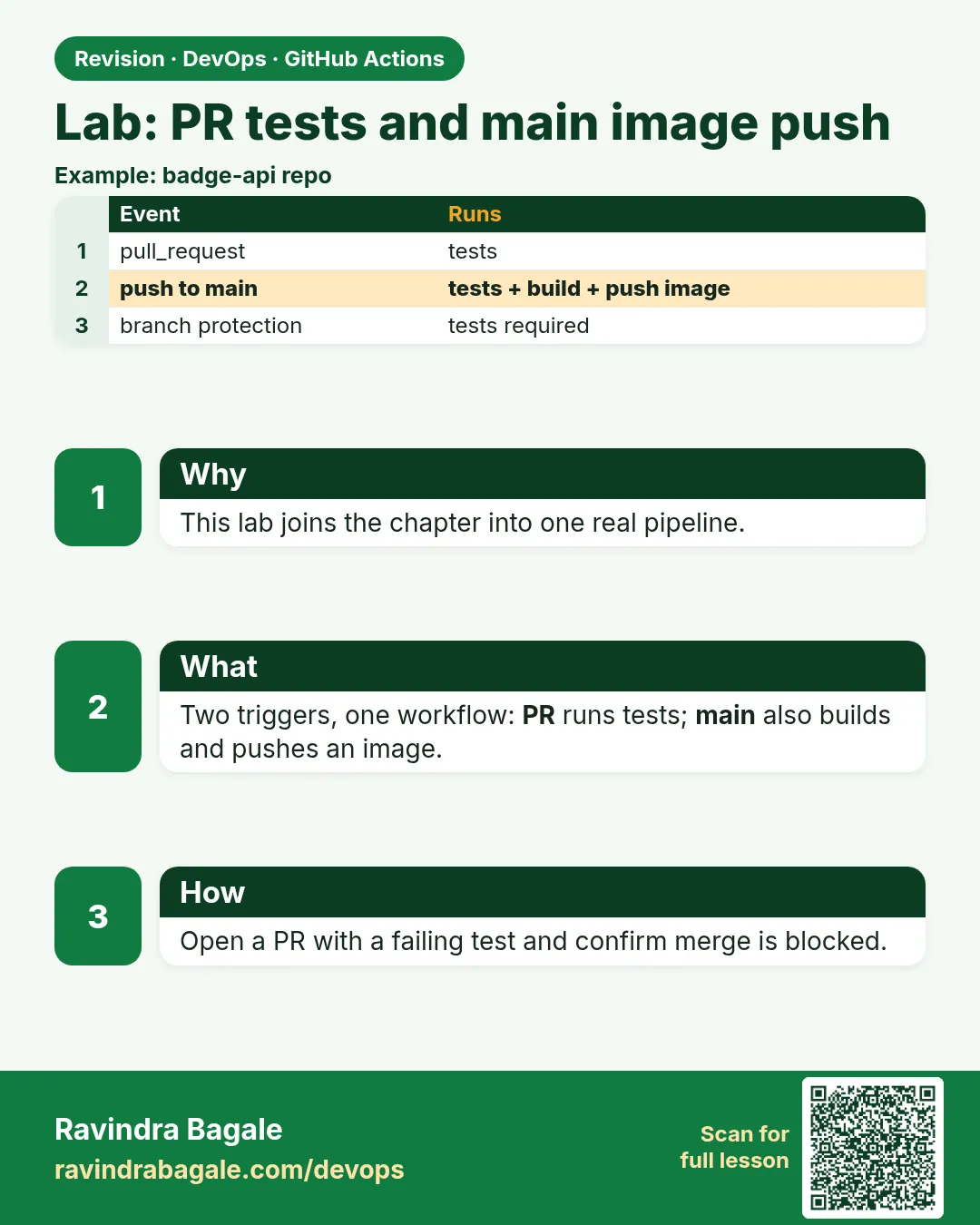 Revision card
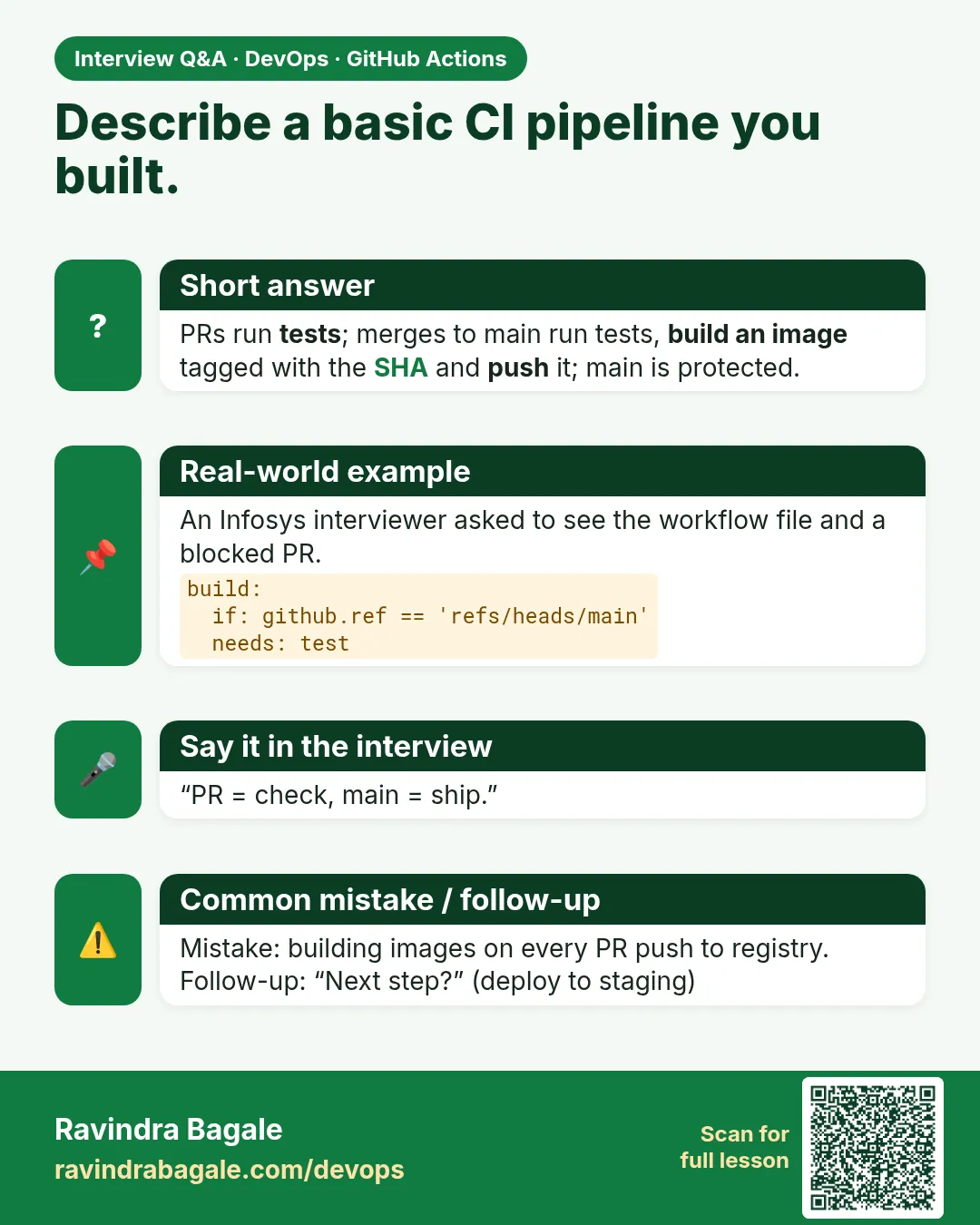 Interview card