Chapter 9: GitHub Actions Hands-On
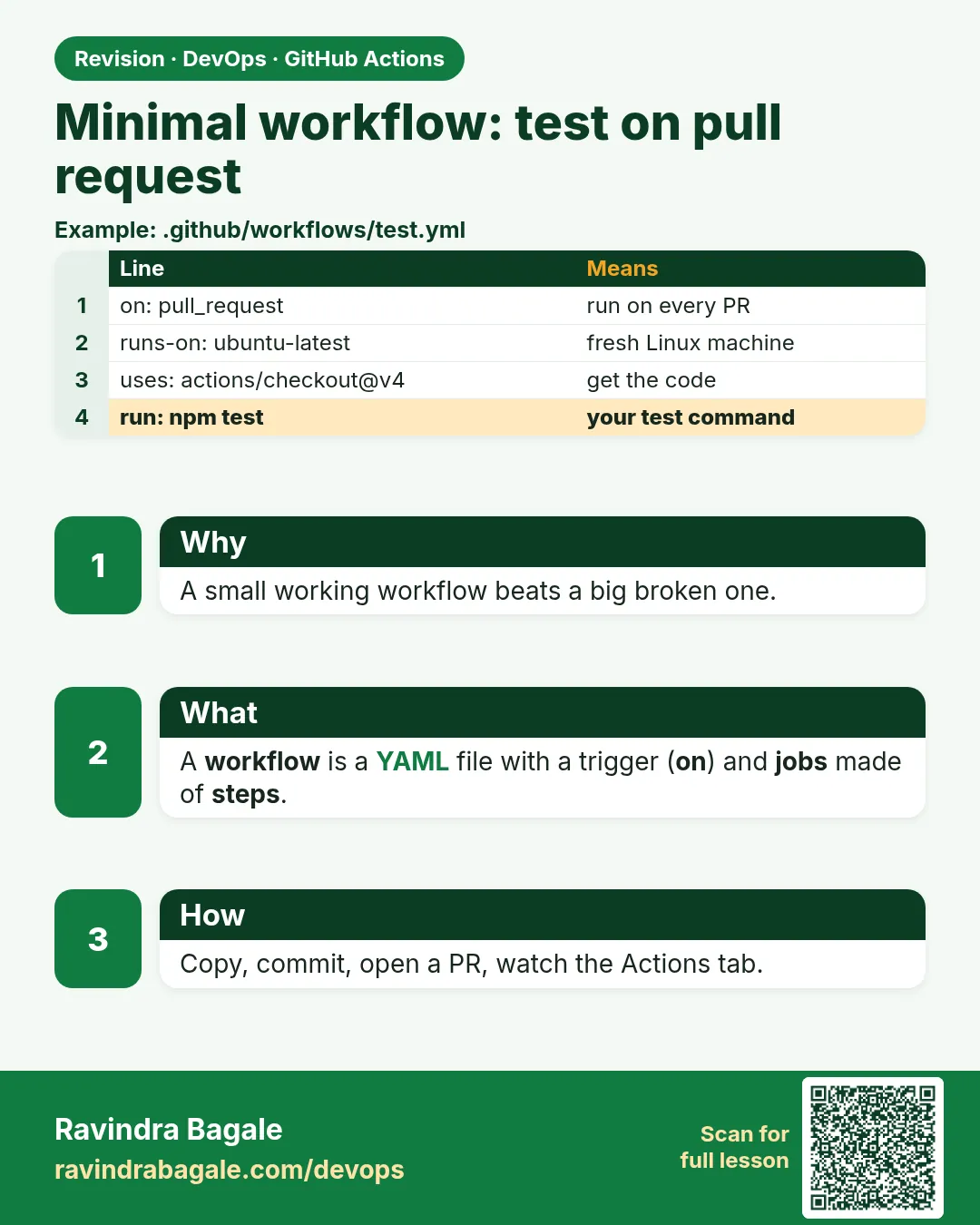
9.2 Minimal workflow — test on pull request
Why: the problem
Suppose we are at Zomato. Ten developers open pull requests every day on the menu service. A reviewer reads the code, but he cannot run every test by hand for every pull request. Sometimes he approves code that breaks the build. Then main is red and everybody is blocked. The fix: run tests on the pull request itself, before merge. The reviewer then sees a green tick and only reviews logic. Bad code is stopped at the door, not after it is inside.
What we will build
You will write a minimal but real CI workflow that runs on pull requests to main and on pushes to main. You will build it for Python (Flask), Node.js (Express) and Java (Maven), with dependency caching built in.
What: every term in plain English
- pull_request event — Runs when a pull request is opened or updated. It tests the merge result of your branch with main.
- push event — Runs when commits land on a branch, like after a merge into main.
- branches filter — Limits the event to some branches, like only main.
- paths filter — Runs only when certain files change, like src/**.
- requirements.txt — The list of Python packages your app needs.
- npm ci — Installs exact versions from package-lock.json. Faster and safer than npm install in CI.
- Exit code — A number a command returns. 0 means success; anything else means failure.
How: step by step
-
Make a feature branch
git switch -c add-healthWhat it does: Pull requests come from branches.
Output
Switched to a new branch 'add-health' -
Add the workflow
vim .github/workflows/ci.ymlWhat it does: Paste a file from the examples below.
Output
(file saved) -
Push the branch
git push -u origin add-healthWhat it does: A push to a branch, not yet a pull request.
Output
* [new branch] add-health -> add-health -
Open a pull request
gh pr create --base main --title "Add health" --body "adds /health"What it does: The pull_request event fires now.
Output
https://git.example.com/ravi/actions-lab/pull/1 -
Read the checks box
Open the pull request page and scroll to the checks areaWhat it does: Shows each job with a tick or cross.
Output
ci / test (pull_request) Successful in 25s
Example 1: Python Flask app: tests on pull request and on main
Stack. Python 3.12, Flask, pytest
Goal. Python Flask app: tests on pull request and on main.
app.py
from flask import Flask
app = Flask(__name__)

@app.get("/health")
def health():
    return {"status": "ok"}
test_app.py
from app import app

def test_health():
    r = app.test_client().get("/health")
    assert r.status_code == 200
    assert r.json["status"] == "ok"
requirements.txt
flask==3.0.3
pytest==8.3.3
.github/workflows/ci.yml
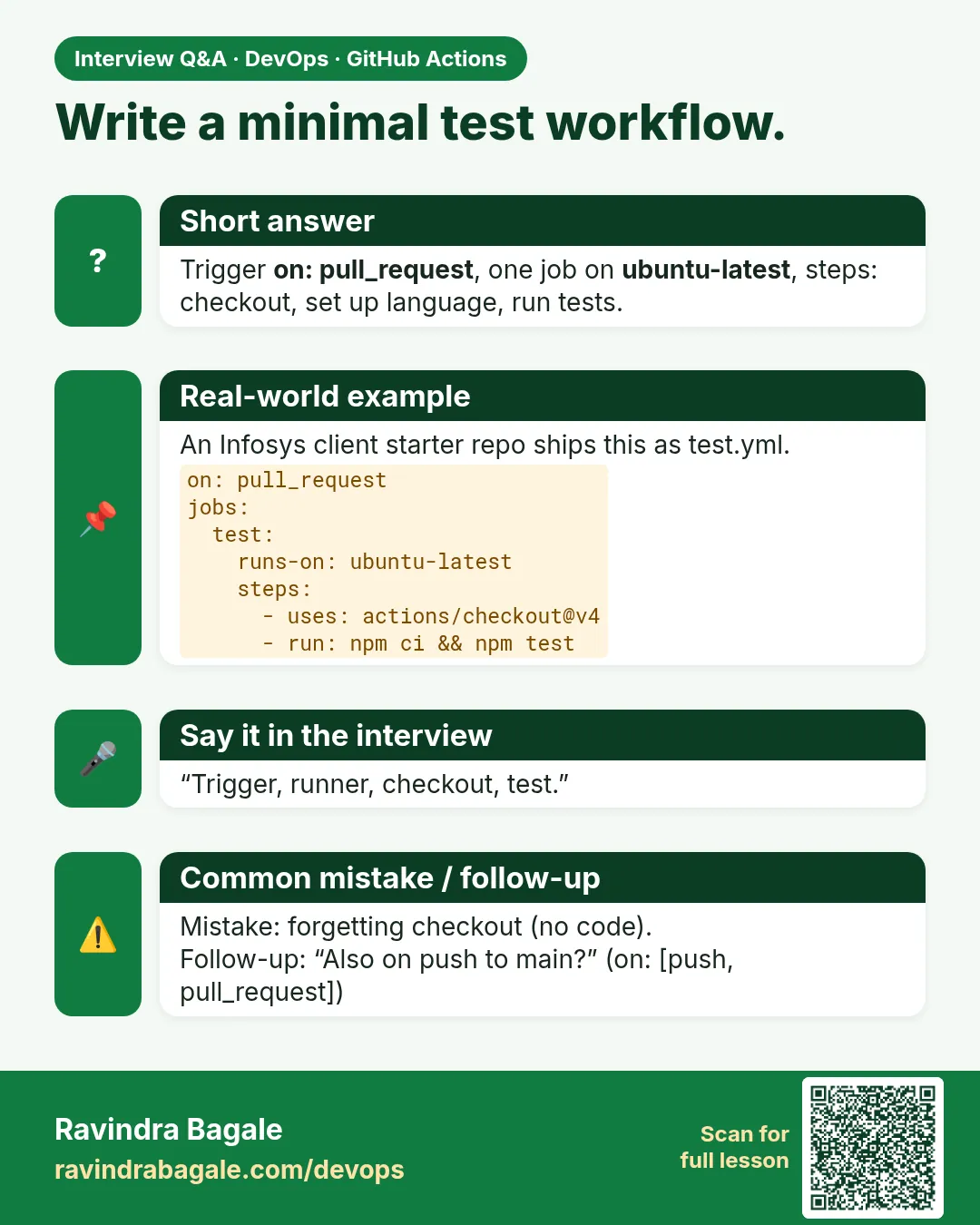
name: ci
on:
  pull_request:
    branches: [main]
  push:
    branches: [main]
jobs:
  test:
    runs-on: ubuntu-latest
    steps:
      - uses: actions/checkout@v4
      - uses: actions/setup-python@v5
        with:
          python-version: "3.12"
          cache: pip
      - run: pip install -r requirements.txt
      - run: pytest -q
What each line does
pull_request: branches: [main]— Run for pull requests that target main.push: branches: [main]— Run again after merge, on main itself.cache: pip— Saves downloaded packages between runs, keyed by requirements.txt.pip install -r requirements.txt— Installs pinned versions.pytest -q— Runs test_app.py.
Green output
Run actions/setup-python@v5
Successfully set up CPython (3.12.7)
Cache restored from key: setup-python-Linux-pip-5c1f...
Run pip install -r requirements.txt
Successfully installed flask-3.0.3 pytest-8.3.3
Run pytest -q
.                                                                [100%]
1 passed in 0.11s
Expected result. The pull request shows "All checks have passed". Merge is safe.
Example 2: Node
Stack. Node.js 20, Express, ESLint, Jest
Goal. Node.js Express API: npm ci with cache and a lint step before tests.
package.json
{
  "name": "menu-api",
  "version": "1.0.0",
  "scripts": {
    "lint": "eslint .",
    "test": "jest"
  },
  "dependencies": { "express": "4.21.1" },
  "devDependencies": { "eslint": "9.13.0", "jest": "29.7.0", "supertest": "7.0.0" }
}
.github/workflows/ci.yml
name: ci
on:
  pull_request:
    branches: [main]
    paths: ["src/**", "package*.json", ".github/workflows/**"]
jobs:
  test:
    runs-on: ubuntu-latest
    steps:
      - uses: actions/checkout@v4
      - uses: actions/setup-node@v4
        with:
          node-version: 20
          cache: npm
      - run: npm ci
      - run: npm run lint
      - run: npm test -- --ci
What each line does
paths: [...]— Skip the run if only README.md changed.cache: npm— Caches the npm download folder, keyed by package-lock.json.npm ci— Clean install from the lock file. Fails if the lock file and package.json do not match.npm run lint— Fast style check first. Fail fast.npm test -- --ci— Jest in CI form: no watch, no snapshots written.
Green output
Run npm ci
added 312 packages in 6s
Run npm run lint
> eslint .
Run npm test -- --ci
PASS  src/menu.test.js
Tests:       4 passed, 4 total
Time:        1.9 s
Expected result. Lint runs first, so style mistakes fail in seconds before the slower tests.
Example 3: Java Spring Boot: Maven verify with cache
Stack. Java 17, Spring Boot, Maven
Goal. Java Spring Boot: Maven verify with cache.
.github/workflows/ci.yml
name: ci
on:
  pull_request:
    branches: [main]
  push:
    branches: [main]
jobs:
  build:
    runs-on: ubuntu-latest
    steps:
      - uses: actions/checkout@v4
      - uses: actions/setup-java@v4
        with:
          distribution: temurin
          java-version: "17"
          cache: maven
      - run: ./mvnw -B -ntp verify
What each line does
actions/setup-java@v4— Installs a JDK.distribution: temurin— The free Eclipse Temurin build of OpenJDK.cache: maven— Caches ~/.m2, keyed by pom.xml../mvnw -B -ntp verify— Maven wrapper, batch, no transfer progress logs; compiles, tests and packages.
Green output
Run ./mvnw -B -ntp verify
[INFO] Tests run: 12, Failures: 0, Errors: 0, Skipped: 0
[INFO] Building jar: /home/runner/work/orders/orders/target/orders-0.0.1.jar
[INFO] BUILD SUCCESS
[INFO] Total time:  41.2 s
Expected result. Same workflow shape for Java. Only setup-java and the Maven command are new.
Verify: did it work?
-
Run the same test locally first
pip install -r requirements.txt && pytest -qWhat it does: If it fails on your laptop, it will fail in CI too.
Output
1 passed in 0.10s -
Check the pull request status from the terminal
gh pr checks 1What it does: Lists each check and its state.
Output
test pass 25s https://git.example.com/ravi/actions-lab/actions/runs/101
When it is red 1
npm ERR! `npm ci` can only install packages when your package.json and package-lock.json are in sync.
Cause. Someone edited package.json but did not commit the new lock file.
Fix, step by step
- Run npm install locally.
- Commit package-lock.json.
- Push again.
When it is red 2
./mvnw: Permission denied
Error: Process completed with exit code 126.
Cause. The Maven wrapper file lost its execute bit in Git.
Fix, step by step
- Call it through the shell in the workflow: sh ./mvnw -B -ntp verify.
- Commit and push.
When it is red 3
Error: Dependencies lock file is not found in /home/runner/work/menu-api/menu-api.
Cause. cache: npm needs package-lock.json, but it is not in the repo.
Fix, step by step
- Run npm install locally to make it.
- Commit package-lock.json.
- Do not put the lock file in .gitignore.
Cleanup
-
Delete the merged branch
git switch main && git pull && git branch -d add-health && git push origin --delete add-healthWhat it does: Keeps the branch list short.
Output
Deleted branch add-health (was 3c1e9a2).
Ravindra Bagale's Tip
If there is no green tick on the PR, do not merge. Let the reviewer check logic; let the robot run tests!
PR वर green tick नसेल तर merge करू नका. Reviewer ला logic बघू द्या, tests robot ला!
PR पर green tick न हो तो merge मत करो. Reviewer को logic देखने दो, tests robot को!
Practice tasks
Easy Add a README-only change
Why: See paths filters work.
What to do: Change only README.md in a PR with paths filter.
- Open the PR.
- Check that no run started.
Check: No CI run for docs only.
Medium Add Python 3.11 too
Why: Know your app works on two versions.
What to do: Add a second job with python-version 3.11.
- Copy the job, rename it test-311.
Check: Two checks show on the PR.
Hard Port to Java
Why: Same idea, new stack.
What to do: Add the Maven workflow to a Spring Boot starter app.
- Use start.spring.io to make the app.
- Add ci.yml.
Check: BUILD SUCCESS in the log.
Easy Say pull request CI in two lines
Why: If you can say it simply, you understand it. Juniors and interviewers both want the short version first.
What to do: Write two short lines about pull request CI for a fresher who knows only Linux and Git basics.
- Write the problem it solves.
- Write the one workflow line or command you use for it.
- Read it aloud to a friend.
Check: A fresher understands it without asking a question.
Easy Make a throwaway practice repo
Why: Practice needs a repo you can break. If the workflow history gets messy, you delete the repo and start again.
What to do: Create a new empty repo named actions-lab with one small app and push it.
- mkdir actions-lab && cd actions-lab && git init -b main
- Add app code and a test file.
- git remote add origin https://git.example.com/ravi/actions-lab.git && git push -u origin main
Check: The Actions tab of the repo shows your first run.
Medium Do it on a second stack
Why: A CI idea must work for Node.js, Python and Java. Only the setup and test lines should change.
What to do: Repeat this lesson with a different language than the one you used first.
- If you used Python, use Node.js now.
- Change only the setup action and the test command.
- Keep the same job names.
Check: Same result, and the job names did not change.
Medium Break it on purpose
Why: You must know the red log by face. In a real outage there is no time to read slowly.
What to do: Cause one error from the "When it is red" part of this lesson and fix it.
- Follow the error section.
- Copy the exact message into your notes.
- Write the fix in one line.
Check: You fixed it using only the steps, without searching the web.
Medium Write a one-page runbook
Why: At 2 a.m. nobody remembers YAML keys. A short page saves the on-call person.
What to do: Write a one-page runbook for this lesson.
- Title, when to use, exact YAML or commands, how to check, how to undo.
Check: A teammate can follow it alone.
Hard Explain it like an interview
Why: Interviewers want real stories, not definitions.
What to do: Record a 60 second answer about this lesson.
- Say the problem, the workflow lines you wrote, and one error you hit.
Check: Your answer has a real YAML line and a real error message.
Hard Draw the flow top to bottom
Why: A drawing shows the order of work and which job waits for which.
What to do: Draw this lesson as boxes from top to bottom.
- Start at git push, go through each job and step, end at the green check or the deployed app.
Check: Each box matches a real step in your run log.
Homework: try at home
Try at home
At home, make a Flask app with a /health test, open a pull request, and see the check on it. Then make the test fail in a second commit on the same pull request and watch the check flip to red.
Recap
- Run CI on pull_request so bad code stops before merge.
- Run again on push to main after merge.
- Use lock files and cache for fast, repeatable installs.
- Fail fast: lint before tests.
- Only setup and test commands change across stacks.
FAQ
Why run on both pull_request and push?
The PR run checks the change; the main run checks the final merged result.
Does pull_request run for forks?
Yes, but with read-only token and no secrets, for safety.
Can I skip CI for a commit?
Adding [skip ci] to the commit message skips push and pull_request runs.
How long should CI take?
Aim for under 10 minutes so developers wait for it.
Should I cache node_modules?
No. Cache the npm download folder with cache: npm and run npm ci.
Interview questions
-
Explain pull_request vs push events.
pull_request runs on PR open or update against the merge result; push runs when commits land on a branch.
-
How do you speed up CI?
Cache dependencies, run lint first, use paths filters, split slow tests into parallel jobs.
-
Why npm ci in CI?
Exact, clean, lock-file based install; fails on mismatch.
-
What is a required check?
A check that must pass before the merge button works, set in branch rules.
-
How do you keep CI the same as local?
Use the same commands, pinned versions, and a lock file.
Quick quiz
Q1. Which event runs on pull requests?
pull_request.
Q2. Why use npm ci instead of npm install?
It installs exact locked versions and fails if the lock file is out of date.
Q3. What does cache: pip do?
Reuses downloaded packages between runs to save time.
Q4. Why run lint before tests?
It is fast, so simple mistakes fail early.
Q5. What does paths: do?
Runs the workflow only when matching files change.
Did you understand? Let us try it once more.
 Revision card
 Interview card