Chapter 9: GitHub Actions Hands-On
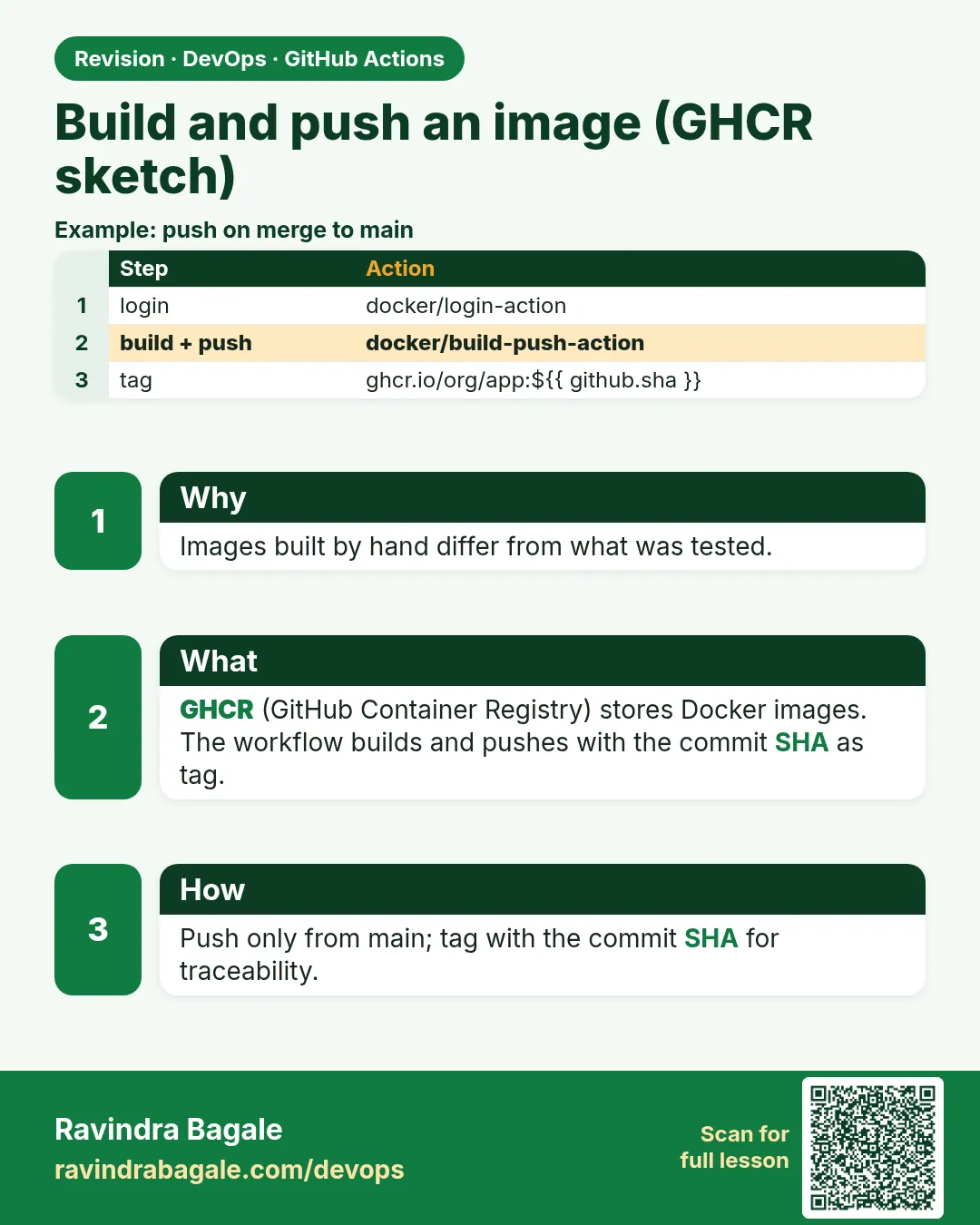
9.5 Build and push an image (GHCR sketch)
In short: The order service image is built on a developer laptop and pushed by hand.
Why: the problem
Suppose we are at Swiggy. The order service image is built on a developer laptop and pushed by hand. One day the laptop had an old base image, and production got a build with a known security hole. Nobody could say which commit was inside. The fix: build and push the image only in CI, after tests pass, and tag it with the commit id. Then every image is made the same way, and you always know what code is inside.
What we will build
You will build a Docker image in a workflow and push it to a container registry with two tags: the commit id and latest. You will log in with a stored secret or the automatic token, add a build cache, and push only from main. You will do it for a Python API, a Node.js app and a multi-platform image.
What: every term in plain English
- Container registry — A server that stores images, like Docker Hub, Amazon ECR or the platform registry ghcr.io.
- Image tag — A label on an image, like 1.4.0 or a commit id.
- docker/login-action — A ready action that runs docker login safely.
- docker/build-push-action — A ready action that builds and pushes with BuildKit.
- Buildx — The Docker build tool with cache and multi-platform features.
- Secret — A value stored in repo settings, like a registry password. Masked as *** in logs.
- packages: write — The token permission needed to push to the platform registry.
How: step by step
-
Store the registry login
Repo Settings > Secrets and variables > Actions > New repository secret: REGISTRY_USER and REGISTRY_TOKENWhat it does: Values are encrypted and hidden in logs.
Output
Secret REGISTRY_TOKEN added -
Make sure the Dockerfile builds locally
docker build -t orders-api:dev .What it does: Fix local errors first.
Output
naming to docker.io/library/orders-api:dev done -
Add login, setup-buildx and build-push steps
vim .github/workflows/image.ymlWhat it does: Use a file from the examples.
Output
(saved) -
Push to main and check the registry
git push origin mainWhat it does: The image appears with both tags.
Output
registry.example.com/swiggy/orders-api:a3f2c1d
registry.example.com/swiggy/orders-api:latest
Example 1: Python API: test, then build and push with the commit tag
Stack. Python, Docker, BuildKit
Goal. Python API: test, then build and push with the commit tag.
Dockerfile
FROM python:3.12-slim
WORKDIR /app
COPY requirements.txt .
RUN pip install --no-cache-dir -r requirements.txt
COPY . .
USER 1000
CMD ["gunicorn", "-b", "0.0.0.0:8000", "app:app"]
.github/workflows/image.yml
name: image
on:
  push:
    branches: [main]
permissions:
  contents: read
env:
  IMAGE: registry.example.com/swiggy/orders-api
jobs:
  test:
    runs-on: ubuntu-latest
    steps:
      - uses: actions/checkout@v4
      - uses: actions/setup-python@v5
        with: { python-version: "3.12" }
      - run: pip install -r requirements.txt && pytest -q
  image:
    needs: test
    runs-on: ubuntu-latest
    steps:
      - uses: actions/checkout@v4
      - uses: docker/login-action@v3
        with:
          registry: registry.example.com
          username: ${{ secrets.REGISTRY_USER }}
          password: ${{ secrets.REGISTRY_TOKEN }}
      - uses: docker/setup-buildx-action@v3
      - uses: docker/build-push-action@v6
        with:
          context: .
          push: true
          tags: |
            ${{ env.IMAGE }}:${{ github.sha }}
            ${{ env.IMAGE }}:latest
          cache-from: type=gha
          cache-to: type=gha,max=max
What each line does
USER 1000— The app does not run as root inside the container.env: IMAGE— One place for the image name.needs: test— No image unless tests are green.secrets.REGISTRY_TOKEN— The password comes from settings, never from YAML.tags: sha and latest— The sha tag is exact; latest is only a convenience.cache-from/to: type=gha— Reuses Docker layers between runs.
Green output
Run docker/login-action@v3
Login Succeeded!
Run docker/build-push-action@v6
#9 [4/5] RUN pip install --no-cache-dir -r requirements.txt
#9 CACHED
#12 pushing layers 2.1s done
#12 pushing manifest for registry.example.com/swiggy/orders-api:a3f2c1d9e8...
#12 DONE 3.4s
Expected result. The registry has the image tagged with the full commit id. Deploys use that tag, never latest.
Example 2: Node
Stack. Node.js, platform container registry
Goal. Node.js app: push to the platform registry with the automatic token.
.github/workflows/image.yml
name: image
on:
  push:
    branches: [main]
jobs:
  image:
    runs-on: ubuntu-latest
    permissions:
      contents: read
      packages: write
    steps:
      - uses: actions/checkout@v4
      - uses: docker/login-action@v3
        with:
          registry: ghcr.io
          username: ${{ github.actor }}
          password: ${{ secrets.GITHUB_TOKEN }}
      - id: meta
        uses: docker/metadata-action@v5
        with:
          images: ghcr.io/zomato-lab/menu-web
          tags: |
            type=sha
            type=ref,event=branch
      - uses: docker/build-push-action@v6
        with:
          push: true
          tags: ${{ steps.meta.outputs.tags }}
          labels: ${{ steps.meta.outputs.labels }}
What each line does
packages: write— Lets the automatic token push packages, only in this job.password: secrets.GITHUB_TOKEN— No personal password needed.docker/metadata-action— Makes standard tags and labels for you.type=sha— Adds a tag like sha-a3f2c1d.type=ref,event=branch— Adds a tag with the branch name, like main.
Green output
Run docker/metadata-action@v5
Docker tags
  ghcr.io/zomato-lab/menu-web:sha-a3f2c1d
  ghcr.io/zomato-lab/menu-web:main
Run docker/build-push-action@v6
#14 pushing manifest for ghcr.io/zomato-lab/menu-web:sha-a3f2c1d done
Expected result. No long-lived password at all. The token dies when the run ends.
Example 3: Multi-platform image for Intel and ARM servers
Stack. Go, Docker Hub, QEMU, Buildx
Goal. Multi-platform image for Intel and ARM servers.
.github/workflows/image.yml
name: image-multi
on:
  push:
    tags: ["v*"]
jobs:
  image:
    runs-on: ubuntu-latest
    steps:
      - uses: actions/checkout@v4
      - uses: docker/setup-qemu-action@v3
      - uses: docker/setup-buildx-action@v3
      - uses: docker/login-action@v3
        with:
          username: ${{ secrets.DOCKERHUB_USER }}
          password: ${{ secrets.DOCKERHUB_TOKEN }}
      - uses: docker/build-push-action@v6
        with:
          platforms: linux/amd64,linux/arm64
          push: true
          tags: ravidemo/pricing:${{ github.ref_name }}
What each line does
tags: ["v*"]— Run only when you push a Git tag like v1.2.0.setup-qemu-action— Emulates ARM so an Intel runner can build ARM images.platforms: linux/amd64,linux/arm64— One tag, two builds. Servers pull the right one.github.ref_name— The tag name, like v1.2.0.
Green output
#16 [linux/arm64 3/4] RUN go build -o /pricing
#20 exporting manifest list sha256:7d1c...
#20 pushing ravidemo/pricing:v1.2.0 done
Expected result. AWS Graviton (ARM) and normal Intel servers both run ravidemo/pricing:v1.2.0.
Verify: did it work?
-
Pull the exact image
docker pull registry.example.com/swiggy/orders-api:a3f2c1d9e8f7...What it does: Proves the push worked.
Output
Status: Downloaded newer image -
Check the label for the source commit
docker inspect --format "{{ index .Config.Labels \"org.opencontainers.image.revision\" }}" ghcr.io/zomato-lab/menu-web:sha-a3f2c1dWhat it does: metadata-action adds this label.
Output
a3f2c1d9e8f7...
When it is red 1
Error: Cannot perform an interactive login from a non TTY device
Cause. The secret is empty, often a typo in the secret name.
Fix, step by step
- Check the secret name in settings matches the YAML exactly.
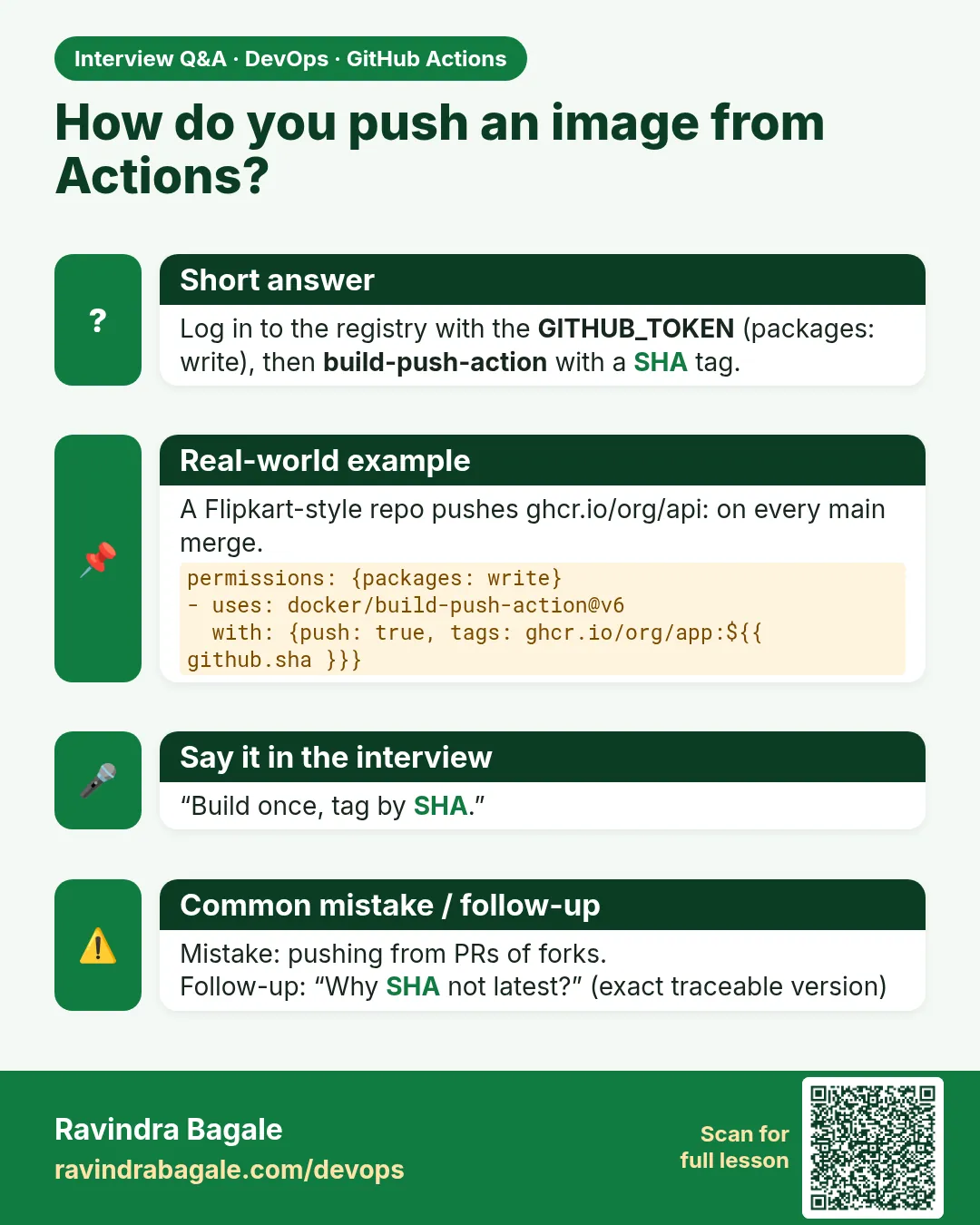
- Secrets are not given to pull requests from forks.
When it is red 2
denied: installation not allowed to Create organization package
Cause. The token has no packages: write.
Fix, step by step
- Add permissions: packages: write to the job.
- Check the package settings allow this repo.
When it is red 3
ERROR: failed to solve: process "/bin/sh -c pip install ..." did not complete successfully: exit code: 1
Cause. The Dockerfile step itself fails.
Fix, step by step
- Run docker build locally and read the first red line.
- Fix requirements or the base image.
Cleanup
-
Remove local test images
docker image prune -fWhat it does: Frees disk on your laptop.
Output
Total reclaimed space: 412MB
Ravindra Bagale's Tip
Do not push an image from your laptop. Build in CI, tag with the commit id, then deploy. That is all!
Laptop वरून image push करू नका. CI मध्ये build, commit id tag, मग deploy. फक्त एवढं!
Laptop से image push मत करो. CI में build, commit id tag, फिर deploy. बस इतना!
Practice tasks
Easy Push one image
Why: First real push.
What to do: Push your lab image with a sha tag.
- Add secrets, add workflow, push main.
Check: docker pull works.
Medium Use metadata-action
Why: Standard tags.
What to do: Replace hand tags with metadata-action.
- type=sha and type=ref.
Check: Two tags appear.
Hard Multi-platform
Why: ARM servers are cheaper.
What to do: Build amd64 and arm64.
- Add QEMU and platforms.
Check: docker manifest inspect shows two platforms.
Easy Say image build and push in two lines
Why: If you can say it simply, you understand it. Juniors and interviewers both want the short version first.
What to do: Write two short lines about image build and push for a fresher who knows only Linux and Git basics.
- Write the problem it solves.
- Write the one workflow line or command you use for it.
- Read it aloud to a friend.
Check: A fresher understands it without asking a question.
Easy Make a throwaway practice repo
Why: Practice needs a repo you can break. If the workflow history gets messy, you delete the repo and start again.
What to do: Create a new empty repo named actions-lab with one small app and push it.
- mkdir actions-lab && cd actions-lab && git init -b main
- Add app code and a test file.
- git remote add origin https://git.example.com/ravi/actions-lab.git && git push -u origin main
Check: The Actions tab of the repo shows your first run.
Medium Do it on a second stack
Why: A CI idea must work for Node.js, Python and Java. Only the setup and test lines should change.
What to do: Repeat this lesson with a different language than the one you used first.
- If you used Python, use Node.js now.
- Change only the setup action and the test command.
- Keep the same job names.
Check: Same result, and the job names did not change.
Medium Break it on purpose
Why: You must know the red log by face. In a real outage there is no time to read slowly.
What to do: Cause one error from the "When it is red" part of this lesson and fix it.
- Follow the error section.
- Copy the exact message into your notes.
- Write the fix in one line.
Check: You fixed it using only the steps, without searching the web.
Medium Write a one-page runbook
Why: At 2 a.m. nobody remembers YAML keys. A short page saves the on-call person.
What to do: Write a one-page runbook for this lesson.
- Title, when to use, exact YAML or commands, how to check, how to undo.
Check: A teammate can follow it alone.
Hard Explain it like an interview
Why: Interviewers want real stories, not definitions.
What to do: Record a 60 second answer about this lesson.
- Say the problem, the workflow lines you wrote, and one error you hit.
Check: Your answer has a real YAML line and a real error message.
Hard Draw the flow top to bottom
Why: A drawing shows the order of work and which job waits for which.
What to do: Draw this lesson as boxes from top to bottom.
- Start at git push, go through each job and step, end at the green check or the deployed app.
Check: Each box matches a real step in your run log.
Homework: try at home
Try at home
At home, push an image of your lab app to Docker Hub from CI, tagged with the commit id, and pull it on your laptop.
Recap
- Build and push images only in CI, after tests.
- Tag with the commit id; deploy that tag.
- Logins use secrets or the automatic token.
- Use BuildKit cache to save time.
- Give packages: write only to the image job.
FAQ
Is latest bad?
For deploys, yes. It moves. Use the sha or version tag.
Docker Hub or cloud registry?
Use the registry close to where you run, like ECR for AWS.
Can pull requests push images?
Better not. Build on PR, push only on main.
Why is my build slow?
No layer cache; add cache-from and cache-to.
How do I scan the image?
Add a Trivy step before push.
Interview questions
-
How do you build and push images in CI?
Checkout, login with secrets, buildx, build-push with sha tags, after tests.
-
Why not use latest in production?
It is mutable; you cannot know or roll back the exact version.
-
How do you avoid storing registry passwords?
Use the short-lived automatic token or OIDC to the cloud registry.
-
How do you speed Docker builds in CI?
Layer cache with type=gha or a registry cache, and good Dockerfile order.
-
How do you build multi-arch images?
QEMU plus buildx with a platforms list.
Quick quiz
Q1. Why tag with the commit id?
So you know exactly which code is inside.
Q2. Where does the registry password go?
In repo secrets.
Q3. What permission pushes to the platform registry?
packages: write.
Q4. What does cache-from: type=gha do?
Reuses layers between runs.
Q5. How do you build for ARM too?
setup-qemu and platforms: linux/amd64,linux/arm64.
Did you understand? Let us try it once more.
 Revision card
 Interview card