Chapter 9: GitHub Actions Hands-On
9.10 Environment-specific configs in CI
Why: the problem
Suppose we are at BigBasket. The same app runs in dev, staging and production. Dev uses a small test database. Production uses a big one and a real payment key. A developer copies the production workflow for staging and forgets to change the database URL. The staging tests write fake orders into the production database. The fix: one workflow, with settings coming from the environment it targets. Code stays the same; only configuration changes, and each environment has its own secrets, variables and approval rules.
What we will build
You will create dev, staging and production environments, store variables and secrets per environment, and use one deploy job with a matrix or inputs to target each. You will build config files per environment for a Node.js app, use .env files made at deploy time for Python, and Kubernetes overlays with Kustomize.
What: every term in plain English
- Configuration — Settings that change between environments: URLs, sizes, feature flags. Not code.
- Environment variables — Name=value pairs a program reads at start, like DATABASE_URL.
- vars context — Non-secret variables from settings, read as vars.NAME.
- Environment-level variable — A variable that only exists inside one environment, like production.
- Twelve-factor config — The rule that config lives in the environment, not in the code.
- Kustomize — A Kubernetes tool that applies small overlay changes per environment on a shared base.
- workflow_dispatch inputs — Fields on the Run workflow button, like a dropdown for the target environment.
- Feature flag — A setting that turns a feature on or off without a new deploy.
How: step by step
-
Create the environments
Settings > Environments > New: dev, staging, productionWhat it does: Add required reviewers to production.
Output
3 environments created -
Add the same variable name in each
gh variable set API_URL --env staging --body https://staging-api.example.comWhat it does: Same name, different values.
Output
✓ Created variable API_URL for ravi/basket in staging -
Add environment secrets
gh secret set DB_PASSWORD --env production --body "fake-only-for-lab"What it does: Production values live only in the production environment.
Output
✓ Set Actions secret DB_PASSWORD for ravi/basket in production -
Point the job at an environment
environment: ${{ inputs.target }}What it does: The job reads that environment values.
Output
deploy (staging) Success -
Run it with a choice
gh workflow run deploy.yml -f target=stagingWhat it does: Starts the deploy for one target.
Output
✓ Created workflow_dispatch event for deploy.yml at main
Example 1: Node
Stack. Node.js, React build, environments
Goal. Node.js: one deploy workflow, the target chosen from a dropdown.
.github/workflows/deploy.yml
name: deploy
on:
  workflow_dispatch:
    inputs:
      target:
        type: choice
        options: [dev, staging, production]
        default: dev
jobs:
  deploy:
    runs-on: ubuntu-latest
    environment: ${{ inputs.target }}
    steps:
      - uses: actions/checkout@v4
      - run: npm ci && npm run build
        env:
          API_URL: ${{ vars.API_URL }}
          FEATURE_NEW_CHECKOUT: ${{ vars.FEATURE_NEW_CHECKOUT }}
      - run: echo "Built for ${{ inputs.target }} with API $API_URL"
        env:
          API_URL: ${{ vars.API_URL }}
      - run: ./scripts/upload.sh "${{ inputs.target }}"
        env:
          DEPLOY_TOKEN: ${{ secrets.DEPLOY_TOKEN }}
What each line does
type: choice— A dropdown on the Run workflow button.environment: ${{ inputs.target }}— Selects the environment, its variables, its secrets and its rules.vars.API_URL— Different per environment.FEATURE_NEW_CHECKOUT— A feature flag: true in dev, false in production until ready.secrets.DEPLOY_TOKEN— Each environment has its own token.
Green output
Run echo "Built for staging with API https://staging-api.example.com"
Built for staging with API https://staging-api.example.com
Run ./scripts/upload.sh "staging"
Uploaded 42 files to staging bucket
Expected result. Choose production and the job waits for the reviewer, then uses production values.
Example 2: Python: write the
Stack. Python, Django-style settings
Goal. Python: write the .env file at deploy time from environment settings.
Workflow step
- name: Write runtime config
  run: |
    umask 077
    {
      echo "APP_ENV=${{ inputs.target }}"
      echo "DATABASE_HOST=${{ vars.DATABASE_HOST }}"
      echo "DATABASE_PASSWORD=${{ secrets.DB_PASSWORD }}"
      echo "LOG_LEVEL=${{ vars.LOG_LEVEL }}"
    } > app.env
    wc -l app.env
- run: scp app.env deploy@${{ vars.SERVER_IP }}:/etc/basket/app.env
settings.py
import os
APP_ENV = os.environ["APP_ENV"]
DATABASE_HOST = os.environ["DATABASE_HOST"]
DATABASE_PASSWORD = os.environ["DATABASE_PASSWORD"]
LOG_LEVEL = os.environ.get("LOG_LEVEL", "INFO")
DEBUG = APP_ENV == "dev"
What each line does
umask 077— The new file is readable only by its owner.{ ... } > app.env— Writes four lines into one file.wc -l app.env— Proves the file has 4 lines without printing secrets.os.environ["DATABASE_HOST"]— Crash early if a needed setting is missing.DEBUG = APP_ENV == "dev"— Debug only in dev, never in production.
Green output
Run wc -l app.env
4 app.env
Run scp app.env deploy@10.0.3.21:/etc/basket/app.env
Expected result. The same code reads different settings in each environment. No URL is hard-coded.
Example 3: Kubernetes: Kustomize overlays per environment
Stack. Kubernetes, Kustomize
Goal. Kubernetes: Kustomize overlays per environment.
k8s/base/kustomization.yaml
resources:
  - deployment.yaml
  - service.yaml
k8s/overlays/production/kustomization.yaml
resources:
  - ../../base
namespace: basket-prod
replicas:
  - name: basket-api
    count: 6
images:
  - name: basket-api
    newName: registry.example.com/basket/api
    newTag: a3f2c1d
configMapGenerator:
  - name: basket-config
    literals:
      - LOG_LEVEL=WARN
      - FEATURE_NEW_CHECKOUT=false
Workflow step
- run: |
    cd k8s/overlays/${{ inputs.target }}
    kustomize edit set image basket-api=registry.example.com/basket/api:${{ github.sha }}
    kubectl apply -k .
    kubectl -n basket-${{ inputs.target }} rollout status deploy/basket-api --timeout=120s
What each line does
base— Shared Deployment and Service for all environments.overlays/production— Only the differences: namespace, replicas, image, config.replicas count: 6— Production runs 6 Pods; dev may run 1.configMapGenerator— Makes a ConfigMap with per-environment values.kustomize edit set image— Sets the tested image tag.rollout status— Fails the job if Pods do not become ready.
Green output
deployment.apps/basket-api configured
configmap/basket-config-6g7k9m2c8t created
Waiting for deployment "basket-api" rollout to finish: 4 of 6 updated replicas are available...
deployment "basket-api" successfully rolled out
Expected result. Same base, small overlays, one workflow. The diff between staging and production is easy to review.
Verify: did it work?
-
Show variables per environment
gh variable list --env productionWhat it does: Check values before a deploy.
Output
API_URL https://api.example.com LOG_LEVEL WARN -
Compare rendered manifests
kustomize build k8s/overlays/staging > s.yaml && kustomize build k8s/overlays/production > p.yaml && diff -u s.yaml p.yamlWhat it does: Shows only the real differences.
Output
-  replicas: 2
+  replicas: 6
When it is red 1
KeyError: 'DATABASE_HOST'
Cause. The variable is not set in that environment.
Fix, step by step
- gh variable list --env staging
- Add the missing variable to that environment.
When it is red 2
Error: Input required and not supplied: target
Cause. workflow_dispatch was started from the API without the input.
Fix, step by step
- Pass -f target=staging.
- Or set a default in the input.
When it is red 3
Error from server (NotFound): namespaces "basket-qa" not found
Cause. A target name with no matching namespace or overlay.
Fix, step by step
- Use only the choices in the dropdown.
- Create the namespace with Terraform or kubectl first.
Cleanup
-
Delete a practice environment
gh api -X DELETE repos/ravi/basket/environments/devWhat it does: Only on your practice repo.
Output
(no output)
Ravindra Bagale's Tip
One code, separate config. Production passwords only in the production environment!
Code एकच, config वेगळा. Production चे password फक्त production environment मध्येच!
Code एक, config अलग. Production के password सिर्फ production environment में!
Practice tasks
Easy Two environments
Why: See separation.
What to do: Make staging and production with different URLs.
- gh variable set --env.
Check: Each job prints its own URL.
Medium Dropdown deploy
Why: Safe manual choice.
What to do: Add workflow_dispatch with a choice input.
- options: [dev, staging, production].
Check: Run workflow shows a dropdown.
Hard Overlays
Why: Kubernetes per env.
What to do: Make base and two overlays.
- kustomize build both and diff.
Check: Diff shows only replicas and config.
Easy Say environment-specific config in two lines
Why: If you can say it simply, you understand it. Juniors and interviewers both want the short version first.
What to do: Write two short lines about environment-specific config for a fresher who knows only Linux and Git basics.
- Write the problem it solves.
- Write the one workflow line or command you use for it.
- Read it aloud to a friend.
Check: A fresher understands it without asking a question.
Easy Make a throwaway practice repo
Why: Practice needs a repo you can break. If the workflow history gets messy, you delete the repo and start again.
What to do: Create a new empty repo named actions-lab with one small app and push it.
- mkdir actions-lab && cd actions-lab && git init -b main
- Add app code and a test file.
- git remote add origin https://git.example.com/ravi/actions-lab.git && git push -u origin main
Check: The Actions tab of the repo shows your first run.
Medium Do it on a second stack
Why: A CI idea must work for Node.js, Python and Java. Only the setup and test lines should change.
What to do: Repeat this lesson with a different language than the one you used first.
- If you used Python, use Node.js now.
- Change only the setup action and the test command.
- Keep the same job names.
Check: Same result, and the job names did not change.
Medium Break it on purpose
Why: You must know the red log by face. In a real outage there is no time to read slowly.
What to do: Cause one error from the "When it is red" part of this lesson and fix it.
- Follow the error section.
- Copy the exact message into your notes.
- Write the fix in one line.
Check: You fixed it using only the steps, without searching the web.
Medium Write a one-page runbook
Why: At 2 a.m. nobody remembers YAML keys. A short page saves the on-call person.
What to do: Write a one-page runbook for this lesson.
- Title, when to use, exact YAML or commands, how to check, how to undo.
Check: A teammate can follow it alone.
Hard Explain it like an interview
Why: Interviewers want real stories, not definitions.
What to do: Record a 60 second answer about this lesson.
- Say the problem, the workflow lines you wrote, and one error you hit.
Check: Your answer has a real YAML line and a real error message.
Hard Draw the flow top to bottom
Why: A drawing shows the order of work and which job waits for which.
What to do: Draw this lesson as boxes from top to bottom.
- Start at git push, go through each job and step, end at the green check or the deployed app.
Check: Each box matches a real step in your run log.
Homework: try at home
Try at home
At home, make dev, staging and production environments with different API_URL values, deploy a tiny static site with a dropdown input, and check that each target shows its own URL.
Recap
- Code is the same in every environment; config changes.
- Use environments for variables, secrets and rules.
- Use dropdown inputs for manual targets.
- Build config files at deploy time without printing secrets.
- Use Kustomize overlays for Kubernetes.
FAQ
Should I have a branch per environment?
Usually no. One main branch, promote the same build through environments.
Where do feature flags live?
In variables or a flag service like LaunchDarkly or Unleash.
Can I copy production data to staging?
Only masked data, following company policy.
Can a dev deploy to production?
Only after the production reviewers approve.
Why not keep config in the image?
Then you need a new image per environment, and secrets end up in layers.
Interview questions
-
How do you manage per-environment config in CI/CD?
Environments with scoped vars and secrets, one workflow, config injected at deploy time.
-
Why one artifact for all environments?
So what was tested in staging is exactly what goes to production.
-
How do you handle Kubernetes config per environment?
Kustomize overlays or Helm values files per environment.
-
What is twelve-factor config?
Store config in the environment, separate from code.
-
How do you avoid staging hitting production?
Separate credentials and networks per environment, and fail on missing config.
Quick quiz
Q1. Where should environment config live?
In environment settings and config files, not in code.
Q2. How does a job select an environment?
environment: name.
Q3. Variable or secret for a URL?
Variable.
Q4. What does Kustomize overlay hold?
Only the differences per environment.
Q5. Why crash on a missing setting?
To fail early, not run with wrong values.
Did you understand? Let us try it once more.
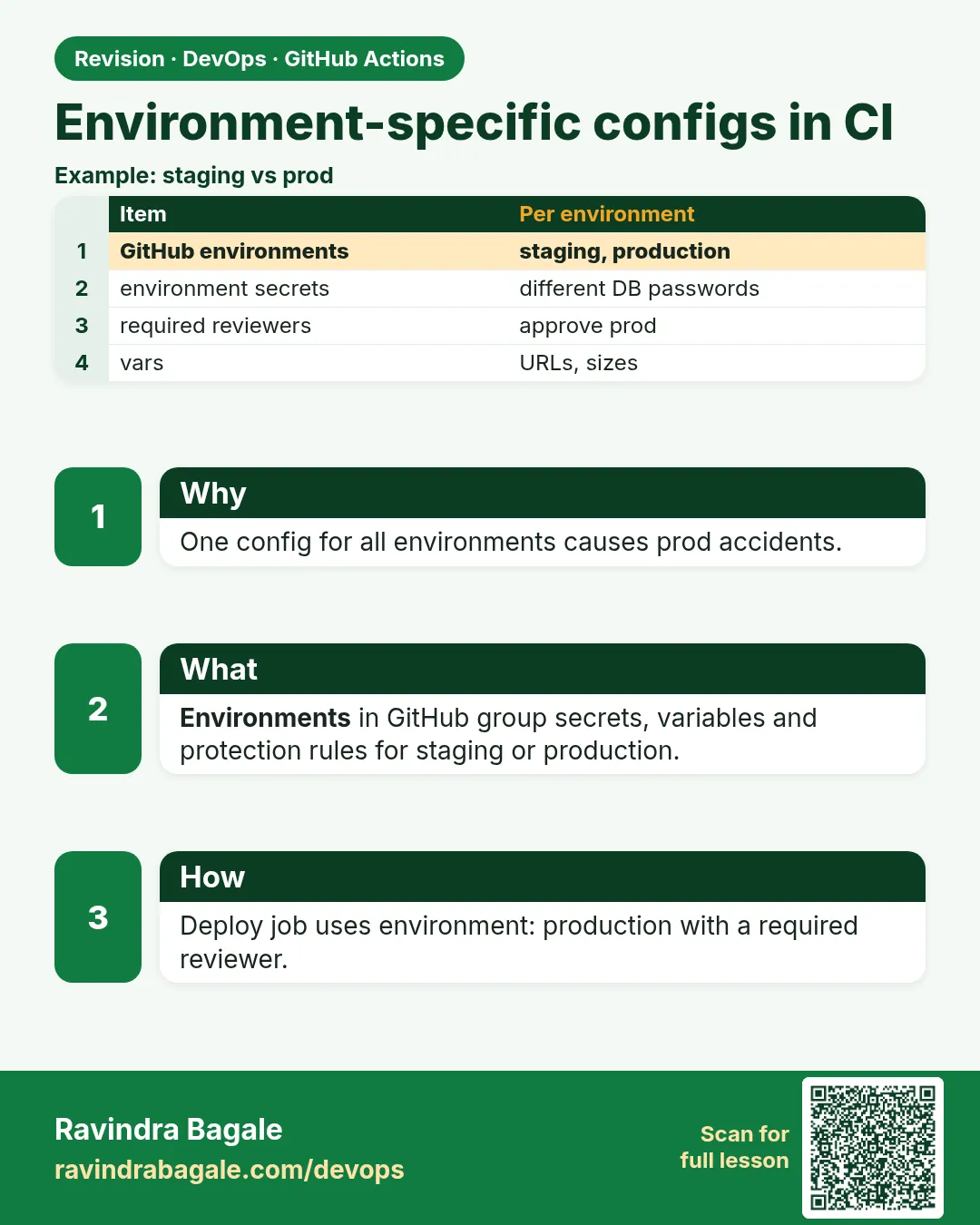 Revision card
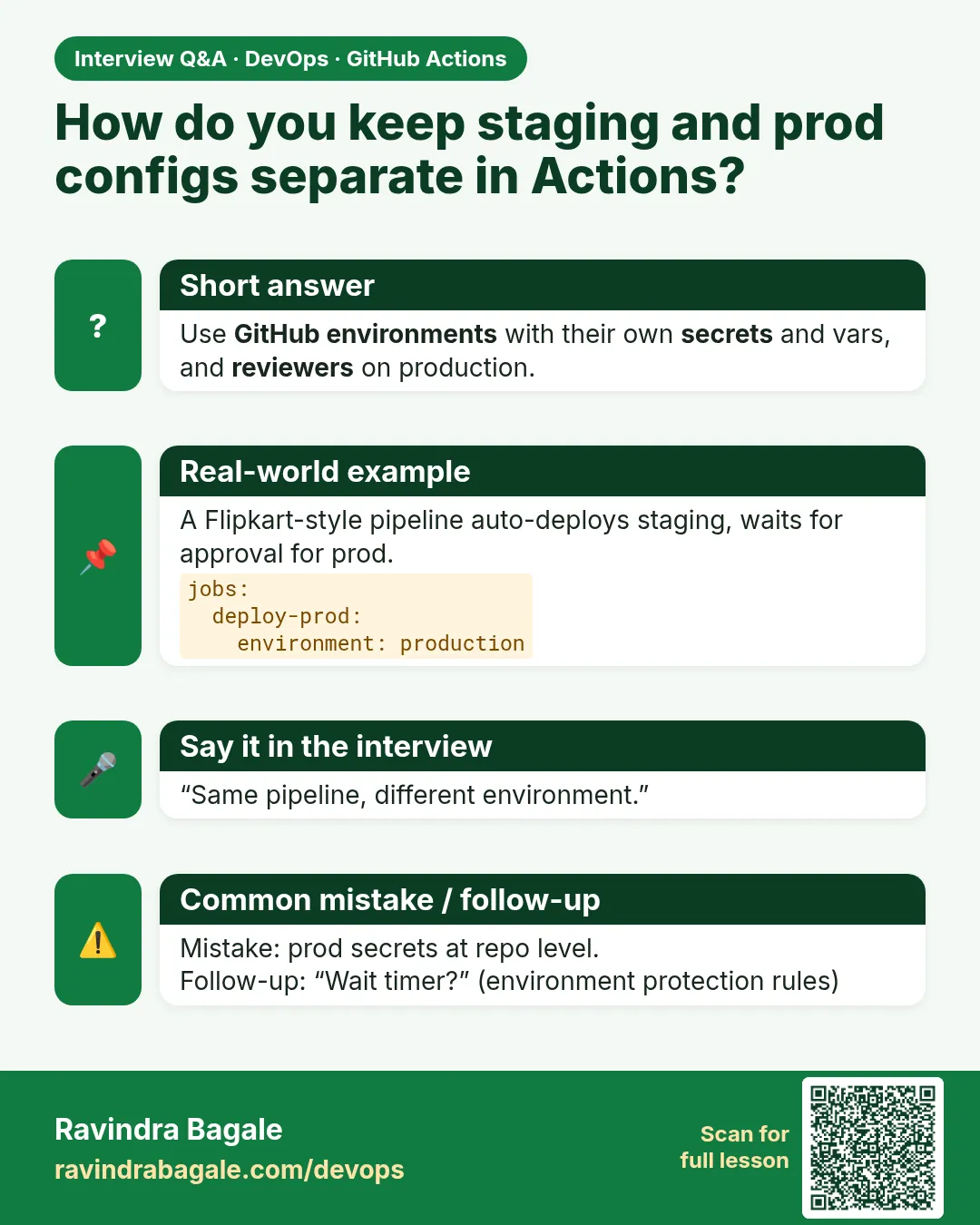 Interview card