Chapter 92: GitLab CI Deep Dive
92.7 Cache vs artifacts and expiry
Story (fictional teaching scenario). At a fictional sports-shoe brand in Ludhiana, Pedro from Lisbon used artifacts to share node_modules between jobs. Storage filled up and pipelines slowed. Mehak explained: cache is for speeding up installs and may be missing; artifacts are job results that other jobs or people must get. They switched node_modules to a cache keyed on the lock file and kept artifacts only for the build output.
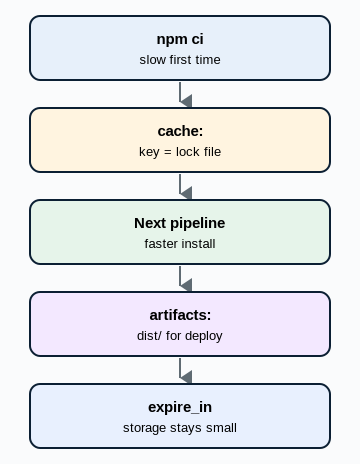
Why
Mixing the two wastes storage and makes jobs fail in confusing ways when the cache is empty.
What
- cache — Files kept between pipelines (or jobs) to speed things up. Best effort: a job must still work when there is no cache.
- cache:key:files — Build the cache key from a file like
package-lock.json, so a new lock file means a fresh cache. - artifacts — Files a job produces for later jobs or for download. Guaranteed for later jobs in the same pipeline.
- expire_in — When artifacts are deleted.
How
- Cache dependency folders such as
.npm/or.cache/pip. - Key the cache on the lock file.
- Use artifacts for build output, reports and anything a later job needs.
- Set
expire_inon every artifact.
Example 1: Node cache keyed on the lock file
unit-test-web:
  image: node:22-slim
  cache:
    key:
      files:
        - package-lock.json
    paths:
      - .npm/
  script:
    - npm ci --cache .npm --prefer-offline
    - node --test
Line by line: The cache key changes only when package-lock.json changes. npm ci --cache .npm stores downloads in .npm/ inside the project, which is the folder we cache. node --test runs Node's built-in test runner. The image tag is an example.
Output (tested locally — the job's script was run on a practice computer, not in a GitLab pipeline)
# tests 1
# pass 1
# fail 0
What it means: node --test was run on the practice app's price.test.js (Node 20 on the practice computer) and the one test passed.
Example 2: Artifacts with expiry
build-web:
  script:
    - mkdir -p public
    - echo "<h1>Shoes</h1>" > public/index.html
  artifacts:
    paths:
      - public/
    expire_in: 3 days
Output (illustrative — pipeline not run)
Uploading artifacts...
public/: found 2 matching artifact files and directories
Uploading artifacts as "archive" to coordinator... 201 Created
What it means: The folder was saved. It is deleted after 3 days unless a later setting keeps it.
Ravindra Bagale's Tip
Ask one question: if this folder were missing, should the job fail? Yes means artifact. No means cache.
एकच प्रश्न विचारा: हा folder नसेल तर job fail व्हायला हवा का? हो तर artifact. नाही तर cache.
एक सवाल पूछो: यह folder न हो तो job fail होना चाहिए? हाँ तो artifact. नहीं तो cache.
Did you understand? Let us try it once more.