Chapter 92: GitLab CI Deep Dive
92.3 Runners — executors, shared vs self-managed, and trust
Story (fictional teaching scenario). At a fictional payroll company in Gurugram, Ayumi from Sapporo registered a runner on the office build server and made it available to every project. A contractor's experimental project then ran a job on the same server that held production SSH keys. Nothing bad happened, but the audit flagged it. They moved production deploys to a protected, tagged runner that only runs jobs from protected branches.
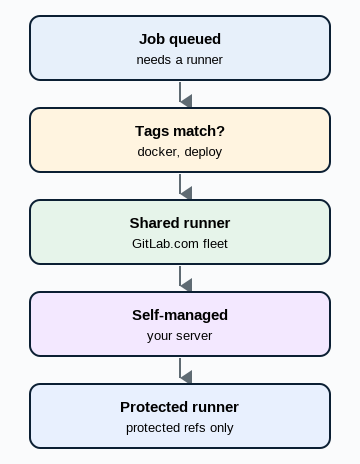
Why
A runner executes whatever is in the job script. Whoever can change the script can use the runner's network and files. Choosing the right runner is a security decision.
What
- GitLab Runner — The program that asks GitLab for jobs and runs them.
- Executor — How the runner runs a job:
docker(each job in a fresh container),shell(directly on the host),kubernetes(each job as a pod), and others. - Instance (shared) runners — Provided to all projects, for example GitLab.com's hosted runners. Usage on GitLab.com counts compute minutes (check current GitLab pricing; approximate).
- Group / project runners — Registered for one group or project, often self-managed on your own server.
- Runner tags — Labels. A job with
tags: [deploy]only runs on a runner with that tag. - Protected runner — Runs jobs only from protected branches or tags.
How
- Use shared runners for normal test jobs.
- Use a self-managed runner when you need private network access.
- Mark deploy runners protected and give them a unique tag.
- Prefer the docker or kubernetes executor; the shell executor shares the host between jobs.
Example 1: Send a job to a tagged runner
deploy-staging:
  stage: deploy
  tags:
    - deploy
    - linux
  script:
    - echo "deploy job on $CI_RUNNER_DESCRIPTION"
Output (illustrative — pipeline not run)
Running with gitlab-runner ...
  on office-deploy-01 ...
$ echo "deploy job on $CI_RUNNER_DESCRIPTION"
deploy job on office-deploy-01
What it means: Only a runner with both tags could take this job. CI_RUNNER_DESCRIPTION is the runner's name. Names are examples.
Example 2: Register a self-managed runner (shape)
gitlab-runner register --url https://gitlab.example.com --token "$RUNNER_AUTH_TOKEN" --executor docker --docker-image alpine:3.20
Output (illustrative — pipeline not run)
Runner registered successfully. Feel free to start it, but if it's running already the config should be automatically reloaded!
What it means: The token comes from the GitLab UI when you create a runner; it is read from an environment variable here so it never appears in your shell history or a lesson. gitlab.example.com is a placeholder host.
Ravindra Bagale's Tip
Never let untrusted projects or fork merge requests run on a runner that can reach production.
Untrusted projects किंवा fork चे merge requests production पर्यंत पोहोचणाऱ्या runner वर कधीच चालू देऊ नका.
Untrusted projects या fork के merge requests को production तक पहुँचने वाले runner पर कभी मत चलने दो.
Did you understand? Let us try it once more.