Chapter 17: Interview Questions and Job Readiness
17.7 Ansible and Terraform
Why: the problem
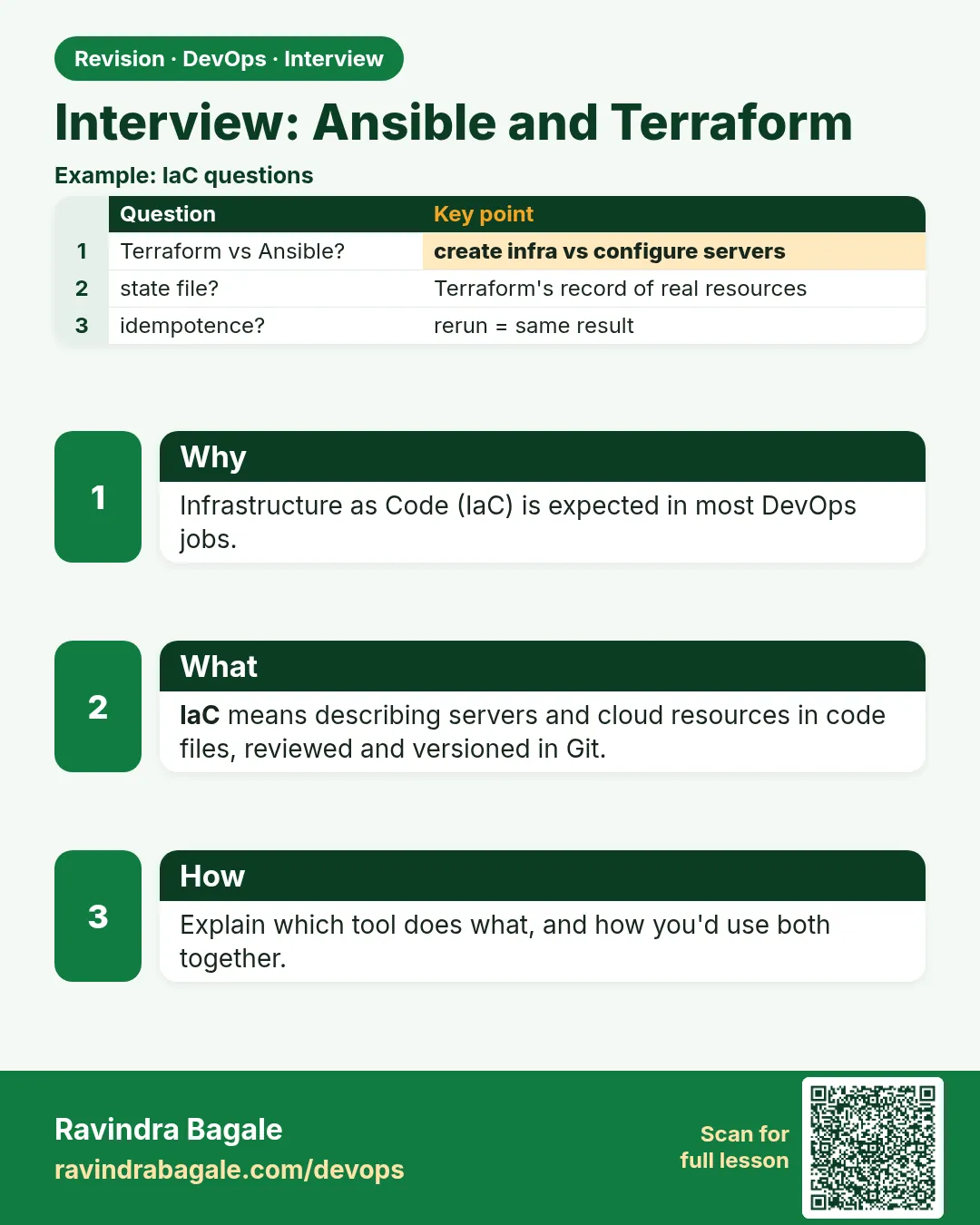
Infrastructure as Code questions get practical very fast. A panel at an AWS partner like Rackspace or a bank like HDFC asks: "terraform apply says the state is locked. What do you do?", "Someone changed the security group in the console. How do you find it?", "Ansible changed the file on every run. Why is that bad?" and "When do you use Terraform and when Ansible?" They do not want the definition of state. They want to know if you have seen it break. In this lesson you will use Terraform with a local provider so it is free and safe, and Ansible against your own machine. You will create a lock error, a drift, and a non-idempotent task, then fix each one and practise the answer.
What we will build
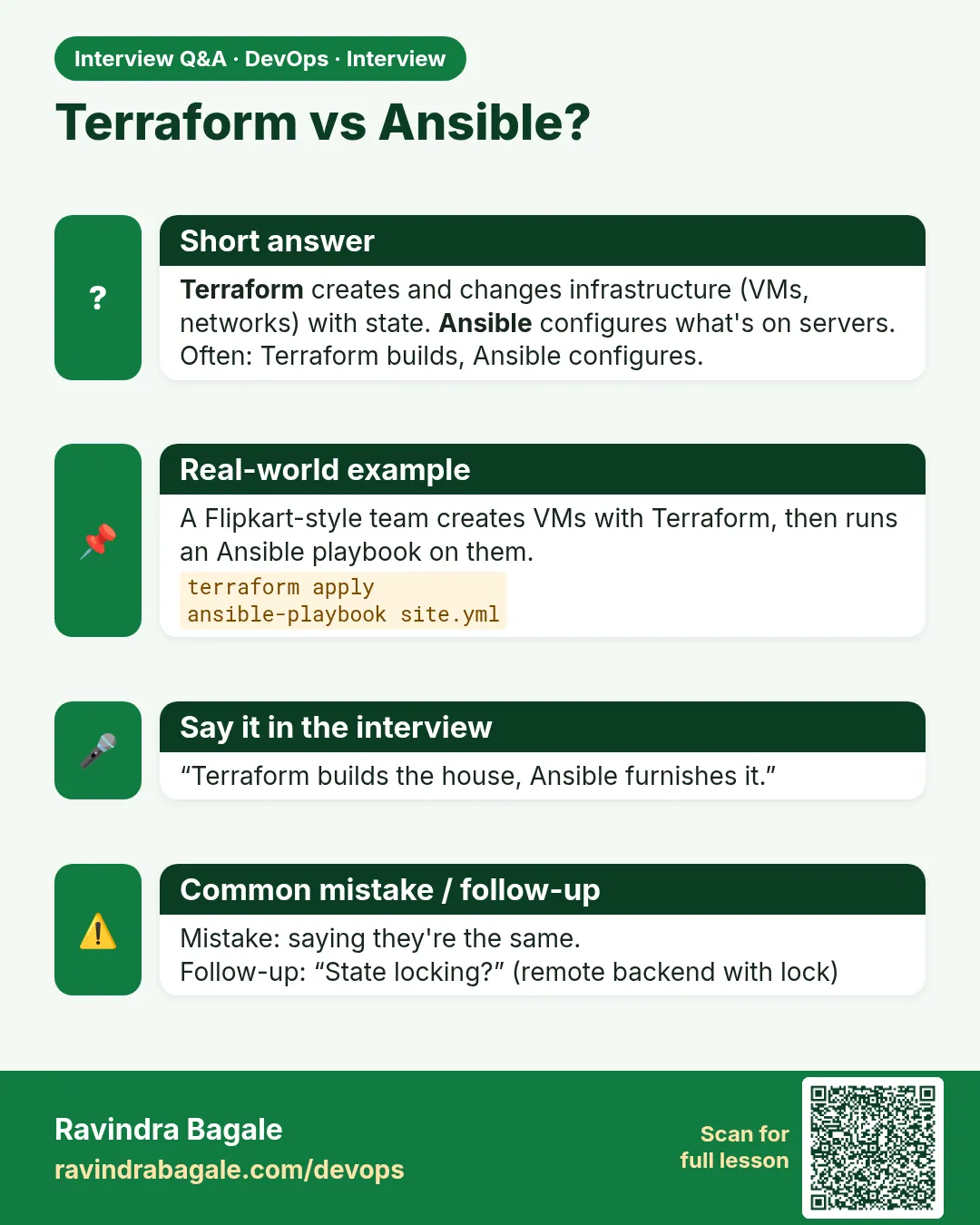
You will write a tiny Terraform project that makes local files, so no cloud bill. You will see plan, apply, drift and a state lock. Then you will write an Ansible playbook for localhost, run it twice, find a task that is not idempotent and fix it. Finally you will whiteboard the "Terraform builds the house, Ansible furnishes it" answer.
What: every term in plain English
- Terraform — A tool that creates cloud resources from code files (.tf).
- State file — terraform.tfstate. Terraform notes what it created so it can compare later.
- Plan — A preview of changes. + create, ~ change, - destroy.
- Drift — The real resource no longer matches the code, often after a console change.
- State lock — A lock so two people cannot apply at the same time. S3 backend with locking does this in AWS.
- Ansible — A tool that configures servers over SSH with YAML playbooks.
- Idempotent task — Running it again changes nothing if already correct. Ansible shows ok, not changed.
- --check — Ansible dry run. Shows what would change.
How: step by step
-
Install Terraform
sudo snap install terraform --classic && terraform versionWhat it does: Or use the HashiCorp apt repo.
Output
Terraform v1.9.8 -
Make a project
mkdir -p ~/iq/tf && cd ~/iq/tfWhat it does: A folder for the .tf files from Example 1.
Output
(no output) -
Init
terraform initWhat it does: Downloads the local provider.
Output
Terraform has been successfully initialized! -
Plan
terraform planWhat it does: Preview. Nothing is created yet.
Output
Plan: 1 to add, 0 to change, 0 to destroy. -
Apply
terraform apply -auto-approveWhat it does: Creates the file.
Output
Apply complete! Resources: 1 added, 0 changed, 0 destroyed. -
Read the state
terraform state listWhat it does: What Terraform thinks it owns.
Output
local_file.motd
Example 1: Drift: someone edits the resource by hand
Stack. Terraform
Goal. Drift: someone edits the resource by hand.
main.tf
terraform {
  required_providers {
    local = { source = "hashicorp/local", version = "~> 2.5" }
  }
}
variable "env" { default = "lab" }
resource "local_file" "motd" {
  filename = "${path.module}/motd.txt"
  content  = "Welcome to the ${var.env} server\n"
}
output "file" { value = local_file.motd.filename }
Make drift and find it
echo "hacked by console" > motd.txt     # like a console change in AWS
terraform plan -detailed-exitcode; echo "exit=$?"
terraform apply -auto-approve               # put it back as code says
cat motd.txt
What each line does
required_providers— Pins the provider version so runs are repeatable.variable env— Change values without changing code.resource local_file— Our pretend server. In AWS it would be aws_security_group.-detailed-exitcode— Exit 2 means there is drift or a change. Great for a nightly drift check in CI.apply— Brings reality back to the code.
Green output
  # local_file.motd must be replaced
-/+ resource "local_file" "motd" {
Plan: 1 to add, 0 to change, 1 to destroy.
exit=2
Welcome to the lab server
Expected result. Interview line: I run plan with -detailed-exitcode every night; exit 2 opens a ticket. Then we either import the change into code or apply to undo it.
Example 2: State lock error and how to handle it safely
Stack. Terraform, S3
Goal. State lock error and how to handle it safely.
Commands
# Terminal 1: a long apply holds the lock
terraform apply -auto-approve -lock-timeout=0s &
# Terminal 2 at the same time:
terraform plan
# Output shows the lock ID. First ask: is someone really running?
# Only if the other run is surely dead:
terraform force-unlock -force LOCK_ID
Remote state for teams (backend.tf)
terraform {
  backend "s3" {
    bucket       = "rb-tfstate-lab"
    key          = "shop/prod.tfstate"
    region       = "ap-south-1"
    use_lockfile = true
    encrypt      = true
  }
}
What each line does
Error acquiring the state lock— Another run holds the lock.Ask first— Never force-unlock while a teammate is applying. You can corrupt state.force-unlock— Only for a crashed run, with the exact lock ID.backend s3— Shared state in S3 so the whole team uses one copy.use_lockfile— Newer Terraform locks with a file in S3. Older setups use a DynamoDB table.encrypt— State can hold secrets, so encrypt and restrict access.
Green output
Error: Error acquiring the state lock
Lock Info:
  ID:        6e1f2c4a-...
  Operation: OperationTypeApply
  Who:       ravi@lab
Terraform state has been successfully unlocked!
Expected result. You show you know why the lock exists and when it is safe to remove it.
Example 3: Ansible: find and fix a task that is not idempotent
Stack. Ansible, Ubuntu
Goal. Ansible: find and fix a task that is not idempotent.
site.yml (bad)
- hosts: localhost
  connection: local
  become: true
  tasks:
    - name: add banner line
      shell: echo "Authorised use only" >> /etc/motd
site.yml (good)
- hosts: localhost
  connection: local
  become: true
  tasks:
    - name: add banner line
      ansible.builtin.lineinfile:
        path: /etc/motd
        line: "Authorised use only"
    - name: nginx installed
      ansible.builtin.apt: { name: nginx, state: present, update_cache: true }
    - name: nginx running
      ansible.builtin.service: { name: nginx, state: started, enabled: true }
Run twice
ansible-playbook site.yml
ansible-playbook site.yml
ansible-playbook site.yml --check --diff
grep -c "Authorised" /etc/motd
What each line does
shell: echo >>— Bad: adds the line again on every run and always says changed.lineinfile— Good: adds the line only if missing.apt state present— Installs only if not installed.service started enabled— Running now and at boot.--check --diff— Dry run that shows the exact changes.
Green output
PLAY RECAP  localhost : ok=4 changed=3 failed=0
PLAY RECAP  localhost : ok=4 changed=0 failed=0
1
Expected result. Second run says changed=0. That proves idempotency, and you can show it on screen.
Example 4: Whiteboard: Terraform vs Ansible in one picture
Stack. Whiteboard
Goal. Whiteboard: Terraform vs Ansible in one picture.
Draw this
[Terraform]  creates: VPC, subnet, security group, EC2, RDS, S3
     |        keeps state, knows what exists, can destroy
     v
[EC2 server exists, empty]
     |
[Ansible]    configures: users, packages, nginx, app files, config
     |        no state file, idempotent modules, runs over SSH
     v
[Server ready, serving the app]
     |
[Docker / K8s] many teams now bake images instead of configuring servers
What each line does
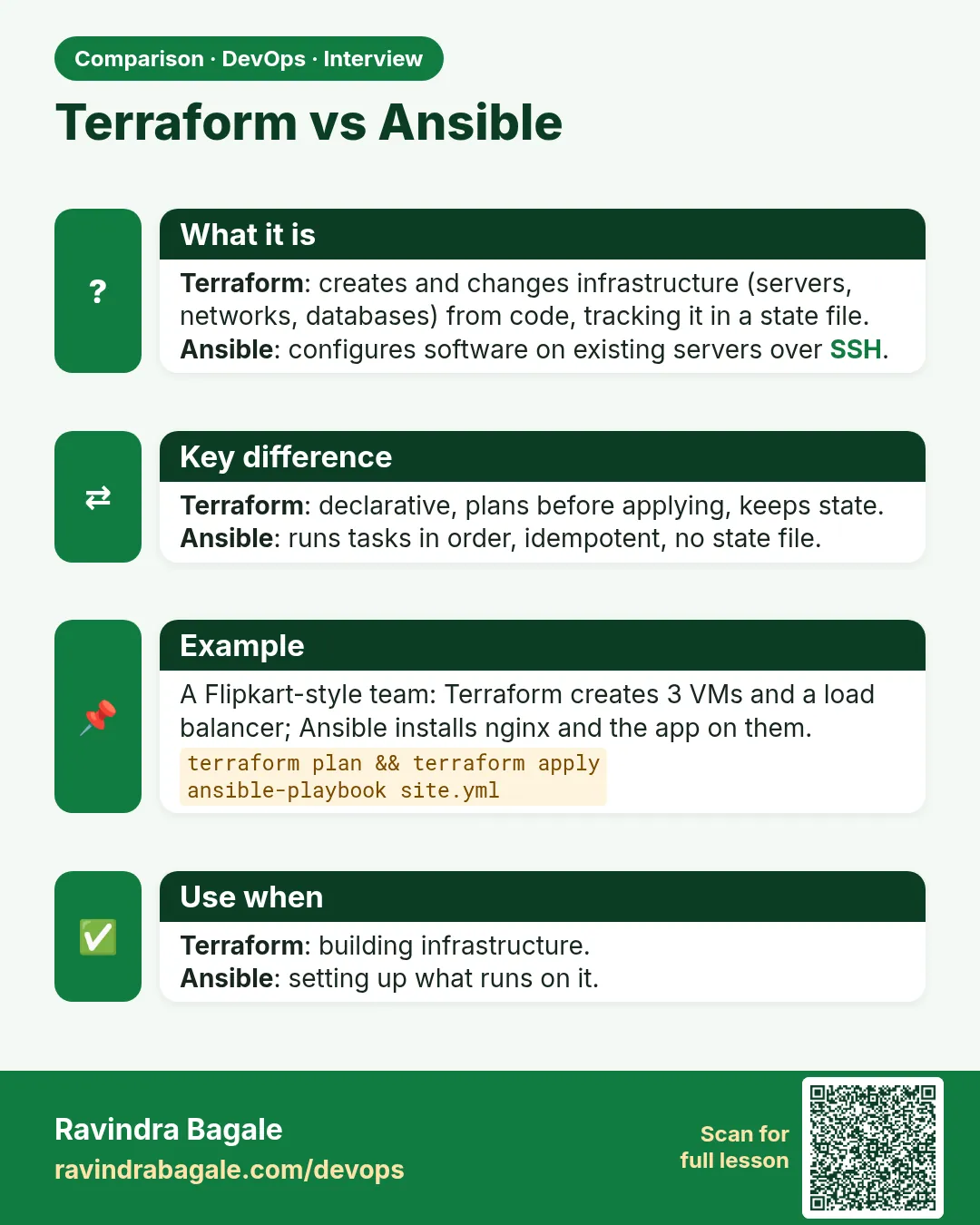
Terraform box— Provisioning: create and delete infrastructure.Ansible box— Configuration: what runs inside the server.Overlap— Both can do some of the other, but use each for its strength.Modern note— With containers, Ansible is often used for the base AMI or for legacy servers.
Green output
Panel: "Can Terraform install nginx?"
You:   "It can with user_data, but I prefer Ansible or a baked image,
        because Terraform is not good at checking what is inside a server."
Expected result. A short, balanced answer with a picture.
Verify: did it work?
-
Check no drift
terraform plan -detailed-exitcode; echo "exit=$?"What it does: Exit 0 means code and reality match.
Output
No changes. Your infrastructure matches the configuration. exit=0 -
Check Ansible is clean
ansible-playbook site.yml | tail -2What it does: changed=0.
Output
localhost : ok=4 changed=0 unreachable=0 failed=0
When it is red 1
Error: Inconsistent dependency lock file
Cause. The .terraform.lock.hcl does not match the providers.
Fix, step by step
- terraform init -upgrade
- Commit the new lock file.
When it is red 2
UNREACHABLE! ... Permission denied (publickey)
Cause. Ansible cannot SSH to the host.
Fix, step by step
- ssh -i key user@host by hand first.
- Set ansible_user and ansible_ssh_private_key_file in inventory.
When it is red 3
Error: resource already exists
Cause. Terraform tries to create something made by hand.
Fix, step by step
- terraform import ADDRESS ID, or an import block.
- Then plan should show no changes.
Cleanup
-
Destroy the Terraform lab
terraform destroy -auto-approve && cd ~ && rm -rf ~/iq/tfWhat it does: Removes the file and the folder.
Output
Destroy complete! Resources: 1 destroyed.
Ravindra Bagale's Tip
Never apply without reading the plan. Run Ansible twice and show changed=0 — that is proof of idempotent.
Plan वाचल्याशिवाय apply करू नका. Ansible दोन वेळा चालवून changed=0 दाखवा — idempotent चा पुरावा.
Plan पढ़े बिना apply मत करो. Ansible दो बार चलाकर changed=0 दिखाओ — idempotent का सबूत.
Practice tasks
Medium Workspaces for envs
Why: Panels ask how you separate dev and prod.
What to do: Create dev and prod workspaces and apply with different env values.
- terraform workspace new dev
- terraform apply -var env=dev
Check: Two different motd files.
Hard Write a module
Why: Reuse is a common follow-up.
What to do: Move local_file into modules/motd and call it twice.
- module "a" { source = "./modules/motd" }
Check: plan shows two resources from one module.
Easy Say Terraform and Ansible in two lines
Why: Interviewers cut you off after 30 seconds. The short version must come first.
What to do: Write a two line answer about Terraform and Ansible for a fresher interview.
- Line 1: the problem it solves.
- Line 2: the one command or file you used.
- Say it aloud with a timer.
Check: You finish inside 30 seconds and you name one real command.
Easy Run the commands, not just read them
Why: An interviewer can tell if you only read. Typing the command once gives you the real output to talk about.
What to do: Run every command in the How part of this lesson on your own lab machine.
- Start a small Ubuntu VM, WSL or EC2 t3.micro.
- Run each step and save the output in notes.txt.
- Mark any output that looks different from the lesson.
Check: notes.txt has the real output of every step.
Medium Break it on purpose
Why: You must know the red error by face. In a live round there is no time to read slowly.
What to do: Cause one error from the "When it is red" part of this lesson and fix it.
- Follow the error section.
- Copy the exact message into your notes.
- Write the fix in one line.
Check: You fixed it using only your notes.
Medium Answer in the 4-line shape
Why: A clear shape makes any answer sound senior: Situation, Check, Fix, Prevent.
What to do: Pick one interview question from this lesson and answer in four lines.
- Situation: what broke.
- Check: the command you ran and what it showed.
- Fix: the change you made.
- Prevent: the alert, test or doc you added.
Check: Each of the four lines has a real noun, like a command, a file or a number.
Medium Mock round with a friend
Why: Speaking is a different skill from knowing. Practice it.
What to do: Let a friend ask you three questions from this lesson.
- Friend picks random questions.
- You answer, friend times you.
- Swap and repeat.
Check: You answer all three without saying "I am not sure" twice.
Hard Whiteboard it top to bottom
Why: Many panels say "draw it". A neat top-to-bottom drawing shows you see the whole flow.
What to do: Draw the main flow of this lesson as boxes from top to bottom.
- Start at the user or the trigger.
- Add each hop: server, container, pipeline, tool.
- Write the command you use to check each box beside it.
Check: Every box has one check command next to it.
Hard Write a mini runbook
Why: Good engineers leave notes for the next person. Interviewers love to hear that you do this.
What to do: Write a one page runbook for the main scenario in this lesson.
- Title, symptoms, first 3 checks, fix, how to confirm, how to undo.
Check: A teammate can follow it alone at 2 a.m.
Homework: try at home
Try at home
At home, add a second resource (random_pet) and an output. Then rename the resource in code and use a moved block so Terraform does not destroy it.
Recap
- Always plan before apply.
- Drift check: plan -detailed-exitcode, exit 2 means change.
- State lock protects the team; force-unlock only for dead runs.
- Use Ansible modules, not shell, for idempotency.
- Terraform creates; Ansible configures.
FAQ
Should I commit terraform.tfstate?
No. Use a remote backend like S3 with locking and encryption.
Where do secrets go in Terraform?
Variables from a secrets manager or environment, marked sensitive. Never in .tf files.
Is Ansible agentless?
Yes. It needs SSH and Python on the target.
What is terraform import?
It brings an existing resource under Terraform control.
Terraform or CloudFormation?
Terraform works across clouds; CloudFormation is AWS only. Both are fine on AWS.
Interview questions
-
terraform apply fails with state lock. What do you do?
Read the lock info, check with the owner, wait or retry with -lock-timeout. force-unlock only if the run is dead.
-
How do you detect drift?
Scheduled terraform plan -detailed-exitcode in CI and alert on exit 2. AWS Config also helps.
-
Explain Terraform state.
A JSON map from code to real resource IDs, so Terraform knows what to change.
-
How do you make Ansible idempotent?
Use modules with state, avoid raw shell, use creates or changed_when when shell is needed.
-
Terraform vs Ansible?
Terraform provisions infra with state. Ansible configures servers over SSH. Often used together.
-
What is a Terraform module?
A reusable folder of .tf files with inputs and outputs.
Quick quiz
Q1. What does terraform plan do?
Shows what will change, without changing anything.
Q2. What is drift?
Reality differs from code.
Q3. When is force-unlock safe?
Only when the other run has surely crashed.
Q4. Why is shell: echo >> bad in Ansible?
Not idempotent; changes on every run.
Q5. Terraform or Ansible to create an EC2?
Terraform.
Did you understand? Let us try it once more.
 Revision card
 Interview card
 Comparison card