Chapter 17: Interview Questions and Job Readiness
17.5 Docker
Why: the problem
Docker questions in interviews are rarely "what is an image". The panel at a Razorpay-like company says: "Your container starts and stops in one second. How do you find out why?" or "The app container cannot talk to the database container." or "Our image is 1.2 GB, make it smaller." Some panels share a terminal and say "go". This lesson recreates the five Docker problems that come up the most, on your own laptop or VM. You will make each problem, read the evidence with docker ps, docker logs and docker inspect, and fix it. You will also practise the whiteboard drawing of how a request flows from the browser to the container.
What we will build
You will run containers that exit at once, that cannot reach a database, that clash on a port and that are too big. For each you will use the same Docker triage: docker ps -a, docker logs, docker inspect, docker exec, docker network. Then you will shrink a Python image from about 1 GB to about 150 MB with a slim base and a multi-stage build.
What: every term in plain English
- docker ps -a — Lists all containers, including stopped ones, with their exit status.
- Exit code 137 — The container was killed, usually out of memory or by docker kill.
- Exit code 1 — The app inside crashed with an error.
- docker inspect — Prints full JSON details: state, IP, mounts, env, health.
- User-defined network — A Docker network you create. Containers on it find each other by name.
- Port publish — -p 8080:80 maps host port 8080 to container port 80.
- Multi-stage build — A Dockerfile with a build stage and a small final stage, so tools are not shipped.
- .dockerignore — A list of files Docker should not send into the build.
How: step by step
-
Run a container that exits at once
docker run -d --name crashy python:3.12-slim python -c "import flask"What it does: Flask is not installed, so it crashes.
Output
6b1f0c... -
Triage 1: see the status
docker ps -a --filter name=crashy --format "{{.Names}} {{.Status}}"What it does: Exited (1) means the app failed.
Output
crashy Exited (1) 2 seconds ago -
Triage 2: read the logs
docker logs crashyWhat it does: The real error is here.
Output
ModuleNotFoundError: No module named 'flask' -
Triage 3: inspect the state
docker inspect crashy --format "{{.State.ExitCode}} {{.State.OOMKilled}}"What it does: Exit 1, not out of memory.
Output
1 false -
Triage 4: open a shell to look around
docker run --rm -it python:3.12-slim sh -c "pip list | head -5"What it does: See what is really inside the image.
Output
Package Version ---------- ------- pip 24.2 -
Clean up
docker rm crashyWhat it does: Removes the stopped container.
Output
crashy
Example 1: Scenario: "The app cannot connect to the database"
Stack. Docker, Postgres
Goal. Scenario: "The app cannot connect to the database".
Commands
docker run -d --name db -e POSTGRES_PASSWORD=labonly postgres:16
docker run --rm postgres:16 psql -h db -U postgres -c "select 1"      # fails
docker network create shopnet
docker network connect shopnet db
docker run --rm --network shopnet -e PGPASSWORD=labonly postgres:16 \
  psql -h db -U postgres -c "select 1"                                # works
docker network inspect shopnet --format "{{range .Containers}}{{.Name}} {{.IPv4Address}} {{end}}"
What each line does
psql -h db— Tries to reach a host called db.First run fails— The default bridge network has no name lookup between containers.docker network create shopnet— A user network with built-in DNS.network connect— Adds the db container to shopnet without a restart.localhost trap— Inside a container, localhost is the container itself, not the host or the DB.
Green output
psql: error: could not translate host name "db" to address: Name or service not known
 ?column?
----------
        1
db 172.19.0.2/16
Expected result. Interview line: I put both containers on one user network and use the container name as host, never localhost.
Example 2: Scenario: "Port is already allocated"
Stack. Docker, nginx
Goal. Scenario: "Port is already allocated".
Commands
docker run -d --name web1 -p 8080:80 nginx:1.27
docker run -d --name web2 -p 8080:80 nginx:1.27        # error
docker ps --format "{{.Names}} {{.Ports}}"
docker run -d --name web2 -p 8081:80 nginx:1.27        # use another host port
curl -sI localhost:8081 | head -1
docker rm -f web1 web2
What each line does
-p 8080:80— Host 8080 goes to container 80.Second run— Fails because the host port 8080 is already used.docker ps Ports column— Shows which container owns which host port.8081:80— Two containers can both use 80 inside, but need different host ports.
Green output
docker: Error response from daemon: ... Bind for 0.0.0.0:8080 failed: port is already allocated.
web1 0.0.0.0:8080->80/tcp
HTTP/1.1 200 OK
Expected result. You explain host port vs container port clearly.
Example 3: Scenario: "Our image is 1 GB
Stack. Docker, Python
Goal. Scenario: "Our image is 1 GB. Make it smaller."
Dockerfile (before)
FROM python:3.12
WORKDIR /app
COPY . .
RUN pip install -r requirements.txt
CMD ["python", "app.py"]
Dockerfile (after)
FROM python:3.12 AS build
WORKDIR /app
COPY requirements.txt .
RUN pip install --no-cache-dir --prefix=/install -r requirements.txt

FROM python:3.12-slim
WORKDIR /app
COPY --from=build /install /usr/local
COPY app.py .
USER 1000
EXPOSE 5000
CMD ["python", "app.py"]
.dockerignore
.git
.venv
__pycache__
*.log
.env
Compare
docker build -q -t shop:fat -f Dockerfile.before .
docker build -q -t shop:slim .
docker images shop --format "{{.Tag}} {{.Size}}"
docker history shop:slim --format "{{.Size}} {{.CreatedBy}}" | head -4
What each line does
python:3.12 vs 3.12-slim— The full image has compilers and docs. Slim drops them.COPY requirements.txt first— Layer cache: dependencies rebuild only when this file changes.--no-cache-dir— Do not keep pip download cache in the image.COPY --from=build— Take only the installed packages into the final image.USER 1000— Do not run as root..dockerignore— Keeps .git, .venv and secrets out of the image.
Green output
fat 1.02GB
slim 148MB
0B      CMD ["python" "app.py"]
4.1kB   COPY app.py .
21.3MB  COPY /install /usr/local
Expected result. From 1 GB to under 150 MB. You also mention faster pulls and fewer CVEs in the scan.
Example 4: Scenario: "Container killed with 137"
Stack. Docker
Goal. Scenario: "Container killed with 137".
Commands
docker run -d --name hog --memory 64m python:3.12-slim \
  python -c "x = bytearray(200*1024*1024); import time; time.sleep(60)"
sleep 3
docker ps -a --filter name=hog --format "{{.Status}}"
docker inspect hog --format "OOMKilled={{.State.OOMKilled}} code={{.State.ExitCode}}"
docker stats --no-stream
docker rm hog
What each line does
--memory 64m— Hard memory limit for the container.bytearray(200 MB)— Tries to use more than the limit.OOMKilled=true— Docker proves it was killed for memory.docker stats— Live CPU and memory per container.
Green output
Exited (137) 2 seconds ago
OOMKilled=true code=137
Expected result. You link 137 to memory and say the fix: raise the limit or fix the leak, and alert on memory.
Verify: did it work?
-
List all lab containers
docker ps -a --format "{{.Names}} {{.Status}}"What it does: Check what is left.
Output
db Up 5 minutes -
Check networks
docker network ls --format "{{.Name}}" | grep shopnetWhat it does: Our user network exists.
Output
shopnet
When it is red 1
docker: Cannot connect to the Docker daemon at unix:///var/run/docker.sock.
Cause. The Docker service is stopped or your user is not in the docker group.
Fix, step by step
- sudo systemctl start docker
- sudo usermod -aG docker $USER, then log out and in.
- docker ps to test.
When it is red 2
exec format error
Cause. Image was built for another CPU, for example arm64 on an amd64 server.
Fix, step by step
- docker buildx build --platform linux/amd64 ...
- Or use a multi-arch base image.
When it is red 3
COPY failed: file not found in build context
Cause. The file is outside the build folder or in .dockerignore.
Fix, step by step
- Check the path is inside the folder you pass to docker build.
- Check .dockerignore.
Cleanup
-
Remove lab containers, images and network
docker rm -f db 2>/dev/null; docker network rm shopnet; docker image rm shop:fat shop:slimWhat it does: Frees disk.
Output
shopnet
Untagged: shop:fat
Untagged: shop:slim
Ravindra Bagale's Tip
When a container dies, first docker ps -a and docker logs. If you see 137, think memory.
Container बंद पडला की आधी docker ps -a आणि docker logs. 137 दिसला तर memory आठवा.
Container बंद पड़े तो पहले docker ps -a और docker logs. 137 दिखे तो memory याद करो.
Practice tasks
Medium Add a HEALTHCHECK
Why: Panels ask how Docker knows an app is healthy.
What to do: Add HEALTHCHECK CMD curl -f localhost:5000/health to your Dockerfile.
- Build and run.
- docker ps shows (healthy).
Check: Status shows healthy after a few seconds.
Hard Scan your image
Why: Security rounds ask about image scanning.
What to do: Scan shop:slim with Trivy.
- docker run --rm -v /var/run/docker.sock:/var/run/docker.sock aquasec/trivy image shop:slim
Check: You get a CVE table and compare fat vs slim.
Easy Say Docker troubleshooting in two lines
Why: Interviewers cut you off after 30 seconds. The short version must come first.
What to do: Write a two line answer about Docker troubleshooting for a fresher interview.
- Line 1: the problem it solves.
- Line 2: the one command or file you used.
- Say it aloud with a timer.
Check: You finish inside 30 seconds and you name one real command.
Easy Run the commands, not just read them
Why: An interviewer can tell if you only read. Typing the command once gives you the real output to talk about.
What to do: Run every command in the How part of this lesson on your own lab machine.
- Start a small Ubuntu VM, WSL or EC2 t3.micro.
- Run each step and save the output in notes.txt.
- Mark any output that looks different from the lesson.
Check: notes.txt has the real output of every step.
Medium Break it on purpose
Why: You must know the red error by face. In a live round there is no time to read slowly.
What to do: Cause one error from the "When it is red" part of this lesson and fix it.
- Follow the error section.
- Copy the exact message into your notes.
- Write the fix in one line.
Check: You fixed it using only your notes.
Medium Answer in the 4-line shape
Why: A clear shape makes any answer sound senior: Situation, Check, Fix, Prevent.
What to do: Pick one interview question from this lesson and answer in four lines.
- Situation: what broke.
- Check: the command you ran and what it showed.
- Fix: the change you made.
- Prevent: the alert, test or doc you added.
Check: Each of the four lines has a real noun, like a command, a file or a number.
Medium Mock round with a friend
Why: Speaking is a different skill from knowing. Practice it.
What to do: Let a friend ask you three questions from this lesson.
- Friend picks random questions.
- You answer, friend times you.
- Swap and repeat.
Check: You answer all three without saying "I am not sure" twice.
Hard Whiteboard it top to bottom
Why: Many panels say "draw it". A neat top-to-bottom drawing shows you see the whole flow.
What to do: Draw the main flow of this lesson as boxes from top to bottom.
- Start at the user or the trigger.
- Add each hop: server, container, pipeline, tool.
- Write the command you use to check each box beside it.
Check: Every box has one check command next to it.
Hard Write a mini runbook
Why: Good engineers leave notes for the next person. Interviewers love to hear that you do this.
What to do: Write a one page runbook for the main scenario in this lesson.
- Title, symptoms, first 3 checks, fix, how to confirm, how to undo.
Check: A teammate can follow it alone at 2 a.m.
Homework: try at home
Try at home
At home, run a Node.js app and MongoDB with docker compose. Break the connection by using localhost in the URL, find it with docker logs, then fix it with the service name.
Recap
- Docker triage: ps -a, logs, inspect, exec, network.
- Containers talk by name on a user network, never by localhost.
- Host ports must be unique; container ports can repeat.
- Exit 137 is usually memory.
- Slim base plus multi-stage plus .dockerignore shrinks images.
FAQ
Is docker logs enough in production?
No. Send logs to CloudWatch, Loki or ELK so they survive the container.
Why does my data vanish when I remove a container?
It was not in a volume. Use -v name:/path.
CMD or ENTRYPOINT?
ENTRYPOINT is the fixed program; CMD gives default arguments. Many apps use only CMD.
Alpine or slim?
Slim (Debian) is safer for Python and Java. Alpine is smaller but uses musl and can break wheels.
Can a container use the host network?
Yes with --network host on Linux, but you lose isolation.
Interview questions
-
Container keeps restarting. How do you debug?
docker ps -a for the exit code, docker logs for the error, docker inspect for OOMKilled and env, then run the image with sh to look inside.
-
Image vs container?
An image is the read-only template. A container is a running copy with its own writable layer.
-
How do you reduce image size?
Slim base, multi-stage builds, fewer layers, no cache, .dockerignore.
-
What is the difference between COPY and ADD?
COPY just copies. ADD can also unpack tar and fetch URLs. Prefer COPY.
-
How do you pass secrets to a container?
Runtime env from a secrets manager, Docker secrets or mounted files, never baked into the image.
-
Bind mount vs volume?
A bind mount maps a host folder. A volume is managed by Docker and is better for data.
Quick quiz
Q1. Container exited at once. First two commands?
docker ps -a and docker logs NAME.
Q2. What does exit code 137 usually mean?
Killed, often out of memory.
Q3. How do two containers find each other by name?
Put them on the same user-defined network.
Q4. Why use a slim base image?
Smaller, faster, fewer security issues.
Q5. What does .dockerignore do?
Keeps files out of the build context.
Did you understand? Let us try it once more.
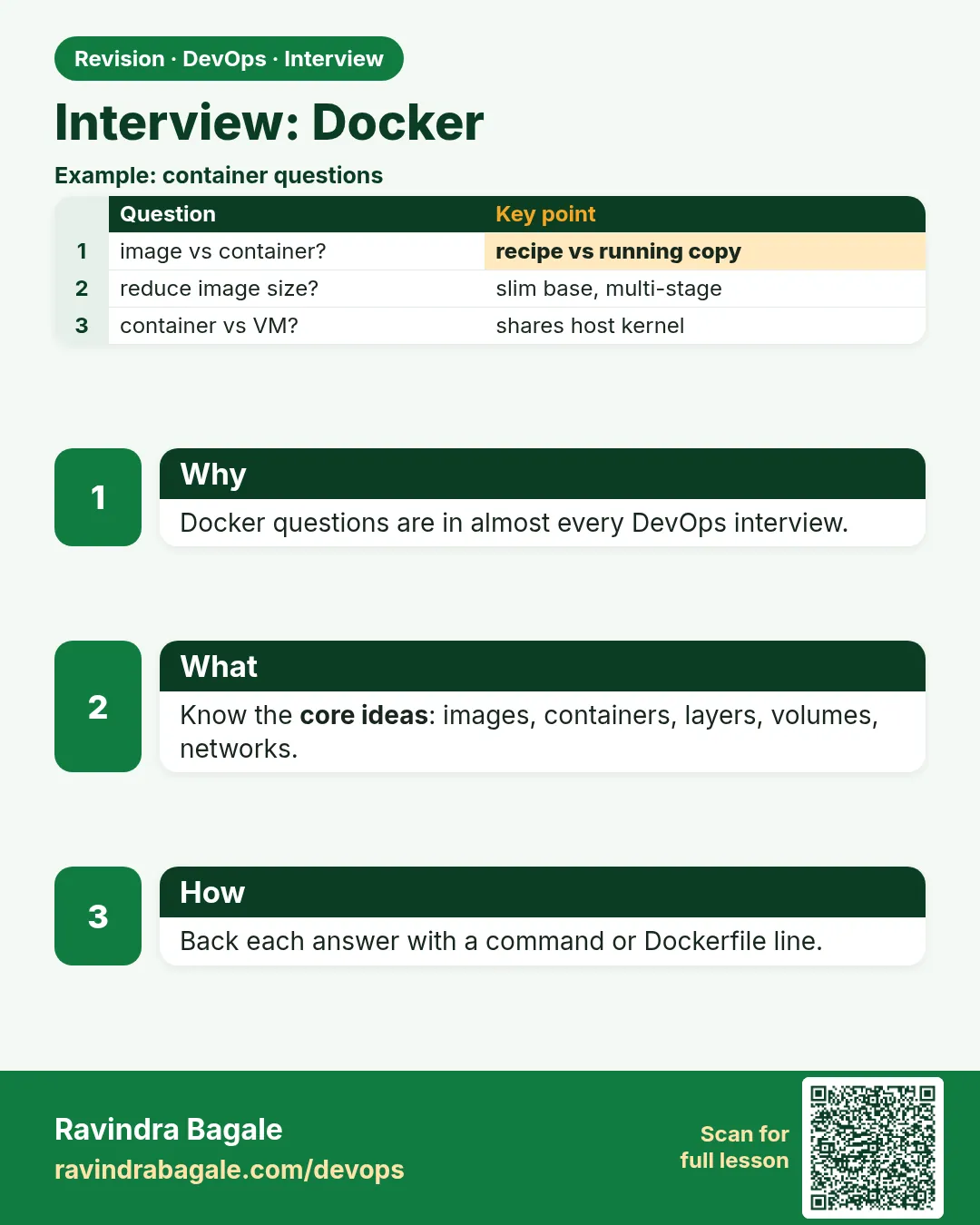 Revision card
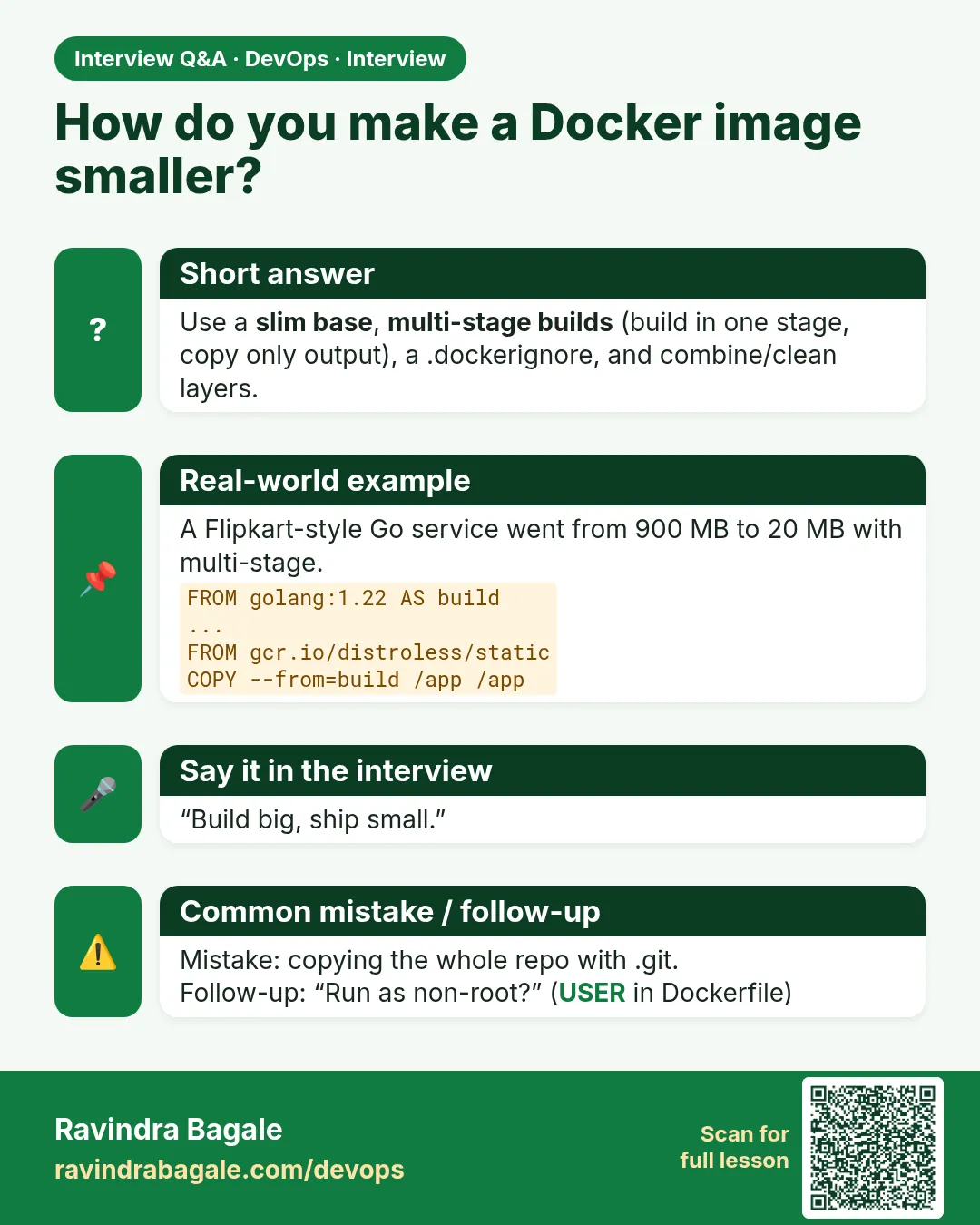 Interview card