Chapter 17: Interview Questions and Job Readiness
17.2 Git and GitHub
Why: the problem
It is 6 p.m. at a Paytm-like startup. A junior merged a change and now the login page is broken in production. The lead says: "Undo it, now, but do not lose anyone's work." Another day, someone pushed an AWS key into the repo by mistake. Another day, two people edited the same file and Git shows a conflict. These are the real Git moments. Interviewers know that anyone can say "git add, commit, push". So they ask: "How do you undo a pushed commit?", "You deleted a branch by mistake, how do you get it back?", "A secret is in the history, what now?". In this lesson you will create each problem on purpose in a lab repo and fix it with real commands. When you answer in the interview, you will describe what you actually typed and saw.
What we will build
You will build a small repo with a main branch and a feature branch. You will create and resolve a merge conflict, undo a bad pushed commit with git revert, recover a deleted branch with git reflog, and clean a leaked fake secret. For each one you will practise the spoken answer.
What: every term in plain English
- git revert — Makes a new commit that undoes an old commit. Safe for shared branches because history is not rewritten.
- git reset — Moves the branch pointer back. Rewrites history. Use only on your own local work.
- git reflog — A local diary of every place HEAD has been. It can find "lost" commits.
- Merge conflict — Two branches changed the same lines. Git cannot choose, so you choose.
- Conflict markers — The ======= and the arrow lines Git writes into the file to show both versions.
- Force push — Push that overwrites the remote history. Dangerous on shared branches.
- Secret rotation — Making the leaked key useless by creating a new key and deleting the old one.
- Pre-commit hook — A small check that runs before each commit, for example a secret scanner.
How: step by step
-
Make a lab repo with a fake remote
mkdir -p ~/iq/git && cd ~/iq/git && git init -q --bare remote.git && git clone -q remote.git work && cd work && git config user.email ravi@lab.local && git config user.name RaviWhat it does: remote.git acts like a server. work is your laptop copy.
Output
(no output) -
Make the first commit
echo "title=Login" > app.conf && git add . && git commit -qm "init" && git push -q origin HEAD:main && git branch -M mainWhat it does: Now main exists on the fake remote.
Output
(no output) -
Make a feature branch
git switch -c feature/color && echo "title=Login Page" > app.conf && git commit -qam "change title on feature"What it does: The feature branch edits line 1.
Output
(no output) -
Edit the same line on main
git switch -q main && echo "title=Sign In" > app.conf && git commit -qam "change title on main"What it does: Now both branches changed the same line.
Output
(no output) -
Merge and see the conflict
git merge feature/colorWhat it does: Git stops and asks you to choose.
Output
Auto-merging app.conf CONFLICT (content): Merge conflict in app.conf Automatic merge failed; fix conflicts and then commit the result. -
See which files are in conflict
git status --shortWhat it does: UU means both sides changed the file.
Output
UU app.conf
Example 1: Resolve the merge conflict step by step
Stack. Git
Goal. Resolve the merge conflict step by step.
Commands
cat app.conf                      # see both versions with markers
echo "title=Sign In Page" > app.conf   # write the final line you want
git add app.conf                  # tell Git the conflict is solved
git commit -qm "merge feature/color, keep Sign In Page"
git log --oneline --graph -5
What each line does
cat app.conf— Shows the top part (ours, main) and the bottom part (theirs, feature).echo ... > app.conf— We choose the final content. In real life you edit in VS Code.git add— Marks the file as resolved.git commit— Finishes the merge with a clear message.git log --graph— Shows the two lines of history joining.
Green output
*   9b1e2c4 merge feature/color, keep Sign In Page
|\
| * 51aa0d7 change title on feature
* | 7c3f210 change title on main
|/
* 0f4e9a2 init
Expected result. Interview line: I read both versions, talked to the other developer, kept the right line, ran the tests, then committed the merge.
Example 2: Undo a bad commit that is already pushed
Stack. Git
Goal. Undo a bad commit that is already pushed.
Commands
git push -q origin main
echo "login=disabled" >> app.conf && git commit -qam "bad: disable login"
git push -q origin main            # oops, production breaks
git log --oneline -2
git revert --no-edit HEAD          # new commit that undoes the bad one
git push -q origin main
cat app.conf
What each line does
git revert --no-edit HEAD— Creates "Revert bad: disable login". History stays honest.git push— Teammates just pull. Nobody has broken history.Why not reset— reset plus force push would delete the commit for everyone and break their clones.cat app.conf— Confirms the bad line is gone.
Green output
a41c9d0 bad: disable login
9b1e2c4 merge feature/color, keep Sign In Page
[main e7d2b11] Revert "bad: disable login"
title=Sign In Page
Expected result. You say: on a shared branch I always use revert, never reset and force push.
Example 3: Recover a branch you deleted by mistake
Stack. Git
Goal. Recover a branch you deleted by mistake.
Commands
git switch -qc feature/report
echo "report=on" >> app.conf && git commit -qam "add report"
git switch -q main
git branch -D feature/report       # deleted, and it was never pushed!
git reflog -5                      # find the lost commit
git branch feature/report HEAD@{1}
git log --oneline -1 feature/report
What each line does
git branch -D— Force delete. The commits still exist for a while.git reflog— Shows every HEAD move, including the "add report" commit.HEAD@{1}— The place HEAD was one move ago, which was the lost commit.git branch NAME HEAD@{1}— Puts a branch label back on that commit.
Green output
Deleted branch feature/report (was 3c8e5f1).
e7d2b11 HEAD@{0}: checkout: moving from feature/report to main
3c8e5f1 HEAD@{1}: commit: add report
...
3c8e5f1 add report
Expected result. Work is back. Interview line: reflog is my undo history; commits are not really lost for about 90 days.
Example 4: A fake secret was committed
Stack. Git, AWS IAM
Goal. A fake secret was committed. Handle it like a professional.
Commands
echo "AWS_SECRET=FAKE-EXAMPLE-DO-NOT-USE" > .env
git add .env && git commit -qm "oops add env"
git log --oneline -1
# Step 1: rotate the key first (in the AWS console or CLI). This is the real fix.
# Step 2: stop tracking the file and ignore it
git rm -q --cached .env
echo ".env" >> .gitignore
git add .gitignore && git commit -qm "stop tracking .env"
# Step 3: if not pushed yet, simply rewrite your local commit
git log --oneline -3
What each line does
Rotate first— Once a key is pushed, assume it is stolen. Cleaning history does not undo that.git rm --cached— Removes the file from Git but keeps it on disk..gitignore— Stops it from being added again.History rewrite— Tools like git filter-repo remove it from all old commits. Teams agree first because everyone must re-clone.
Green output
4d1b7e2 stop tracking .env
8a0c3f9 oops add env
e7d2b11 Revert "bad: disable login"
Expected result. You show order: rotate, remove, ignore, scan. That is exactly what security teams want to hear.
Verify: did it work?
-
Confirm the remote has the revert
git log --oneline -1 origin/mainWhat it does: The remote shows the revert commit.
Output
e7d2b11 Revert "bad: disable login" -
Confirm .env is ignored
git check-ignore -v .envWhat it does: Shows the rule that ignores it.
Output
.gitignore:1:.env .env
When it is red 1
error: failed to push some refs ... (fetch first)
Cause. Someone else pushed to main before you.
Fix, step by step
- git pull --rebase origin main
- Fix any conflict, then git push.
- Never use --force on main to "fix" this.
When it is red 2
fatal: You have not concluded your merge (MERGE_HEAD exists).
Cause. A merge is half done.
Fix, step by step
- Finish it: fix files, git add, git commit.
- Or cancel it: git merge --abort.
When it is red 3
error: The branch is not fully merged.
Cause. git branch -d refuses because work would be lost.
Fix, step by step
- Merge it first, or
- Use -D only if you are sure. reflog can still save you.
Cleanup
-
Remove the lab
cd ~ && rm -rf ~/iq/gitWhat it does: Deletes the practice repos.
Output
(no output)
Practice tasks
Medium Practise cherry-pick for a hotfix
Why: Panels ask how a fix from main reaches a release branch.
What to do: Create release/1.0, fix a bug on main, cherry-pick it to release/1.0.
- git switch -c release/1.0 HEAD~2
- git cherry-pick COMMIT_SHA
- git log --oneline -3
Check: The fix commit appears on the release branch.
Hard Add a secret scan before commit
Why: Prevention is the senior part of the answer.
What to do: Install gitleaks and scan your lab repo.
- Download gitleaks for your OS.
- gitleaks detect --source . -v
- See it catch the fake key.
Check: gitleaks reports the fake .env line.
Easy Say Git rescue in two lines
Why: Interviewers cut you off after 30 seconds. The short version must come first.
What to do: Write a two line answer about Git rescue for a fresher interview.
- Line 1: the problem it solves.
- Line 2: the one command or file you used.
- Say it aloud with a timer.
Check: You finish inside 30 seconds and you name one real command.
Easy Run the commands, not just read them
Why: An interviewer can tell if you only read. Typing the command once gives you the real output to talk about.
What to do: Run every command in the How part of this lesson on your own lab machine.
- Start a small Ubuntu VM, WSL or EC2 t3.micro.
- Run each step and save the output in notes.txt.
- Mark any output that looks different from the lesson.
Check: notes.txt has the real output of every step.
Medium Break it on purpose
Why: You must know the red error by face. In a live round there is no time to read slowly.
What to do: Cause one error from the "When it is red" part of this lesson and fix it.
- Follow the error section.
- Copy the exact message into your notes.
- Write the fix in one line.
Check: You fixed it using only your notes.
Medium Answer in the 4-line shape
Why: A clear shape makes any answer sound senior: Situation, Check, Fix, Prevent.
What to do: Pick one interview question from this lesson and answer in four lines.
- Situation: what broke.
- Check: the command you ran and what it showed.
- Fix: the change you made.
- Prevent: the alert, test or doc you added.
Check: Each of the four lines has a real noun, like a command, a file or a number.
Medium Mock round with a friend
Why: Speaking is a different skill from knowing. Practice it.
What to do: Let a friend ask you three questions from this lesson.
- Friend picks random questions.
- You answer, friend times you.
- Swap and repeat.
Check: You answer all three without saying "I am not sure" twice.
Hard Whiteboard it top to bottom
Why: Many panels say "draw it". A neat top-to-bottom drawing shows you see the whole flow.
What to do: Draw the main flow of this lesson as boxes from top to bottom.
- Start at the user or the trigger.
- Add each hop: server, container, pipeline, tool.
- Write the command you use to check each box beside it.
Check: Every box has one check command next to it.
Hard Write a mini runbook
Why: Good engineers leave notes for the next person. Interviewers love to hear that you do this.
What to do: Write a one page runbook for the main scenario in this lesson.
- Title, symptoms, first 3 checks, fix, how to confirm, how to undo.
Check: A teammate can follow it alone at 2 a.m.
Homework: try at home
Try at home
At home, create a conflict in two files at once, resolve both, then revert the merge commit with git revert -m 1. Write down what -m 1 means in one line.
Recap
- A conflict means both sides changed the same lines; you choose and commit.
- On shared branches use revert, not reset and force push.
- git reflog can bring back lost commits and branches.
- For a leaked secret: rotate first, then remove, ignore and scan.
- Always describe the exact commands you ran.
FAQ
Is git pull the same as fetch plus merge?
Yes, by default. With --rebase it is fetch plus rebase.
Should I rebase or merge?
Rebase your own local feature branch to keep it clean. Merge into shared branches. Follow your team rule.
How long does reflog keep entries?
About 90 days by default, and only on your machine.
Can I delete a pushed secret with a new commit?
The new commit hides it, but old history still has it. Rotate the key.
What is a good commit message?
A short verb line like "fix: handle empty cart" plus why if needed.
Interview questions
-
How do you undo a commit already pushed to main?
git revert SHA, then push. It adds an undo commit and keeps history safe for others.
-
Difference between reset --soft, --mixed and --hard?
soft keeps changes staged, mixed keeps them unstaged, hard throws them away.
-
How do you resolve a merge conflict?
git status to find files, edit to the right content, run tests, git add, git commit.
-
You deleted a branch. Recover it?
git reflog, find the commit, git branch NAME SHA.
-
A teammate pushed an AWS key. What do you do?
Rotate the key in IAM now, remove the file, add .gitignore, add a secret scanner in CI, and review CloudTrail for misuse.
-
What is git stash?
It saves unfinished changes on a shelf so you can switch branch, then git stash pop brings them back.
Quick quiz
Q1. What does UU mean in git status?
Both sides changed the file. It is in conflict.
Q2. Revert or reset on main?
Revert. It does not rewrite shared history.
Q3. What can find a deleted local branch?
git reflog.
Q4. First step after a secret is pushed?
Rotate the secret.
Q5. What does git rm --cached do?
Removes the file from Git tracking but keeps it on disk.
Did you understand? Let us try it once more.
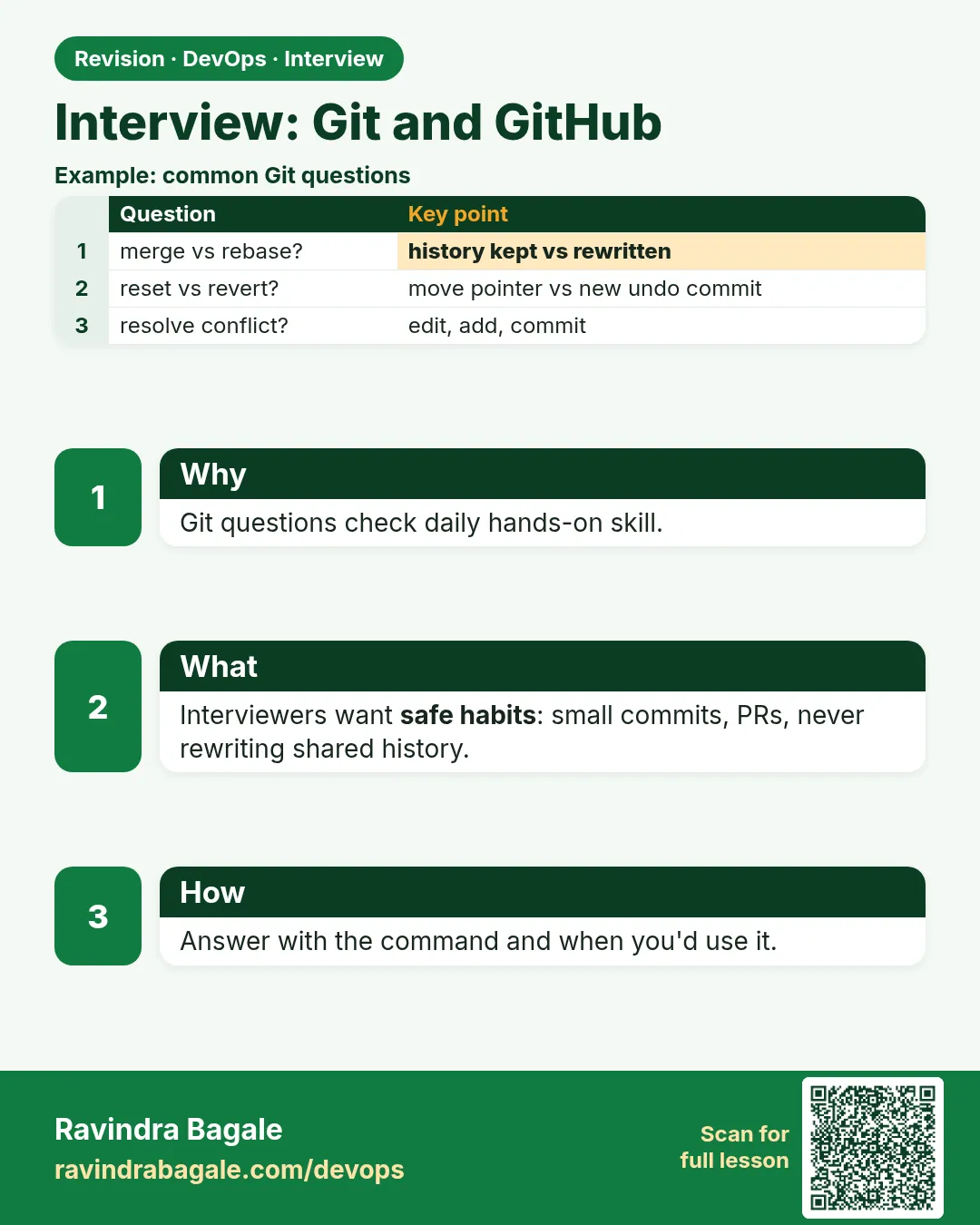 Revision card
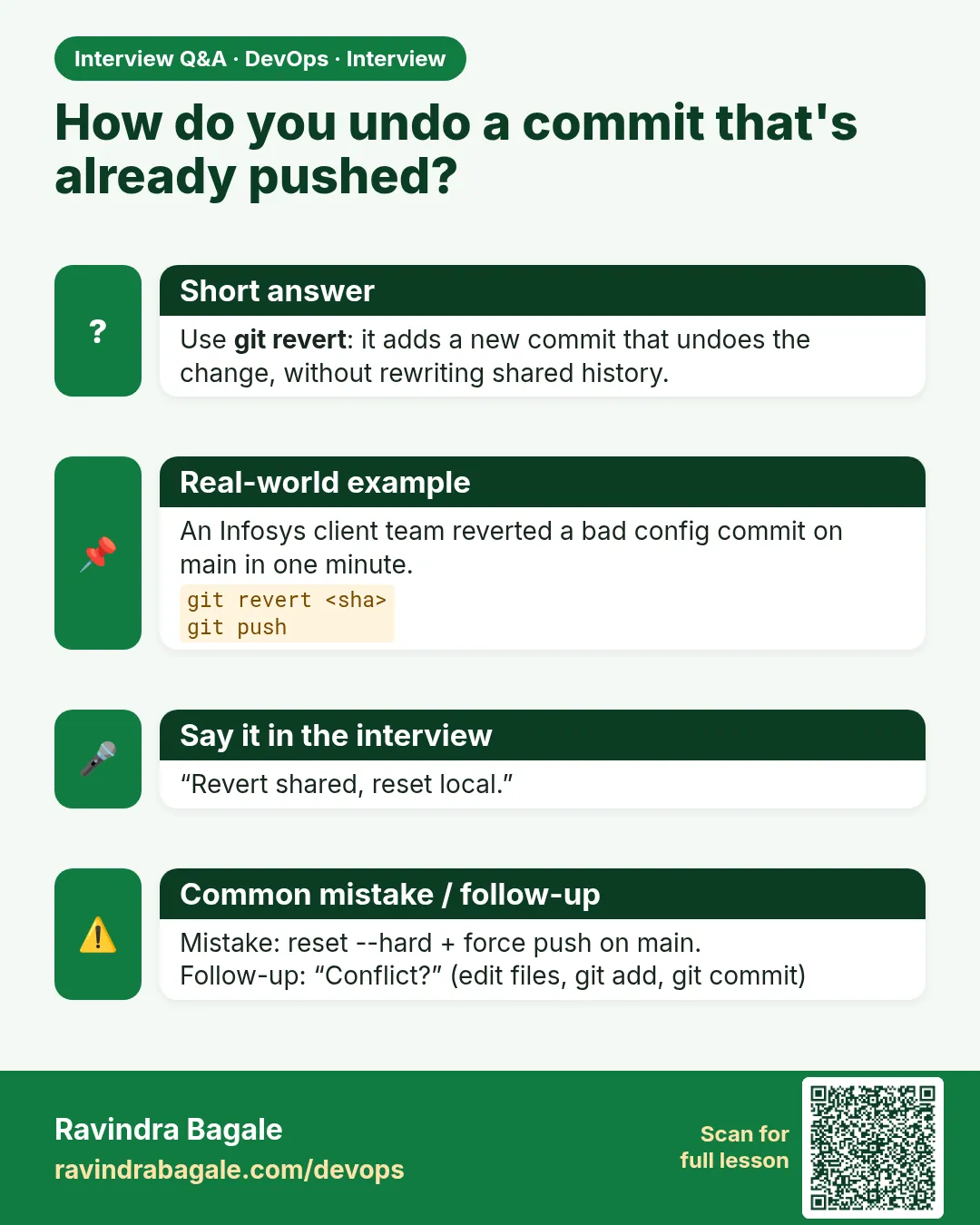 Interview card
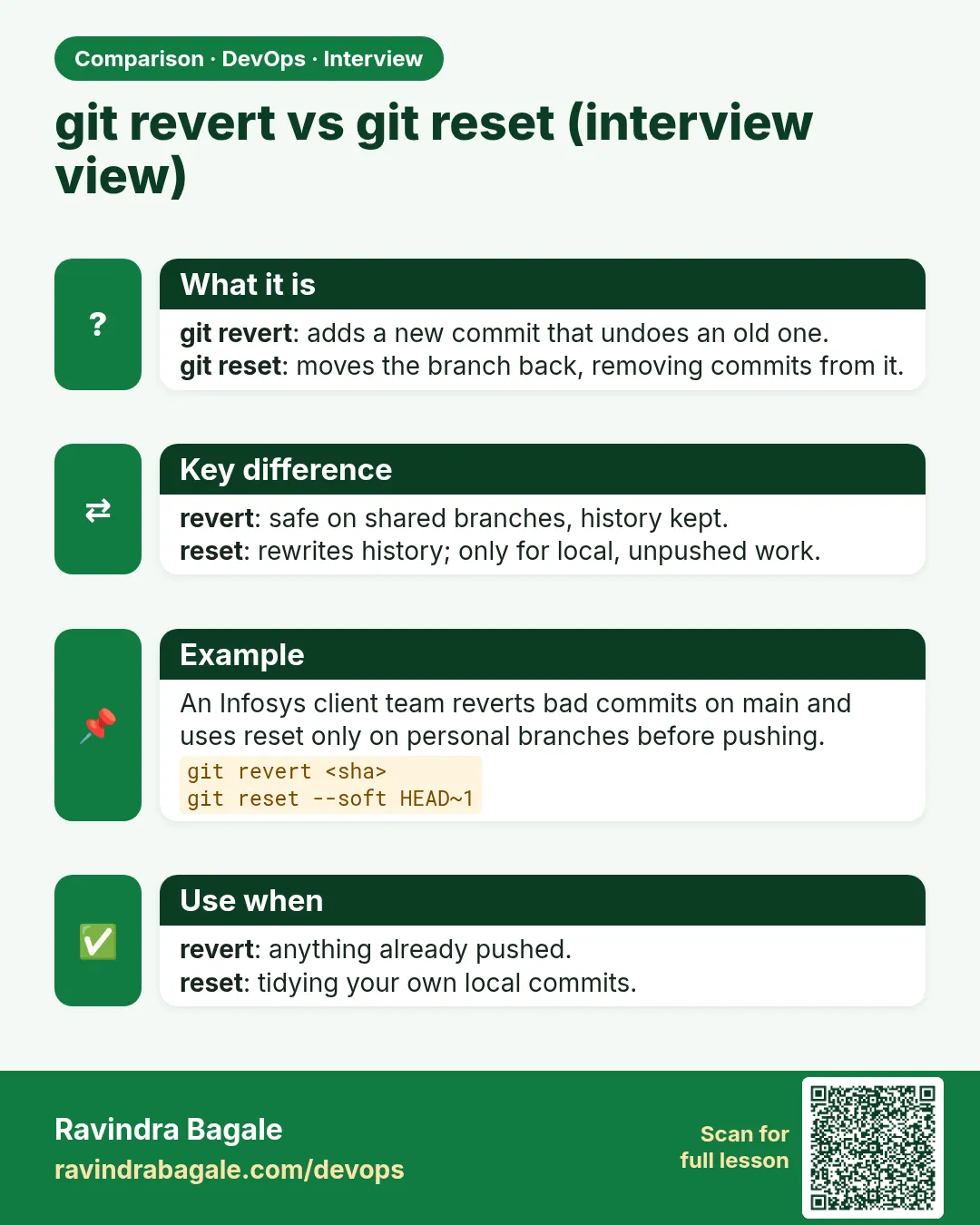 Comparison card