Chapter 17: Interview Questions and Job Readiness
17.4 Bash and automation
Why: the problem
A Swiggy-style ops team has a backup script. When the engineer runs it by hand, it works. When cron runs it at 2 a.m., nothing happens, and nobody notices for a week. Then the database dies and there is no backup. This exact story is a favourite interview question: "My script works in the terminal but fails in cron. Why?" Close cousins are: "What is an exit code?", "How do you make a script safe to run twice?" and "Write a script that checks if a website is up". Panels at product companies often ask you to write a short script live, in a shared editor. They watch whether you quote variables, check errors and log what happened. In this lesson you will reproduce the cron failure, fix it, and write three small scripts that you can type from memory in an interview.
What we will build
You will write a backup script, run it by hand, then run it from cron and watch it fail. You will find the cause with a log file and fix it with full paths and a PATH line. Then you will write a website health check script with exit codes, and an idempotent setup script that is safe to run many times.
What: every term in plain English
- cron — The Linux scheduler that runs commands at set times.
- crontab — The table of cron jobs for one user. Edit with crontab -e.
- PATH — The list of folders where the shell looks for commands. Cron has a very short PATH.
- Exit code — A number a command returns. 0 means success. Anything else means failure.
- $? — The exit code of the last command.
- set -euo pipefail — Stop on errors, on unset variables and on failures inside pipes.
- Idempotent — Running it twice gives the same result as running it once.
- Shebang — The first line, like #!/usr/bin/env bash, that says which program runs the script.
How: step by step
-
Make a lab folder
mkdir -p ~/iq/bash && cd ~/iq/bashWhat it does: Scripts for this lesson.
Output
(no output) -
See exit codes
ls /etc/hostname; echo "code=$?"; ls /nope; echo "code=$?"What it does: First is success, second is failure.
Output
/etc/hostname code=0 ls: cannot access '/nope': No such file or directory code=2 -
See the cron PATH problem
env -i /bin/sh -c 'echo $PATH; which aws || echo "aws not found"'What it does: env -i runs with an empty environment, almost like cron.
Output
/usr/local/sbin:/usr/local/bin:/usr/sbin:/usr/bin:/sbin:/bin aws not found -
Open your crontab
crontab -eWhat it does: Choose nano if asked. Add jobs at the end.
Output
(editor opens) -
Add a test job that logs
* * * * * /bin/bash /home/ravi/iq/bash/backup.sh >> /home/ravi/iq/bash/cron.log 2>&1What it does: Runs every minute and saves all output, including errors.
Output
(saved) -
Read the cron log after one minute
tail -5 ~/iq/bash/cron.logWhat it does: Now you can see why it failed.
Output
backup.sh: line 4: mysqldump: command not found
Example 1: The cron backup script: broken, then fixed
Stack. Bash, cron, MySQL
Goal. The cron backup script: broken, then fixed.
backup.sh (broken)
#!/bin/bash
cd backups
DATE=$(date +%F)
mysqldump shop > shop-$DATE.sql
echo "backup done"
backup.sh (fixed)
#!/usr/bin/env bash
set -euo pipefail
PATH=/usr/local/bin:/usr/bin:/bin
DIR="/home/ravi/iq/bash/backups"
mkdir -p "$DIR"
DATE=$(date +%F-%H%M)
FILE="$DIR/shop-$DATE.sql"
if mysqldump --defaults-extra-file=/home/ravi/.my-backup.cnf shop > "$FILE"; then
  echo "$(date -Is) OK $FILE $(du -h "$FILE" | cut -f1)"
else
  echo "$(date -Is) FAIL mysqldump exit=$?" >&2
  exit 1
fi
find "$DIR" -name "shop-*.sql" -mtime +7 -delete
What each line does
cd backups— Broken: cron starts in the home folder, and the relative path may not exist.PATH=...— Fixed: we set PATH ourselves so commands are found.DIR="/home/..."— Full paths always. Never trust the current folder in cron.--defaults-extra-file— Password lives in a private file, not in the script.if ...; then ... else ... exit 1— Logs success or failure clearly and returns a non-zero code.find ... -mtime +7 -delete— Keeps only one week of backups so the disk does not fill.
Green output
2026-10-25T02:00:01+05:30 OK /home/ravi/iq/bash/backups/shop-2026-10-25-0200.sql 4.1M
Expected result. Interview answer: cron has a small PATH, no profile and a different folder. I use full paths, set PATH, log output with 2>&1, and alert on failure.
Example 2: Live coding: a website health check with exit codes
Stack. Bash, curl
Goal. Live coding: a website health check with exit codes.
check_site.sh
#!/usr/bin/env bash
set -uo pipefail
URL="${1:-https://ravindrabagale.com}"
CODE=$(curl -s -o /dev/null -w "%{http_code}" --max-time 5 "$URL")
TIME=$(curl -s -o /dev/null -w "%{time_total}" --max-time 5 "$URL")
if [ "$CODE" = "200" ]; then
  echo "UP $URL code=$CODE time=${TIME}s"
  exit 0
else
  echo "DOWN $URL code=$CODE" >&2
  exit 2
fi
Run it
bash check_site.sh https://ravindrabagale.com; echo "exit=$?"
bash check_site.sh https://example.invalid; echo "exit=$?"
What each line does
${1:-default}— Use the first argument, or the default if none is given.--max-time 5— Never hang forever.-w "%{http_code}"— Print only the status code.[ "$CODE" = "200" ]— Quote variables so empty values do not break the test.exit 2— A non-zero code so cron, Jenkins or monitoring can detect the failure.
Green output
UP https://ravindrabagale.com code=200 time=0.231s
exit=0
DOWN https://example.invalid code=000
exit=2
Expected result. You show quoting, timeouts and exit codes, the three things panels look for.
Example 3: Idempotent setup script that is safe to run twice
Stack. Bash, Ubuntu
Goal. Idempotent setup script that is safe to run twice.
setup.sh
#!/usr/bin/env bash
set -euo pipefail
id deploy >/dev/null 2>&1 || sudo useradd -m deploy
sudo mkdir -p /opt/shop
grep -q "^shop_env=" /etc/environment || echo "shop_env=lab" | sudo tee -a /etc/environment >/dev/null
if ! systemctl is-active --quiet nginx; then
  sudo apt-get install -y -qq nginx
  sudo systemctl enable --now nginx
fi
echo "setup ok"
Run it twice
bash setup.sh
bash setup.sh
grep -c shop_env /etc/environment
What each line does
id deploy || useradd— Only create the user if it does not exist.mkdir -p— No error if the folder exists.grep -q ... || echo— Only add the line once.systemctl is-active --quiet— Only install when needed.grep -c— Proves the line is there exactly once.
Green output
setup ok
setup ok
1
Expected result. Second run changes nothing. This is the same idea Ansible gives you for free.
Verify: did it work?
-
Check the cron job is listed
crontab -l | tail -1What it does: Your job line is there.
Output
* * * * * /bin/bash /home/ravi/iq/bash/backup.sh >> /home/ravi/iq/bash/cron.log 2>&1 -
Check cron really ran
grep CRON /var/log/syslog | tail -2What it does: Shows cron started your script.
Output
Oct 25 02:00:01 lab CRON[811]: (ravi) CMD (/bin/bash /home/ravi/iq/bash/backup.sh ...)
When it is red 1
/bin/sh: 1: backup.sh: Permission denied
Cause. Cron tried to run the file directly but it is not executable.
Fix, step by step
- Call it with the interpreter: /bin/bash /full/path/backup.sh
- This works without changing file permissions.
When it is red 2
unbound variable
Cause. set -u found a variable that was never set.
Fix, step by step
- Give a default: ${1:-value}
- Or set the variable before use.
When it is red 3
Cron job never runs and no log
Cause. Wrong time format or no newline at the end of crontab.
Fix, step by step
- Check with crontab.guru style reading: minute hour day month weekday.
- Make sure the last line ends with Enter.
- grep CRON /var/log/syslog
Cleanup
-
Remove the test cron job
crontab -l | grep -v backup.sh | crontab -What it does: Removes only our lab line.
Output
(no output)
Ravindra Bagale's Tip
If a cron script does not run, the first question is PATH and full path. Never add a cron job without a log file.
Cron मध्ये script चालत नसेल तर पहिला प्रश्न: PATH आणि full path. Log file ठेवल्याशिवाय cron job लावू नका.
Cron में script न चले तो पहला सवाल: PATH और full path. Log file के बिना cron job मत लगाओ.
Practice tasks
Medium Retry with backoff
Why: Real scripts call flaky APIs.
What to do: Write a loop that tries curl 5 times and waits 1, 2, 4, 8 seconds.
- for i in 1 2 3 4 5; do curl -sf URL && break; sleep $((2**(i-1))); done
Check: It stops at the first success.
Hard Parse a log with awk
Why: Panels love "count 500 errors per IP".
What to do: Count status 500 lines per IP in an nginx access log.
- awk '$9==500 {print $1}' access.log | sort | uniq -c | sort -rn | head
Check: You get a list of IPs with counts.
Easy Say Bash scripting in two lines
Why: Interviewers cut you off after 30 seconds. The short version must come first.
What to do: Write a two line answer about Bash scripting for a fresher interview.
- Line 1: the problem it solves.
- Line 2: the one command or file you used.
- Say it aloud with a timer.
Check: You finish inside 30 seconds and you name one real command.
Easy Run the commands, not just read them
Why: An interviewer can tell if you only read. Typing the command once gives you the real output to talk about.
What to do: Run every command in the How part of this lesson on your own lab machine.
- Start a small Ubuntu VM, WSL or EC2 t3.micro.
- Run each step and save the output in notes.txt.
- Mark any output that looks different from the lesson.
Check: notes.txt has the real output of every step.
Medium Break it on purpose
Why: You must know the red error by face. In a live round there is no time to read slowly.
What to do: Cause one error from the "When it is red" part of this lesson and fix it.
- Follow the error section.
- Copy the exact message into your notes.
- Write the fix in one line.
Check: You fixed it using only your notes.
Medium Answer in the 4-line shape
Why: A clear shape makes any answer sound senior: Situation, Check, Fix, Prevent.
What to do: Pick one interview question from this lesson and answer in four lines.
- Situation: what broke.
- Check: the command you ran and what it showed.
- Fix: the change you made.
- Prevent: the alert, test or doc you added.
Check: Each of the four lines has a real noun, like a command, a file or a number.
Medium Mock round with a friend
Why: Speaking is a different skill from knowing. Practice it.
What to do: Let a friend ask you three questions from this lesson.
- Friend picks random questions.
- You answer, friend times you.
- Swap and repeat.
Check: You answer all three without saying "I am not sure" twice.
Hard Whiteboard it top to bottom
Why: Many panels say "draw it". A neat top-to-bottom drawing shows you see the whole flow.
What to do: Draw the main flow of this lesson as boxes from top to bottom.
- Start at the user or the trigger.
- Add each hop: server, container, pipeline, tool.
- Write the command you use to check each box beside it.
Check: Every box has one check command next to it.
Hard Write a mini runbook
Why: Good engineers leave notes for the next person. Interviewers love to hear that you do this.
What to do: Write a one page runbook for the main scenario in this lesson.
- Title, symptoms, first 3 checks, fix, how to confirm, how to undo.
Check: A teammate can follow it alone at 2 a.m.
Homework: try at home
Try at home
At home, write disk_alert.sh that prints WARN and exits 1 when / is over 80 percent full. Run it from cron every 5 minutes with logging.
Recap
- Cron has a small PATH and a different folder; use full paths.
- Always log cron output with >> file 2>&1.
- Exit code 0 is success; return non-zero on failure.
- Quote variables and use timeouts.
- Write scripts that are safe to run twice.
FAQ
Bash or Python for automation?
Bash for small glue around Linux commands. Python when logic, JSON or APIs grow.
What is the difference between $* and $@?
"$@" keeps each argument separate. Use it.
How do I debug a script?
bash -x script.sh prints every line before running it.
Where do I keep passwords for scripts?
In a private config file, a secrets manager or environment variables, never in the script.
Is cron still used?
Yes, plus systemd timers, Kubernetes CronJobs and EventBridge schedules.
Interview questions
-
Script works manually, fails in cron. Why?
Cron has a minimal PATH, no profile, and starts in the home folder. Use full paths, set PATH and log output.
-
What is $? used for?
It holds the last exit code so you can check success.
-
Write a one-liner to find the 5 biggest files in /var.
sudo find /var -type f -printf "%s %p\n" | sort -rn | head -5
-
How do you make a script idempotent?
Check before you change: id user || useradd, grep -q || echo, mkdir -p.
-
What does set -o pipefail do?
A pipe fails if any part fails, not only the last command.
-
How do you run a script every day at 2 a.m.?
Crontab line: 0 2 * * * /bin/bash /full/path/script.sh >> /var/log/script.log 2>&1
Quick quiz
Q1. What exit code means success?
0.
Q2. Why does a script fail in cron but work by hand?
Different PATH, folder and environment.
Q3. What does 2>&1 do?
Sends errors to the same place as normal output.
Q4. What does set -e do?
Stops the script when a command fails.
Q5. What is idempotent?
Safe to run many times with the same result.
Did you understand? Let us try it once more.
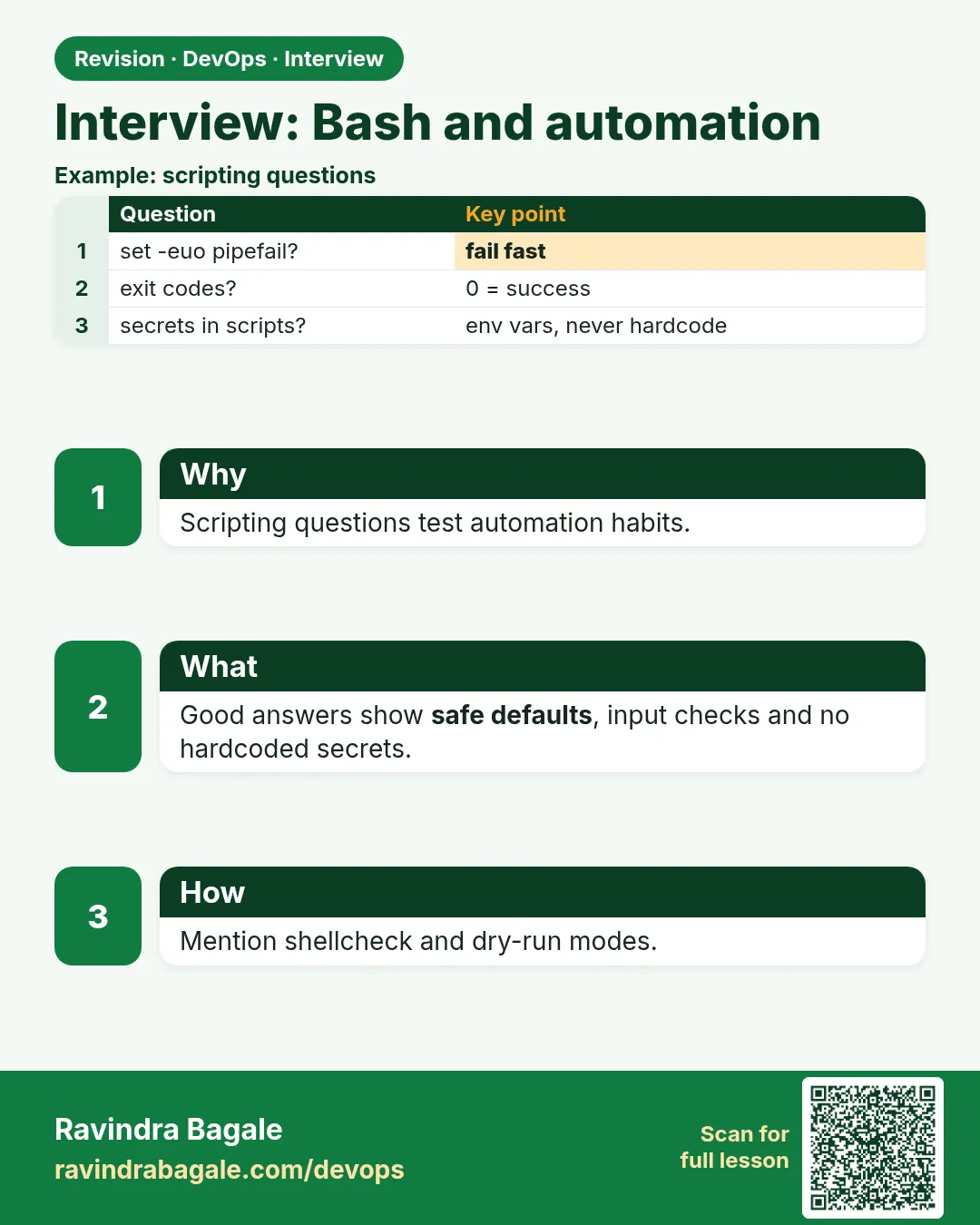 Revision card
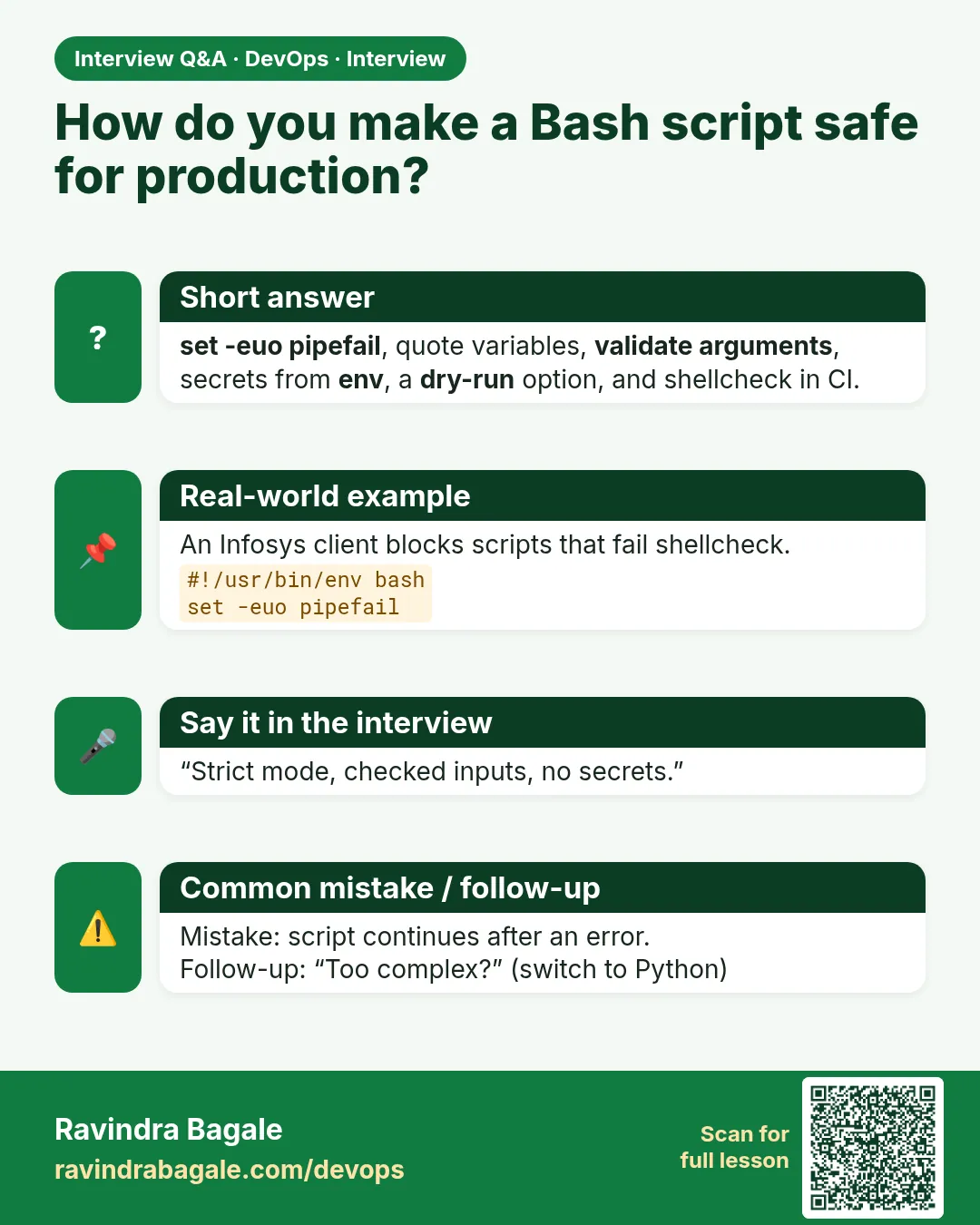 Interview card