Chapter 5: Bash Scripting for Automation
5.7 Secrets — never hardcode
Why: the problem
Think of Uber. A developer writes a backup script with the database password typed inside: PASS=MyDbPass123. He pushes it to the company Git server. Now every person with repo access has the production password. A year later the repo is copied to a vendor, and the password goes with it. This is one of the most common ways companies leak secrets. Secret scanners find thousands of such passwords in public repos every day. The rule is simple: a script may use a secret, but it must never contain one. The secret should come from outside at run time: an environment variable, a file only the right user can read, or a secret manager like AWS Secrets Manager or HashiCorp Vault. In this lesson you will remove a hardcoded password from a script, load it three safer ways, and stop secrets from leaking into logs and shell history.
What we will build
You will start with a bad script that has a password inside. You will move the password to an environment variable, then to a .env file kept out of Git, then to AWS Secrets Manager. You will make sure set -x and echo never print it. You will add a pre-commit check with gitleaks that blocks a commit containing a secret.
What: every term in plain English
- Secret — Any value that gives access: password, API key, token, private key.
- Hardcoded — Typed directly inside the script or code.
- Environment variable — A value given to the script from outside, like DB_PASS=... bash script.sh.
- .env file — A small file of KEY=value lines, loaded at run time and never committed.
- .gitignore — A file listing names Git must ignore, like .env.
- Secret manager — A service that stores secrets safely and gives them to allowed users, like AWS Secrets Manager.
- Masking — Hiding a secret in logs, for example showing ****.
- gitleaks — A tool that scans files and commits for secrets.
How: step by step
-
See the bad script
grep -n "PASS=" backup-db-bad.shWhat it does: A password typed in the file.
Output
3:PASS="NotARealPass_Example" -
Remove it and read from env
nano backup-db.sh (use ${DB_PASS:?})What it does: The script now needs DB_PASS from outside.
Output
(file saved) -
Run with the variable
read -rsp "DB password: " DB_PASS && export DB_PASS && bash backup-db.shWhat it does: read -s hides typing; nothing goes to history.
Output
DB password: backup ok -
Make a .env file
printf "DB_USER=shop\nDB_PASS=%s\n" "$DB_PASS" > .env && ls -l .envWhat it does: Only for your machine.
Output
-rw-r--r-- 1 ravi ravi 38 Oct 25 12:01 .env -
Lock the file to your user
install -m 0600 .env .env.tmp && mv .env.tmp .env && ls -l .envWhat it does: Only you can read it.
Output
-rw------- 1 ravi ravi 38 Oct 25 12:01 .env -
Keep it out of Git
echo ".env" >> .gitignore && git status --shortWhat it does: Git no longer shows .env.
Output
?? .gitignore -
Scan for secrets
gitleaks detect --source . --no-bannerWhat it does: Finds secrets in the repo history.
Output
no leaks found
Example 1: Read the password from the environment, never from the file
Stack. Bash, MySQL client
Goal. Read the password from the environment, never from the file.
backup-db.sh
#!/usr/bin/env bash
set -euo pipefail
DB_HOST="${DB_HOST:-127.0.0.1}"
DB_USER="${DB_USER:-shop}"
: "${DB_PASS:?DB_PASS is not set. Export it or load .env}"
OUT="$HOME/backups/shop-$(date +%F).sql.gz"
mkdir -p "$(dirname "$OUT")"
MYSQL_PWD="$DB_PASS" mysqldump -h "$DB_HOST" -u "$DB_USER" --single-transaction shop | gzip > "$OUT"
echo "backup ok: $OUT"
What each line does
: "${DB_PASS:?...}"— Stops with a clear message if the secret is missing. The : command does nothing else.MYSQL_PWD="$DB_PASS" mysqldump— Passes the password through the environment of one command, not on the command line where ps can show it.--single-transaction— Consistent backup without locking InnoDB tables.| gzip > "$OUT"— Compress while writing.No password in the file— The script is safe to commit and share.
Green output
$ bash backup-db.sh
backup-db.sh: line 5: DB_PASS: DB_PASS is not set. Export it or load .env
$ read -rsp "DB password: " DB_PASS; export DB_PASS; echo
DB password:
$ bash backup-db.sh
backup ok: /home/ravi/backups/shop-2026-10-25.sql.gz
Expected result. The script works only when the secret comes from outside. The Git repo holds no password.
Example 2: Load a
Stack. Bash
Goal. Load a .env file safely and keep it out of Git and logs.
.env.example (committed)
DB_HOST=127.0.0.1
DB_USER=shop
DB_PASS=put-your-password-here
load-env.sh
#!/usr/bin/env bash
set -euo pipefail
ENV_FILE="${ENV_FILE:-.env}"
[ -f "$ENV_FILE" ] || { echo "missing $ENV_FILE (copy .env.example)"; exit 2; }
set -a
. "$ENV_FILE"
set +a
mask() { local v="$1"; echo "${v:0:2}****"; }
echo "user=$DB_USER pass=$(mask "$DB_PASS")"
bash backup-db.sh
What each line does
.env.example— A safe template with fake values. New team members copy it to .env.set -a ... set +a— Every variable set while -a is on is exported automatically.. "$ENV_FILE"— Reads the file into the current shell. The dot means source.mask()— Shows only the first two letters, then ****.Never echo the full secret— Logs are kept for months and read by many people.
Green output
$ cp .env.example .env && nano .env
$ bash load-env.sh
user=shop pass=Ex****
backup ok: /home/ravi/backups/shop-2026-10-25.sql.gz
Expected result. The secret stays in one private file. Logs show only a masked hint.
Example 3: Fetch the secret from AWS Secrets Manager at run time
Stack. AWS CLI v2, Secrets Manager, jq
Goal. Fetch the secret from AWS Secrets Manager at run time.
make-secret.sh (run once by an admin)
aws secretsmanager create-secret --name shop/db \
  --secret-string '{"username":"shop","password":"REPLACE_ME"}' --region ap-south-1
backup-db-aws.sh
#!/usr/bin/env bash
set -euo pipefail
json=$(aws secretsmanager get-secret-value --secret-id shop/db --region ap-south-1 --query SecretString --output text)
export DB_USER=$(echo "$json" | jq -r .username)
export DB_PASS=$(echo "$json" | jq -r .password)
unset json
bash backup-db.sh
What each line does
create-secret— Stores the secret encrypted in AWS, in Mumbai region.get-secret-value ... --query SecretString— Reads only the secret text.jq -r .password— Takes the password field from the JSON.unset json— Removes the full JSON from memory once used.IAM role on EC2— The server gets permission through its role, so no AWS keys are stored on it either.
Green output
$ bash backup-db-aws.sh
backup ok: /home/ravi/backups/shop-2026-10-25.sql.gz
$ aws secretsmanager rotate-secret --secret-id shop/db   (later, by the admin)
Expected result. Change the password once in Secrets Manager and every server gets the new one on the next run.
Verify: did it work?
-
No secrets in scripts
grep -rnE "(PASS|TOKEN|SECRET)=[^$]" *.sh || echo "clean"What it does: Finds typed values after PASS=, TOKEN= or SECRET=.
Output
clean -
No secrets in history
history | grep -c "DB_PASS="What it does: Should be 0 when you used read -s.
Output
0
When it is red 1
DB_PASS: DB_PASS is not set
Cause. The variable was not exported or .env was not loaded.
Fix, step by step
- export DB_PASS after read.
- Or run through load-env.sh.
When it is red 2
Password visible in set -x output
Cause. Debug tracing prints expanded commands.
Fix, step by step
- Turn off tracing around secret lines: set +x ... set -x.
- Never run production scripts with -x on.
When it is red 3
gitleaks: leaks found: 1
Cause. A secret is in a committed file or old commit.
Fix, step by step
- Remove it from the file.
- Rotate the secret at once; it is already exposed.
- Clean history only after rotation.
Cleanup
-
Remove local secret files
rm -f .env && ls -a | grep envWhat it does: Only .env.example stays.
Output
.env.example -
Clear the variable
unset DB_PASSWhat it does: Secret gone from your shell.
Output
(no output)
Ravindra Bagale's Tip
Never write a password inside a script. Take it from outside: env, .env, or Secrets Manager. Stay alert!
Password script मध्ये कधी लिहू नका. बाहेरून घ्या: env, .env, किंवा Secrets Manager. ध्यान राखो!
Password script में कभी मत लिखो. बाहर से लो: env, .env, या Secrets Manager. ध्यान रखो!
Practice tasks
Easy Find secrets
Why: You cannot fix what you do not see.
What to do: grep your scripts for PASS= and TOKEN=.
- List each hit.
Check: A list of files to fix.
Medium Move to .env
Why: Private files are a simple first step.
What to do: Move one secret to .env with 0600.
- Add .env to .gitignore.
Check: git status does not show .env.
Hard Use a secret manager
Why: Teams need one source of truth.
What to do: Store a lab secret in AWS Secrets Manager and read it in a script.
- Use an IAM role.
Check: Script works with no secret on disk.
Easy Say keeping secrets out of scripts in two lines
Why: If you can say it simply, you understand it. Juniors and interviewers both want the short version first.
What to do: Write two short lines about keeping secrets out of scripts for a fresher who knows only basic Linux commands.
- Write the problem it solves.
- Write the one command or line of script you use for it.
- Read it aloud to a friend.
Check: A fresher understands it without asking a question.
Easy Make a safe lab folder
Why: Scripts can delete or overwrite files. Practice in a folder you can throw away.
What to do: Create a lab folder and work only inside it.
- mkdir -p ~/bash-lab && cd ~/bash-lab
- Run every script in this lesson from here with bash name.sh
- When done, rm -rf ~/bash-lab only after checking the path with pwd.
Check: All lab files live in ~/bash-lab and nothing else changed.
Medium Run it on a second machine
Why: A script that works only on your laptop is not finished. Servers have a different PATH, user and shell.
What to do: Copy the script to an Ubuntu EC2 or a Docker ubuntu container and run it there.
- docker run --rm -it -v "$PWD":/lab -w /lab ubuntu:24.04 bash
- Run the script.
- Note anything that changed.
Check: Same output on both machines, or you fixed the difference.
Medium Break it on purpose
Why: You must know the red message by face. In a real outage there is no time to read slowly.
What to do: Cause one error from the "When it is red" part of this lesson and fix it.
- Follow the error section.
- Copy the exact message into your notes.
- Write the fix in one line.
Check: You fixed it using only the steps, without searching the web.
Medium Check it with ShellCheck
Why: ShellCheck finds quoting bugs and mistakes before they hit a server.
What to do: Run ShellCheck on every script from this lesson.
- sudo apt install -y shellcheck
- shellcheck name.sh
- Fix each warning and run again.
Check: ShellCheck prints nothing.
Hard Explain it like an interview
Why: Interviewers want real stories, not definitions.
What to do: Record a 60 second answer about this lesson.
- Say the problem, the script line, and one error you hit.
Check: Your answer has a real command and a real error message.
Hard Draw the flow top to bottom
Why: A drawing shows the order of checks and what happens on failure.
What to do: Draw this lesson script as boxes from top to bottom.
- Start at the first line, show each if as a split, end at the exit code.
Check: Each box matches a real line in the script.
Homework: try at home
Try at home
At home, find any script or notes file where you typed a password. Move the secret to a .env file with 0600 permission and add .env to .gitignore. Run gitleaks on the folder.
Recap
- Never type secrets inside scripts.
- Read them from environment, a private .env, or a secret manager.
- Use read -rsp to avoid shell history.
- Mask secrets in logs and avoid set -x around them.
- Scan with gitleaks and rotate anything that leaked.
FAQ
Is a private repo safe for secrets?
No. Many people and tools can read it, and copies spread.
Is base64 encryption?
No. Anyone can decode it.
Can ps show my password?
Yes, if it is a command argument. Pass it via environment or file.
Jenkins and secrets?
Use Jenkins credentials and withCredentials; Jenkins masks them in logs.
How often rotate?
Every 90 days or at once after any leak.
Interview questions
-
How do you handle secrets in shell scripts?
Never hardcode; read from environment, a 0600 file, or a secret manager; mask in logs; scan repos.
-
Why not pass passwords as command arguments?
Other users can see them with ps and they land in shell history.
-
What do you do after a secret leak in Git?
Rotate the secret first, then remove it from history and add scanning.
-
Secrets Manager vs Parameter Store?
Secrets Manager adds rotation and cross-account sharing; Parameter Store SecureString is cheaper and simpler.
-
How does an EC2 script get AWS access without keys?
Through an IAM instance role.
Quick quiz
Q1. Should a script contain a password?
No. Read it from outside at run time.
Q2. How do you type a secret without saving it to history?
read -rsp
Q3. What is .env.example for?
A template with fake values that is safe to commit.
Q4. What must you do if a secret was committed?
Rotate it immediately.
Q5. Which AWS service stores secrets?
Secrets Manager (or SSM Parameter Store).
Did you understand? Let us try it once more.
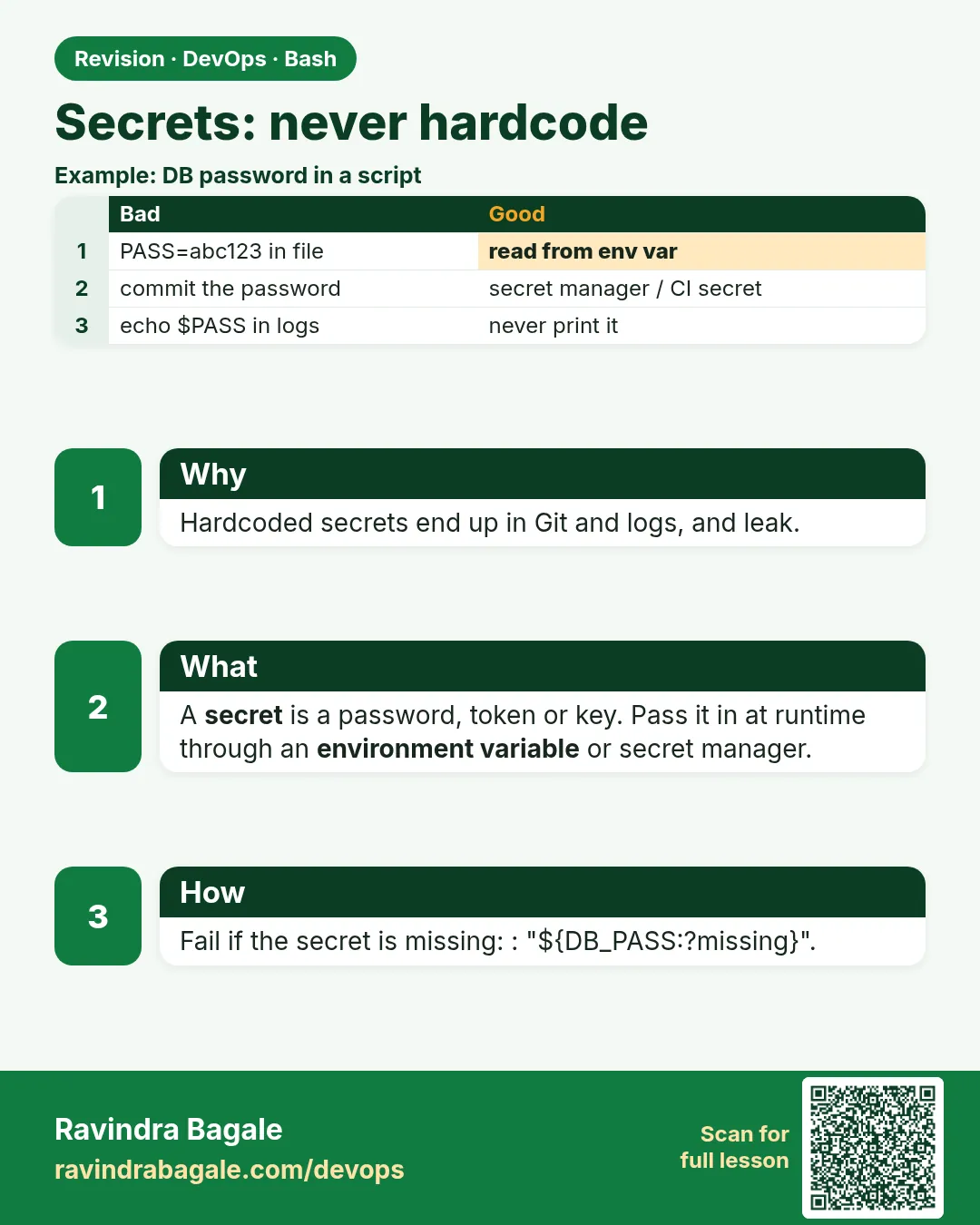 Revision card
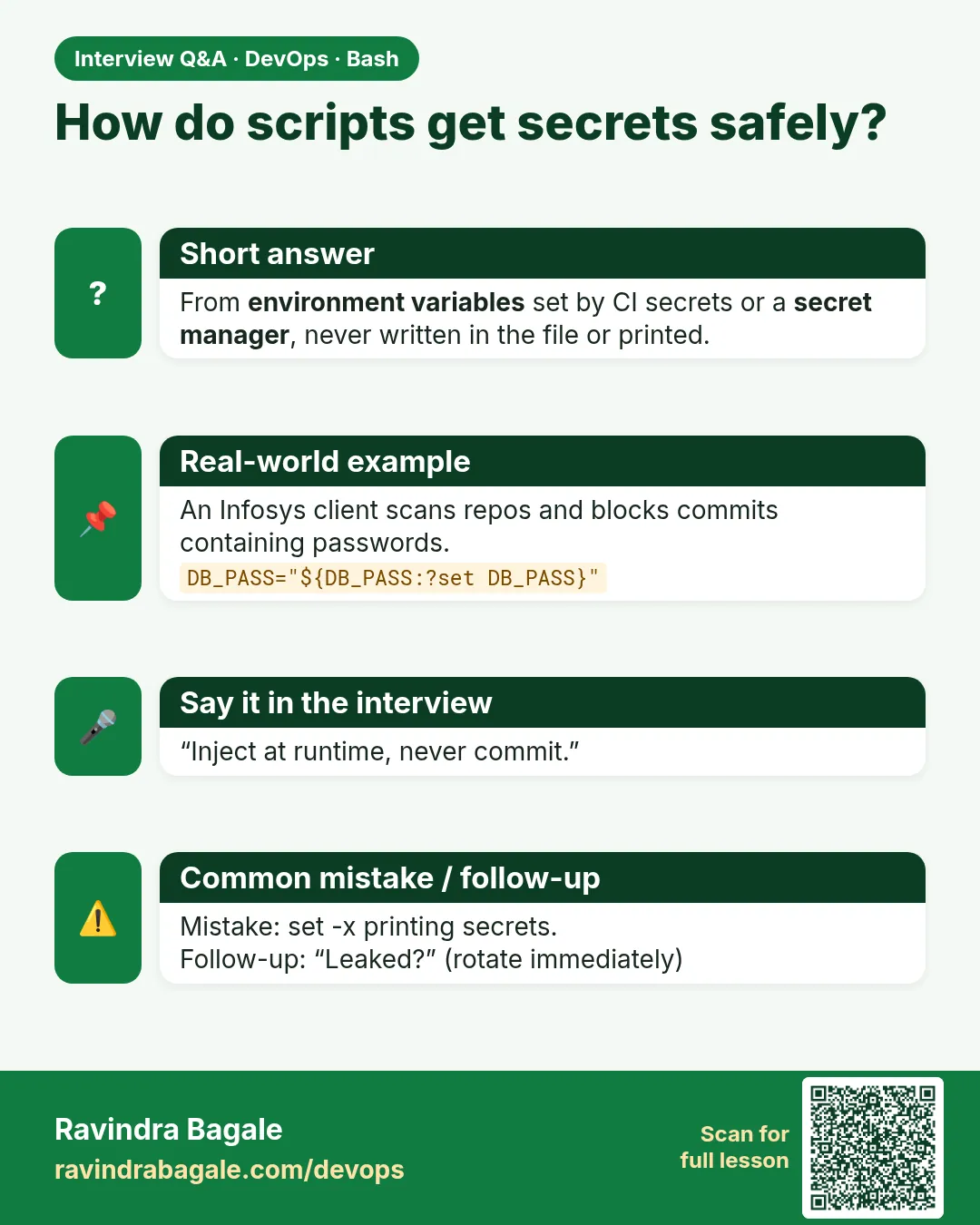 Interview card
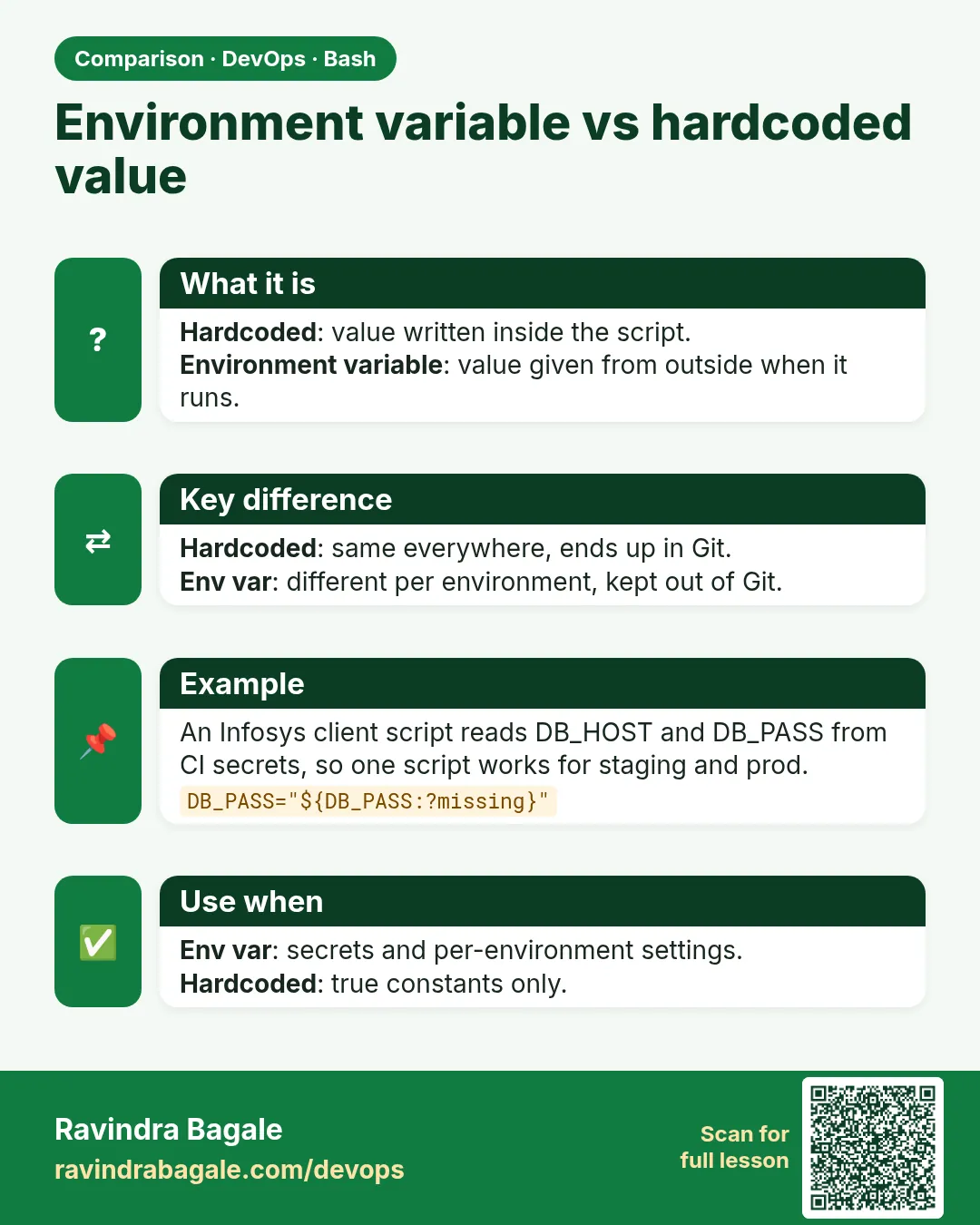 Comparison card