Chapter 5: Bash Scripting for Automation
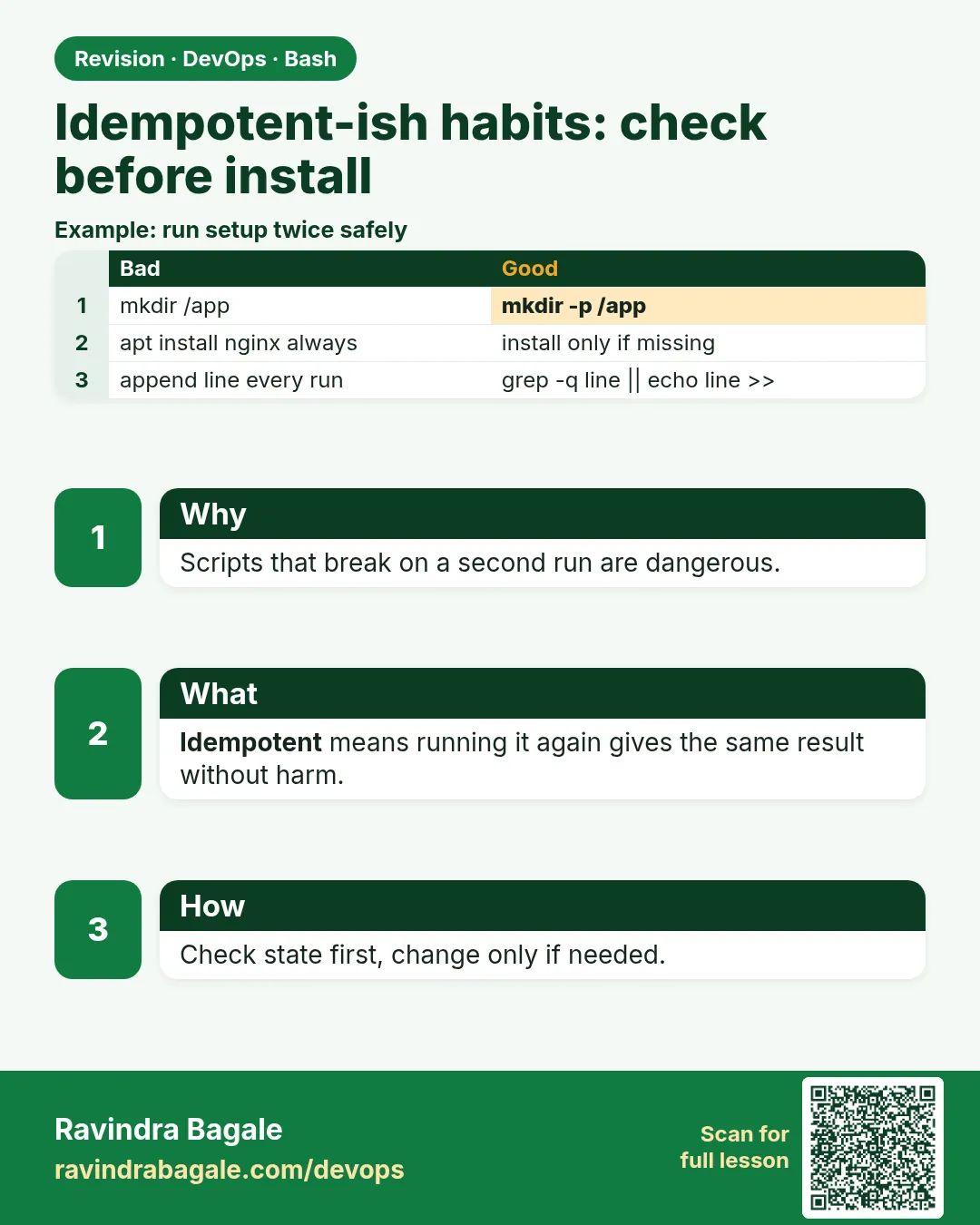
5.5 Idempotent-ish habits — check before install
Why: the problem
Think of Infosys. A team writes a setup script for new servers: install nginx, create a user, make a folder, add a config line. It works the first time. Then someone runs it again on the same server, maybe because the first run stopped halfway. Now the script fails: user already exists. Or worse, it adds the same config line twice and nginx will not start. A good script must be safe to run twice. This idea is called idempotent: running it once or ten times gives the same end result. Bash does not do this for you. You must check before you change. Is the package already installed? Does the user exist? Is the line already in the file? Tools like Ansible are built around this idea, and you will meet them later. In this lesson you will make a setup script safe to rerun, and you will prove it by running it three times.
What we will build
You will write setup.sh for an Ubuntu container. It will install nginx and curl only if missing, create a user app only if missing, make folders with mkdir -p, add a line to a config file only once, and write a config file only when its content changed. You will run it three times and see that the second and third runs change nothing and still exit 0.
What: every term in plain English
- Idempotent — Safe to run many times. The end state is the same as running once.
- Check before change — Look at the current state first, change only if needed.
- mkdir -p — Make a folder and parents. No error if it already exists.
- id user — Prints user info, or fails if the user does not exist. Good for a check.
- dpkg -s — Shows if a Debian or Ubuntu package is installed.
- grep -qxF — Quiet, whole line, fixed text. Checks if an exact line is in a file.
- cmp -s — Compares two files quietly. Exit 0 if they are the same.
- Changed vs ok — Good scripts report what they changed and what was already fine, like Ansible does.
How: step by step
-
Start a clean Ubuntu container
docker run -it --name setup-lab -v "$PWD":/lab -w /lab ubuntu:24.04 bashWhat it does: A fresh machine to test on.
Output
root@4c1a9e2b7f0d:/lab# -
Try a non-safe command twice
useradd app; useradd appWhat it does: The second one fails.
Output
useradd: user 'app' already exists -
Safe version
id app >/dev/null 2>&1 || useradd -m app; echo $?What it does: Creates only if missing. Exit 0 both times.
Output
0 -
Check a package
dpkg -s nginx >/dev/null 2>&1 && echo installed || echo missingWhat it does: Tells you before you install.
Output
missing -
Write setup.sh
nano setup.sh (on the host, it is shared at /lab)What it does: Paste Example 1.
Output
(file saved) -
Run it three times
bash setup.sh; bash setup.sh; bash setup.shWhat it does: First run changes things, then nothing.
Output
changed: 5 ok: 0 changed: 0 ok: 5 changed: 0 ok: 5 -
Exit the container
exitWhat it does: Leave it for cleanup.
Output
exit
Example 1: A setup script that is safe to run again
Stack. Bash, Ubuntu 24.04 in Docker
Goal. A setup script that is safe to run again.
setup.sh
#!/usr/bin/env bash
set -euo pipefail
changed=0; ok=0
note() { if [ "$1" = changed ]; then changed=$((changed+1)); else ok=$((ok+1)); fi; echo "$1: $2"; }

for pkg in nginx curl; do
  if dpkg -s "$pkg" >/dev/null 2>&1; then note ok "$pkg installed"
  else apt-get update -qq && apt-get install -y -qq "$pkg" >/dev/null; note changed "$pkg installed"; fi
done

if id app >/dev/null 2>&1; then note ok "user app exists"
else useradd -m -s /bin/bash app; note changed "user app created"; fi

if [ -d /opt/menu-api/logs ]; then note ok "folders exist"
else mkdir -p /opt/menu-api/logs; note changed "folders created"; fi

LINE="APP_ENV=production"
touch /etc/menu-api.env
if grep -qxF "$LINE" /etc/menu-api.env; then note ok "env line present"
else echo "$LINE" >> /etc/menu-api.env; note changed "env line added"; fi

echo "changed: $changed  ok: $ok"
What each line does
note() { ... }— A small function that counts and prints changed or ok.dpkg -s "$pkg"— Is the package installed? Install only if not.id app || useradd— Create the user only if missing.[ -d dir ]— Does the folder exist?grep -qxF "$LINE" file— Exact whole-line check. Add the line only if missing.>> file— Append to the end. Never use > here; it would wipe the file.
Green output
# first run
changed: nginx installed
changed: curl installed
changed: user app created
changed: folders created
changed: env line added
changed: 5  ok: 0
# second run
ok: nginx installed
ok: curl installed
ok: user app exists
ok: folders exist
ok: env line present
changed: 0  ok: 5
Expected result. The second run changed nothing and did not fail. That is idempotent.
Example 2: Write a config file only when its content changed
Stack. Bash, nginx
Goal. Write a config file only when its content changed.
write-config.sh
#!/usr/bin/env bash
set -euo pipefail
target=/etc/nginx/conf.d/menu.conf
tmp=$(mktemp)
printf '%s\n' \
  'server {' \
  '  listen 8080;' \
  '  location / { proxy_pass http://127.0.0.1:3000; }' \
  '}' > "$tmp"
if [ -f "$target" ] && cmp -s "$tmp" "$target"; then
  echo "ok: config unchanged"; rm -f "$tmp"
else
  install -m 0644 "$tmp" "$target"; rm -f "$tmp"
  nginx -t && echo "changed: config updated (reload nginx)"
fi
What each line does
mktemp— Makes a safe temporary file name.printf '%s\n' ...— Writes each quoted line to the temp file.cmp -s "$tmp" "$target"— Same content? Then do nothing.install -m 0644— Copy into place with read permission for all, write for owner.nginx -t— Tests the config before anyone reloads nginx.reload only on change— Avoids needless reloads on every run.
Green output
$ bash write-config.sh
nginx: configuration file /etc/nginx/nginx.conf test is successful
changed: config updated (reload nginx)
$ bash write-config.sh
ok: config unchanged
Expected result. Reloads happen only when something really changed. Ansible template works the same way.
Example 3: Download a tool only if the right version is missing
Stack. Bash, curl
Goal. Download a tool only if the right version is missing.
get-kubectl.sh
#!/usr/bin/env bash
set -euo pipefail
WANT="v1.31.2"
BIN="$HOME/bin/kubectl"
have=$("$BIN" version --client -o json 2>/dev/null | grep -o '"gitVersion": *"[^"]*"' | grep -o 'v[0-9.]*' || true)
if [ "$have" = "$WANT" ]; then
  echo "ok: kubectl $have already installed"; exit 0
fi
mkdir -p "$HOME/bin"
curl -fsSL -o /tmp/kubectl "https://dl.k8s.io/release/${WANT}/bin/linux/amd64/kubectl"
install -m 0755 /tmp/kubectl "$BIN"
echo "changed: kubectl ${have:-none} -> $WANT"
What each line does
WANT="v1.31.2"— The version we need. Pin versions so every server matches.have=$(... || true)— Current version, or empty if not installed. || true keeps set -e happy.[ "$have" = "$WANT" ]— Already right? Stop with exit 0.curl -fsSL -o— Download, fail on errors, follow redirects.install -m 0755— Put the binary in place with execute permission.${have:-none}— Shows none when nothing was installed before.
Green output
$ bash get-kubectl.sh
changed: kubectl none -> v1.31.2
$ bash get-kubectl.sh
ok: kubectl v1.31.2 already installed
Expected result. The second run downloads nothing. Fast, and safe on slow networks.
Verify: did it work?
-
Run setup three times
for i in 1 2 3; do bash setup.sh | tail -1; doneWhat it does: Only the first run changes things.
Output
changed: 5 ok: 0 changed: 0 ok: 5 changed: 0 ok: 5 -
Check no duplicate lines
grep -c "APP_ENV=production" /etc/menu-api.envWhat it does: Must be 1.
Output
1
When it is red 1
useradd: user 'app' already exists
Cause. The script creates the user without checking.
Fix, step by step
- Wrap it: id app >/dev/null 2>&1 || useradd -m app.
When it is red 2
nginx: [emerg] duplicate location "/"
Cause. A config line or block was appended twice.
Fix, step by step
- Use grep -qxF before appending.
- Or write the whole file with the cmp method.
When it is red 3
E: Could not get lock /var/lib/dpkg/lock-frontend
Cause. Another apt process is running, often unattended upgrades at boot.
Fix, step by step
- Wait and retry.
- Check with ps aux | grep apt.
Cleanup
-
Remove the lab container
docker rm -f setup-labWhat it does: Throw away the test machine.
Output
setup-lab -
Remove temp files
rm -f /tmp/kubectlWhat it does: Clean temp download.
Output
(no output)
Ravindra Bagale's Tip
If you run the script twice, nothing should break. Check first, then change. Keep that in mind!
Script दोन वेळा चालवली तरी काही तुटलं नाही पाहिजे. आधी check, मग change. लक्षात ठेवा!
Script दो बार चलाई तो भी कुछ नहीं टूटना चाहिए. पहले check, फिर change. याद रखो!
Practice tasks
Easy Rerun test
Why: A script that fails on rerun is not ready.
What to do: Run any of your scripts twice.
- Note what fails.
Check: You list each non-safe line.
Medium Fix with checks
Why: Checks make reruns safe.
What to do: Add a check before each change.
- Use id, dpkg -s, grep -qxF, [ -d ].
Check: Second run shows changed: 0.
Hard Template a config
Why: Config drift breaks servers.
What to do: Use the cmp method for one config file.
- Run nginx -t.
Check: Reload only on change.
Easy Say safe-to-rerun scripts in two lines
Why: If you can say it simply, you understand it. Juniors and interviewers both want the short version first.
What to do: Write two short lines about safe-to-rerun scripts for a fresher who knows only basic Linux commands.
- Write the problem it solves.
- Write the one command or line of script you use for it.
- Read it aloud to a friend.
Check: A fresher understands it without asking a question.
Easy Make a safe lab folder
Why: Scripts can delete or overwrite files. Practice in a folder you can throw away.
What to do: Create a lab folder and work only inside it.
- mkdir -p ~/bash-lab && cd ~/bash-lab
- Run every script in this lesson from here with bash name.sh
- When done, rm -rf ~/bash-lab only after checking the path with pwd.
Check: All lab files live in ~/bash-lab and nothing else changed.
Medium Run it on a second machine
Why: A script that works only on your laptop is not finished. Servers have a different PATH, user and shell.
What to do: Copy the script to an Ubuntu EC2 or a Docker ubuntu container and run it there.
- docker run --rm -it -v "$PWD":/lab -w /lab ubuntu:24.04 bash
- Run the script.
- Note anything that changed.
Check: Same output on both machines, or you fixed the difference.
Medium Break it on purpose
Why: You must know the red message by face. In a real outage there is no time to read slowly.
What to do: Cause one error from the "When it is red" part of this lesson and fix it.
- Follow the error section.
- Copy the exact message into your notes.
- Write the fix in one line.
Check: You fixed it using only the steps, without searching the web.
Medium Check it with ShellCheck
Why: ShellCheck finds quoting bugs and mistakes before they hit a server.
What to do: Run ShellCheck on every script from this lesson.
- sudo apt install -y shellcheck
- shellcheck name.sh
- Fix each warning and run again.
Check: ShellCheck prints nothing.
Hard Explain it like an interview
Why: Interviewers want real stories, not definitions.
What to do: Record a 60 second answer about this lesson.
- Say the problem, the script line, and one error you hit.
Check: Your answer has a real command and a real error message.
Hard Draw the flow top to bottom
Why: A drawing shows the order of checks and what happens on failure.
What to do: Draw this lesson script as boxes from top to bottom.
- Start at the first line, show each if as a split, end at the exit code.
Check: Each box matches a real line in the script.
Homework: try at home
Try at home
At home, take any install guide you followed (for example installing Docker). Turn it into a script that is safe to run three times. Prove it with three runs.
Recap
- Good scripts are safe to run many times.
- Check before change: id, dpkg -s, [ -d ], grep -qxF.
- Use mkdir -p and append lines only once.
- Write config files only when content changed.
- Report changed and ok counts.
FAQ
Is this what Ansible does?
Yes. Ansible modules check state first. You will feel at home later.
What if apt is slow every run?
dpkg -s is instant, so apt runs only when needed.
Can I use sed -i to edit configs?
Yes, but check first that the change is not already there.
Is mkdir -p always safe?
Yes for folders. It never deletes anything.
How do I test idempotency fast?
Run the script in a throwaway Docker container three times.
Interview questions
-
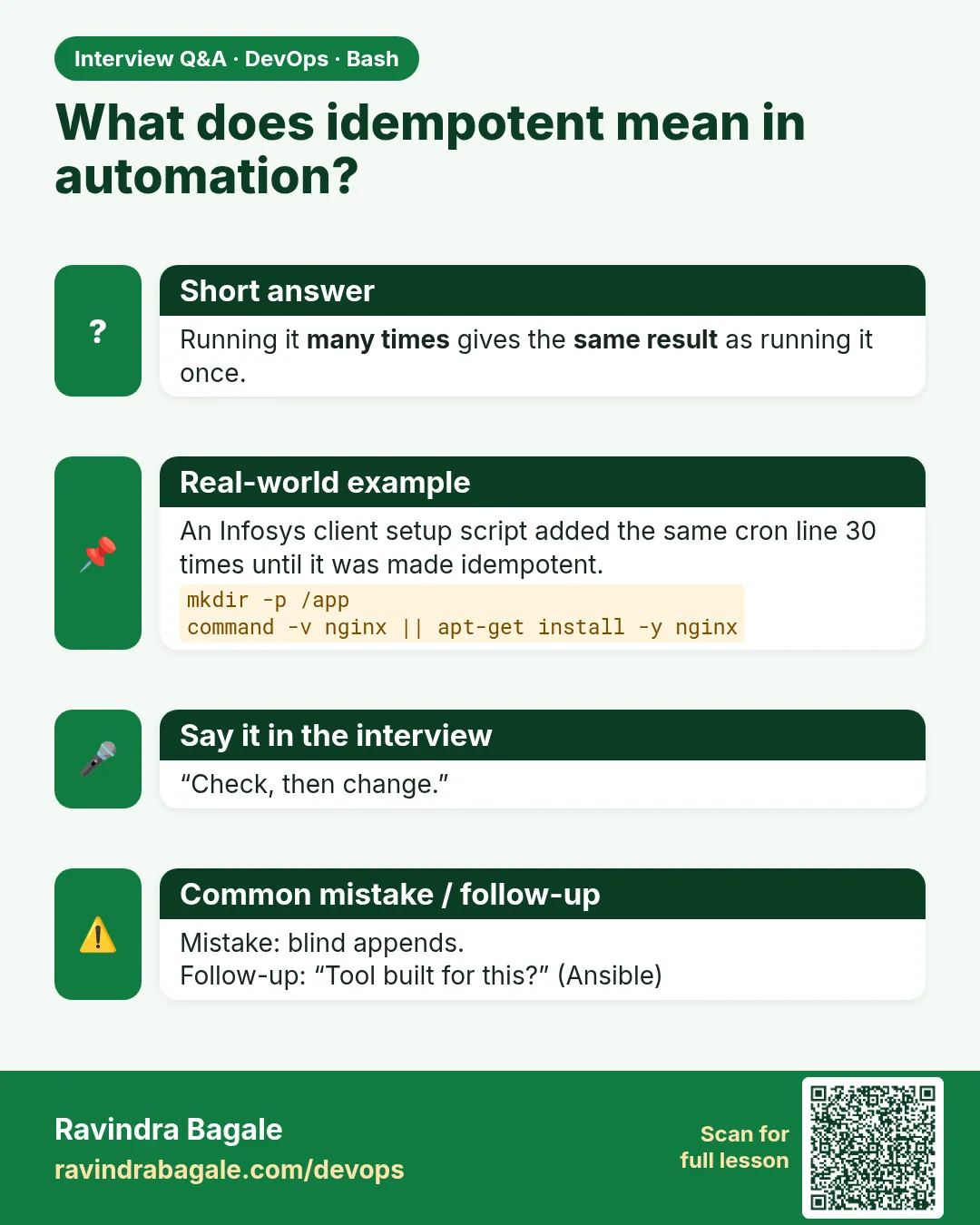
What is idempotency and why does it matter?
Running a script many times gives the same result. It makes reruns after failures safe.
-
How do you add a line to a file only once?
grep -qxF "line" file || echo "line" >> file
-
How do you avoid needless service reloads?
Compare the new config with the old one and reload only on change.
-
How would you test that a script is idempotent?
Run it twice in a fresh container and check the second run reports no changes and exits 0.
-
Why pin versions in install scripts?
So all servers are the same and upgrades are planned.
Quick quiz
Q1. What does idempotent mean?
Running once or many times gives the same result.
Q2. How do you create a user only if missing?
id user || useradd user
Q3. Why use >> not > when adding a line?
> overwrites the file.
Q4. What does cmp -s tell you?
Whether two files are the same.
Q5. Why pin tool versions?
So every server gets the same version.
Did you understand? Let us try it once more.
 Revision card
 Interview card