Chapter 5: Bash Scripting for Automation
5.10 Debugging scripts without guessing
Why: the problem
Think of PhonePe at midnight. A deploy script fails with one line: "line 47: syntax error near unexpected token". Or worse, it finishes "successfully" but the app is not updated. A junior engineer starts guessing: adds echo lines everywhere, changes random things, runs it again and again on the server. That wastes an hour and may break more. Senior engineers do not guess. They use tools that show exactly what the script did. bash -n checks syntax without running anything. bash -x prints every command after variables are filled in, so you see the real values. ShellCheck reads the script and points to bugs, like missing quotes, before it ever runs. PS4 adds the line number to each traced line. In this lesson you will debug three broken scripts using only these tools, and you will build a habit you can use on any server.
What we will build
You will get three broken scripts: one with a syntax error, one with a wrong variable that silently does the wrong thing, and one that fails only under certain input. You will find each bug with bash -n, bash -x with a better PS4, set -x around one part, and ShellCheck. You will also add a --debug flag to deploy.sh that turns tracing on when you need it.
What: every term in plain English
- Syntax error — The script is not valid Bash, for example a missing fi or done.
- bash -n — Read the script and check syntax only. Nothing runs.
- bash -x — Run the script and print each command with real values, prefixed by +.
- set -x / set +x — Turn tracing on and off inside a script for one part only.
- PS4 — The prefix bash prints before traced lines. You can add file and line number.
- ShellCheck — A free tool that finds bugs and bad habits in shell scripts.
- SC2086 — The ShellCheck code for an unquoted variable. The most common warning.
- Exit trace — Printing the failed line and command when a script stops, using trap ERR.
How: step by step
-
Install ShellCheck
sudo apt-get install -y shellcheck && shellcheck --version | head -2What it does: The bug finder.
Output
ShellCheck - shell script analysis tool version: 0.9.0 -
Check syntax only
bash -n broken1.shWhat it does: Nothing runs. Only syntax is checked.
Output
broken1.sh: line 9: syntax error: unexpected end of file -
Trace a run
bash -x broken2.shWhat it does: See each command with values.
Output
+ DIR=/var/backups/ + rm -rf /var/backups//old -
Better trace prefix
PS4='+ ${BASH_SOURCE}:${LINENO}: ' bash -x broken2.shWhat it does: Each line shows file and line number.
Output
+ broken2.sh:4: rm -rf /var/backups//old -
Run ShellCheck
shellcheck broken3.shWhat it does: Finds the quoting bug.
Output
In broken3.sh line 3: cp $f /backup/ ^-- SC2086 (info): Double quote to prevent globbing and word splitting. -
Add a debug flag
bash deploy.sh --app menu-api --env staging --dry-run --debugWhat it does: Tracing only when asked.
Output
+ deploy.sh:30: run docker pull shoplab/menu-api:latest -
Print the failed line on error
trap 'echo "failed at line $LINENO: $BASH_COMMAND"' ERRWhat it does: Shows where it stopped.
Output
failed at line 12: docker pull shoplab/bad:1
Example 1: Find a syntax error with bash -n
Stack. Bash
Goal. Find a syntax error with bash -n.
broken1.sh
#!/usr/bin/env bash
set -euo pipefail
for f in *.log; do
  if [ -s "$f" ]; then
    echo "$f has data"
  else
    echo "$f is empty"
done
fixed1.sh
#!/usr/bin/env bash
set -euo pipefail
for f in *.log; do
  if [ -s "$f" ]; then
    echo "$f has data"
  else
    echo "$f is empty"
  fi
done
What each line does
bash -n broken1.sh— Checks syntax. Safe even for dangerous scripts.unexpected end of file— Bash reached the end while a block was still open.Missing fi— The if block was never closed. done arrived first.Count openers and closers— Every if needs fi, every do needs done, every case needs esac.Editor help— VS Code with the ShellCheck extension shows this as you type.
Green output
$ bash -n broken1.sh
broken1.sh: line 8: syntax error near unexpected token `done'
broken1.sh: line 8: `done'
$ bash -n fixed1.sh && echo "syntax ok"
syntax ok
Expected result. bash -n finds structure errors in a second, without running anything.
Example 2: See the real values with bash -x and a line-number PS4
Stack. Bash
Goal. See the real values with bash -x and a line-number PS4.
broken2.sh
#!/usr/bin/env bash
set -euo pipefail
BACKUP_DIR="${BACKUP_DIR:-/var/backups/}"
KEEP="${KEEP:-7}"
target="$BACKUP_DIR/shop-$(date +%F).tgz"
echo "would keep $KEEP files"
ls -1t "$BACKUP_DIR" | tail -n +"$((KEEP+1))"
trace command
export PS4='+ ${BASH_SOURCE##*/}:${LINENO}: '
KEEP=seven bash -x broken2.sh
What each line does
PS4 with BASH_SOURCE and LINENO— Every trace line shows file and line.+ broken2.sh:4: KEEP=seven— You see the bad value at once.$((KEEP+1))— Maths on the word seven fails.Double slash in target— Shows BACKUP_DIR already ends with /. Harmless here, but tracing reveals it.Fix— Check that KEEP is a number before using it.
Green output
+ broken2.sh:3: BACKUP_DIR=/var/backups/
+ broken2.sh:4: KEEP=seven
++ broken2.sh:5: date +%F
+ broken2.sh:5: target=/var/backups//shop-2026-10-25.tgz
+ broken2.sh:6: echo 'would keep seven files'
would keep seven files
broken2.sh: line 7: seven: unbound variable
Expected result. The trace points straight at the bad input. Add: [[ "$KEEP" =~ ^[0-9]+$ ]] || die "KEEP must be a number".
Example 3: Let ShellCheck find bugs before they run
Stack. ShellCheck 0.9
Goal. Let ShellCheck find bugs before they run.
broken3.sh
#!/usr/bin/env bash
for f in $(ls /var/log/app/*.log); do
  cp $f /backup/
done
cd /backup
rm -rf $OLD/*
fixed3.sh
#!/usr/bin/env bash
set -euo pipefail
for f in /var/log/app/*.log; do
  [ -e "$f" ] || continue
  cp -- "$f" /backup/
done
cd /backup || exit 1
: "${OLD:?OLD must be set}"
rm -rf -- "${OLD:?}"/*
What each line does
SC2045— Do not loop over ls output; use a glob directly.SC2086— Quote "$f" so names with spaces work.SC2164— cd can fail; add || exit.SC2115— rm -rf $OLD/ becomes rm -rf / if OLD is empty. ${OLD:?} stops that.[ -e "$f" ] || continue— Skip when the glob matched nothing.
Green output
$ shellcheck broken3.sh
In broken3.sh line 2:
for f in $(ls /var/log/app/*.log); do
         ^-- SC2045 (error): Iterating over ls output is fragile. Use globs.
In broken3.sh line 3:
  cp $f /backup/
     ^-- SC2086 (info): Double quote to prevent globbing and word splitting.
In broken3.sh line 5:
cd /backup
^-- SC2164 (warning): Use 'cd ... || exit' in case cd fails.
In broken3.sh line 6:
rm -rf $OLD/*
       ^-- SC2115 (warning): Use "${var:?}" to ensure this never expands to /* .
$ shellcheck fixed3.sh && echo clean
clean
Expected result. ShellCheck found a bug that could wipe the whole server. Run it on every script before you commit.
Verify: did it work?
-
Syntax ok for all scripts
for s in *.sh; do bash -n "$s" || echo "BAD $s"; done; echo doneWhat it does: No BAD lines.
Output
done -
ShellCheck all scripts
shellcheck *.sh && echo "all clean"What it does: Fix warnings until clean.
Output
all clean
When it is red 1
syntax error near unexpected token `done'
Cause. A block opened inside the loop was not closed (missing fi or esac).
Fix, step by step
- Run bash -n.
- Match every if with fi and case with esac.
When it is red 2
Trace is too noisy
Cause. bash -x on a long script prints thousands of lines.
Fix, step by step
- Wrap only the suspect part with set -x ... set +x.
- Send trace to a file: exec 19>trace.log; BASH_XTRACEFD=19.
When it is red 3
Secrets appear in trace output
Cause. Tracing prints expanded values.
Fix, step by step
- Turn off tracing around secret lines.
- Never share raw traces from production.
Cleanup
-
Delete broken samples
rm -f broken1.sh broken2.sh broken3.shWhat it does: Keep only fixed scripts.
Output
(no output) -
Unset PS4
unset PS4What it does: Back to the default prefix.
Output
(no output)
Ravindra Bagale's Tip
Do not guess. Use bash -n, bash -x and ShellCheck. Stay alert!
अंदाज लावू नका. bash -n, bash -x आणि ShellCheck वापरा. ध्यान राखो!
अंदाज़ा मत लगाओ. bash -n, bash -x और ShellCheck इस्तेमाल करो. ध्यान रखो!
Practice tasks
Easy bash -n
Why: Fast first check.
What to do: Run bash -n on all scripts.
- Fix any syntax error.
Check: All pass.
Medium Trace one bug
Why: Values tell the truth.
What to do: Use bash -x with PS4 on a broken script.
- Find the bad line.
Check: You fixed it without guessing.
Hard ShellCheck clean
Why: Clean scripts fail less.
What to do: Make every script ShellCheck clean.
- Add it to a pre-commit hook.
Check: Commit blocked when a warning appears.
Easy Say debugging bash scripts in two lines
Why: If you can say it simply, you understand it. Juniors and interviewers both want the short version first.
What to do: Write two short lines about debugging bash scripts for a fresher who knows only basic Linux commands.
- Write the problem it solves.
- Write the one command or line of script you use for it.
- Read it aloud to a friend.
Check: A fresher understands it without asking a question.
Easy Make a safe lab folder
Why: Scripts can delete or overwrite files. Practice in a folder you can throw away.
What to do: Create a lab folder and work only inside it.
- mkdir -p ~/bash-lab && cd ~/bash-lab
- Run every script in this lesson from here with bash name.sh
- When done, rm -rf ~/bash-lab only after checking the path with pwd.
Check: All lab files live in ~/bash-lab and nothing else changed.
Medium Run it on a second machine
Why: A script that works only on your laptop is not finished. Servers have a different PATH, user and shell.
What to do: Copy the script to an Ubuntu EC2 or a Docker ubuntu container and run it there.
- docker run --rm -it -v "$PWD":/lab -w /lab ubuntu:24.04 bash
- Run the script.
- Note anything that changed.
Check: Same output on both machines, or you fixed the difference.
Medium Break it on purpose
Why: You must know the red message by face. In a real outage there is no time to read slowly.
What to do: Cause one error from the "When it is red" part of this lesson and fix it.
- Follow the error section.
- Copy the exact message into your notes.
- Write the fix in one line.
Check: You fixed it using only the steps, without searching the web.
Medium Check it with ShellCheck
Why: ShellCheck finds quoting bugs and mistakes before they hit a server.
What to do: Run ShellCheck on every script from this lesson.
- sudo apt install -y shellcheck
- shellcheck name.sh
- Fix each warning and run again.
Check: ShellCheck prints nothing.
Hard Explain it like an interview
Why: Interviewers want real stories, not definitions.
What to do: Record a 60 second answer about this lesson.
- Say the problem, the script line, and one error you hit.
Check: Your answer has a real command and a real error message.
Hard Draw the flow top to bottom
Why: A drawing shows the order of checks and what happens on failure.
What to do: Draw this lesson script as boxes from top to bottom.
- Start at the first line, show each if as a split, end at the exit code.
Check: Each box matches a real line in the script.
Homework: try at home
Try at home
At home, run ShellCheck on every script you have written in this chapter. Fix every warning, and write down the three codes you saw most.
Recap
- bash -n checks syntax without running.
- bash -x and set -x show real values; PS4 adds line numbers.
- ShellCheck finds quoting, cd and rm dangers early.
- Trace only the suspect part and keep secrets out of traces.
- Add a --debug flag and an ERR trap to your tools.
FAQ
Is ShellCheck available on Mac?
Yes, brew install shellcheck.
Can Jenkins run ShellCheck?
Yes, add a lint stage that runs shellcheck on all .sh files.
Why not add echo everywhere?
Tracing shows everything without editing the script.
What is BASH_COMMAND?
The command that was running when a trap fired.
Can I ignore one warning?
Yes, with a comment: # shellcheck disable=SC2086, and a reason.
Interview questions
-
How do you debug a bash script?
bash -n for syntax, bash -x or set -x with PS4 for values, ShellCheck for bugs, and an ERR trap to print the failing line.
-
What does set -x do?
Prints each command after expansion before running it.
-
Name a dangerous pattern ShellCheck catches.
rm -rf $DIR/ with an empty DIR, which becomes rm -rf /.
-
Why not loop over ls output?
Names with spaces or newlines break; globs are safe.
-
How do you lint scripts in CI?
Run shellcheck in a pipeline stage and fail on warnings.
Quick quiz
Q1. Which command checks syntax without running?
bash -n
Q2. What does bash -x show?
Each command with real values.
Q3. Why set PS4?
To show file and line in traces.
Q4. What is SC2086?
Unquoted variable warning.
Q5. Why ${OLD:?} in rm?
To stop if OLD is empty, so rm never hits /.
Did you understand? Let us try it once more.
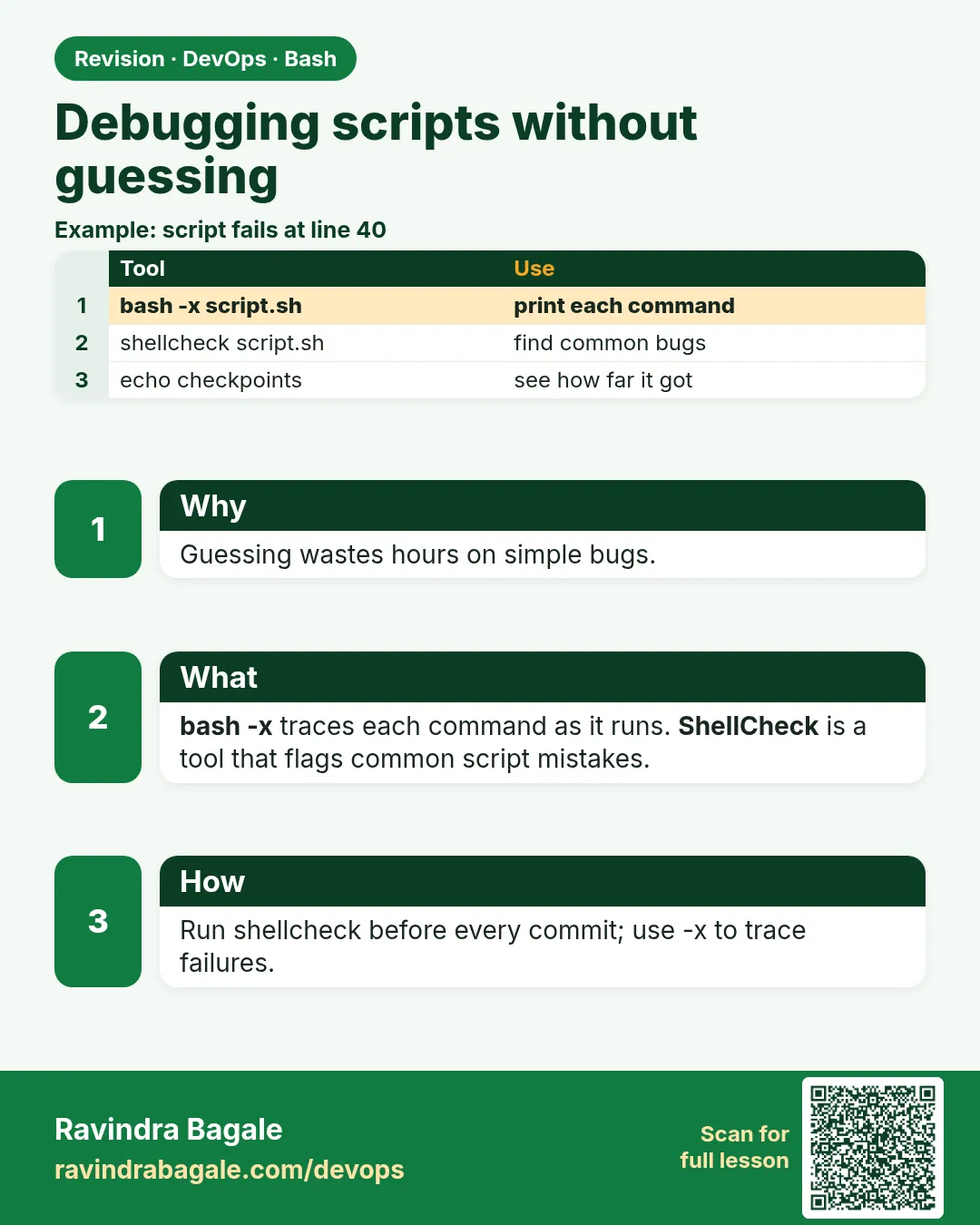 Revision card
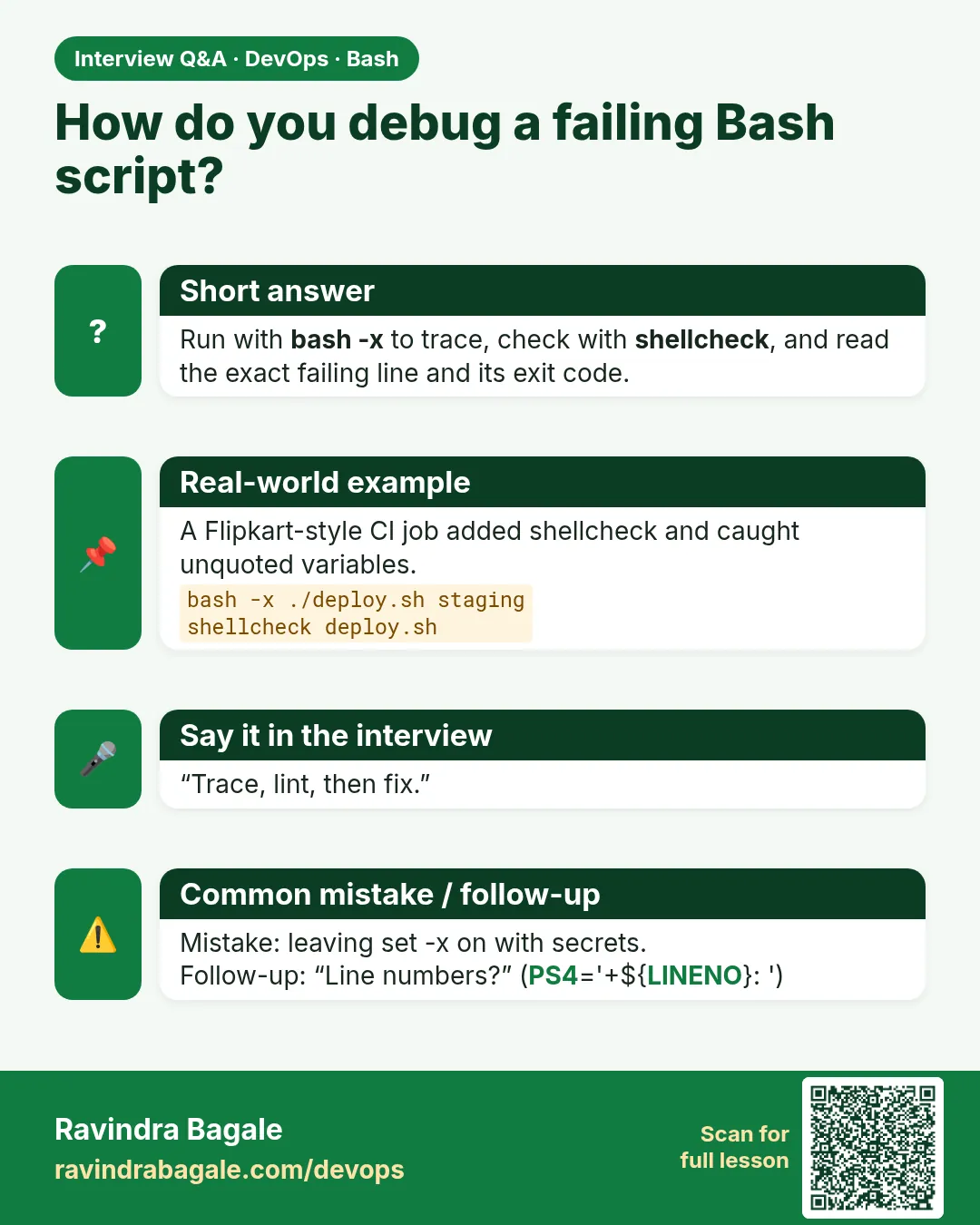 Interview card