1.9 Common misconceptions
Why: the problem
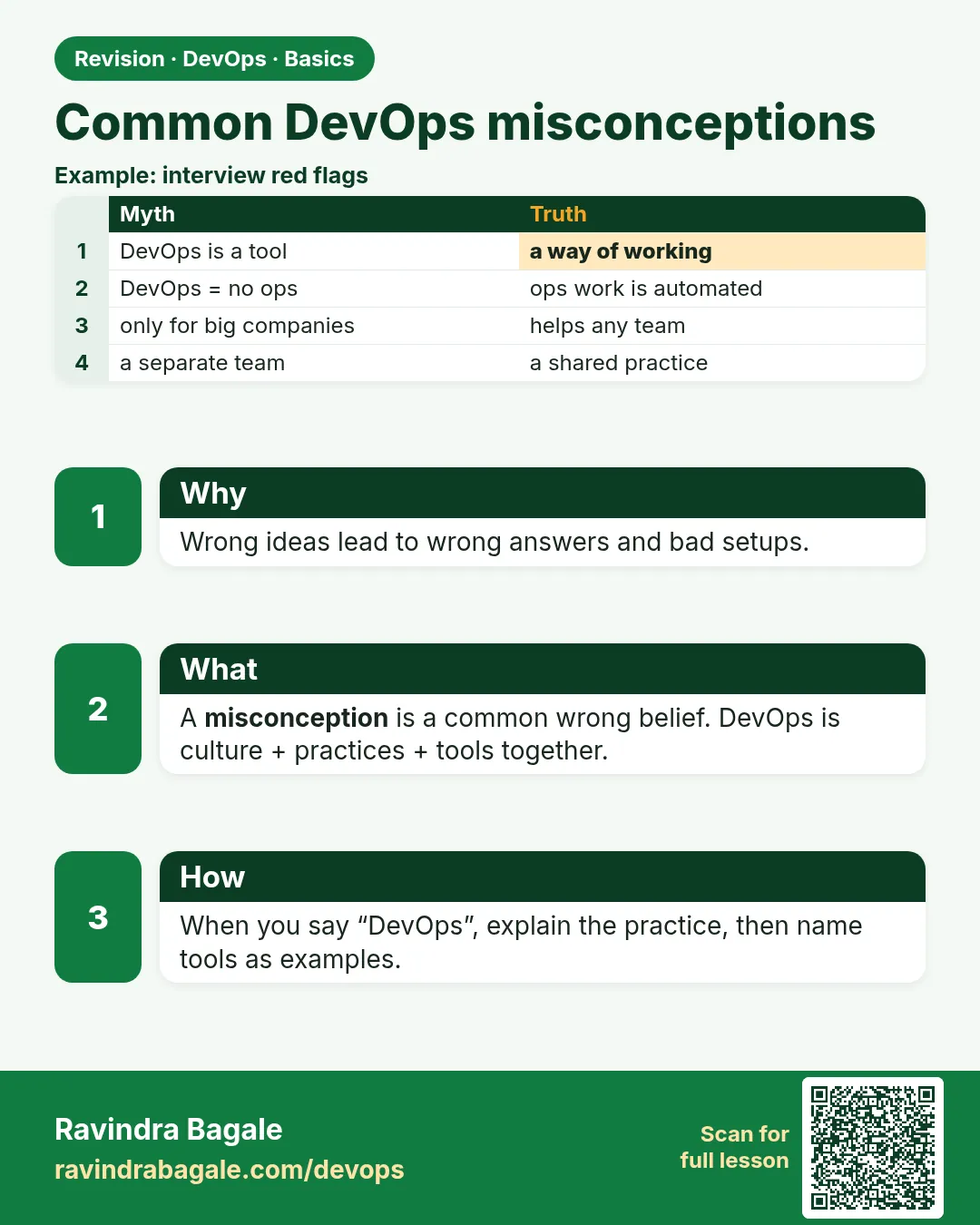
Many people start DevOps with wrong ideas. "DevOps means Docker." "DevOps means no more ops people." "Automation is only for big companies." "DevOps means deploy fast and break things." "If we buy Jenkins, we are doing DevOps." Each myth causes real damage. A company that buys tools but keeps the wall between teams still has slow, broken releases. A team that deploys fast with no tests breaks production for users, like a payment app failing on salary day. In this lesson you will bust five myths with hands-on proof on hello-shop. You will see that a pipeline without tests ships bugs, that speed with checks is safer than slowness, that small teams gain the most from automation, and that Docker alone does not fix a missing setting. Each myth gets a tiny experiment, so you can argue from evidence in interviews and at work.
What we will build
You will run four small experiments: ship a bug with a no-test pipeline and then catch it with tests, compare big monthly releases with small daily ones, show that Docker still fails when config is wrong, and time a one-person team before and after a Makefile. Each result goes into MYTHS.md with your own numbers.
What: every term in plain English
- Myth — A belief many people have that is not true.
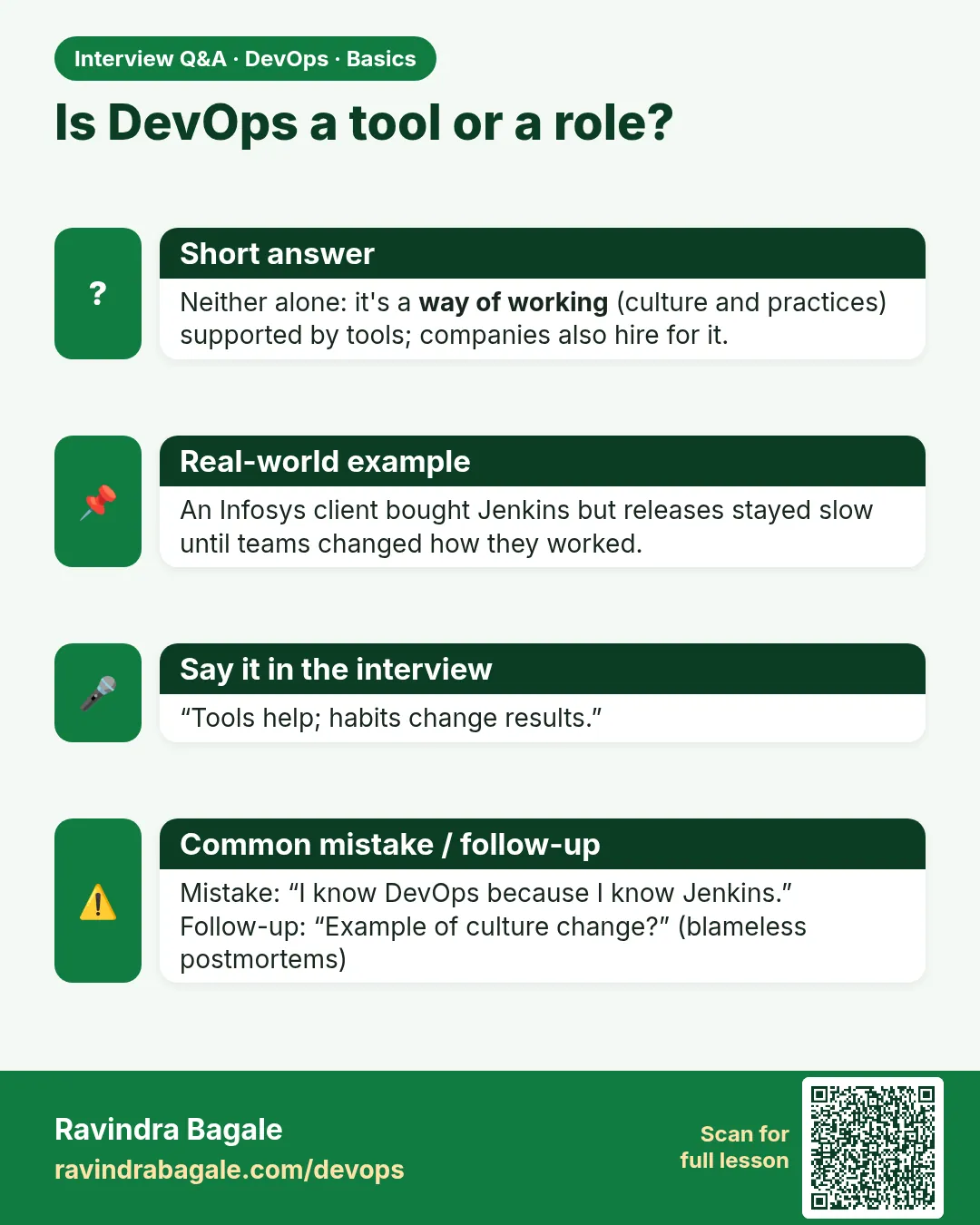
- Tool-first thinking — Buying tools and expecting culture to change by itself.
- Move fast and break things — An old slogan. Modern teams move fast with safety nets instead.
- Safety net — Tests, health checks, rollback and monitoring that catch problems early.
- Batch size — How much change goes out in one release.
- Blast radius — How many users are hurt when something breaks.
- NoOps — The idea that ops work disappears. In reality it moves into platforms and code.
- Evidence — Numbers and outputs you produced yourself.
How: step by step
-
Go to the repo
cd ~/devops-lab/hello-shopWhat it does: Reuse the app.
Output
(no output) -
Myth 1 experiment
./myth1.shWhat it does: Example 1: pipeline with and without tests.
Output
no-test pipeline: DEPLOYED broken page with tests: BLOCKED -
Myth 2 experiment
./myth2.shWhat it does: Example 2: big vs small releases.
Output
big batch: 14 changes, 1 bad, search 14 small: search 1 -
Myth 3 experiment
./myth3.shWhat it does: Example 3: Docker with wrong config.
Output
container exited: KeyError BADGE_TEXT -
Myth 4: time a solo dev
time make deployWhat it does: One person, one command.
Output
real 0m6.2s -
Write the results
nano MYTHS.mdWhat it does: Your numbers, not the book.
Output
(file saved) -
Commit
git add -A && git commit -m "myth experiments"What it does: Share it with the team.
Output
[main 0b77e10] myth experiments
Example 1: Myth: "A CI/CD tool means we do DevOps
Stack. Docker, Bash
Goal. Myth: "A CI/CD tool means we do DevOps." Ship a bug with no tests.
myth1.sh
#!/usr/bin/env bash
cp app.py app.py.bak
sed -i 's/cart is fast/cart is brokn/' app.py          # a silly bug
echo -n "no-test pipeline: "
docker build -q -t hello-shop:bug . > /dev/null
docker rm -f shop > /dev/null 2>&1
docker run -d --name shop -p 8000:8000 hello-shop:bug > /dev/null; sleep 2
echo "DEPLOYED $(curl -s localhost:8000)"
echo -n "with tests: "
grep -q "cart is fast" app.py && echo PASS || echo "BLOCKED (page text wrong)"
mv app.py.bak app.py
What each line does
sed -i ... brokn— Adds a typo bug, like real life.docker build ... docker run— A pipeline with packaging and deploy but no tests.DEPLOYED ...— The bug reaches users.grep -q "cart is fast"— The smallest possible test. It catches the bug.mv app.py.bak app.py— Puts the good code back.
Green output
no-test pipeline: DEPLOYED hello-shop v1: cart is brokn
with tests: BLOCKED (page text wrong)
Expected result. Tools without tests just ship bugs faster. DevOps is the safety net plus the habit, not the tool.
Example 2: Myth: "Releasing slowly is safer
Stack. Git, bc
Goal. Myth: "Releasing slowly is safer." Compare big and small batches.
myth2.sh
#!/usr/bin/env bash
git checkout -q -b batch-demo
for i in $(seq 1 14); do echo "change $i" >> changes.txt; git commit -qam "change $i" 2>/dev/null || { git add changes.txt; git commit -qm "change $i"; }; done
bad=$(git log --format=%h -n 1 --skip=6)
echo "big batch: 14 changes in one release, 1 bad, you search all 14 commits"
echo "small batches: each release has 1 change, the bad one is the release that failed"
git bisect start -q HEAD HEAD~14 > /dev/null
echo "even with git bisect on a big batch you need about $(echo 'l(14)/l(2)' | bc -l | cut -c1-3) steps"
git bisect reset -q; git checkout -q main; git branch -qD batch-demo
What each line does
for i in $(seq 1 14)— Makes 14 small commits, like a month of work.git log --skip=6— Pretend one commit in the middle is bad.git bisect— A Git tool that finds a bad commit by halving. Chapter 3 shows it fully.bc -l 'l(14)/l(2)'— log2 of 14, the number of bisect steps.git branch -qD batch-demo— Cleans up the demo branch.
Green output
big batch: 14 changes in one release, 1 bad, you search all 14 commits
small batches: each release has 1 change, the bad one is the release that failed
even with git bisect on a big batch you need about 3.8 steps
Expected result. Small, frequent releases make problems smaller and faster to find. Slow and big is riskier, not safer. The DORA research of Google shows the same.
Example 3: Myth: "Docker fixes everything
Stack. Docker
Goal. Myth: "Docker fixes everything." It does not fix wrong config.
myth3.sh
#!/usr/bin/env bash
printf 'import os\nprint("badge", os.environ["BADGE_TEXT"])\n' > /tmp/needs-env.py
echo "--- without config"
docker run --rm -v /tmp/needs-env.py:/a.py:ro python:3.12-slim python /a.py 2>&1 | tail -1
echo "--- with config"
docker run --rm -e BADGE_TEXT=new -v /tmp/needs-env.py:/a.py:ro python:3.12-slim python /a.py
What each line does
printf ... > /tmp/needs-env.py— A tiny program that needs a setting.docker run --rm ... python /a.py— Same image, same code, no setting.tail -1— Shows only the error line.-e BADGE_TEXT=new— With the setting it works.
Green output
--- without config
KeyError: 'BADGE_TEXT'
--- with config
badge new
Expected result. Docker makes the package the same, but config and secrets still need care. That is why chapters on env files, Compose, Ansible and Kubernetes ConfigMaps exist.
Verify: did it work?
-
Read your results
cat MYTHS.mdWhat it does: Your evidence in one file.
Output
# Myths I tested 1. Tools = DevOps: FALSE, no-test pipeline shipped a bug ... -
Check app is back to good code
grep -c "cart is fast" app.pyWhat it does: 1 means the bug was reverted.
Output
1
When it is red 1
fatal: A branch named 'batch-demo' already exists.
Cause. An earlier run stopped halfway.
Fix, step by step
- git checkout main
- git branch -D batch-demo
- Run again.
When it is red 2
bc: command not found
Cause. bc is not installed.
Fix, step by step
- sudo apt install -y bc
When it is red 3
You are in the middle of a bisect
Cause. git bisect was not reset.
Fix, step by step
- git bisect reset
- git checkout main
Cleanup
-
Remove the bug image
docker rm -f shop; docker image rm hello-shop:bugWhat it does: Cleans the broken image.
Output
shop Untagged: hello-shop:bug -
Remove temp file
rm -f /tmp/needs-env.py changes.txtWhat it does: Tidy up.
Output
(no output)
Ravindra Bagale's Tip
When you hear a myth, try it yourself. When you show your own output in an interview, your answer becomes strong.
Myth ऐकला की लगेच प्रयोग करा. स्वतःचे output दाखवला की interview मध्ये तुमचा answer मजबूत वाटतो.
Myth सुना तो तुरंत खुद आज़माओ. Interview में अपना output दिखाया तो जवाब मज़बूत लगता है.
Practice tasks
Easy Run myth1.sh
Why: See tools without tests fail.
What to do: Run it and read both lines.
- Explain to a friend.
Check: You can show DEPLOYED bug vs BLOCKED.
Medium Write MYTHS.md
Why: Evidence wins arguments.
What to do: Write each myth, TRUE or FALSE, and your output.
- Use your real numbers.
Check: Five entries with outputs.
Hard Add a myth of your own
Why: You will hear new myths at work.
What to do: Pick "DevOps is only for startups" and design a test.
- Time a deploy for a 1-person team.
Check: An experiment with a number.
Easy Say DevOps myths in two lines
Why: If you can say it simply, you understand it. Interviewers want the short version first.
What to do: Write two short lines about DevOps myths for a fresher who knows only basic Linux.
- Write the problem it solves.
- Write one real command or file that shows it.
- Read it aloud to a friend.
Check: A fresher understands it without asking a question.
Easy Make a safe lab folder
Why: Practice needs a place you can throw away. Then mistakes cost nothing.
What to do: Create a lab folder for this chapter and work only inside it.
- mkdir -p ~/devops-lab && cd ~/devops-lab
- Run every command of this lesson from here.
- Check with pwd before you delete anything.
Check: All lab files live in ~/devops-lab.
Medium Repeat it in a container
Why: Your laptop is not the server. A clean Ubuntu container shows what a fresh server needs.
What to do: Run the main steps of this lesson again inside an Ubuntu container.
- docker run --rm -it -v "$PWD":/lab -w /lab ubuntu:24.04 bash
- apt update and install what is missing.
- Note every missing tool.
Check: Same result inside the container, or a list of what you had to install.
Medium Break it on purpose
Why: You must know the red message by face. In an outage there is no time to read slowly.
What to do: Cause one error from the "When it is red" part of this lesson and fix it.
- Follow the error section.
- Copy the exact message into your notes.
- Write the fix in one line.
Check: You fixed it using only the steps, without searching the web.
Medium Write a one-page runbook
Why: At 2 a.m. nobody remembers the right command. A short page saves the on-call person.
What to do: Write a runbook page for this lesson.
- Title, when to use, exact command, how to check, how to undo.
Check: A teammate can follow it alone.
Hard Explain it like an interview
Why: Interviewers want real stories, not definitions.
What to do: Record a 60 second answer about this lesson.
- Say the problem, the command or file you used, and one error you hit.
Check: Your answer has a real command and a real error message.
Hard Draw the flow top to bottom
Why: A drawing shows who does what and in which order.
What to do: Draw this lesson as boxes from top to bottom.
- Start at the developer laptop, end at the user on the website.
Check: Each box matches a real thing you ran.
Homework: try at home
Try at home
At home, ask two friends what they think DevOps is. Write their answers. Mark each as true or myth using what you tested today, and explain one experiment to them.
Recap
- DevOps is not a tool, a title or Docker alone.
- Speed with safety nets beats slow big releases.
- Containers do not fix wrong config.
- Ops work moves into code; it does not vanish.
- Argue with evidence from small experiments.
FAQ
Is "DevOps Engineer" a fake title?
No, but it means different things in different companies. Read the work.
Is NoOps real?
Serverless and platforms reduce server work, but someone still owns reliability.
Should small startups do DevOps?
Yes. A tiny team gains the most from a one-command deploy.
Can DevOps work in banks?
Yes, with approval gates and audit logs, like continuous delivery.
Is speed the main goal?
Speed and stability together. DORA research shows top teams have both.
Interview questions
-
What are common DevOps misconceptions?
That it is just tools, just Docker, a separate team, or speed without safety.
-
How would you convince a manager that small releases are safer?
Show smaller blast radius, faster root cause, and DORA data linking frequent deploys to lower failure rates.
-
Can you do DevOps without the cloud?
Yes. Git, CI, containers and automation work on-premise too.
-
Is a separate "DevOps team" a good idea?
Often it becomes a new wall. A platform team that enables product teams works better.
-
What is the real goal of DevOps?
Delivering value to users quickly and reliably.
Quick quiz
Q1. Does buying Jenkins mean a team does DevOps?
No. Without tests and shared ownership it just ships bugs faster.
Q2. Are small releases riskier?
No. They are safer and easier to debug.
Q3. Does Docker fix missing config?
No. The container still needs the right settings.
Q4. Does DevOps remove ops work?
No. It moves ops work into code and platforms.
Q5. What is blast radius?
How many users are hurt when something breaks.
Did you understand? Let us try it once more.
 Revision card
 Interview card