1.1 Why do we need DevOps?
Why: the problem
Think of Swiggy on a Friday night. A developer fixes a bug in the cart page at 6 p.m. On her laptop it works. But users will not see the fix tonight. Why? Because in many old companies the code goes into a zip file. The zip is emailed to another team called operations. They copy it to the server next week, by hand, at midnight. If it breaks, each team blames the other. The developer says: it works on my machine. The operations person says: your code broke my server. Users wait. Money is lost. DevOps exists to remove this wall. It is a way of working where the same team builds, ships and watches the software, with automation doing the boring steps. In this lesson you will feel the problem with your own hands. You will ship a tiny app the old manual way, count the steps and the mistakes, and then ship it again with one script. That difference is the reason DevOps exists.
What we will build
You will make a tiny Python web app called hello-shop. First you will deploy it by hand, the old way, writing down every step and how long it takes. Then you will put the same steps in one script and deploy again. Finally you will run it inside a clean container to see the "works on my machine" problem and how a fixed recipe solves it.
What: every term in plain English
- Developer — The person who writes the code of an app, like the Swiggy cart page.
- Operations (ops) — The people who run the servers where the app lives and keep it up.
- Deploy — Copy a new version of the app to the server and start it.
- Manual deploy — A person types every step by hand. Slow and easy to get wrong.
- Automation — A script or tool does the steps the same way every time.
- Works on my machine — The app runs on the laptop but fails on the server because the two are different.
- Lead time — Time from writing a change to users seeing it.
- DevOps — A way of working where dev and ops share the work, and automation plus feedback make shipping fast and safe.
How: step by step
-
Make a lab folder
mkdir -p ~/devops-lab/hello-shop && cd ~/devops-lab/hello-shop && pwdWhat it does: Everything for this chapter stays here.
Output
/home/ravi/devops-lab/hello-shop -
Check Python is installed
python3 --versionWhat it does: The app needs Python 3. Ubuntu 22.04 and 24.04 have it.
Output
Python 3.12.3 -
Write the app
nano app.pyWhat it does: Paste app.py from Example 1. Save with Ctrl+O, Enter, Ctrl+X.
Output
(file saved) -
Run it by hand
python3 app.py &What it does: Starts the app in the background on port 8000.
Output
[1] 4120 hello-shop v1 listening on :8000 -
Test it
curl -s localhost:8000What it does: The app answers.
Output
hello-shop v1: cart is working -
Time the manual deploy
date +%TWhat it does: Write down the start and end time of each manual step.
Output
18:02:11 -
Stop it
kill %1What it does: Stops the background app.
Output
[1]+ Terminated python3 app.py
Example 1: Build the tiny app that we will ship the whole chapter
Stack. Python 3.12, Ubuntu 24.04
Goal. Build the tiny app that we will ship the whole chapter.
app.py
from http.server import BaseHTTPRequestHandler, HTTPServer
import os

VERSION = os.environ.get("APP_VERSION", "v1")

class Handler(BaseHTTPRequestHandler):
    def do_GET(self):
        if self.path == "/health":
            body = "ok"
        else:
            body = f"hello-shop {VERSION}: cart is working"
        self.send_response(200)
        self.send_header("Content-Type", "text/plain")
        self.end_headers()
        self.wfile.write(body.encode())

if __name__ == "__main__":
    port = int(os.environ.get("PORT", "8000"))
    print(f"hello-shop {VERSION} listening on :{port}", flush=True)
    HTTPServer(("0.0.0.0", port), Handler).serve_forever()
What each line does
from http.server import ...— Uses the web server built into Python. No pip install needed.VERSION = os.environ.get(...)— Reads the version from an environment variable. Default is v1.if self.path == "/health"— A health URL. Tools call it to ask: are you alive?self.send_response(200)— HTTP 200 means OK.port = int(os.environ.get("PORT", "8000"))— The port can be changed without editing code.HTTPServer(("0.0.0.0", port), Handler)— Listen on all network cards so other machines can reach it.
Green output
$ python3 app.py &
hello-shop v1 listening on :8000
$ curl -s localhost:8000
hello-shop v1: cart is working
$ curl -s localhost:8000/health
ok
Expected result. You have a real web app with a health URL. Every lesson in this chapter ships this same app.
Example 2: Do the old manual deploy and write down every step
Stack. Bash
Goal. Do the old manual deploy and write down every step.
manual-deploy-notes.txt
Manual deploy of hello-shop to the "server" folder (old way)
18:02  mkdir -p ~/server/hello-shop
18:03  cp app.py ~/server/hello-shop/          (forgot this once, had to redo)
18:04  ps aux | grep app.py                    (find the old process)
18:05  kill 4120                               (typed the wrong PID first)
18:06  cd ~/server/hello-shop && APP_VERSION=v2 nohup python3 app.py > app.log 2>&1 &
18:07  curl -s localhost:8000                  (still showed v1, old one was alive)
18:09  kill again, start again
18:10  curl -s localhost:8000                  -> v2
Total: 8 minutes, 2 mistakes, 1 person needed at the keyboard
What each line does
mkdir -p ~/server/hello-shop— A folder that acts like our server for now.cp app.py ...— Copy the new code. Easy to forget or copy the wrong file.ps aux | grep app.py— Find the running process ID by eye.kill 4120— Stop the old version. Wrong PID means wrong process stopped.nohup ... &— Start in the background so it keeps running after you log out.curl -s localhost:8000— Check which version answers.
Green output
18:10 curl -s localhost:8000
hello-shop v2: cart is working
Expected result. It worked, but it took 8 minutes and two mistakes. Imagine 20 servers and 10 deploys a day. This is the pain DevOps removes.
Example 3: Put the same steps in one script and deploy in seconds
Stack. Bash, curl
Goal. Put the same steps in one script and deploy in seconds.
deploy.sh
#!/usr/bin/env bash
set -euo pipefail
VERSION="${1:?usage: ./deploy.sh v2}"
DEST="$HOME/server/hello-shop"

mkdir -p "$DEST"
cp app.py "$DEST/"
pkill -f "python3 app.py" || true
sleep 1
cd "$DEST"
APP_VERSION="$VERSION" nohup python3 app.py > app.log 2>&1 &
sleep 1
if curl -fsS localhost:8000/health > /dev/null; then
  echo "DEPLOY OK: $(curl -s localhost:8000)"
else
  echo "DEPLOY FAILED, see $DEST/app.log"; exit 1
fi
What each line does
set -euo pipefail— Stop the script on the first error. Safe default.VERSION="${1:?usage...}"— The first argument is the version. If missing, print usage and stop.pkill -f "python3 app.py" || true— Stop the old app by name, not by a hand-typed PID. If none runs, carry on.nohup ... &— Start the new version in the background.curl -fsS localhost:8000/health— Check health. -f makes curl fail on errors.exit 1— Tell the caller the deploy failed.
Green output
$ chmod +x deploy.sh
$ time ./deploy.sh v2
DEPLOY OK: hello-shop v2: cart is working

real    0m2.104s
Expected result. 8 minutes and 2 mistakes became 2 seconds and 0 mistakes. Same steps, but a script does them. This is the first idea of DevOps: automate the boring path.
Verify: did it work?
-
Check the version that runs
curl -s localhost:8000What it does: Shows which version answers now.
Output
hello-shop v2: cart is working -
Check health and exit code
curl -fsS localhost:8000/health; echo " exit=$?"What it does: 0 means healthy.
Output
ok exit=0 -
Check the log
tail -3 ~/server/hello-shop/app.logWhat it does: The start message is in the log.
Output
hello-shop v2 listening on :8000
When it is red 1
OSError: [Errno 98] Address already in use
Cause. The old app still holds port 8000.
Fix, step by step
- Run: ss -ltnp | grep 8000
- Stop it: pkill -f "python3 app.py"
- Deploy again.
When it is red 2
python3: command not found
Cause. Python is not installed on this machine or container.
Fix, step by step
- On Ubuntu: sudo apt update && sudo apt install -y python3
- Check: python3 --version
When it is red 3
curl: (7) Failed to connect to localhost port 8000
Cause. The app did not start or crashed.
Fix, step by step
- Read the log: cat ~/server/hello-shop/app.log
- Fix the error shown there.
- Deploy again.
Cleanup
-
Stop the app
pkill -f "python3 app.py"; echo stoppedWhat it does: Frees port 8000.
Output
stopped -
Remove the fake server folder
rm -rf ~/server/hello-shop && ls ~/serverWhat it does: Keep app.py and deploy.sh for the next lessons.
Output
(empty)
Ravindra Bagale's Tip
First do the work by hand, then write a script. When you feel the difference yourself, you never forget why DevOps exists.
आधी हाताने करून बघा, मग script लिहा. फरक स्वतः अनुभवला की DevOps का लागतो ते कायमचे लक्षात राहते.
पहले हाथ से करके देखो, फिर script लिखो. फर्क खुद महसूस किया तो DevOps क्यों चाहिए यह हमेशा याद रहेगा.
Practice tasks
Easy Time your manual deploy
Why: You cannot improve what you do not measure.
What to do: Deploy hello-shop by hand and write the time for each step.
- Use date +%T before each step.
Check: A written list with times and mistakes.
Medium Write deploy.sh
Why: A script is the first step of automation.
What to do: Turn your manual list into deploy.sh.
- Add set -euo pipefail.
- Add a health check at the end.
Check: ./deploy.sh v2 prints DEPLOY OK.
Hard Make deploy fail safely
Why: A good script tells you when it fails.
What to do: Add a syntax error to app.py and deploy.
- Read the DEPLOY FAILED message.
- Open app.log.
Check: The script stops with exit code 1 and points to the log.
Easy Say why DevOps exists in two lines
Why: If you can say it simply, you understand it. Interviewers want the short version first.
What to do: Write two short lines about why DevOps exists for a fresher who knows only basic Linux.
- Write the problem it solves.
- Write one real command or file that shows it.
- Read it aloud to a friend.
Check: A fresher understands it without asking a question.
Easy Make a safe lab folder
Why: Practice needs a place you can throw away. Then mistakes cost nothing.
What to do: Create a lab folder for this chapter and work only inside it.
- mkdir -p ~/devops-lab && cd ~/devops-lab
- Run every command of this lesson from here.
- Check with pwd before you delete anything.
Check: All lab files live in ~/devops-lab.
Medium Repeat it in a container
Why: Your laptop is not the server. A clean Ubuntu container shows what a fresh server needs.
What to do: Run the main steps of this lesson again inside an Ubuntu container.
- docker run --rm -it -v "$PWD":/lab -w /lab ubuntu:24.04 bash
- apt update and install what is missing.
- Note every missing tool.
Check: Same result inside the container, or a list of what you had to install.
Medium Break it on purpose
Why: You must know the red message by face. In an outage there is no time to read slowly.
What to do: Cause one error from the "When it is red" part of this lesson and fix it.
- Follow the error section.
- Copy the exact message into your notes.
- Write the fix in one line.
Check: You fixed it using only the steps, without searching the web.
Medium Write a one-page runbook
Why: At 2 a.m. nobody remembers the right command. A short page saves the on-call person.
What to do: Write a runbook page for this lesson.
- Title, when to use, exact command, how to check, how to undo.
Check: A teammate can follow it alone.
Hard Explain it like an interview
Why: Interviewers want real stories, not definitions.
What to do: Record a 60 second answer about this lesson.
- Say the problem, the command or file you used, and one error you hit.
Check: Your answer has a real command and a real error message.
Hard Draw the flow top to bottom
Why: A drawing shows who does what and in which order.
What to do: Draw this lesson as boxes from top to bottom.
- Start at the developer laptop, end at the user on the website.
Check: Each box matches a real thing you ran.
Homework: try at home
Try at home
At home, think of one thing you do by hand every week on a computer, like copying photos or backing up a folder. Write the steps down with the time each one takes. Then write a small script that does it and compare the time.
Recap
- DevOps started because dev and ops were split by a wall.
- Manual deploys are slow and full of small mistakes.
- A script does the same steps in seconds, the same way every time.
- A health URL lets scripts and tools check the app.
- Measure: steps, minutes, mistakes. Then automate.
FAQ
Is DevOps a tool?
No. It is a way of working. Tools like Git, Docker and Jenkins help.
Is DevOps a job title?
Many companies use it as a title, but the idea is shared work between dev and ops.
Do I need to code to learn DevOps?
You need basic scripting. You will learn Bash and YAML in this course.
Why Python for the sample app?
It is short and installed on most Linux servers. The ideas work for any language.
Will I use nohup in real jobs?
Rarely. Real teams use systemd, Docker or Kubernetes. nohup shows the idea simply.
Interview questions
-
What is DevOps in one line?
A way of working where teams build, ship and run software together, using automation and feedback to release safely and often.
-
Why did DevOps start?
Because the handoff between development and operations caused slow releases, failures and blame.
-
Give an example of something you automated.
I turned an 8-step manual deploy into one script with a health check. It went from 8 minutes to 2 seconds with no mistakes.
-
What is the risk of manual deploys?
Human errors, different steps each time, slow recovery and no record of what was done.
-
What is a health check?
A small URL or command that tells you if the app is alive, used by scripts, load balancers and Kubernetes.
Quick quiz
Q1. What is the main problem DevOps solves?
The slow, error-prone handoff between people who write code and people who run it.
Q2. What does "works on my machine" mean?
The app works on the laptop but fails on the server because they are set up differently.
Q3. Why is pkill -f safer than kill PID typed by hand?
It finds the process by name, so you do not type a wrong number.
Q4. What does set -euo pipefail do?
Stops the script on errors, unset variables and failed pipes.
Q5. What is lead time?
Time from writing a change to users having it.
Did you understand? Let us try it once more.
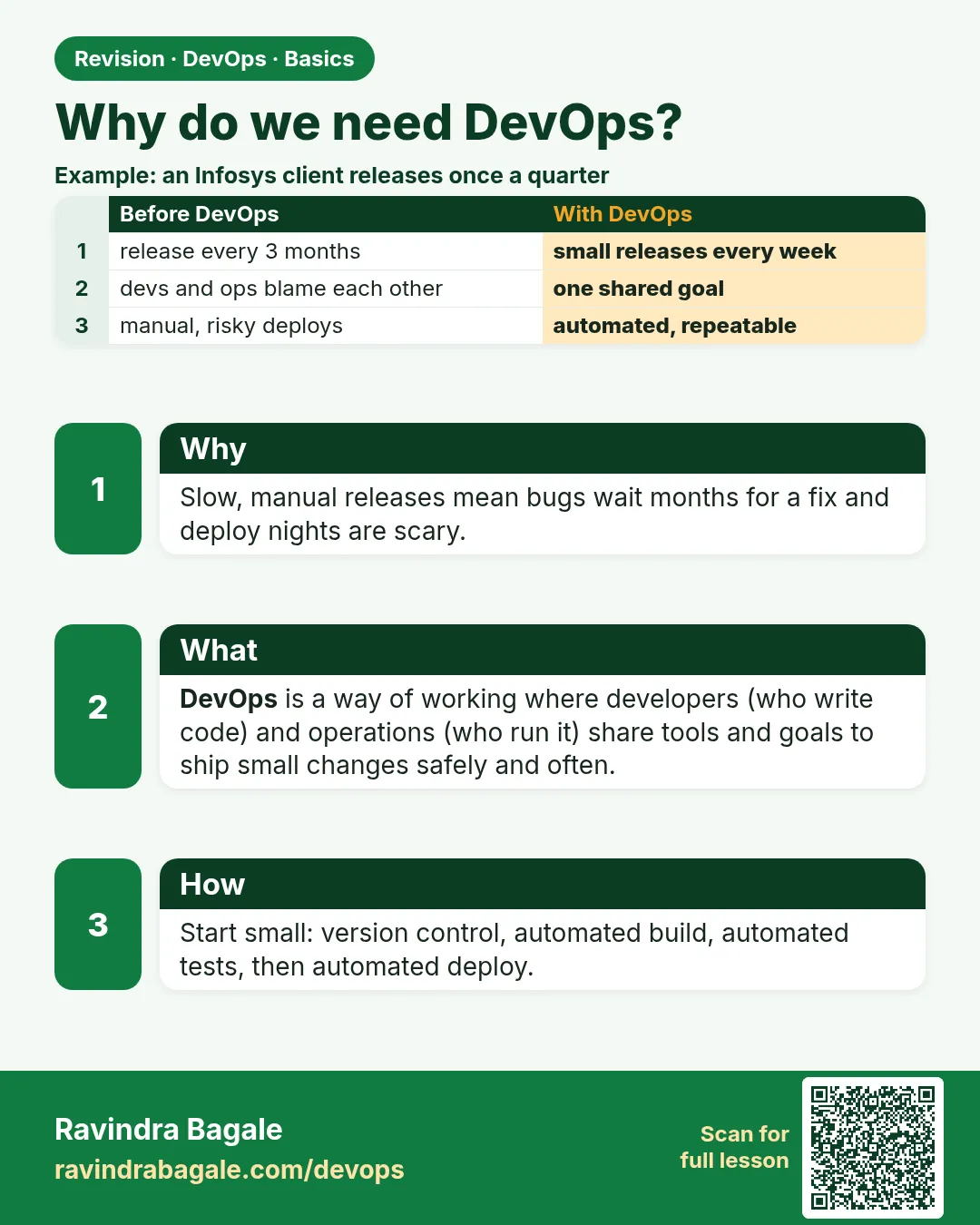 Revision card
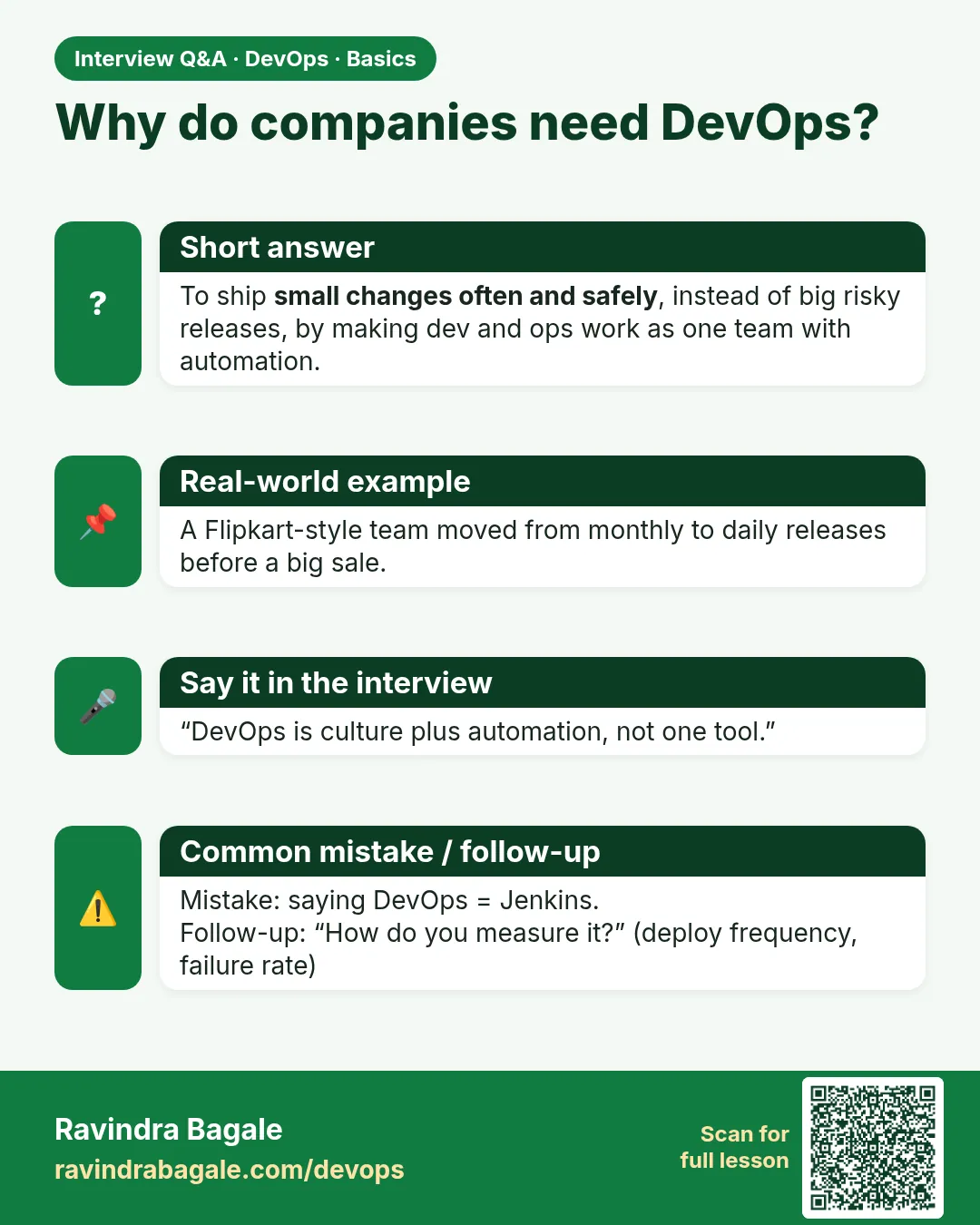 Interview card