1.4 How DevOps answers that same fight
Why: the problem
So how does DevOps answer the fight from lesson 1.3? Not with one tool, but with a loop. Plan a small change. Code it. Let a machine test it every time (CI). Package it the same way every time. Deploy it with a script, not by hand. Operate it, watch it, and feed what you learn back into the next plan. At Flipkart before Big Billion Days, this loop runs hundreds of times a day across teams. Each change is small, so if something breaks, it is easy to find and undo. In this lesson you will build a tiny version of the whole loop on your laptop with only Git, Bash and Docker: a commit triggers a test, the test gates a package, the package is deployed, a health check confirms it, and a failure rolls back. Later chapters replace each piece with real tools like GitHub Actions, Jenkins and Kubernetes, but the shape stays the same.
What we will build
You will create a Git repo for hello-shop, a test script, a package step that builds a Docker image tagged with the commit, and a deploy step with health check and automatic rollback. A Git hook will run the loop on every commit, so you see plan, code, CI, package, deploy and feedback happen in seconds.
What: every term in plain English
- DevOps loop — Plan, code, build, test, release, deploy, operate, monitor, then back to plan.
- CI (continuous integration) — Every change is merged often and checked by automatic tests.
- Package — Turn code into one thing you can ship, like a Docker image.
- Image tag — A label on a Docker image, here the Git commit ID.
- Pipeline — The ordered steps a change goes through: test, package, deploy.
- Gate — A step that must pass before the next step can run.
- Git hook — A script Git runs by itself at a moment, like after each commit.
- Feedback — Information from tests and monitoring that tells you what to fix next.
How: step by step
-
Start a Git repo
cd ~/devops-lab/hello-shop && git init -b main && git add app.py && git commit -m "hello-shop v1"What it does: Plan and code: the change is now recorded.
Output
[main (root-commit) 3f9c2ab] hello-shop v1 1 file changed, 22 insertions(+) -
Add a test
nano test.shWhat it does: Example 1. The test is the CI gate.
Output
(file saved) -
Add a Dockerfile
nano DockerfileWhat it does: Example 2. Packaging the same way every time.
Output
(file saved) -
Add the pipeline script
nano pipeline.shWhat it does: Example 3. Test, package, deploy, check, roll back.
Output
(file saved) -
Run the pipeline by hand once
chmod +x test.sh pipeline.sh && ./pipeline.shWhat it does: See all stages.
Output
[test] PASS [package] hello-shop:3f9c2ab [deploy] OK -
Run it on every commit
printf "#!/bin/sh\n./pipeline.sh\n" > .git/hooks/post-commit && chmod +x .git/hooks/post-commitWhat it does: Now each commit starts the loop.
Output
(no output) -
Make a change and commit
sed -i "s/cart is working/cart is fast/" app.py && git commit -am "faster cart"What it does: The loop runs by itself.
Output
[test] PASS
[deploy] OK hello-shop:7b21e04
Example 1: Write the CI gate: a test that must pass
Stack. Bash, curl, Python
Goal. Write the CI gate: a test that must pass.
test.sh
#!/usr/bin/env bash
set -euo pipefail
python3 -m py_compile app.py
PORT=8099 python3 app.py > /tmp/test-app.log 2>&1 &
pid=$!
trap 'kill $pid 2>/dev/null' EXIT
sleep 1
body=$(curl -fsS localhost:8099/)
health=$(curl -fsS localhost:8099/health)
[[ "$body" == hello-shop* ]] || { echo "[test] FAIL: bad body: $body"; exit 1; }
[[ "$health" == ok ]]       || { echo "[test] FAIL: health"; exit 1; }
echo "[test] PASS"
What each line does
python3 -m py_compile app.py— Catches syntax errors before anything runs.PORT=8099 python3 app.py ... &— Starts a test copy on a spare port.trap 'kill $pid' EXIT— Always stops the test copy, even if the test fails.[[ "$body" == hello-shop* ]]— The page must start with hello-shop.exit 1— A failing test stops the whole pipeline.
Green output
$ ./test.sh
[test] PASS
Expected result. You have a real automatic check. Every change must pass it. This is the core of CI.
Example 2: Package the app the same way every time
Stack. Docker 27
Goal. Package the app the same way every time.
Dockerfile
FROM python:3.12-slim
WORKDIR /app
COPY app.py .
ENV PORT=8000
EXPOSE 8000
USER 1000
CMD ["python", "app.py"]
What each line does
FROM python:3.12-slim— Start from a small, official Python image.WORKDIR /app— Work inside /app in the image.COPY app.py .— Put our code in the image.EXPOSE 8000— Documents the port the app uses.USER 1000— Run as a normal user, not root.CMD [...]— The command that starts the app.
Green output
$ docker build -t hello-shop:3f9c2ab .
 => [1/3] FROM docker.io/library/python:3.12-slim
 => [2/3] WORKDIR /app
 => [3/3] COPY app.py .
 => naming to docker.io/library/hello-shop:3f9c2ab
$ docker images hello-shop
REPOSITORY   TAG       IMAGE ID       CREATED         SIZE
hello-shop   3f9c2ab   8d1e3c0f9a21   5 seconds ago   125MB
Expected result. The same image runs on any machine with Docker. No more hidden differences.
Example 3: Build the full loop: test, package, deploy, check, roll back
Stack. Git, Bash, Docker
Goal. Build the full loop: test, package, deploy, check, roll back.
pipeline.sh
#!/usr/bin/env bash
set -euo pipefail
TAG=$(git rev-parse --short HEAD)
./test.sh || { echo "[pipeline] stopped at test"; exit 1; }

docker build -q -t hello-shop:$TAG . > /dev/null
echo "[package] hello-shop:$TAG"

OLD=$(docker inspect -f '{{.Config.Image}}' shop 2>/dev/null || echo none)
docker rm -f shop > /dev/null 2>&1 || true
docker run -d --name shop -p 8000:8000 hello-shop:$TAG > /dev/null
sleep 2
if curl -fsS localhost:8000/health > /dev/null; then
  echo "[deploy] OK hello-shop:$TAG -> $(curl -s localhost:8000)"
else
  echo "[deploy] FAILED, rolling back to $OLD"
  docker rm -f shop > /dev/null
  [ "$OLD" != none ] && docker run -d --name shop -p 8000:8000 "$OLD" > /dev/null
  exit 1
fi
What each line does
TAG=$(git rev-parse --short HEAD)— The image tag is the commit ID, so you always know what runs../test.sh || { ...; exit 1; }— The gate: no package if tests fail.docker build -q -t hello-shop:$TAG .— Package step.OLD=$(docker inspect -f '{{.Config.Image}}' shop ...)— Remember the version running now, for rollback.curl -fsS localhost:8000/health— Feedback: is the new version healthy?docker run ... "$OLD"— Rollback: start the old image again.
Green output
$ git commit -am "faster cart"
[main 7b21e04] faster cart
 1 file changed, 1 insertion(+), 1 deletion(-)
[test] PASS
[package] hello-shop:7b21e04
[deploy] OK hello-shop:7b21e04 -> hello-shop v1: cart is fast
Expected result. One commit ran the whole DevOps loop in about 10 seconds. GitHub Actions or Jenkins will do the same steps on a server in later chapters.
Verify: did it work?
-
See which commit runs
docker inspect -f "{{.Config.Image}}" shopWhat it does: The tag matches git log.
Output
hello-shop:7b21e04 -
Compare with Git
git log --oneline -2What it does: The top commit is the one running.
Output
7b21e04 faster cart 3f9c2ab hello-shop v1 -
List packaged versions
docker images hello-shop --format "{{.Tag}}"What it does: Each commit made one image.
Output
7b21e04
3f9c2ab
When it is red 1
[test] FAIL: bad body
Cause. The change broke the page text, so the gate stopped it.
Fix, step by step
- Read the message.
- Fix app.py.
- Commit again; the loop reruns.
When it is red 2
fatal: not a git repository (or any of the parent directories): .git
Cause. pipeline.sh was run outside the repo folder.
Fix, step by step
- cd ~/devops-lab/hello-shop
- Run ./pipeline.sh again.
When it is red 3
permission denied while trying to connect to the Docker daemon socket
Cause. Your user is not in the docker group.
Fix, step by step
- sudo usermod -aG docker $USER
- Log out and in again, then docker ps.
Cleanup
-
Remove the hook
rm .git/hooks/post-commitWhat it does: Commits stop running the pipeline.
Output
(no output) -
Stop the app and remove images
docker rm -f shop && docker image rm $(docker images hello-shop -q) -fWhat it does: Frees space.
Output
shop
Untagged: hello-shop:7b21e04
Untagged: hello-shop:3f9c2ab
Ravindra Bagale's Tip
Keep the DevOps loop in mind: code, test, package, deploy, check, and feedback. Tools change. The loop stays the same.
DevOps चा loop लक्षात ठेवा: code, test, package, deploy, check, आणि feedback. Tools बदलतात, loop तसाच राहतो.
DevOps का loop याद रखो: code, test, package, deploy, check, और feedback. Tools बदलते हैं, loop वैसा ही रहता है.
Practice tasks
Easy Run pipeline.sh
Why: Seeing every stage builds the mental model.
What to do: Run the pipeline by hand.
- Read each [stage] line.
Check: You see test, package and deploy lines.
Medium Break the gate
Why: A gate must block bad changes.
What to do: Change the page text and commit.
- Read the FAIL message.
Check: Nothing new is deployed.
Hard Force a rollback
Why: Rollback must be tested, not hoped for.
What to do: Make the health URL return 500 and commit.
- Change /health to send 500.
- Check which image runs after.
Check: The old image is running again.
Easy Say the DevOps loop in two lines
Why: If you can say it simply, you understand it. Interviewers want the short version first.
What to do: Write two short lines about the DevOps loop for a fresher who knows only basic Linux.
- Write the problem it solves.
- Write one real command or file that shows it.
- Read it aloud to a friend.
Check: A fresher understands it without asking a question.
Easy Make a safe lab folder
Why: Practice needs a place you can throw away. Then mistakes cost nothing.
What to do: Create a lab folder for this chapter and work only inside it.
- mkdir -p ~/devops-lab && cd ~/devops-lab
- Run every command of this lesson from here.
- Check with pwd before you delete anything.
Check: All lab files live in ~/devops-lab.
Medium Repeat it in a container
Why: Your laptop is not the server. A clean Ubuntu container shows what a fresh server needs.
What to do: Run the main steps of this lesson again inside an Ubuntu container.
- docker run --rm -it -v "$PWD":/lab -w /lab ubuntu:24.04 bash
- apt update and install what is missing.
- Note every missing tool.
Check: Same result inside the container, or a list of what you had to install.
Medium Break it on purpose
Why: You must know the red message by face. In an outage there is no time to read slowly.
What to do: Cause one error from the "When it is red" part of this lesson and fix it.
- Follow the error section.
- Copy the exact message into your notes.
- Write the fix in one line.
Check: You fixed it using only the steps, without searching the web.
Medium Write a one-page runbook
Why: At 2 a.m. nobody remembers the right command. A short page saves the on-call person.
What to do: Write a runbook page for this lesson.
- Title, when to use, exact command, how to check, how to undo.
Check: A teammate can follow it alone.
Hard Explain it like an interview
Why: Interviewers want real stories, not definitions.
What to do: Record a 60 second answer about this lesson.
- Say the problem, the command or file you used, and one error you hit.
Check: Your answer has a real command and a real error message.
Hard Draw the flow top to bottom
Why: A drawing shows who does what and in which order.
What to do: Draw this lesson as boxes from top to bottom.
- Start at the developer laptop, end at the user on the website.
Check: Each box matches a real thing you ran.
Homework: try at home
Try at home
At home, break the test on purpose by changing the page text, commit, and watch the loop stop. Then change it back. Draw the loop on paper with your own commit IDs.
Recap
- DevOps is a loop: plan, code, test, package, deploy, operate, feedback.
- Tests are gates; failing changes never ship.
- Packages are tagged with the commit ID.
- Every deploy checks health and can roll back.
- Real tools later replace each step, but the loop stays the same.
FAQ
Is a Git hook a real CI system?
No. It only shows the idea. Real CI runs on a shared server like GitHub Actions or Jenkins.
Why small changes?
Small changes are easy to test, review and roll back.
What is the difference between CI and CD?
CI checks each change. CD makes every passed change ready to release, or releases it automatically. Lesson 1.6 shows this.
Do I need Docker for DevOps?
Not always, but containers are the most common way to package apps today.
What does feedback mean in real life?
Test results, alerts, dashboards and user reports that change the next plan.
Interview questions
-
Explain the DevOps lifecycle.
Plan, code, build, test, release, deploy, operate and monitor, with feedback from each stage into planning.
-
What makes a good pipeline?
Fast, automatic, tests as gates, immutable packages, health checks and easy rollback.
-
How do you know which version is in production?
Tag images with the commit ID and check the running image or the version endpoint.
-
How would you do a rollback?
Redeploy the previous known-good image tag, then fix forward.
-
Why automate deploys?
To remove human mistakes, make deploys repeatable and allow many small releases.
Quick quiz
Q1. What is CI?
Merging changes often and checking each one with automatic tests.
Q2. Why tag images with the commit ID?
So you always know exactly which code is running.
Q3. What is a gate?
A step that must pass before the next one runs.
Q4. What does the rollback do?
Starts the previous image again if the new one is unhealthy.
Q5. Which Git feature ran the pipeline on commit?
A post-commit hook.
Did you understand? Let us try it once more.
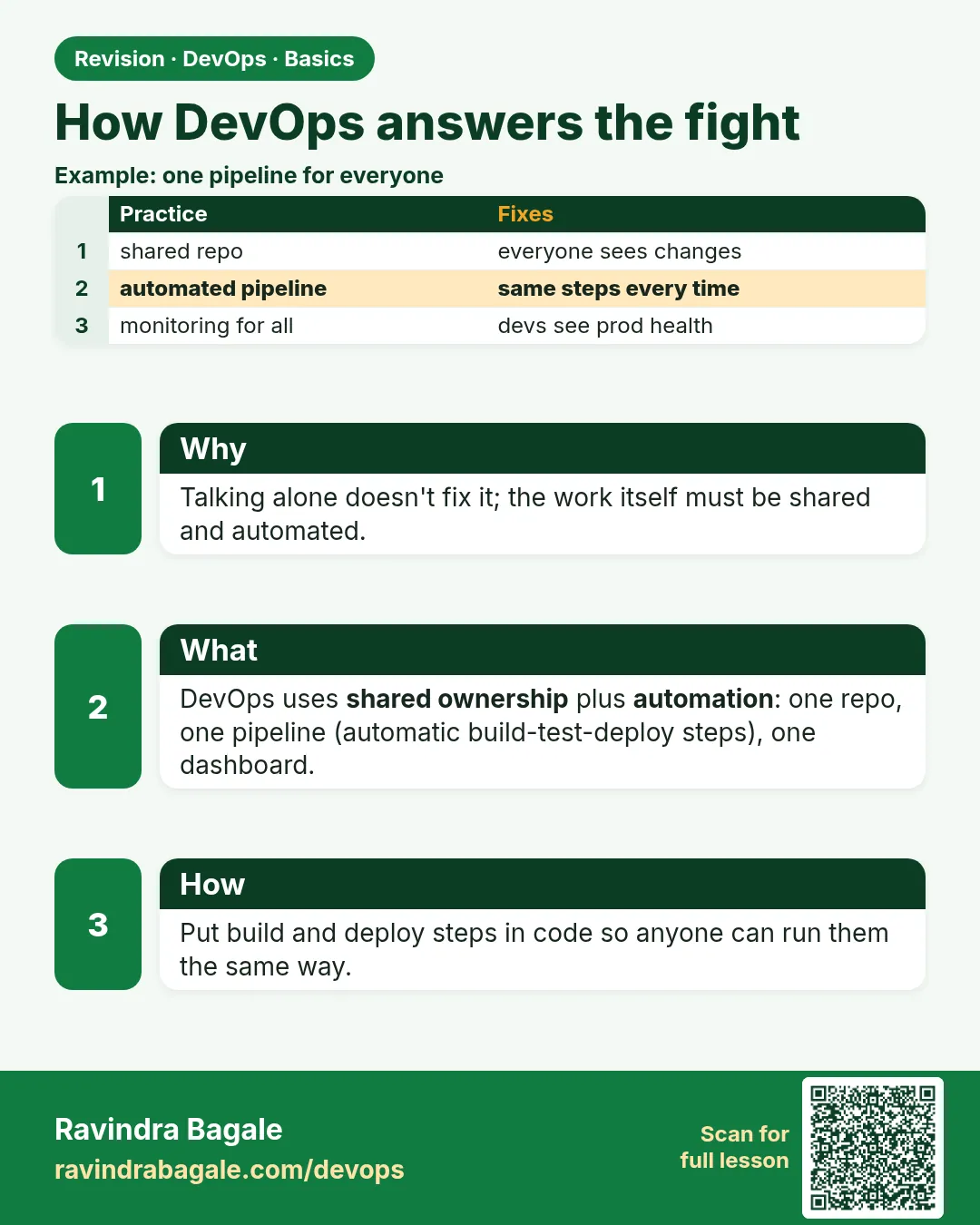 Revision card
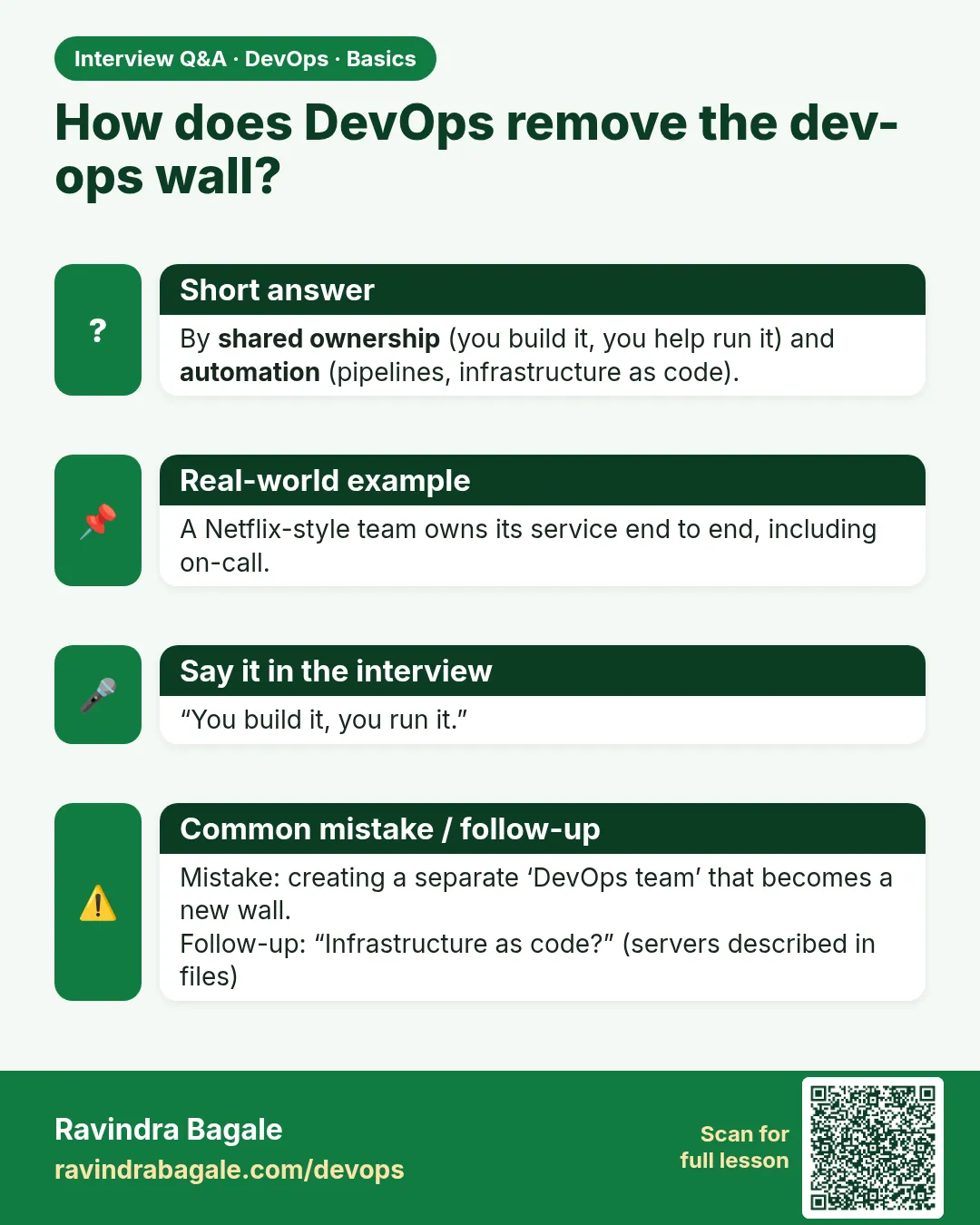 Interview card