1.3 What is the problem? Suppose we are…
Why: the problem
Suppose we are Instagram. Product wants a small new badge on profiles. In the old model, developers finish the code in two weeks. Then they hand it to operations with a document of steps. Ops installs it on Saturday night. A setting is different on the server, so the badge breaks the whole profile page. Ops rolls back. Developers say the server is wrong. Ops says the code is wrong. Two more weeks go by. Now suppose we are Netflix. They ship changes many times a day, and still keep the service up. How? Not by working harder, but by removing the handoff and making every server the same. Suppose we are Infosys working for a bank client: the client's ops team runs the servers, and a release needs a ticket, a meeting and a signed document. In this lesson you will recreate the classic failure on your own laptop: the same app, two different "servers", one breaks because of a hidden difference. Then you will remove the difference.
What we will build
You will run hello-shop v2, which needs a new setting, on two fake servers made with Docker containers. One works, one fails, exactly like the Instagram story. Then you will write the setting into one shared file that both use, and both will work.
What: every term in plain English
- Handoff — Passing work from one team to another, often with a document and a wait.
- Environment — A place where the app runs: laptop, test server, production.
- Production (prod) — The real environment where real users are.
- Configuration drift — Two servers that should be the same slowly become different.
- Environment variable — A setting given to the app from outside the code, like PORT=8000.
- Rollback — Going back to the last working version.
- Blame culture — People spend time finding who is guilty instead of fixing the system.
- Single source of truth — One file or place that everyone uses, so there is no disagreement.
How: step by step
-
Make the v2 change
nano app.pyWhat it does: Add the badge feature from Example 1. It needs a new setting BADGE_TEXT.
Output
(file saved) -
Start server A (the developer laptop copy)
docker run -d --name srvA -p 8001:8000 -e BADGE_TEXT=new -v "$PWD":/app -w /app python:3.12-slim python app.pyWhat it does: Server A has the setting.
Output
3f1c9a0b2d77... -
Start server B (the ops server copy)
docker run -d --name srvB -p 8002:8000 -v "$PWD":/app -w /app python:3.12-slim python app.pyWhat it does: Server B was set up by hand and missed the setting.
Output
9b0e11c4a8d2... -
Test both
curl -s localhost:8001; echo; curl -s localhost:8002; echoWhat it does: A works, B fails.
Output
hello-shop v2: cart is working [badge: new] (empty reply) -
Find the reason
docker logs srvB | tail -3What it does: The log shows the missing setting.
Output
KeyError: 'BADGE_TEXT' -
Fix with one shared file
nano shop.envWhat it does: Write all settings in one file both servers use.
Output
(file saved) -
Recreate both from the same file
docker rm -f srvA srvBWhat it does: Then run Example 3.
Output
srvA
srvB
Example 1: Add a feature that needs a new setting
Stack. Python 3.12
Goal. Add a feature that needs a new setting.
app.py (v2 part)
import os
VERSION = os.environ.get("APP_VERSION", "v2")
BADGE = os.environ["BADGE_TEXT"]          # new in v2, no default on purpose

def page():
    return f"hello-shop {VERSION}: cart is working [badge: {BADGE}]"
What each line does
os.environ["BADGE_TEXT"]— Reads the setting. With square brackets, Python crashes if it is missing.# no default on purpose— We want to see the real failure of a missing setting.def page()— Builds the text the user sees, now with a badge.
Green output
$ BADGE_TEXT=new APP_VERSION=v2 python3 app.py &
hello-shop v2 listening on :8000
$ curl -s localhost:8000
hello-shop v2: cart is working [badge: new]
Expected result. On the developer laptop the setting exists, so all looks fine. That is how "works on my machine" begins.
Example 2: Recreate the Instagram failure with two containers
Stack. Docker 27, python:3.12-slim
Goal. Recreate the Instagram failure with two containers.
two-servers.sh
#!/usr/bin/env bash
docker rm -f srvA srvB 2>/dev/null
docker run -d --name srvA -p 8001:8000 -e APP_VERSION=v2 -e BADGE_TEXT=new \
  -v "$PWD":/app -w /app python:3.12-slim python app.py
docker run -d --name srvB -p 8002:8000 -e APP_VERSION=v2 \
  -v "$PWD":/app -w /app python:3.12-slim python app.py
sleep 2
echo "A: $(curl -s localhost:8001)"
echo "B: $(curl -s localhost:8002 || true)"
docker ps -a --format "{{.Names}} {{.Status}}"
What each line does
docker run -d --name srvA— Starts a fake server in the background, named srvA.-e BADGE_TEXT=new— Gives the setting to server A only.-v "$PWD":/app— Both servers use the exact same code.-p 8001:8000— Server A is on port 8001 of your laptop, B on 8002.docker ps -a --format— Shows whether each container is still up or exited.
Green output
A: hello-shop v2: cart is working [badge: new]
B:
srvA Up 3 seconds
srvB Exited (1) 2 seconds ago
Expected result. Same code, different result. The only difference is one hidden setting. Real teams lose days to this.
Example 3: Remove the difference with one shared settings file
Stack. Docker, env file
Goal. Remove the difference with one shared settings file.
shop.env
APP_VERSION=v2
BADGE_TEXT=new
PORT=8000
same-everywhere.sh
#!/usr/bin/env bash
docker rm -f srvA srvB 2>/dev/null
for s in A:8001 B:8002; do
  name="srv${s%%:*}"; port="${s##*:}"
  docker run -d --name "$name" -p "$port":8000 --env-file shop.env \
    -v "$PWD":/app -w /app python:3.12-slim python app.py
done
sleep 2
curl -s localhost:8001; echo
curl -s localhost:8002; echo
What each line does
shop.env— One file with every setting. It goes into Git (without secrets).--env-file shop.env— Docker reads all settings from the file.for s in A:8001 B:8002— The same command builds both servers.${s%%:*} and ${s##*:}— Split A:8001 into the name part and the port part.
Green output
hello-shop v2: cart is working [badge: new]
hello-shop v2: cart is working [badge: new]
Expected result. Both servers now work, because they are built from the same recipe. This is the heart of DevOps: one shared, automated way, not two teams with two ways.
Verify: did it work?
-
Compare the settings of both containers
for c in srvA srvB; do echo $c; docker exec $c env | grep -E "APP_|BADGE"; doneWhat it does: Both lists must match.
Output
srvA APP_VERSION=v2 BADGE_TEXT=new srvB APP_VERSION=v2 BADGE_TEXT=new -
Check both are up
docker ps --format "{{.Names}} {{.Status}}"What it does: Both show Up.
Output
srvA Up 10 seconds
srvB Up 10 seconds
When it is red 1
KeyError: 'BADGE_TEXT'
Cause. The container was started without the setting.
Fix, step by step
- docker logs srvB to confirm.
- Start it with --env-file shop.env.
- Never set settings by hand on one server only.
When it is red 2
docker: Error response from daemon: Conflict. The container name "/srvA" is already in use
Cause. An old container with that name exists.
Fix, step by step
- docker rm -f srvA
- Run again.
When it is red 3
Bind for 0.0.0.0:8001 failed: port is already allocated
Cause. Something else uses port 8001.
Fix, step by step
- docker ps to find it.
- Stop it or pick another port like 8011.
Cleanup
-
Remove both servers
docker rm -f srvA srvBWhat it does: Deletes the two fake servers.
Output
srvA srvB -
Remove the image if you want space back
docker image rm python:3.12-slimWhat it does: Optional; next lessons use it again.
Output
Untagged: python:3.12-slim
Ravindra Bagale's Tip
One server has a setting, the other does not, and the app falls. This is very common. Keep every setting in one file.
एक server ला setting आहे, दुसऱ्याला नाही, आणि app पडते. हे खूप common आहे. सगळ्या settings एका file मध्ये ठेवा.
एक server पर setting है, दूसरे पर नहीं, और app गिर जाती है. यह बहुत common है. सारी settings एक file में रखो.
Practice tasks
Easy Run the two-server failure
Why: Seeing the failure makes the idea stick.
What to do: Run two-servers.sh and read docker logs srvB.
- Find the KeyError line.
Check: You can point to the exact missing setting.
Medium Fix with shop.env
Why: Shared recipes remove drift.
What to do: Run same-everywhere.sh.
- Check env in both containers.
Check: Both servers answer with the badge.
Hard Add a third server
Why: Real fleets have many servers.
What to do: Add server C on port 8003 using the same loop.
- Edit the for list only.
Check: Three identical answers.
Easy Say the dev and ops handoff problem in two lines
Why: If you can say it simply, you understand it. Interviewers want the short version first.
What to do: Write two short lines about the dev and ops handoff problem for a fresher who knows only basic Linux.
- Write the problem it solves.
- Write one real command or file that shows it.
- Read it aloud to a friend.
Check: A fresher understands it without asking a question.
Easy Make a safe lab folder
Why: Practice needs a place you can throw away. Then mistakes cost nothing.
What to do: Create a lab folder for this chapter and work only inside it.
- mkdir -p ~/devops-lab && cd ~/devops-lab
- Run every command of this lesson from here.
- Check with pwd before you delete anything.
Check: All lab files live in ~/devops-lab.
Medium Repeat it in a container
Why: Your laptop is not the server. A clean Ubuntu container shows what a fresh server needs.
What to do: Run the main steps of this lesson again inside an Ubuntu container.
- docker run --rm -it -v "$PWD":/lab -w /lab ubuntu:24.04 bash
- apt update and install what is missing.
- Note every missing tool.
Check: Same result inside the container, or a list of what you had to install.
Medium Break it on purpose
Why: You must know the red message by face. In an outage there is no time to read slowly.
What to do: Cause one error from the "When it is red" part of this lesson and fix it.
- Follow the error section.
- Copy the exact message into your notes.
- Write the fix in one line.
Check: You fixed it using only the steps, without searching the web.
Medium Write a one-page runbook
Why: At 2 a.m. nobody remembers the right command. A short page saves the on-call person.
What to do: Write a runbook page for this lesson.
- Title, when to use, exact command, how to check, how to undo.
Check: A teammate can follow it alone.
Hard Explain it like an interview
Why: Interviewers want real stories, not definitions.
What to do: Record a 60 second answer about this lesson.
- Say the problem, the command or file you used, and one error you hit.
Check: Your answer has a real command and a real error message.
Hard Draw the flow top to bottom
Why: A drawing shows who does what and in which order.
What to do: Draw this lesson as boxes from top to bottom.
- Start at the developer laptop, end at the user on the website.
Check: Each box matches a real thing you ran.
Homework: try at home
Try at home
At home, think of a time something worked on one computer but not on another (a game, a printer, an app). Write down the hidden difference. How could one shared file or recipe have avoided it?
Recap
- The old dev and ops handoff causes slow and broken releases.
- Hidden differences between environments cause most "works on my machine" bugs.
- Containers plus one settings file make environments the same.
- Netflix-style frequent releases come from shared, automated recipes.
- Fix the system, not the person.
FAQ
Is Instagram story real?
It is a typical story. Big companies like Meta and Netflix publicly describe moving to small, frequent, automated releases.
Should secrets go in shop.env?
No. Secrets go in a secret store like AWS Secrets Manager. shop.env holds normal settings only.
Why use Docker here before learning Docker?
Only to make two clean fake servers quickly. Chapter 6 teaches Docker fully.
What is a blameless postmortem?
A meeting after an incident that asks what in the system failed, not who.
What does Infosys-style client work change?
Approvals and tickets add steps, so automation and clear records matter even more.
Interview questions
-
Describe a "works on my machine" problem and fix.
A setting existed on my laptop but not on the server. We moved all settings into one env file used by every environment, and built servers from containers.
-
What is configuration drift and how do you prevent it?
Servers becoming different over time. Prevent it with infrastructure as code, containers and no manual changes.
-
How does DevOps reduce blame?
Shared ownership, shared tools and blameless postmortems focus on fixing the system.
-
What is the difference between environment and configuration?
Environment is where the app runs; configuration is the settings it uses there.
-
How do companies like Netflix release often safely?
Small changes, automated tests and deploys, identical environments, monitoring and fast rollback.
Quick quiz
Q1. What is configuration drift?
Servers that should be the same slowly become different.
Q2. Why did server B fail?
It missed the BADGE_TEXT setting.
Q3. What does --env-file do?
Loads all settings from one file into the container.
Q4. What is a handoff?
Passing work to another team, often with waiting and lost details.
Q5. What is a single source of truth?
One shared place that everyone uses.
Did you understand? Let us try it once more.
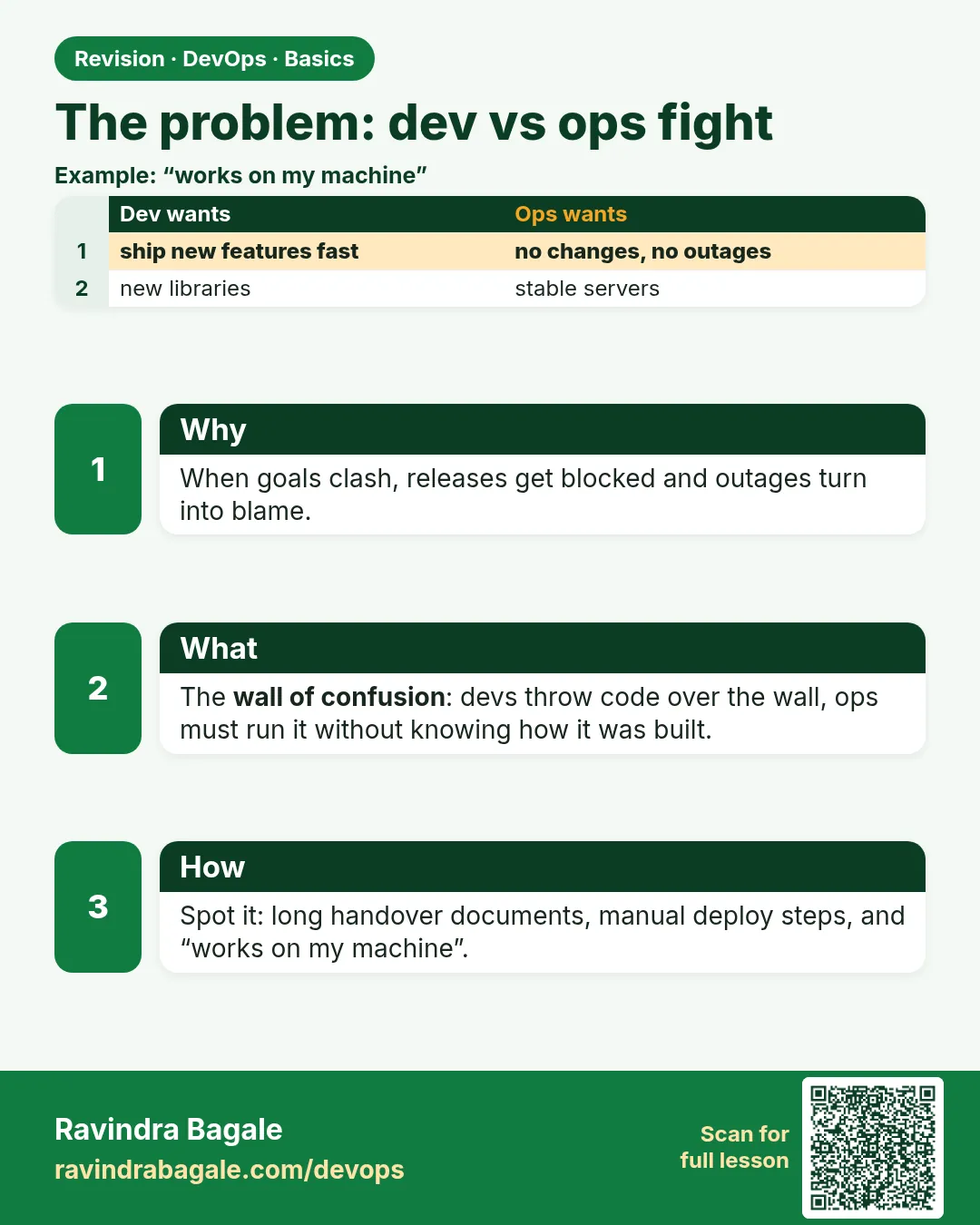 Revision card
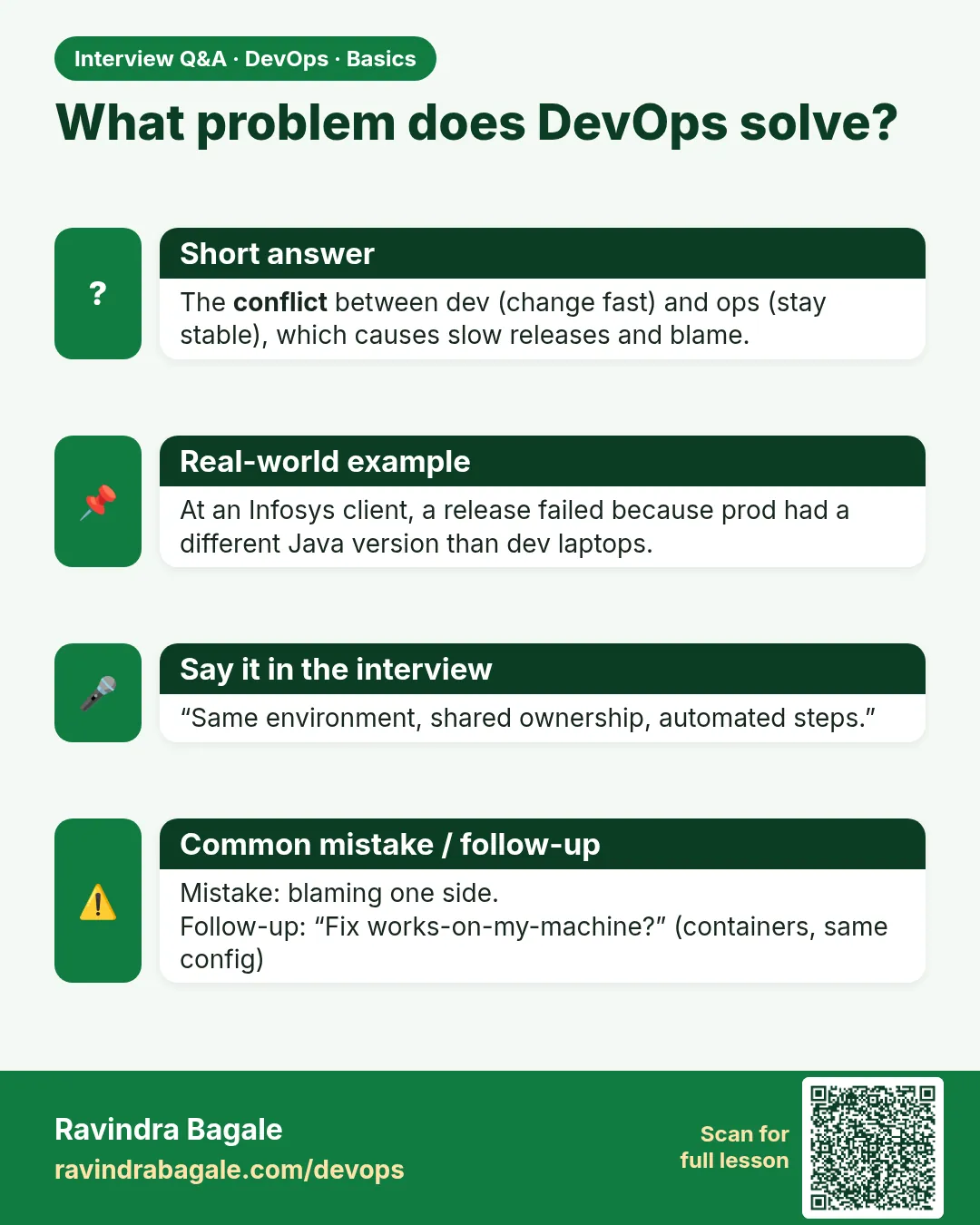 Interview card