1.6 CI vs CD vs deploy vs release
Why: the problem
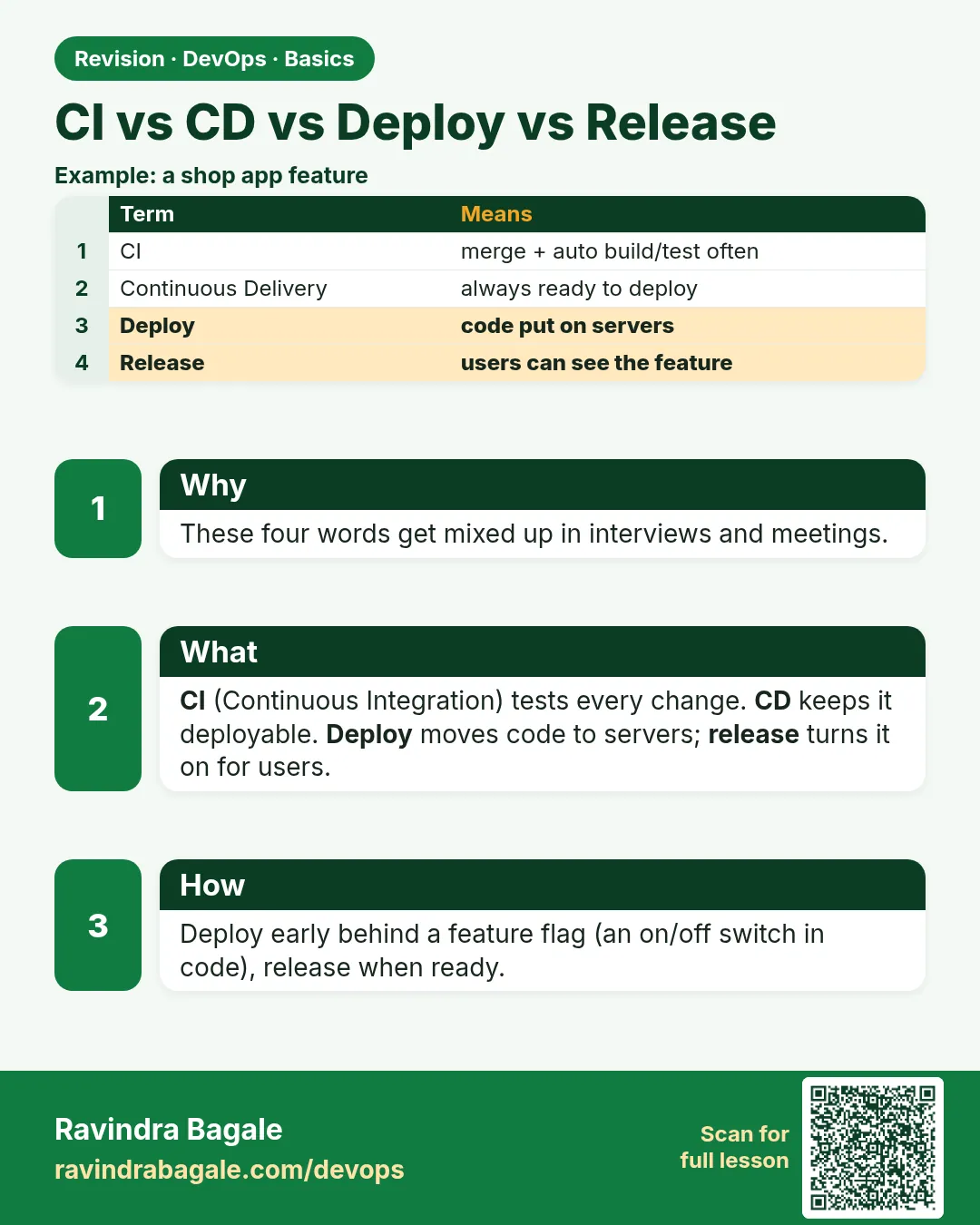
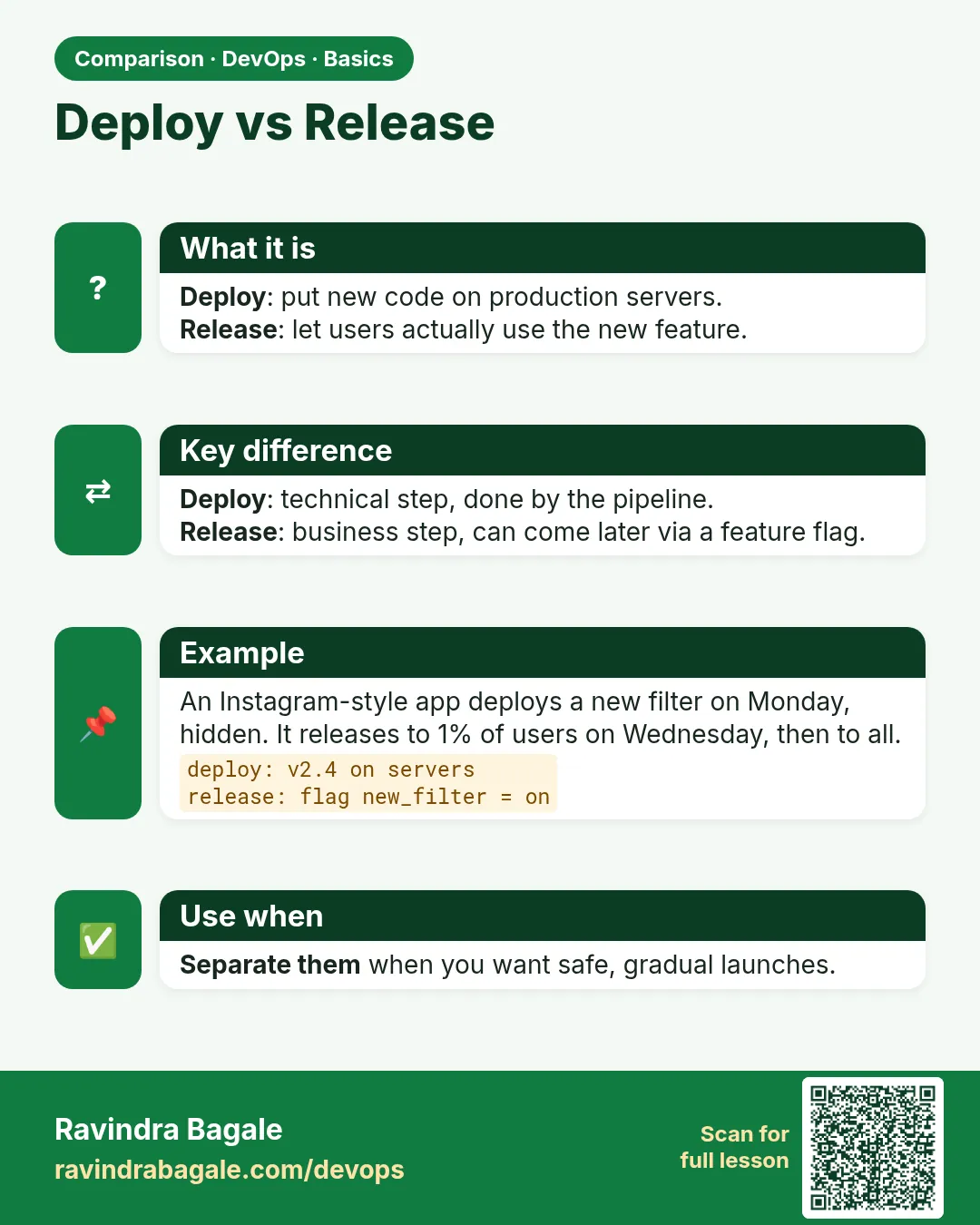
Four words confuse almost every fresher: CI, continuous delivery, continuous deployment and release. They sound the same, but they are different stages. Think of Swiggy adding a new offer banner. CI means every code change is merged and tested automatically, many times a day. Continuous delivery means every change that passes is packaged and ready to go live at the press of a button. Continuous deployment means there is no button: every passing change goes live by itself. Deploy means putting new code on the servers. Release means users actually see the feature. You can deploy on Monday and release on Friday, by keeping the banner behind a switch called a feature flag. In this lesson you will build each stage on hello-shop and see them separately: a CI check, a staging deploy that waits for approval, an automatic production deploy, and a feature flag that releases the banner without any new deploy.
What we will build
You will add a feature flag to hello-shop, then run three small scripts: ci.sh (test only), cd-delivery.sh (deploy to staging, then wait for a human yes before prod), and cd-deploy.sh (straight to prod). Finally you will turn the flag on with no new deploy, to see that deploy and release are not the same thing.
What: every term in plain English
- CI — Continuous integration: every change is merged often and tested automatically.
- Continuous delivery — Every passing change is packaged and ready to go live; a human presses the button.
- Continuous deployment — Every passing change goes live automatically, no button.
- Deploy — Put new code on the servers.
- Release — Let users see and use the feature.
- Staging — A copy of production used for the last checks.
- Feature flag — A switch in config that turns a feature on or off without new code.
- Approval gate — A step where a person must say yes before production.
How: step by step
-
Add the flag to the app
nano app.pyWhat it does: Example 1: a BANNER flag read from a file.
Output
(file saved) -
Commit it
git commit -am "banner behind flag"What it does: A normal small change.
Output
[main 4e2d1aa] banner behind flag -
CI only
./ci.shWhat it does: Tests run. Nothing is deployed.
Output
[ci] PASS 4e2d1aa -
Continuous delivery
./cd-delivery.shWhat it does: Deploys to staging (8001), then asks before prod.
Output
[staging] OK Deploy 4e2d1aa to prod? (yes/no) -
Continuous deployment
./cd-deploy.shWhat it does: Goes straight to prod (8000) if tests pass.
Output
[prod] OK 4e2d1aa -
Release with the flag
echo on > flags/banner && curl -s localhost:8000What it does: No new deploy, but users see the banner.
Output
hello-shop v1: cart is fast | DIWALI OFFER 20% OFF -
Un-release
echo off > flags/banner && curl -s localhost:8000What it does: The banner disappears instantly.
Output
hello-shop v1: cart is fast
Example 1: Put a new banner behind a feature flag
Stack. Python
Goal. Put a new banner behind a feature flag.
app.py (flag part)
from pathlib import Path

FLAG_FILE = Path("/flags/banner")

def banner_on():
    try:
        return FLAG_FILE.read_text().strip() == "on"
    except FileNotFoundError:
        return False

def page():
    text = f"hello-shop {VERSION}: cart is fast"
    if banner_on():
        text += " | DIWALI OFFER 20% OFF"
    return text
What each line does
FLAG_FILE = Path("/flags/banner")— The switch is a file mounted into the container.read_text().strip() == "on"— Banner shows only if the file says on.except FileNotFoundError: return False— No file means off. Safe default.text += " | DIWALI OFFER 20% OFF"— The new feature, hidden until the flag is on.
Green output
$ mkdir -p flags && echo off > flags/banner
$ curl -s localhost:8000
hello-shop v1: cart is fast
Expected result. The new code is deployed, but users do not see it yet. Deploy happened; release did not.
Example 2: Three pipelines side by side: CI, delivery, deployment
Stack. Bash, Docker
Goal. Three pipelines side by side: CI, delivery, deployment.
ci.sh
#!/usr/bin/env bash
set -e
./test.sh && echo "[ci] PASS $(git rev-parse --short HEAD)"
run.sh (shared helper)
#!/usr/bin/env bash
# usage: ./run.sh NAME PORT TAG
docker rm -f "$1" > /dev/null 2>&1 || true
docker run -d --name "$1" -p "$2":8000 -v "$PWD/flags":/flags:ro "hello-shop:$3" > /dev/null
sleep 2 && curl -fsS "localhost:$2/health" > /dev/null && echo "[$1] OK $3"
cd-delivery.sh
#!/usr/bin/env bash
set -e
TAG=$(git rev-parse --short HEAD)
./ci.sh
docker build -q -t hello-shop:$TAG . > /dev/null
./run.sh staging 8001 $TAG
read -r -p "Deploy $TAG to prod? (yes/no) " ans
[ "$ans" = yes ] && ./run.sh prod 8000 $TAG || echo "[prod] skipped, $TAG is ready when you are"
cd-deploy.sh
#!/usr/bin/env bash
set -e
TAG=$(git rev-parse --short HEAD)
./ci.sh
docker build -q -t hello-shop:$TAG . > /dev/null
./run.sh prod 8000 $TAG
What each line does
ci.sh— Only tests. This is CI. No servers are touched.-v "$PWD/flags":/flags:ro— The flag folder is mounted read-only into the app../run.sh staging 8001— Delivery first deploys to staging.read -r -p "Deploy ... to prod?"— The human approval gate. This is what makes it delivery.cd-deploy.sh has no read— No gate. Every passing commit goes to prod. That is continuous deployment.
Green output
$ ./cd-delivery.sh
[test] PASS
[ci] PASS 4e2d1aa
[staging] OK 4e2d1aa
Deploy 4e2d1aa to prod? (yes/no) no
[prod] skipped, 4e2d1aa is ready when you are
$ ./cd-deploy.sh
[test] PASS
[ci] PASS 4e2d1aa
[prod] OK 4e2d1aa
Expected result. The only difference between delivery and deployment is that one read line, the human gate. Banks often choose delivery; Netflix-style product teams often choose deployment.
Example 3: Release and roll back a feature with no deploy
Stack. Bash, feature flag file
Goal. Release and roll back a feature with no deploy.
release.sh
#!/usr/bin/env bash
state="${1:?on or off}"
echo "$state" > flags/banner
echo "$(date +%T) banner=$state" >> releases.log
for p in 8001 8000; do echo "port $p: $(curl -s localhost:$p)"; done
What each line does
echo "$state" > flags/banner— Flip the switch.>> releases.log— Keep a record of who released what and when.for p in 8001 8000— Shows staging and prod both read the same flag.
Green output
$ ./release.sh on
port 8001: hello-shop v1: cart is fast | DIWALI OFFER 20% OFF
port 8000: hello-shop v1: cart is fast | DIWALI OFFER 20% OFF
$ ./release.sh off
port 8001: hello-shop v1: cart is fast
port 8000: hello-shop v1: cart is fast
Expected result. Release took one second and no new image. If the offer causes trouble, turning it off is instant. Real teams use tools like LaunchDarkly, Unleash or AWS AppConfig for flags.
Verify: did it work?
-
Which image runs in staging and prod?
docker ps --format "{{.Names}} {{.Image}}"What it does: Both should show the same tag after a full release.
Output
prod hello-shop:4e2d1aa staging hello-shop:4e2d1aa -
Check the release log
cat releases.logWhat it does: Shows when the feature was released.
Output
18:52:10 banner=on
18:52:40 banner=off
When it is red 1
[test] FAIL ... and nothing deployed
Cause. CI caught a broken change. This is correct behaviour.
Fix, step by step
- Fix the code.
- Commit again.
When it is red 2
Banner does not appear after release.sh on
Cause. The flags folder is not mounted, or mounted from a different path.
Fix, step by step
- docker inspect prod --format "{{json .Mounts}}"
- Recreate with -v "$PWD/flags":/flags:ro from the repo folder.
When it is red 3
Unable to find image 'hello-shop:4e2d1aa' locally
Cause. run.sh was called before the image was built.
Fix, step by step
- Run the full cd script, which builds first.
- Or docker build -t hello-shop:TAG . by hand.
Cleanup
-
Remove staging and prod
docker rm -f staging prodWhat it does: Stops both environments.
Output
staging prod -
Reset the flag
echo off > flags/bannerWhat it does: Safe default for next time.
Output
(no output)
Ravindra Bagale's Tip
Deploy and release are different. Code landed on the server means deploy. Users can see it means release. Interviews ask this for sure.
Deploy आणि release वेगळे आहेत. Code server वर गेला म्हणजे deploy. User ला दिसला म्हणजे release. हे interview मध्ये नक्की विचारतात.
Deploy और release अलग हैं. Code server पर पहुँचा यानी deploy. User को दिख गया यानी release. Interview में यह ज़रूर पूछते हैं.
Practice tasks
Easy Run ci.sh alone
Why: CI is not deployment.
What to do: Run ci.sh and check no container changed.
- docker ps before and after.
Check: Nothing new is running.
Medium Approve and reject
Why: The gate is the human part of delivery.
What to do: Run cd-delivery.sh twice; say no, then yes.
- Compare docker ps.
Check: Prod changes only after yes.
Hard Dark launch
Why: Deploy now, release later is how big launches stay calm.
What to do: Deploy a new feature with the flag off, release it 10 minutes later.
- Use release.sh.
Check: releases.log shows the release time after the deploy time.
Easy Say CI vs CD vs deploy vs release in two lines
Why: If you can say it simply, you understand it. Interviewers want the short version first.
What to do: Write two short lines about CI vs CD vs deploy vs release for a fresher who knows only basic Linux.
- Write the problem it solves.
- Write one real command or file that shows it.
- Read it aloud to a friend.
Check: A fresher understands it without asking a question.
Easy Make a safe lab folder
Why: Practice needs a place you can throw away. Then mistakes cost nothing.
What to do: Create a lab folder for this chapter and work only inside it.
- mkdir -p ~/devops-lab && cd ~/devops-lab
- Run every command of this lesson from here.
- Check with pwd before you delete anything.
Check: All lab files live in ~/devops-lab.
Medium Repeat it in a container
Why: Your laptop is not the server. A clean Ubuntu container shows what a fresh server needs.
What to do: Run the main steps of this lesson again inside an Ubuntu container.
- docker run --rm -it -v "$PWD":/lab -w /lab ubuntu:24.04 bash
- apt update and install what is missing.
- Note every missing tool.
Check: Same result inside the container, or a list of what you had to install.
Medium Break it on purpose
Why: You must know the red message by face. In an outage there is no time to read slowly.
What to do: Cause one error from the "When it is red" part of this lesson and fix it.
- Follow the error section.
- Copy the exact message into your notes.
- Write the fix in one line.
Check: You fixed it using only the steps, without searching the web.
Medium Write a one-page runbook
Why: At 2 a.m. nobody remembers the right command. A short page saves the on-call person.
What to do: Write a runbook page for this lesson.
- Title, when to use, exact command, how to check, how to undo.
Check: A teammate can follow it alone.
Hard Explain it like an interview
Why: Interviewers want real stories, not definitions.
What to do: Record a 60 second answer about this lesson.
- Say the problem, the command or file you used, and one error you hit.
Check: Your answer has a real command and a real error message.
Hard Draw the flow top to bottom
Why: A drawing shows who does what and in which order.
What to do: Draw this lesson as boxes from top to bottom.
- Start at the developer laptop, end at the user on the website.
Check: Each box matches a real thing you ran.
Homework: try at home
Try at home
At home, open any app you use (Instagram, Swiggy, Paytm) and find a feature your friend has but you do not. Write why that is probably a feature flag and not a different app version.
Recap
- CI: test every change automatically.
- Continuous delivery: always ready, a human presses deploy.
- Continuous deployment: every passing change goes live.
- Deploy puts code on servers; release shows it to users.
- Feature flags separate deploy from release and give instant rollback.
FAQ
Which is better, delivery or deployment?
Neither. Regulated teams like banks often need approval; product teams often deploy automatically.
Is CD always automatic?
Continuous delivery is not; continuous deployment is.
Do flags make code messy?
Old flags should be removed after full release. Keep a list.
Where does staging run in real life?
A separate cluster or account with the same setup as prod.
Is a release the same as a version number?
A version is a label. A release is the moment users get the feature.
Interview questions
-
Explain CI vs continuous delivery vs continuous deployment.
CI tests every merge. Delivery keeps every passing build ready and deploys with an approval. Deployment pushes every passing build to production automatically.
-
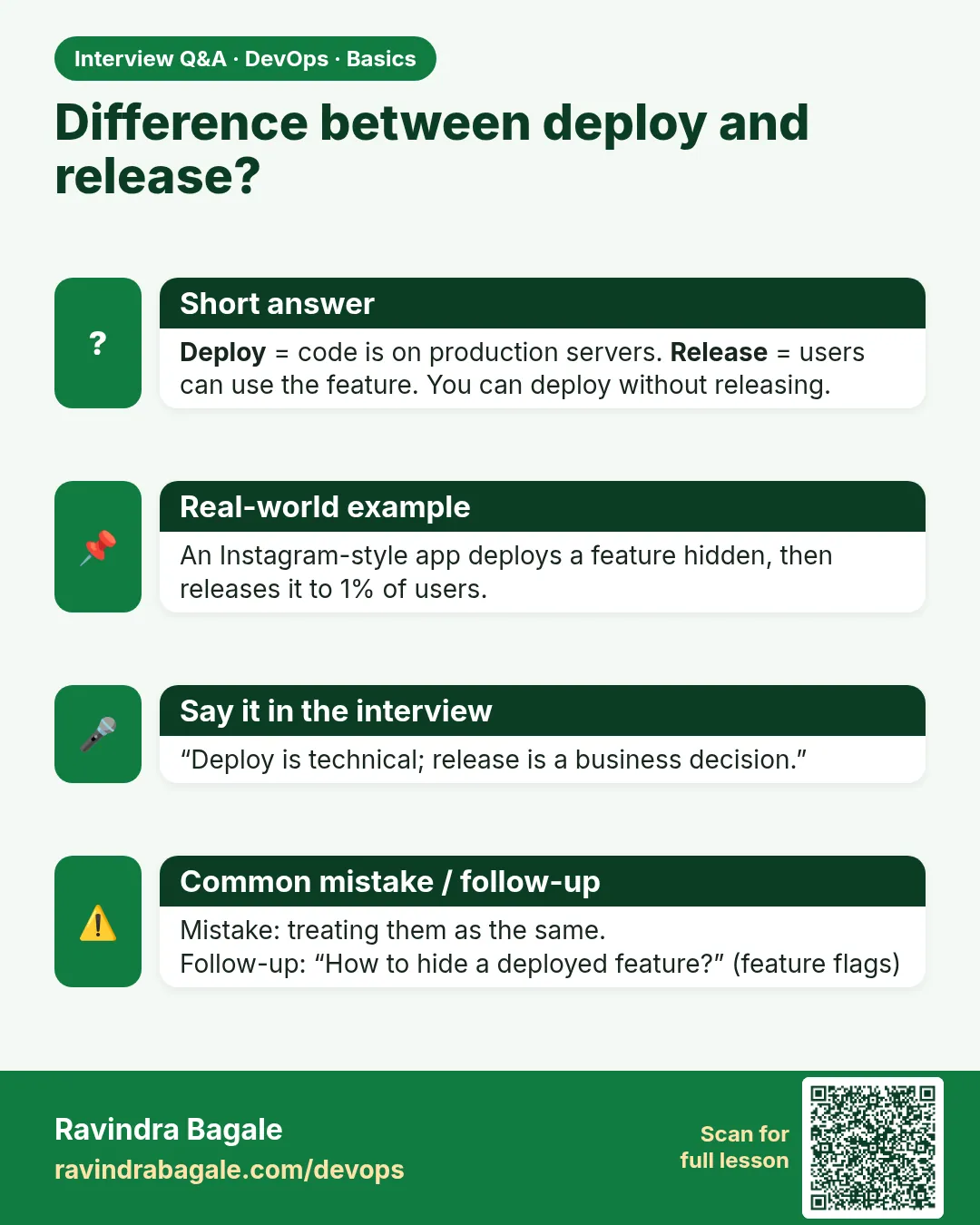
What is the difference between deploy and release?
Deploy installs code; release exposes the feature to users, often via flags.
-
What is a feature flag used for?
Dark launches, gradual rollouts, A/B tests and instant kill switches.
-
Where would you put an approval gate?
Before production, often with a GitHub Actions environment or Jenkins input step.
-
How do you roll back a bad feature fast?
Turn off its flag; if code is broken, redeploy the previous image.
Quick quiz
Q1. What is CI?
Every change is tested automatically when merged.
Q2. Difference between continuous delivery and deployment?
Delivery has a human approval before prod; deployment goes to prod automatically.
Q3. Can you deploy without releasing?
Yes, by keeping the feature behind a flag.
Q4. What is staging?
A copy of production for final checks.
Q5. What is a feature flag?
A switch that turns a feature on or off without new code.
Did you understand? Let us try it once more.
 Revision card
 Interview card
 Comparison card