8.3 Artifacts and versioning
Why: the problem
A bug report comes in from a Paytm-style payments team: "The refund page broke at 4 p.m.". The first question is always the same. Which version is live right now? If the team deploys "latest", nobody knows. Latest yesterday and latest today are different code. The team searches chat messages and server logs for an hour. Now imagine every build makes one fixed file, called an artifact, with a clear version name, for example badge-api:1.4.0-a3f2c1. The team runs one command and sees the exact version on the server. They see the commit. They see what changed. They redeploy the old version in two minutes. This lesson is about two habits. Build the artifact once. Name it so a human and a machine can both find it later.
What we will build
You will make three kinds of artifacts from the badge API: a test report file, a Python wheel package and a Docker image. You will tag the image with a version and a commit id, store the report as a CI artifact, and read the version from a running container.
What: every term in plain English
- Artifact — Any file a pipeline makes and keeps: an image, a jar, a zip, a test report.
- Build once, deploy many — Make the artifact one time. Send the same file to staging and production.
- Semantic version (semver) — A version like 1.4.0: MAJOR.MINOR.PATCH. Breaking change, new feature, bug fix.
- Commit SHA — The unique id of a Git commit, like a3f2c1d. Short form is the first 7 characters.
- Image tag — The name after the colon in badge-api:1.4.0.
- latest tag — A moving tag. It points to whatever was pushed last. Never trust it in production.
- Digest — The exact fingerprint of an image, sha256:.... It never changes for the same image.
- Retention — How many days a CI tool keeps artifacts before deleting them.
How: step by step
-
Get the short commit id
git rev-parse --short HEADWhat it does: This becomes part of every tag.
Output
a3f2c1d -
Pick the version
cat VERSIONWhat it does: A one-line file that humans update on release.
Output
1.4.0 -
Build with two tags
docker build -t badge-api:1.4.0-a3f2c1d -t badge-api:sha-a3f2c1d .What it does: One image, two names. Both point to the same digest.
Output
naming to docker.io/library/badge-api:1.4.0-a3f2c1d -
Bake the version into the image
docker build --build-arg VERSION=1.4.0 --build-arg SHA=a3f2c1d -t badge-api:1.4.0-a3f2c1d .What it does: The app can print its own version at /version.
Output
(build done) -
Read the digest
docker inspect --format "{{index .RepoDigests 0}}" ravi/badge-api:1.4.0-a3f2c1dWhat it does: The digest is the true identity of the image.
Output
ravi/badge-api@sha256:4c2a9e... -
Save the test report
python -m pytest -q --junitxml=report.xmlWhat it does: A report file that CI can keep and show.
Output
generated xml file: report.xml
Example 1: A /version endpoint and a Dockerfile that bakes in the version
Stack. Python, Docker
Goal. A /version endpoint and a Dockerfile that bakes in the version.
app.py (add this)
import os

@app.get("/version")
def version():
    return jsonify(version=os.environ.get("APP_VERSION", "dev"),
                   commit=os.environ.get("GIT_SHA", "unknown"))
Dockerfile (add these lines)
ARG VERSION=dev
ARG SHA=unknown
ENV APP_VERSION=$VERSION GIT_SHA=$SHA
LABEL org.opencontainers.image.version=$VERSION
LABEL org.opencontainers.image.revision=$SHA
What each line does
ARG VERSION=dev— A build-time value. Default dev if not given.ENV APP_VERSION=$VERSION— Copies the value into the running container.LABEL ...version— Standard label. Tools like docker inspect show it./version— Anyone can ask the live app which version it is.
Green output
$ docker run -d -p 8000:8000 badge-api:1.4.0-a3f2c1d
$ curl -s localhost:8000/version
{"commit":"a3f2c1d","version":"1.4.0"}
Expected result. The live app tells you its own version. No guessing, no SSH searching.
Example 2: Version tags and a kept test report in GitHub Actions
Stack. GitHub Actions
Goal. Version tags and a kept test report in GitHub Actions.
.github/workflows/cicd.yml (build job)
build-push:
  needs: test
  runs-on: ubuntu-latest
  steps:
    - uses: actions/checkout@v4
    - id: v
      run: |
        echo "ver=$(cat VERSION)" >> "$GITHUB_OUTPUT"
        echo "sha=${GITHUB_SHA::7}" >> "$GITHUB_OUTPUT"
    - run: |
        TAG=${{ steps.v.outputs.ver }}-${{ steps.v.outputs.sha }}
        docker build --build-arg VERSION=${{ steps.v.outputs.ver }} \
          --build-arg SHA=${{ steps.v.outputs.sha }} \
          -t ravi/badge-api:$TAG -t ravi/badge-api:sha-${{ steps.v.outputs.sha }} .
        docker push --all-tags ravi/badge-api
test:
  runs-on: ubuntu-latest
  steps:
    - uses: actions/checkout@v4
    - run: pip install -r requirements.txt && python -m pytest -q --junitxml=report.xml
    - uses: actions/upload-artifact@v4
      if: always()
      with:
        name: test-report
        path: report.xml
        retention-days: 14
What each line does
GITHUB_OUTPUT— A file where a step writes values for later steps.${GITHUB_SHA::7}— Bash cuts the long commit id to 7 characters.docker push --all-tags— Pushes both tags of the image.upload-artifact— Keeps report.xml with the run so you can download it.if: always()— Upload the report even when tests fail. That is when you need it most.retention-days: 14— Delete it after 14 days to save storage.
Green output
build-push: pushed ravi/badge-api:1.4.0-a3f2c1d
build-push: pushed ravi/badge-api:sha-a3f2c1d
Artifacts: test-report (1.2 KB)
Expected result. The run page shows a downloadable test-report and the registry shows two tags with one digest.
Example 3: A Python wheel as an artifact in GitLab CI and Jenkins
Stack. GitLab CI, Jenkins
Goal. A Python wheel as an artifact in GitLab CI and Jenkins.
.gitlab-ci.yml (package job)
package:
  stage: build
  image: python:3.12-slim
  script:
    - pip install build
    - python -m build --wheel
  artifacts:
    paths: [dist/]
    expire_in: 2 weeks
Jenkinsfile (package stage)
stage('Package') {
    steps {
        sh 'pip install build && python -m build --wheel'
        archiveArtifacts artifacts: 'dist/*.whl', fingerprint: true
    }
}
What each line does
python -m build --wheel— Makes a .whl file, the standard Python package.artifacts: paths: [dist/]— GitLab keeps the dist folder and later jobs can use it.expire_in: 2 weeks— GitLab deletes it after two weeks.archiveArtifacts— Jenkins keeps the file on the build page.fingerprint: true— Jenkins records a checksum so you can trace where the file went.
Green output
Successfully built badge_api-1.4.0-py3-none-any.whl
Uploading artifacts... dist/: found 1 matching artifact files
Job succeeded
Expected result. You can download badge_api-1.4.0-py3-none-any.whl from the job page. Same idea as the image: one file, one version.
Verify: did it work?
-
Ask the live app its version
curl -s https://staging.example.com/versionWhat it does: Must match the tag you deployed.
Output
{"commit":"a3f2c1d","version":"1.4.0"} -
Check both tags share one digest
docker buildx imagetools inspect ravi/badge-api:sha-a3f2c1d | grep DigestWhat it does: Both tags must show the same digest.
Output
Digest: sha256:4c2a9e...
When it is red 1
manifest for ravi/badge-api:latest not found: manifest unknown
Cause. The server tries to pull latest, but the pipeline pushes only version tags.
Fix, step by step
- Never deploy latest.
- Change the deploy line to use the exact tag, like 1.4.0-a3f2c1d.
When it is red 2
No files were found with the provided path: report.xml. No artifacts will be uploaded.
Cause. pytest did not write the report, or the path is wrong.
Fix, step by step
- Add --junitxml=report.xml to the pytest line.
- Check the working folder is the repo root.
When it is red 3
{"commit":"unknown","version":"dev"}
Cause. The build did not pass the build args.
Fix, step by step
- Add --build-arg VERSION=... and --build-arg SHA=... to docker build.
- Rebuild and redeploy.
Cleanup
-
Delete old local images
docker image prune -fWhat it does: Removes dangling images on your laptop only.
Output
Total reclaimed space: 412MB
Ravindra Bagale's Tip
Never use the latest tag in production. Add version + sha, then rollback takes 2 minutes. Keep that in mind!
latest tag production मध्ये कधी वापरू नका. Version + sha लावा, मग २ मिनिटांत rollback होतो. लक्षात ठेवा!
latest tag production में कभी मत इस्तेमाल करो. Version + sha लगाओ, फिर २ मिनट में rollback. याद रखो!
Practice tasks
Easy Read a commit id
Why: Know where tags come from.
What to do: Run git rev-parse --short HEAD.
- Write it down.
- Find it in the CI run page.
Check: Both match.
Medium Tag with version and sha
Why: Make tags humans can read.
What to do: Add the version step to your pipeline.
- Push.
- Look at the registry.
Check: You see 1.4.0-sha style tags.
Hard Trace live back to code
Why: Real on-call skill.
What to do: From /version, find the commit, then the pull request.
- git show SHA
- Open the PR that merged it.
Check: You name the PR in under two minutes.
Easy Say artifacts and versioning in two lines
Why: If you can say it simply, you understand it. Juniors and interviewers both want the short version first.
What to do: Write two short lines about artifacts and versioning for a fresher who knows only Linux, Git and Docker basics.
- Write the problem it solves.
- Write the one pipeline line or command you use for it.
- Read it aloud to a friend.
Check: A fresher understands it without asking a question.
Easy Keep a throwaway lab repo
Why: Practice needs a repo you can break. If it gets messy, you delete it and start again.
What to do: Make a small practice repo called badge-api with one Python file, one test and one Dockerfile.
- mkdir badge-api and cd into it
- git init -b main
- Add app.py, test_app.py and Dockerfile from this chapter, then commit.
Check: git log shows one commit and pytest prints 1 passed.
Medium Do it in a second CI tool
Why: CI/CD is the idea. The tool is only the syntax. The same stages must work in GitHub Actions, GitLab CI and Jenkins.
What to do: Write the pipeline from this lesson in a second CI tool.
- If you used GitHub Actions, write .gitlab-ci.yml or a Jenkinsfile now.
- Keep the same stage names and the same commands.
- Only the wrapper syntax should change.
Check: Same green result, same stage names, different tool.
Medium Break it on purpose
Why: You must know the red log by face. In a real outage there is no time to read slowly.
What to do: Cause one error from the "When it is red" part of this lesson and fix it.
- Follow the error section.
- Copy the exact red line from the job log into your notes.
- Write the fix in one line.
Check: You fixed it using only the steps, without searching the web.
Medium Write a one-page runbook
Why: At 2 a.m. nobody remembers pipeline menus. A short page saves the on-call person.
What to do: Write a one-page runbook for this lesson.
- Title, when to use, exact steps or pipeline lines, how to check, how to undo.
Check: A teammate can follow it alone.
Hard Explain it like an interview
Why: Interviewers want real stories, not definitions.
What to do: Record a 60 second answer about this lesson.
- Say the problem, the pipeline lines you wrote, and one error you hit.
Check: Your answer has a real pipeline line and a real error message.
Hard Draw the flow top to bottom
Why: A drawing shows the order of work and which stage waits for which.
What to do: Draw this lesson as boxes from top to bottom.
- Start at git push, go through each stage, end at the green run or the deployed app.
Check: Each box matches a real line in your job log.
Homework: try at home
Try at home
At home, add /version to badge-api, tag images as VERSION-sha in your pipeline, and keep the test report as an artifact. Then deploy and curl /version.
Recap
- An artifact is a kept output of a pipeline.
- Build once and deploy the same artifact everywhere.
- Tag images with a version and the commit sha.
- Never deploy latest to production.
- Keep test reports, even on failure.
FAQ
Should I use semver or only the sha?
Both. Semver for humans, sha for exact tracing.
Who changes the VERSION file?
The developer or the release job, when a release is cut.
How long to keep artifacts?
Weeks for reports, months or more for released images.
Is a Docker image the only artifact?
No. Jars, wheels, zips, Helm charts and reports are artifacts too.
Can two tags point to one image?
Yes. They share one digest.
Interview questions
-
What is an artifact in CI/CD?
A versioned output of the build, such as an image or package, stored and reused by later stages.
-
Explain build once, deploy many.
Build one artifact, test it, and promote that same artifact through staging and production. Never rebuild for prod.
-
How do you version Docker images?
Semver plus short commit sha, for example 1.4.0-a3f2c1d. Avoid latest in deployments.
-
What is the difference between a tag and a digest?
A tag is a movable name. A digest is the fixed content hash.
-
How do you find what version is in production?
A /version endpoint, image labels, or the deployment manifest showing the tag or digest.
Quick quiz
Q1. What is an artifact?
A file a pipeline makes and keeps, like an image or a test report.
Q2. Why not deploy latest?
It moves. You cannot know which code is live.
Q3. What does 1.4.0 mean in semver?
Major 1, minor 4, patch 0.
Q4. What is an image digest?
The exact sha256 fingerprint of an image.
Q5. What does build once, deploy many mean?
The same artifact goes to staging and production.
Did you understand? Let us try it once more.
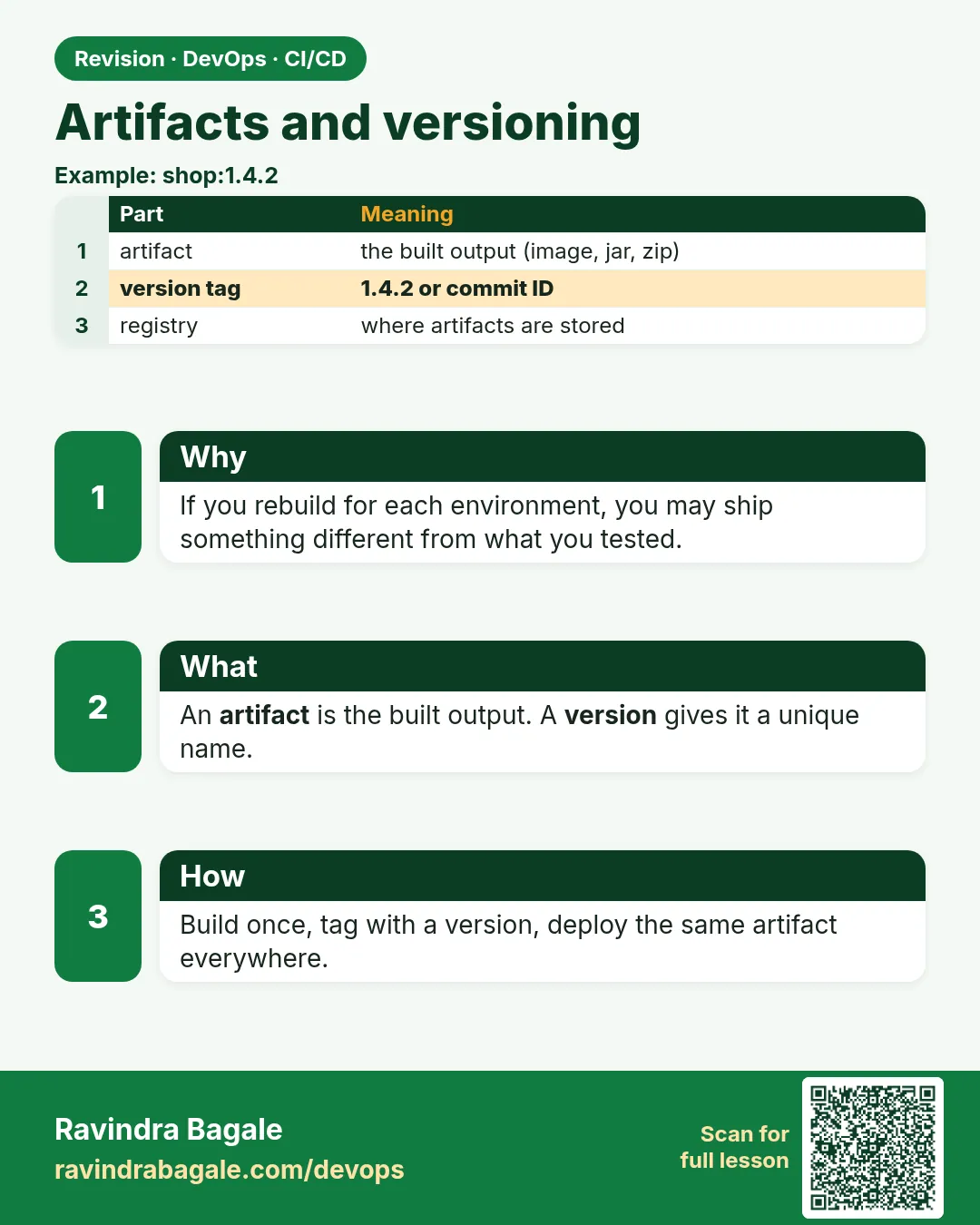 Revision card
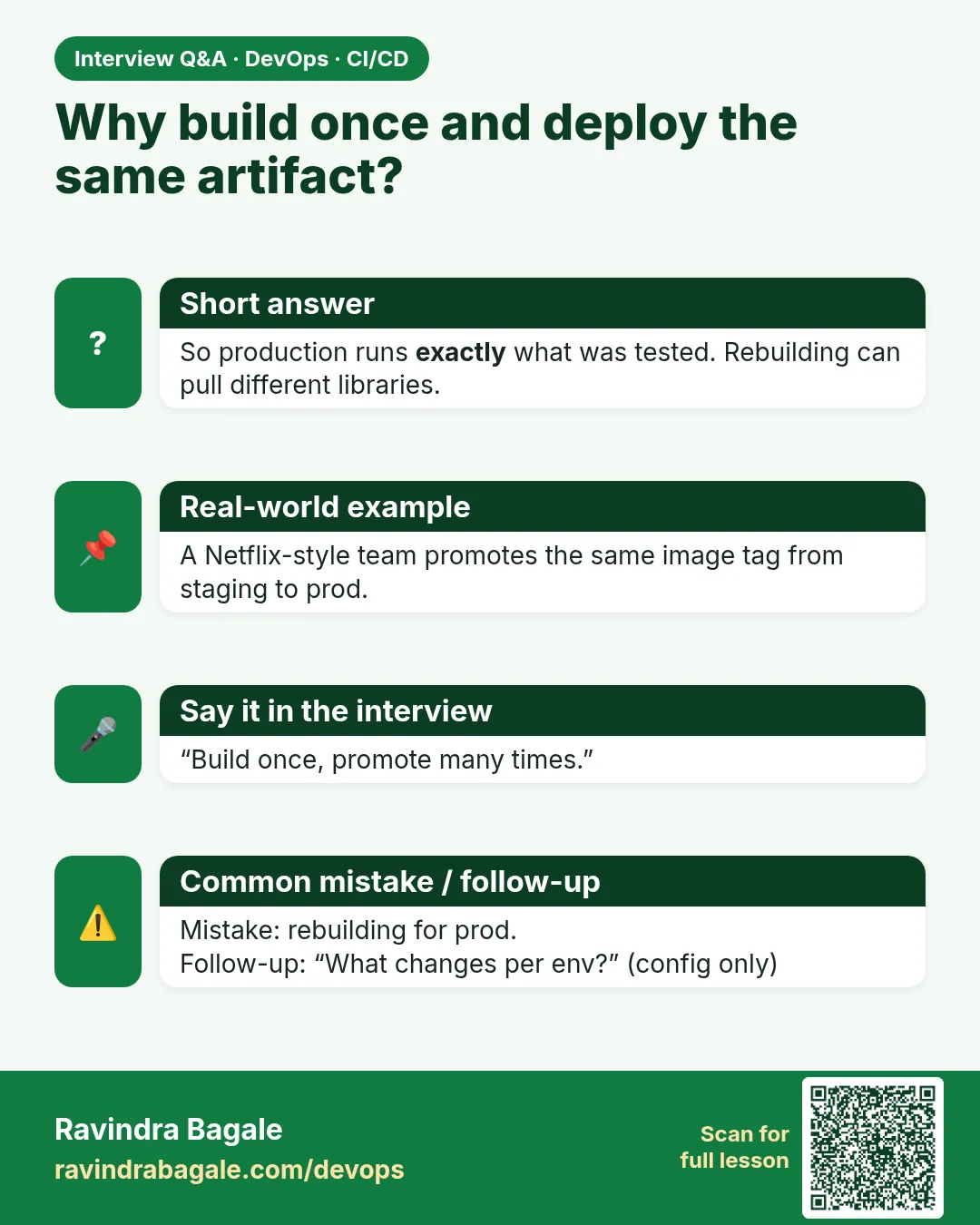 Interview card