8.10 Versioning and release notes (lightweight)
Why: the problem
Imagine a Saturday morning call. The badge API is slow. The manager asks three questions. What is live? What changed since last week? How do we go back? If the team has to SSH into servers and read logs to answer, that is what we call SSH archaeology: digging for history by hand. A tiny habit fixes this. Every release gets a version number and a few lines of release notes: what changed, how to roll back, and whether the database changed. The notes live next to the code, in a file called CHANGELOG.md, or on the release page of your Git host. Big companies do this too. Android, Kubernetes and Python all publish release notes for every version. Your notes can be four lines. Boring is good here.
What we will build
You will write a CHANGELOG.md for badge-api, use semantic versions, make the pipeline refuse a release without notes, create a release page automatically from a Git tag, and use the notes during a fake rollback. You will see the same thing in GitHub Actions, GitLab CI and Jenkins.
What: every term in plain English
- Release notes — A short list of what changed in one version, for humans.
- CHANGELOG.md — A file in the repo with release notes for every version, newest on top.
- Semantic versioning — MAJOR.MINOR.PATCH, like 0.3.1. Patch for fixes, minor for features, major for breaking changes.
- Release tag — A Git tag like v0.3.1 that marks the exact commit of a release.
- Rollback line — The exact tag to redeploy if this release fails.
- Migration — A database change, like a new column. It may not be easy to undo.
- Conventional commits — Commit messages like feat: or fix: that tools can turn into notes.
How: step by step
-
Pick the next version
cat VERSIONWhat it does: It was 0.3.0. A small new endpoint is a feature, but the team calls this a patch release for a health check.
Output
0.3.0 -
Bump the version
echo "0.3.1" > VERSIONWhat it does: One file, one number.
Output
(no output) -
Write the notes
Add the 0.3.1 block to the top of CHANGELOG.md (Example 1)What it does: Four lines: title, change, rollback, migrations.
Output
(file updated) -
Commit and tag
git commit -am "release 0.3.1" && git tag -a v0.3.1 -m "badge-api 0.3.1" && git push origin main v0.3.1What it does: The tag starts the release pipeline.
Output
* [new tag] v0.3.1 -> v0.3.1 -
Check the release page
Open Releases in your Git hostWhat it does: The notes from CHANGELOG.md are shown there.
Output
badge-api 0.3.1 -
Use the rollback line
./deploy.sh prod sha-99bb01What it does: In an incident, copy the line from the notes. No thinking needed.
Output
deploying sha 99bb01 to prod
Example 1: An example CHANGELOG
Stack. Markdown
Goal. An example CHANGELOG.md with the 0.3.1 release block.
CHANGELOG.md
# Changelog

## badge-api 0.3.1 (sha-a3f2c1)
- Add GET /health
- Rollback: redeploy sha-99bb01
- Migrations: none

## badge-api 0.3.0 (sha-99bb01)
- Add GET /badge/<user>
- Rollback: redeploy sha-7c1e0b
- Migrations: add table badges
What each line does
## badge-api 0.3.1 (sha-a3f2c1)— Title: app name, version and the short commit id of the build.- Add GET /health— What changed, in plain words.- Rollback: redeploy sha-99bb01— The exact previous image tag. Copy and run in an incident.- Migrations: none— No database change, so rollback is safe and simple.Newest on top— The top block is always what is live after this release.
Green output
$ head -6 CHANGELOG.md
# Changelog

## badge-api 0.3.1 (sha-a3f2c1)
- Add GET /health
- Rollback: redeploy sha-99bb01
- Migrations: none
Expected result. Anyone in the team can answer "what is live, what changed, how do we go back" from four lines.
Example 2: Refuse a release without notes, and publish the release page (GitHub Actions)
Stack. GitHub Actions
Goal. Refuse a release without notes, and publish the release page (GitHub Actions).
.github/workflows/release.yml
name: release
on:
  push:
    tags: ["v*"]
jobs:
  release:
    runs-on: ubuntu-latest
    steps:
      - uses: actions/checkout@v4
      - name: Check notes exist for this version
        run: |
          V="${GITHUB_REF_NAME#v}"
          test "$(cat VERSION)" = "$V" || { echo "VERSION file is $(cat VERSION), tag is $V"; exit 1; }
          grep -q "^## badge-api $V " CHANGELOG.md || { echo "No CHANGELOG entry for $V"; exit 1; }
          awk -v v="## badge-api $V " 'index($0, v)==1 {p=1; print; next} /^## / {p=0} p' CHANGELOG.md > notes.md
          cat notes.md
      - run: gh release create "$GITHUB_REF_NAME" --title "badge-api ${GITHUB_REF_NAME#v}" --notes-file notes.md
        env:
          GH_TOKEN: ${{ secrets.GITHUB_TOKEN }}
What each line does
tags: ["v*"]— Runs only when a tag like v0.3.1 is pushed.${GITHUB_REF_NAME#v}— Removes the v, giving 0.3.1.test VERSION = V— The VERSION file must match the tag.grep -q "^## badge-api $V "— Fails if there is no notes block for this version.awk ...— Cuts just this version block into notes.md.gh release create --notes-file— Makes the release page with those notes.
Green output
Run V="${GITHUB_REF_NAME#v}"
## badge-api 0.3.1 (sha-a3f2c1)
- Add GET /health
- Rollback: redeploy sha-99bb01
- Migrations: none
Run gh release create "v0.3.1" ...
https://example-host/ravi/badge-api/releases/tag/v0.3.1
Expected result. Forget the notes and the release job turns red with "No CHANGELOG entry for 0.3.1". The habit is now enforced by the pipeline.
Example 3: The same release habit in GitLab CI and Jenkins
Stack. GitLab CI, Jenkins
Goal. The same release habit in GitLab CI and Jenkins.
.gitlab-ci.yml
release:
  stage: deploy
  image: registry.gitlab.com/gitlab-org/release-cli:latest
  rules:
    - if: $CI_COMMIT_TAG =~ /^v/
  script:
    - V="${CI_COMMIT_TAG#v}"
    - grep -q "^## badge-api $V " CHANGELOG.md
    - awk -v v="## badge-api $V " 'index($0, v)==1 {p=1; print; next} /^## / {p=0} p' CHANGELOG.md > notes.md
  release:
    tag_name: $CI_COMMIT_TAG
    name: "badge-api $CI_COMMIT_TAG"
    description: ./notes.md
Jenkinsfile (tag build)
stage('Release notes') {
    when { buildingTag() }
    steps {
        sh '''
          V="${TAG_NAME#v}"
          grep -q "^## badge-api $V " CHANGELOG.md
          awk -v v="## badge-api $V " 'index($0, v)==1 {p=1; print; next} /^## / {p=0} p' CHANGELOG.md > notes.md
        '''
        archiveArtifacts artifacts: 'notes.md'
    }
}
What each line does
rules: CI_COMMIT_TAG =~ /^v/— GitLab runs this only for v tags.release: description: ./notes.md— GitLab makes the release page from the file.buildingTag()— Jenkins runs the stage only for tag builds.archiveArtifacts notes.md— Jenkins keeps the notes on the build page.
Green output
GitLab: release job passed, Release "badge-api v0.3.1" created
Jenkins: Release notes  notes.md archived  Finished: SUCCESS
Expected result. Three tools, one habit: no notes, no release.
Verify: did it work?
-
Check the live version matches the notes
curl -s https://badge.example.com/versionWhat it does: Must match the top block of CHANGELOG.md.
Output
{"commit":"a3f2c1d","version":"0.3.1"} -
Check the rollback tag exists
docker manifest inspect ravi/badge-api:sha-99bb01 | head -3What it does: If the old image was deleted, rollback is impossible.
Output
{ "schemaVersion": 2, ...
When it is red 1
No CHANGELOG entry for 0.3.1
Cause. The notes block is missing, or the title is spelled differently.
Fix, step by step
- Add a block that starts with ## badge-api 0.3.1 and a space.
- Commit, then move the tag only if nobody pulled it, or tag 0.3.2.
When it is red 2
VERSION file is 0.3.0, tag is 0.3.1
Cause. You tagged before bumping VERSION.
Fix, step by step
- Bump VERSION, commit.
- Make a new tag v0.3.2 rather than moving a public tag.
When it is red 3
manifest unknown: sha-99bb01
Cause. The rollback image was cleaned by a registry retention rule.
Fix, step by step
- Keep released images longer than other images.
- Add a retention rule that never deletes tags listed in CHANGELOG.md.
Cleanup
-
Nothing to delete
git tag -l "v0.3*"What it does: Release tags stay forever.
Output
v0.3.0
v0.3.1
Ravindra Bagale's Tip
Even four lines of release notes are enough. Do not forget to write the rollback tag. In an incident that one line saves you. Keep that in mind!
Release notes चार ओळी पण चालती. Rollback tag लिहायचा विसरू नका. Incident मध्ये तीच line वाचवते. लक्षात ठेवा!
Release notes चार पंक्तियाँ भी काफी. Rollback tag लिखना मत भूलो. Incident में वही line बचाती है. याद रखो!
Practice tasks
Easy Write one notes block
Why: Build the habit.
What to do: Write a four-line block for your last change.
- Use the same format.
Check: Four clear lines.
Medium Enforce notes in CI
Why: Make it automatic.
What to do: Add the grep check to your release job.
- Push a tag without notes.
Check: The job fails with a clear message.
Hard Fake rollback drill
Why: Practice the incident.
What to do: Use only CHANGELOG.md to roll back staging.
- Time it.
Check: Rollback in under 5 minutes.
Easy Say versioning and release notes in two lines
Why: If you can say it simply, you understand it. Juniors and interviewers both want the short version first.
What to do: Write two short lines about versioning and release notes for a fresher who knows only Linux, Git and Docker basics.
- Write the problem it solves.
- Write the one pipeline line or command you use for it.
- Read it aloud to a friend.
Check: A fresher understands it without asking a question.
Easy Keep a throwaway lab repo
Why: Practice needs a repo you can break. If it gets messy, you delete it and start again.
What to do: Make a small practice repo called badge-api with one Python file, one test and one Dockerfile.
- mkdir badge-api and cd into it
- git init -b main
- Add app.py, test_app.py and Dockerfile from this chapter, then commit.
Check: git log shows one commit and pytest prints 1 passed.
Medium Do it in a second CI tool
Why: CI/CD is the idea. The tool is only the syntax. The same stages must work in GitHub Actions, GitLab CI and Jenkins.
What to do: Write the pipeline from this lesson in a second CI tool.
- If you used GitHub Actions, write .gitlab-ci.yml or a Jenkinsfile now.
- Keep the same stage names and the same commands.
- Only the wrapper syntax should change.
Check: Same green result, same stage names, different tool.
Medium Break it on purpose
Why: You must know the red log by face. In a real outage there is no time to read slowly.
What to do: Cause one error from the "When it is red" part of this lesson and fix it.
- Follow the error section.
- Copy the exact red line from the job log into your notes.
- Write the fix in one line.
Check: You fixed it using only the steps, without searching the web.
Medium Write a one-page runbook
Why: At 2 a.m. nobody remembers pipeline menus. A short page saves the on-call person.
What to do: Write a one-page runbook for this lesson.
- Title, when to use, exact steps or pipeline lines, how to check, how to undo.
Check: A teammate can follow it alone.
Hard Explain it like an interview
Why: Interviewers want real stories, not definitions.
What to do: Record a 60 second answer about this lesson.
- Say the problem, the pipeline lines you wrote, and one error you hit.
Check: Your answer has a real pipeline line and a real error message.
Hard Draw the flow top to bottom
Why: A drawing shows the order of work and which stage waits for which.
What to do: Draw this lesson as boxes from top to bottom.
- Start at git push, go through each stage, end at the green run or the deployed app.
Check: Each box matches a real line in your job log.
Homework: try at home
Try at home
At home, add CHANGELOG.md and VERSION to badge-api, write the 0.3.1 block like the example, add the release job, and push tag v0.3.1. Then push a tag without notes and watch it fail.
Recap
- Every release gets a version and short notes.
- Notes say change, rollback and migrations.
- Keep notes in CHANGELOG.md or the release page.
- Let the pipeline refuse a release without notes.
- Keep rollback images available.
FAQ
Should I write notes for every commit?
No. For every release.
Can tools write notes for me?
Yes, from conventional commits or PR titles. Still read and edit them.
Is CHANGELOG.md or release pages better?
Either. Pick one and be consistent.
Do internal APIs need notes?
Yes. Other teams depend on them too.
What if a migration cannot be undone?
Write that clearly, and plan a forward fix instead of a rollback.
Interview questions
-
How do you version releases?
Semantic versioning with a Git tag, plus the commit sha on the artifact.
-
What do you put in release notes?
What changed, known risks, migrations, and the rollback version.
-
How do you know what is running in prod?
A /version endpoint or deployment record that matches the release tag and notes.
-
How do you automate release notes?
Generate from conventional commits or PR titles, then publish on tag in CI.
-
Why might rollback be unsafe?
A database migration may not be backward compatible.
Quick quiz
Q1. What are the four lines of a light release note?
Title with version and sha, change, rollback, migrations.
Q2. Where can release notes live?
CHANGELOG.md or the Git host release page.
Q3. Why write the rollback tag?
So rollback is one copy and paste in an incident.
Q4. Why note migrations?
Database changes can make rollback unsafe.
Q5. What does v0.3.1 mean?
Major 0, minor 3, patch 1.
Did you understand? Let us try it once more.
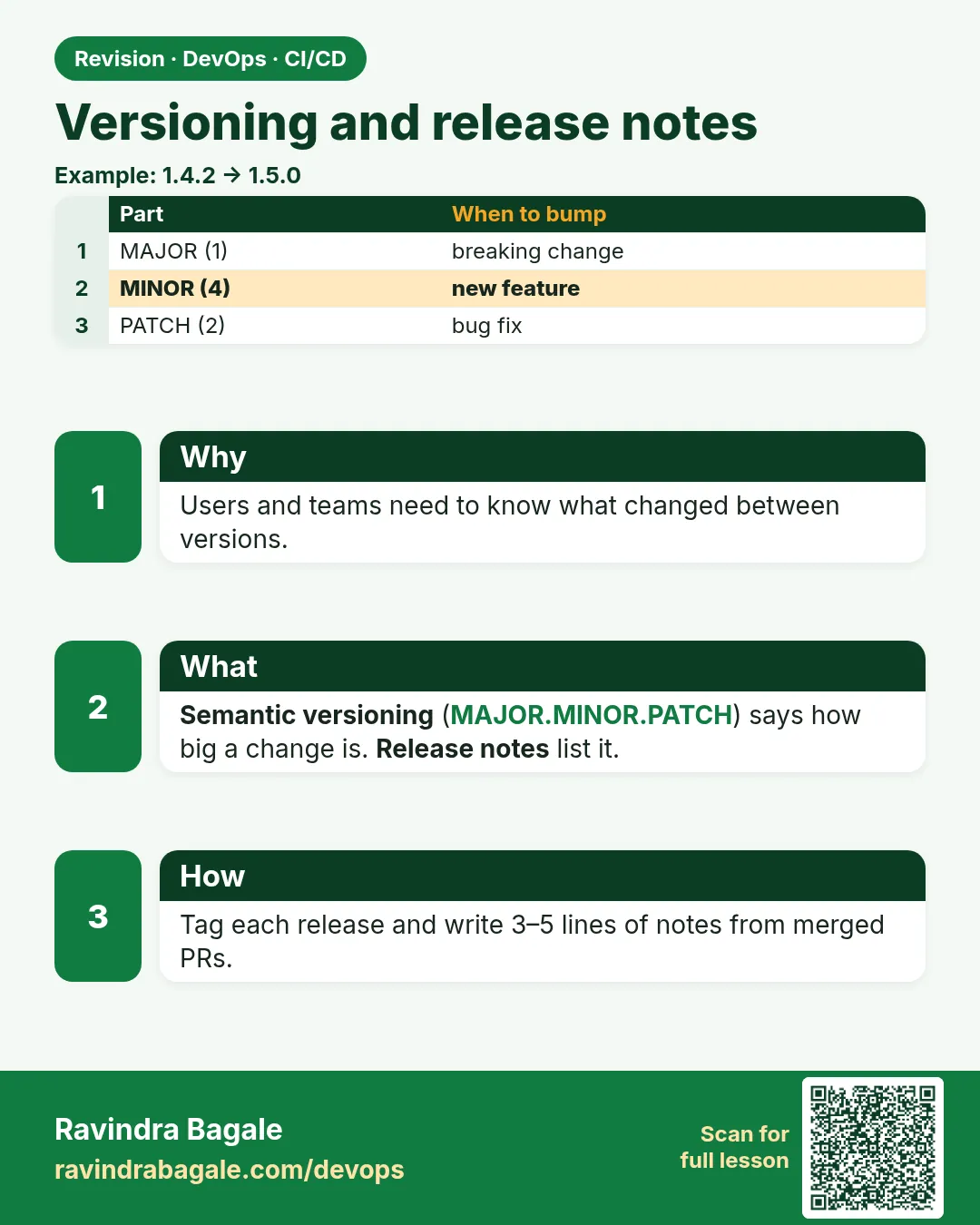 Revision card
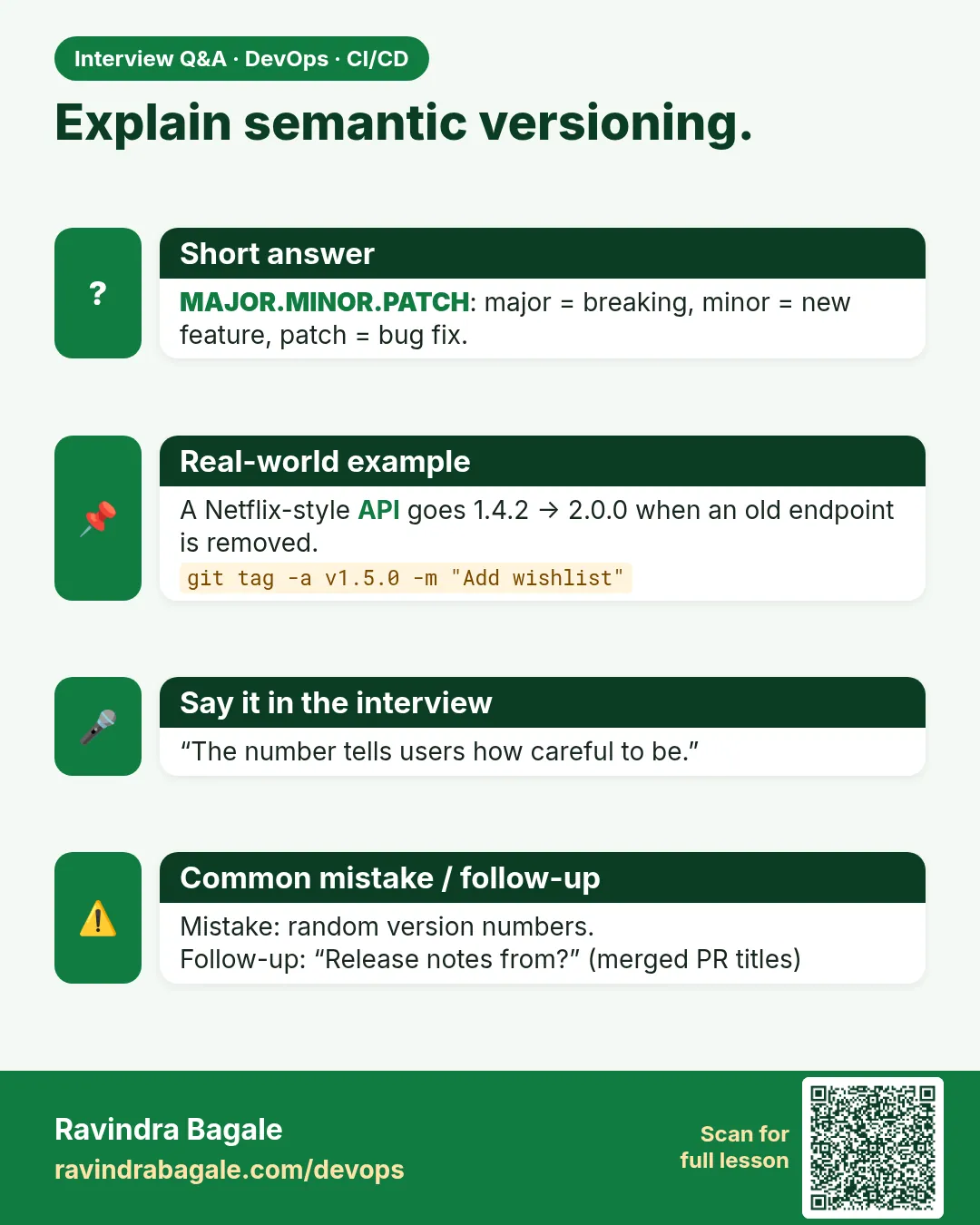 Interview card