86.6 Helm and Kustomize sources
Story. After chapter 85, Arjun's team already had a Helm chart for payments. Argo CD rendered that chart from Git using source.helm.valueFiles. Another squad preferred Kustomize overlays. Argo CD supports both — and plain YAML folders — without changing how you sync.
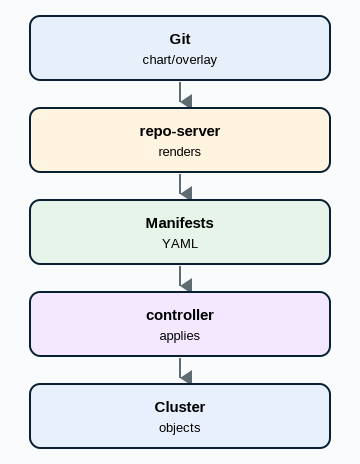
Why
Teams already invested in Helm or Kustomize. GitOps should reuse that, not force a rewrite.
What
- Helm source —
pathpoints at a chart; optionalhelm.valueFiles,helm.parameters, chart version for repos. - Kustomize source —
pathpoints at an overlay withkustomization.yaml. - Directory source — Plain YAML files in a folder.
- repo-server — Runs
helm template/kustomize buildequivalents for Argo CD.
How
- Keep the chart or overlay in Git.
- Point the Application
pathat it. - For Helm, list value files relative to that path.
- Sync and read the rendered diff before you trust automation.
Example 1: Helm valueFiles in an Application
source:
  repoURL: https://git.example.com/shop/deploy.git
  targetRevision: HEAD
  path: charts/shop-api
  helm:
    valueFiles:
      - values.yaml
      - values-stage.yaml
What it shows: Argo CD renders the chart with those values, then applies the YAML.
Example 2: See rendered manifests (CLI)
argocd app manifests shop-api | head
Output
apiVersion: apps/v1
kind: Deployment
metadata:
  name: shop-api
  namespace: shop
...
What it shows: The YAML Argo CD will apply — same idea as helm template, but through Argo CD.
Ravindra Bagale's Tip
Pin chart versions for charts pulled from a Helm repo. Floating latest in prod is a surprise waiting to happen.
Helm repo मधून येणाऱ्या charts साठी version पिन करा. prod मध्ये latest = Surprise.
Helm repo से आने वाले charts का version पिन करें. prod में latest = Surprise.
Quick quiz
Q1. Who renders Helm inside Argo CD?
The repo-server component.
Q2. Can one Application use a Kustomize overlay?
Yes. Point path at the overlay folder.
Q3. What is argocd app manifests for?
To print the rendered YAML Argo CD will apply.
Did you understand? Let us try it once more.