86.2 Install Argo CD on kind (EKS awareness)
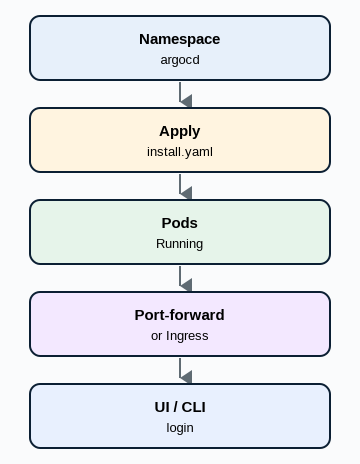
Story. Neha in Hyderabad joined a Capgemini-style platform team. Her kind cluster already ran apps from chapter 85. She created namespace argocd, applied the official install manifest from the Argo CD Getting Started docs, waited for pods, then port-forwarded the server UI. On EKS the same manifests work; you usually expose argocd-server with a LoadBalancer or Ingress and lock login behind SSO later.
Why
Argo CD runs inside the cluster. It needs its own namespace, CRDs and controllers before you can create an Application.
What
- argocd namespace — Where Argo CD components run by default.
- install.yaml — Official install manifest from the Argo CD Getting Started documentation (download it; do not invent a random URL).
- argocd-server — API and Web UI.
- application-controller — Syncs Applications.
- repo-server — Clones Git and renders manifests (Helm, Kustomize, plain YAML).
- EKS awareness — Same install shape; use a proper Service type or Ingress, IAM/IRSA for multi-cluster later, and never leave the initial admin password forever.
How
- Download the official
install.yamlfrom the Argo CD Getting Started docs into your working folder asargocd-install.yaml. - Create the namespace and apply the file.
- Wait until pods in
argocdare Ready. - Port-forward for a local lab, or use Ingress/LoadBalancer on EKS.
- Read the initial admin password from the Secret, then change it.
Example 1: Install on kind
kubectl create namespace argocd
kubectl apply -n argocd -f argocd-install.yaml
kubectl -n argocd get pods
Output
NAME                                  READY   STATUS    RESTARTS   AGE
argocd-application-controller-0       1/1     Running   0          2m
argocd-applicationset-controller-...  1/1     Running   0          2m
argocd-dex-server-...                 1/1     Running   0          2m
argocd-notifications-controller-...   1/1     Running   0          2m
argocd-redis-...                      1/1     Running   0          2m
argocd-repo-server-...                1/1     Running   0          2m
argocd-server-...                     1/1     Running   0          2m
What it shows: Core components are Running. Names include a unique suffix; yours will differ.
Example 2: Admin password and port-forward (lab)
kubectl -n argocd get secret argocd-initial-admin-secret -o jsonpath='{.data.password}' | base64 -d; echo
kubectl -n argocd port-forward svc/argocd-server 8080:443
Output
(a long random password prints once)
Forwarding from 127.0.0.1:8080 -> 8080
What it shows: You can open https://localhost:8080 and log in as admin with that password. Change it after first login. Do not paste real passwords into chat or Git.
When it is red
Error from server (NotFound): secrets "argocd-initial-admin-secret" not found
Fix. Wait for the install to finish, or check you applied into namespace argocd. Some upgraded installs remove the initial secret after you change the password — that is expected.
Ravindra Bagale's Tip
For class use kind or Minikube. Treat EKS exposure and SSO as the next hardening step, not day one.
क्लाससाठी kind किंवा Minikube वापरा. EKS exposure आणि SSO नंतर harden करा — पहिल्या दिवशी नव्हे.
क्लास के लिए kind या Minikube इस्तेमाल करें. EKS exposure और SSO बाद में harden करें — पहले दिन नहीं.
Quick quiz
Q1. Which namespace holds Argo CD by default?
argocd
Q2. Where do you get install.yaml?
From the official Argo CD Getting Started documentation.
Q3. What does port-forward do in a lab?
It sends your laptop browser traffic to argocd-server without a public LoadBalancer.
Did you understand? Let us try it once more.