86.4 Sync policies — manual, automated, self-heal, prune
Story. At an Infosys-style account in Chennai, staging used automated sync with prune and self-heal. Prod stayed manual: a human pressed Sync after the change advisory. When Vikram edited a live Deployment with kubectl, self-heal on staging put Git back within a minute. Prod ignored the kubectl edit until someone synced — by design.
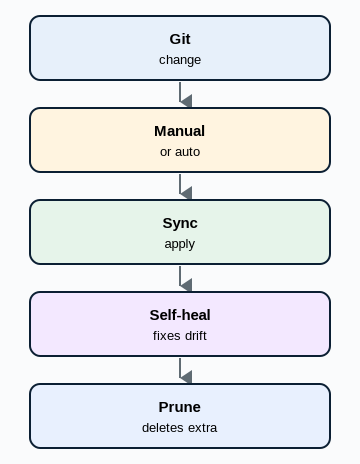
Why
Not every environment should auto-deploy. You still want one tool and one Git history.
What
- Manual sync — Someone runs Sync in the UI or CLI.
- Automated sync — Argo CD applies new Git commits by itself.
- prune — Delete cluster objects that disappeared from Git.
- selfHeal — If someone changes the cluster by hand, Argo CD puts Git back.
- syncOptions — Extra flags such as
CreateNamespace=true.
How
- Start manual while you learn.
- Turn on automation for non-prod when the team trusts the pipeline.
- Enable prune only when you understand deletes.
- Enable selfHeal when kubectl hotfixes are banned.
Example 1: First manual sync
argocd app sync shop-api
argocd app get shop-api
Output
Name:               shop-api
Sync Status:        Synced
Health Status:      Healthy
What it shows: Objects from Git are on the cluster and healthy.
Example 2: Turn on automated sync with prune and self-heal
argocd app set shop-api --sync-policy automated --auto-prune --self-heal
Equivalent YAML fragment:
syncPolicy:
  automated:
    prune: true
    selfHeal: true
What it shows: New commits sync alone. Extra live objects can be pruned. Hand edits get reverted to Git.
Ravindra Bagale's Tip
Keep prod on manual sync until your change process is boring and reviewed.
prod वर manual sync ठेवा जोपर्यंत change process boring आणि reviewed होत नाही.
prod पर manual sync रखें जब तक change process boring और reviewed न हो.
Quick quiz
Q1. What does selfHeal do?
It reverts live drift so the cluster matches Git again.
Q2. What does prune do?
It deletes cluster objects that are no longer in Git.
Q3. When is manual sync useful?
For prod or any env where a human must approve the apply.
Did you understand? Let us try it once more.