39.1 Scheduled Refresh, Incremental Refresh and Gateways
Chala mitrano — Monday 9 am panic ends when refresh is honest. We schedule 7:00 IST, use incremental where it fits, and pick the right gateway.
चला मित्रांनो — सोमवार सकाळचा panic तेव्हा संपतो जेव्हा refresh प्रामाणिक असतो. 7:00 IST schedule, जिथे जमेल तिथे incremental, आणि योग्य gateway.
चला मित्रों — सोमवार सुबह का panic तब खत्म जब refresh ईमानदार हो। 7:00 IST schedule, जहाँ फिट हो incremental, और सही gateway।
- Contrast Import copy with DirectQuery / Live for refresh.
- Set a scheduled refresh at 7:00 Asia/Calcutta and enable failure email.
- Explain incremental refresh with RangeStart / RangeEnd parameters.
- Choose personal vs standard on-premises data gateway.
- Check credentials, privacy levels and refresh history.
- Name three ways to make refresh cheaper and more reliable.
Start with a problem (fictional). Arjun Deshmukh (Nagpur) published the Blinkit-style MH model on Friday night. Monday at 09:05 IST the CFO opened the App — yesterday's GMV still showed. No gateway for the on-prem SQL box, credentials expired, and the full 18-month fact table reloaded every time. Arjun needs the data ready by 07:00 IST, an incremental policy, and a standard gateway the team can share.
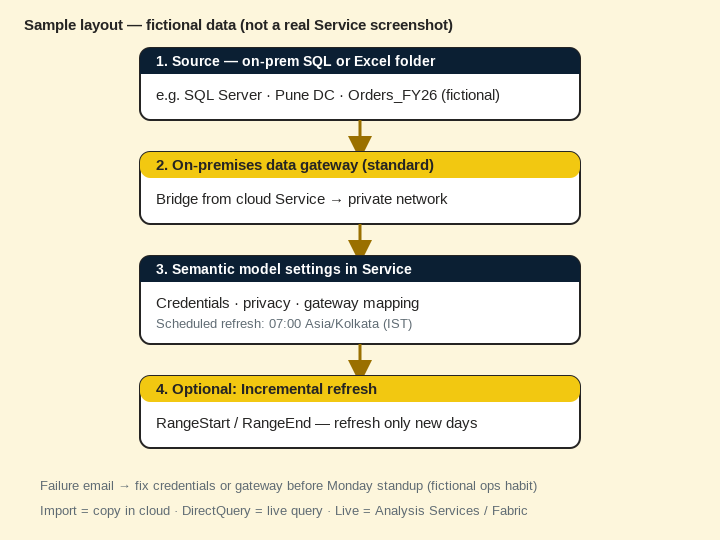
1. Import copy vs DirectQuery / Live
Why: Refresh only applies to Import (and some hybrid) copies. DirectQuery and Live ask the source at query time.
What: Import stores a copy in the semantic model — needs scheduled or manual refresh. DirectQuery / Live hit the source when someone opens a visual.
How — pick the mode before you promise 7 am numbers:
Steps
- Import — great for curated star schemas and fast dashboards; you own freshness.
- DirectQuery — the data stays in the source, and Power BI sends queries when visuals load or are refreshed. Results can be cached, so a report that is already open does not show every source change at once. Refresh the visual or set automatic page refresh, and watch latency and source load.
- Live (Analysis Services / some Fabric) — model lives elsewhere; refresh story differs.
Tiny example: Arjun's MH sales fact is Import (fictional 2.4M rows). The live ERP DirectQuery page is separate — city managers use the Import App at 7:15 IST.
Ravindra Bagale's Tip
Friends, never say my DirectQuery needs scheduled refresh. Import needs the schedule. DirectQuery needs a healthy source and network.
Ravindra Bagale's Tip – मराठी
मित्रांनो, DirectQuery ला scheduled refresh लागतो असे कधी म्हणू नका. Import ला schedule लागतो. DirectQuery ला निरोगी source आणि network.
Ravindra Bagale's Tip – हिंदी
दोस्तों, DirectQuery को scheduled refresh लगता है ऐसा कभी न कहें। Import को schedule लगता है। DirectQuery को स्वस्थ source और network।
2. Scheduled refresh, time zone (UTC+05:30), failure emails
Why: India teams plan around IST. A UTC-only mental model causes 5:30 surprises.
What: In the Service, open the semantic model — Refresh — Schedule. Pick times in your tenant's configured zone; label Asia/Calcutta (UTC+05:30) in your runbook.
How — set a morning refresh (concept):
Steps
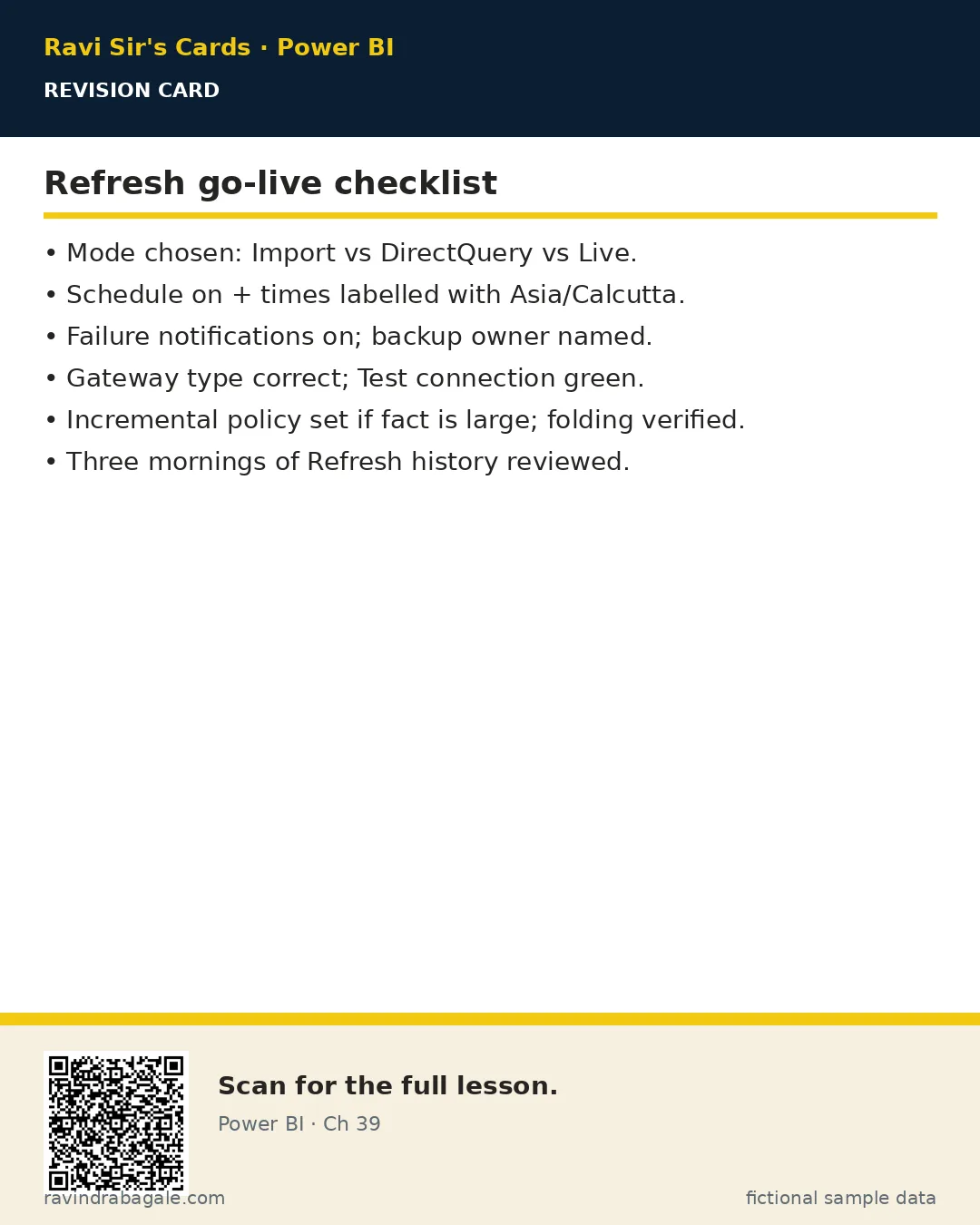
- Semantic model settings — Scheduled refresh — On.
- Add 07:00 (and optionally 13:00) — confirm the time zone shown.
- Turn on refresh failure notifications to Arjun (and a backup owner).
- After publish week one: open Refresh history every morning for three days.
Tiny example: Schedule 07:00 Asia/Calcutta. Fictional GMV ₹18.6L is ready before the 09:00 standup.
Ravindra Bagale's Tip
Friends, put the zone name in the runbook: Asia/Calcutta (UTC+05:30). Screenshots without a zone confuse night-shift vendors.
Ravindra Bagale's Tip – मराठी
मित्रांनो, runbook मध्ये zone लिहा: Asia/Calcutta (UTC+05:30). Zone नसलेले screenshot रात्रीच्या vendor ला गोंधळ करतात.
Ravindra Bagale's Tip – हिंदी
दोस्तों, runbook में zone लिखें: Asia/Calcutta (UTC+05:30)। Zone रहित screenshot रात की vendor टीम को भ्रमित करते हैं।
3. Incremental refresh with RangeStart / RangeEnd
Why: Reloading 18 months every night wastes capacity and fails more often.
What: Incremental refresh uses DateTime parameters RangeStart and RangeEnd in Power Query, plus a policy (e.g. store 24 months, refresh last 7 days).
How — set up the pattern (concept):
Steps
- In Desktop Power Query, create RangeStart / RangeEnd parameters (Date/Time).
- Filter the fact date column with those parameters (foldable to the source).
- In the model, set Incremental refresh policy on the fact table.
- Publish to the Power BI service. Ordinary incremental refresh works on Power BI Pro, Premium per user, Premium and Fabric capacity. Only the optional real-time DirectQuery partition needs Premium or Fabric capacity, Premium per user or Embedded. Remember that a Pro refresh must finish within two hours.
- First refresh may do a historical load — plan off-peak.
Tiny example: Policy: archive 24 months, refresh last 5 days. Monday night only touches recent Blinkit-style order days — not the whole 2024 archive.
Ravindra Bagale's Tip
Friends, incremental refresh is fast only when the source itself applies the RangeStart and RangeEnd date filter. With SQL sources this usually happens through query folding, and a native SQL query that uses the two parameters also works. If the filter runs only inside Power Query, an Import refresh still works, but it first pulls every row from the source, which is slow. Check the query that the source actually receives before you celebrate.
Ravindra Bagale's Tip – मराठी
मित्रांनो, RangeStart आणि RangeEnd चा date filter source नेच लावला तरच incremental refresh fast होतो. SQL sources मध्ये हे बहुतेक query folding ने होतं, आणि दोन्ही parameters वापरणारी native SQL query सुद्धा चालते. Filter फक्त Power Query मध्येच लागला, तर Import refresh चालतो, पण आधी source मधून सगळ्या rows येतात, आणि तो slow होतो. Celebration आधी source ला नक्की कोणती query जातेय ते तपासा.
Ravindra Bagale's Tip – हिंदी
दोस्तों, RangeStart और RangeEnd का date filter source खुद लगाए, तभी incremental refresh fast होता है। SQL sources में यह ज़्यादातर query folding से होता है, और दोनों parameters वाली native SQL query भी चलती है। अगर filter सिर्फ़ Power Query में लगे, तो Import refresh चलता है, लेकिन पहले source से सारी rows आती हैं, और वह slow हो जाता है। जश्न से पहले जाँचें कि source को असल में कौन-सी query जा रही है।
4. On-premises data gateway (personal vs standard)
Why: Cloud Service cannot see your office SQL without a bridge.
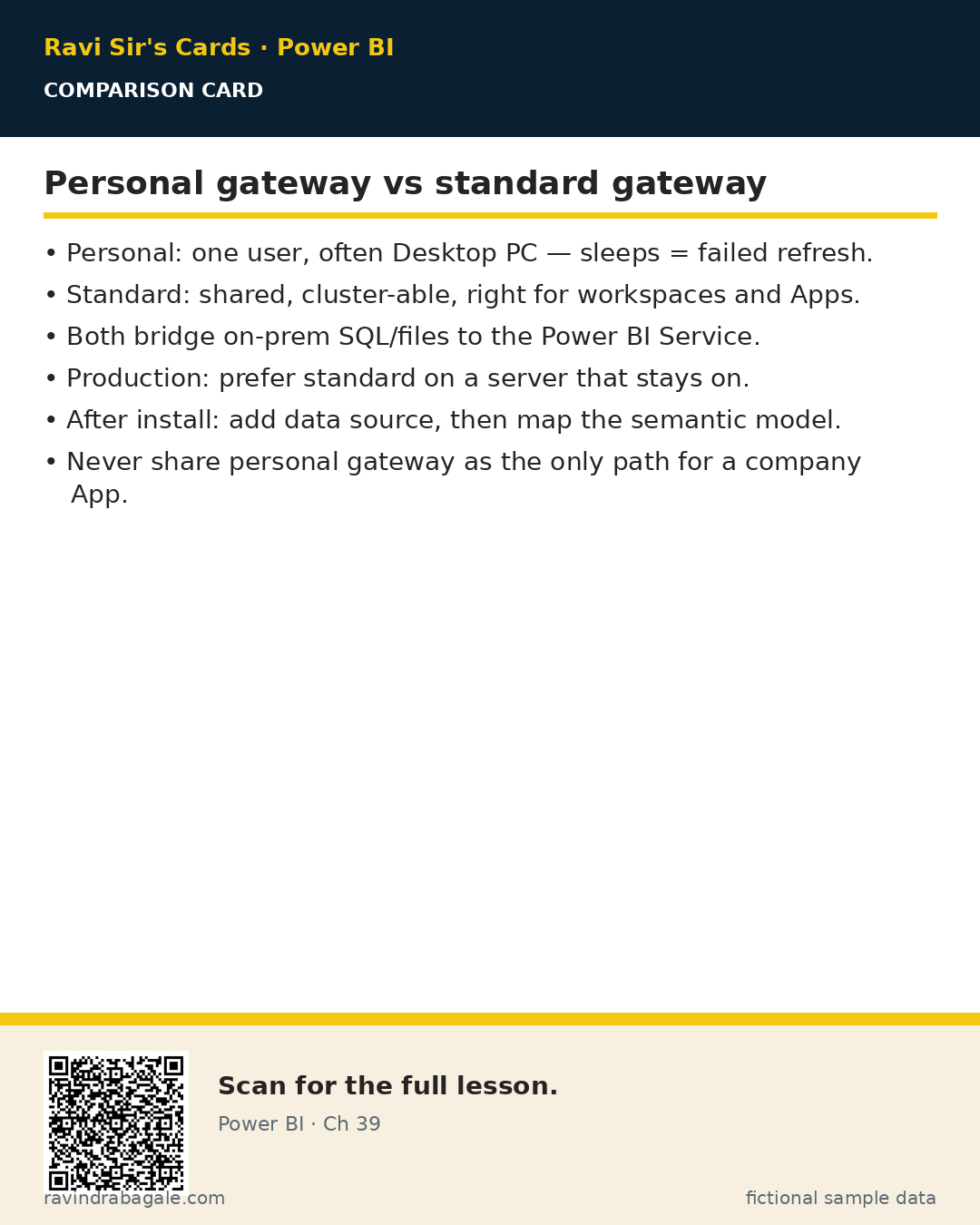
What: An on-premises data gateway runs inside your network. Personal mode is for one user's refresh. Standard (enterprise) mode is shared, cluster-able, and right for team workspaces.
How — choose the gateway type:
Steps
- Only you, My workspace experiments? Personal can work — still fragile if your PC sleeps.
- Team App + shared workspace? Standard gateway on a server that stays on.
- Install, sign in, add a data source (SQL) with the same connection string shape as Desktop.
- In the semantic model, map the dataset credentials to that gateway source.
Tiny example: Standard gateway on a fictional Pune VM serves Sales MH. Arjun's laptop sleep no longer stops Monday refresh.
Ravindra Bagale's Tip
Friends, personal gateway on a laptop is a Monday trap. Production Apps deserve a standard gateway on an always-on host.
Ravindra Bagale's Tip – मराठी
मित्रांनो, laptop वरील personal gateway सोमवारचा सापळा आहे. Production Apps साठी always-on host वर standard gateway.
Ravindra Bagale's Tip – हिंदी
दोस्तों, laptop पर personal gateway सोमवार का जाल है। Production Apps के लिए always-on host पर standard gateway।
5. Credentials, privacy levels and refresh history
Why: Most refresh failures are auth, privacy, or gateway mapping — not DAX.
What: Store credentials in the Service/gateway. Privacy levels (Private / Organizational / Public) block unsafe merges across sources.
How — debug a failed refresh:
Steps
- Open Refresh history — read the error line (credential, gateway, timeout, privacy).
- Fix credentials on the gateway data source — then Test connection.
- If privacy error, align levels carefully (never set everything Public to silence it).
- Re-run refresh once; confirm green in history.
Tiny example: Error: credentials invalid. Arjun updates SQL password on the standard gateway — 07:00 run succeeds next day.
6. Making refresh cheaper and more reliable
Why: Capacity minutes and failure emails both cost trust.
What: Smaller models, incremental windows, off-peak schedules, and fewer unused tables beat heroic full loads.
How — apply three habits:
Steps
- Remove unused columns/tables before publish.
- Prefer incremental on large facts; keep dimensions full-load if small.
- Stagger schedules so ten models do not all start at 07:00:00.
- Watch Refresh history weekly — silent yellow streaks are debt.
Tiny example: Mei Lin (Singapore, fictional SaaS) moves three heavy models to 06:00, 06:30 and 07:00 Singapore time so capacity stays calm. The built-in schedule offers only times on the hour or half hour. For any other minute, such as 06:15, use a Power Automate flow or the REST API refresh trigger.
Ravindra Bagale's Tip
Friends, a green refresh at 07:02 IST is a product feature. Treat it like an SLA, not a hope.
Ravindra Bagale's Tip – मराठी
मित्रांनो, 07:02 IST ला green refresh हे product feature आहे. SLA सारखे वागा, आशेसारखे नाही.
Ravindra Bagale's Tip – हिंदी
दोस्तों, 07:02 IST पर green refresh एक product feature है। SLA की तरह देखें, आशा की तरह नहीं।
7. Worked example — three industries
All numbers are fictional sample data.
Quick commerce (Maharashtra)
Why: City managers open the App at 09:00 IST, and the data must be ready by 07:00. A scheduled time is only the start time. The refresh can start a few minutes late and then takes about 8 to 10 minutes, so Arjun schedules it at 06:00 and shows the last refresh time on the report. The schedule offers only times on the hour or half hour, and 06:00 leaves almost an hour of buffer, while 06:30 would leave little room if the start is late.
- Import model + standard gateway to on-prem SQL.
- Incremental: store 18 months, refresh last 3 days.
- Schedule the refresh at 06:00 Asia/Calcutta, and send failure emails to Arjun and Priya.
| Day | Rows refreshed (fictional) | Status |
|---|---|---|
| Mon | 1,12,000 | Started 06:04, completed 06:12 |
| Tue | 98,400 | Started 06:02, completed 06:08 |
| Wed | — | Failed — credential (fixed same day) |
About this data: This table uses columns: Day, Rows refreshed (fictional), Status. This table uses columns: Wrong, Better. Values shown are the lesson examples already on this page (not a new dataset).
Hospital network
Dr. Amina Yusuf schedules the bed-occupancy Import model at 05:30 local time. The clinical pages use DirectQuery with automatic page refresh every few minutes, so ward leads see recent data without waiting for the next scheduled refresh.
Bank branch analytics (fictional)
Carlos Mendes uses incremental on transactions and a standard gateway cluster — never a personal gateway on a teller PC.
Recap. Import needs a schedule. Label Asia/Calcutta. Incremental refresh for big facts, with the date filter applied at the source. Standard gateway for teams. Read refresh history.
Common mistakes
| Wrong | Better |
|---|---|
| Personal gateway on a sleeping laptop | Standard gateway on always-on host |
| Full load of multi-year fact nightly | Incremental with RangeStart / RangeEnd |
| Ignoring time zone | Document Asia/Calcutta (UTC+05:30) |
| No failure email | Notify owner + backup |
Quiz (5 questions)
1. Scheduled refresh mainly applies to:
2. For a shared workspace App, prefer:
3. RangeStart and RangeEnd are used for:
4. Asia/Calcutta is offset from UTC by:
5. First place to look after a failed night refresh:
Practice tasks (12) — every task has hints plus a model answer and marking rubric
- Task. Write when Import needs a schedule and when DirectQuery does not.
Hint: section 1.Model answer and marking rubric
Model answer. An Import table keeps a copy of the source data inside the semantic model. That copy changes only when a refresh runs, so an Import model needs a scheduled refresh, or a manual or API refresh, before it shows new rows. A DirectQuery table keeps the data in the source, and Power BI sends a query to the source when a visual loads or is refreshed. So a DirectQuery table does not need a scheduled data refresh to pick up new rows. It still needs a healthy source and network. Results can also be cached, so a report that is already open can show earlier results until you refresh the visual or use automatic page refresh.
Worked example (fictional data). The fictional Sales MH model imports the FactOrders table (2.4 million rows), and its last refresh finished at 06:27 IST. A new order is saved in the source at 08:10 IST. The Import visuals do not show that order until the next refresh. The separate stock page uses DirectQuery on the StockLevel table with automatic page refresh every 5 minutes, so it shows the 08:10 change at the next page refresh without any scheduled refresh.
Acceptable alternatives. You may also say that a live connection to a published semantic model or to Analysis Services does not need its own data refresh, because the source model is refreshed instead. You may also say that in a composite (hybrid) model the Import tables need a schedule and the DirectQuery tables do not. A note that DirectQuery models can still need the service to process metadata, such as security role changes, is correct extra detail.
Marking rubric (10 points).
What the answer must show Points Import holds a copy, so it needs a scheduled, manual or API refresh to show new data. 3 DirectQuery leaves the data in the source and queries it when visuals load, so no scheduled data refresh is needed for new rows. 3 DirectQuery results can be cached, so the learner mentions refreshing the visual or automatic page refresh. 2 DirectQuery depends on source health, latency and network. 1 A concrete example of one Import table and one DirectQuery table. 1 Common wrong answer. A common wrong answer says that a DirectQuery report needs a scheduled refresh every hour. Another says that DirectQuery is always real time and never shows old results. Both lose marks, because DirectQuery has no data refresh to schedule, and its results can be cached.
- Task. Draft a runbook line for 07:00 Asia/Calcutta refresh with failure mail.
Hint: include zone label.Model answer and marking rubric
Model answer. A good runbook line names the model, the scheduled start time with the time zone name and UTC offset, how often it runs, who gets the failure email and what to check next. A scheduled time is a start time, not a finish time. Microsoft aims to start a scheduled refresh within 15 minutes of the slot. It can start up to 5 minutes early, and in busy periods it can start up to an hour late. Power BI emails the model owner when a scheduled refresh fails, and you can add more contacts in the same organization (tenant).
Worked example (fictional data). Sales MH: scheduled refresh daily at 07:00 Asia/Calcutta (UTC+05:30, which is 01:30 UTC). The measured run takes 8 to 10 minutes, so on a normal day expect completion by about 07:25. If the refresh fails, Power BI emails the owner Arjun and the added contact Priya. At 07:30 check Refresh history, fix the cause and run Refresh now. If the managers need the data ready by 07:00, the start must be earlier, for example 06:00, as in the quick commerce case in section 7. The built-in schedule offers only times on the hour or half hour, so a start at 06:15 needs a Power Automate flow or the REST API refresh trigger.
Acceptable alternatives. You may write the time in UTC with the IST time in brackets, as long as both are labelled. You may send the failure email to a team mailing list instead of one person, as long as it is inside your organization, because external recipients are not supported. You may add a second slot, such as 13:00 IST, if you explain why.
Marking rubric (10 points).
What the answer must show Points The start time has a time zone name and UTC offset (07:00 Asia/Calcutta, UTC+05:30). 2 The model and the frequency (daily, or the named days) are stated. 2 The failure email goes to the owner and a backup contact inside the organization. 2 The line treats 07:00 as a start time and gives an expected finish time or buffer. 2 There is a check step (Refresh history) and an action if it failed. 2 Common wrong answer. A common wrong answer is "Refresh at 7, data ready at 7." It has no time zone, and it promises that the data is ready at the same minute that the refresh only starts. Another wrong answer sends the failure email to a personal external address.
- Task. Explain RangeStart / RangeEnd in two sentences.
Hint: parameters + fact filter.Model answer and marking rubric
Model answer. RangeStart and RangeEnd are two Power Query parameters of type Date/Time, with exactly these case-sensitive names, that filter the date column of the fact table, with an equals sign on only one side, for example
[OrderDate] >= RangeStart and [OrderDate] < RangeEnd. In Power BI Desktop they load only a small recent slice of rows, and after you publish, the service replaces their values for each partition, so each refresh asks the source only for the rows in the refresh period.Worked example (fictional data). The fictional FactOrders table has about 12,000 new rows a day. In Desktop, RangeStart is 1 Nov 2026 00:00 and RangeEnd is 8 Nov 2026 00:00, so Desktop loads 7 days, which is about 84,000 rows. The filter step is shown below.
= Table.SelectRows(
    Orders, each
    [OrderDate] >= RangeStart
    and [OrderDate] < RangeEnd)
In the service, a day partition for 16 Nov 2026 gets RangeStart 16 Nov 2026 00:00 and RangeEnd 17 Nov 2026 00:00. An order at exactly 17 Nov 2026 00:00 goes only into the next day, so no row is counted twice.
Acceptable alternatives. The filter
> RangeStart and <= RangeEndis also correct, because the equals sign is still on only one side. If the date column is an integer key such as 20261116, a small function that turns the Date/Time parameters into that integer is correct. A native SQL query that puts the two parameters in its WHERE clause is also correct.Marking rubric (10 points).
What the answer must show Points Exact names RangeStart and RangeEnd, and the Date/Time type. 2 They filter the date column of the large table, with an equals sign on only one side. 3 The service replaces the values for each partition, while Desktop loads only a small slice. 3 The answer fits in two clear sentences. 2 Common wrong answer. A common wrong answer uses >= RangeStart and <= RangeEnd. A row exactly on the boundary then falls into two partitions, so it is counted twice. Other wrong answers type the parameters as Date or Text, or spell them in lower case.
- Task. Personal vs standard gateway — three bullet comparison.
Hint: section 4.Model answer and marking rubric
Model answer. Use these three points. First, personal mode serves one user and cannot be shared, while standard mode gives centrally managed connections that many users and gateway admins can share. Second, personal mode is meant for refreshing your own Import models, while standard mode also supports DirectQuery, live connections and shared data sources. Third, standard mode can run as a high-availability cluster on servers that stay on, while a personal gateway on a laptop stops working when the laptop sleeps.
Worked example (fictional data). The fictional Sales MH and Finance MH models use one standard gateway cluster with two members, GW-PUNE-01 and GW-PUNE-02, on always-on virtual machines in Pune. When GW-PUNE-01 restarts for updates, GW-PUNE-02 carries the 06:15 IST refresh. Earlier, a personal gateway on Arjun's laptop failed three Monday refreshes, because the laptop was asleep.
Acceptable alternatives. You may add the virtual network (VNet) data gateway as a third option. Microsoft manages it, and it is used for sources inside an Azure virtual network. You may also note that a cloud source that Power BI can reach directly, such as an Azure SQL database, does not need a gateway at all. The three points can be in a table instead of bullets.
Marking rubric (10 points).
What the answer must show Points Sharing: personal is for one user, and standard is shared and centrally managed. 3 Scenarios: personal is for your own Import refresh, and standard also covers DirectQuery and live connections. 3 Reliability: standard can be clustered on always-on hosts, and a personal gateway on a laptop is fragile. 2 A clear choice: standard mode for team workspaces and Apps. 2 Common wrong answer. A common wrong answer says that a personal gateway is faster or safer for a team App. Another says that you use personal mode for DirectQuery reports. Both are wrong, because personal mode serves one user for Import refresh only.
- Task. List four common refresh failure causes.
Hint: credential, gateway, privacy, timeout.Model answer and marking rubric
Model answer. The four common causes are these. First, the credentials are expired or invalid, for example after a database password change. Second, the gateway is offline, or the model is not mapped to a matching gateway connection. Third, privacy levels block the query, because Power BI Desktop does not publish privacy settings, so you must set them again in the service or gateway connection. Fourth, the refresh times out, because a Pro (shared capacity) refresh must finish within two hours and a Premium refresh within five hours. In every case, read the error line in Refresh history first.
Worked example (fictional data). This is a fictional week for the Sales MH model.
- On Tuesday the error line says the credentials are invalid. The SQL password changed on Monday. The fix is to update the credentials and then select Test connection.
- On Wednesday the error line says the gateway is unreachable. The GW-PUNE-01 gateway service was stopped. The fix is to start the service, or to add a second cluster member.
- On Thursday the error line is a Formula.Firewall privacy error. The Excel targets file had no privacy level. The fix is to set it to Organizational, not Public.
- On Friday the error line says the refresh exceeded the time limit. It was a full load of 8.8 million rows on Pro. The fix is incremental refresh and removing unused columns.
After four failures in a row, or after an error such as invalid credentials, Power BI turns the schedule off. So after the fix, check that the schedule is on again.
Acceptable alternatives. Other good causes are accepted in place of one of the four: the source server is down or blocked by a firewall, the data source on the gateway does not match the connection used in Desktop, or the gateway machine is overloaded. You may also mention that scheduled refresh pauses after two months with no report views.
Marking rubric (10 points).
What the answer must show Points Credentials as a cause. 2 Gateway offline or not mapped as a cause. 2 Privacy levels as a cause, without making everything Public. 2 A timeout or refresh time limit as a cause. 2 Where to look (Refresh history) and how to confirm the fix. 2 Common wrong answer. A common wrong answer lists slow DAX measures or too many visuals as refresh failure causes. Measures run when visuals query the model, so they rarely explain a failed data refresh. Setting every privacy level to Public to remove the error is also marked wrong, because it can send private data to other sources.
- Task. Propose an incremental policy for 24 months history, last 7 days hot.
Hint: store vs refresh.Model answer and marking rubric
Model answer. Set Archive data starting 24 months before refresh date and Incrementally refresh data starting 7 days before refresh date on the large fact table, which is already filtered by RangeStart and RangeEnd. The policy is correct because each refresh reloads only the last 7 days. Older rows move into historical partitions that are not refreshed, and rows older than the stored period are removed from the model (a rolling window). With months, the model keeps the last 24 whole months plus the current month so far. Leave the real-time DirectQuery option off, because it needs Premium, Premium per user or Embedded and this task does not need it. Set the refresh time zone in the model settings to India time (UTC+05:30), because the service uses UTC by default to decide which day is today. Run the first refresh manually at an off-peak time, because it loads all 24 months.
Worked example (fictional data). The fictional FactOrders table gets about 12,000 rows a day, so 24 months is about 8.8 million rows (730 days × 12,000). The first refresh loads all of them. After that, each nightly refresh reloads about 84,000 rows (7 days × 12,000). If a fictional order from 5 days ago changes status, the next refresh picks up the change. If an order from 10 days ago changes, the change is not picked up, because that day is now historical. If such late changes are normal for this source, widen the refresh window to 14 days. Self-check: the second refresh in Refresh history should be much shorter than the first, the total row count should match the source for the stored period, and a changed row inside the 7 days should appear after one refresh.
Acceptable alternatives. Storing 2 years is accepted if you note that the model then keeps 2 whole years plus the current year so far, which is more than 24 months. Refreshing 1 week instead of 7 days is the same policy. A wider refresh window, such as 10 or 14 days, is accepted when you explain that the source corrects older rows, and that it costs more refresh time. Only refresh complete days is a good optional choice if partial-day totals are not wanted. Detect data changes is a good optional choice if the source has a last-modified column that is different from the partition date column.
Marking rubric (10 points).
What the answer must show Points Store 24 months and refresh 7 days, in the right settings. 3 The table is filtered by RangeStart and RangeEnd, and the source applies that filter (folding or a native query). 2 Explains what is refreshed, what becomes historical and what is removed. 2 Sensible optional settings and the refresh time zone, with no real-time DirectQuery on Pro. 2 Plans the first full refresh. 1 Common wrong answer. A common wrong answer swaps the two settings, so the model stores 7 days and refreshes 24 months. Then the model keeps only one week of data and every refresh is still heavy. Turning on real-time DirectQuery on Pro, or using the OrderDate partition column for Detect data changes, is also marked wrong.
- Task. Why does query folding matter for incremental?
Hint: tip in section 3.Model answer and marking rubric
Model answer. Incremental refresh saves time only when the source itself applies the RangeStart and RangeEnd date filter. When the filter step folds, Power Query turns it into the query that the source receives, for example a WHERE clause in SQL, so the source sends back only the rows for that partition. When the step does not fold, a pure Import policy still refreshes, but the mashup engine first pulls every row of the table from the source and only then filters them, for every partition in the refresh window. That is slow, and it can run out of resources in the service or on the gateway, so the benefit of incremental refresh is lost. A native SQL query that puts the two parameters straight into its WHERE clause also gives the source the restriction, even though that query does not fold. The optional real-time DirectQuery partition cannot use non-folding steps at all. To check, read the warning in the incremental refresh policy dialog, use View Native Query on the filter step, or trace the query at the source.
Worked example (fictional data). The fictional FactOrders table holds about 8.8 million rows, and about 12,000 rows arrive each day. The filter step below sits right after the navigation step, so it folds.
let
  Source = Sql.Database(
    "sql-pune-01",
    "SalesMH"),
  Orders = Source{[
    Schema = "dbo",
    Item = "FactOrders"
  ]}[Data],
  Filtered =
    Table.SelectRows(
      Orders, each
      [OrderDate] >= RangeStart
      and [OrderDate] < RangeEnd)
in
  Filtered
For the 16 Nov 2026 partition the source receives a WHERE clause with
OrderDate >= '2026-11-16'andOrderDate < '2026-11-17', and it returns about 12,000 rows. In a fictional earlier version, a custom text column was added before the filter, so folding stopped. Every partition in the 7-day refresh window then pulled all 8.8 million rows through the gateway, and the nightly refresh grew from 4 minutes to 52 minutes. Moving the filter back to right after the navigation step fixed it.Acceptable alternatives. You may answer with a native SQL query that uses RangeStart and RangeEnd in its WHERE clause, as long as you say that the source applies the date restriction. For an integer date key such as 20261116, a small function that converts the parameters to that integer is correct, if the filter still reaches the source. For a folder of daily files, filtering the file list by the date in the file name is an accepted way to pass the range to the source. Naming Power Query Diagnostics or SQL Profiler as the check is also correct.
Marking rubric (10 points).
What the answer must show Points Folding sends the RangeStart and RangeEnd filter to the source, so the source returns only the rows for each partition. 3 Without folding, an Import refresh still works, but all rows are pulled first and then filtered, which is slow and can run out of resources. 3 A native query that uses the two parameters is also fine, and the real-time DirectQuery partition cannot use non-folding steps. 1 A way to check: the policy dialog warning, View Native Query, diagnostics or a source trace. 2 A concrete example with row counts or refresh times. 1 Common wrong answer. A common wrong answer says that the incremental refresh policy cannot be set up, or always fails, without query folding. A pure Import policy still runs without folding, but it is slow, because every row is pulled first. Another wrong answer says that folding makes DAX measures or visuals faster. Folding is about the query that the source receives during refresh.
- Task. Stagger three model schedules after 07:00 IST — write the times.
Hint: section 6.Model answer and marking rubric
Model answer. Give each model its own start time, so the three refreshes do not compete for the gateway, the source database and the capacity at the same moment. Leave a gap between starts that is longer than the measured run time plus a buffer, because a scheduled time is only a start time. The service aims to start within 15 minutes of the slot, it can start up to 5 minutes early, and in busy periods it can start up to an hour late. The built-in schedule offers times on the hour and on the half hour, so a clean plan is 07:00, 07:30 and 08:00 Asia/Calcutta (UTC+05:30), which is 01:30, 02:00 and 02:30 UTC. Put the model that people need first, or that other models depend on, in the first slot. If you need a start time between the slots, such as 07:15, trigger the refresh with a Power Automate flow or the REST API. On Pro (shared capacity) those API refreshes count toward the same limit of 8 refreshes a day.
Worked example (fictional data). Three fictional models share the standard gateway cluster GW-PUNE.
- Sales MH runs at 07:00 IST. Its incremental refresh takes about 9 minutes, so even a 15-minute late start finishes by about 07:24.
- Finance MH runs at 07:30 IST and takes about 6 minutes, so it finishes by about 07:51 at the latest normal start.
- Stock MH runs at 08:00 IST and takes about 12 minutes, so it finishes by about 08:27.
All three are ready before the 09:00 IST stand-up. Failure emails go to Arjun and Priya, and Arjun checks Refresh history at 08:40 IST.
Acceptable alternatives. Hourly starts, such as 07:00, 08:00 and 09:00 IST, are accepted when the runs are long. Gaps of 20 minutes, such as 07:00, 07:20 and 07:40 IST, are accepted only if you say that they need a Power Automate flow or REST API trigger, because the built-in schedule does not offer those minutes. Times written in UTC are accepted when the IST time is also shown. On Fabric capacity, a Data Factory pipeline that starts each refresh after the one before it finishes is a good extra.
Marking rubric (10 points).
What the answer must show Points Three different start times after 07:00, labelled Asia/Calcutta (UTC+05:30). 2 Each gap is longer than the run time plus a buffer for a late start. 3 The times are real schedule slots (:00 or :30), or the answer explains the API or Power Automate trigger for other minutes. 2 A reason for the order, such as priority or dependencies. 2 Failure email or a Refresh history check. 1 Common wrong answer. A common wrong answer puts all three models at 07:00 and says that the service will queue them anyway. Another wrong answer uses 07:00, 07:05 and 07:10 in the built-in schedule. Those minutes are not offered, and 5-minute gaps are shorter than the run times.
- Task. Interview 45s: how do you keep Monday numbers fresh?
Hint: schedule + gateway + history.Model answer and marking rubric
Model answer. A good 45-second answer covers schedule, gateway and history in that order. "I treat Monday freshness like a service level. First, the schedule: the Import model refreshes every day at 06:00 Asia/Calcutta, three hours before the 09:00 meeting, and incremental refresh reloads only the last 7 days, so the run takes about 10 minutes, far inside the two-hour Pro limit. Second, the gateway: our office SQL server is reached through a standard gateway cluster on two always-on servers, not a personal gateway on a laptop, and the credentials are stored on the gateway connection. Third, history: failure emails go to me and a backup owner, and at 07:00 on Monday I open Refresh history. Power BI turns a schedule off after four failures in a row or a credential error, so I also check that the schedule is still on. The report shows the last refresh time, so managers can see that the data is fresh."
Worked example (fictional data). A fictional Monday log for Sales MH: the 06:00 IST refresh started at 06:04 and completed at 06:13, with about 84,000 rows (7 days × 12,000). At 07:00 Arjun sees the green status in Refresh history, and the report card says "Data refreshed 17 Nov 2026, 06:13 IST". On an earlier fictional Monday, the source password had changed on Saturday, the refresh failed, and Arjun and Priya got the failure email at 06:20 IST. They had updated the credentials and run Refresh now by 07:10.
Acceptable alternatives. Other times are fine if there is a clear buffer before people use the report. You may add a weekend check, or mention that scheduled refresh pauses after two months with no report views. You may also mention a DirectQuery page for figures that must be live, as long as you say that the Import model still needs its schedule. Spoken bullet points are fine instead of full sentences.
Marking rubric (10 points).
What the answer must show Points The schedule: a start time with the zone and a buffer before users arrive. 2 The gateway: a standard (shared, always-on) gateway with stored credentials. 2 Monitoring: failure email, Refresh history and checking that the schedule is still on. 3 A speed or reliability lever such as incremental refresh. 1 A clear, structured answer that fits in about 45 seconds, with the last refresh time shown to users. 2 Common wrong answer. A common wrong answer is "I click Refresh now every Monday morning." That is manual and fails the day you are absent. Another wrong answer is "We switched everything to DirectQuery, so refresh is never a problem." It ignores source load and caching, and it does not answer the question about the Import model.
- Task. Hospital case: which pages stay DirectQuery and why?
Hint: worked example.Model answer and marking rubric
Model answer. Keep DirectQuery only for the pages where ward leads act on data that is minutes old. In this case that is the live bed board, with free and occupied beds per ward, and the emergency department waiting count. DirectQuery sends a query to the hospital source when a visual loads, so these pages show recent data without waiting for the 05:30 scheduled refresh. Keep the trend pages in Import, such as daily occupancy, average length of stay and monthly admissions, because yesterday's data is enough there, Import visuals are faster and the clinical source gets less load. DirectQuery has costs. Every visual sends queries to the source, the pages are only as fast as the source and network, and an on-premises source needs a standard gateway. Results can be cached, so the live pages use automatic page refresh. On a Pro workspace (shared capacity) the shortest fixed interval is 30 minutes. Refreshing every few minutes needs Premium or Fabric capacity, where the capacity admin sets the minimum (5 minutes by default). Show counts per ward only, not patient names.
Worked example (fictional data). The fictional North Campus has 6 wards and 240 beds. The Live beds page uses DirectQuery on the BedStatus table with automatic page refresh every 5 minutes on Fabric capacity. At 10:05 it shows Ward 3 with 38 of 40 beds occupied, and at 10:10 it shows 39. The Trends page is Import, refreshed at 05:30 local time. It shows an average October occupancy of 86% and an average stay of 4.2 days, and that is fine to be one day old. The Live beds page has only 4 visuals, so each refresh sends only a few small queries to the source.
Acceptable alternatives. A composite model, with DirectQuery for the bed status table and Import for history, is the expected design and is accepted. An incremental refresh policy with a real-time DirectQuery partition (a hybrid table) is accepted if you say that it needs Premium, Premium per user or Embedded. Change detection for automatic page refresh is a good extra on Premium or Fabric capacity. Import with frequent scheduled refreshes, up to 48 a day on Premium or PPU, is accepted if you explain that 30-minute freshness is enough for that ward.
Marking rubric (10 points).
What the answer must show Points The live operational pages (bed board, waiting count) stay DirectQuery. 3 The trend and history pages stay Import, with a reason. 2 Why DirectQuery fits (data read at query time, no scheduled data refresh) and its costs (source load, speed, gateway). 2 Caching and automatic page refresh, with the 30-minute minimum on shared capacity. 2 Aggregated ward counts with no patient names on the pages. 1 Common wrong answer. A common wrong answer makes every page DirectQuery so that everything is real time. That slows the trend pages and loads the clinical source for no benefit. Another wrong answer keeps the live pages in DirectQuery and adds a scheduled refresh every 5 minutes. DirectQuery pages have no data refresh to schedule, and Pro allows only 8 scheduled refreshes a day.
- Task. What do you check if Test connection fails on the gateway?
Hint: string, auth, firewall.Model answer and marking rubric
Model answer. Work through four checks in order. First, the connection details: the server name and database name on the gateway connection must match the ones used in Power BI Desktop exactly, for example the same server name rather than an IP address, and the same SERVER\INSTANCE format. Second, authentication: the right method (Windows or Basic), a correct and unexpired user name and password, and an account that has read permission on the database. Third, the network: the gateway machine must reach the source server by name and on its port (1433 by default for SQL Server), so check DNS and any firewall between them. The gateway itself needs only outbound ports to Azure, such as 443, 5671–5672 and 9350–9354, and no inbound ports, and the network ports test in the gateway app checks them. Fourth, the gateway: it must be online, on a current version, and each cluster member must reach the source. Fix one thing, select Test connection again, and read the error text each time.
Worked example (fictional data). This is a fictional set of failures on the GW-PUNE cluster for the SalesMH database on sql-pune-01.
- The first error says that login failed for the user rb_reader. The password was changed on Monday. The fix is to update the password on the connection.
- The second error says that the server was not found, but only on GW-PUNE-02. That server could not resolve the name sql-pune-01. The fix is the DNS entry on GW-PUNE-02.
- The third error says that the connection timed out. A new firewall rule blocked port 1433 from the gateway subnet. The fix is to allow that port from the two gateway servers only.
After the third fix, Test connection succeeds, and the 07:00 IST refresh completes.
Acceptable alternatives. Testing from the gateway machine with a client tool such as SQL Server Management Studio, using the same account, is a good extra check. Checking proxy settings, the encryption setting, or whether the account is listed under the users of the connection is also accepted. Grouping the checks as string, authentication and firewall, like the hint, is fine.
Marking rubric (10 points).
What the answer must show Points Connection details: server and database names match Desktop exactly. 3 Authentication: the method, the credentials and the database permission. 3 Network: the source port, DNS and firewall from the gateway, plus the gateway's outbound ports. 2 Gateway health (online, current version, every cluster member) and a re-test after each fix. 2 Common wrong answer. A common wrong answer is to reinstall Power BI Desktop or republish the report. Test connection runs on the gateway, so Desktop is not the problem. Opening inbound ports to the gateway is also wrong, because the gateway uses only outbound connections. Setting privacy levels to Public does not fix a connection test either.
- Task. Name two capacity/licence constraints that affect incremental.
Hint: Pro supports ordinary incremental refresh but has a two-hour refresh limit and no real-time DirectQuery partition.Model answer and marking rubric
Model answer. First, the refresh time limit. A refresh of a Pro model on shared capacity must finish within two hours, and on Premium the limit is five hours. Refreshes through the XMLA endpoint on Premium have no time limit. Incremental refresh keeps normal refreshes small, but the first full load of all stored history is the biggest risk, so it must fit inside the limit. Second, the real-time DirectQuery partition. The option to get the latest data in real time with DirectQuery works only on Premium, Premium per user and Embedded. On Pro, new rows appear only after the next Import refresh. Ordinary incremental refresh itself works on Pro, so neither limit stops you from using it.
Worked example (fictional data). The fictional FactOrders table stores 24 months, about 8.8 million rows, on Pro. The first full refresh takes 70 minutes, which is inside the two-hour limit. After that, each daily refresh takes about 6 minutes. If the team stored 5 years and the first load took 2 hours 40 minutes, it would fail on Pro. Their options are to store less history, remove unused columns, or move the model to a Premium capacity, where the limit is five hours. City managers who want orders from the last few minutes would need the real-time partition on Premium per user, or a separate DirectQuery page.
Acceptable alternatives. Other correct constraints may replace one of the two. Pro allows 8 scheduled refreshes a day, while Premium and PPU allow 48. A Pro model has a default size limit of 1 GB, while Premium, PPU and Fabric can use the large semantic model storage format. Partition management, bootstrapping the first load and refreshing chosen old partitions through the XMLA endpoint need Premium or PPU.
Marking rubric (10 points).
What the answer must show Points Two correct constraints, each with its number or licence (for example two hours, or Premium only). 4 How each constraint affects the incremental design, such as the first full load or late data. 3 States that ordinary incremental refresh works on Pro. 2 A practical way around a constraint. 1 Common wrong answer. A common wrong answer says that incremental refresh needs Premium. Ordinary incremental refresh works on Pro, and only the real-time DirectQuery partition and the XMLA features need Premium. Another wrong answer says that incremental refresh removes the time limit. Every refresh through the service is still bound by the two-hour or five-hour limit.
Incremental refresh mini-lab (runnable, fictional data)
Fictional data. Chai Corner is a made-up tea and coffee shop chain in Pune, Mumbai and Nashik. The 20 orders below are invented for practice.
In this lab you build a real incremental refresh policy from start to finish. Incremental refresh works on Power BI Pro, so you need only Power BI Desktop and a Pro or Premium per user workspace. The lab uses Tuesday 17 November 2026 as the example refresh date. All the expected results below are for that date.
Step 1. Look at the Sales data
The table has 20 orders from September 2025 to 17 November 2026. OrderDate holds a date and a time. Amount is in rupees. You will paste this data inside a query in step 3, so you do not need to save a file.
OrderID,OrderDate,City,Product,Amount
1001,2025-09-14 10:20:00,Pune,Tea,120
1002,2025-10-28 18:05:00,Mumbai,Coffee,150
1003,2025-11-03 09:40:00,Nashik,Tea,90
1004,2025-12-19 16:30:00,Pune,Coffee,200
1005,2026-01-22 11:15:00,Mumbai,Tea,110
1006,2026-02-09 13:50:00,Nashik,Coffee,180
1007,2026-03-30 19:25:00,Pune,Tea,95
1008,2026-04-15 08:10:00,Mumbai,Coffee,210
1009,2026-06-02 12:45:00,Nashik,Tea,130
1010,2026-07-11 17:35:00,Pune,Coffee,160
1011,2026-09-27 10:05:00,Mumbai,Tea,140
1012,2026-10-08 15:20:00,Nashik,Coffee,190
1013,2026-10-31 23:30:00,Pune,Tea,100
1014,2026-11-05 09:00:00,Mumbai,Coffee,170
1015,2026-11-13 14:40:00,Nashik,Tea,85
1016,2026-11-14 00:00:00,Pune,Coffee,220
1017,2026-11-15 11:30:00,Mumbai,Tea,105
1018,2026-11-16 18:45:00,Nashik,Coffee,175
1019,2026-11-16 21:10:00,Pune,Tea,115
1020,2026-11-17 08:20:00,Mumbai,Coffee,230
Step 2. Create the RangeStart and RangeEnd parameters
- In Power BI Desktop, select Home and then Transform data to open Power Query Editor.
- Select Manage Parameters and then New Parameter.
- Type the name RangeStart exactly like this. The name is case-sensitive, so rangestart does not work.
- Set Type to Date/Time and set Current Value to 1 November 2026, 00:00:00.
- Select New again. Create RangeEnd with the type Date/Time and the value 17 November 2026, 00:00:00. Then select OK.
These two values control only what Desktop loads. After you publish, the service replaces them for every partition.
Step 3. Load the data and add the range filter
- Select New Source and then Blank Query. Open Advanced Editor.
- Delete the text in the editor and paste the query below. Select Done.
- Rename the query to Sales, and then select Close & Apply.
let
  SalesCsv = "OrderID,OrderDate,City,Product,Amount
1001,2025-09-14 10:20:00,Pune,Tea,120
1002,2025-10-28 18:05:00,Mumbai,Coffee,150
1003,2025-11-03 09:40:00,Nashik,Tea,90
1004,2025-12-19 16:30:00,Pune,Coffee,200
1005,2026-01-22 11:15:00,Mumbai,Tea,110
1006,2026-02-09 13:50:00,Nashik,Coffee,180
1007,2026-03-30 19:25:00,Pune,Tea,95
1008,2026-04-15 08:10:00,Mumbai,Coffee,210
1009,2026-06-02 12:45:00,Nashik,Tea,130
1010,2026-07-11 17:35:00,Pune,Coffee,160
1011,2026-09-27 10:05:00,Mumbai,Tea,140
1012,2026-10-08 15:20:00,Nashik,Coffee,190
1013,2026-10-31 23:30:00,Pune,Tea,100
1014,2026-11-05 09:00:00,Mumbai,Coffee,170
1015,2026-11-13 14:40:00,Nashik,Tea,85
1016,2026-11-14 00:00:00,Pune,Coffee,220
1017,2026-11-15 11:30:00,Mumbai,Tea,105
1018,2026-11-16 18:45:00,Nashik,Coffee,175
1019,2026-11-16 21:10:00,Pune,Tea,115
1020,2026-11-17 08:20:00,Mumbai,Coffee,230",
  Source = Csv.Document(
    SalesCsv,
    [Delimiter = ",", Columns = 5]),
  Promoted = Table.PromoteHeaders(
    Source,
    [PromoteAllScalars = true]),
  Typed = Table.TransformColumnTypes(
    Promoted, {
      {"OrderID", Int64.Type},
      {"OrderDate", type datetime},
      {"City", type text},
      {"Product", type text},
      {"Amount", Int64.Type}}),
  Filtered = Table.SelectRows(
    Typed, each
    [OrderDate] >= RangeStart
    and [OrderDate] < RangeEnd)
in
  Filtered
The text between the quote marks is the CSV from step 1. Keep every row at the start of its line, because spaces would become part of the data. The filter uses >= on RangeStart and < on RangeEnd. So order 1016, placed at exactly 14 Nov 2026 00:00, belongs to only one partition. If both sides had an equals sign, a row at midnight could be loaded twice.
This practice table is stored inside the query, so the filter cannot fold, and Desktop warns that it cannot confirm that the query folds. That is fine for 20 rows. With a real database, the filter step must fold, so the source applies the range filter and sends back only the rows for each partition.
Now add two measures and show each one on a card visual.
Rows = COUNTROWS(Sales)

Sales Amount =
  SUM(Sales[Amount])
Step 4. Set the incremental refresh policy
In Table view, right-click Sales in the Data pane and select Incremental refresh. Use these settings, and then select Apply.
| Setting | Value | Why |
|---|---|---|
| Incrementally refresh this table | On | The switch is available only because the query filters on RangeStart and RangeEnd. |
| Archive data starting | 12 Months before refresh date | Managers compare the last 12 months. The model keeps 12 whole months plus the current month to date. |
| Incrementally refresh data starting | 3 Days before refresh date | Shop staff can correct an order for up to 2 days, so 3 days catch every late change. |
| Get the latest data in real time with DirectQuery (Premium only) | Off | This option works only on Premium, Premium per user and Embedded. This lab runs on Pro. |
| Only refresh complete days | On | A day is loaded only after it has finished, so no report shows half a day. |
| Detect data changes | Off | This option needs a separate last-changed date/time column, not OrderDate. This table has no such column. |
Keep your .pbix file safe. After you publish a model with an incremental refresh policy, you cannot download the .pbix back from the service.
Step 5. Publish and run the first refresh
- Publish the report to your workspace.
- Open the semantic model settings. Under Refresh, set the time zone to (UTC+05:30) Chennai, Kolkata, Mumbai, New Delhi. Without a time zone, the service uses UTC to decide the refresh date and which days are complete.
- Select Refresh now. This query reads no outside source, so it needs no gateway.
The partitions are created only after you publish and the first refresh runs in the service. Before that first refresh, the model in the service has one partition that holds only the 6 rows that Desktop loaded.
Step 6. Expected partitions on 17 November 2026
The service names partitions by period: years, quarters, months and days. Historical partitions hold whole periods. The current month is kept in day partitions, and the 3 refresh days are day partitions too. Because Only refresh complete days is on, the refresh period is 14, 15 and 16 November, and today is not loaded yet. The window starts on 1 November 2025, so November and December 2025 stay as month partitions, because the quarter October to December 2025 is not inside the window. No year partition is created, because no whole year is inside the window.
| Partition | Period | Type | Fictional orders inside |
|---|---|---|---|
| 2025Q411 | Month (Nov 2025) | Historical | 1003 (₹90) |
| 2025Q412 | Month (Dec 2025) | Historical | 1004 (₹200) |
| 2026Q1 | Quarter (Jan to Mar 2026) | Historical | 1005, 1006, 1007 (₹385) |
| 2026Q2 | Quarter (Apr to Jun 2026) | Historical | 1008, 1009 (₹340) |
| 2026Q3 | Quarter (Jul to Sep 2026) | Historical | 1010, 1011 (₹300) |
| 2026Q410 | Month (Oct 2026) | Historical | 1012, 1013 (₹290) |
| 2026Q41101 to 2026Q41113 | 13 days (1 to 13 Nov 2026) | Historical | 1014 on 5 Nov (₹170) and 1015 on 13 Nov (₹85); the other 11 days are empty |
| 2026Q41114 | Day (14 Nov 2026) | Refresh | 1016 (₹220) |
| 2026Q41115 | Day (15 Nov 2026) | Refresh | 1017 (₹105) |
| 2026Q41116 | Day (16 Nov 2026) | Refresh | 1018, 1019 (₹290) |
That is 22 partitions with 17 orders and a total of ₹2,475. Orders 1001 and 1002 are older than the 12 whole months, so they are not loaded. Order 1020 was placed on 17 November, which is not a complete day yet, so it arrives with the next day's refresh. Each later refresh reloads only the 3 refresh partitions, which hold 4 orders (₹615) on the example date. As whole periods close, the service merges partitions, so day partitions become a month, and months become a quarter.
If you do the lab on a different date, the window moves with your date, so the list and the counts change. On Premium or Premium per user, an enhanced refresh through the REST API can set effectiveDate to 2026-11-17 to rebuild this exact list.
Step 7. Check that it worked
- In Desktop: the Rows card shows 6 and Sales Amount shows ₹870. These are orders 1014 to 1019, which are the only rows between RangeStart and RangeEnd.
- On Pro: open the refresh history of the semantic model and check that the refresh completed. Then open the report in the service. On the example date, Rows shows 17 and Sales Amount shows ₹2,475. The higher count proves that the service replaced the Desktop range with the policy. Pro does not show partitions, so the refresh history and the row count are your evidence. Pro allows 8 scheduled refreshes a day, and Premium or PPU allow 48.
- On Premium or PPU: copy the workspace connection link from Workspace settings, under License info. Connect SQL Server Management Studio to that XMLA endpoint, expand the model and its Tables folder, right-click Sales and select Partitions. Compare the list with the table in step 6.
Self-check
- Why does Desktop show 6 rows while the service shows 17?
- Why is order 1020 missing from the service on 17 November?
- Why is order 1016 loaded only once, although it was placed at exactly midnight?
- Why is order 1002 from 28 October 2025 not loaded?
Show the self-check answers
- Desktop uses the parameter values from step 2. The service replaces them with the policy, which stores 12 whole months plus the current month to date.
- Only refresh complete days is on, so the refresh period ends at the start of today. Order 1020 is loaded by the refresh on 18 November.
- The filter uses
>=on RangeStart and<on RangeEnd. The midnight order matches only the 14 November partition. - The store period starts on 1 November 2025, which is 12 whole months before November 2026. October 2025 is outside it.
Why this policy is correct
This policy is correct for Chai Corner because it matches how the business uses the data. Managers compare months across the last year, so 12 months of history are enough, and less history keeps the model small and the first refresh short. Staff can correct an order for up to 2 days, so refreshing the last 3 complete days still catches a change made on the second day. Daily totals are reported only for finished days, so Only refresh complete days is right. There is no last-changed column, so Detect data changes stays off. A policy is wrong when its refresh period is shorter than the time in which old rows can still change, or when it stores more history than anyone uses.
Revision cards
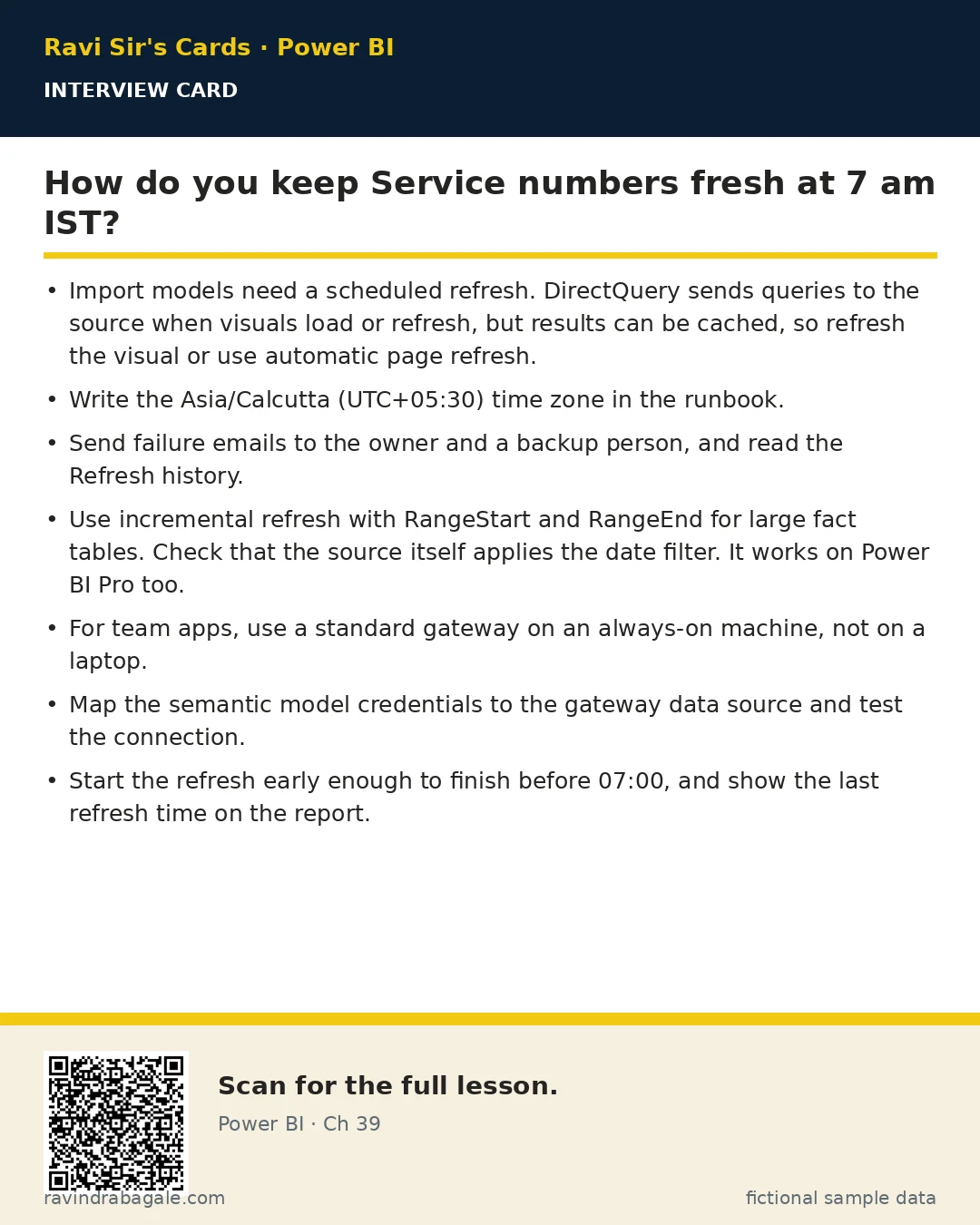
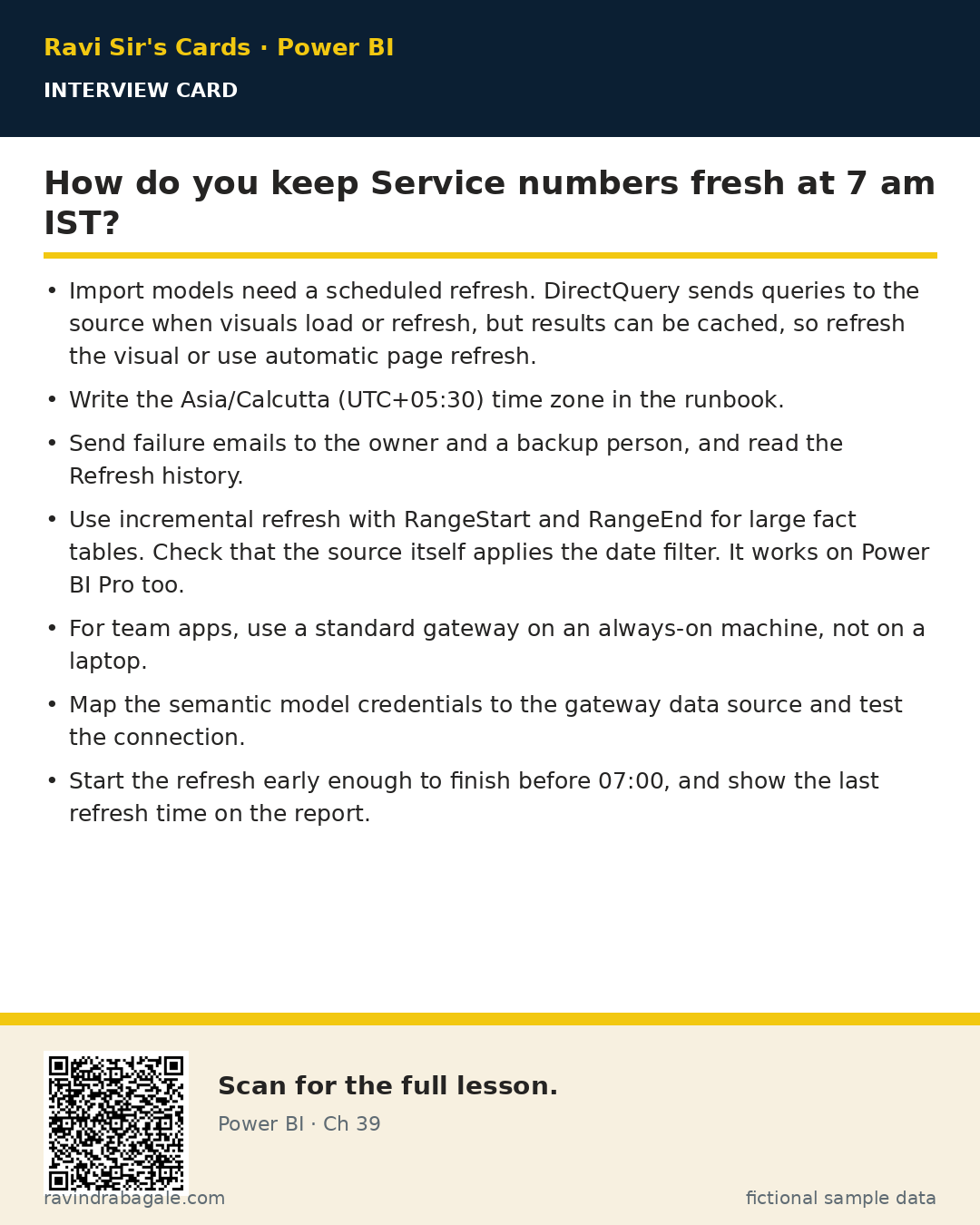
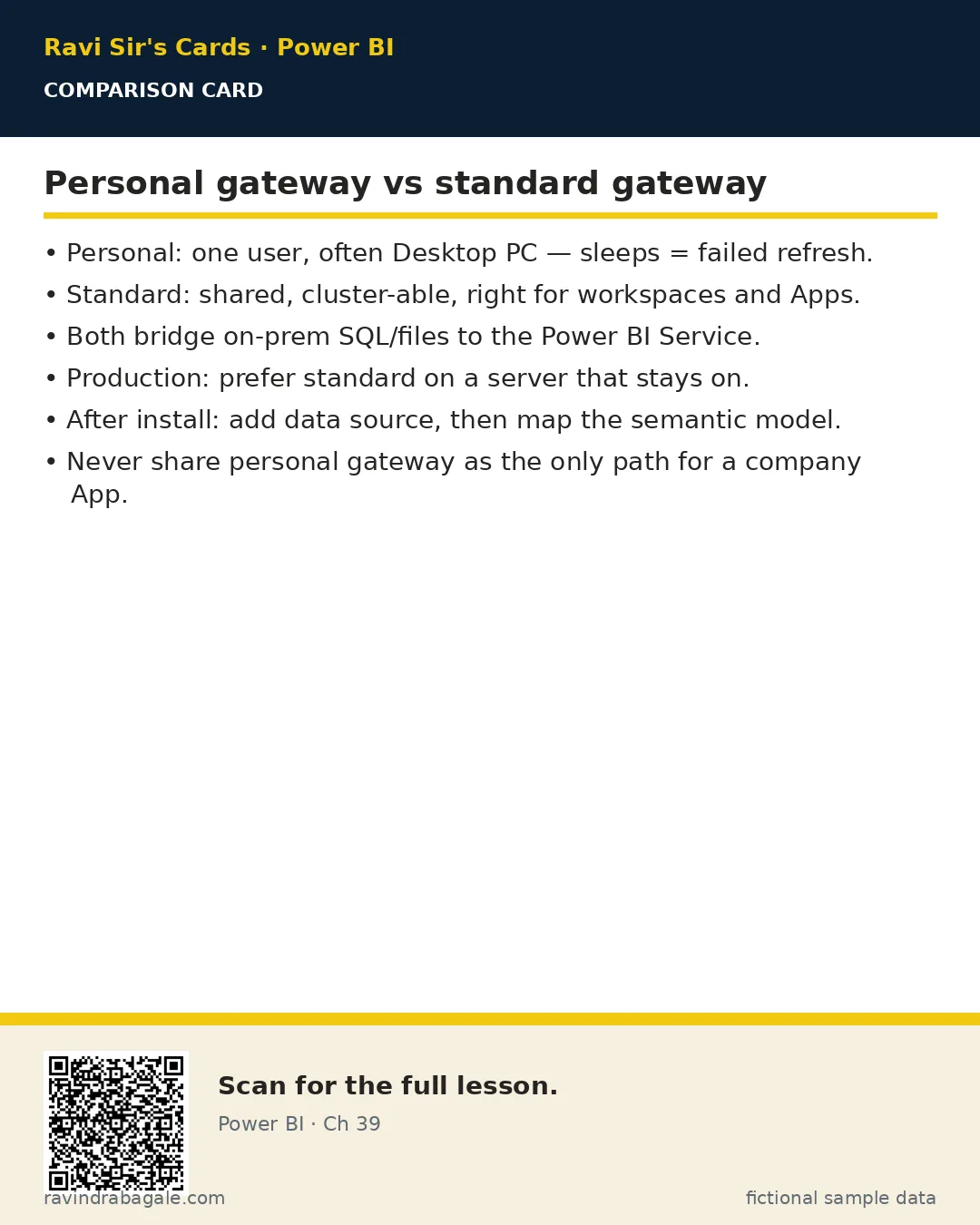
The QR code on each card points to this lesson. Download the PNG to revise offline.
Think like a professional
In a real tenant, rights and sharing are controlled by Fabric / Power BI admins. Always follow your company policy. This lesson uses fictional people and numbers so you can practise the ideas safely.